• Bonjour

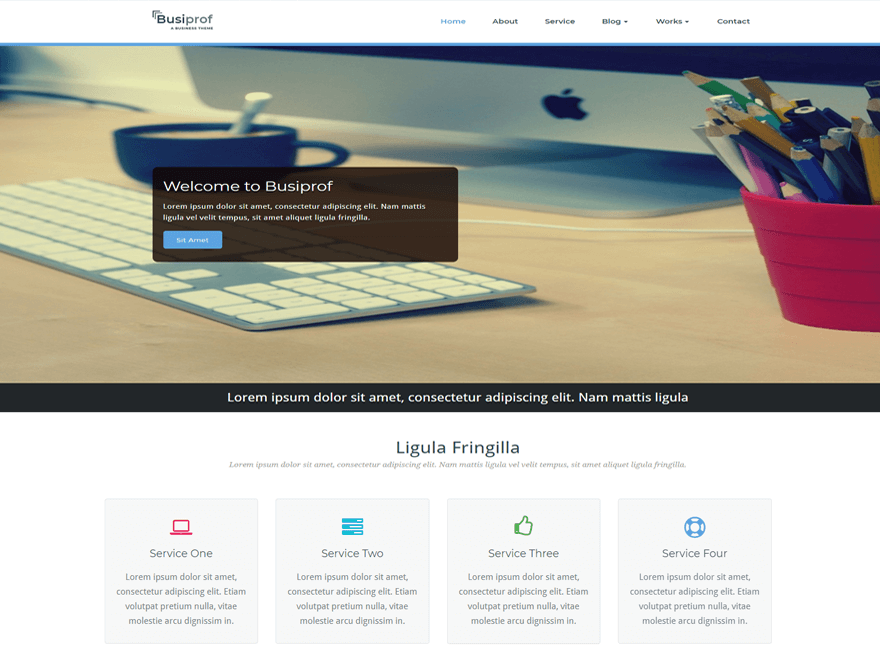
    J’utilise le thème Vdequator qui est un thème enfant de Busiprof. Suite à le mise à jour du thème Busiprof, j’ai dû supprimer mon image principale dans “Slider settings” car celle ci n’est plus compatible à la version mobile.

    Comment peut-on remédier à ce problème ?

    Je vous remercie

    Bien cordialement

    The page I need help with: [log in to see the link]

Viewing 6 replies - 1 through 6 (of 6 total)
  • Hi
    Thanks for contacting to us.
    Our theme is fully responsive, I have checked your website right now there is no slider image. Pls add a slider image and tell me. So that we can check slider image responsiveness at our end.

    Thanks
    Akhilesh

    Hello,

    I am adding slider but nothing happens when i click on add slider button. The same happens under the services section, its not allowing me to add another service. what could be the problem?

    Hi
    I have checked your website you are using an older version of the theme.
    Pls update the theme with the latest version.
    I have checked our theme latest version is working fine at our end.
    Let me know for any confusion.
    Thanks

    Thank you for the feedback @akhlesh-nagar

    However, I have been unable to update the theme. Is it possible to help me with the update from your end.

    Or is there a way I can update without losing the data I have already put up. I only have an issue with the front page(Slider and services section) where by I can not add new.

    Thanks you.

    Thread Starter expertam

    (@expertam)

    Bonjour @akhlesh-nagar ,

    En effet mon site est sur une ancienne version car j’ai peur de perdre certaines données lors de la mise à jour.
    Y a t-il un moyen de faire un essai et de revenir à l’ancienne version en cas de problème ?
    Ou pouvez-vous voir de votre côté si la mise à jour cela n’affecte rien ?

    Je vous remercie

    Hi @priscah
    Home by simply click on update for updating the theme.
    @expertam @priscah Always use the latest version of the theme. Bz update of the theme give some additional features and compatibility with WordPress.
    Simply update the theme and use webriti companion plugin.
    Actually, in the new update, we have moved the homepage sections in our companion plugin.
    Once you will install and activate the “Webriti Companion” plugin, your homepage will show. And service settings and other section settings will show in the customizer.
    See the below screenshots. After activating the plugin all sections are showing.
    https://prnt.sc/tcja5q
    Also, make sure you have assigned the “Home page” template on your homepage.

    Thanks
    AKhilesh

    • This reply was modified 5 years, 5 months ago by akhlesh-nagar.
Viewing 6 replies - 1 through 6 (of 6 total)

The topic ‘Slider settings’ is closed to new replies.