Post Edits
-
Hi,
Since the update, apart from the text on ‘delete forum cache’ having disappeared, the option to ‘edit’ a forum post just tries to activate forever and shows a ‘working’ icon in the top right of the forum.
For info, I’m using the Dark theme.

-
Hi @deeveearr,
Please leave some screenshot and a link to your forum.I have the same problem: the option to ‘edit’ a forum post just tries to activate forever and shows a ‘working’ icon in the top right of the forum
Also, nothing happens when i try to edit ou to fix a topic
-
This reply was modified 5 years, 8 months ago by
silvialp.
Same with me, @silvialp but I did find that if you click on the forum ‘tools’ option as if you wanted to merge a post, then the ‘working’ icon disappeared.
Still won’t edit though.
@gvectors-team as for screenshots, all you’re going to see is a floating ‘working’ icon, but as for the url, its HERE
For info, your two test topics have just been approved.
Just been trying to edit the two test topics, and once again, I’m just getting a never-ending ‘working’ icon in the top right.
Hi @deeveearr,
The edit works fine, we just tested:
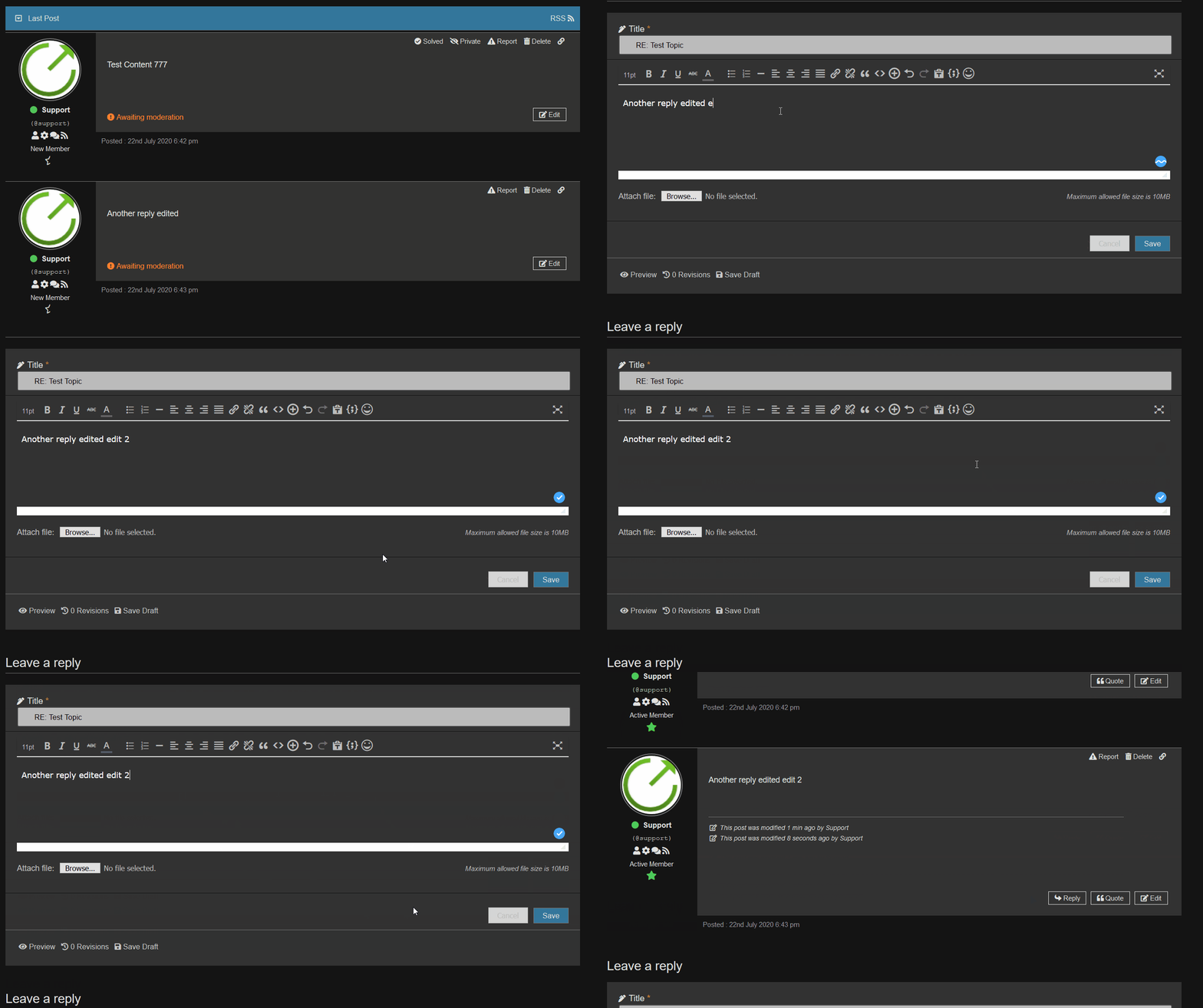
If you use “WP Performance Score Booster” plugin, please disable this option, I see the version of JS/CSS files are removed and cached in your browser. So disable this option and delete your browser cache:

So just delete your browser cache or use a private session to check it.
@silvialp,
Your issue is not related to the @deeveearr,
But I still recommend delete all caches, purge CDN if you have and use private session of browser to check it. For the further support please open a separate topic, it’s hard to support two different users in one topic.What’s Performance Score Booster?
I’m using Perfmatters along with WP Rocket at the moment.
Ok, @deeveearr,
Then disable both and check in a private session of browser tab. If the problem is fixed then make sure all caches are totally deleted and delete your browser cache by pressing Ctrl+F5 on forum front-end.Still no joy on this issue.
WP Rocket and Cloudflare caches all cleared three times, and F5 pressed about 10 times, but I still cannot get the edit button to work.
Just a point here – how can you check the functionality in a privaate browser tab?
In a private browser tab, I wouldn’t be logged in?
-
This reply was modified 5 years, 8 months ago by
deeveearr.
I asked to disable those, not clear. And have you cranked all with a private session of browser?
Not being funny here, but why would I want to disable both WP Rocket and Perfmatters to see if Wpforo works?
Would it not be a better idea to make sure that Wpforo works alongside premium plugins?
@deeveearr,
I just ask to do that temporary to test it. I don’t ask you disable it forever. Please disable it for a minute and test forum.Just checked on a private browser, and it does indeed work, with no ‘working’ spinner, but now replaced with a spinner in the content, which looks much better.
Looks like we just need wpforo to get their cache working properly now then, without needing to disable everything else and pressing F5.
Can you really image WP Rocket asking if I’ve pressed F5 to make sure the cache is cleared?
@deeveearr,
As you can see in my post here the edit works fine:
https://wordpress.org/support/topic/post-edits-2/#post-13156797So the problem is in your local browser cache or in your internet provider cache.
Please delete your browser cache, or use a private session.
For PC you should press Ctrl+F5 twice in browser, for Mac / Safari press [CMD] + [ALT] + [E].Please confirm that you’ve followed all these steps. You can ignore the cache plugins for now.
Right, just checked with Pefmatters and WP Rocket disabled, and it all works fine.
Now that these two plugins are re-activated and working again, what’s the procedure now if I need to edit a post?
Looks like we just need wpforo to get their cache working properly now then, without needing to disable everything else and pressing F5.
wpForo has no chance to work fine if your cache plugins has disabled the JS / CSS files versions, this is the only indicator that browsers use to update cache. You should cache your cache plugins and find the option which removes JS/CSS files version. This is the main problem, and this may come from non-cache plugins too:
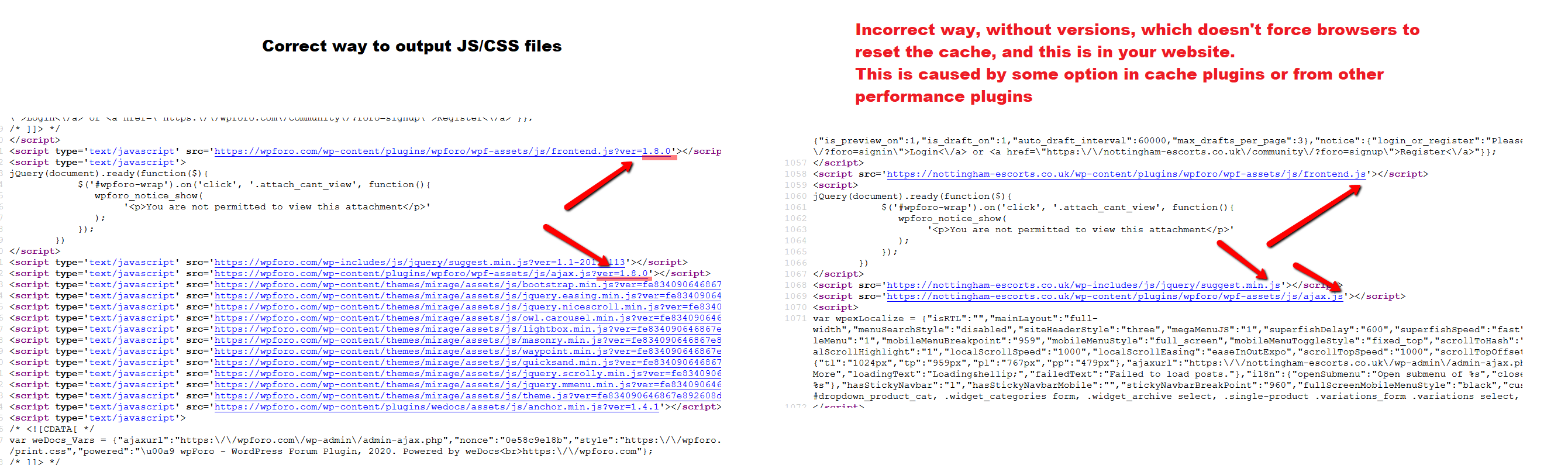
So as you can see the problem in your website not in the wpForo. You should find the plugin which removes versions from JS/CSS files and you’ll not have such problem in the future.
-
This reply was modified 5 years, 8 months ago by


The topic ‘Post Edits’ is closed to new replies.
