Hello @mariano69a ,
Please follow the steps it will help you to step home page
Home Page Template
Step1. Go to Dashboard >> Pages >> Add new page “Home” >> Select page attribute “Custom Home” >> Publish it.
Step2. Go to Dashboard >> Appearance >> Customize >> Homepage Settings >> Click static page >> Select “Home” page >> Publish it.
Slider Section
Step1. Go to Dashboard >> Pages >> Add new page “Slider 1” >> Add title, Content and featured image >> Publish it.
Step2. Go to Dashboard >> Appearance >> Customize >> Theme Settings >> Slider Settings >> Select “Slider 1” page >> Publish it.
Note: Click twice on Show / Hide slider checkbox.
Our Facilities
Step1. Go to Dashboard >> Posts >> Add new category >> Publish it.
Step1. Go to Dashboard >> Posts >> Add new post >> Add title, content and featured image >> Select category >> Publish it.
Step2. Go to Dashboard >> Appearance >> Customize >> Theme Settings >> Our Facilities >> Select category >> Publish it.
Thanks.
Obviously I’m talking about the paid tema.
This is what I had already done and it works.
In the theme there is talk of a services section, which in reality would be the rooms, but can I create the room with a photo, which is shown on the first page, then what proposes the theme of what happened?
These are the instructions
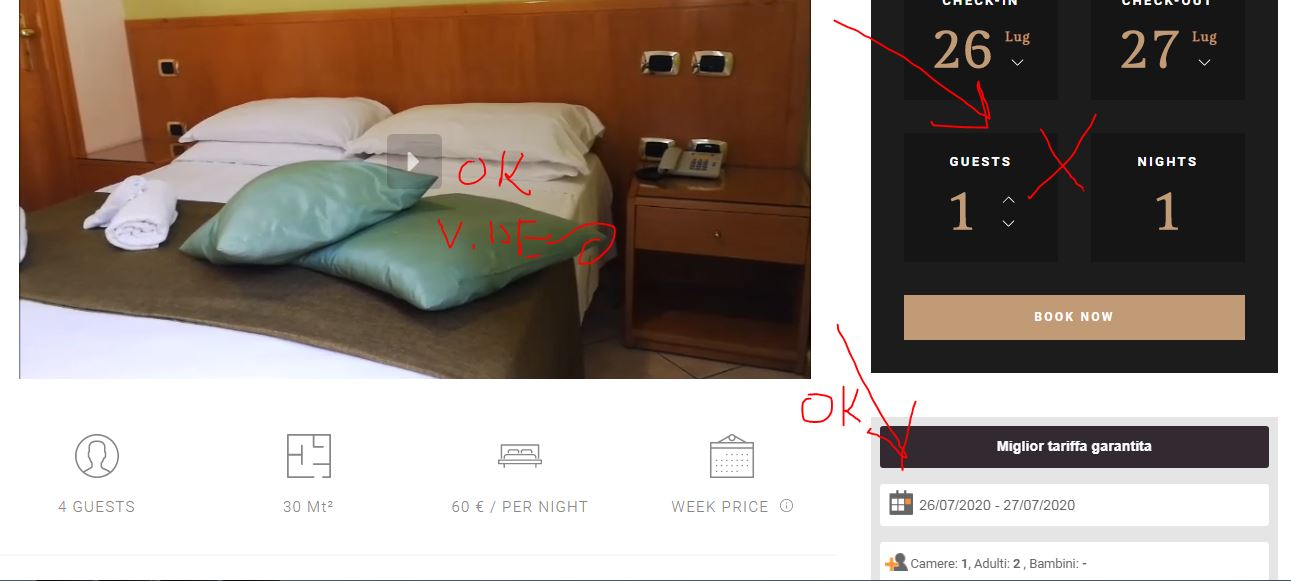
This is what can be achieved
In addition, the menu disappears, it has not been estimated that it remained fixed at the top when the page scrolls
-
This reply was modified 6 years, 3 months ago by
 mariano69a.
-
This reply was modified 6 years, 3 months ago by mariano69a.
-
This reply was modified 6 years, 3 months ago by mariano69a.
-
This reply was modified 6 years, 3 months ago by mariano69a.
-
This reply was modified 6 years, 3 months ago by mariano69a.