• Resolved julioecheverry

    (@julioecheverry)


    Hi, i have an issue on my website whit your plugin.

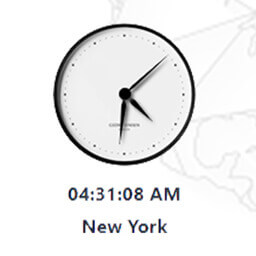
    Thank you for the plugin. I’m using elementor and when I put your shortcode on a html block code from elementor on my header (created with elementskit) my site print the shortcode and not the timer.

    The page I need help with: [log in to see the link]

Viewing 3 replies - 1 through 3 (of 3 total)
  • Plugin Author Maksym Marko

    (@markomaksym)

    Hello julioecheverry.
    Thank you for your message.
    You should place shortcode to the editor section.
    If you want to use the shortcode in the code, you should place it to the php section as echo do_shortcode(‘[mxmtzc_time_zone_clocks time_zone=”America/Bogota” city_name=”Bogotá” time_format=”12″ digital_clock=”true” lang=”es” lang_for_date=”es” clock_type=”clock-face2.png” show_days=”false”]’);

    If you have any questions more, write to me.
    If the plugin is useful to you, please, leave the review here
    https://wordpress.org/support/plugin/mx-time-zone-clocks/reviews/

    Thank you!

    • This reply was modified 6 years, 1 month ago by Maksym Marko.
    Thread Starter julioecheverry

    (@julioecheverry)

    Hi marko, yeah I put entire html code with shortcodes on a shortcode block on elementor and it’s working, thanks a lot for the info!!. I’ve already give you a review.

    Plugin Author Maksym Marko

    (@markomaksym)

    Thank you a lot!)

Viewing 3 replies - 1 through 3 (of 3 total)

The topic ‘Short code’ is closed to new replies.