Hi @mehul2700,
Do you see it listed under widgets that you can add to your site? Typically you can find the Filter Products by Price widget by going to Appearance > Customize. Then select widgets and click on the spot where you’d like to have the slider.
Then add this widget to the site. That should bring back the slider.
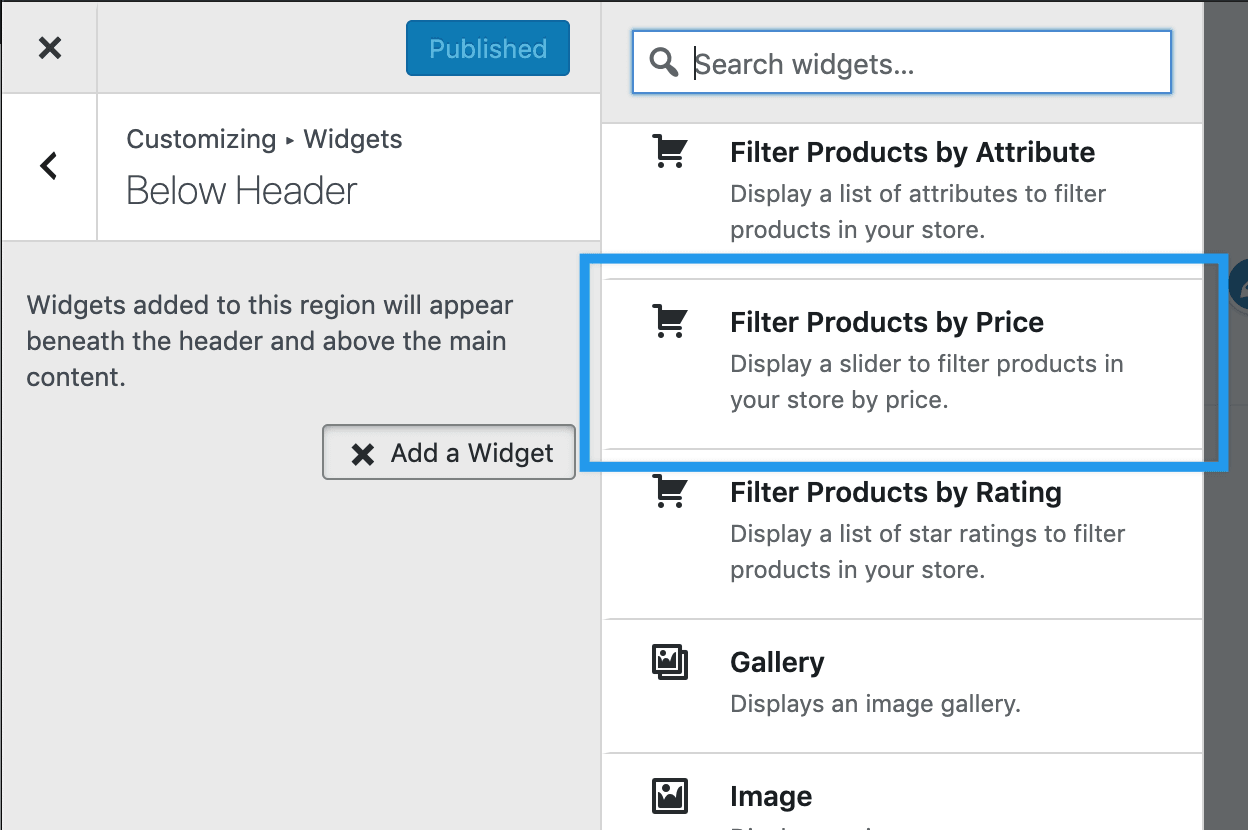
Let me know if you have something else in mind.
Cheers
Hola!
Thanks for the revert. Yes I can see this, tried it as well but again no avail.
Im thinking that it’s trying to pull some kind of data but I failing and thus not showing up the widget.
Could this be due to the fact that I including some cached files while I was creating the duplicate copy?
This is the second time this happened; but on different domains.
Hello @mehul2700,
That is an interesting situation. Have you tried previewing the Storefront theme in your Customizer and seeing if you can add the widget there and have it work?
Let me know what you discover with that and we’ll go from there.
Best
Hi @mehul2700,
It’s been a while since we heard from you, so I’m marking this thread resolved. Hopefully, you’ve been able to resolve this, but if you haven’t, please let open up a new topic and we’ll be happy to help out.
Cheers


