Hello @adminezproof
I recommend you to press the “Preview” in the forms builder. If the fields’ sizes in the form’s preview are correct, evidently the issue is caused by the styles defined in the theme active on your website. Remember the styles defined in the theme active affect to every tag in the web page. If it is the case, please, send me the URL to the web page where the form is inserted for checking the styles that are affecting to the dropdown fields.
Best regards.
Thanks for the reply. I did review it on Preview and the issue is not present. It must be with the theme as you wrote. Here is a link. https://ezjiaodui.com/index.php/a1-2/
I also use it as a popup with a button trigger. I placed a button on the same page.
Thanks a lot!
Hello @adminezproof
The issue is simple, the theme active on your website wraps the <select> tags with a DIV tag with the class name: select_container
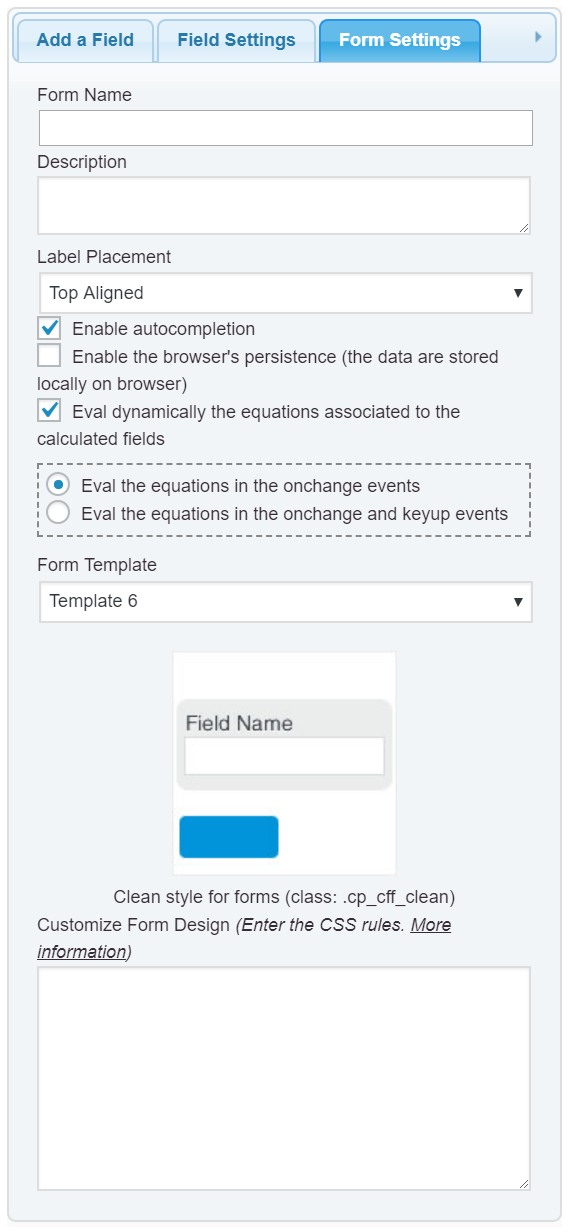
To fix the issue you simply should enter the following style definition into the “Customize Form Design” attribute in the “Form Settings” tab (https://cff.dwbooster.com/images/documentation/form-settings-tab.png):
#fbuilder .select_container{display:inline;}
Best regards.
Worked perfectly! Thanks. I have another issue with a slider I’d like to use on the same page. It appears rather thin and off alignment. Should I post it as a new topic?
I’m using the following CSS on the form setting:
#fbuilder, #fbuilder label,
#fbuilder span {text-align: center;}
#fbuilder .select_container{display:inline;}
Thanks again for all your help!
Hello @adminezproof
Enter the style definition:
#fbuilder .dfield .slider {margin-left: 25%;}
and that’s all.
Best regards.
Wow, that was fast! Worked great. Anyway to increase the height of the slider? It’s a little thin compared to the height of the other fields.
Hello @adminezproof
The appearance of controls is being inherited from the theme active on your website. If you want I customize your form’s design, I can offer you a custom coding service from my private website:
https://cff.dwbooster.com/customization
Best regards.
OK. I’ll have to think about that. I’m bit of a cheap bastard. I appreciate all the help, though. Awesome response time.
Thanks again!