I tried to use this code, but it doesn’t filer product variations:
add_filter(‘woof_get_request_data’, ‘my_woof_get_request_data’);

function my_woof_get_request_data($data){
$data[‘stock’]=’instock’;
return $data;
}
Is there a way to hide out of stock sizes? For example product is available in S, M, L sizes, but unavailable in XL and XXL. How to hide XL and XXL in this case?
Hello
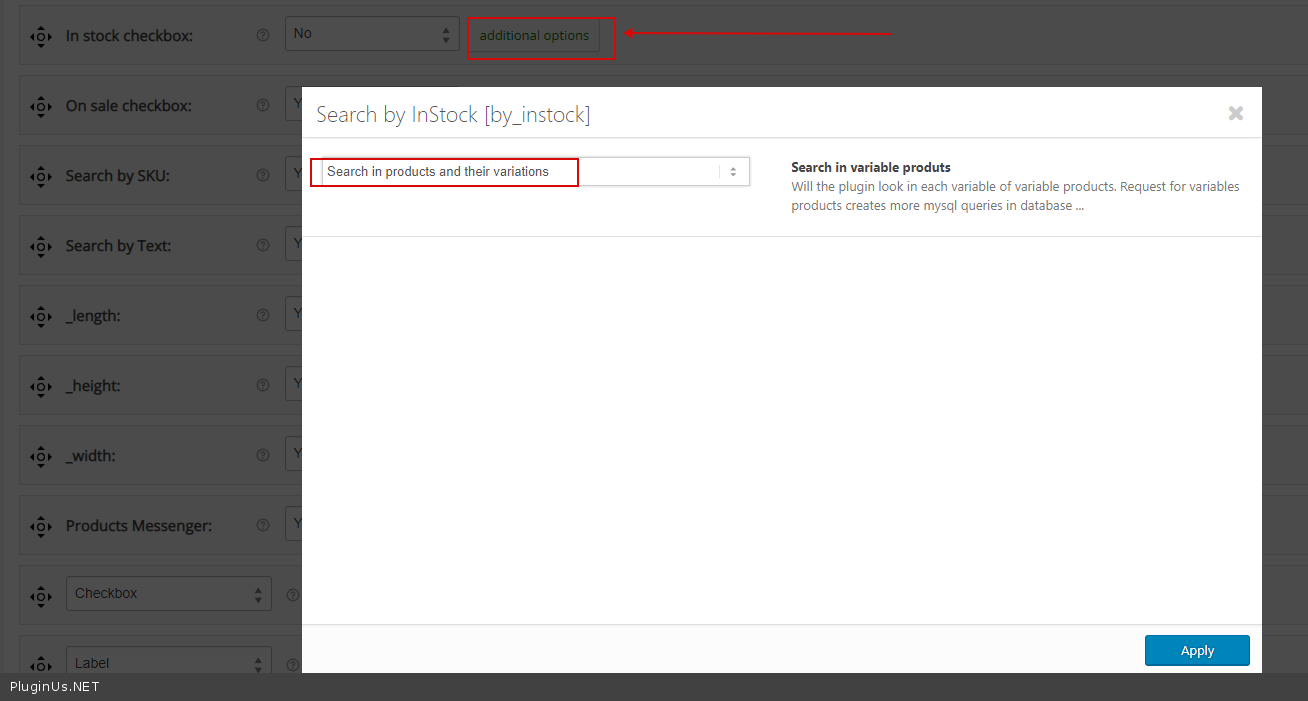
Please check option – https://c2n.me/40qB9MG.png
Thank you, I understood:
– This option (https://c2n.me/40qB9MG.png) checks variations in filter queries
– And this snippet enables “In stock” button by default:
add_filter(‘woof_get_request_data’, ‘my_woof_get_request_data’);
function my_woof_get_request_data($data){
$data[‘stock’]=’instock’;
return $data;
}
It didn’t work for me from first attempts, but finally I found a way to hide out of stock variations. For this purpose it was also necessary to disable stock management option in WooCommerce settings.
-
This reply was modified 7 years, 1 month ago by
 nicktirdea.