• Resolved lukegoldthorpe

    (@lukegoldthorpe)


    Hi, I am an apprentice Digital marketer at a recruitment company and i have had the idea to create a form which compares your salary to the average in a specific area.

    I want to do this by clicking the calculate button on the form, however i do not understand how the ‘On-Click event’ works to start the function to create the answer in the specific field. I am new to JavaScript and was wondering if anyone could help me.

    Any replies would be greatly appreciated!

Viewing 3 replies - 1 through 3 (of 3 total)
  • Plugin Author codepeople

    (@codepeople)

    Hello @lukegoldthorpe,

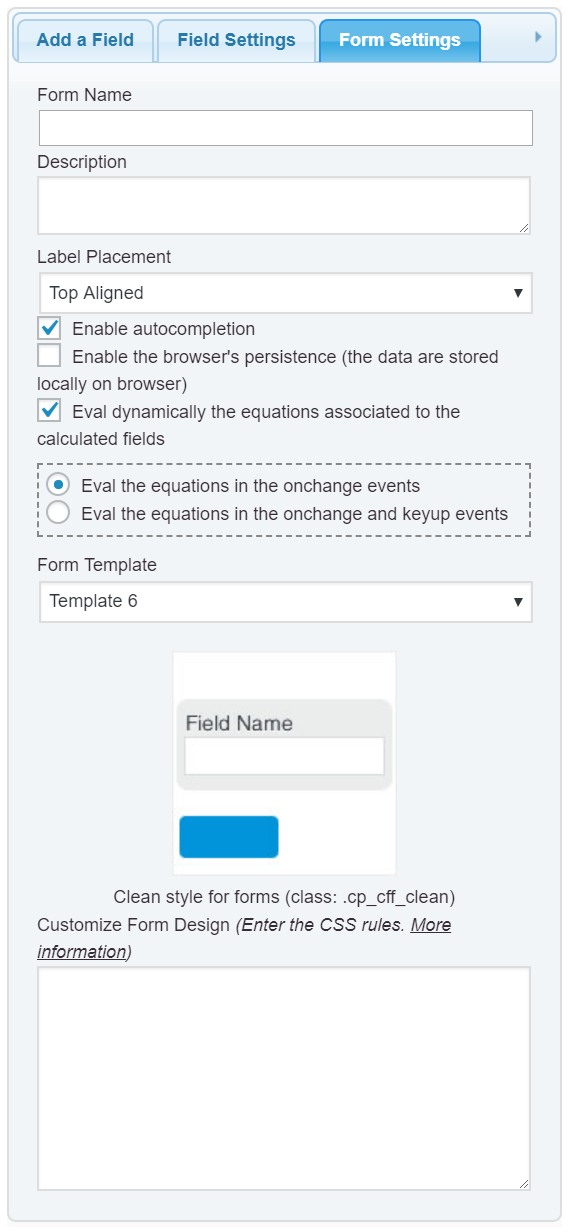
    The plugin evaluates the equations by default, only selecting or entering the values into the fields that are operands in the equation, however, if you don’t want the default behavior, and you prefer the equations be evaluated only after click on a button, please, follow the steps below:

    1. Untick the checkbox: “Eval dynamically the equations associated to the calculated fields” in the “Form Settings” tab (https://cff.dwbooster.com/images/documentation/form-settings-tab.png)

    2. Insert a button field in the form, and then, select the option: “Calculate” as the button type.

    and that’s all.
    Now the equations are evaluated only after pressing this button.

    Best regards.

    Thread Starter lukegoldthorpe

    (@lukegoldthorpe)

    Thanks for the reply!

    This has worked and really helped me.

    Will definitely recommend!

    Plugin Author codepeople

    (@codepeople)

    Hello @lukegoldthorpe,

    It has been a pleasure.

    Best regards.

Viewing 3 replies - 1 through 3 (of 3 total)

The topic ‘Salary Calculator’ is closed to new replies.