Hi @gms247,
If you create a landing page the header & footer will hidden by default.
The other method to hide is by using custom CSS let me know if you want me to send you the relevant CSS for it.
Thanks
Thread Starter
 gms247
(@gms247)
Use the following code in page options section’s Custom CSS field.
Putting this css in row or columns CSS field will not work.
.entry-header, .screen-reader-text,.site-info , #secondary, {
    display: none !important;
  }
-
This reply was modified 8 years, 1 month ago by
 PluginOps.
-
This reply was modified 8 years, 1 month ago by PluginOps.
Great, If you like the plugin & support please write a 5 star review.
Thanks
Thread Starter
gms247
(@gms247)
One more question, how can I add custom tracking code, example hubspot tracking code?
On the main wordpress intallation I have installed their hubspot plugin but cant see the tracking code on the Landing page.
-
This reply was modified 8 years, 1 month ago by
 gms247.
You can add tracking codes in Page Options Custom JS field or in text editor widget.
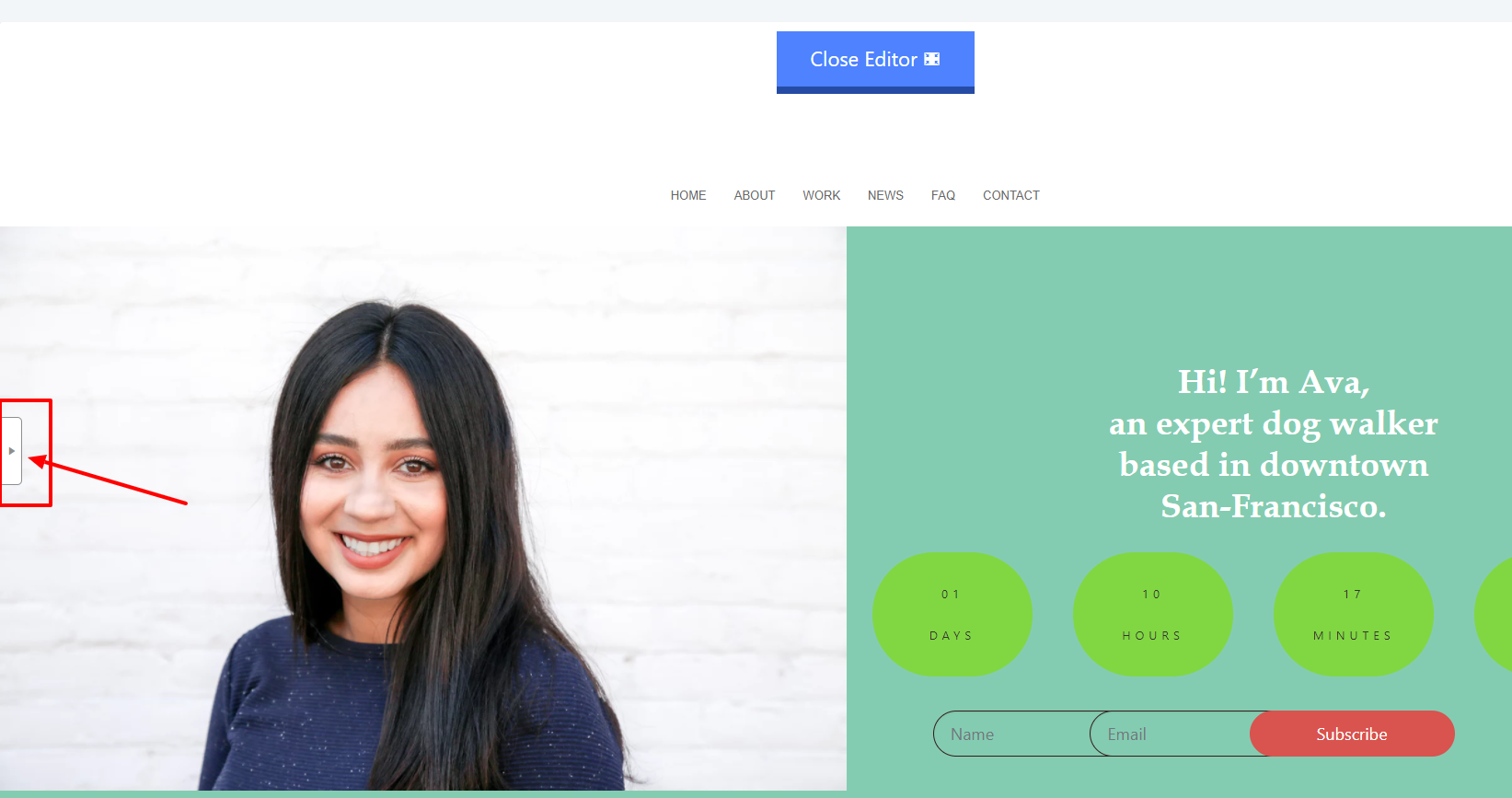
To Access page options click on left panel open button.
Screenshot pointing at page options open button.
http://smuzthemes.com/wp-content/uploads/2018/04/page-ops.png
Thread Starter
gms247
(@gms247)
ohh didnt notice the custom js 😉 Great!!!!!