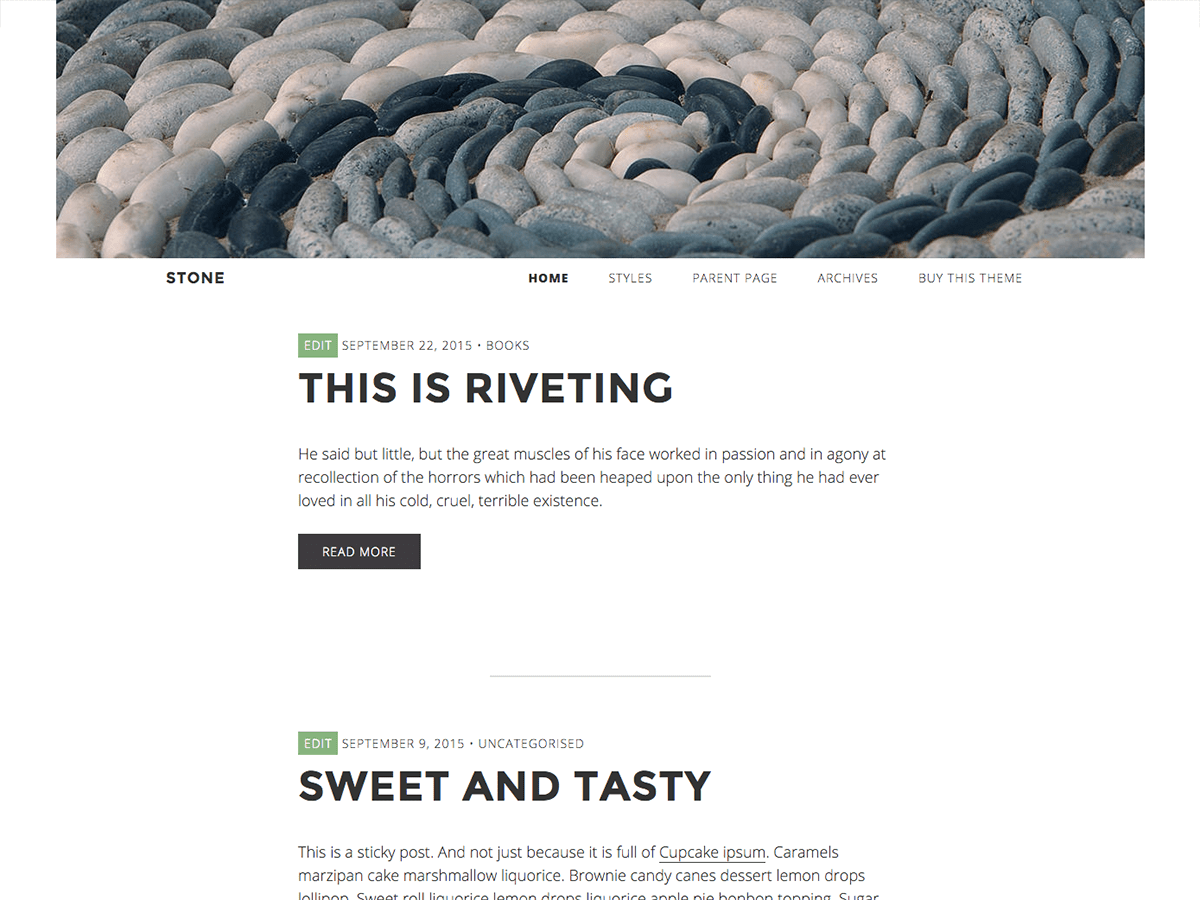
Hi Jon,
How are you adding the header image?
I have tried replacing the image by going to Appearances/Customise/Header Image. When I add a new image I get a screen where I can choose the crop position for the image. That way you can make sure the part you want to see is inside the crop area.
Joke
Hi Joke,
Yes this is how I am adding them, but still they appear like this.
I even uploaded them with the dimensions recommended so that they didn’t need cropping (1260 × 300).
I’ve disabled all plugins and it still happens?
Jon
Hi Jon,
Strange.
I have uploaded a new image on the test site and it looks exactly like the cropped area. http://www.jokedewinter.co.uk/themes/stone/
Have you tried removing the background colour option?
Joke
Erm not sure how to remove the colour option? I can only see how to change the colour…
Sorry if I’m being very basic here!
Thanks
Jon
Hi Jon,
To change the background colour go to Appearance / Customise / Colours. There are three options there: Site Title Colour, Background Colour and Link Colour.
Change Background colour to #ffffff (white).
Not sure if that will make a difference, but it’s worth a try.
Joke
Ok so that weirdly does affect the behaviour of the header image?? Why would that be?
It now does display centered across the full screen, but it doesn’t do any kind of scaling. Should it?
Thanks
Jon
Hi Jon,
I have absolutely no idea why it works like that and not with a background colour (it’s been a while since I build that theme). I would need to investigate, but I don’t have the capacity for that now.
The not scaling is correct. Again, I could fix that, but not anytime soon I am afraid.
Joke
Ok thanks very much for your help!