
Description
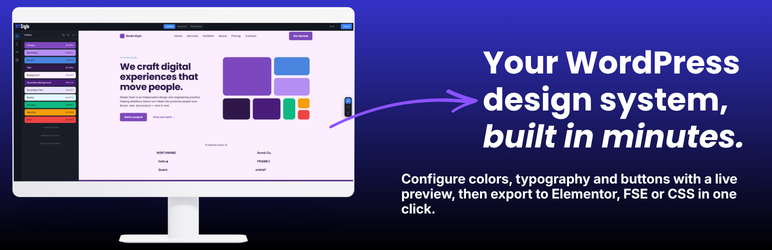
YAOTW Stylo connects your WordPress site to the WPStylo app — a free visual design system configurator for colors, typography, buttons, and global elements.
Design your system once in the app, export a JSON config file, then apply it in one click via three independent targets:
CSS Custom Properties (universal)
Injects --wps-color-*, --wps-font-*, and --wps-btn-* CSS variables plus .wps-text-* and .wps-btn-* utility classes into every front-end page. Works with any theme or page builder.
Elementor integration
Updates system colors, system typography, and global button styles via the Kit Manager API. Injects Elementor Global Variables (colors, font families, font sizes) and utility CSS classes (.wps_h1—.wps_nav, .wps_btn_*) directly into the active Kit’s custom CSS. User-created Custom Colors, Custom Fonts, and Global Variables are preserved on re-apply.
FSE / theme.json
Merges WPStylo design tokens into the active block theme’s theme.json (color palette, font families, font sizes, heading and body styles, button element) while preserving all other theme settings. Automatic backup before every write.
Key features
- JSON import via file upload or paste, validated against the
wpstylo/v1schema - Responsive typography via
clamp()(CSS) and automatic tablet size interpolation (Elementor) - Non-destructive re-apply — user content preserved in Elementor and FSE
- Automatic
theme.json.wpstylo-backupbefore every FSE write - Copy-to-clipboard class reference table in the admin
Requirements
- Elementor 3.0+ — required for the Elementor target only (optional)
- A block theme — required for the FSE target only (optional)
The CSS Custom Properties target works with any theme and any builder.
External services
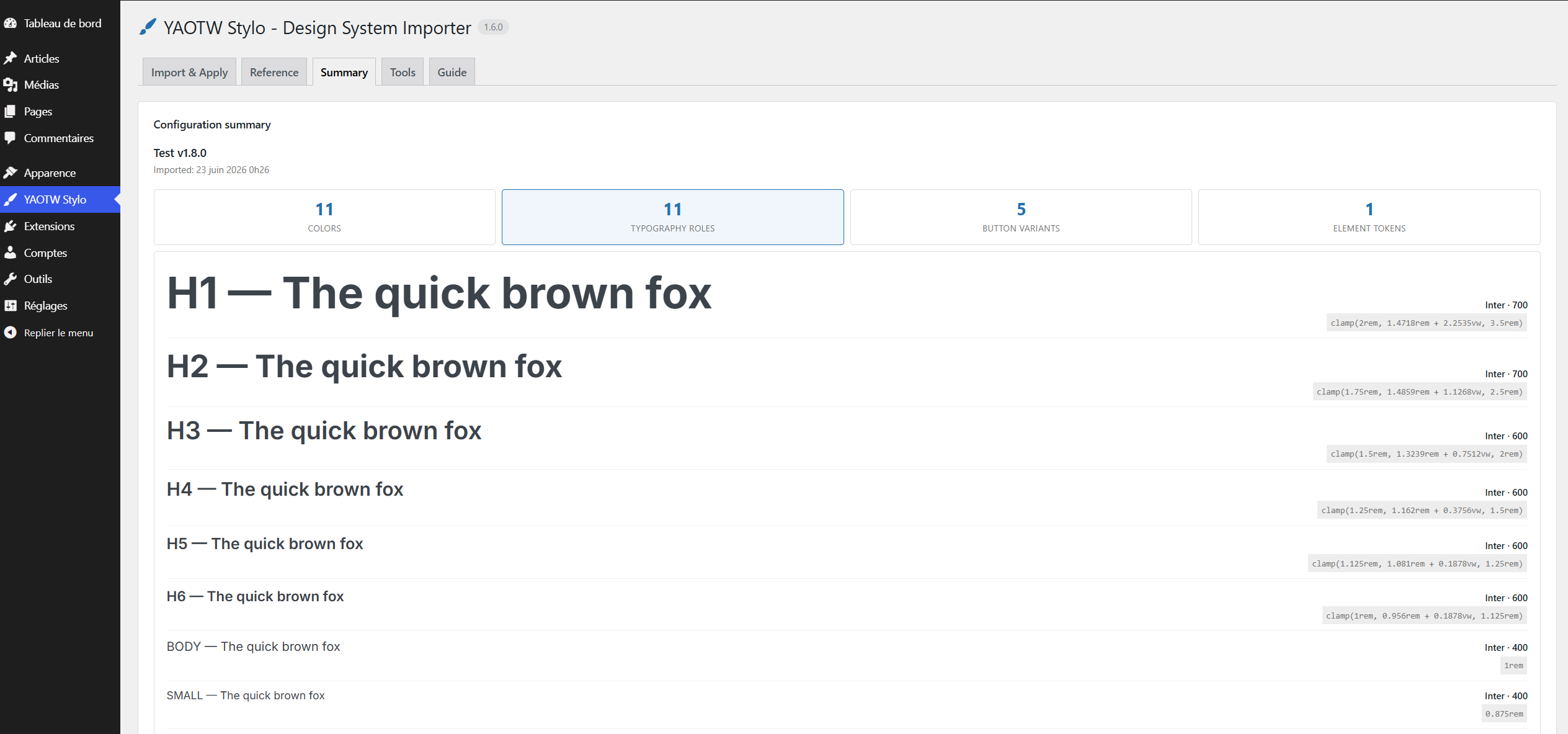
This plugin loads the Google Fonts stylesheet from Google’s CDN (fonts.googleapis.com) on the plugin’s admin settings page only, to render a live preview of the typography defined in your imported configuration.
When you open the YAOTW Stylo admin page, your browser requests the selected font families from fonts.googleapis.com. The selected font family names are included in the request URL. No personal data is sent by the plugin, and this request never happens on your site’s front end.
Google Fonts is a service provided by Google LLC. Terms of service: https://policies.google.com/terms — Privacy policy: https://policies.google.com/privacy
Screenshots


Installation
- In your WordPress admin, go to Plugins Add New Plugin.
- Search for YAOTW Stylo and click Install Now.
- Click Activate.
- Navigate to YAOTW Stylo in the admin sidebar.
Manual installation
- Download the zip from the WordPress.org plugin page.
- In your WordPress admin, go to Plugins Add New Plugin Upload Plugin.
- Select the zip and click Install Now, then Activate.
First steps
- Visit app.wpstylo.dev, configure your design system, and export
wpstylo-config.json. - In your WordPress admin under YAOTW Stylo, import the JSON file.
- Click Apply on the target(s) you want to use.
FAQ
-
Does the plugin modify my theme files?
-
Only the FSE target writes to your theme’s
theme.json. A backup (theme.json.wpstylo-backup) is always created first. Use Download theme.json to get the file without writing to the server. -
What happens if I deactivate the plugin?
-
CSS injection stops immediately. Elementor global settings and theme.json entries that were previously applied remain — they are not reverted on deactivation.
-
Is it compatible with Elementor Free and Elementor Pro?
-
Yes. The plugin uses the Kit Manager API available in both Free and Pro, stable since Elementor 3.0.
-
Can I use it without Elementor or a block theme?
-
Yes. Each target is independent. The CSS Custom Properties target works with any theme and any builder.
-
Will re-applying overwrite my custom Elementor colors or fonts?
-
No. Since v1.4.1, re-applying preserves user-created Custom Colors, Custom Fonts, and Global Variables in Elementor, and user-added palette entries in FSE theme.json.
-
Where do I get the WPStylo config file?
-
Visit app.wpstylo.dev. The app is free and requires no account.
Reviews
There are no reviews for this plugin.
Contributors & Developers
“YAOTW Stylo – Design System Importer” is open source software. The following people have contributed to this plugin.
Contributors
Translate “YAOTW Stylo – Design System Importer” into your language.
Interested in development?
Browse the code, check out the SVN repository, or subscribe to the development log by RSS.
Changelog
1.6.0
- Added: Tools tab — delete, create (app link), export (client-side JSON backup of the imported config), restore theme.json from backup (FSE), and learn more.
- Added: Guide tab with step-by-step usage notes for the Elementor, FSE, and CSS Custom Properties targets, and what persists after uninstalling.
- Added: FSE restore — one-click restore of theme.json from the WPStylo backup (Tools tab), with a confirmation modal.
- Added: a safety warning on the Import & Apply tab (use on development/staging; back up before applying on production).
- Changed: admin reorganized into five deep-linkable tabs (Import & Apply, Reference, Summary, Tools, Guide) and is now full width.
- Changed: Configuration summary opens the Colors panel by default and shows the font family per typography role.
- Changed: Reference and Summary show an empty-state hint when no configuration is imported.
- Fixed: the Copy and Copy all class-name buttons now work on non-secure contexts (plain HTTP, e.g. *.local) via a clipboard fallback.
1.5.0
- Renamed to “YAOTW Stylo – Design System Importer”. No change to functionality, settings, or output.
1.4.3
- Fixed: escaped integer outputs in the admin UI; switched to wp_is_writable() for the FSE writability check.
- Changed: Plugin Check / PHPCS compliance pass (documented nonce-routing and uninstall cleanup annotations).
1.4.2
- Security: all configuration-derived values (colors, font families, slugs) are now strictly sanitized before being output in CSS, preventing any markup breakout.
- Changed: front-end and Elementor CSS variable blocks are now output via wp_add_inline_style().
- Changed: removed load_plugin_textdomain() (handled automatically by WordPress).
1.4.1
- Fix: Elementor re-apply no longer destroys user-created Custom Colors and Custom Fonts (
custom_colors/custom_typographyare now left untouched). - Fix: Elementor Global Variables injection now preserves user-created variables — only WPStylo-managed entries (prefix
color-/font-) are rebuilt. - Fix: FSE apply now merges color palette, font families, and font sizes by slug instead of overwriting, preserving user-added entries.
- Fix: Removed leftover debug statement in Elementor apply.
1.4.0
- Added: Custom color roles are now included in Elementor Global Variables and the front-end CSS variables block.
- Fixed: Missing
--wps-color-secondary-backgroundand--wps-color-secondary-textin the front-end CSS block.
1.3.0
- Added: CSS Classes reference table shown when only CSS Custom Properties target is active.
- Fixed:
borderWidth = 0now removes all border properties across Elementor, FSE, and utility CSS. - Fixed: Button padding uses px values to prevent Elementor Kit Editor from silently resetting them.
1.2.0
- Redesigned admin interface with four sections and a CSS Classes reference table.
1.1.0
- Added Elementor Global Variables injection and utility CSS classes.
1.0.0
- First stable release.