
Description
Jooosi Fon: the #1 Self-hosted Google Fonts and Custom Fonts Manager for WordPress
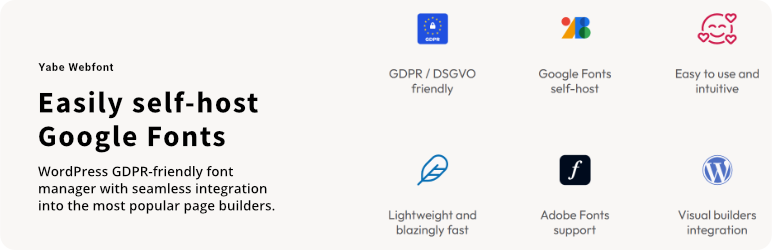
Jooosi Fon is a GDPR-friendly font WordPress plugin made for designers and developers that is advanced, easy to use, and intuitive to give you complete control over your fonts and typography in WordPress.
FEATURES
Jooosi Fon is packed full of features designed to streamline your workflow. Some of our favorites are:
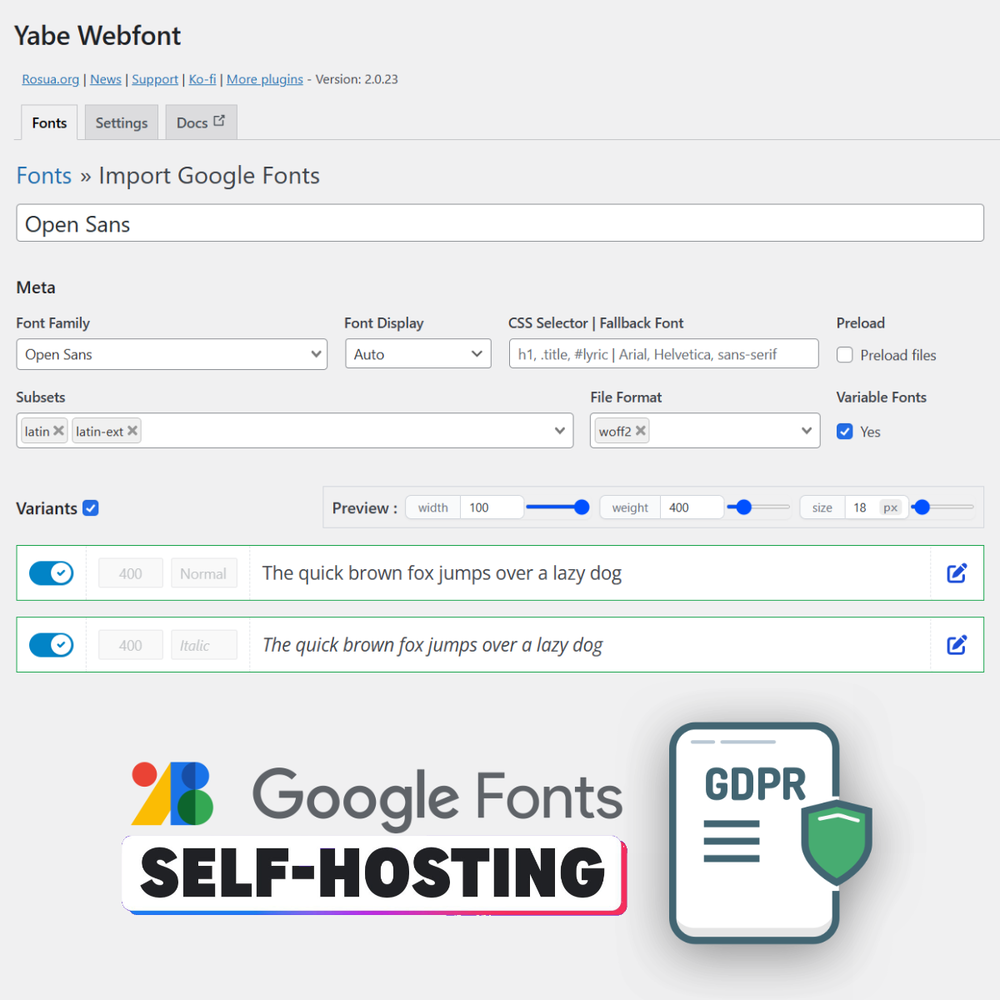
- GDPR / DSGVO friendly: You can import/self-host Google Fonts files from your server through your WordPress admin page. Fewer reasons to worry about GDPR / DSGVO compliance.
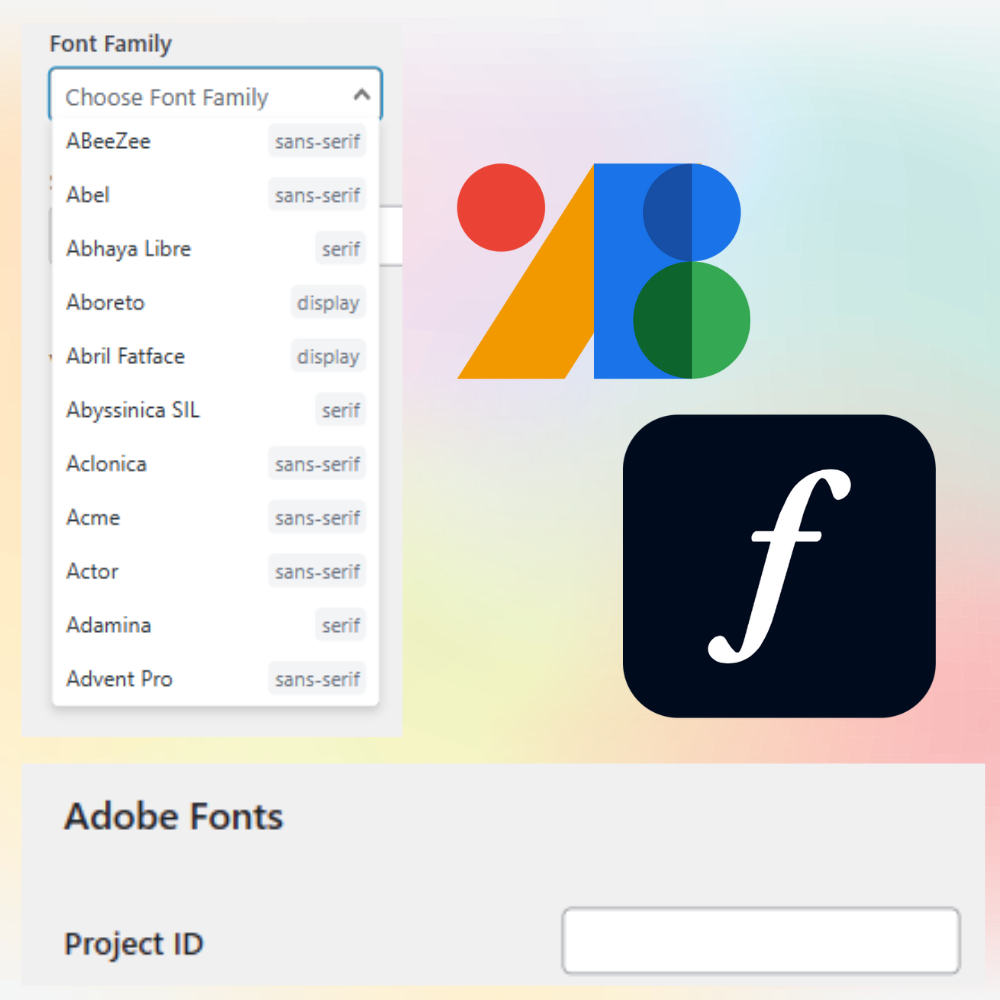
- Google Fonts and Adobe Fonts ready: Start using any available fonts on Google Fonts and Adobe Fonts.
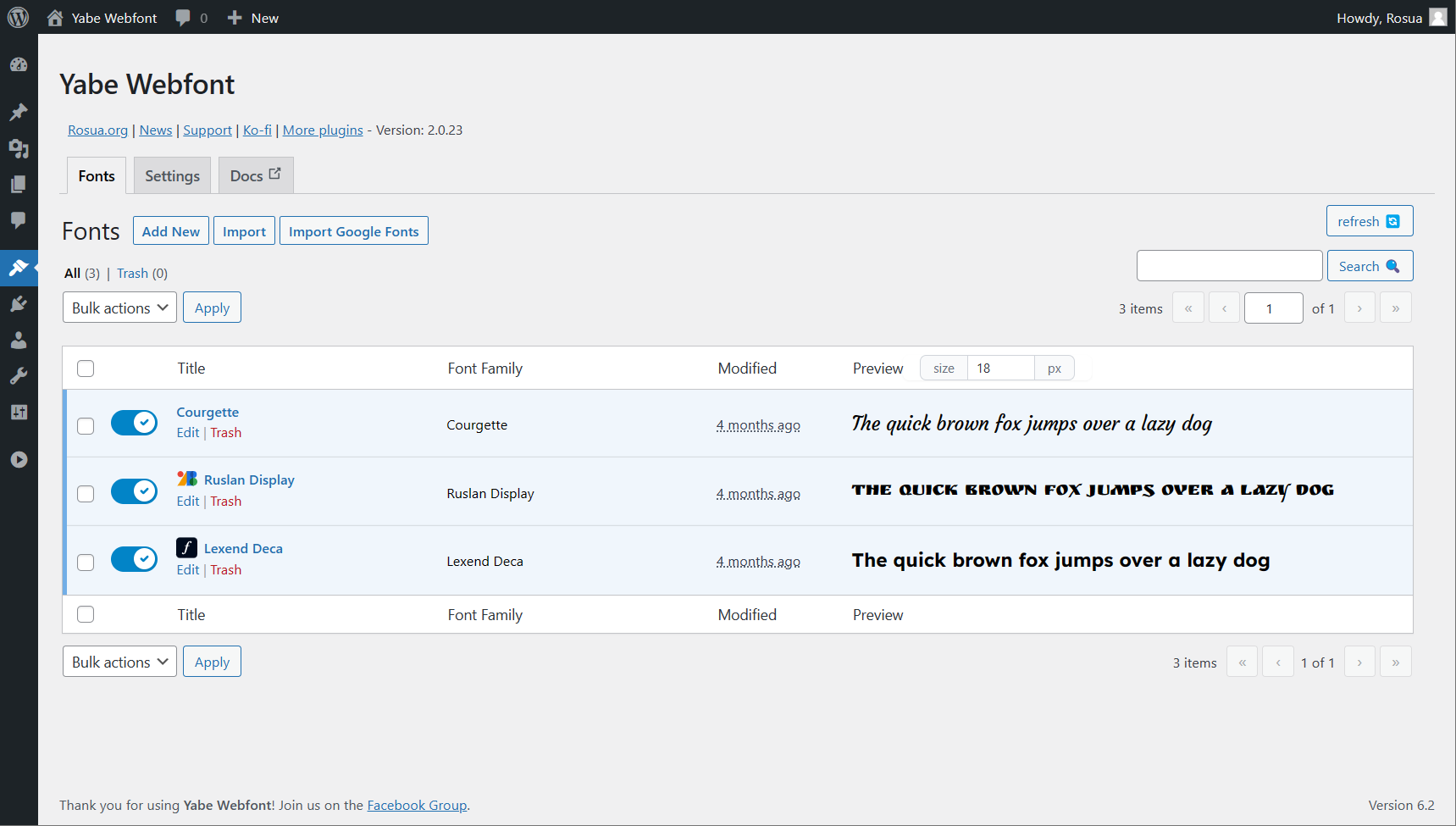
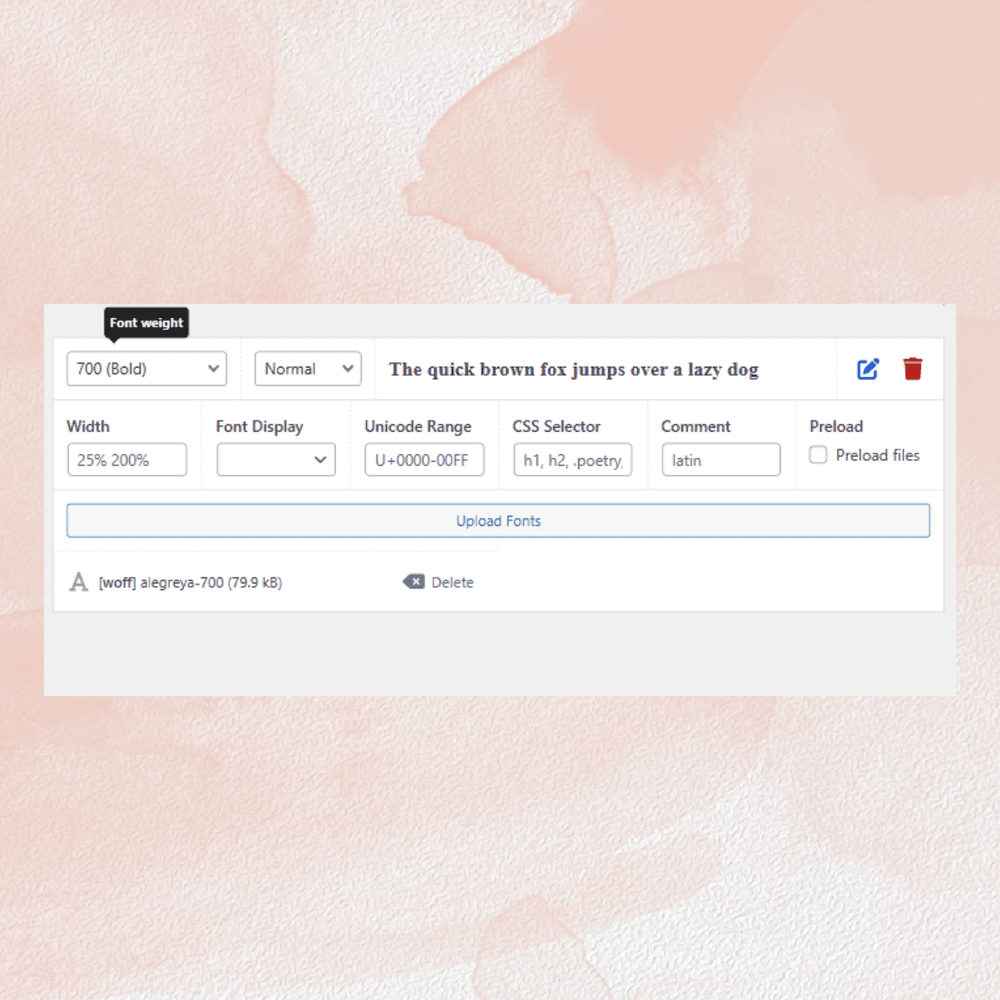
- Custom Fonts: A dedicated custom fonts manager for WordPress. The central place to manage all your fonts and typography.
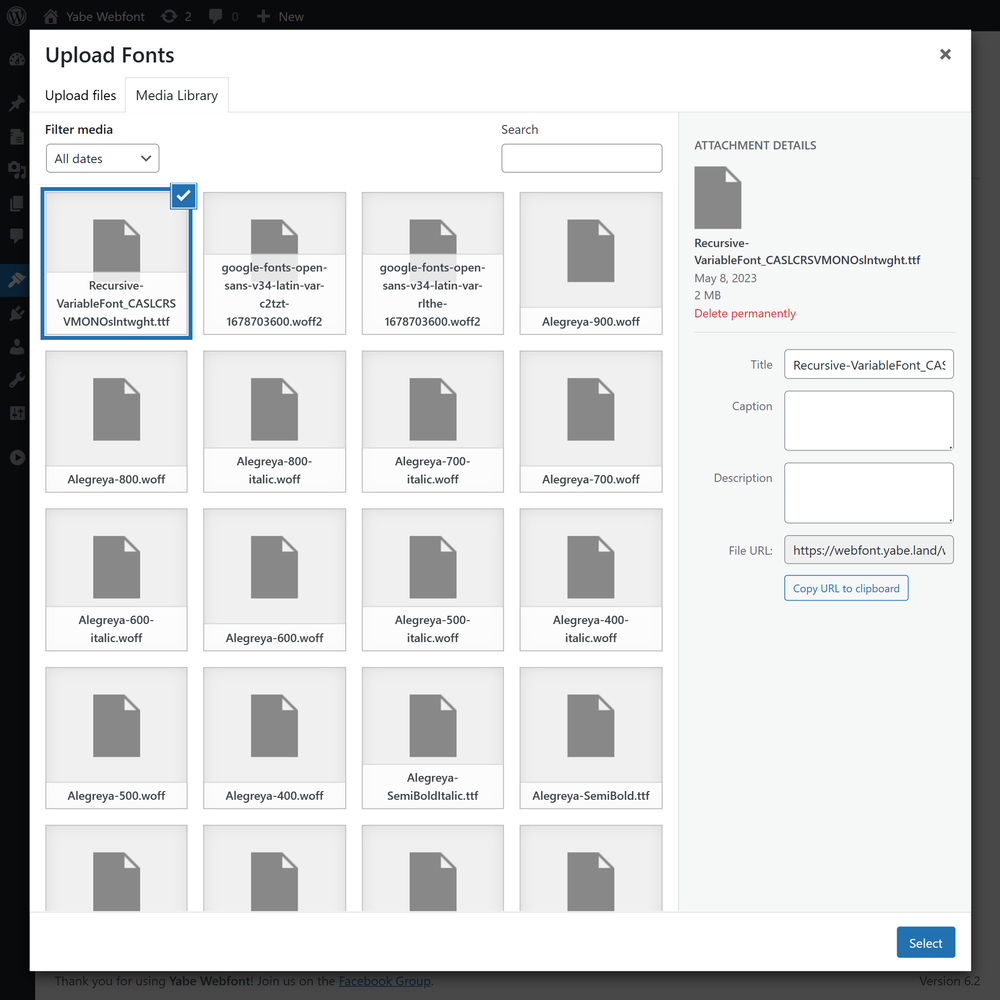
- Easy to use: Add custom fonts to your WordPress site with a simple and intuitive interface. No coding knowledge is needed. You can upload the font files using the WordPress media uploader. No FTP is required.
- Fine-tuning: Complete control over your fonts and typography. On 90% of use cases, the default one is good to go.
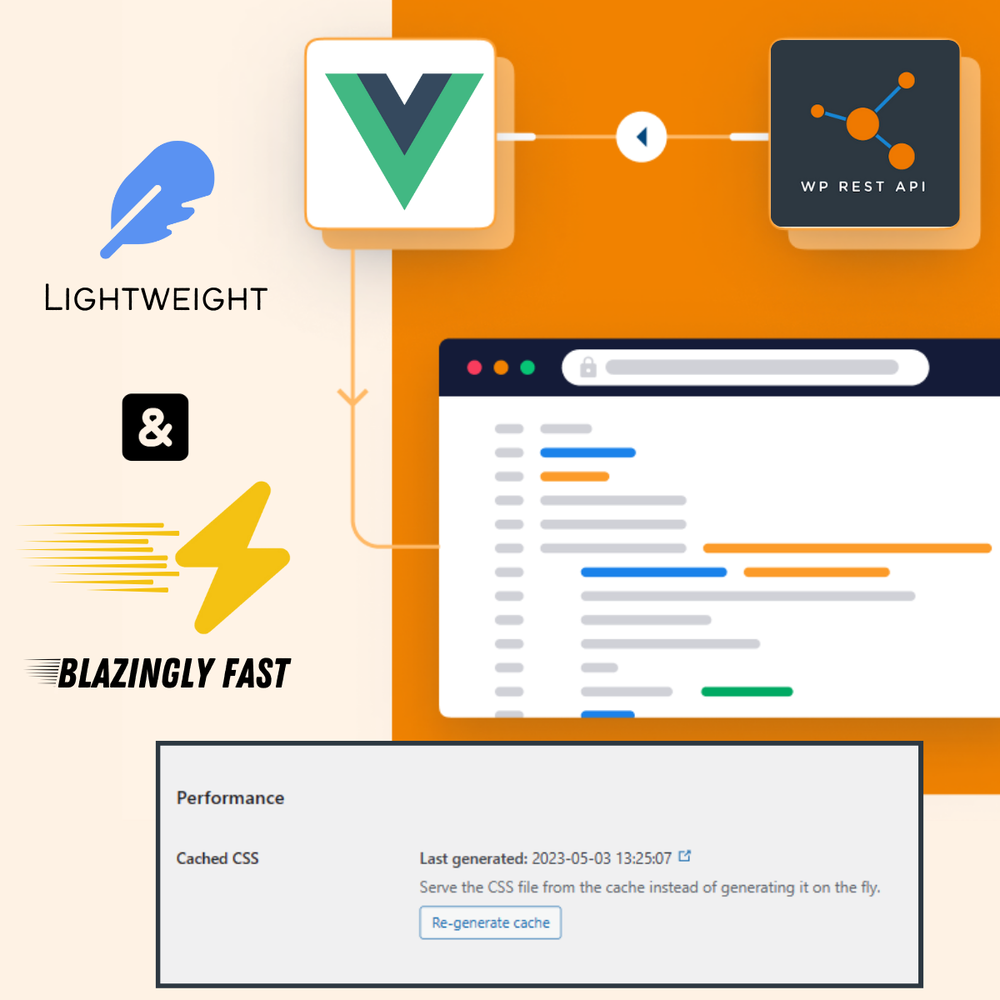
- Lightweight and blazingly fast: The font management system uses WordPress REST API and a modern JavaScript framework for an instant, responsive user experience. The front page cache ensures fast loading and reduces database queries.
- Variable Fonts support: The format allows a single font file to contain multiple stylistic variations.
- Multisite support: The plugin is compatible with WordPress Multisite (Activate the plugin on the site level).
SEAMLESS INTEGRATION
The font must be available for use across different platforms. Jooosi Fon is famous for seamlessly integrating with the most popular visual/page builders:
- Builderius
- Classic Editor
- Elementor
- GeneratePress
- Gutenberg Blocks and Site Editor
- Kadence WP
- Pinegrow
- Beaver Builder [Pro]
- Blocksy [Pro]
- Breakdance [Pro]
- Bricks [Pro]
- Cwicly [Pro]
- Divi [Pro]
- Etch [Pro]
- FunnelKit/SlingBlocks [Pro]
- Greenshift [Pro]
- Oxygen [Pro]
- Slider Revolution [Pro]
- Spectra [Pro]
- YellowPencil [Pro]
- Zion Builder [Pro]
Visit our website for more information.
Love Jooosi Fon?
- Purchase the Pro version
- Join our Facebook Group
- Or rate us on WordPress
Credits
- Image by Freepik on Flaticon
Screenshots
Reviews


Contributors & Developers
“Jooosi Fon – Use Custom Fonts, Google Fonts or Adobe Fonts” is open source software. The following people have contributed to this plugin.
Contributors

Translate “Jooosi Fon – Use Custom Fonts, Google Fonts or Adobe Fonts” into your language.
Interested in development?
Browse the code, check out the SVN repository, or subscribe to the development log by RSS.
Changelog
1.1.3 – 2026-09-02
Fixed
- Repair a missing font library table and add a manual Yabe Webfont migration action in Settings.
Changed
- Test compatibility with WordPress 7.1.
1.1.2 – 2026-09-02
Fixed
- Fix the Yabe Webfont to Jooosi Fon upgrade migration and make legacy data cleanup optional.
1.1.1 – 2026-08-26
Fixed
- Prevent scoped release builds from generating broken proxies for WordPress functions declared by test stubs.
1.1.0 – 2026-08-26
Added
- Added migration tool to import data from Custom Fonts by Brainstorm Force
- Added migration tool to import data from Custom Adobe Fonts
- Added migration tool to import data from Elementor Pro Custom Fonts
- Added migration tool to import data from Fonts Plugin
- Added migration tool to import data from Use Any Font
Changed
- Rebrand the Yabe Webfont plugin as Jooosi Fon and move product links to fon.jooo.si.
- Refresh the plugin’s admin page
- Custom Fonts bulk upload now automatically detects the font family and variant from the uploaded file name
- Use
--jf--family-{font-slug}for generated CSS custom properties while retaining--ywf--family-{font-slug}as a backward-compatible alias. - Replace the Rosua EDD license updater with Easy Digital Downloads’ official Software Licensing SDK while preserving existing license activations.
- Move legacy font uploads and generated cache files from
uploads/yabe-webfonttouploads/jooosi-fonduring the 2.x rebrand upgrade. - Mark the temporary 2.x rebrand migrations and compatibility shims for complete removal in Jooosi Fon 3.0.0.
1.0.114 – 2026-07-28
Fixed
- Prevent header warnings when LifterLMS sends headers after Jooosi Fon frontend output.
Changed
- Use WordPress APIs to enqueue cached CSS, font preloads, and inline scripts.
1.0.100 – 2026-03-17
Changed
- Improve WordPress.org changelog formatting and keep release notes in sync across releases.
1.0.98 – 2026-02-05
Added
- Etch integration [Pro]. Type “ywf” on the Etch’s CSS editor to see the font list.
Changed
- Test compatibility with WordPress 6.9
1.0.90 – 2025-11-10
Added
- Added opt-out settings to control Google Fonts disabling in page builders (Bricks, Elementor, Oxygen, Breakdance, Slider Revolution, FunnelKit) while maintaining GDPR compliance by default
- [Elementor] Added compatibility with Elementor v4 Atomic Widgets editor
1.0.78 – 2025-06-25
Changed
- [Breakdance] Ensure compatibility with Breakdance 2.5.0 and later
Fixed
- Multiple subsets for variable fonts are not loaded properly
1.0.75 – 2025-06-11
Changed
- Ensure compatibility with Bricks 2.0-beta and later
Fixed
- Duplicate import of Google Fonts variable font files
1.0.74 – 2025-06-11
Added
- Google Fonts data are now loaded through the local machine.
1.0.71 – 2025-03-30
Changed
- Remove the “[Jooosi Fon]” prefix/label from the font selection list [ticket#172]
- [Known issue] Compatibility issue with some browsers that doesn’t allow to input custom font weight when adding/editing a font on the Jooosi Fon dashboard page [ticket#179]
- Update dependencies
1.0.70 – 2024-12-05
Changed
- Test compatibility with WordPress 6.7
- Update dependencies
1.0.69 – 2024-09-04
Changed
- Google Fonts’ variable font subset is now loaded properly
1.0.67 – 2024-07-18
Changed
- Test compatibility with WordPress 6.6
- [Beaver Builder] Fallback font is now always defined
1.0.66 – 2024-04-30
Changed
- Plugin license activation process
1.0.65 – 2024-04-12
Changed
- Test compatibility with WordPress 6.4
1.0.64 – 2024-03-05
Changed
- Sort the font list by the font name in the visual builder’s font picker.
- Freshen up the plugin’s admin page UI.
1.0.63 – 2024-01-31
Changed
- Apply weight and width axes automatically for variable font (ttf/woff2) only if no existing file is found in the current variant.
1.0.62 – 2024-01-16
Changed
- Ensure compatibility with all Adobe Fonts embed approach
1.0.60 – 2023-12-15
Changed
- [Cwicly] Ensure compatibility with the latest Cwicly version.
1.0.59 – 2023-11-09
Changed
- Test compatibility with WordPress 6.4
1.0.58 – 2023-11-08
Added
- Slider Revolution integration [Pro]
- YellowPencil integration [Pro]
1.0.57 – 2023-10-23
Added
- Added migration tool to import data from Dplugins Font Hero
- Added migration tool to import data from Bricks’ Custom Fonts
1.0.54 – 2023-09-13
Changed
- [Builderius] Ensure compatibility with the latest Builderius version.
1.0.53 – 2023-09-12
Changed
- [Pinegrow] Pinegrow now available on the Free version.
1.0.51 – 2023-08-18
Changed
- [Gutenberg] Ensure compatibility with the latest Gutenberg version.
1.0.50 – 2023-08-17
Added
- Added option to disable Google Fonts API that loaded manually by the theme or plugin
Changed
- Ensure compatibility with WordPress 6.3 and later.
- [Builderius] Builderius now available on the Free version.
- [Gutenberg] Ensure compatibility with Twenty Twenty-Two theme.
1.0.49 – 2023-08-04
Changed
- The preload font files are now limited to
woff2file format only.
1.0.48 – 2023-07-12
Changed
- Ensure the uploaded font files are now stored in the
wp-content/uploads/yabe-webfontfolder.
1.0.47 – 2023-06-30
Added
- Search Google Fonts by categories with syntax
:category name. For example,:handwritingwill return all fonts with thehandwritingcategory and:sans Openwill return all fonts with thesanscategory and the wordOpenin the font name. - Search Google Fonts with extended syntax. Check out the documentation for more information.
Changed
- Uploaded font files are now stored in the
wp-content/uploads/yabe-webfontfolder instead of thewp-content/uploads/yyyy/mmfolder.
1.0.46 – 2023-06-28
Changed
- [GeneratePress] Ensure compatibility with GeneratePress
1.0.45 – 2023-06-27
Fixed
- Plugin not properly deployed
1.0.41 – 2023-06-23
Added
- Blocksy integration [Pro]
1.0.40 – 2023-06-21
Changed
- [Bricks] Ensure compatibility with Bricks
1.0.39 – 2023-06-21
Fixed
- Plugin not properly deployed for PHP 7.4
1.0.37 – 2023-06-20
Changed
- [Pinegrow] Ensure compatibility with Pinegrow 1.0.11
- [Pinegrow] Remove version number from the font URL to avoid duplicate .css file link in the page source code.
Fixed
- Plugin i18n doesn’t use string literal for the text domain.
1.0.34 – 2023-06-17
Added
- Pinegrow integration [Pro]
1.0.32 – 2023-06-15
Added
- Jooosi Fon Lite is now available on WordPress.org.
1.0.29 – 2023-06-07
Changed
- Move the Front page’s CSS to higher priority to ensure the benefit from the preload feature is working properly.
1.0.28 – 2023-06-01
Changed
- [Breakdance] Ensure compatibility with Breakdance 1.2.1
1.0.27 – 2023-05-31
Added
- You no longer need to manually enter the license key, as it is now embedded in the plugin
.zipfile.
1.0.25 – 2023-05-31
Fixed
- [GeneratePress] Google Fonts not disabled properly
1.0.24 – 2023-05-30
Added
- The website has been redesigned, and the documentation is now available at fon.jooo.si
- FunnelKit/SlingBlocks integration [Pro]
- [GeneratePress] GenerateBlocks 1.8.0 and later integration
Changed
- Performance optimization
- [Beaver Builder] Disable built-in Google Fonts programmatically
- [Breakdance] Ensure compatibility with Breakdance 1.3.0 and later
- [Cwicly] Register the font using the new font system introduced in Cwicly 1.2.9.5
Fixed
- [Zion Builder] Font list not showing on the visual editor
1.0.23 – 2023-05-02
Added
- Export and import
Changed
- [Builderius] Ensure compatibility with Builderius 0.11.0 and later
1.0.22 – 2023-04-27
Fixed
- [Breakdance] CSS file loaded twice
1.0.21 – 2023-04-27
Added
- Builderius integration [Pro]
1.0.20 – 2023-04-26
Added
- Spectra integration
- Search Google Fonts by category with the
:prefix. For example,:sans-serifwill search for all fonts in the sans-serif category - CSS custom properties (variables) with pattern
--ywf--family-{font-slug}for each family - Allow to define fallback font
- [Breakdance] Fallback font support
- [Bricks] Fallback font support
- [Gutenberg] Fallback font support
1.0.19 – 2023-04-15
Changed
- The font files URL now is a relative path, ensure working between environments
Fixed
- [Gutenberg] Site Editor compatibility
1.0.18 – 2023-04-12
Added
- Adobe Fonts integration
Changed
- Database query optimization
1.0.17 – 2023-03-29
Changed
- [Bricks] Ensure compatibility with Bricks 1.7.1 and later
1.0.16 – 2023-03-14
Changed
- Regenerate the font file URL with the new attachment URL
- [Bricks] Font items on the Bricks editor are now grouped under the
Jooosi Foncategory
Fixed
- Import Google Fonts form is not resetting properly after a successful import
1.0.15 – 2023-03-12
Added
- Hide font files from Media Library
1.0.14 – 2023-03-11
Changed
- IIS server compatibility
1.0.13 – 2023-03-11
Changed
- Font’ variants sort order
- IIS server compatibility
1.0.12 – 2023-03-11
Added
- Bulk file upload and auto-organize the font files to the matching variants
Changed
- Bulk select variants on the Google Fonts import page
Fixed
- The setting doesn’t save properly on the plugin settings page
1.0.11 – 2023-03-06
Added
- Kadence WP integration
1.0.10 – 2023-03-02
Changed
- Fix compatibility with the Blisk browser
1.0.9 – 2023-02-22
Changed
- [GeneratePress] Register fonts on the Theme Customize page
1.0.8 – 2023-02-22
Added
- Divi integration [Pro]
1.0.7 – 2023-02-13
Fixed
- [Oxygen] Gutenberg editor compatibility
1.0.6 – 2023-02-10
Added
- Option of cache loading method,
fileorinline
Changed
- Preload the font files
1.0.5 – 2023-02-09
Changed
- Sync the cache generation
- Add submenu to all page builders integration
- [Bricks] Force disable the built-in Google Fonts and override the
Bricks > Settings > Performance: Disable Google Fontssetting - [Elementor] Force disable the built-in Google Fonts and override the
Elementor > Settings > Advanced: Google Fontssetting - [Gutenberg] Support non block-based theme
- [Oxygen] Force disable the built-in Google Fonts and override the
Oxygen > Settings > Bloat Eliminator: Disable Google Fontssetting
Fixed
- Issue with the plugin upgrade for the upcoming version
- Revert the admin notices style to WordPress default
1.0.4 – 2023-01-30
Added
- Greenshift integration [Pro]
Changed
- Better variable fonts support for Google Fonts
- Delete all fonts file associated with the deleted font
- [Oxygen] Disable Elegant Custom Fonts plugin
Fixed
- Scheduled cache generation not cleared properly on manual action
1.0.3 – 2023-01-27
Added
- Breakdance integration [Pro]
Fixed
- [Gutenberg] Font CSS not loaded on the FSE editor
1.0.2 – 2023-01-25
Changed
- Tweak the plugin interface
- Support width axes for variable fonts
Fixed
- [Zion Builder] Font family list not showing up on the builder editor
1.0.1 – 2023-01-23
Changed
- Lower the minimum PHP version to 7.4
1.0.0 – 2023-01-23
Added
- Plugin rebuilt from scratch
- New plugin interface
- Custom fonts management
- Editable imported Google Fonts
- Beaver Builder integration [Pro]
- Bricks integration [Pro]
- Cwicly integration [Pro]
- Classic Editor integration
- Elementor integration
- GeneratePress integration
- Gutenberg integration
- Oxygen integration [Pro]
- Zion Builder integration [Pro]
Changed
- Plugin admin menu moved to
Appearance -> Jooosi Fon
Fixed
- Some Google Fonts with variable fonts are not loaded properly
0.0.0 – 2022-11-10
Added
- Initial release.