
Description
Showcase your products on your terms. XT Catalog Mode for WooCommerce makes it easy to turn your store into a browsable catalog, whether you are presenting a collection, preparing for launch, or temporarily pausing online orders.
Choose where to hide Add to Cart, or disable the shop to remove the cart and checkout flow while customers continue exploring your products.
Free features
- Hide Add to Cart across your store, on shop pages, or on product pages.
- Optionally hide variation selectors wherever Add to Cart is hidden.
- Disable the shop to hide purchasing buttons and the cart and checkout pages.
- Choose whether catalog mode also applies to administrators.
More control with Pro
The separately available Pro plugin includes all free features and adds:
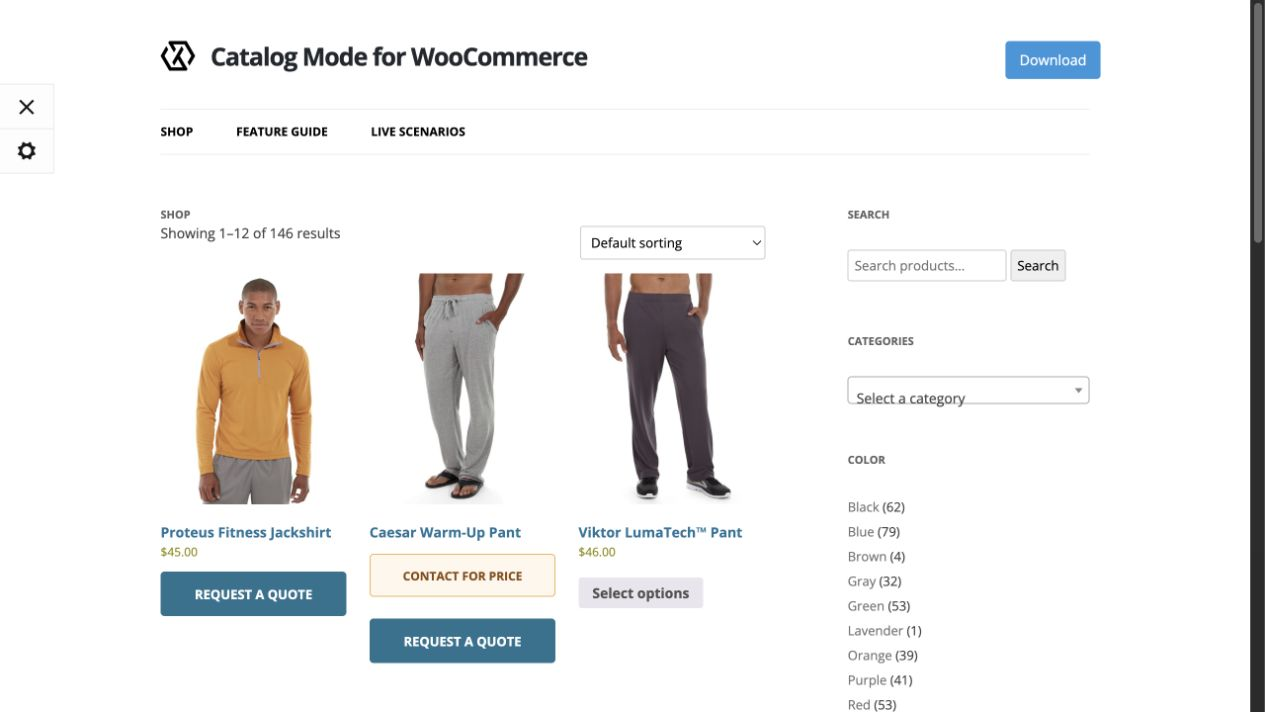
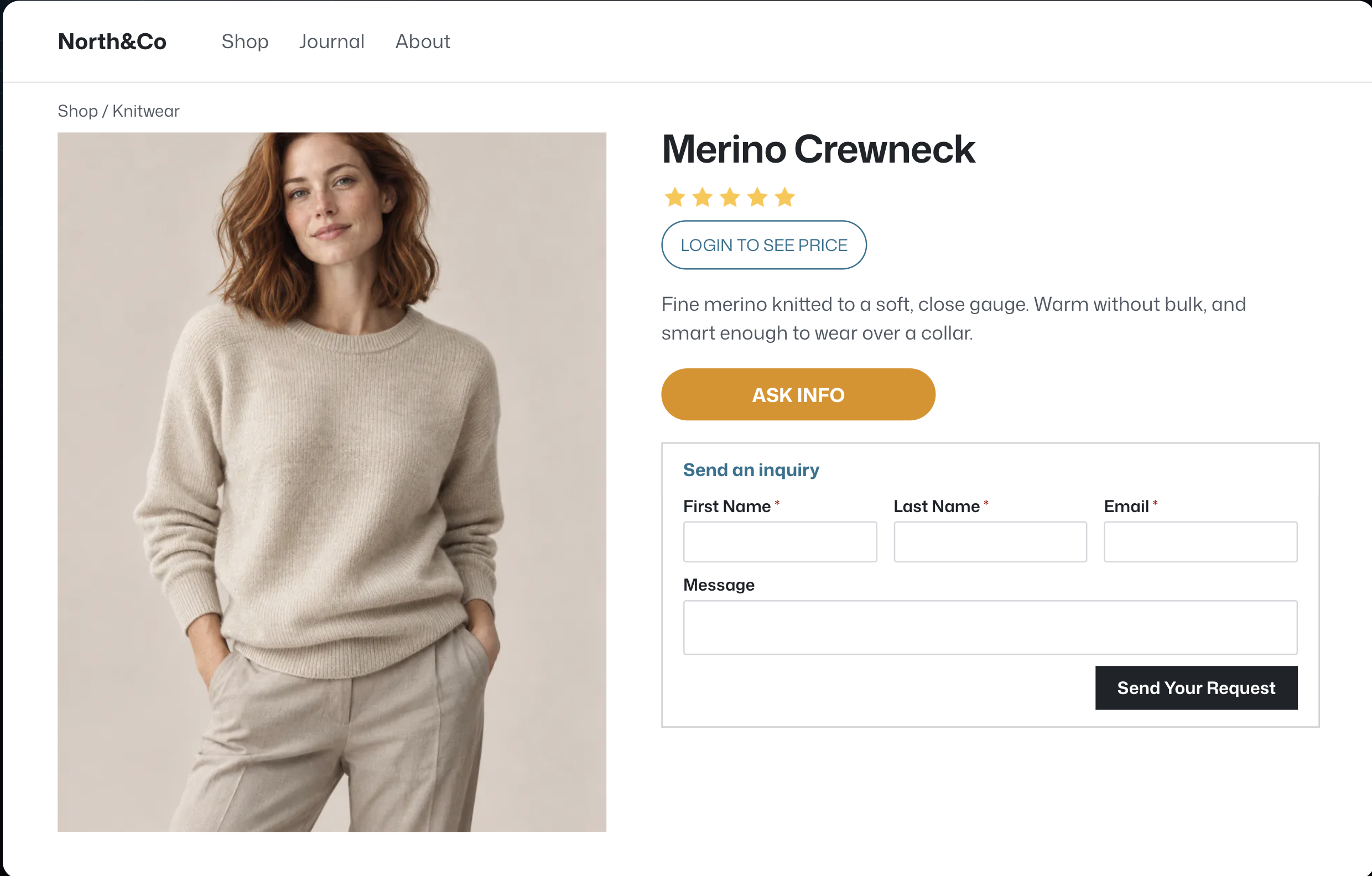
- Hide prices and replace them with custom labels.
- Replace Add to Cart with custom buttons on shop and product pages.
- Apply catalog rules to selected products, categories, or tags using an exclusion list.
- Choose whether rules apply to everyone or only guests, and target visitors by country.
- Pause orders during selected dates or times.
- Add inquiry forms to product pages, customize fields and placement, and send inquiry emails.
- Add inquiry forms and custom buttons with shortcodes, blocks, and Elementor widgets.
- Use supported forms from Contact Form 7, Formidable Forms, Gravity Forms, Ninja Forms, or WPForms.
Pro is sold separately and its features are not included in the free WordPress.org download.
Privacy and third-party services
The plugin includes an optional Freemius integration for usage opt-in, account management, support, licensing, upgrades, and feedback. It contacts Freemius only when an administrator opts in or opens an associated flow. Depending on the action, the service may receive the site URL, technical environment and version details, administrator contact information, and purchase or license data. See the terms and privacy policy.
Screenshots
Installation
- Install and activate WooCommerce.
- Install XT Catalog Mode for WooCommerce from Plugins > Add New, or upload the plugin ZIP.
- Activate the plugin and open its Catalog Mode settings.
- Choose where to hide Add to Cart or enable the option to disable the shop.
FAQ
-
Can customers still browse products?
-
Yes. Your products remain available to browse while your selected catalog settings control purchasing.
-
Can I hide Add to Cart only on product pages or shop pages?
-
Yes. The free version lets you choose product pages, shop pages, or all pages.
-
Can I hide prices or let customers send inquiries?
-
These features are available in the separately distributed Pro plugin.
-
Does this plugin require WooCommerce?
-
Yes. WooCommerce must be installed and active.
Reviews
There are no reviews for this plugin.
Contributors & Developers
“XT Catalog Mode for WooCommerce” is open source software. The following people have contributed to this plugin.
Contributors
Translate “XT Catalog Mode for WooCommerce” into your language.
Interested in development?
Browse the code, check out the SVN repository, or subscribe to the development log by RSS.
Changelog
1.0.9 – 2026-10-31
- Minor fixes.
1.0.8 – 2026-10-27
- Updated to XT Framework 2.5.19: the System Status page no longer contacts How’s My SSL or ipify (TLS support and the server IP are read locally), generated CSS is sanitized where it is added to the page, and framework class names now use the XTFW_ prefix (the old names still work).
- The WordPress.org version no longer loads Google Tag Manager during checkout, and picks the newest bundled XT Framework without reordering active plugins.
- Plugin class names now use the XTWCTM_ prefix, and the plugin accessor is xtwctm() (xt_woo_catalog_mode() still works outside the WordPress.org version).
- Added the Requires at least and Requires PHP headers to the main plugin file.
1.0.7 – 2026-10-22
- Updated to XT Framework 2.5.18: output is escaped where it is printed, translatable strings have translator comments, request input is sanitized, and admin redirects stay on the site. The review request no longer asks for a 5-star rating.
- Settings fields now escape their attributes where they are printed (no change in how they look or work).
- Renamed THIRD-PARTY-NOTICES.md to THIRD-PARTY-NOTICES.txt.
1.0.6 – 2026-10-22
- Renamed the plugin to XT Catalog Mode for WooCommerce.
1.0.5 – 2026-10-21
- Updated to XT Framework 2.5.17: System Status IP and TLS lookups are now opt-in, Select2 4.1.0, SelectWoo 1.0.10 and the alpha color picker 3.0.4, the unused Xirki telemetry module removed, and hardened settings preview requests and saved settings values.
- Fixed: custom form field attributes passed as text are now escaped.
- Added the Requires Plugins header for WooCommerce.
- Tested with WordPress 7.1 and WooCommerce 11.2.
1.0.4 – 2026-10-21
- Updated to XT Framework 2.5.16: the pricing page now shows “/ month” for monthly plans, a corrected annual “Normally” price, annual and lifetime savings badges inside the billing cycle switcher, and a switcher that stays on one row at any screen width.
1.0.3 – 2026-09-16
- Updated to XT Framework 2.5.15, preventing the “Follow Us” widget from being injected twice in XT admin pages, restoring the Browse Plugins grid layout on modern WordPress, keeping the grid at three columns on very large screens, and updating the bundled SDK.
1.0.2 – 2026-07-16
- Updated to XT Framework 2.5.14 to prevent first-request fatal errors and repeated upgrade redirects while switching to a newer embedded framework.
1.0.1 – 2026-07-16
- Updated to XT Framework 2.5.13, preserving generated pricing and Xirki vendor assets during synchronization.
- Added WordPress 7.0.1 and WooCommerce 10.9.4 compatibility.
1.0.0 – 2026-03-24
- Initial release.