
Description
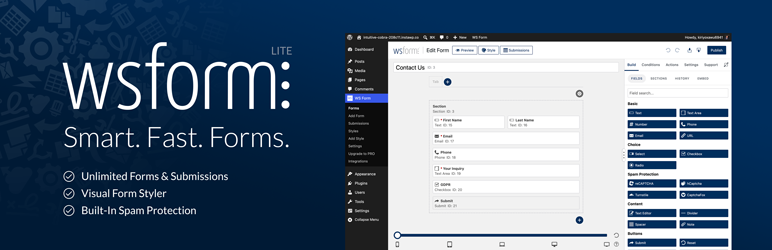
Create Professional, Mobile-Friendly, Accessible Forms for WordPress – For Free!
WS Form LITE is a powerful, feature-rich form builder that lets you create fully styled, responsive, and accessible forms. Unlike other plugins, WS Form LITE includes premium-quality features at no cost, such as unlimited forms, customizable styling, submission exporting, and robust anti-spam protection. Perfect for websites of all sizes, WS Form LITE empowers you to build smarter forms with ease.
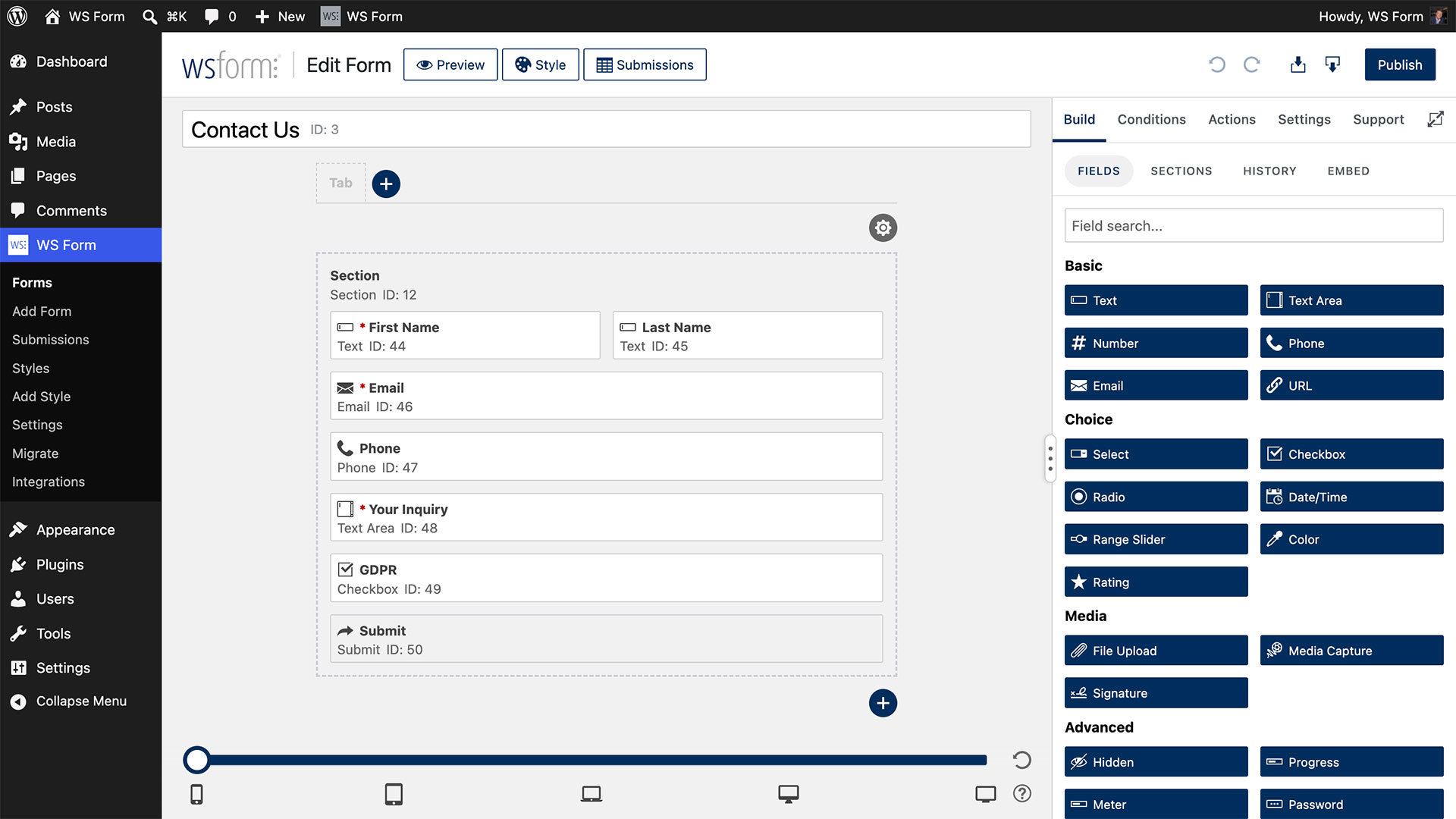
Choose from single-click templates or build your own form for WordPress using the unique drag and drop form editor.
Create Beautiful Forms with Ease
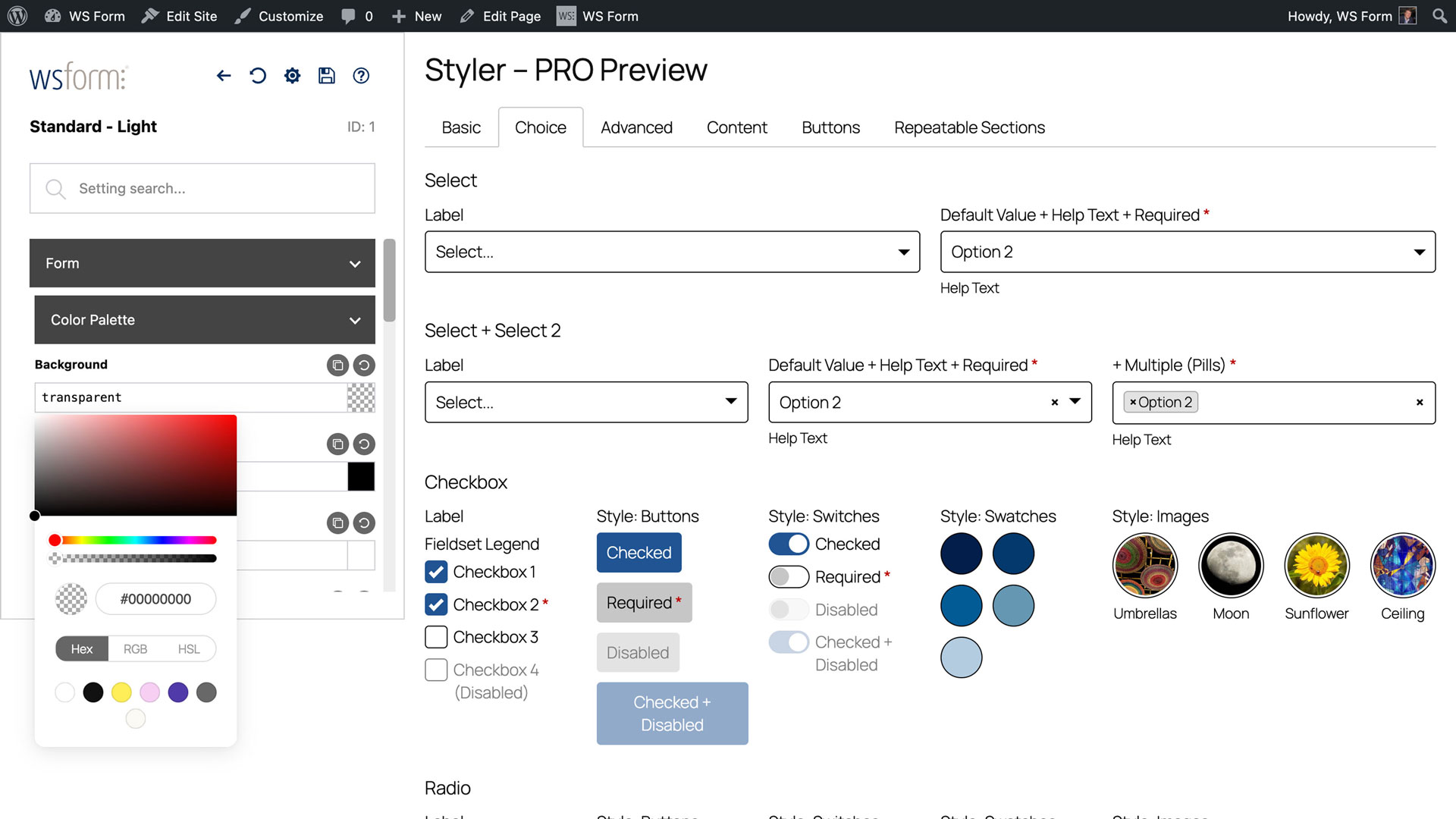
WS Form LITE includes an incredibly powerful and intuitive form styler, enabling you to design stunning forms directly within WordPress. Whether you’re matching your site’s branding or building custom layouts from scratch, WS Form’s Styler gives you full control over the appearance of your forms, no coding required.
Included Features
- Unlimited Forms
- Unlimited Submissions
- Unlimited Styles
- Accessibility Friendly
- CaptchaFox
- Clean HTML 5 Code
- Cloudflare Turnstile Captcha
- Data Sources
- Drag and Drop Layout Editor
- Elementor Angie Integration
- Framework Friendly (Bootstrap, Foundation)
- GDPR Ready
- Google reCAPTCHA
- hCaptcha
- MCP Server
- Mobile Friendly
- Multiple Tab Forms
- Responsive Forms
- Section Library
- Send Unlimited Emails
- Single Click Templates
- Styler
- Translation
- Variables
How to Create a Form in WordPress
- Go to WS Form > Add New.
- Choose a template or start from a blank form.
- Use the drag-and-drop editor to add fields.
- Click “Publish” and embed the form using your preferred page builder.
Page Builders
Add forms to your website using your favorite WordPress page builder:
- Beaver Builder
- Block Editor (Gutenberg)
- Breakdance
- Bricks
- Classic Editor
- Divi 4
- Divi 5
- Elementor
- Etch
- Oxygen
For other builders simply use the WS Form shortcode!
Spam Protection
WS Form includes a powerful, multi-layer spam protection system to block unwanted submissions automatically. You get both built-in defenses and integrations with leading anti-spam services.
Built-in Defenses
- Honeypot to silently trap bots
- WordPress NONCE validation
- Field validation (client-side and server-side)
- Duplicate submission detection and blocking
- IP rate limiting and throttling
- Keyword, domain, user agent, and IP blocking rules
- Optional server-side custom validation hooks
Anti-Spam Fields and Integrations
- AbuseIPDB
- Akismet
- CaptchaFox
- Clearout
- Cloudflare Turnstile
- Google reCAPTCHA
- hCaptcha
- Works alongside third-party services such as CleanTalk and OOPSpam
Multilingual Forms and Translation
Translate your forms using your favorite multilingual plugin, or create different forms per language:
Upgrade to PRO
This plugin is the free LITE edition of WS Form PRO.
The PRO edition comes with unrivaled additional features:
- 65+ Feature Rich Field Types
- Calculated Fields
- Cascading Select, Checkbox and Radio Fields
- Conditional Logic
- Conversational Forms
- Data Encryption
- Debug Console
- E-Commerce
- Repeatable Sections
- Save Progress
- Signatures
- Statistics
- Track Visitors
… and more!
PRO Integrations
- Airtable
- Akismet
- Amazon S3
- AutomatorWP
- ActiveCampaign
- Authorize.Net Accept
- AWeber
- Bento
- Brevo (Sendinblue)
- Campaign Monitor
- Clearout
- Constant Contact
- ConvertKit
- dotdigital
- Drip
- Dropbox
- Fluent CRM
- Freshdesk
- GetResponse
- Google Address
- Google Drive
- Google Map
- Google Sheets
- Groundhogg
- HighLevel
- HubSpot
- iContact
- InstaWP
- Klaviyo
- Laposta
- LeadConnector
- Mailchimp
- MailerLite
- MailPoet
- Mailster
- Make
- Modula
- Mollie
- Moosend
- Notion
- OpenAI
- PayPal Checkout
- Pipedrive
- Post Management
- Salesforce
- Slack
- Stripe Elements
- Twilio
- User Management
- Webex
- WooCommerce
- WP Fusion
- Zapier
- Zendesk
- Zoho CRM
…. or use the Webhook action to integrate with your own custom APIs or external systems.
PRO Custom Field Plugin Compatibility
Theme / Framework Support
WS Form is compatible with all WordPress themes, and also outputs native HTML for the following front-end frameworks:
- Bootstrap 5+
- Bootstrap 4.1-4.5.x
- Bootstrap 4.0
- Bootstrap 3.x
- Foundation 6.4+
- Foundation 6.0-6.3.1
- Foundation 5.x
Performance
WS Form was built with enterprise level performance in mind. WS Form does not interfere with the loading of other page or post content on your website and isolates submission records to ensure as your website grows your page load speed is not affected.
All form code is HTML 5 compliant and if your website theme uses a framework such as Bootstrap or Foundation WS Form automatically outputs code to suit that framework. This means your form loads as fast as possible without any unnecessary overhead typically found in other form plugins for WordPress.
Click here to learn more about the WSForm performance features.
Extensive Field Types
WS Form comes complete with all the field types you need to build a contact form. Upgrade to WS Form PRO to take advantage of all the form field types available, including:
- Color Picker
- Date / Time
- File Upload
- Google Address
- Google Map
- Google Routing
- hCaptcha
- HTML
- Legal
- Media Capture (Includes QR code reader)
- Message
- Previous Tab / Next Tab
- Price
- Progress Bar
- Range Slider
- Rating
- reCAPTCHA
- Save
- Signature
- Validation
… and more!
For Developers
WS Form PRO comes with a unique debug console that provides you with rapid, form population capabilities (perfect for form testing!), as well as comprehensive event and error logging.
3rd Party Use
WS Form includes the following third party components:
- Date Format by Jacob Wright – Used for formatting server and post dates on the public JavaScript interface.
- Intl-Tel-Input – Used for international telephone input
- Select2 – Used for AJAX select dropdowns
- CanIUse.com – Used for linking to field and field attribute compatibility pages
- Coloris – Used for the color picker in the styler
External Services
WS Form uses the following API endpoints to provide services within the plugin:
-
AbuseIPDB
https://api.abuseipdb.com/api/v2/
This endpoint is called when AbuseIPDB spam protection is enabled to check the submitter IP address, and optionally to report an IP when a submission is marked as spam.
Terms of Use / Privacy Policy -
CaptchaFox
https://api.captchafox.com/siteverify
This endpoint is called when a form is submitted to validate a CaptchaFox field.
Terms of Use / Privacy Policy -
Google reCaptcha
https://www.google.com/recaptcha/api/siteverify
This endpoint is called when a form is submitted to validate a reCaptcha field.
Terms of Use / Privacy Policy -
hCaptcha
https://hcaptcha.com/siteverify
This endpoint is called when a form is submitted to validate an hCaptcha field.
Terms of Use / Privacy Policy -
Turnstile
https://challenges.cloudflare.com/turnstile/v0/siteverify
This endpoint is called when a form is submitted to validate a Turnstile field.
Terms of Use / Privacy Policy -
WS Form – Knowledge base popular articles
https://wsform.com/plugin-support/knowledgebase_content.php
This endpoint is called when the support sidebar is opened to show popular knowledge base articles.
Terms of Use / Privacy Policy -
WS Form – Knowledge base search
https://wsform.com/plugin-support/knowledgebase_search.php
This endpoint is called when a knowledge base search is performed in the support sidebar to return knowledge article results.
Terms of Use / Privacy Policy -
WS Form – Support ticket requests
https://wsform.com/plugin-support/contact.php
This endpoint is called when a support ticket request is submitted in the support sidebar to create the support ticket and return the ticket ID.
Terms of Use / Privacy Policy -
WS Form – Deactivation feedback requests
https://wsform.com/plugin-support/deactivate_feedback.php
This endpoint is called when deactivation feedback is submitted to provide your feedback to WS Form.
Terms of Use / Privacy Policy -
WS Form – Select, checkbox and radio presets
https://cdn.wsform.com/plugin-support/preset.json
This endpoint is called when the preset option is selected for a select, checkbox or radio field to return the available presets and preset data (e.g. List of countries).
Terms of Use / Privacy Policy
Support
Need help? Check out our extensive knowledge base.
For support, please visit the WS Form LITE support forum.
Screenshots
Blocks
This plugin provides 1 block.
- WS Form
Installation
For help installing WS Form, please see our Installation knowledge base article.
FAQ
-
How do I add a contact form to a page?
-
Use the WS Form block in the WordPress Block Editor (Gutenberg) or your preferred page builder.
-
Does WS Form support spam protection?
-
Yes. WS Form includes multiple layers of spam protection including honeypots, nonce validation, IP rate limiting, keyword and domain blocking, and built-in integrations with AbuseIPDB, Akismet, CaptchaFox, Cloudflare Turnstile, hCaptcha, and Google reCAPTCHA. Learn more
-
Can I export form submissions?
-
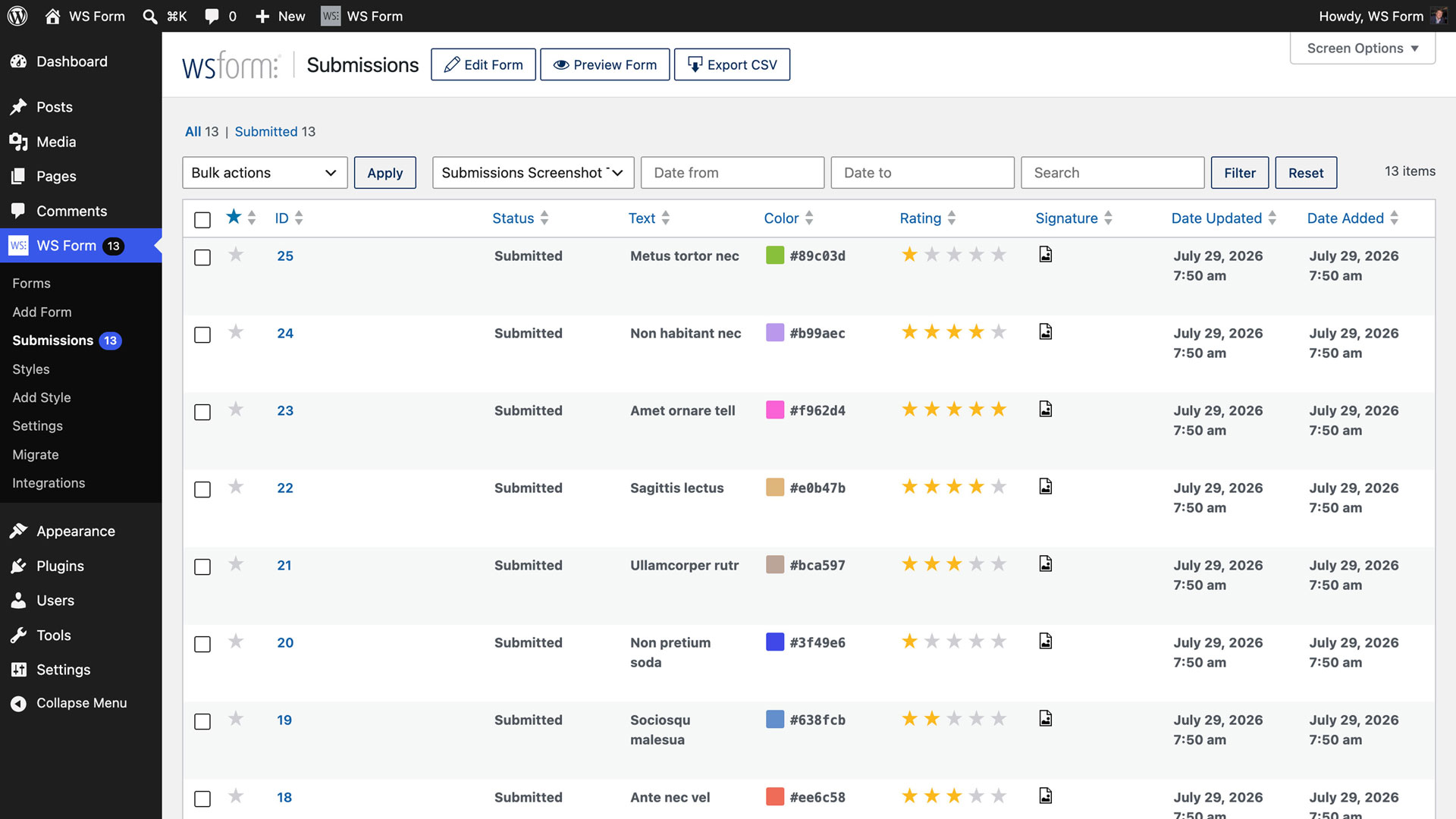
Yes, you can export submissions in CSV format directly from the admin area. Learn more
-
Is WS Form compatible with Page Builders?
-
Yes, WS Form integrates with all major WordPress page builders including Elementor, Divi, Bricks, and Beaver Builder. Learn more
-
Can I style my forms to match my website?
-
Yes, the built-in Styler lets you design fully custom forms without coding. Learn more
-
Is WS Form accessible?
-
Absolutely. WS Form meets modern accessibility standards and includes tools for creating accessible forms. Learn more
-
Can I upgrade to PRO later?
-
Yes, you can upgrade anytime to unlock all field types, integrations, and advanced features. None of your data will be lost.
-
Can I translate my forms in the free version?
-
Yes. WS Form LITE includes per-form translation settings and integrations with Polylang, TranslatePress, Weglot, and WPML, plus a manual workflow. Learn more
-
Is WS Form GDPR compliant?
-
Yes, WS Form includes GDPR-friendly features such as explicit consent and data export tools. Learn more
-
Does WS Form work with multi-page forms?
-
Yes, you can create multi-tab or multi-step forms using the drag-and-drop editor. Learn more
-
Where can I get help or documentation?
-
Visit the WS Form Knowledge Base or the Support Forum.
-
How can I report security bugs?
-
You can report security bugs through the Patchstack Vulnerability Disclosure Program. The Patchstack team helps validate, triage, and handle any security vulnerabilities. Report a security vulnerability.
Reviews


Contributors & Developers
“WS Form LITE – Drag & Drop Contact Form Builder” is open source software. The following people have contributed to this plugin.
Contributors
Translate “WS Form LITE – Drag & Drop Contact Form Builder” into your language.
Interested in development?
Browse the code, check out the SVN repository, or subscribe to the development log by RSS.
Changelog
1.12.10 – 09/08/2026
- Bug Fix: JavaScript errors related to the color picker in the WordPress 7.1 block editor
1.12.9 – 09/01/2026
- Added: Improved license site URL handling for subdirectory WordPress installs
1.12.8 – 08/27/2026
- Bug Fix: Improved AI connection status and text generation availability checks
- Bug Fix: Select, checkbox and radio choice ability description improvements