
Description
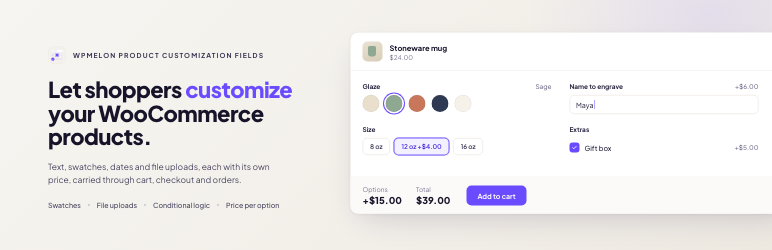
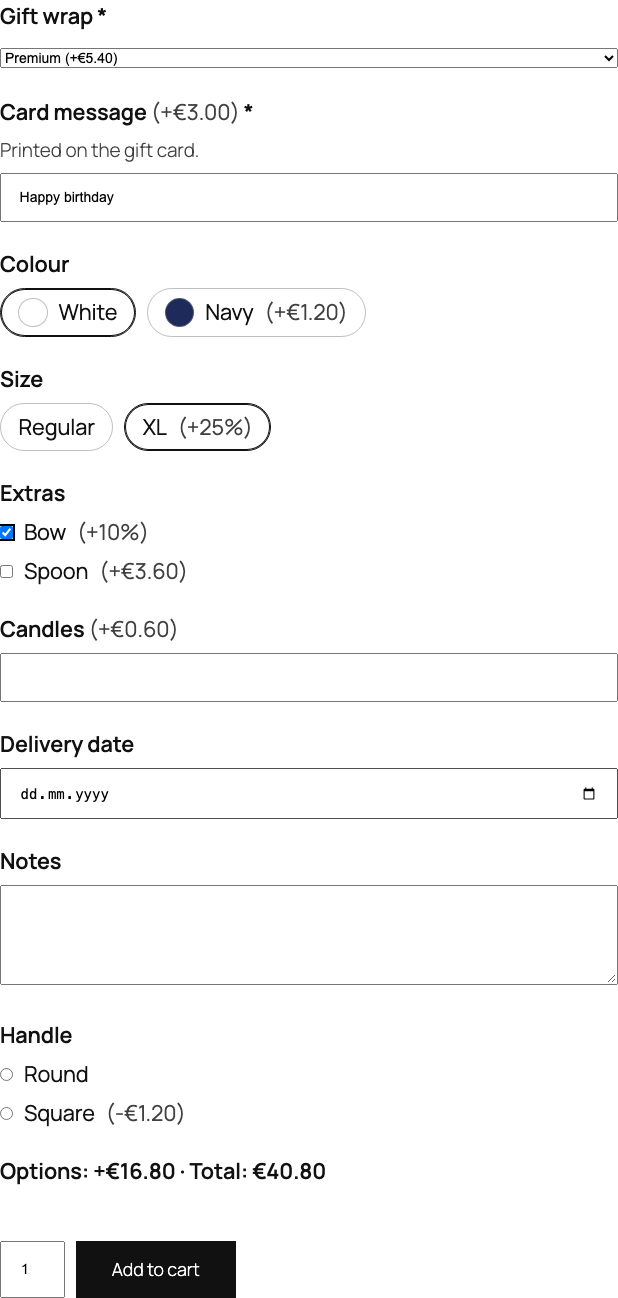
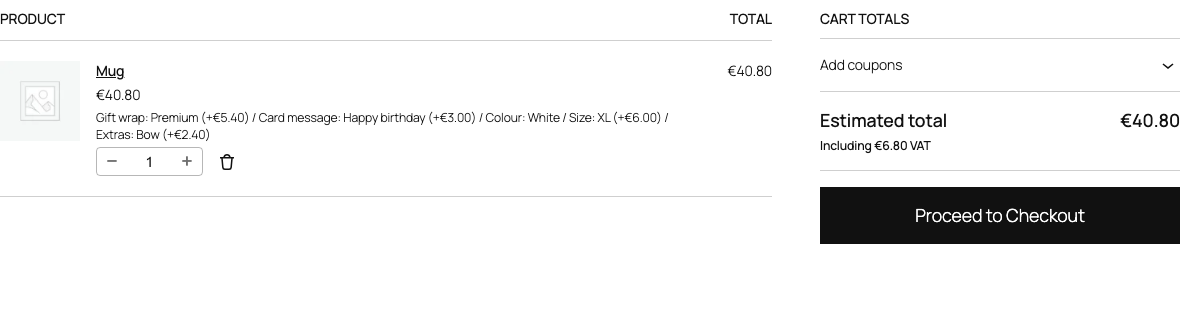
WPMelon Product Customization Fields lets you add extra fields to your WooCommerce products. Shoppers fill them in on the product page, each choice can change the price, and everything they picked shows up in the cart, checkout, order, emails and My Account.
Included in the free version: file uploads, color and label swatches, prices per option, one-time fees, conditional logic with several rules and number comparisons, WPML and Polylang support, and full support for the block cart and checkout. On the product page it loads one small script (about 4 KB gzipped, no jQuery), and only on products that have options.
Field types
- Text and textarea
- Email, URL and phone, checked when the product is added to the cart and shown as plain text (never as links) in the cart, orders and emails
- Number
- Select, radio buttons and checkboxes
- Color swatches and label swatches
- Date and time (earliest and latest date or time per field; times also take a step in minutes, and a window can run past midnight)
- File upload (allowed types and size per field; files are kept private and only shop managers can download them)
- Headings and paragraphs to organize longer forms (they can be shown or hidden by conditions too)
Pricing per option
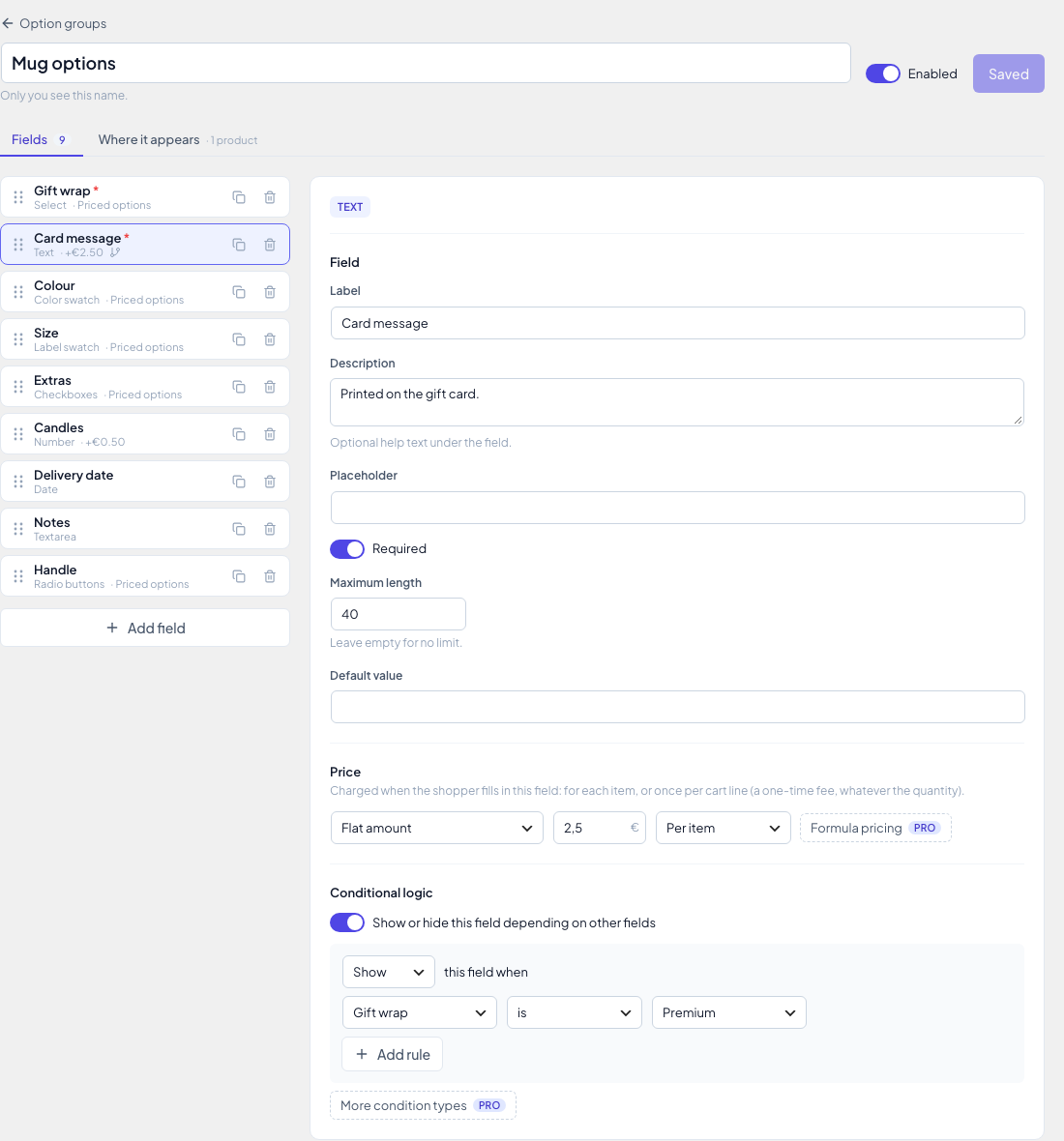
- No price, a flat amount, or a percentage of the product price
- Charge each price per item, or once per cart line as a one-time fee (set-up fees, engraving plates): the fee shows on its own row in the cart and at checkout and does not change with the quantity
- Percentages follow the selected variation’s price
- Option prices include tax the same way your product prices do, and work with quantities and coupons
Conditional logic
Show or hide a field depending on the fields above it. Combine several rules and choose whether all or any of them must match; each rule checks whether a field is, is not, is empty or is not empty. Number fields can also be compared: greater than, less than, at least or at most a number (decimals allowed), for example “show Bulk engraving when Names is at least 10”. Hidden fields are ignored when the order is placed.
Where options appear
Create option groups once and assign them to every product, to products in chosen categories or tags (with exclusions), or attach a group on a single product’s edit screen. Works with simple and variable products, classic themes and block themes, and the classic and block cart and checkout.
Multilingual stores
Works with WPML and Polylang. Field labels, descriptions, placeholders, choice labels, headings and paragraphs are registered for translation, and a group assigned to a product, category or tag also applies to their translations.
Privacy
The plugin makes no external requests and collects no usage data.
Source code
The compiled JavaScript and CSS in assets/dist/ are built from the TypeScript and CSS sources in assets/src/, which ship with the plugin together with the build configuration. To rebuild them, run npm ci && npm run build:free in the plugin folder (Node.js 20.19 or later).
Known limitations
- With currency switchers or other price filters, the product page shows option prices before conversion; cart, checkout and orders show converted amounts.
- One-time fees are converted with the same factor the price filter applies to the product. A currency switcher that also converts cart fees itself would convert them twice.
Screenshots

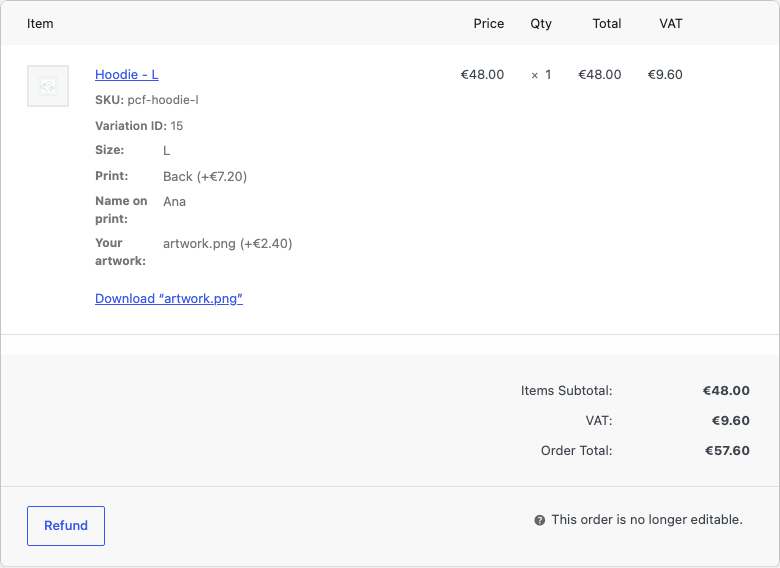
Installation
- Install and activate WooCommerce.
- Install and activate WPMelon Product Customization Fields for WooCommerce.
- Go to Products Product Options and create your first option group.
FAQ
-
Does it work with the block cart and checkout?
-
Yes. Selected options and their prices show in the classic and block cart and checkout.
-
Does it work with variable products?
-
Yes. Percentage prices follow the price of the selected variation.
-
How do one-time fees work?
-
Set an option’s charge to “Once per line” and its price is added once for each cart line, whatever the quantity, as a cart fee named after the product and the option. A percentage is a percentage of one unit’s price. The fee uses the product’s tax status and tax class. The same product added twice with different choices is two cart lines, so it pays the fee twice.
-
Do coupons discount one-time fees?
-
No. WooCommerce coupons apply to product prices, not to fees, so one-time fees are charged in full. Options charged per item are part of the product price and are discounted as usual.
-
Express-pay buttons on a product page buy the product directly, without the option fields, so the shopper’s choices would be lost. The plugin hides them on the product pages of products that have options (WooCommerce Stripe Gateway, WooPayments and WooCommerce PayPal Payments). They still show in the cart and at checkout, where the options are already in the cart.
-
Does it work with WPML or Polylang?
-
Yes. Every text shoppers see in an option group (field labels, descriptions, placeholders, choice labels, headings and paragraphs) is registered for translation in the “WPMelon Product Customization Fields” group: with WPML under WPML String Translation (WPML String Translation must be active), with Polylang under Languages Translations. The option group editor always shows and edits the original texts. Shoppers see the translations on the product page, in the cart and at checkout, and the options are saved on the order in the language the order was placed in. A group assigned to a product, category or tag also applies to their translations, and a group attached to one translation of a product applies to all of them. Polylang translates by text, so two fields with the same label share one translation. With WPML and the block checkout, choose directories or a domain per language under WPML Languages Language URL format: when the language is a URL parameter (?lang=), the checkout runs in the default language and the whole order, options included, is saved in that language. Option prices are not converted per currency; see “Known limitations” for currency switchers.
-
Where are uploaded files stored?
-
In a private folder inside your uploads directory, under random file names. Customers see only the file name; shop managers download files from the order screen.
-
What happens to my option groups if I delete the plugin?
-
They stay, unless you turn on “Remove all data when the plugin is deleted” under Products Product Options Settings. With it on, deleting the plugin removes the option groups, the groups attached to products and the files customers uploaded. Options already saved on orders always stay on the orders, and deactivating the plugin never deletes anything.
-
Is customer text safe to print in my own code?
-
Text and textarea values are kept as the customer typed them, except HTML tags are removed (and no “<” that could start a tag is kept). They are plain text, not HTML: escape them for the context you print them in (
esc_html(),esc_attr()), as WooCommerce and this plugin do. -
My store is behind Cloudflare or another proxy. Do uploads still work?
-
Yes, but upload limits count per visitor IP address, and behind a proxy every visitor arrives from the proxy’s address. Return the real visitor IP from the
wpm_pcf_upload_client_ipfilter, read from the header your proxy sets (for exampleCF-Connecting-IP). Without it, all visitors share one limit of 20 uploads per 10 minutes. Thewpm_pcf_upload_rate_limit,wpm_pcf_pending_max_files(default 500) andwpm_pcf_pending_max_bytes(default 1 GB) filters change the limits.
Reviews
There are no reviews for this plugin.
Contributors & Developers
“WPMelon Product Customization Fields for WooCommerce” is open source software. The following people have contributed to this plugin.
Contributors
Translate “WPMelon Product Customization Fields for WooCommerce” into your language.
Interested in development?
Browse the code, check out the SVN repository, or subscribe to the development log by RSS.
Changelog
1.0.0
- First release.