
Description
Export Orders for WooCommerce lets you create order reports in CSV, Excel (XLSX), PDF, XML and JSON from WordPress or through Claude and ChatGPT. Filter orders, select customer and product fields, and download the results.
The built-in Model Context Protocol (MCP) server lets connected AI assistants discover export fields, check order counts and create export files through conversation.
All plugin features are free, including MCP connections, the AI Export Assistant and every export format. No Pro upgrade or paid plugin add-on is required. Your AI provider’s account requirements, subscription charges and usage limits are separate. Manual exports work without an AI account.
WooCommerce order export features
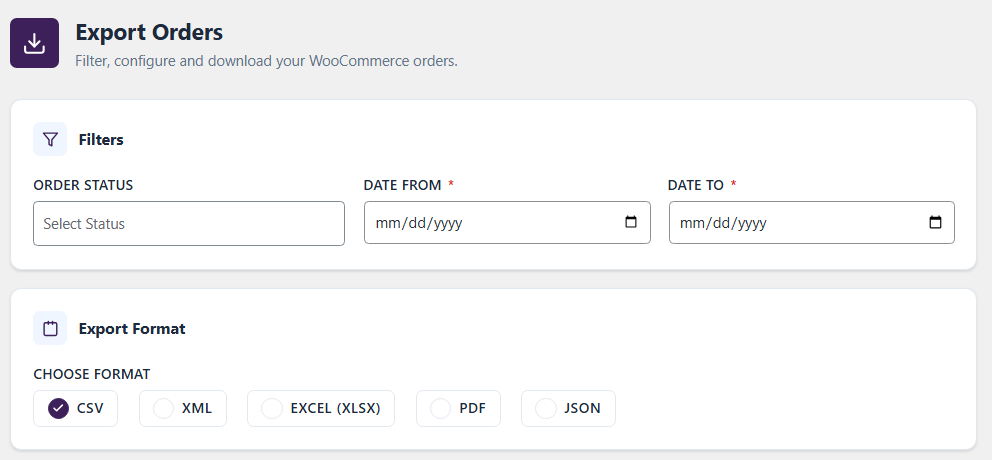
- Export orders to CSV, Excel (XLSX), PDF, XML or JSON.
- Filter by order status and date range.
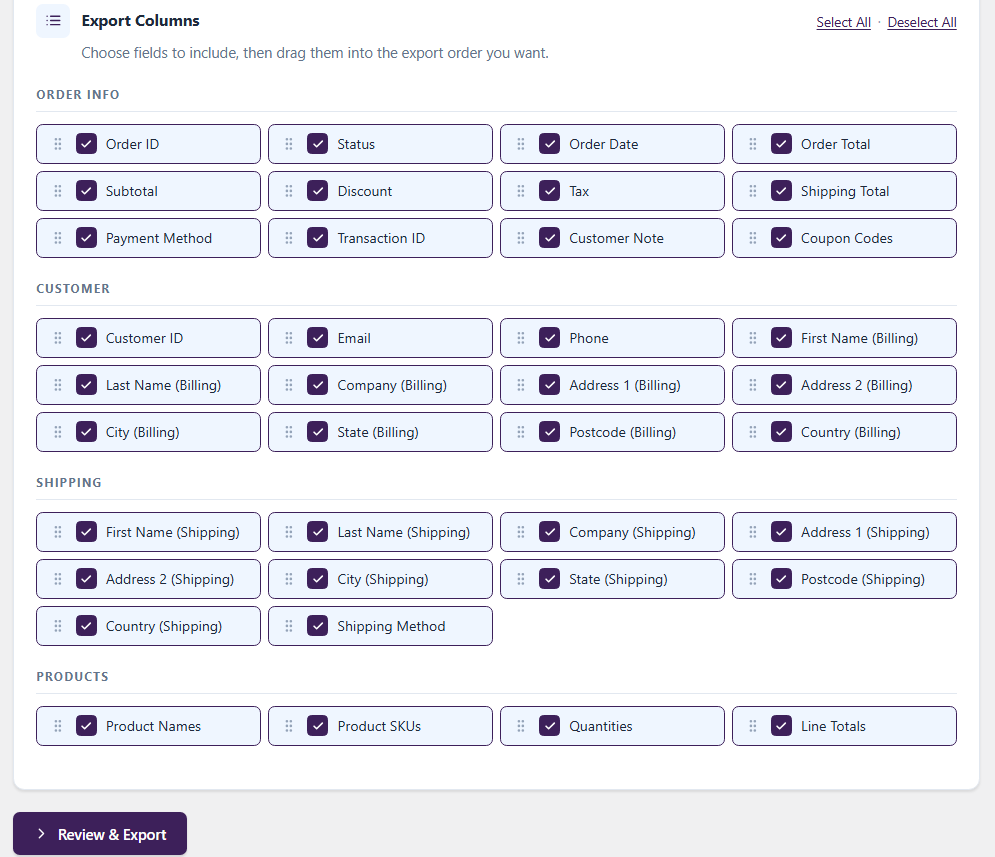
- Select fields and drag columns into your preferred order in the export form.
- Include order IDs, dates, totals, taxes, discounts, shipping, payment details, customer notes and coupons.
- Include customer emails, phone numbers, billing and shipping addresses, product names, SKUs, quantities and line totals.
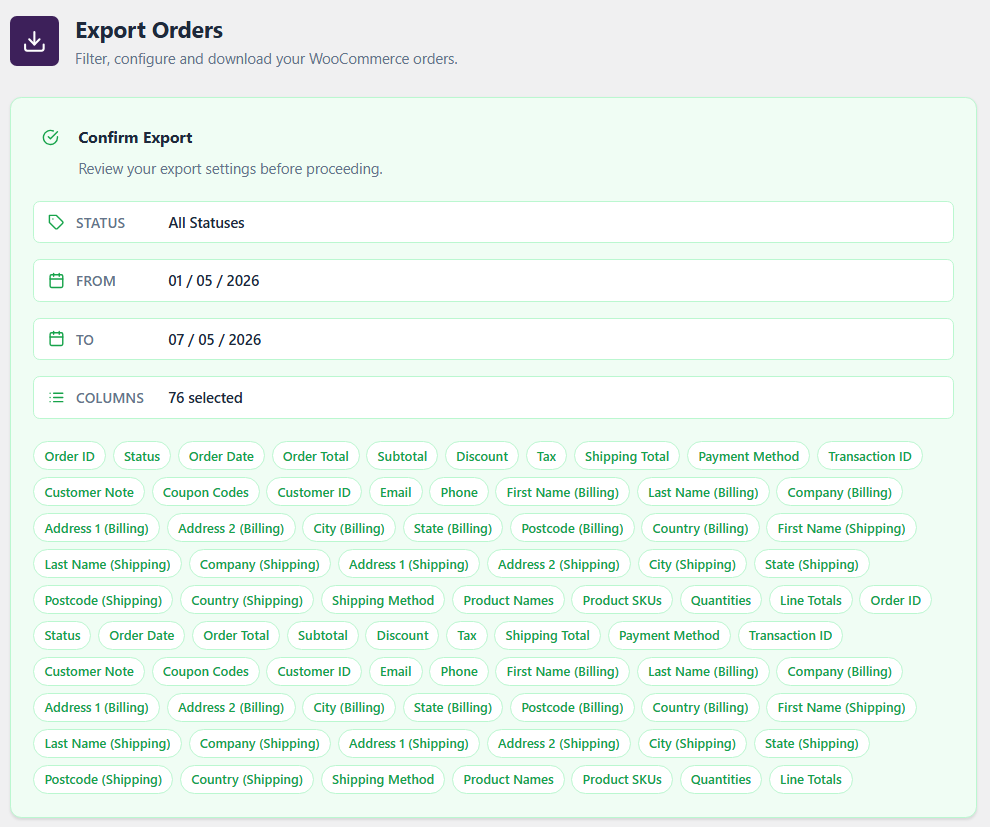
- Review your selections before exporting and follow batch progress.
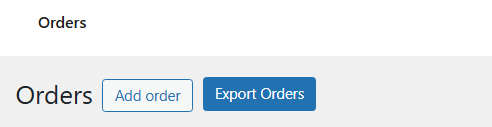
- Open the export interface beside WooCommerce’s Add order button.
- Use WooCommerce HPOS / custom order tables.
- Generate PDF reports with bundled fonts, including Japanese/CJK fallback coverage.
Export orders with Claude and ChatGPT
Connect either assistant to your store’s MCP URL and approve access through WordPress. Both can have active connections at the same time.
The tools read order information and generate files; they do not provide actions to edit or delete WooCommerce orders.
The AI Export Assistant in the WordPress export screen also accepts supported plain-language requests and fills the form for review. This local request interpreter is separate from connecting an external AI assistant.
Example requests
- “List the available order export fields and formats.”
- “Preview five completed orders from last month.”
- “Export completed orders from 2026-08-01 to 2026-08-31 as CSV with order ID, date, customer email and total.”
- “Create an Excel export with product SKUs and quantities.”
- “Check the status of my export.”
Review interpreted filters and fields before exporting.
Available MCP tools
eowc-get-fields: discover available export fields.eowc-get-formats: list supported export formats.eowc-query: preview matching orders and their count.eowc-generate-export: create an export job.eowc-get-export-status: check job progress.eowc-export-orders: export using structured parameters.eowc-ai-export-orders: interpret a supported export request.
Includes native HTTP/STDIO MCP and WordPress Abilities API support; no WordPress MCP Adapter plugin required. Other clients need compatible authentication and transport.
Authentication and access
Remote connections use OAuth authorization codes with S256 PKCE, administrator consent, expiring access tokens and rotating refresh tokens. ChatGPT client metadata discovery and Claude dynamic client registration are supported. Enter your WordPress password only on your store’s sign-in page.
Authorization requires the WordPress manage_options capability, normally held by administrators. Open Export Orders > AI Connections > Revoke my AI connections to revoke all connections approved by your current WordPress user. Revocation does not erase data already returned to an assistant.
External services and privacy
Connecting an AI assistant is optional. The MCP server and OAuth endpoints run on your WordPress site; this version does not require a publisher-hosted discovery service.
OpenAI / ChatGPT: During client verification, WordPress may retrieve the public client metadata document from chatgpt.com. This sends a network request, including the server IP and normal HTTP request information, but does not include order data. Once you authorize ChatGPT and it calls tools, your site returns the requested results, which can contain order/customer details and export download links. OAuth exchanges also pass authorization codes and tokens between your site and the client. OpenAI terms and privacy policy.
Anthropic / Claude: If you connect Claude, it communicates with your site’s discovery, registration, authorization, token and MCP endpoints. After authorization, requested tool results can contain order/customer details and export download links. The browser returns to a Claude callback with the authorization result. Anthropic terms and privacy policy.
Share only the fields needed for your task. An assistant or anyone receiving a valid export download link may obtain the file. Your chosen provider’s policies and account settings govern its handling of received data.
Optional connection diagnostics record step names, UTC times and HTTP status codes for 10 minutes. Results expire after one hour and can be cleared by an administrator.
Support: info@imaginate-solutions.com.
More WooCommerce plugins by Imaginate Solutions
Explore our separate Pro plugins for your store.
- File Uploads Addon for WooCommerce – Collect customer files with orders for personalized products and print-on-demand workflows.
- Custom Shipping Methods for WooCommerce – Configure custom shipping methods for your store’s requirements.
- Custom Payment Gateways for WooCommerce – Add custom payment methods to your WooCommerce checkout.
- Payment Gateways by User Roles for WooCommerce – Control which payment methods are available to different customer roles.
- Variations Radio Buttons for WooCommerce – Display variation choices as radio buttons instead of dropdowns.
Screenshots
Installation
Install and export manually
- Use WordPress 6.9 or later, active WooCommerce, and 64-bit PHP 8.1 or later.
- In Plugins > Add New, search for Export Orders for WooCommerce and install it, or upload the release ZIP through Upload Plugin.
- Activate the plugin and open Export Orders.
- Choose filters, format and fields; review your selections and export.
Connect ChatGPT
- Use a publicly reachable HTTPS store and a ChatGPT account with access to custom MCP connections.
- In WordPress, open Export Orders > AI Connections and copy the MCP server URL.
- In ChatGPT, enable Developer mode if required by your account, then create a custom MCP connection from its plugin/app settings.
- Paste the copied URL, select OAuth and use automatic client discovery. Leave manual client credentials blank.
- Sign in to your WordPress store as an administrator and approve access.
- Enable the connection in your conversation and ask it to list export fields before requesting a small export.
Labels and availability vary by account and client version. See OpenAI’s connection guide.
Connect Claude
- Copy the same MCP URL from Export Orders > AI Connections.
- In Claude’s connector settings, add a custom connector and paste the URL.
- Choose Sign in now if prompted. Leave manual OAuth credentials blank; automatic registration is supported. Published client identity is also supported for the recognized Claude clients.
- Complete WordPress administrator sign-in and approve access.
- Enable the connector and request a small order preview, then an export.
Requires custom connector access. See Claude’s authentication guide.
Local MCP clients
With WP-CLI installed, configure a local STDIO client to run:
wp --path=/path/to/wordpress eowc-mcp serve --user=admin
Replace the path and user with your installation and an authorized administrator. This is a local process connection, separate from remote OAuth.
FAQ
-
Are MCP and AI exports free?
-
Yes. All features described here are included free, with no Pro requirement. ChatGPT or Claude may require a separate subscription or workspace permission for custom connections.
-
Do I need an API key or an AI account for normal exports?
-
No. Manual exports and the local form assistant work without either. Connecting ChatGPT or Claude requires an eligible provider account, but this plugin’s OAuth setup does not require an OpenAI or Anthropic API key.
-
Can I connect ChatGPT and Claude simultaneously?
-
Yes. Authorize each separately using the same store MCP URL. The WordPress revocation button disconnects all AI connections approved by the current WordPress user.
-
Which formats and fields can I export?
-
CSV, XLSX, PDF, XML and JSON, with selectable order, customer, billing, shipping and product fields. Filter by status/date and arrange columns in the manual export form. WooCommerce must be active; HPOS is supported.
-
Why does sign-in or discovery fail?
-
Check HTTPS, the copied MCP URL and the discovery status under AI Connections. A working metadata link alone does not prove every discovery route is reachable. On supported Apache subdirectory installations, the plugin attempts to install marked rules in the domain-root .htaccess and creates a backup when an existing file is present. Other servers or unwritable root files may need hosting assistance. Compatibility across all hosts is not guaranteed.
For more detail, start Connection diagnostics, retry once, then refresh the page. Do not share passwords, tokens or download links in public support requests.
-
Why is an export queued, or a download no longer available?
-
Larger export jobs may use WP-Cron; check that scheduled tasks run. Download links are temporary and files are removed after download. Generate a new export if the link has expired or the file has already been downloaded. Treat the link as confidential.
-
Can the AI assistant change orders?
-
The supplied export tools read data and generate export files. They do not expose order-editing or order-deletion actions. Review which customer fields you share with your assistant.
Reviews


Contributors & Developers
“Export Orders for WooCommerce – AI & MCP for Claude and ChatGPT” is open source software. The following people have contributed to this plugin.
Contributors

Translate “Export Orders for WooCommerce – AI & MCP for Claude and ChatGPT” into your language.
Interested in development?
Browse the code, check out the SVN repository, or subscribe to the development log by RSS.
Changelog
2.2.0
- Fixed an issue that caused refunded orders to appear twice in exports.
- Added free Model Context Protocol (MCP) support for ChatGPT and Claude, with seven tools for discovering fields, previewing orders and generating exports.
- Added OAuth authorization with S256 PKCE, dynamic client registration for Claude and client metadata discovery for ChatGPT.
- Added the AI Connections settings page, access revocation and connection diagnostics.
- Added OAuth discovery routing support for compatible hosting environments.
- Added the AI Export Assistant to fill the export form from supported plain-language requests.
- Added WordPress Abilities API integration for order exports.
- Updated the declared minimum PHP version to 8.1 to match bundled dependencies.
2.1.0
- Fixed an issue where batches would not export the data correctly.
- File handling after download improved.
- Compatibility with WooCommerce 11+
2.0.0
- Added CSV, XLSX, PDF, XML, and JSON export format options.
- Added selectable export columns grouped by Order Info, Customer, Shipping, and Products.
- Added draggable export column ordering so exported files match the admin-selected sequence.
- Moved the Export Orders button beside the WooCommerce Add order button.
- Added batch export processing with progress feedback.
- Added WooCommerce HPOS / custom order table compatibility.
- Optimized bundled PDF fonts to reduce plugin package size while keeping PDF export support.
- Updated admin UI styling and export confirmation flow.
1.2.0
- Performance improvements.
- Compatibility with WooCommerce HPOS.
- Compatibility with latest WooCommerce versions.
- Compatibility with PHP 8.2.
1.1.0
- Added Customer Email and Phone to be exported with the other information.
- Performance improvement in getting the order details. Now the plugin uses wc_get_orders instead of custom queries.
1.0
- Bug fixes related to new WooCommerce functions.
- UI changed to new semantic look.
- Removed the usage of flash for exporting data.
0.2
- Minor bug fixes.
0.1
- Initial launch version.