
Description
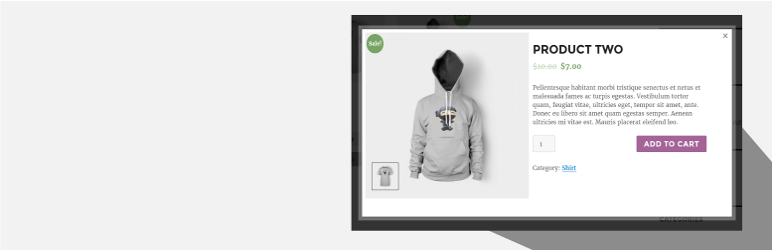
Quick View For WooCommerce (Woo Quick View) allows users to get a quick look of products without opening the product page.Customers can navigate from one product to another using next and previous product button.
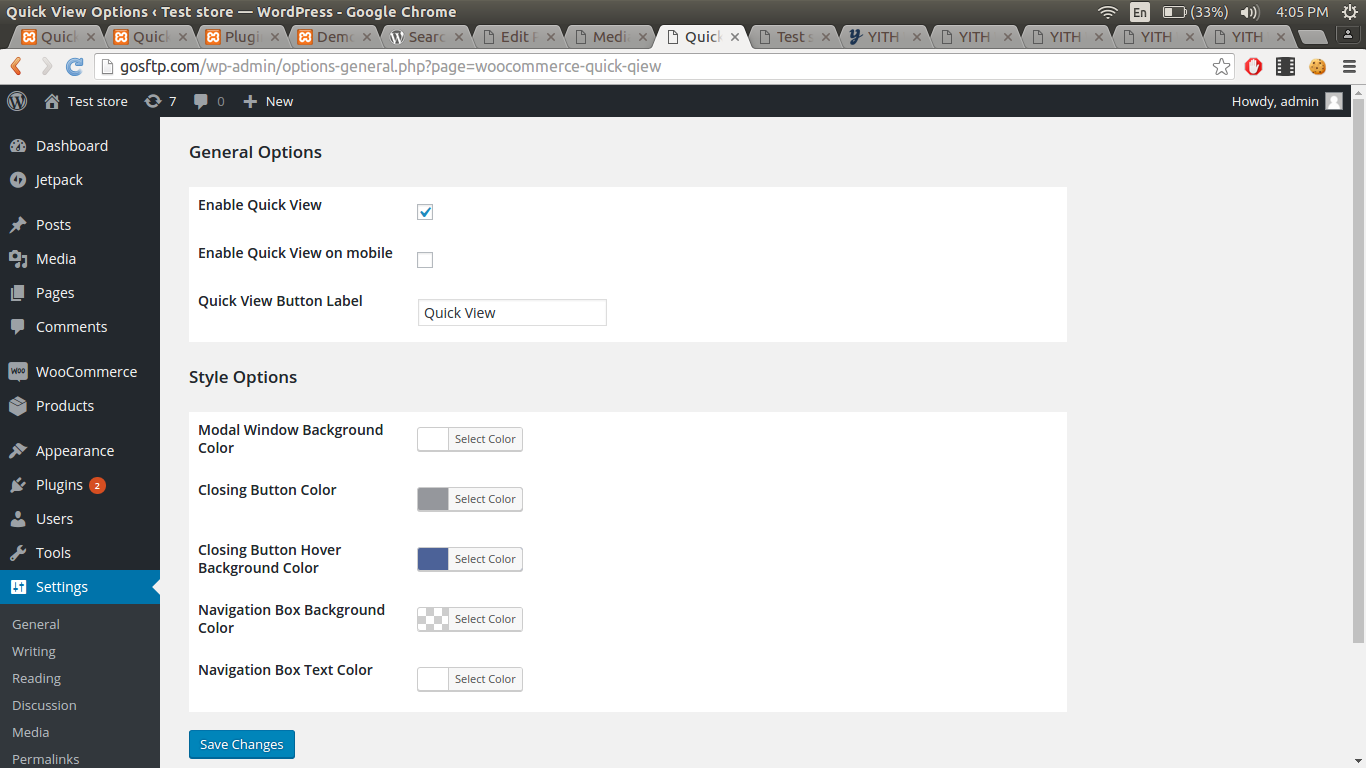
Go to Settings > Quick View.
Demo : https://woo.ciphercoin.com/
Features of Quick View For WooCommerce
- Add a button in product loop to open a modal window with the product summary using ajax
- Product image , title, price, quantity and add to cart button will be shown on popup.
- Disable “Quick View” on mobile.
- Set a label for the “Quick view” button.
- Easy to use
- Developer friendly & easy to customize
- Customize style of modal
Other WooCommerce Plugin
WooCommerce Abandoned Cart Recovery
Support : http://www.ciphercoin.com/contact/
Screenshots
Installation
- Download and extract plugin files to a wp-content/plugin directory.
- Activate the plugin through the WordPress admin interface.
- Done !
Reviews


Contributors & Developers
“Quick View For WooCommerce” is open source software. The following people have contributed to this plugin.
Contributors
“Quick View For WooCommerce” has been translated into 2 locales. Thank you to the translators for their contributions.
Translate “Quick View For WooCommerce” into your language.
Interested in development?
Browse the code, check out the SVN repository, or subscribe to the development log by RSS.