
Description
Save hours of manually writing image metadata with WilderWoods AltText. It analyzes the images already in your WordPress Media Library and generates accessible, natural-sounding alt text to help improve accessibility and work towards WCAG compliance. Optionally, it can also generate image titles, captions, and descriptions using Google’s Gemini AI.
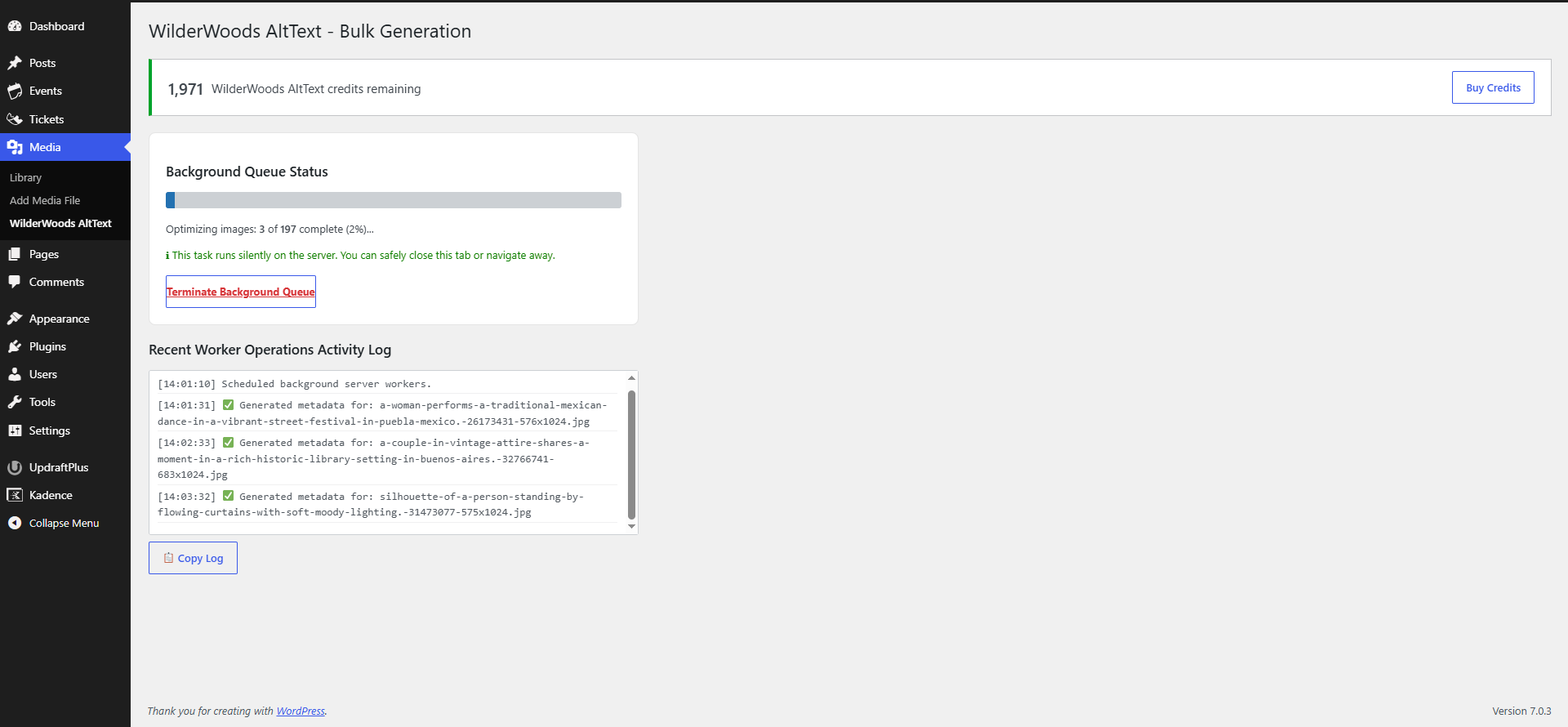
Generate metadata for a single image directly from the Media Library, or queue your entire library as a background job that continues running even if you close your browser. Bulk generation runs at a controlled pace to minimise server load, making it ideal for processing large Media Libraries.
There’s no API key to configure, no AI account to create, and no complicated setup – simply install the plugin and start generating.
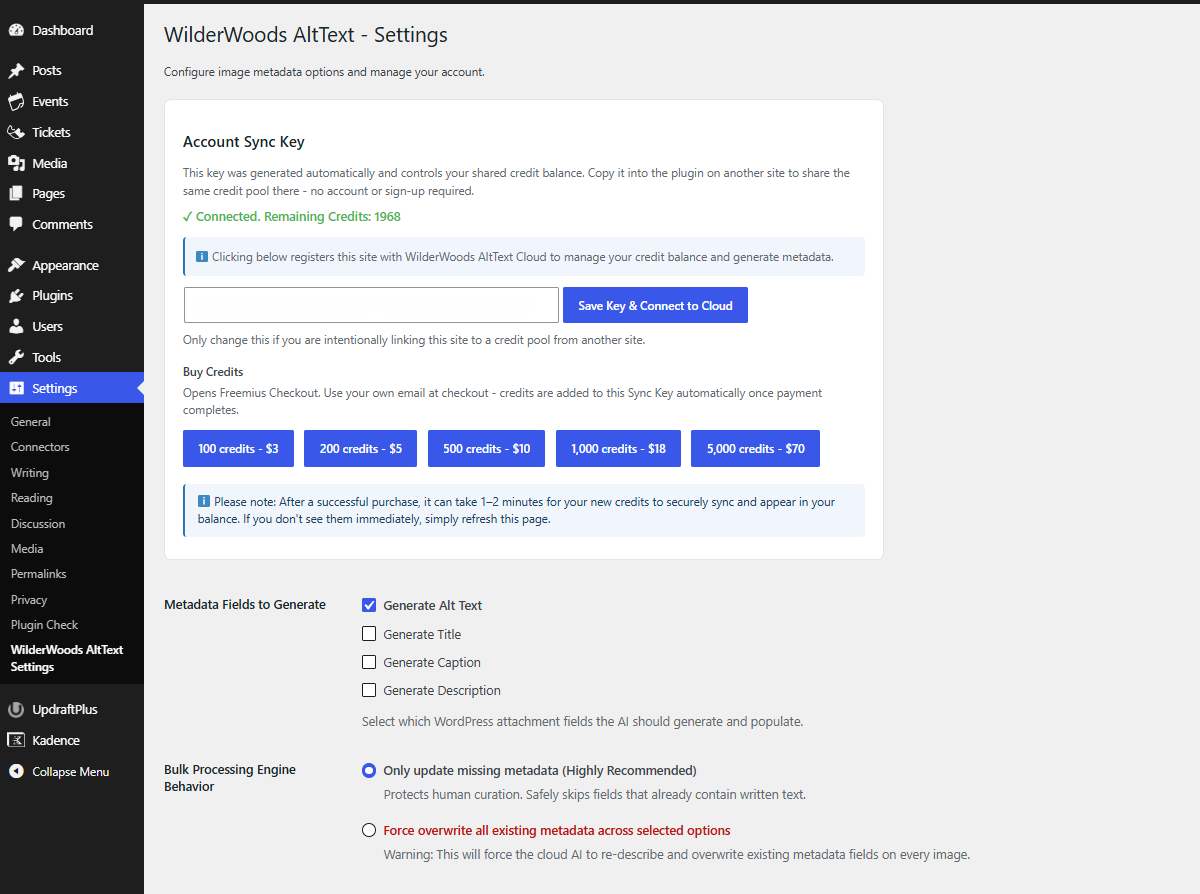
This plugin connects to a remote cloud service to function. To use the service, you must explicitly opt-in by either clicking “Save Key & Connect to Cloud” in the plugin’s Settings page, or by clicking “Generate” on an image for the first time. This deliberate action registers your site with WilderWoods AltText Cloud (a service operated by the plugin’s developer) and grants 40 free credits to try it out – no account creation, sign-up form, or API key required. Each image you generate metadata for uses one credit. See the “External Services” section below for exactly what’s sent, where, and why.
How WilderWoods AltText Stands Out
While there are many alt text plugins available, this one is uniquely designed for multi-site owners, agencies, and developers who value simplicity and control:
- Shared Credit Pools: Unlike most AI plugins that require separate API keys or credit purchases for every single website, our unique Sync Key technology lets you share one central credit balance across all your WordPress sites.
- Zero API Management: You never need to set up a Google Cloud account, manage API keys, or worry about server-side token limits. We handle the secure backend infrastructure for you.
- No Arbitrary Expiration: Your purchased credits don’t disappear after 30 days. Use them at your own pace without the pressure of a countdown clock.
- Server-Friendly Processing: Our intelligent background queue processes thousands of images without placing heavy loads on your own web server.
Key Features
- Zero setup. No API key to paste in, no account to create – install and start generating.
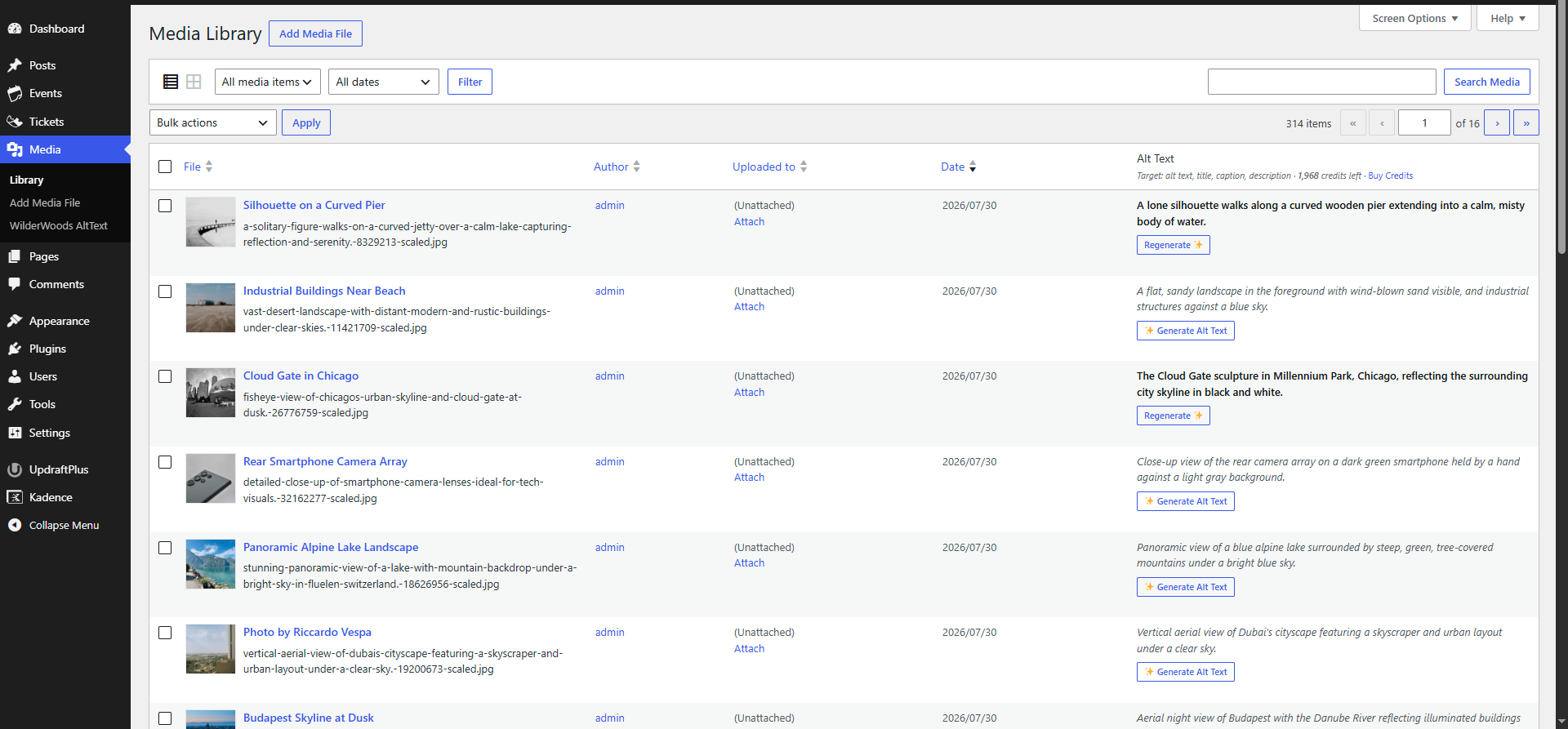
- Bulk and single-image generation – process your whole Media Library in the background, or generate on demand from the Media Library grid or list view.
- Choose what gets generated – alt text, title, caption, and description can each be turned on or off independently.
- Won’t overwrite your work by default – bulk generation only fills in genuinely missing fields unless you explicitly choose to overwrite.
- Boosts accessibility – helps you work towards WCAG compliance by automatically generating descriptive, meaningful alt text for screen readers.
- No arbitrary expiration dates. Buy a pack once and use it at your own pace while the service is available – no subscriptions or countdown clocks on unused credits.
- One credit balance, every site you run. Copy your Sync Key into the plugin on any other WordPress site you manage, and they all draw from the same shared pool.
External Services
This plugin uses a secure cloud service to generate AI metadata. AI processing takes place on a remote server rather than inside WordPress because running modern AI models locally isn’t practical. By using this service, you agree to our Terms of Service and Privacy Policy. Specifically:
- Image analysis: When you generate metadata for an image, the image’s public URL and a short text summary of your site (site name, homepage description, and navigation menu labels — used only to give the AI relevant context, for example so it understands your site is about woodworking rather than travel) are sent to WilderWoods AltText Cloud, which forwards the image to Google’s Gemini API for analysis and returns the generated text. No image files are sent from your server directly to Google; our server handles that step. Google’s Privacy Policy applies to that processing.
- Account & payments: Your site is identified to WilderWoods AltText Cloud by a randomly generated Sync Key (not your name, email, or WordPress account). Credit pack purchases are processed by Freemius, a licensing and payments platform — see their Privacy Policy and Terms of Service. Freemius, not us, handles and stores your payment details, and you use your own real email at checkout.
- No visitor content is sent. Only image URLs and the site summary described above are transmitted, and only when you explicitly choose to generate metadata, start a bulk job, or connect via the Settings page.
Screenshots
Installation
- Upload the plugin files to
/wp-content/plugins/wilderwoods-alttext, or install directly through the Plugins screen in WordPress. - Activate the plugin through the Plugins screen in WordPress.
- Visit Settings WilderWoods AltText Settings and click Save Key & Connect to Cloud to explicitly register your site and receive your 40 free credits.
- Open your Media Library and click Generate Alt Text to generate metadata for any image.
- To configure which metadata fields are generated or run a bulk generation job, visit Media WilderWoods AltText or Settings WilderWoods AltText Settings.
FAQ
-
Do I need a Google Gemini API key?
-
No. Our cloud service handles the Gemini API connection for you – there’s nothing to configure.
-
Can I process my entire Media Library?
-
Yes. This plugin can queue your existing Media Library for background generation, allowing large libraries to be processed even after you close your browser.
-
Do my credits expire?
-
No. Once purchased, credits stay on your account indefinitely while the service is active.
-
Can I use one credit pack across multiple sites?
-
Yes. Every site’s Settings page shows a Sync Key. Copy it from your first site and paste it into the plugin’s settings on any other WordPress site you manage to share the same credit balance across all of them.
-
What happens when I run out of credits?
-
Generation simply stops with a clear message prompting you to top up. Nothing breaks, and any bulk job in progress halts cleanly.
-
Does this overwrite metadata I’ve already written?
-
Not by default. Bulk generation only fills in fields that are currently empty unless you explicitly switch on Force overwrite in Settings. Manually clicking Generate or Regenerate on a single image always overwrites that image because it’s an intentional action.
-
Is my data sent anywhere?
-
See the External Services section above for a full explanation of what is sent, where it is sent, and why, including links to our Terms of Service and Privacy Policy.
Reviews
There are no reviews for this plugin.
Contributors & Developers
“WilderWoods AltText” is open source software. The following people have contributed to this plugin.
Contributors
Translate “WilderWoods AltText” into your language.
Interested in development?
Browse the code, check out the SVN repository, or subscribe to the development log by RSS.
Changelog
1.0.0
- Initial release.