
Description
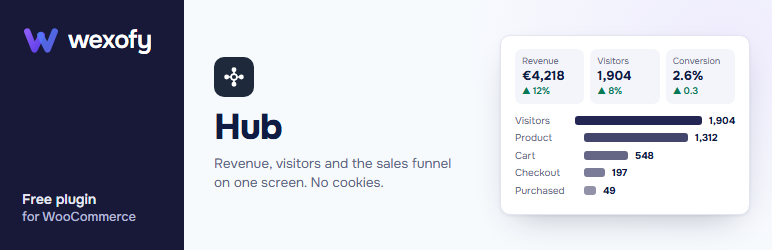
Wexofy Hub puts the numbers a store owner checks every morning on one screen, and answers the question WooCommerce’s own reports leave open: where did the money come from?
On the dashboard
- Revenue, orders, average order value, visitors and conversion rate, each compared with the previous period.
- Revenue and visitor charts for today, 7 / 30 / 90 days, this month, last month or 12 months, with an optional previous-period line.
- Conversion funnel: visitors viewed a product added to cart reached checkout purchased, with the biggest drop-off called out.
- Revenue by channel (search, social, paid ads, e-mail, other websites, direct), by source and by UTM campaign.
- Top products with views, add-to-carts and sales; revenue by country; phone / tablet / desktop; new vs returning customers.
- All-time revenue, this month so far, and a monthly revenue goal with an end-of-month projection at your current pace.
- Store health: no payment method available, no HTTPS, tracking blocked by a cache, debug output on the live site and more.
- Plain-English “what stands out” notes, only when the numbers support them.
- A “today” widget on the WordPress dashboard and a CSV export of daily revenue, orders and visitors.
- A weekly or monthly e-mail report to the addresses you choose.
Privacy-first visitor counting
No cookies are set and no IP address or personal data is stored. A visitor is an anonymous hash that changes every midnight, so nobody can be followed from one day to the next. The counter is a tiny script that sends page views to your own site, so it keeps working behind page caches. All data stays in your own database; nothing is sent to Wexofy or anyone else. You can switch counting off, ignore logged-in staff, choose how long visit data is kept and delete it all with one click.
Sales numbers come from WooCommerce’s own analytics tables, so they match WooCommerce Analytics.
More Wexofy plugins
Wexofy Plugins lists the other free Wexofy plugins for WooCommerce (bundles, checkout, invoices, shipment tracking and more) and installs the ones listed on WordPress.org with the normal WordPress installer. Some have an optional Pro version sold on wexofy.com. If you own any, the separate Wexofy Hub Pro add-on connects your licence key and installs and updates them from the same screen. This plugin is complete without it.
Wexofy is not affiliated with or endorsed by WooCommerce or Automattic.
Installation
- Install and activate the plugin (WooCommerce must be active).
- Open Wexofy Overview. Sales history shows straight away; visitor numbers fill in as people browse your store.
- Under Wexofy Settings, choose the e-mail report frequency and recipients, and how long visit data is kept.
FAQ
-
The counter sets no cookies and stores no IP address or other personal data, so it is generally not something visitors need to consent to. Check the rules that apply to your store if you are unsure.
-
Why don’t the visitor numbers match Google Analytics?
-
They count differently: no cookies, bots are filtered out and ad blockers do not hide visits. Use the numbers for trends and for connecting visits to revenue.
-
Why are revenue by source and the funnel empty?
-
They need visitor counting, which starts when the plugin is activated. Orders placed before that have no source. If nothing is counted for two days, Store health tells you; clearing your cache once usually fixes it.
-
My sales numbers are zero but I have orders.
-
WooCommerce has to build its analytics tables first. Open WooCommerce Analytics Settings and import historical data.
-
Does it contact any outside service?
-
The dashboard does not. Only the Wexofy Plugins screen asks the WordPress.org plugin directory which Wexofy plugins are listed there (the same request WordPress makes on Plugins Add New), so it can offer the normal install button. Links on that screen open wexofy.com in a new tab only when you click them.
-
I used the earlier “Wexofy Hub” plugin. Do I lose my stats?
-
No. This plugin reads the same visit log, order sources and settings. Update the old plugin to version 3, which becomes the licence add-on for this one, or deactivate it.
Reviews
There are no reviews for this plugin.
Contributors & Developers
“Wexofy Hub for WooCommerce” is open source software. The following people have contributed to this plugin.
Contributors
Translate “Wexofy Hub for WooCommerce” into your language.
Interested in development?
Browse the code, check out the SVN repository, or subscribe to the development log by RSS.
Changelog
1.0.0
- First release on WordPress.org: sales and visitor dashboard, conversion funnel, revenue by channel / source / campaign, top products, countries, devices, new vs returning, monthly goal, store health, insights, CSV export, dashboard widget, weekly / monthly e-mail report, cookieless visitor counting, Wexofy plugins screen.