
Description
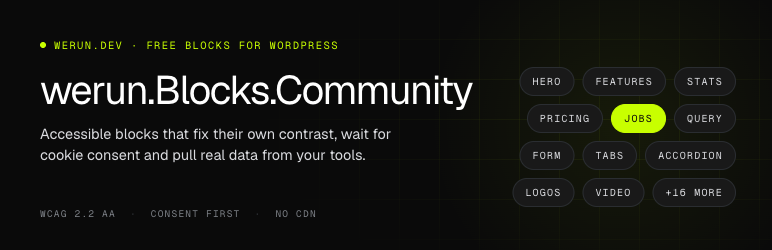
werun.Blocks.Community is a set of blocks for company websites built around three things most block libraries leave to you: accessibility that checks itself, privacy by default, and real data from the tools a company already uses.
What makes it different
- Contrast that fixes itself. Each block knows the background it sits on (its own colour, an image with an overlay, or a dark section around it) and picks text, accent and focus colours that pass WCAG 2.2 AA there. When a choice still fails, the sidebar says so and offers a one-click fix. Every block, variation and option is tested on light and dark backgrounds.
- Nothing loads before consent. Maps, YouTube / Vimeo videos and third-party forms show a placeholder until the visitor clicks, or wait for your cookie banner (WP Consent API, Complianz, CookieYes, Cookiebot). Leaflet maps and all icons are bundled, so nothing comes from a CDN.
- Jobs straight from your ATS. The Jobs block lists open positions from Greenhouse, Lever, Ashby, Workable, SmartRecruiters, Personio, Teamtailor or BambooHR, fetched and cached by your server, with filters and search.
- A query builder for any post type. Team, events, locations on a map, resource libraries, case studies: filter by terms and custom fields, order by upcoming dates, map fields to cards, add visitor filters and pagination that also work without JavaScript. Its settings are signed in the page and checked on every request, and it never shows drafts, private posts or protected fields.
- Gated downloads you can trust. Ask for a form before a file. With a WordPress form plugin the server verifies the submission before handing out a short-lived signed link, and can stream the file so its address is never revealed.
- One form block for every provider. HubSpot, Marketo, Salesforce Account Engagement, Dynamics 365, Typeform, Jotform, Mailchimp, ActiveCampaign, Zoho, Calendly, Gravity Forms, WPForms, Contact Form 7, Fluent Forms, Ninja Forms and Formidable. API keys are stored encrypted and never reach the browser.
The blocks
- Structure and conversion: Hero, Section, Call to action, Media and text.
- Social proof: Logos (grid, marquee, carousel), Testimonials (by hand or from a post type), Stats with count-up numbers.
- Organization: Feature grid, Tabs, Accordion / FAQ with schema, Table of contents.
- Pricing: Pricing table with a working monthly / yearly switch, Comparison table.
- Dynamic: Query, Jobs, Form.
- More: Timeline, Video (loaded only when played, with captions and transcript), Carousel, Notice (scheduled, dismissible).
Every block ships with ready-made variations, Lucide icons with optional animations, and Saved styles: save a block’s look and options and reuse them anywhere on the site.
Accessibility
Besides contrast: focus is always visible, ARIA patterns are used for tabs, accordions, carousels and dialogs, and anything that moves for more than 5 seconds can be paused and respects “reduce motion”.
Privacy
Consent is remembered per kind of embed for as long as you choose, and each block can override the site setting. The Integrations screen lists every outside host a visitor’s browser may contact with your settings, ready for a Content-Security-Policy.
Documentation and support
- Documentation: every block, every setting and common problems, in English and Spanish: https://crm.werun.dev/knowledge-base/category/werun-blocks-community
- Support: please open an issue on GitHub: https://github.com/werundev/wp-werun-blocks-community/issues
- Need something custom? werun.dev builds custom blocks, variations for your brand, integrations and whole WordPress sites: https://werun.dev/contact?utm_source=werun-blocks-community&utm_medium=wporg&utm_campaign=custom-work
External services
This plugin works without any external service. Nothing is contacted on activation, and no service is used until a site administrator or editor sets up the block or setting that needs it. The services below are used only in those cases.
Services loaded in the visitor’s browser (maps, videos and third-party forms) wait for the visitor’s consent by default: a placeholder is shown until the visitor clicks it or accepts them in your cookie banner. An administrator can turn this consent step off in werun.Blocks.Community Integrations Privacy, or for a single block. When one of these services loads, the visitor’s browser connects to it directly, so that service receives the visitor’s IP address, browser user agent and the address of the page, and it may set its own cookies.
OpenStreetMap map tiles
The map layout of the Query block draws its maps with Leaflet, which is bundled with the plugin. The map images (tiles) are loaded from the OpenStreetMap tile server, tile.openstreetmap.org, or from another tile server the administrator enters under Integrations Maps. Each time a visitor views or moves the map, their browser requests the tiles of that area. Provided by the OpenStreetMap Foundation: Terms of use, Tile usage policy, Privacy policy.
Google Maps
Used only if the administrator selects Google Maps as the map provider and enters a Google Maps API key. The Query block’s maps then load the Google Maps JavaScript API from maps.googleapis.com, and its images from maps.gstatic.com. The visitor’s browser sends the API key and the area of the map being viewed. Provided by Google: Google Maps Platform terms, Privacy policy.
YouTube
The Video, Hero and Media and text blocks can embed a YouTube video. The player is loaded from www.youtube-nocookie.com when the visitor plays the video, which sends YouTube the video id. If the editor turns on the option “Use YouTube’s thumbnail” for a video, the thumbnail image is loaded from i.ytimg.com when the page opens, before any consent; the block’s settings warn about this, and uploading a poster image avoids it. Provided by Google: YouTube terms of service, Privacy policy.
Vimeo
The Video, Hero and Media and text blocks can embed a Vimeo video. The player is loaded from player.vimeo.com when the visitor plays the video, which sends Vimeo the video id. Provided by Vimeo: Terms of service, Privacy policy.
Form providers
The Form block embeds a form hosted by the provider the editor chooses. Once the form loads, the visitor’s browser downloads the provider’s form script or frame. When the visitor sends the form, the answers they typed go straight to that provider and are never stored by this plugin. Each provider is used only when a form block uses it:
- HubSpot — script from js.hsforms.net (or js-eu1, js-na2, js-ap1.hsforms.net, by region); answers sent to forms.hsforms.com (or its regional host) and forms.hscollectedforms.net. If the administrator saves a HubSpot private app token, your server also calls api.hubapi.com (the HubSpot Forms API) with that token. It does so to list your forms in the block editor, and when the administrator clicks “Test connection”. No visitor data is sent in those calls. Terms of service, Privacy policy.
- Adobe Marketo Engage — form script and submissions on your Marketo instance (the address you enter, for example app-abc123.marketo.com), plus Marketo’s munchkin.marketo.net. Terms of use, Privacy policy.
- Salesforce Marketing Cloud Account Engagement (Pardot) — the form is shown in a frame from go.pardot.com, pi.pardot.com or your own tracker domain. Legal terms, Privacy policy.
- Microsoft Dynamics 365 Customer Insights – Journeys — form loader script from 1formui01cdnsa01-endpoint.azureedge.net and the assets-*.mkt.dynamics.com host of your region; the form and its submissions use the *.mkt.dynamics.com host of your region. Product terms, Privacy statement.
- Typeform — script from embed.typeform.com; the form is shown in a frame from form.typeform.com. Terms and conditions, Privacy policy.
- Jotform — the form is shown in a frame from form.jotform.com, eu.jotform.com or hipaa.jotform.com. Terms of use, Privacy policy.
- Mailchimp — the sign-up form posts the visitor’s answers to your audience’s *.list-manage.com address. Mailchimp is part of Intuit: Terms of use, Privacy statement.
- ActiveCampaign — form script and frame from your account’s *.activehosted.com address. Terms of service, Privacy policy.
- Zoho Forms — the form is shown in a frame from forms.zohopublic.com (or the Zoho data center you choose, such as forms.zohopublic.eu). Terms of service, Privacy policy.
- Calendly — scheduling widget script from assets.calendly.com; the booking page is shown in a frame from calendly.com. Terms and conditions, Privacy notice.
WordPress form plugins (Gravity Forms, WPForms, Contact Form 7, Fluent Forms, Ninja Forms, Formidable) run on your own site and are not external services.
Applicant tracking systems (Jobs block)
The Jobs block lists the open positions of the job board an editor sets up. The board is read by your own server, not by the visitor’s browser. Each request is a read-only call to the provider’s public job board API. It is made when the block is first shown and then in the background, through WP-Cron, whenever the cached copy is older than the cache time set in Integrations Jobs. When an editor checks a board in the block settings, the server makes the same request. The request sends the board or company name you entered, plus an API key for Teamtailor and BambooHR. No visitor data is sent. Visitors’ searches and filters run on the cached copy, on your server.
- Greenhouse — boards-api.greenhouse.io. Legal terms, Privacy policy.
- Lever — api.lever.co or api.eu.lever.co. Lever is part of Employ: Terms of service, Privacy policy.
- Ashby — api.ashbyhq.com. Terms, Privacy policy.
- Workable — apply.workable.com. Terms of service, Privacy policy.
- SmartRecruiters — api.smartrecruiters.com. Terms of use, Privacy policy.
- Personio — the job feed of your account at your-company.jobs.personio.de (or .jobs.personio.com). Terms, Privacy policy.
- Teamtailor — api.teamtailor.com, with the API key you enter. Terms and conditions, Privacy policy.
- BambooHR — the careers feed of your account at your-company.bamboohr.com, or api.bamboohr.com with the API key you enter. Terms of service, Privacy policy.
Links that load nothing
The plugin’s admin screens link to its documentation (crm.werun.dev), to GitHub issues and to werun.dev. The icon picker links to lucide.dev and lucide-animated.com for reference. These are plain links and nothing is loaded from those sites. The Integrations screen lists the hosts above in a table to help you write a Content-Security-Policy; that table loads nothing either. Leaflet and all Lucide icons are bundled with the plugin.
Source code
The JavaScript and CSS in build/ are compiled from the human-readable sources in src/, published at https://github.com/werundev/wp-werun-blocks-community. To build: npm ci and npm run build.
Screenshots




Blocks
This plugin provides 28 blocks.
- Jobs Open positions from your applicant tracking system (Greenhouse, Lever, Ashby, Workable, SmartRecruiters, Personio, Teamtailor, BambooHR), cached, grouped by department, as cards or a table, with search and filters.
- Tabs Content in tabs: horizontal or vertical, four styles, optional icons, links to a tab, and tabs that become an accordion on narrow screens. Every panel holds any blocks.
- Video YouTube, Vimeo or a video from the media library, loaded only when it is played: a poster with a play button, in the page or in a window, or a muted looping background. Captions, transcript, a link to an audio-described version and VideoObject schema.
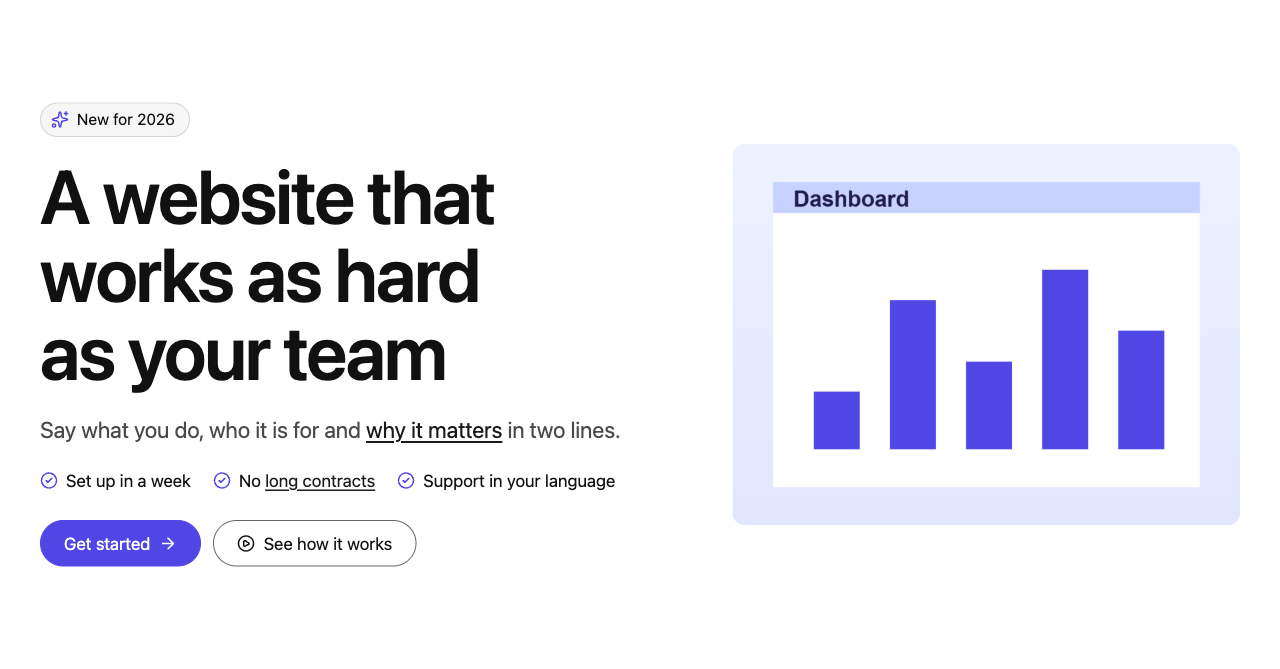
- Hero Opening section: eyebrow, heading, text, checklist, two buttons, figures and an image, each one optional. Split or centred, over a background image or a muted looping video.
- Stats Key numbers that count up when they scroll into view: a row, cards or large figures with a description, with optional icons and a section header.
- Feature grid Cards with an icon, title, text and link, in 1 to 6 columns per screen size. Every part of a card can be switched off for the whole grid or for one card.
- Call to action A banner that asks for one action: eyebrow, title, text, one or two buttons and an optional image. Centred, split, compact strip or floating card.
- Media and text An image or a video beside a title, text, checklist and button. Fixed aspect ratios, media left or right, colours from the theme palette only.
- Table of contents Links to the headings of the page, built from its content: list, numbered or pills, sticky beside long pages, a dropdown on phones, and the section you are reading highlighted.
- Form A form from HubSpot, Marketo, Pardot, Dynamics 365, Typeform, Jotform, Mailchimp, ActiveCampaign, Zoho, Calendly or a form plugin on this site, with a title, consent before third-party embeds and optional gated downloads.
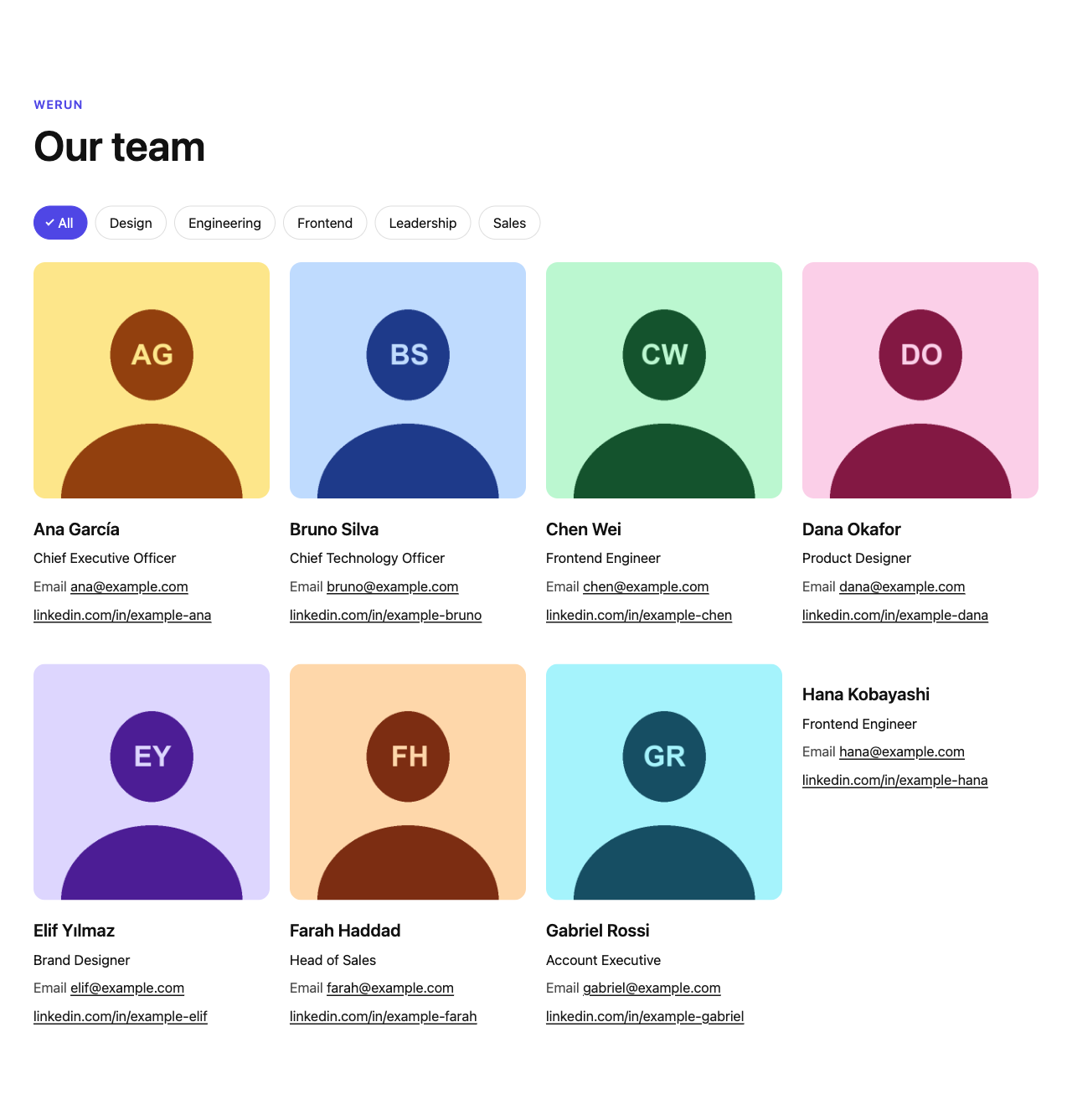
- Query Cards from any post type: latest or related posts, team, events, locations on a map, a resource library, case studies or your own query. Visual query builder, grid, list, carousel or map, visitor filters and pagination.
- Timeline Company history or a process, step by step: vertical, alternating sides or a horizontal track you scroll, with dots, icons, numbers or years on the line.
- Comparison table Plans side by side against a list of features: checks, crosses, partial and text values, group headings, a featured plan, prices on top or below, a sticky header and a phone layout that scrolls or turns into one card per plan.
- Section A page section that holds any blocks: width, padding scale, background colour, gradient or image with overlay, minimum height, optional header and two columns.
- Notice An info, success, warning or announcement message: inside the content or as a full-width bar (sticky at the top or bottom of the window), with a link, a close button that remembers, and dates to show it from and until.
- Carousel Slides that hold any blocks, with background images, slides per screen size, peek, arrows, dots, thumbnails, loop and autoplay. Keyboard, swipe and screen readers.
- Testimonials Quotes with name, role, photo and rating, written by hand or taken from a post type, as a carousel (arrows, dots, autoplay, keyboard and swipe) or a grid, with slides per screen size.
- Logos Client and partner logos from the media library, with optional links and names, as a grid, an infinite marquee or a carousel. Grayscale and opacity with full colour on hover, or every logo in one flat colour for dark or light backgrounds.
- Accordion / FAQ Questions that open and close, built on native details/summary so they work without JavaScript. One or several open, search, expand all, links to a question, FAQ schema, one or two columns.
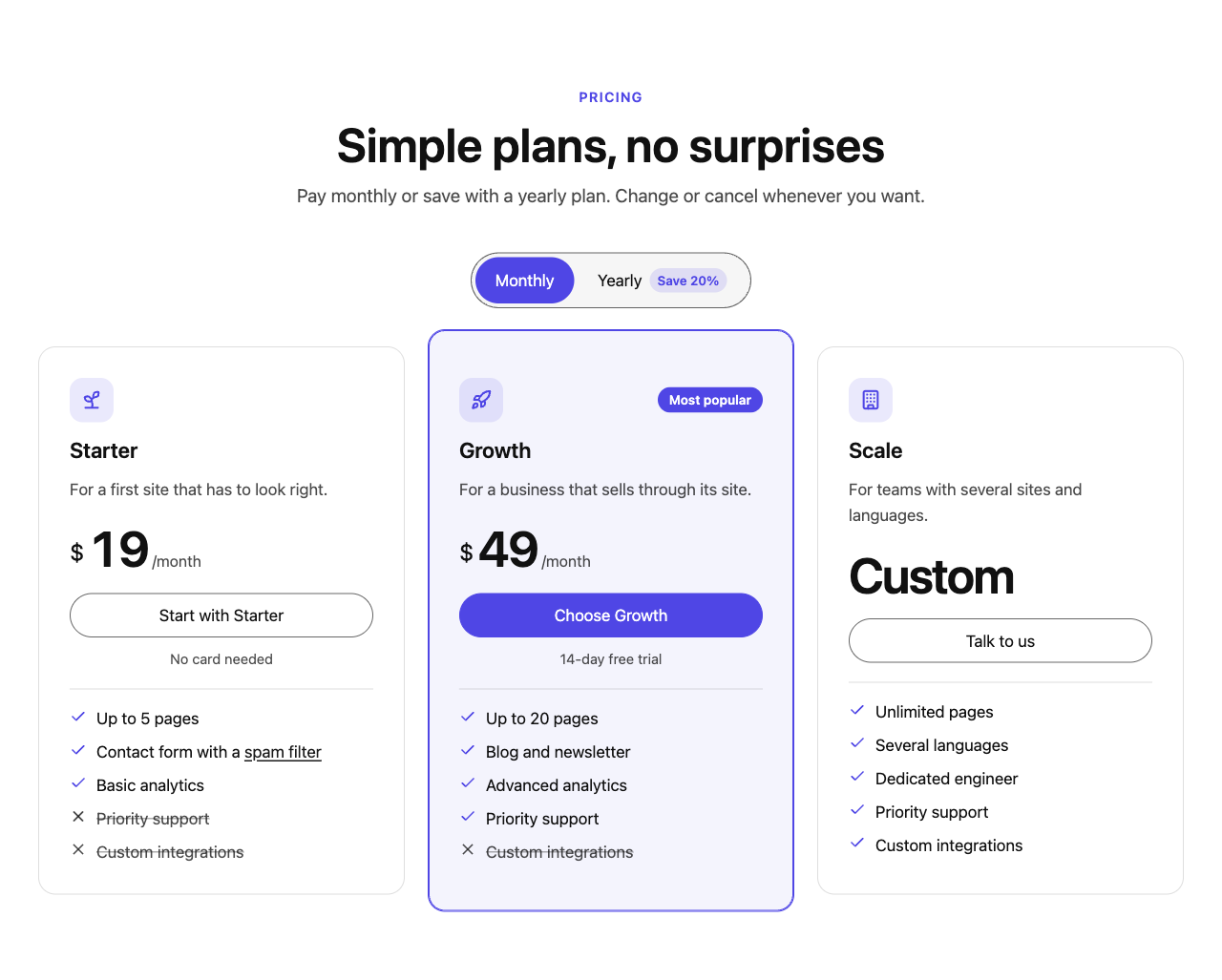
- Pricing table Plans with a monthly / yearly switch that works, a highlighted plan, feature lists with included and excluded lines, and columns per screen size.
- Slide One slide of a carousel: any blocks, with an optional background image or colour.
- Stat One number of a stats block, with its label, an optional description and icon.
- Feature card One card of a feature grid.
- Tab One tab of a tabs block: its label, an optional icon, and a panel that holds any blocks.
- Pricing plan One plan of a pricing table.
- Accordion item One question of an accordion. The answer can hold any blocks.
- Testimonial One quote of a testimonials block.
- Timeline item One moment or step of a timeline: date, title, text, and an optional image and icon.
Installation
- Install from Plugins Add New, or upload the zip and activate it.
- Open the block inserter: the blocks are in the werun.Blocks.Community category.
- Optional: configure maps, consent, form providers, jobs and gated downloads in werun.Blocks.Community Integrations.
FAQ
-
Where do I get help?
-
Read the documentation at https://crm.werun.dev/knowledge-base/category/werun-blocks-community, and report bugs or ask questions in the GitHub issues: https://github.com/werundev/wp-werun-blocks-community/issues
-
Do I need a license or an account?
-
No. The plugin is free and fully functional; it never asks for a key and never contacts werun.dev.
-
Can it run next to werun.Blocks?
-
Yes. Every block, class, option and endpoint has its own prefix, so both plugins can be active on the same site.
-
How do I build it from source?
-
Run
npm ciandnpm run build. The source is insrc/; the release zip already contains the compiledbuild/folder.
Reviews
There are no reviews for this plugin.
Contributors & Developers
“werun.Blocks.Community” is open source software. The following people have contributed to this plugin.
Contributors
Translate “werun.Blocks.Community” into your language.
Interested in development?
Browse the code, check out the SVN repository, or subscribe to the development log by RSS.
Changelog
1.0.1
- The werun.dev monogram images (admin menu and editor) no longer carry embedded file metadata.
- readme.txt now has screenshots: the blocks on a page, the editor’s contrast check and the Integrations screen.
1.0.0
- First public release: the full block catalog (hero, section, CTA, media + text, features, logos, stats, tabs, table of contents, query, pricing, comparison, accordion, testimonials, timeline, video, carousel, jobs, form, notice), Saved styles, the Integrations screen and WCAG 2.2 AA accessibility.
- Maps, videos and third-party forms wait for the visitor’s consent by default; every external service is listed under External services.
- No license, activation key or connection to any werun.dev server.
The full history is in changelog.txt.