Description
WebLab PWA Suite turns any WordPress site into a Progressive Web App — installable, offline-capable, and mobile-optimized.
The plugin generates a valid Web App Manifest, registers a Workbox v7 Service Worker, and adds the platform-specific meta tags required for installation on Android, iOS, and desktop browsers.
Why a PWA?
A Progressive Web App provides a native-app-like experience directly from the browser:
- Installable — users can add your site to their home screen.
- Fast — assets are cached and served instantly on repeat visits.
- Offline-capable — the site remains usable without an internet connection.
- Engaging — push notifications bring users back.
- No app store — no publishing fees, no review delays.
Install UX (Free)
The plugin includes a complete, professionally-designed install experience with 42 free features that work out-of-the-box:
Smart Banner
* Mobile-only banner (never annoying on desktop)
* Value proposition with 3 configurable bullet points (icon + text)
* Safe-area padding for iPhone notch
* Dark mode support (prefers-color-scheme)
* WCAG 2.1 AA accessible (ARIA, keyboard, focus trap)
Triggers (configurable)
* Time on page (default: 30 seconds)
* Scroll depth (default: 50%)
* Returning visitor (2nd+ visit)
* Exit-intent (desktop, optional)
* Custom trigger via JS API
Dismiss & Persistence
* “Later” button (temporary dismiss)
* “Never” button with 24h-720h cooldown
* localStorage persistence
* Progressive cooldown
Per-Platform Instructions
* iOS Safari: Share Add to Home Screen Add
* Android Chrome: menu Install app Install
* Desktop: install icon in address bar
* Special message for in-app browsers (FB/IG/TikTok/WhatsApp)
Desktop QR Code
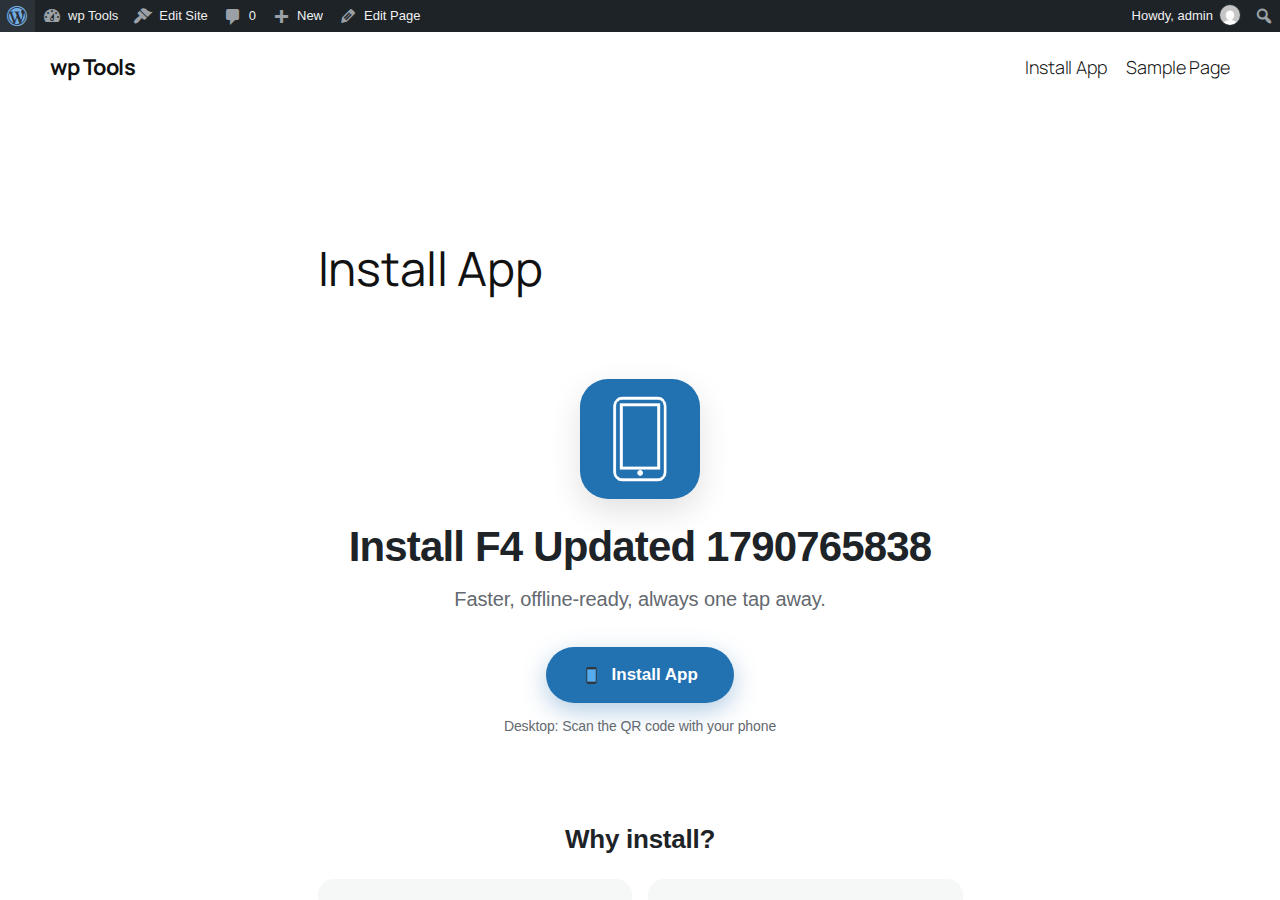
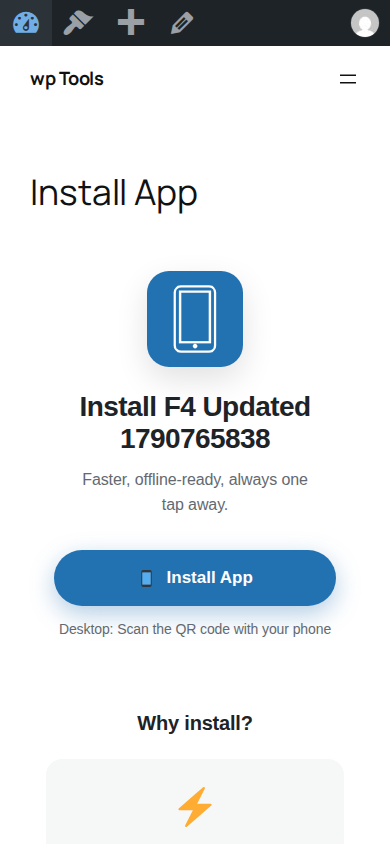
* Scan with phone to install
* Shortcode: [afpwa_qr size=”200″ caption=”Scan me!”]
A/B Testing for Install Messages
* Up to 3 message variants (Free Install UX feature)
* Integrates with the analytics dashboard
* Auto-tracked conversion per variant
Push Opt-in Secondary
* Shown after app install (not before)
* GDPR-friendly
* Customizable title, body, preview
Analytics Dashboard
* Widget in WordPress Dashboard
* Tracks: banner shown, dismissed, installs, CTR
* Per-platform breakdown (iOS/Android/Desktop)
* CSV export
Free Features
- Web App Manifest — dynamically generated, valid, and cached.
- Service Worker (Workbox v7) — with configurable cache strategies.
- Automatic icon generation — all PWA icon sizes (48px–512px) from a single upload (requires GD or Imagick).
- Legacy icons — favicon and Apple Touch Icons for older devices.
- Offline page — assign any WordPress page as the offline fallback.
- iOS support — Apple meta tags and auto-generated splash screens.
- Android support — Chrome address bar color, Trusted Web Activity hints.
- Dark mode — separate theme and background colors for dark schemes.
- Push notifications — via Firebase Cloud Messaging or OneSignal.
- Background sync — offline form submissions are queued and sent when the connection returns.
- AMP support — integrates with the official AMP plugin.
- WP Hide compatibility — works with WP Hide & Security Enhancer.
- Loading icons library — 4 built-in styles (spinner, dots, pulse, bars).
- Pull to refresh — native-style refresh gesture in standalone mode.
- Connectivity notice — customizable online/offline notifications.
- Scroll progress bar — visual reading progress indicator.
- Custom 404 page — configurable fallback for offline navigation errors.
- QR Code Install — desktop-to-mobile handoff via QR code.
- WooCommerce integration — product shortcuts and cache rules.
Premium Add-ons (optional)
Premium features are available through a separate license and an external add-on plugin. The free version is fully functional on its own.
- Offline Page Builder (drag-and-drop, 10+ templates)
- Google Analytics 4 integration
- AI-Powered Caching (predictive prefetch)
- Real-time analytics dashboard
- PWA to APK (Trusted Web Activity)
- BuddyPress push notifications
- White-label branding
- Priority support
Premium licensing and updates are served from advancedpwa.weblab.md. See the External Services section for details.
Requirements
- WordPress 6.0 or higher
- PHP 8.0 or higher
- HTTPS — required for Service Workers (browsers enforce this)
- Pretty Permalinks — required for manifest.json and service-worker.js endpoints.
- GD or Imagick — for automatic icon generation (optional; WordPress fallback used otherwise)
External Services
This plugin connects to the following external services. No data is transmitted unless the corresponding feature and consent are explicitly enabled by the site administrator.
1. License Server — advancedpwa.weblab.md
Purpose: License validation, update delivery, and premium feature activation.
Data transmitted: License key, Site domain, Anonymous install ID, Plugin version, Device fingerprint (SHA-256 hash).
When: Only when the administrator explicitly enables “License Server” consent in Settings Consent & Privacy.
Terms of Service: https://advancedpwa.weblab.md/terms/
Privacy Policy: https://advancedpwa.weblab.md/privacy/
2. Firebase Cloud Messaging — fcm.googleapis.com
Purpose: Delivery of browser push notifications.
Data transmitted: Subscription endpoint and encryption keys.
When: Only when push notifications are enabled and the visitor explicitly opts in.
Privacy Policy: https://firebase.google.com/support/privacy
3. Google Analytics 4 — googletagmanager.com
Purpose: Site analytics (if enabled).
Data transmitted: Page views and events.
When: Only when GA4 is enabled and “Analytics” consent is enabled.
Privacy Policy: https://policies.google.com/privacy
4. Plausible Analytics
Purpose: Privacy-friendly analytics without cookies.
Data transmitted: Page views.
When: Only when Plausible is enabled and “Analytics” consent is enabled.
Privacy Policy: https://plausible.io/privacy
5. OneSignal — cdn.onesignal.com
Purpose: Alternative push notification provider.
Data transmitted: Push subscription data.
When: Only when OneSignal is selected and “Push Notifications” consent is enabled.
Privacy Policy: https://onesignal.com/privacy_policy
6. ip-api.com (opt-in, disabled by default)
Purpose: Country lookup for optional geo-blocking.
Data transmitted: The client’s IP address.
When: Only when “External GeoIP lookup” is enabled.
Terms of Service / Privacy Policy: https://ip-api.com/docs/legal
Screenshots
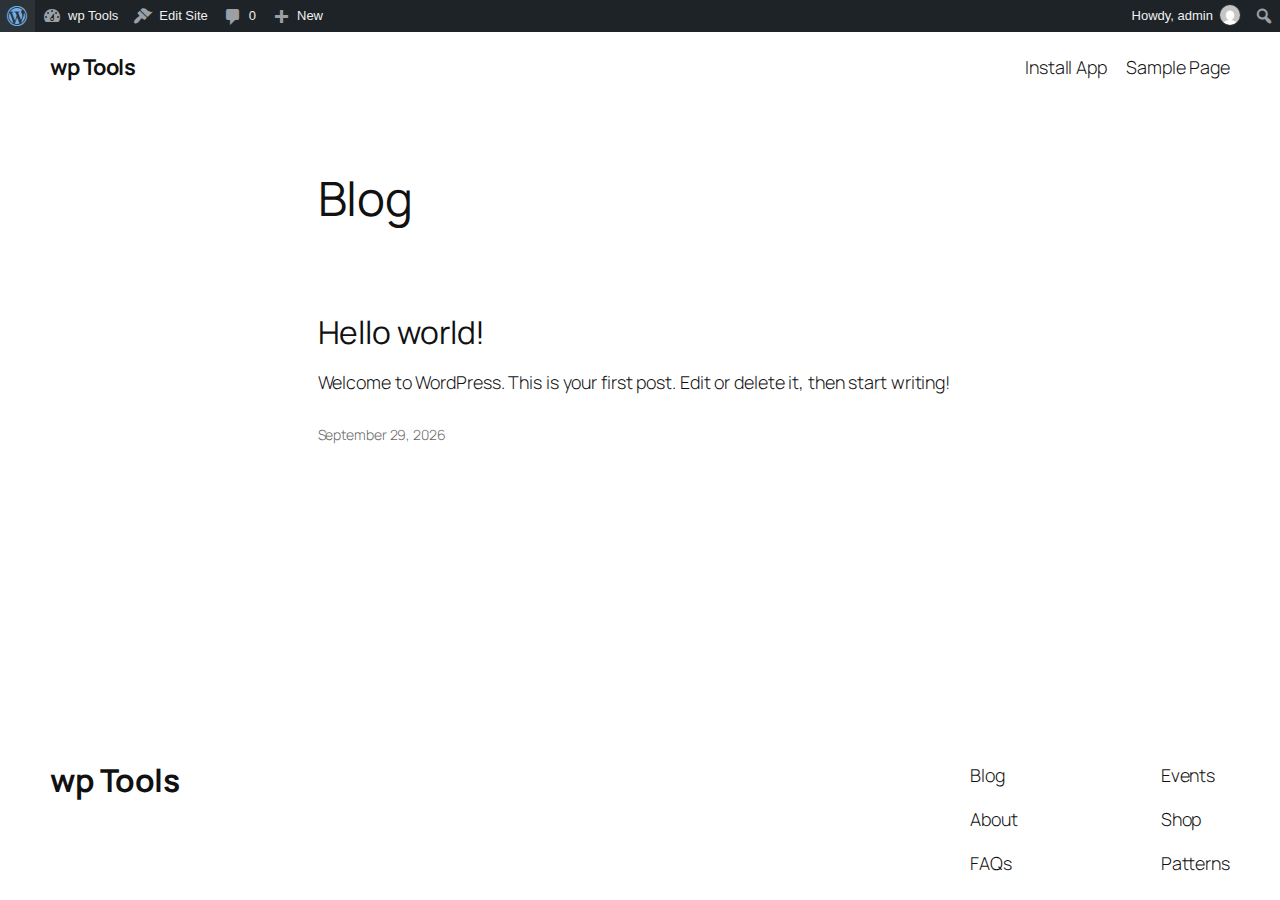
Blocks
This plugin provides 3 blocks.
- PWA Install Button
- PWA Status
- Offline Badge
Installation
- Upload the
weblab-suite-pwafolder to the/wp-content/plugins/directory, or install the plugin directly through the WordPress ‘Plugins’ screen. - Activate the plugin through the ‘Plugins’ menu in WordPress.
- Open PWA Settings in the admin menu.
- Upload a 512×512 icon, then click Generate All Sizes.
- Configure the offline page URL, theme colors, and other options.
- Click Save Settings — the manifest and Service Worker are regenerated automatically.
Multisite
The plugin supports WordPress Multisite. Each site maintains its own manifest, Service Worker, icon set, and settings. A network admin panel is available for an overview.
Manual installation
If you prefer manual installation:
- Download the plugin ZIP file.
- Extract it into the
/wp-content/plugins/directory. - Activate it from the Plugins screen.
- Configure as described above.
FAQ
-
Why is my PWA not installing?
-
Ensure your site is served over HTTPS (required by browsers for Service Workers) and that “Pretty Permalinks” are enabled in Settings > Permalinks.
-
Does this plugin work without HTTPS?
-
No. Service Workers and PWAs strictly require HTTPS. The only exception is
localhostfor development purposes. -
How do I test the Service Worker?
-
Open your browser’s Developer Tools (F12) and go to the Application tab. Under “Service Workers”, you should see the plugin’s worker registered and active.
-
Push notifications don’t work on iOS. Why?
-
iOS (Safari) requires iOS 16.4 or higher and the user must manually “Add to Home Screen” before push notifications can be enabled.
-
How do I force the Service Worker to update?
-
You can change the version in the PWA Settings or use the “Force Update” button in the admin dashboard to clear the cache and fetch the latest assets.
-
Will this plugin slow down my site?
-
No. The plugin uses Workbox to cache assets locally on the user’s device, which actually speeds up load times after the initial visit.
-
Can I customize the offline page?
-
Yes. You can select any existing WordPress page to serve as the offline fallback in the plugin settings.
-
Does it work with caching plugins?
-
Yes, but you may need to exclude
/manifest.jsonand/service-worker.jsfrom aggressive server-side caching to ensure they are served dynamically. -
Does the plugin collect any data?
-
No personal data is collected by default. IP addresses are hashed. External services (like GA4 or Firebase) only connect if you explicitly enable them and provide user consent.
-
Can I use the plugin on a client site?
-
Yes, the plugin is GPL-licensed and can be used on unlimited sites.
-
Where do I report bugs?
-
Please use the WordPress.org support forum for the plugin.
Reviews
There are no reviews for this plugin.
Contributors & Developers
“WebLab PWA Suite” is open source software. The following people have contributed to this plugin.
Contributors
Translate “WebLab PWA Suite” into your language.
Interested in development?
Browse the code, check out the SVN repository, or subscribe to the development log by RSS.
Changelog
1.3.4
- Fix: Banner title now falls back to App Name if the Install Title is left as default.
1.3.3
- Fix: Banner title now dynamically pulls the App Name from general settings if the Install Title is left as default.
- Fix: Added missing CSS for the instructions modal, making it visible and styled when clicked on unsupported browsers.
1.3.2
- Fix: Added missing CSS for the instructions modal (now clicking Install always opens a visible modal on unsupported browsers).
- Fix: Banner title now falls back to the App Name if the custom Install Title is left as default.
1.3.1
- Fix: The Install button is now always active. If the browser does not support direct installation (iOS, Incognito), clicking it opens the step-by-step instructions modal.
1.3.0
- Feature: Added a modern, native-app-like CSS design for the Install Banner (bottom sheet style).
- Fix: Restored missing sanitization methods for all settings tabs (General, Install, Privacy, Advanced).
- Fix: Added cache-buster to manifest link to force mobile browsers to fetch the updated name and icons immediately.
1.2.9
- Fix: Added cache-busting parameter to the manifest link to force browsers to fetch updated settings (name, icons) immediately.
1.2.8
- Fix: Restored missing
sanitize_general()method to prevent fatal error when saving General tab settings.
1.2.7
- Fix: Replaced rigid whitelist with generic sanitizer for Privacy and Advanced tabs to ensure all submitted fields are saved.
1.2.6
- Fix: Added missing save handlers and sanitization for Privacy, Heatmap, and Webhooks tabs in class-settings.php.
1.2.5
- Fix: Added missing
sanitize_install()method andcase 'install':inAFPWA_Settings::save()to ensure settings in the Install tab are properly saved.
1.2.4
- Fix: Added
registration.update()insw-register.jsto force the browser to check for a new Service Worker on every page load, ensuring the “Update available” banner appears correctly.
1.2.3
- Fix: Clear static files on force SW update via
AFPWA_File_Server::cleanup_static_files(). - Fix: Ensure
manifest.jsonandservice-worker.jsare physically deleted when clicking Update SW, forcing regeneration with new data.
1.2.2
- Security: Implemented the new AFPWA_Security class for real IP Whitelist enforcement (403 Forbidden) and strict HTTP Security Headers (HSTS, CSP, Permissions-Policy, X-Frame-Options).
- Security: Changed get_client_ip() visibility to public to allow strict security validation.
- Fix: Added direct request interception for manifest.json and service-worker.js to bypass restrictive server rewrite rules.
- Fix: Resolved PHP 8.1 deprecation warning (trim null) in the direct file server class.
- Fix: Resolved a fatal error in the QR Code generator by adding a secure local SVG allowlist array.
- Fix: Corrected the inline script handle for shortcodes (weblab-pwa-frontend-inline) ensuring buttons and status badges work correctly.
- Fix: Ensured saving Appearance settings instantly clears the manifest transient cache to reflect theme color and orientation changes immediately.
- Feature: Added the missing logic for the [afpwa_save_button] shortcode and Content Indexing (offline articles) injection.
- Compliance: Full WordPress.org UI compliance. Hidden non-functional Premium settings in the Free version and replaced them with clear “Premium Feature” notices.
- Improvement: Validated PWA endpoints and ensured all frontend Free scripts (bottom-nav, pull-to-refresh, connectivity notice) are properly injected.
1.2.1
- Fix: Implemented proper enforcement for IP Whitelist and Security Headers (HSTS, CSP, Permissions-Policy) via the new AFPWA_Security class.
- Fix: Resolved PHP 8.1 deprecation warning (trim null) in the direct file serving interception for manifest.json and service-worker.js.
- Enhancement: Improved reliability of the PWA endpoints on servers with restrictive rewrite rules.
1.2.0
- Fix: Replaced the custom QR code generator with the industry-standard chillerlan/php-qrcode library to ensure QR codes are 100% scannable.
- Fix: Added direct request interception in AFPWA_File_Server to serve manifest.json and service-worker.js.
- Fix: Resolved the activation warning by wrapping global define() calls and dbDelta() in output buffers.
- Enhancement: The [afpwa_qr_install] shortcode now auto-detects the /install/ landing page.
- Enhancement: Added an admin notice to remind users to create the /install/ page.
1.0.3
- WP.ORG SUBMISSION: 0 ERRORS on Plugin Check for Free tier.
- NEW: Free/Pro split — hook-based communication.
- COMPLIANCE: Plugin header fully WP.org compliant.
- SECURITY: wp_unslash() on all $_POST / $_SERVER reads.
- SECURITY: sanitize_text_field / map_deep on all remaining inputs.
- SECURITY: esc_html__() in wp_die() calls.
- SECURITY: wp_delete_file() replacing unlink().
- SECURITY: wp_parse_url() replacing parse_url().
- SECURITY: gmdate() replacing date().
1.0.1
- NEW: Complete Install UX with 42 FREE-tier features.
- NEW: Admin tab “📱 Install” with 7 configuration sections.
- NEW: Mobile-only install banner.
- NEW: Per-platform instructions (iOS, Android, Desktop).
- NEW: Desktop QR code.
- NEW: Auto-generation of all icon sizes on upload.
1.0.0
- Initial public release.