
Description
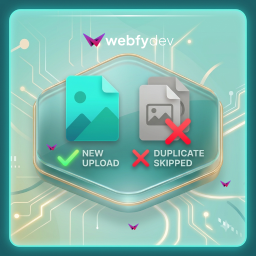
Webfydev Duplicate Media Guard helps keep your WordPress Media Library clean by preventing duplicate file uploads.
The plugin checks whether a file already exists before it is uploaded. You can choose to compare files using their complete filename (including extension) or compare only the filename while ignoring the extension.
For example:
logo.pngandlogo.pngDuplicatelogo.pngandlogo.jpgDuplicate (when extension check is disabled)banner.webpandbanner.webpDuplicate
This helps eliminate unnecessary duplicate files, reduces media library clutter, and saves server storage.
Features
- Prevent duplicate media uploads automatically.
- Compare filenames with extension.
- Compare filenames without extension.
- Simple settings page.
- Lightweight and easy to use.
- Works with the default WordPress Media Uploader.
- No impact on existing media files.
- No configuration required after activation (default settings available).
How It Works
- Upload a file through the WordPress Media Library.
- The plugin checks if a matching filename already exists.
- If a duplicate is found, the upload is skipped.
- A notice is displayed informing you that the file already exists.
Screenshots


Installation
Modern Installation
- Go to WordPress Dashboard Plugins Add New Plugin.
- Search for Webfydev Duplicate Media Guard.
- Click Install Now.
- Activate the plugin.
Manual Installation
- Upload the plugin folder to the
/wp-content/plugins/directory. - Go to Plugins in your WordPress dashboard.
- Activate Webfydev Duplicate Media Guard.
FAQ
-
What is considered a duplicate?
-
A duplicate is a file whose name matches an existing media file according to your selected comparison method.
-
What happens if a duplicate is detected?
-
The upload is skipped, preventing another copy from being added to the Media Library.
-
Can I compare filenames without extensions?
-
Yes. If enabled, files like
photo.jpg,photo.png, andphoto.webpare considered duplicates because they share the same filename. -
Does this affect existing media files?
-
No. The plugin only checks files during upload. Existing media files remain unchanged.
-
Does this work with all media types?
-
Yes. The plugin works with all media types supported by WordPress.
-
Is the plugin lightweight?
-
Yes. It performs a simple duplicate check during upload and does not add unnecessary overhead.
Reviews
There are no reviews for this plugin.
Contributors & Developers
“Webfydev Duplicate Media Guard” is open source software. The following people have contributed to this plugin.
Contributors

Translate “Webfydev Duplicate Media Guard” into your language.
Interested in development?
Browse the code, check out the SVN repository, or subscribe to the development log by RSS.
Changelog
1.0.0
- Initial release.
- Prevent duplicate media uploads.
- Option to compare filenames with file extensions.
- Option to compare filenames without file extensions.
- Added admin settings page.
- Added duplicate upload detection notice.
- Lightweight and optimized for WordPress Media Library.