

Description
Transform the default WordPress login page (wp-login.php) into a beautifully branded gateway that matches your company identity. Web Barracks Login Branding Studio provides an intuitive live preview editor with instant feedback—letting you customize layouts, background colors, gradients, SVG patterns, images, looping background videos, custom logos, typography, form boxes, inputs, buttons, and animations without writing a single line of code.
🌟 Key Features
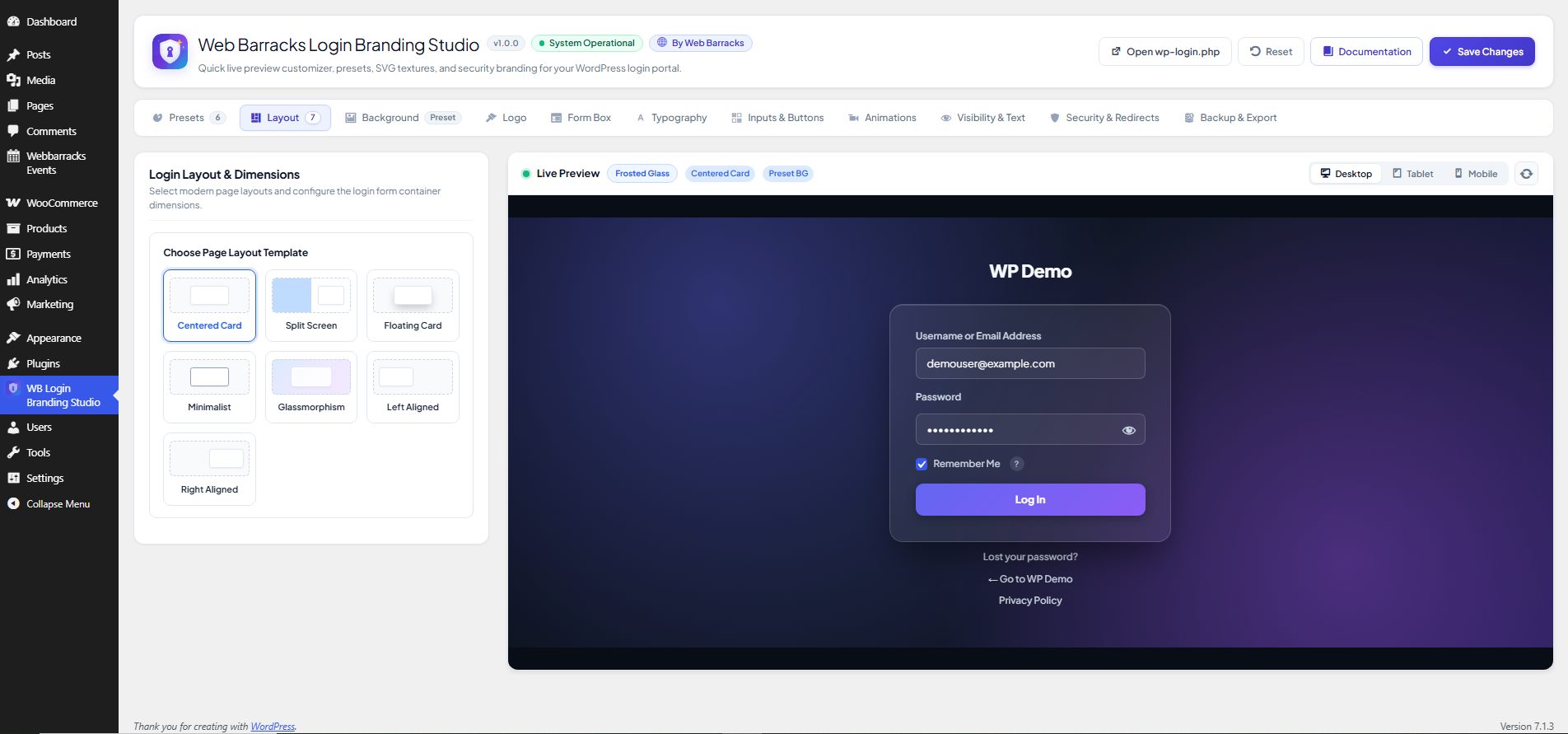
- 7 Modern Layout Templates: Centered, Split Screen Hero, Floating Card, Minimalist, Glassmorphism Frosted, Left Aligned, and Right Aligned.
- Instant 1-Click Design Presets:
- Frosted Glass: Translucent glassmorphism with vivid indigo/violet glows and ultra-sleek backdrops.
- Midnight Slate: Deep atmospheric obsidian backdrop paired with crisp cyan accents and balanced contrast.
- Sunset Aura: High-energy gradient glow moving from coral crimson to golden peach with a floating card.
- Clean Minimalist: Crisp, editorial simplicity with architectural monochrome contrast and polished micro-borders.
- Emerald Sanctuary: Organic botanical atmosphere with rich pine greens, frosted emerald sheen, and jade buttons.
- Cyber Neon: Electric cyberpunk aesthetic with glowing neon borders, holographic gradients, and dark stealth card.
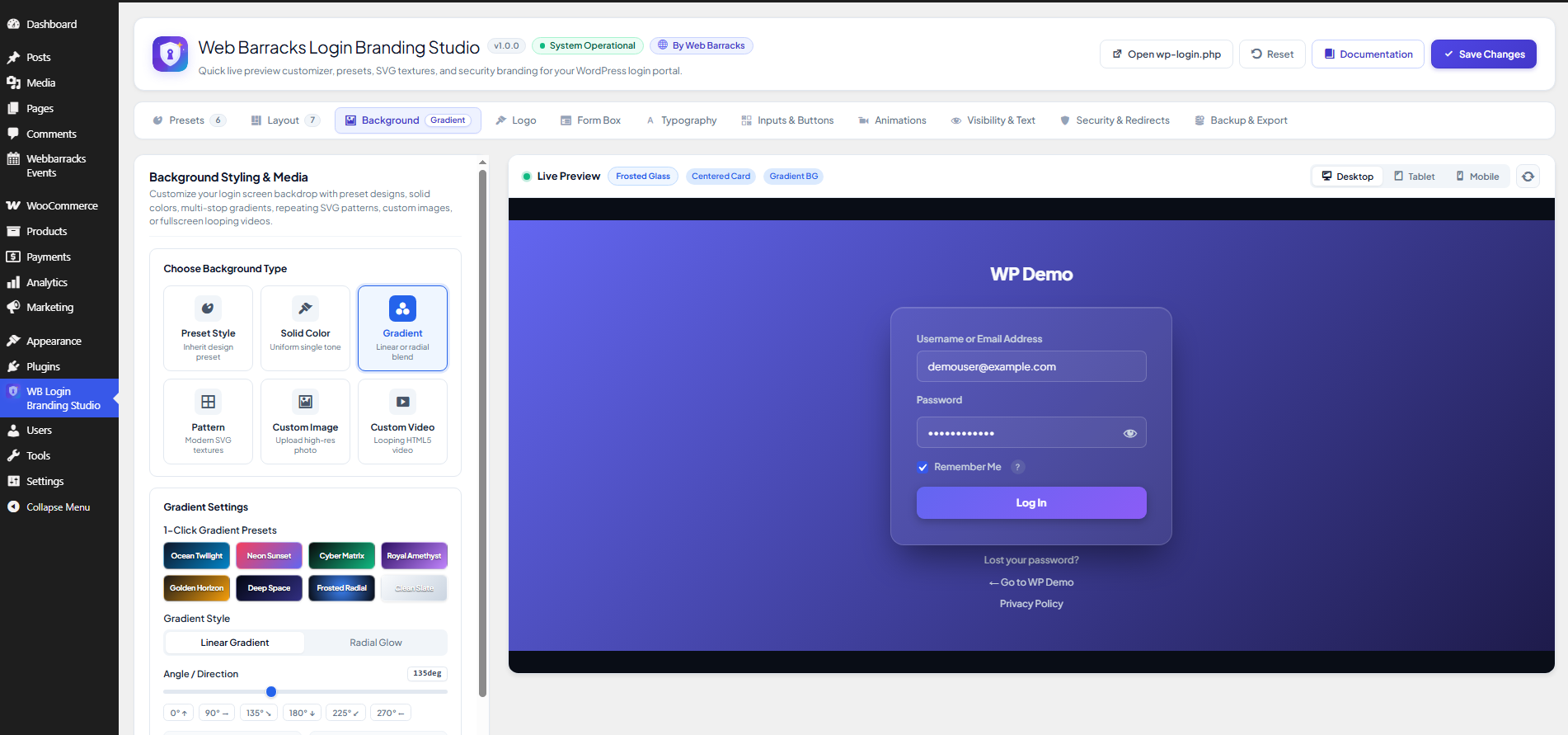
- 6 Versatile Background Types:
- Presets: Pre-configured canvas environments.
- Solid Color: Pure color backgrounds with clean aesthetic.
- CSS Gradients: Linear and radial gradients with customizable angle, multi-stop colors, and position stops.
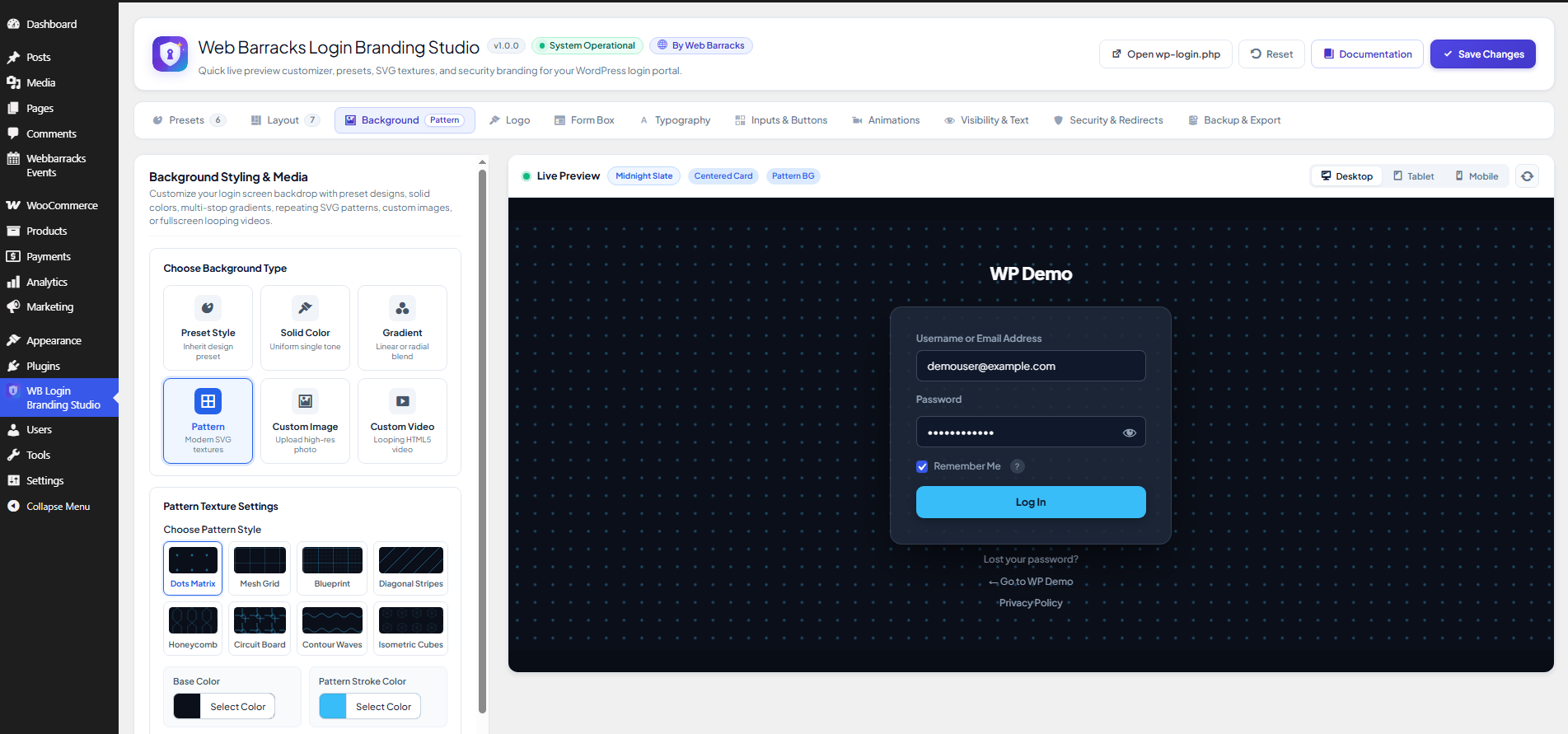
- Dynamic SVG Patterns: Dots, Grid, Blueprint, Diagonal lines, Honeycomb, Circuit board, Waves, and 3D Cubes with adjustable size, opacity, and base color.
- Background Images: Media library integration, cover/contain/auto sizing, repeat modes, attachment (fixed/scroll), and real-time blur and brightness filters.
- Looping Background Videos: Self-hosted or external MP4 background video with poster fallbacks, opacity control, and aspect ratio management.
- Ambient Background Overlay: Add a smooth tinted color overlay with configurable blur and opacity over any background.
- Complete Logo Customization: Display image logo, custom text, default WordPress icon, or completely hide the logo. Configure width, height, margin bottom, custom URL redirect, and custom title.
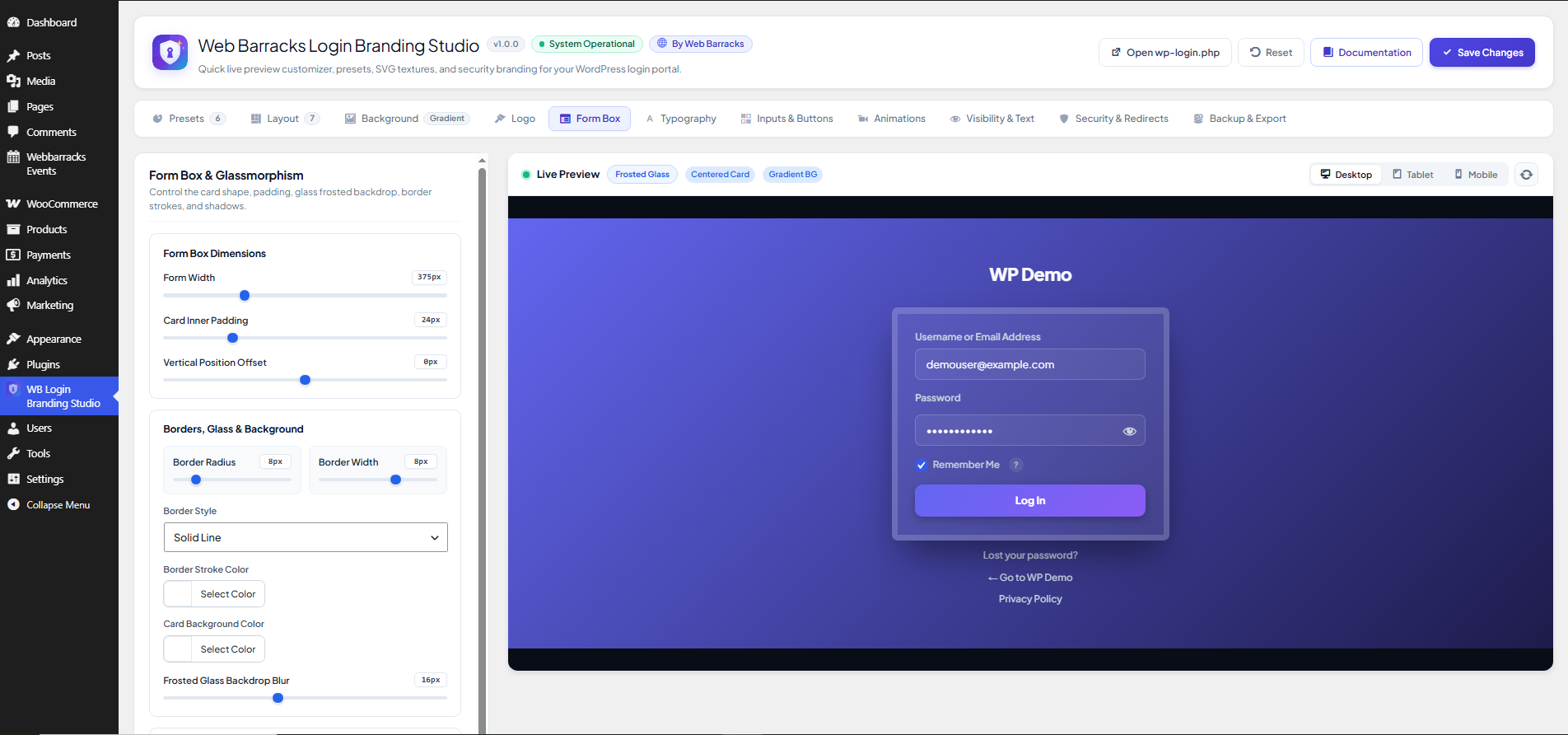
- Form Card & Glassmorphism Styling: Adjust form width, inner padding, border radius, border width, border style, shadow presets (soft, elevated, deep glow, neon rim, or custom shadow), and backdrop blur filter for frosted glass effects.
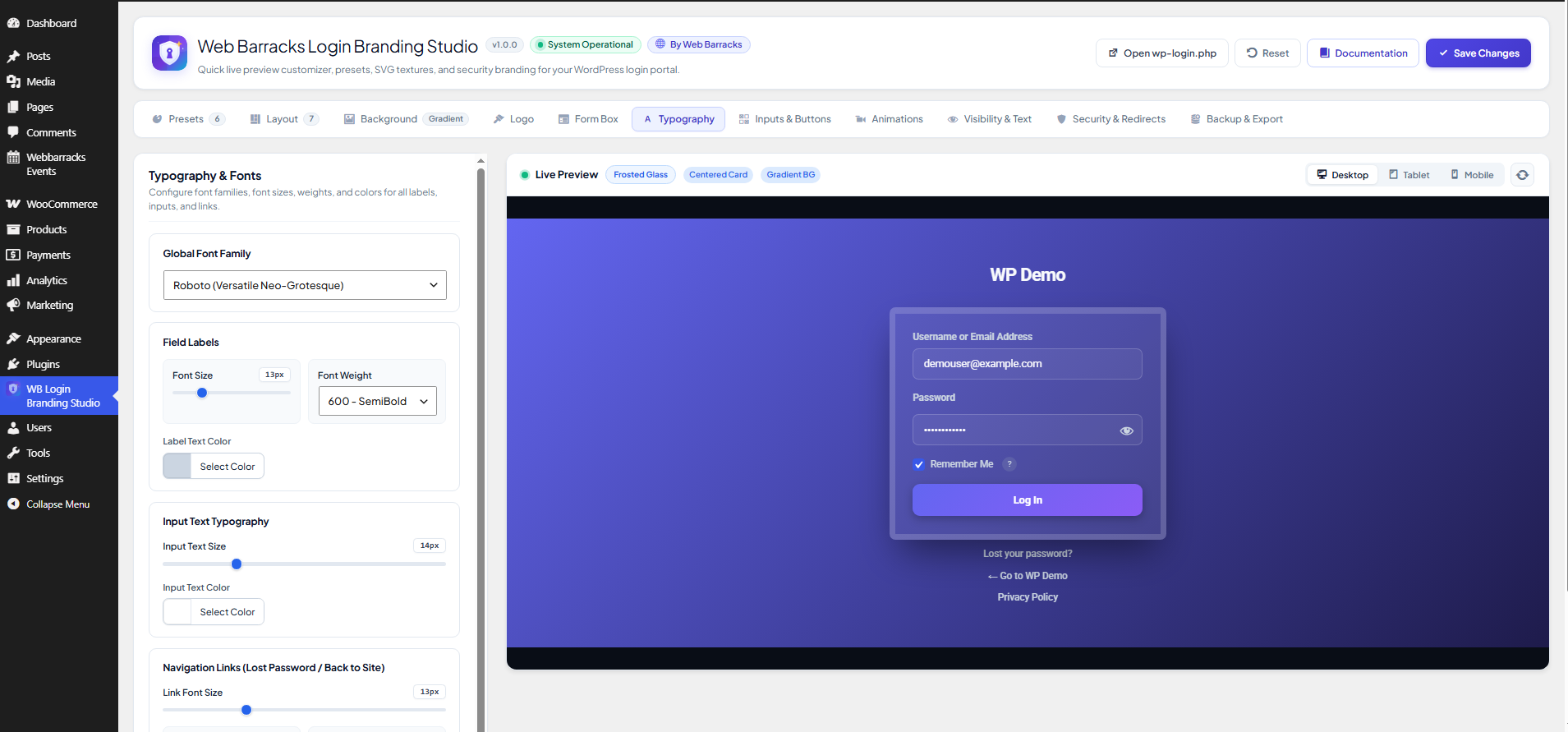
- Privacy-First Typography Control: Defaults to modern system fonts (
system-ui) with zero external network requests. Optional Google Fonts (Plus Jakarta Sans, Inter, Roboto, Outfit, Poppins, Montserrat, Space Grotesk, Playfair Display) loaded only upon explicit selection. - Custom Inputs & Buttons: Customize input heights, padding, border radius, background, border, focus rings, and placeholder colors. Style the primary submission button with height, radius, gradients, hover micro-scaling (1.02x), full-width toggle, and custom colors.
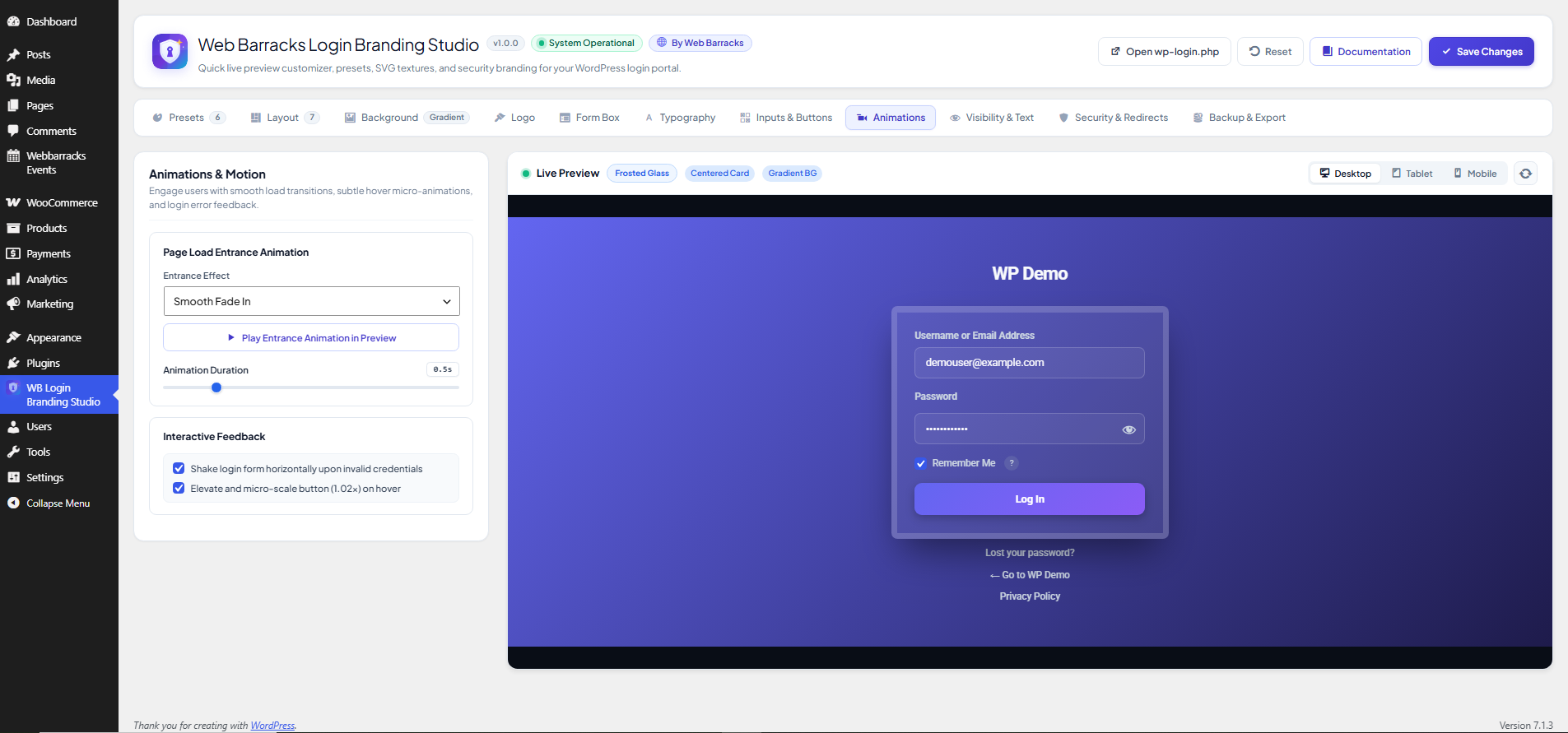
- Interactive Animations: Entrance animations (Fade In, Slide Up, Scale In, Bounce In) with duration controls, button hover scaling, and optional shake disable on authentication failure.
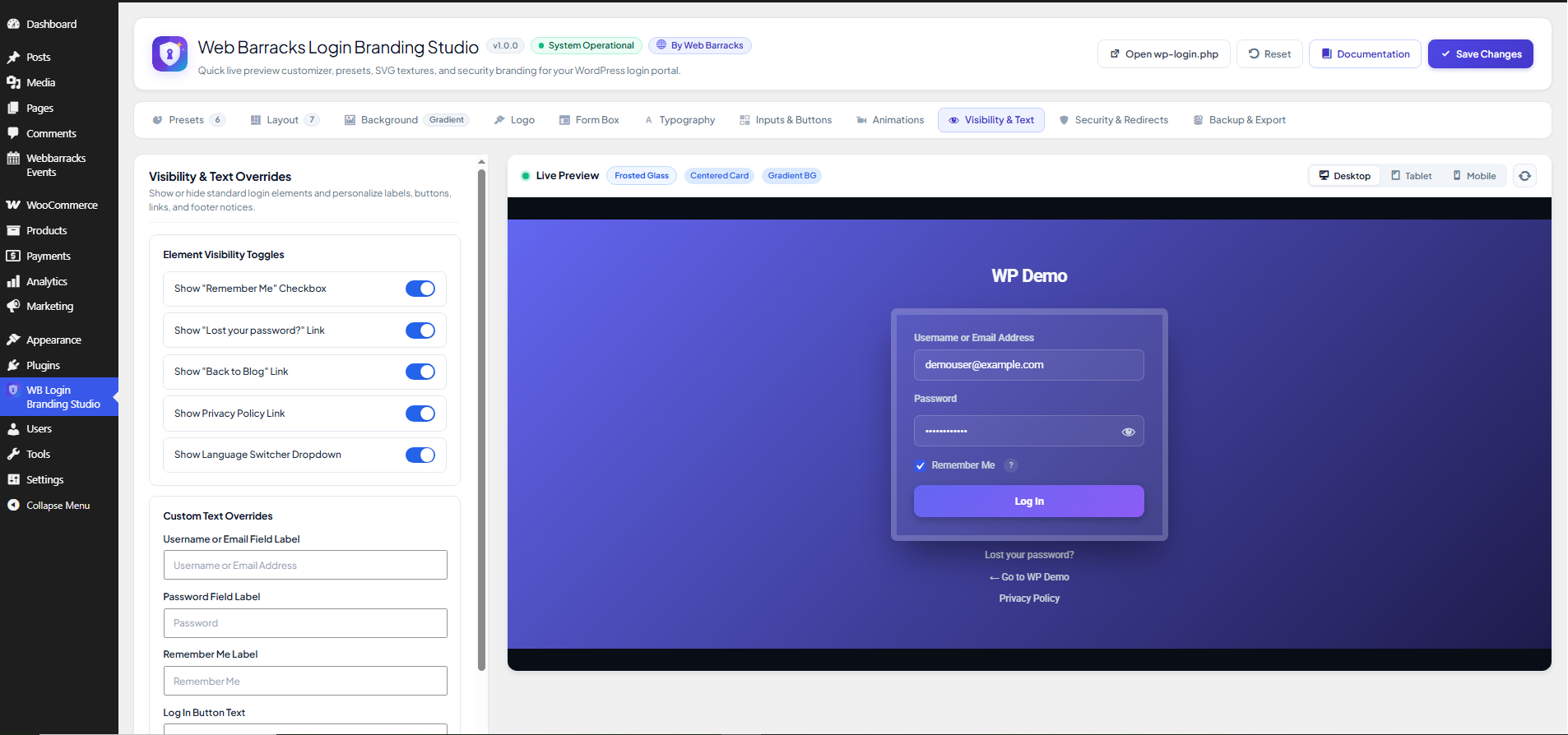
- Labels & Text Overrides: Customize username label, password label, remember me label, submit button text, lost password link text, and back to blog text without affecting lost-password or registration forms. Add rich custom footer copyright or disclaimer notes.
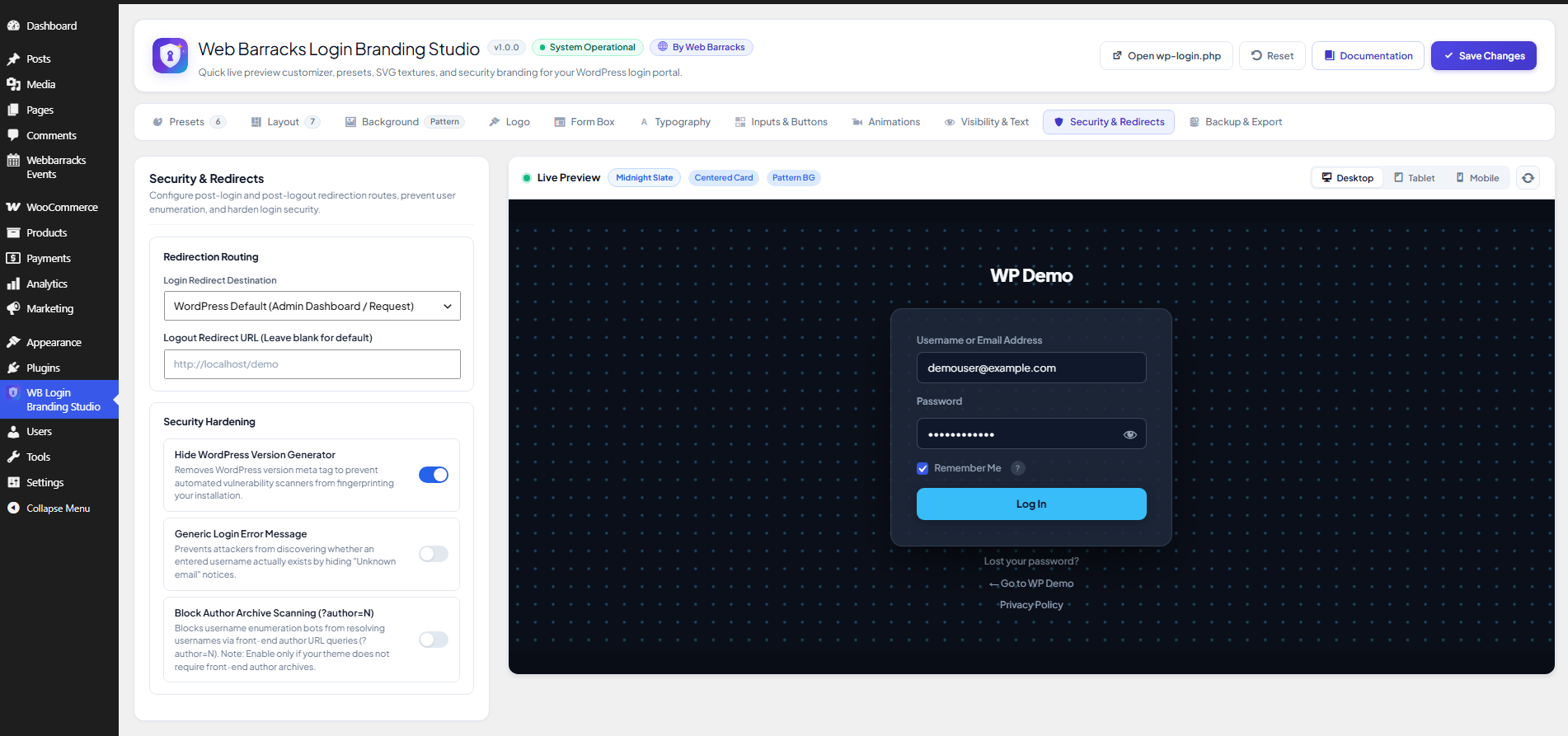
- Security & Redirect Hardening:
- Validated post-login redirect via
wp_validate_redirect(). - Validated post-logout redirect route.
- Hide WordPress version generator tag.
- Generic login error message toggle to protect against username enumeration.
- Front-end author archive scan blocking (
?author=N) on template redirect without interfering with the REST API or authenticated users.
- Validated post-login redirect via
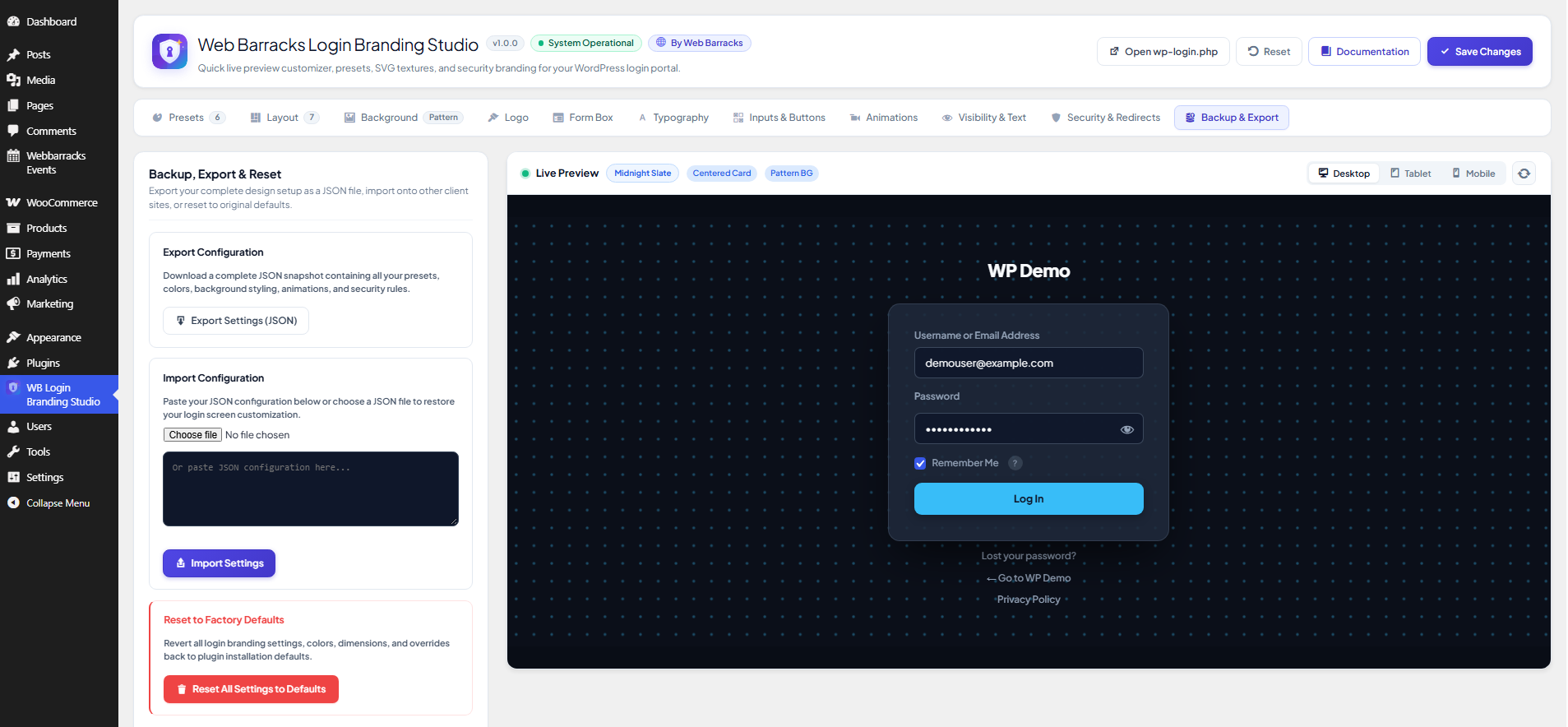
- Backup, Export & Import: Single-click JSON configuration export and import to migrate designs between staging, development, and client sites.
External Services
This plugin can optionally connect to external third-party services:
-
Google Fonts API
- Service URL:
https://fonts.googleapis.comandhttps://fonts.gstatic.com - When it connects:
- In the administrative studio (
wp-admin/admin.php?page=webbarracks-login-branding-studio): Enqueues Google Fonts to render instant typography choices and live previews in the editor. - On the front-end login screen (
wp-login.php): Only connects when an administrator explicitly selects a Google Font family (such as Plus Jakarta Sans, Inter, Roboto, etc.) from the Typography settings panel. By default, the login screen uses the “System Default” font stack (system-ui), which makes no external network requests and downloads no third-party assets.
- In the administrative studio (
- Purpose: Serves web font stylesheets and font weights to style login labels, buttons, and form typography.
- Data Sent / Privacy: No personal data, user credentials, or tracking cookies are sent. Google receives standard browser HTTP headers (including IP address and User-Agent) necessary to serve the font files.
- Terms & Policies:
- Google Privacy Policy: https://policies.google.com/privacy
- Google Fonts FAQ: https://developers.google.com/fonts/faq/privacy
- Service URL:
-
Sample Background Video (Admin Demo Tool Only)
- Service URL:
https://commondatastorage.googleapis.comandhttps://images.unsplash.com - When it connects: Only in the administrative dashboard when an administrator explicitly clicks the “Load Sample Video” demonstration button under the Video Background tab.
- Purpose: Loads a royalty-free sample MP4 video and preview poster to demonstrate background video playback without requiring an immediate media upload.
- Terms & Policies:
- Google Cloud Storage: https://policies.google.com/privacy
- Unsplash Terms: https://unsplash.com/terms
- Service URL:
Screenshots


Installation
- Upload the
webbarracks-login-branding-studiofolder to your/wp-content/plugins/directory, or install the plugin directly through the WordPress Plugins dashboard. - Activate the plugin via the Plugins screen in WordPress.
- Click on the WB Login Branding Studio menu item in your WordPress admin dashboard.
- Customize your layout, background, branding, typography, and colors with real-time live preview.
- Click Save Changes in the top header. Your customized login page is immediately active at
wp-login.php.
FAQ
-
Where can I find detailed documentation and guides?
-
Full online documentation and tutorials are available at:
https://www.webbarracks.com/docs/login-page-branding-studio/index.html -
Does this plugin edit core WordPress files?
-
No. Web Barracks Login Branding Studio uses standard WordPress action hooks (
login_enqueue_scripts,login_header,login_footer,login_body_class) and filters (login_headerurl,login_headertext,login_errors,login_redirect) to customize the login screen non-destructively. -
When enabled, the plugin checks incoming front-end requests for numeric author archive queries (
?author=N) on template redirect and safely redirects them to the site home page. It automatically ignores REST API requests and logged-in users so normal editorial workflows and block editors are not interrupted. -
How are redirect URLs validated?
-
Custom post-login and post-logout redirect destinations are validated using WordPress core’s
wp_validate_redirect()function. This ensures users are only redirected to safe, allowed same-site destinations or explicitly permitted hosts. -
Does the plugin make external requests by default?
-
No. By default, the plugin uses the modern system font stack (
system-ui). An external font stylesheet from Google Fonts is only requested if you explicitly choose a Google Font family in the Typography tab. -
Can I migrate my login design to another WordPress site?
-
Yes. Open the Backup & Export tab in the WB Login Branding Studio dashboard and click Export Configuration (JSON). On your target WordPress site, upload this JSON file under Import Configuration. All settings are strictly validated and sanitized upon import.
-
How do I revert all settings back to default?
-
In the WB Login Branding Studio admin screen, navigate to the Backup & Export tab and click Reset to Defaults, then confirm the prompt.
Reviews
There are no reviews for this plugin.
Contributors & Developers
“Web Barracks Login Branding Studio” is open source software. The following people have contributed to this plugin.
Contributors


Translate “Web Barracks Login Branding Studio” into your language.
Interested in development?
Browse the code, check out the SVN repository, or subscribe to the development log by RSS.
Changelog
1.0.0
- Initial release as Web Barracks Login Branding Studio.
- Features custom Login Branding Studio shield icon and WB Login Branding Studio menu branding.
- Modernized admin studio header matching modern WordPress studio dashboard aesthetics.
- 7 modern layouts, 6 polished presets, 6 background types, and full live preview editor.
- Added accessible clip technique for screen-reader text.
- Added safe redirect validation via
wp_validate_redirect(). - Hardened author scan protection on
template_redirect. - Privacy-first typography default to
system-ui.