

Description
Get a plain email when a plugin, theme or WordPress on your site has a known security problem, with what to do and by when. No jargon, and no email when all is quiet.
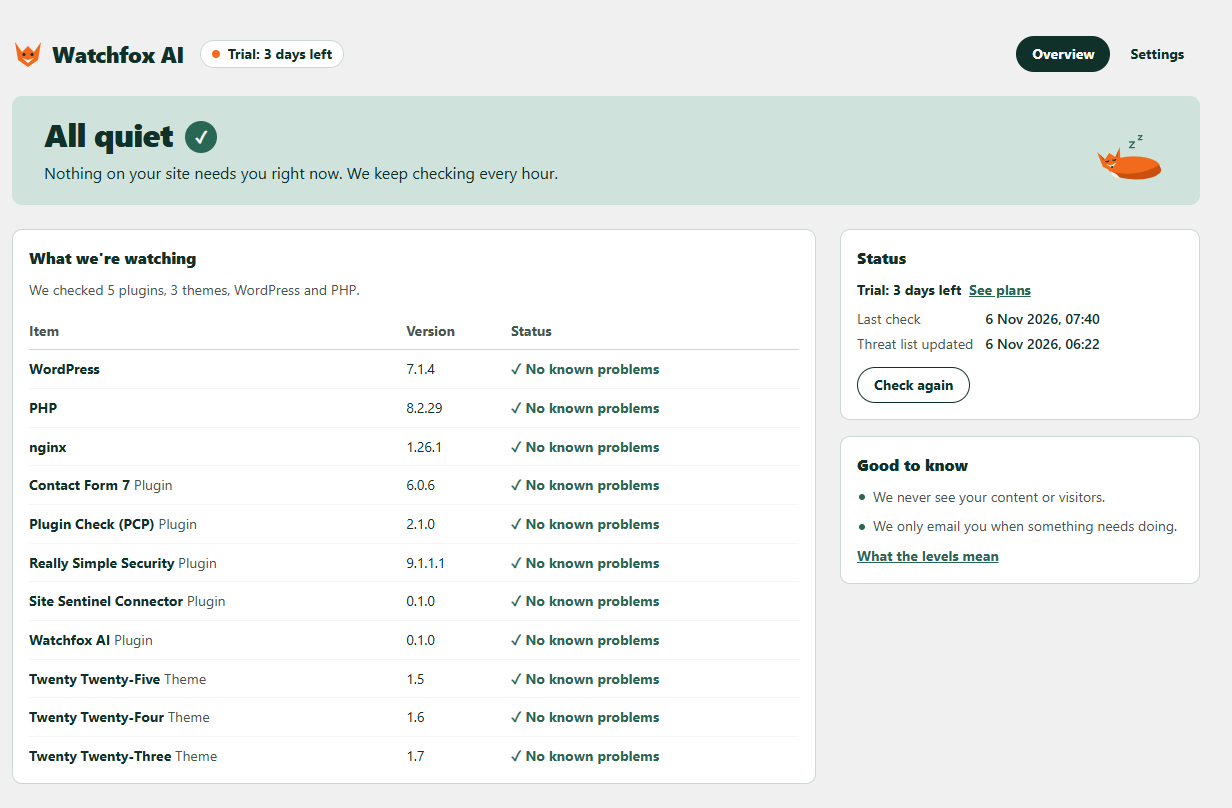
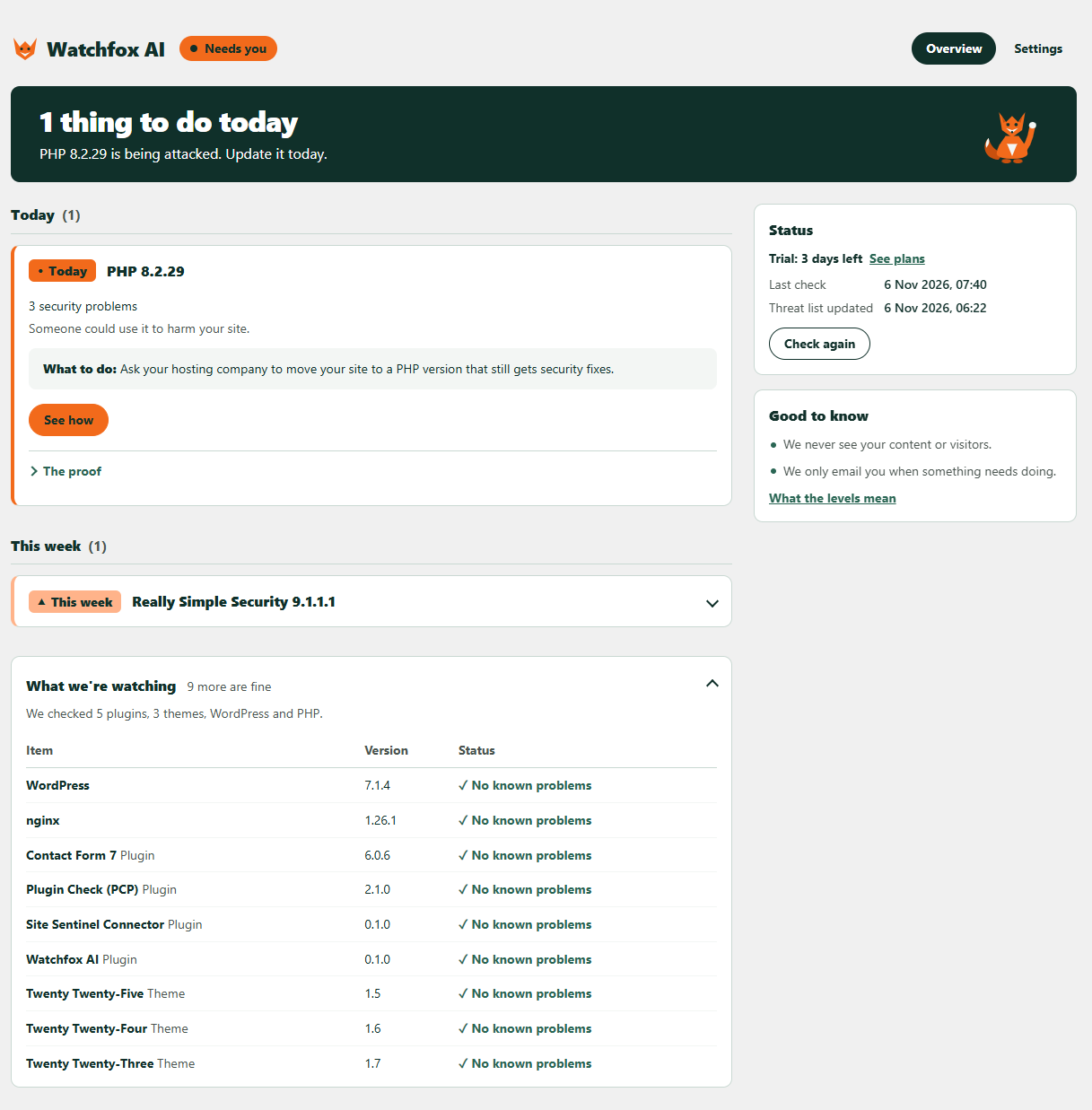
Watchfox AI keeps an eye on the plugins, themes, WordPress and PHP version on your site. When one of them has a known security hole, it tells you how serious it is and what to do: today, this week, or when you can.
Who it’s for
- Site owners who are not developers and want to know, in words they understand, when something needs updating.
- Small businesses and shops that rely on a WordPress site but have nobody watching it.
- Freelancers and agencies who look after client sites and want security alerts by email in one place (Agency plan).
How it works
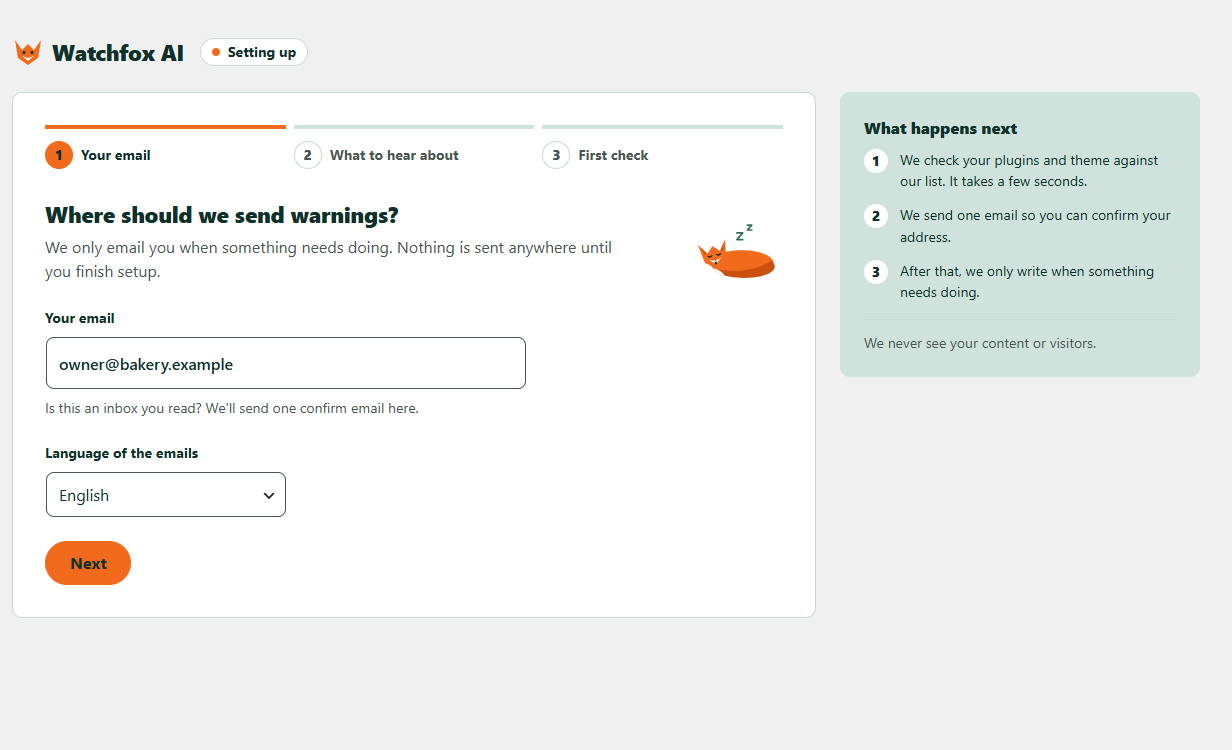
- Install and activate, then enter your email and choose English or Spanish.
- Every hour your site compares its versions with a public, signed list of known problems. It never changes anything without your OK.
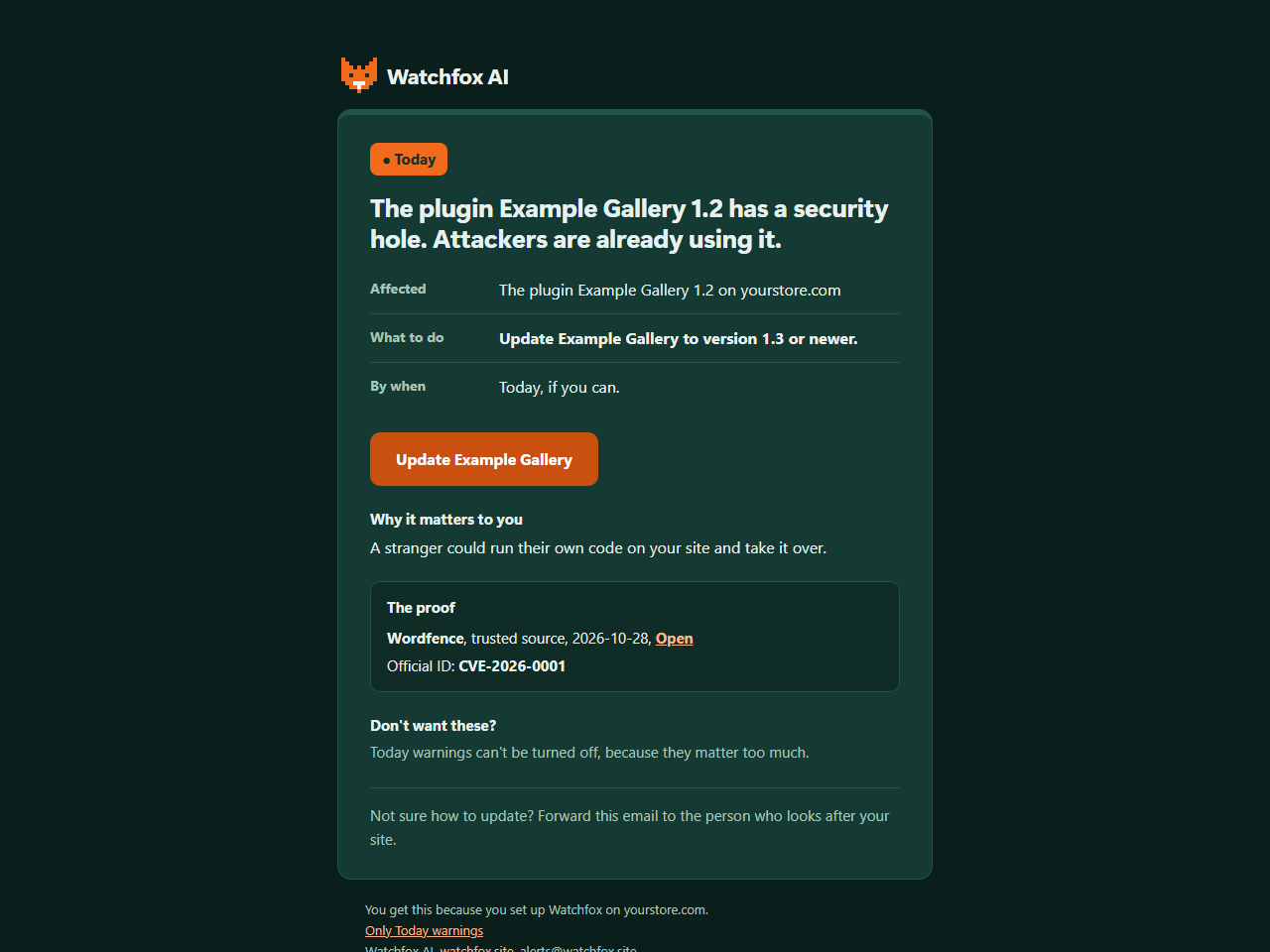
- When something needs you, you get an email with what to do and the proof behind it. You can also see it any time in WordPress.
Free and paid
Every finding shows in WordPress on every plan, free included. The plan only changes which emails you get.
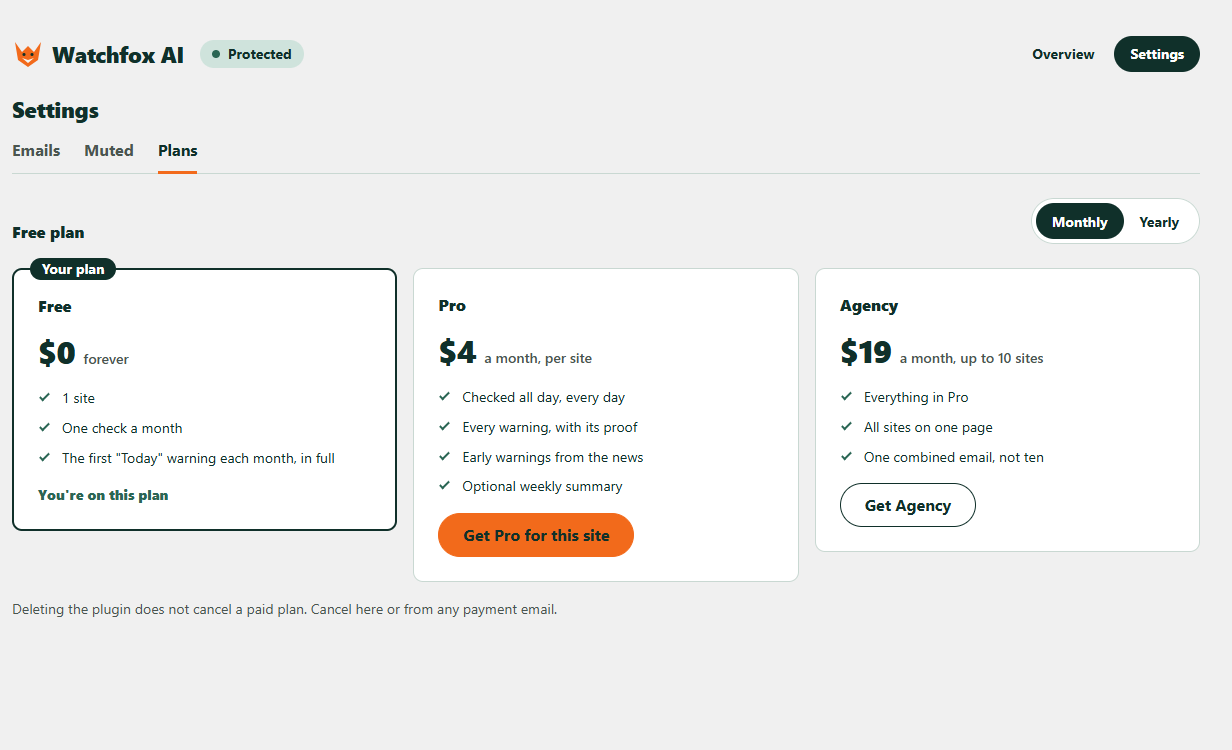
- Free: 1 site for each email address, one safety-check email a month, and the first “Today” warning each month in full by email.
- Paid (Pro, or Agency for up to 10 sites): checked all day, every day, every warning by email in full with its proof, “This week” and “When you can” warnings, optional early warnings from the news, “Sorted” emails when you fix things, and an optional weekly summary.
Why it is different
- Plain words. Each warning says who is at risk, what to do and by when, so you can act or forward it to whoever looks after your site.
- Proof, not scare. Every warning shows where it comes from, such as a trusted security source and an official ID, so you can check it.
- Early warnings. The AI runs on our service to read public security news, so new problems can be added to the list early; the plugin itself only compares versions and runs no AI.
- Quiet by design. You only hear from us when something needs doing.
What you get:
- A plain page in your WordPress admin that lists what needs doing, with the proof behind each warning.
- An email when something needs you, so you do not have to remember to look.
- Warning emails in English or Spanish, your choice.
- A “Fix it now” button that updates a risky plugin or theme in one click, after you confirm. It saves a copy first and puts it back if your site breaks.
- Auto-fix (free, off until you turn it on): updates plugins and themes with a known security problem by itself, with a backup and an automatic undo.
- After an update, it checks that your home page, login, cart and checkout still work.
- “Is this update safe?”: how the same update went on other sites, before you press the button.
- It never changes anything without your OK.
How it works in detail: Watchfox AI downloads a public, signed list of known problems and compares it with the versions on your site. If you sign up for emails, your site sends back only the problems it found, so we can write to you.
External services
Watchfox AI uses four outside services. Nothing is sent to any service until you finish setup.
- api.watchfox.site (run by the Watchfox AI team, https://watchfox.site). This is the service behind the plugin. Terms: https://watchfox.site/terms. Privacy policy: https://watchfox.site/privacy.
- Threat list download: your site fetches the public list (an index and small files). Only the files that match what is installed are fetched. The request carries no account or site details, but each file name is a short hash prefix of an installed item, and your server address is visible like in any web request.
- Site registration: when you finish setup, your site sends the email address and language you chose, your site address and wp-admin address, and the Watchfox AI, WordPress and PHP versions, so we can email you.
- Reports: after each check your site sends only the problems it found (an ID, the item folder name, its version, a status, how serious it is, what kind of item it is and its display name), the IDs of warnings a trusted source has withdrawn, your email and warning settings (including which warnings you muted), your wp-admin address (so the “Fix it now” button in an email opens the right page), and the Watchfox AI, WordPress and PHP versions. It never sends your full list of plugins and themes. Reports are signed with a secret that belongs to your site.
- What Watchfox changed: if you use “Fix it now” or Auto-fix, the next report also says what was done: how many fixes and put-backs there were, and for each one the warning ID, the item folder name and display name, the version before and after, how serious the warning was, whether it worked, could not be checked or was put back (and why), and whether you or Auto-fix did it. On paid plans we use this to email you “Fixed for you” or “We put it back”. No file contents and no backup data are ever sent.
- Safety ratings: when an update is ready, your site downloads a small public file to see how that update went on other sites. The request carries no account or site details, but the file name is a short hash prefix of the item, like the threat list files. When you use “Fix it now” or Auto-fix, whether the update was kept or put back is pooled anonymously with the same result from other sites. Only rounded totals (such as “100+ sites”) are published, and only once at least 10 different site owners reported the same update.
- Removal: when you delete the plugin, your site tells the service to stop watching it.
- Emails and payments: when you press “Send it again” or “Send me a sample warning”, or choose a paid plan, your site asks the service to send that email or to prepare a payment link (with the plan you picked and your site ID).
- Brevo (https://www.brevo.com), through api.watchfox.site. Brevo delivers our emails (the confirmation, warnings, a sample warning, a weekly all-quiet note, and on paid plans “Fixed for you” or “We put it back” after a fix) from alerts@watchfox.site. Your email address and the name and address of your site are passed to Brevo only to deliver those emails. Terms: https://www.brevo.com/legal/termsofuse/. Privacy policy: https://www.brevo.com/legal/privacypolicy/.
- Dodo Payments (https://dodopayments.com), only if you choose a paid plan. Your browser opens a Dodo Payments page, the merchant of record, which collects the payment and handles taxes. Card details go only to Dodo Payments, never through your site or Watchfox AI. Cancelling also happens on a Dodo Payments page that the plugin links to. Buyer terms: https://dodopayments.com/legal/buyer-terms. Privacy policy: https://dodopayments.com/legal/privacy-policy.
- api.wordpress.org (https://wordpress.org). Once a day, for a few plugins that WordPress.org used to list but no longer does, your site asks the WordPress.org plugin information API whether the plugin was closed. Once a week, for each plugin from WordPress.org, it asks when the plugin was last updated, so a plugin nobody has updated for two years can be pointed out. Each request sends the plugin folder name and your server address. When you press “Fix it now” (or Auto-fix runs), WordPress itself downloads the update from its normal update source, exactly as the Update button on the Plugins screen does; Watchfox AI never downloads or runs code from our service. Terms and privacy: https://wordpress.org/about/privacy/.
After an update made with “Fix it now” or Auto-fix, your site also loads a few of its own pages (home, login, and the WooCommerce cart, checkout and a product page if you use WooCommerce) to check that they still work. These requests go only to your own site.
The plugin contains no tracking, ads or hidden links.
Screenshots

Installation
- In WordPress, go to Plugins, then Add New, and search for “Watchfox AI”. Or upload the watchfox folder to /wp-content/plugins/.
- Activate it and open Watchfox in the admin menu.
- Follow the three setup screens.
FAQ
-
Does it slow my site?
-
No. It is a short background check about once an hour. It does not run on your visitors’ page loads.
-
Can Watchfox change my site?
-
It never changes anything without your OK. Each warning tells you what to do. For a plugin or theme with a fix out, the “Fix it now” button opens a screen that says exactly what will happen, and nothing changes until you press Update now. Before the update Watchfox saves a copy of the old plugin files, and if your site stops working afterwards it puts the old version back. It saves files, not your database, so keep a full backup too.
You can also turn on Auto-fix (free on every plan), which is off until you read the notice and tick the box. It only updates plugins and themes that have a known security problem and a fix out (if other sites had to undo that exact version, it waits a day or two first, then updates with a backup and an undo). It never switches a plugin off to deal with a warning; only if an update breaks the site and even the old version no longer works does it switch that plugin off. Everything Auto-fix does is listed under “What Watchfox did”, and Pro also emails you.
-
Does it fix things for me?
-
Only if you ask it to: press “Fix it now” on a warning, or turn on Auto-fix. Otherwise it tells you what to do, for example “update this plugin to version 1.3”, and links you to the right page.
-
Do I need Wordfence or another security plugin too?
-
Watchfox AI complements firewalls and malware scanners; it does not replace them. It does one job: it emails you, in plain words, when something you run has a known security problem. Use it next to whatever else you trust.
-
Is my data sent anywhere?
-
Nothing is sent until you finish setup. After that, your site sends your email, language and site address, and only the problems it found, not your full plugin list. See the External services section for every detail.
-
Is my site hacked?
-
Watchfox AI is not a malware scanner, so it cannot tell you that. It tells you when software on your site has a known hole that attackers could use, so you can close it.
-
Is there Spanish?
-
Yes. The warning emails come in English or Spanish; you choose in setup. The plugin screens follow your WordPress language through translate.wordpress.org, and the Spanish translation is on its way there.
-
What does the AI do?
-
The AI works on our side, not on your site. Every day it reads public security news so we can add new problems to the list early, when a story does not say exactly which versions are affected. The plugin itself runs no AI: it only compares the signed list with the versions on your site. Your site, its content and your plugin list are never sent to any AI.
-
What is free?
-
All of it, inside WordPress. Every finding, how serious it is, the proof behind it and the steps to fix it show on every plan, free included. A free plan sends warning emails for one site.
-
What does a paid plan add?
-
More email warnings, for more sites. The warnings you see in WordPress do not change with the plan.
-
Does deleting the plugin cancel my plan?
-
No. If you pay, cancel from the Plans tab (Manage or cancel) or from any payment email. Deleting the plugin only tells Watchfox AI to stop watching the site.
Reviews
There are no reviews for this plugin.
Contributors & Developers
“Watchfox AI” is open source software. The following people have contributed to this plugin.
Contributors
Translate “Watchfox AI” into your language.
Interested in development?
Browse the code, check out the SVN repository, or subscribe to the development log by RSS.
Changelog
0.2.1
- Fixed: the Auto-fix screens now say plainly when Auto-fix switches a plugin off (only if an update breaks your site and the old version cannot be put back), and that the email about it is part of Pro.
0.2.0
- New: “Fix it now” updates a risky plugin or theme in one click, after you confirm.
- New: Auto-fix (free, opt-in). Saves a backup first and undoes the update by itself if your site breaks.
- New: “No fix yet” guidance when there is nothing to update.
- New: checks login, cart and checkout after updates.
- New: “Is this update safe?” ratings from other sites.
0.1.0
- First version.