

Description
Most people never fill in a feedback form. Typing is the reason.
Someone spots a broken page, has a question, or wants to tell you something useful — and then they see an empty text box and close the tab. On a phone it is worse.
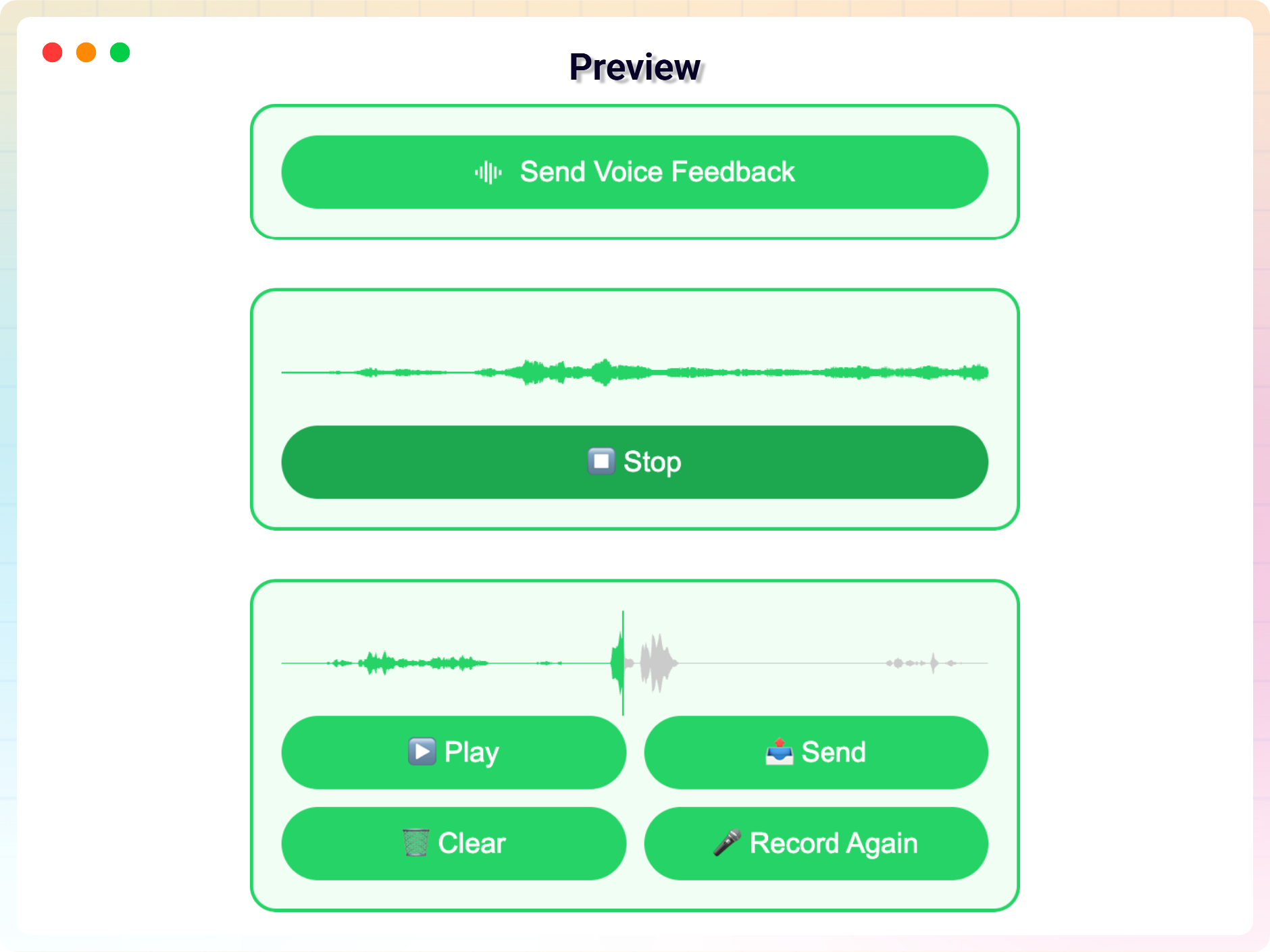
Voice Feedback replaces that text box with a record button. Your visitor taps it, says what they think in ten seconds, listens back, and sends. No account, no name, no email address unless you ask for one. The recording appears in your WordPress admin with a play button next to it.
Voice Feedback | Pricing | Support
Why voice gets more responses than a text box
- Speaking is about three times faster than typing, and far faster than typing on a phone.
- People say more when they talk. A text box gets “doesn’t work”. A recording gets “I clicked the download button on the pricing page and nothing happened”.
- You hear the tone. Frustration, confusion and enthusiasm do not survive a one-line text field.
- Anyone can use it — including visitors who find typing slow or difficult, and older users who avoid forms entirely.
What people use it for
- Customer feedback — ask what is missing, and actually get an answer.
- Bug reports — a visitor describes what they clicked, in their own words, instead of writing a ticket.
- Voice testimonials — a spoken testimonial is harder to fake and easier to believe than a paragraph of text.
- Course and training feedback — students record their thoughts rather than filling in a survey.
- Client updates — let a client send a quick voice note instead of an email.
- Audio comments on blog posts, as an alternative to a comment form.
How it works
- A record button appears on your site — as a floating drawer, a block, or a shortcode.
- The visitor records. They can play it back and re-record before sending, so nothing embarrassing gets submitted by accident.
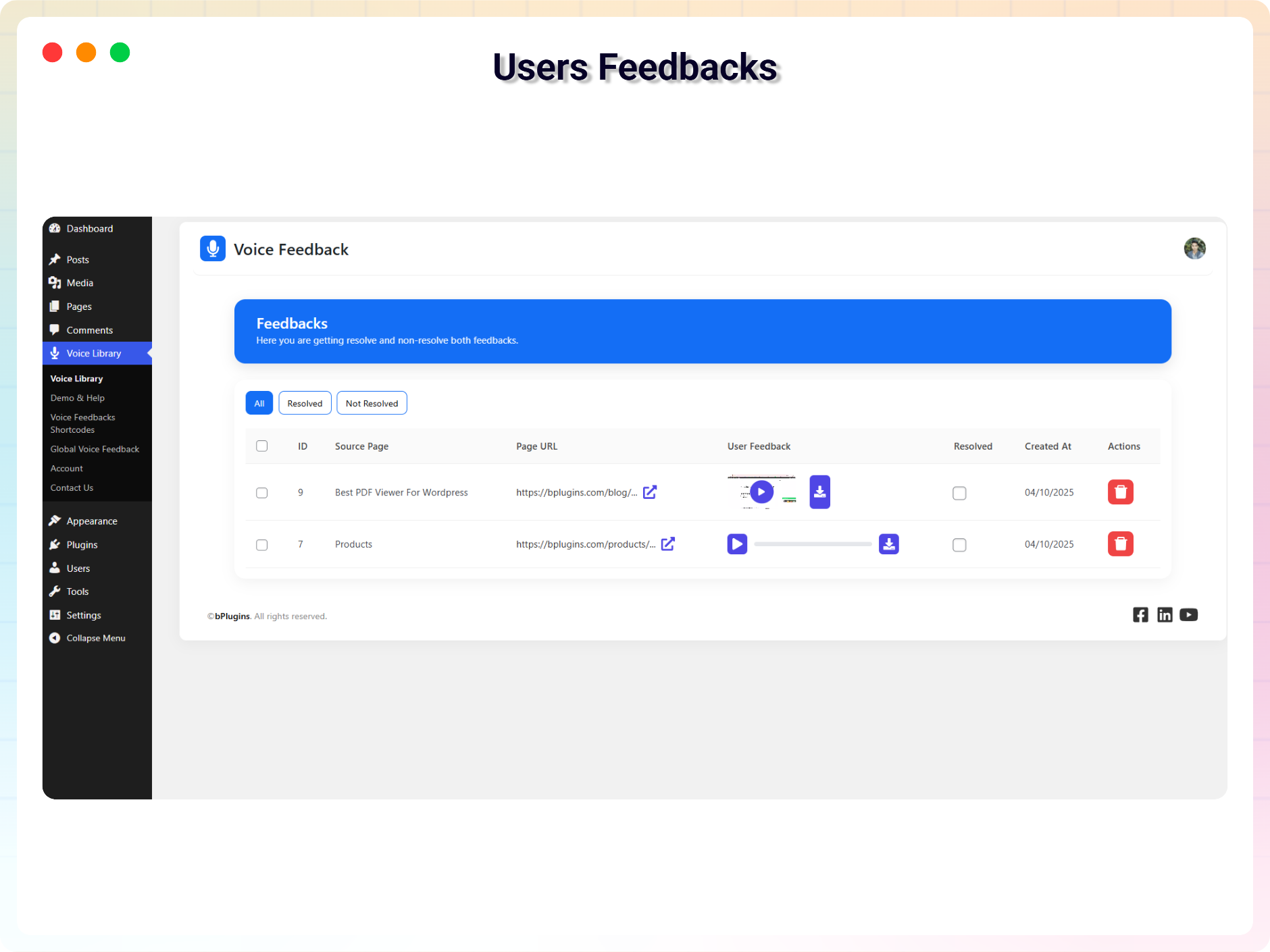
- The recording is saved to your site and listed in Voice Library, with a player, a resolved marker, and a delete button.
Where the record button can appear
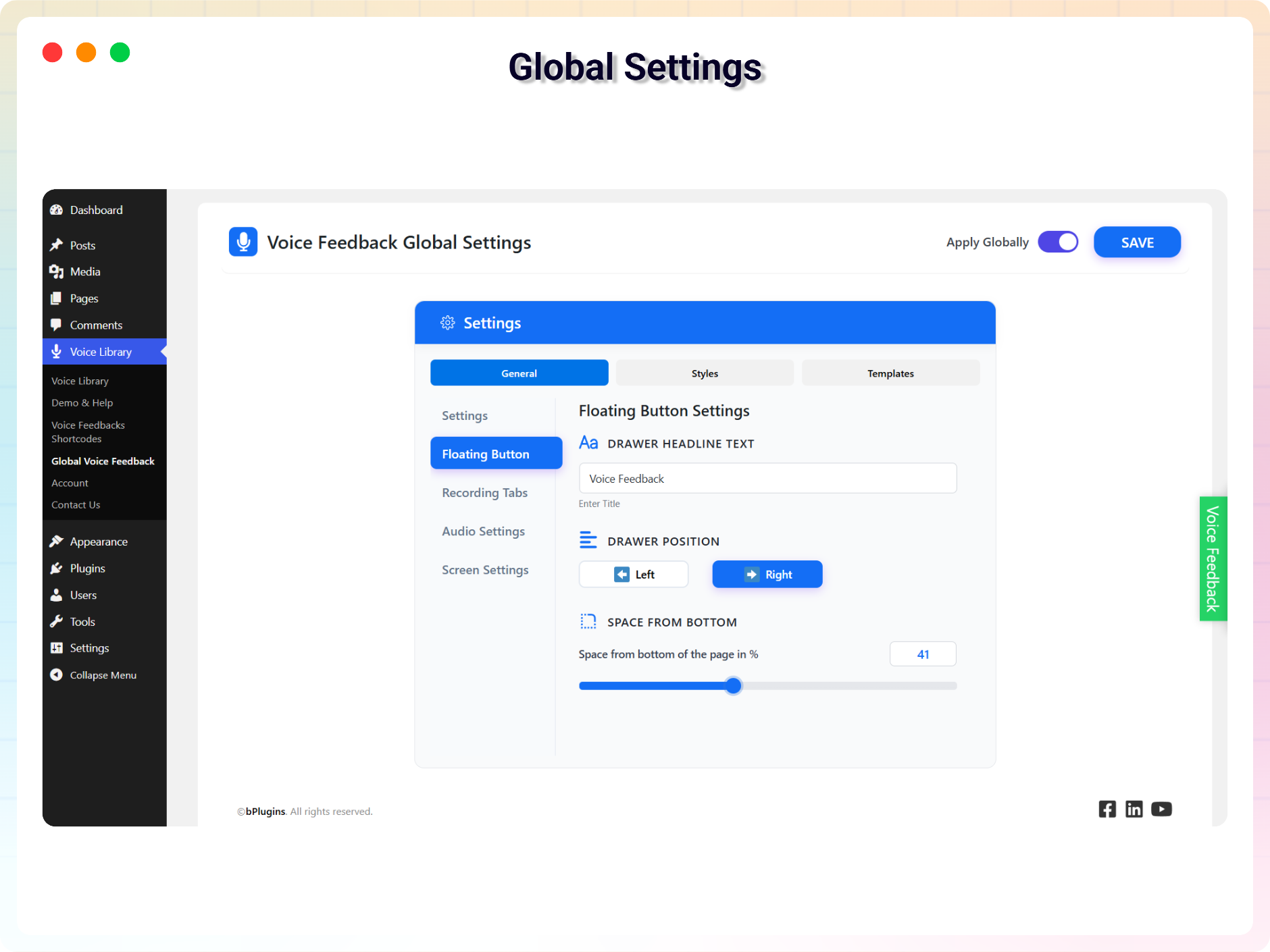
- Floating drawer — shows site-wide, on by default, one toggle to switch it off.
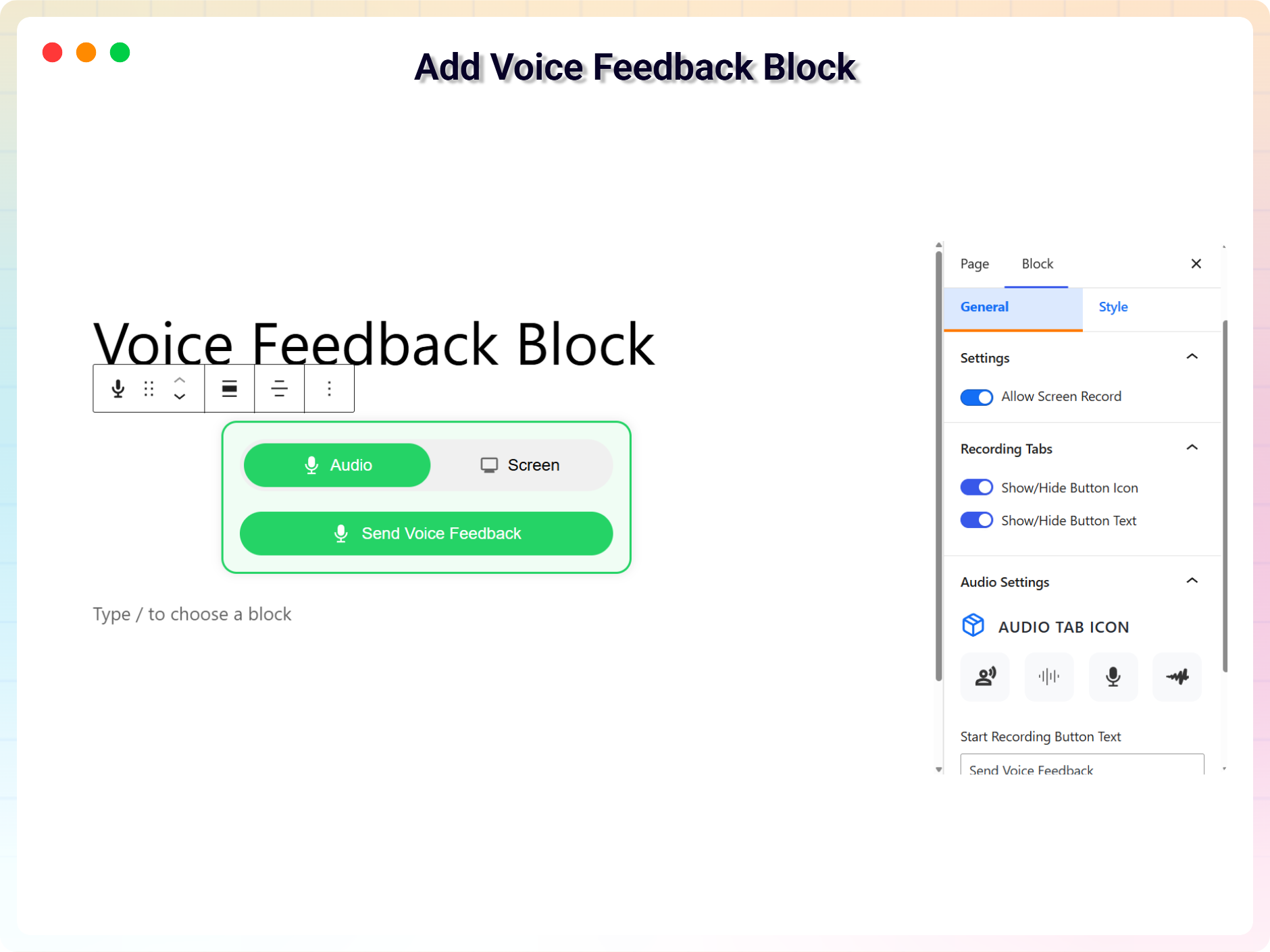
- Gutenberg block — drop a Voice Feedback block into any post or page.
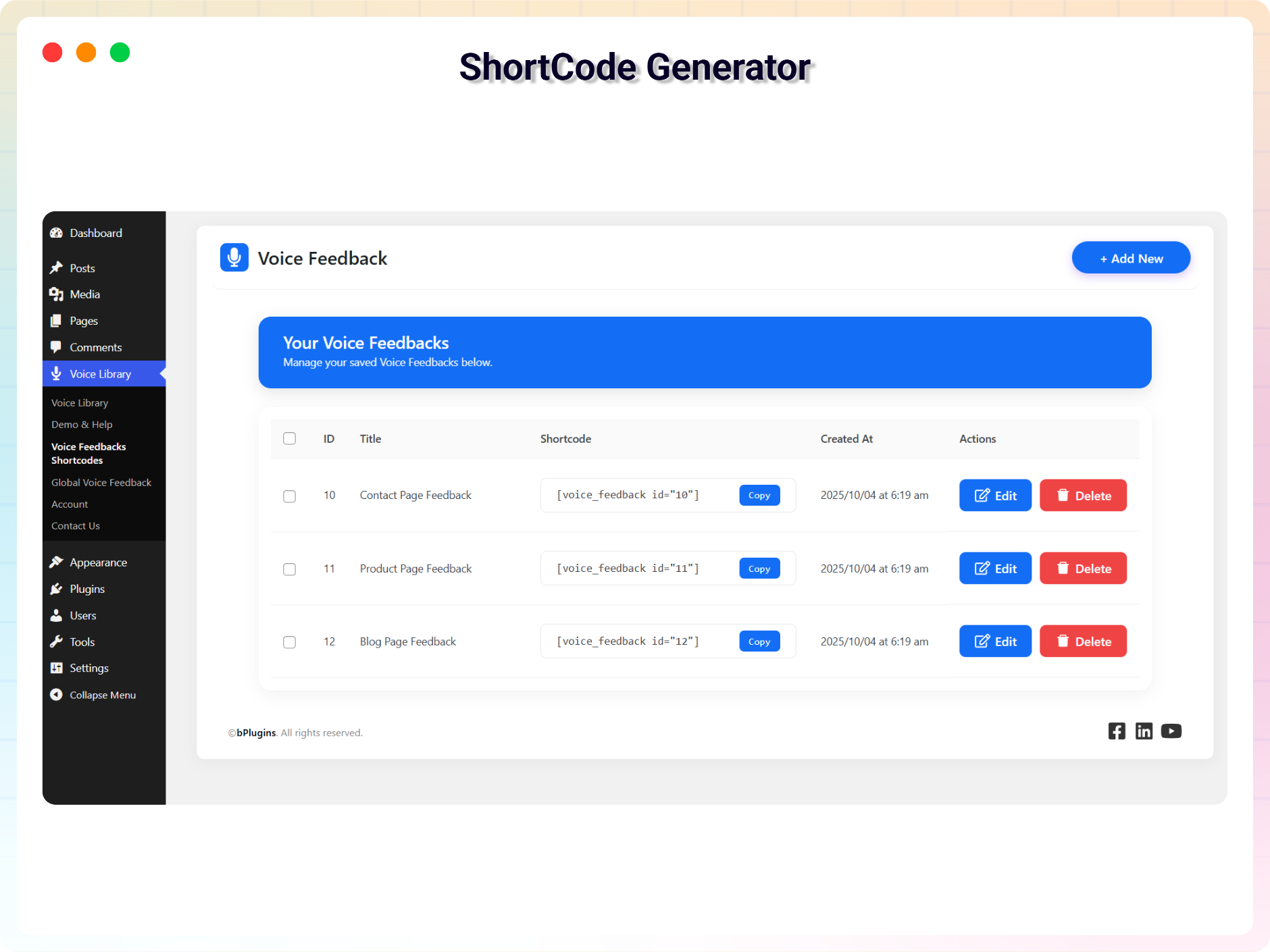
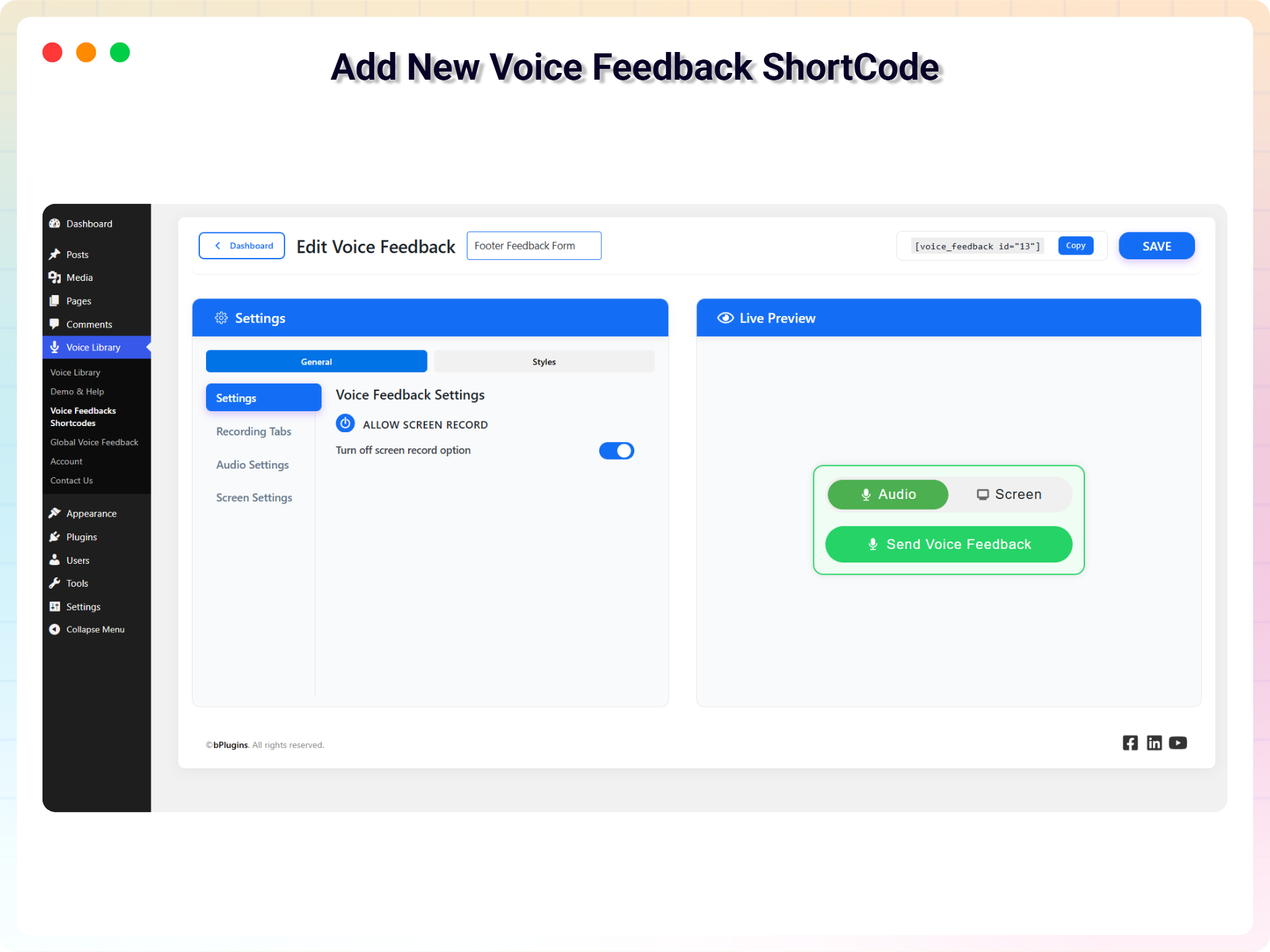
- Shortcode — generate one from the admin and place it anywhere, including page builders.
Features (free)
- Voice recording with playback and re-record — no account needed to submit.
- Voice Library — every recording in one admin screen, with playback, resolve and delete.
- Spam protection — Cloudflare Turnstile CAPTCHA and rate limiting, free, no add-on.
- Email gate (optional) — ask for a name and email before recording, if you want to reply.
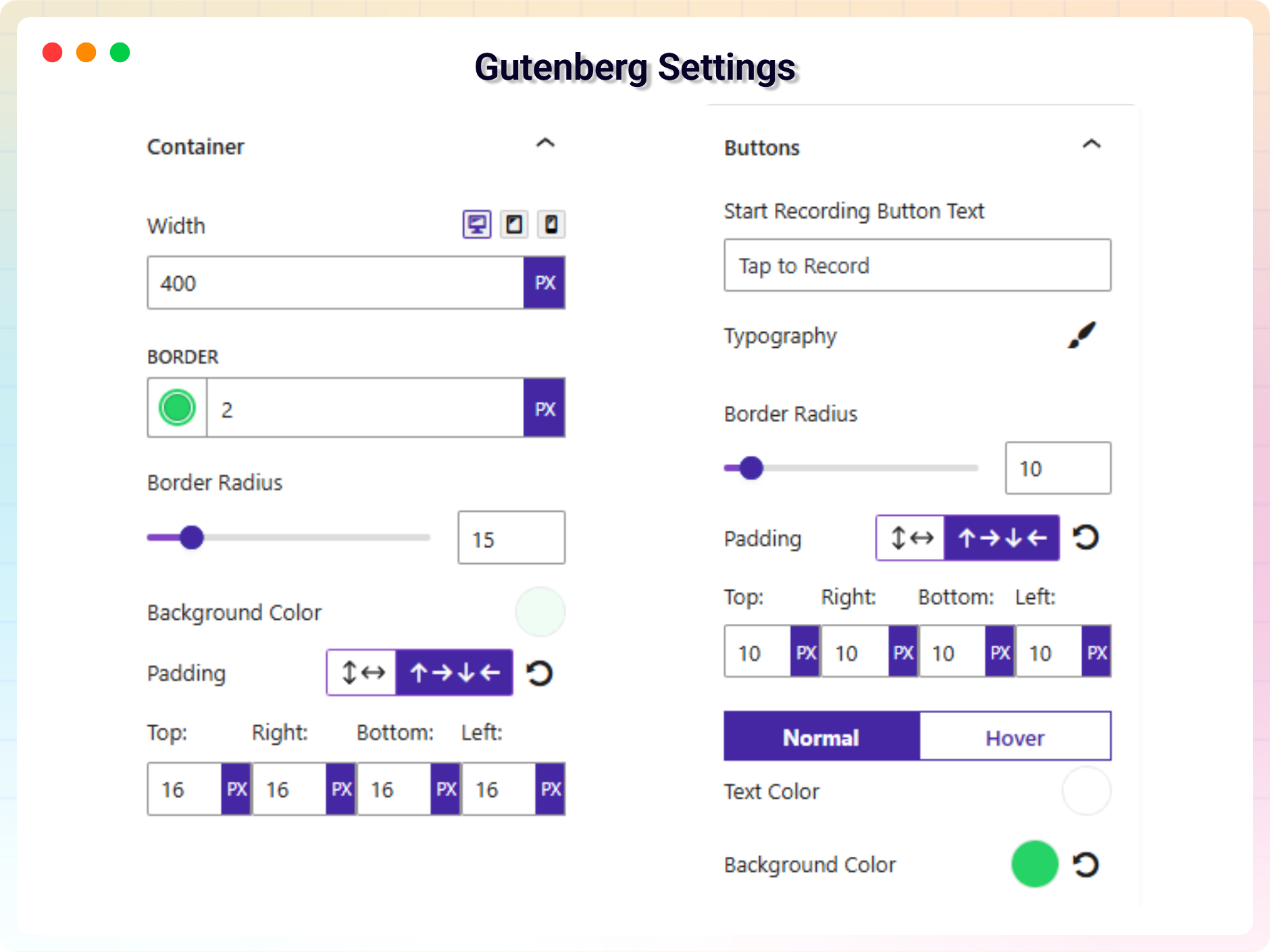
- Full styling control — colours, typography, padding and button text, so it matches your theme.
- Responsive — designed for phones, where most voice feedback is actually recorded.
- No personal data collected by default. It records a voice message, nothing else.
Voice Feedback Pro
- Email notifications — get an email the moment feedback arrives, with the audio attached. Customise the subject and body.
- Screen recording — the visitor records their screen along with their voice, so you see exactly what they saw.
- Display triggers — show the form after a scroll depth, at the bottom of the page, after X seconds, or when a section comes into view.
- Hide on scroll up — keep the page clean while people are reading.
- Position control — place the floating button wherever you want.
- Advanced customisation — full colour, background, typography and responsive control.
Coming next
- Contact form integration with a voice field
- Integration with project and task management tools
Other plugins by bPlugins
- HTML5 Audio Player – audio player plugin for WordPress.
- PDF Poster – a fully featured PDF viewer plugin.
- StreamCast – a fully featured radio player plugin.
- 3D Viewer – display interactive 3D models on the web.
Help translate this plugin
Voice Feedback is used on sites around the world. If you speak another language, you can help — no coding needed:
https://translate.wordpress.org/projects/wp-plugins/voice-feedback/
New to translating? Start here: https://make.wordpress.org/polyglots/handbook/translating/first-steps/
Source Code
You can find the source code, report bugs, and contribute to the development of this plugin on our GitHub repository:
Voice Feedback on GitHub
External Services
This plugin connects to the following external services. Connections are made only from the plugin’s admin dashboard pages and are not triggered for your site’s visitors on the front end.
bPlugins API
- Service: bPlugins product API –
https://api.bplugins.com - What it does: When you open the plugin’s dashboard, the plugin requests product information (such as the plugin’s own details and other plugins by bPlugins) so it can display product cards, version information, and upgrade options.
- What data is sent: A request is made to the bPlugins API endpoint with the product identifier (e.g.
https://api.bplugins.com/wp-json/bpl/v1/products/{id}). No personal data or site content is sent as part of this request. - When: Only while an administrator is viewing the plugin’s dashboard in wp-admin.
- Terms of Service: https://bplugins.com/terms-of-service/
- Privacy Policy: https://bplugins.com/privacy-policy/
WordPress.org Plugins API
- Service: WordPress.org Plugins Info API –
https://api.wordpress.org - What it does: The dashboard queries the public WordPress.org Plugins API to list other plugins published by the author (titles, icons, ratings, active installs, etc.).
- What data is sent: A public, read-only query request (e.g.
https://api.wordpress.org/plugins/info/1.2/?action=query_plugins&request[author]=bplugins). No personal data is sent. - When: Only while an administrator is viewing the plugin’s dashboard in wp-admin.
- Terms of Service: https://wordpress.org/about/privacy/
- Privacy Policy: https://wordpress.org/about/privacy/
Cloudflare Turnstile
- Service: Cloudflare Turnstile –
https://challenges.cloudflare.com - What it does: When you enable spam protection, the visitor’s browser loads the Turnstile widget and Cloudflare verifies that the submission is not automated.
- What data is sent: The visitor’s IP address and browser signals are sent to Cloudflare by the widget, and the resulting token is verified server-side against
https://challenges.cloudflare.com/turnstile/v0/siteverify. This only happens when spam protection is switched on. - When: On the front end, only when a visitor submits voice feedback and Turnstile is enabled.
- Terms of Service: https://www.cloudflare.com/website-terms/
- Privacy Policy: https://www.cloudflare.com/privacypolicy/
Third-Party Libraries
This plugin bundles the following third-party JavaScript/PHP libraries.
Freemius SDK
- Source: https://freemius.com/
- GitHub: https://github.com/Freemius/wordpress-sdk
- License: GPLv3 – https://github.com/Freemius/wordpress-sdk/blob/master/LICENSE.txt
- Purpose: Provides opt-in usage tracking and analytics to help improve the plugin.
bpl-tools
- Source / GitHub: https://github.com/bPlugins/bpl-tools
- License: GPL-2.0-or-later – https://www.gnu.org/licenses/gpl-2.0.html
- Purpose: Shared utility library providing admin dashboard components and common Gutenberg editor controls.
- External Services: The library may connect to bPlugins, WordPress.org, and Freemius services for product data and checkout functionality. See full details: https://github.com/bPlugins/bpl-tools#external-requests–why-they-are-made
Screenshots
Blocks
This plugin provides 1 block.
- Voice Feedback Button Voice Recorder Block for Collecting Audio Feedback.
Installation
- Install from Plugins Add New, or upload the folder to
/wp-content/plugins/. - Activate the plugin. A floating voice feedback button appears on your site straight away.
- Go to Voice Library Settings to restyle it, or switch the floating button off.
- To place it somewhere specific, use the Voice Feedback block in the editor, or copy a shortcode from Voice Library Voice Feedbacks.
Recordings arrive in Voice Library. That is the whole setup.
FAQ
-
Do visitors need an account to leave feedback?
-
No. There is no login, no registration and no name or email required. A visitor taps record, speaks, and sends. If you would rather know who is talking, the optional email gate asks for a name and email first.
-
Can I use this as a feedback form instead of a text form?
-
Yes, that is the point of it. It works as a standalone voice feedback form via the block or shortcode, or as a floating button on every page. Use it in place of a text feedback form, or alongside one.
-
Can visitors listen to their recording before sending it?
-
Yes. They can play it back and re-record as many times as they like. Nothing is submitted until they choose to send it.
-
Where do the recordings go?
-
To the Voice Library screen in your WordPress admin. Each one has a player, so you listen in place — you can mark it resolved or delete it.
-
Does it protect against spam?
-
Yes, and it is free. Cloudflare Turnstile CAPTCHA and rate limiting are both included in the free version, with no add-on to buy.
-
Can I get an email when someone leaves feedback?
-
Email notifications, with the audio attached, are part of the Pro version. In the free version, recordings collect in the Voice Library for you to review.
-
Does this work on mobile?
-
Yes, and that is where most voice feedback actually gets recorded. Speaking is far faster than typing on a phone, which is why response rates go up.
-
Can I collect voice testimonials with it?
-
Yes. Place the block on a page, ask for a short spoken testimonial, and the recordings arrive in the Voice Library. A spoken testimonial is generally more convincing than a written one.
-
How do I add voice feedback to a specific post or page?
-
Use the Voice Feedback block in the editor, or copy a shortcode from Voice Library Voice Feedbacks. The shortcode works in page builders too.
-
Yes. Voice Library Settings, one toggle.
-
Does this plugin collect personal data?
-
Not by default. It records a voice message and nothing else — no name, no email, no contact details. If you enable the optional email gate, it collects only the name and email the visitor types in.
-
Is it compatible with all WordPress themes?
-
Yes. It works with all modern, well-coded themes, and with Gutenberg, Elementor, Divi and other builders via the shortcode.
-
Where do I report security bugs found in this plugin?
-
Please report security bugs found in the source code of the Voice Feedback plugin through the Patchstack Vulnerability Disclosure Program. The Patchstack team will assist you with verification, CVE assignment, and notify the developers of this plugin.
Reviews

Contributors & Developers
“Voice Feedback – Audio Feedback Form, Voice Comments & Bug Reports” is open source software. The following people have contributed to this plugin.
Contributors


Translate “Voice Feedback – Audio Feedback Form, Voice Comments & Bug Reports” into your language.
Interested in development?
Browse the code, check out the SVN repository, or subscribe to the development log by RSS.
Changelog
2.2.4 – 25 June 2026
- New: Added completely free Rate Limit and Spam Protection CAPTCHA feature using Cloudflare Turnstile to prevent spam submissions.
2.2.3 – 10 June 2026
- Update: Removed restricted “Locked Fields” to improve user flexibility
- New: Added Email Gate option to require users to enter their name and email before submitting voice feedback.
- Fix: Corrected translation string extractor parser crashes in
npm run i18n. - Fix: Standardized vertical layout of titles and subtitles in settings cards.
2.2.2 – 5 March 2026
- Update: Redesigned the dashboard with a modern and improved user interface, replacing the previous outdated layout.
2.2.1 – 4 Feb 2026
- Update: Improved user admin experience and settings layout for better usability.
2.2.0 – 28 January 2026
- Added admin email notifications — when a user submits voice feedback, the admin now receives an email with a custom subject and body, with the option to attach the audio file.
- Replaced AJAX with the REST API to deliver a faster and smoother admin experience.
- Optimized plugin files and improved performance and overall code readability.
2.1.0
- Added new templates and improvement.
2.0.0
- Added new features and improvements
1.0.3
- Fixed Vulnerability Issues
1.0.2
- Fixed Issue
1.0.1
- Updated with new features
1.0.0
- Initial release with core features: drawer, block, shortcode, admin library, and basic customization.