
Description
Vizyt puts an appointment booking form on your site and gives you one place to run the day: today’s bookings, the calendar, customers and working hours. It is made for small service businesses: hair and beauty salons, barbers, nail and massage studios, tutors and coaches.
Customers book in five short steps on any phone. You get an email about every booking; the customer gets a confirmation with a calendar file and a link to change or cancel, and a reminder the day before.
The booking form
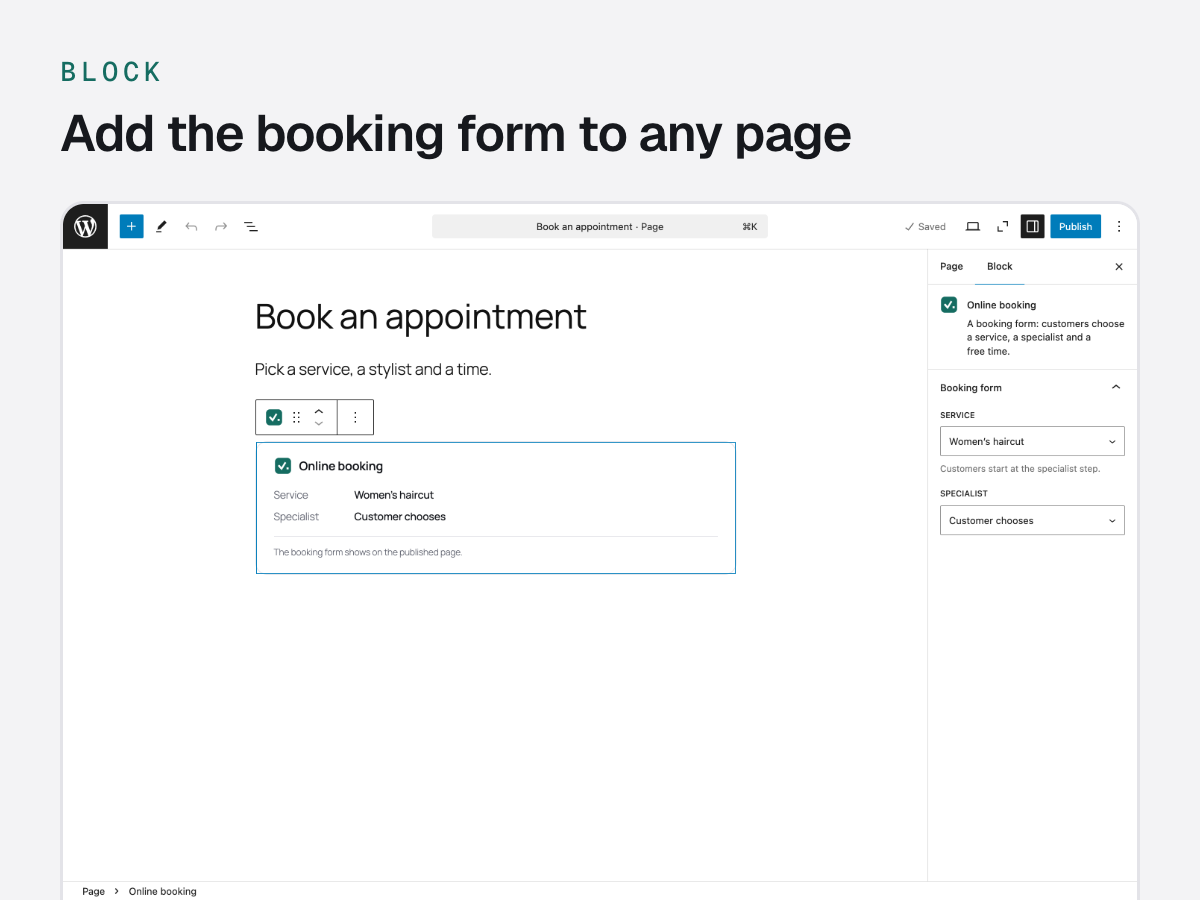
- Add it with the block (in the editor: + Vizyt · Online booking), the Elementor widget (Elementor 3.5 or later: Vizyt · Online booking) or the
[vizyt_booking]shortcode. - Five short steps: service, specialist, date, time and contact details, then a review before booking.
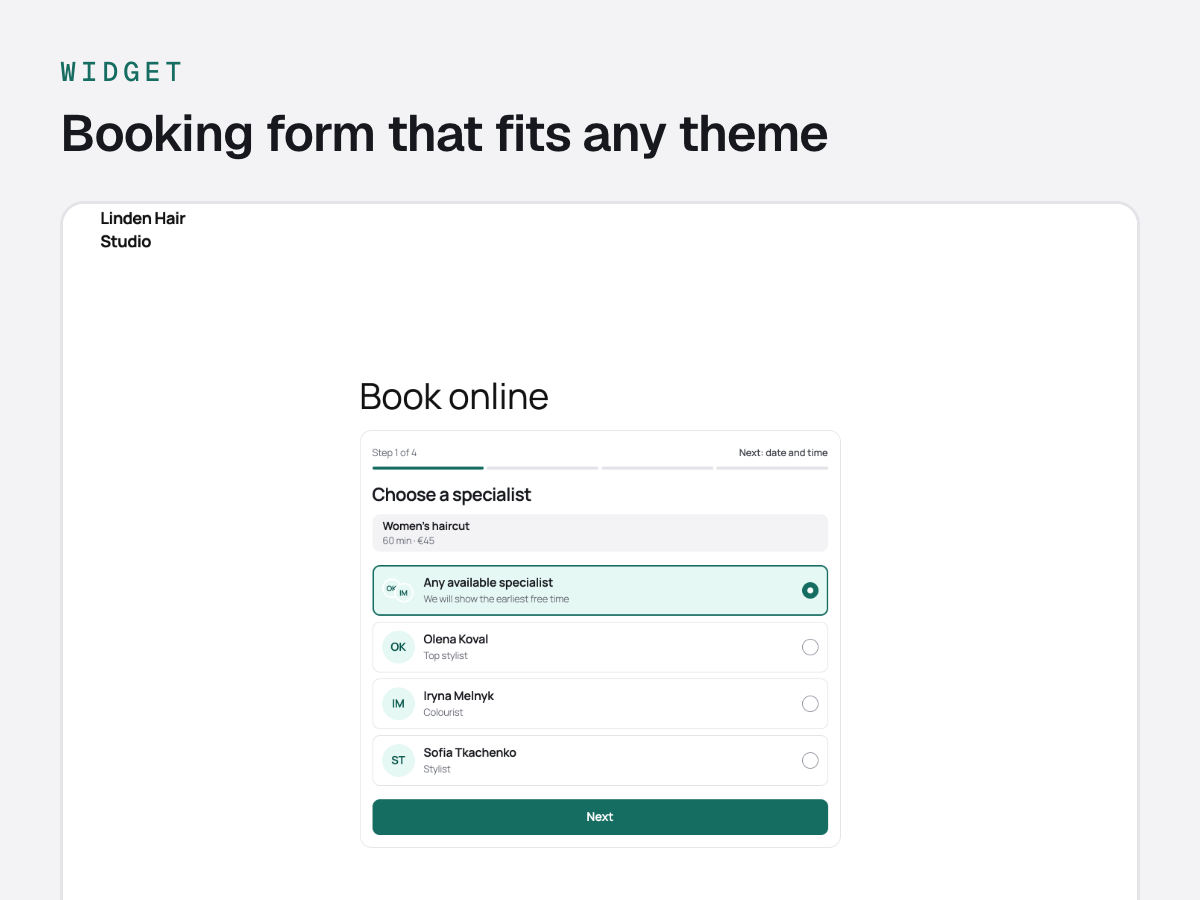
- “Any available specialist” comes first. When only one specialist provides a service, the step is skipped.
- Free times are grouped into morning, afternoon and evening. When a day is full, the nearest free time is one tap away.
- If someone takes a time first, the customer sees the other free times of that day and keeps what they typed.
- “Add to calendar” after booking (.ics file).
- Uses your theme’s font. Choose the main, background and text colours and the font under Vizyt Widget appearance.
- One form for everything, or one per page: lock a form to a service, a category or a specialist.
Dashboard, bookings and calendar
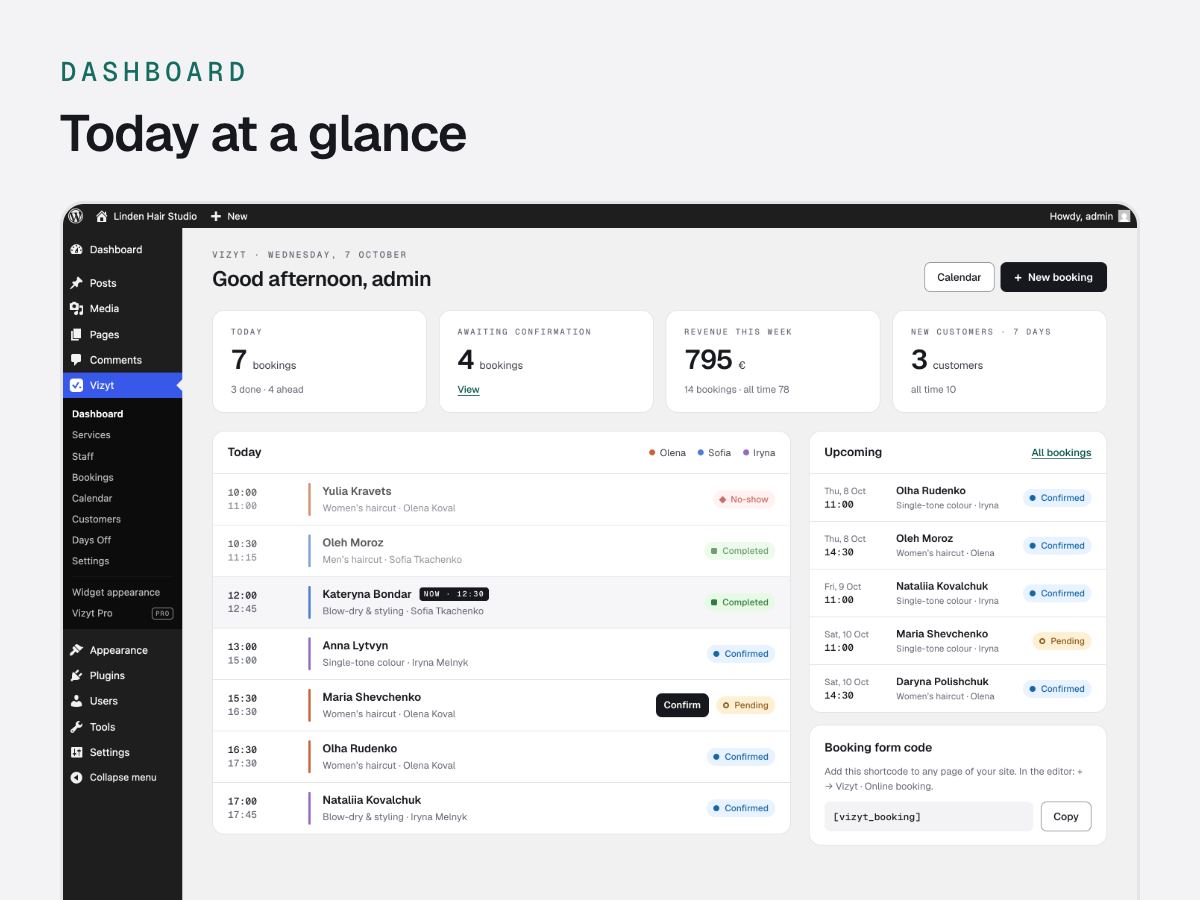
- Dashboard: today’s timeline, bookings waiting for confirmation, this week’s bookings and revenue, and a setup checklist on the first run.
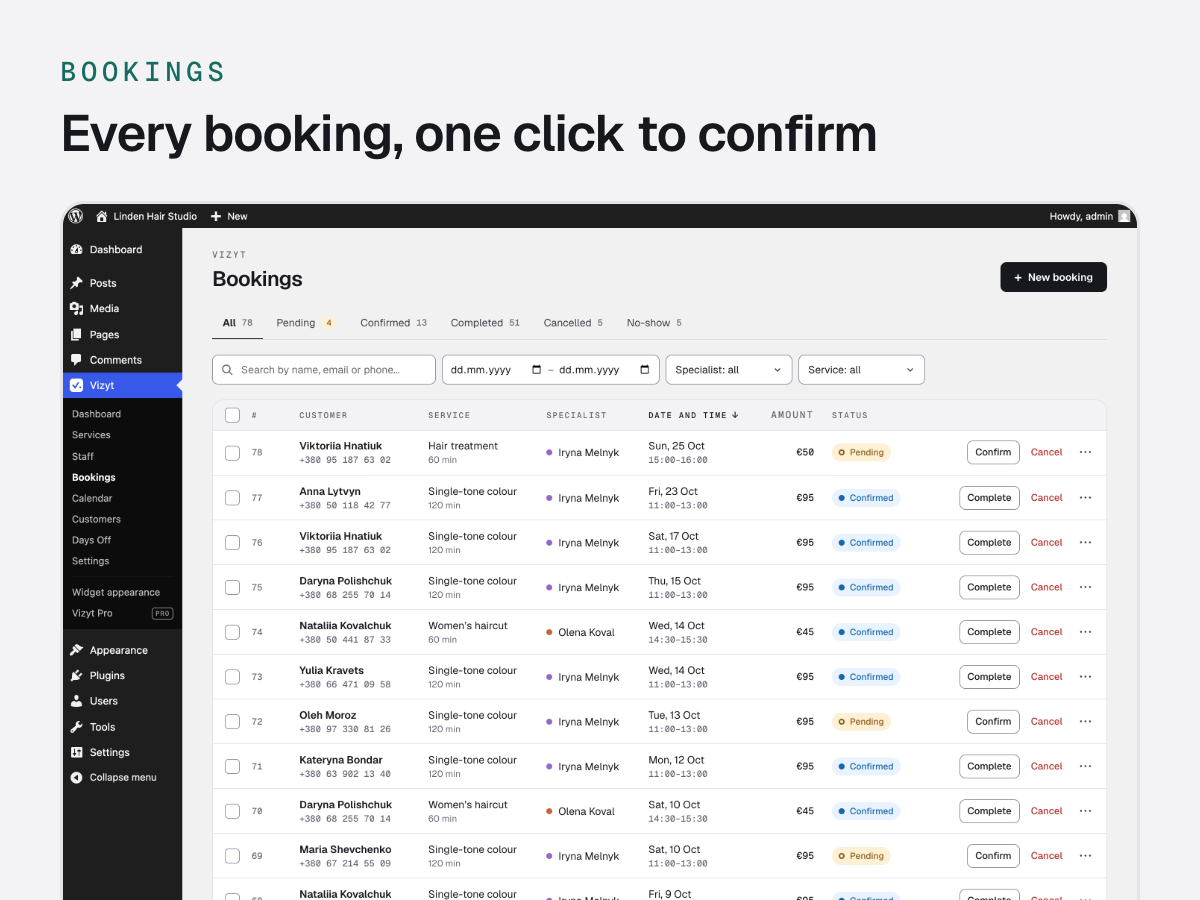
- Bookings: filter by date, status, specialist and service; confirm, complete, mark as no-show or cancel with a reason, one by one or in bulk.
- Every booking keeps its history: status changes and emails.
- Add a booking yourself when a customer calls.
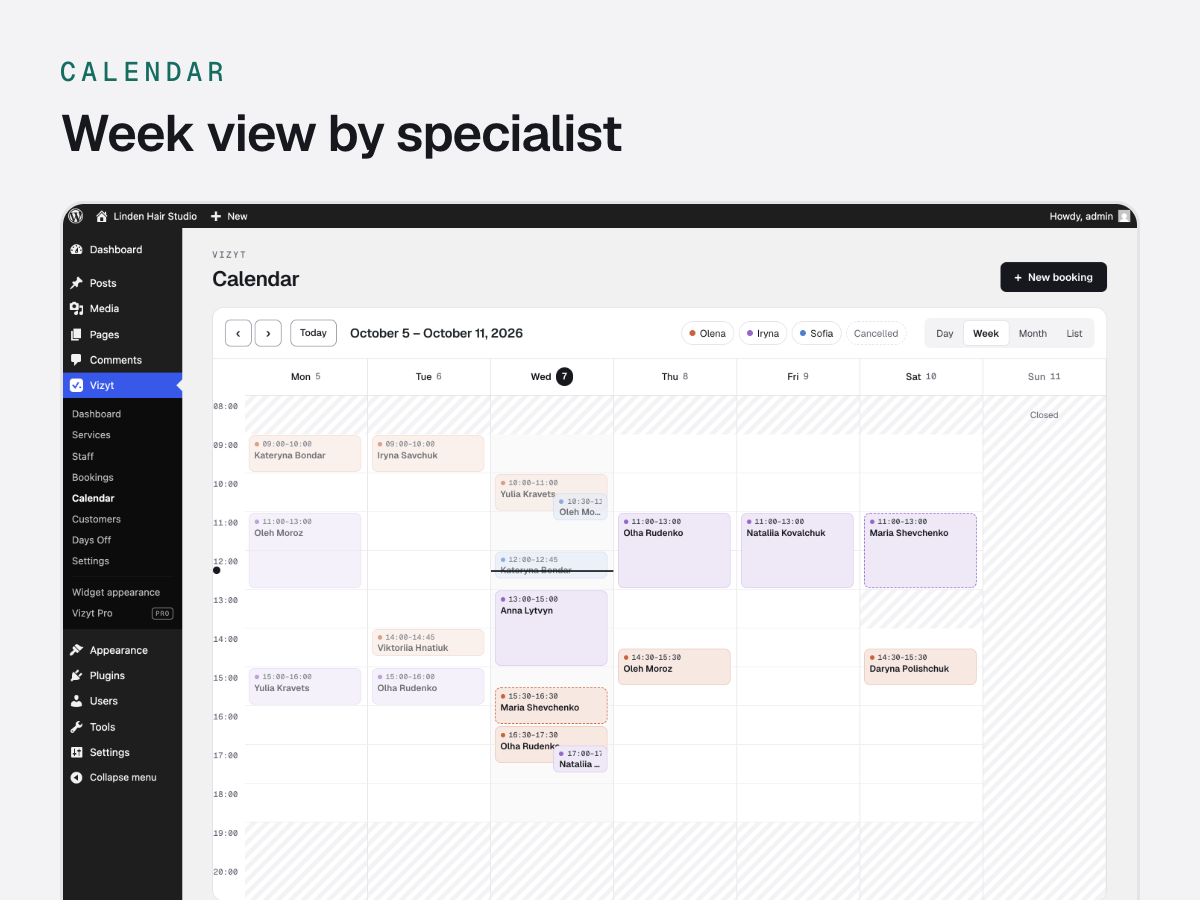
- Calendar: day, week, month and list views, coloured by specialist. Select an empty time to add a booking.
Services, specialists and hours
- Services with categories, duration, price and buffer time before and after.
- Specialists, each with the services they provide.
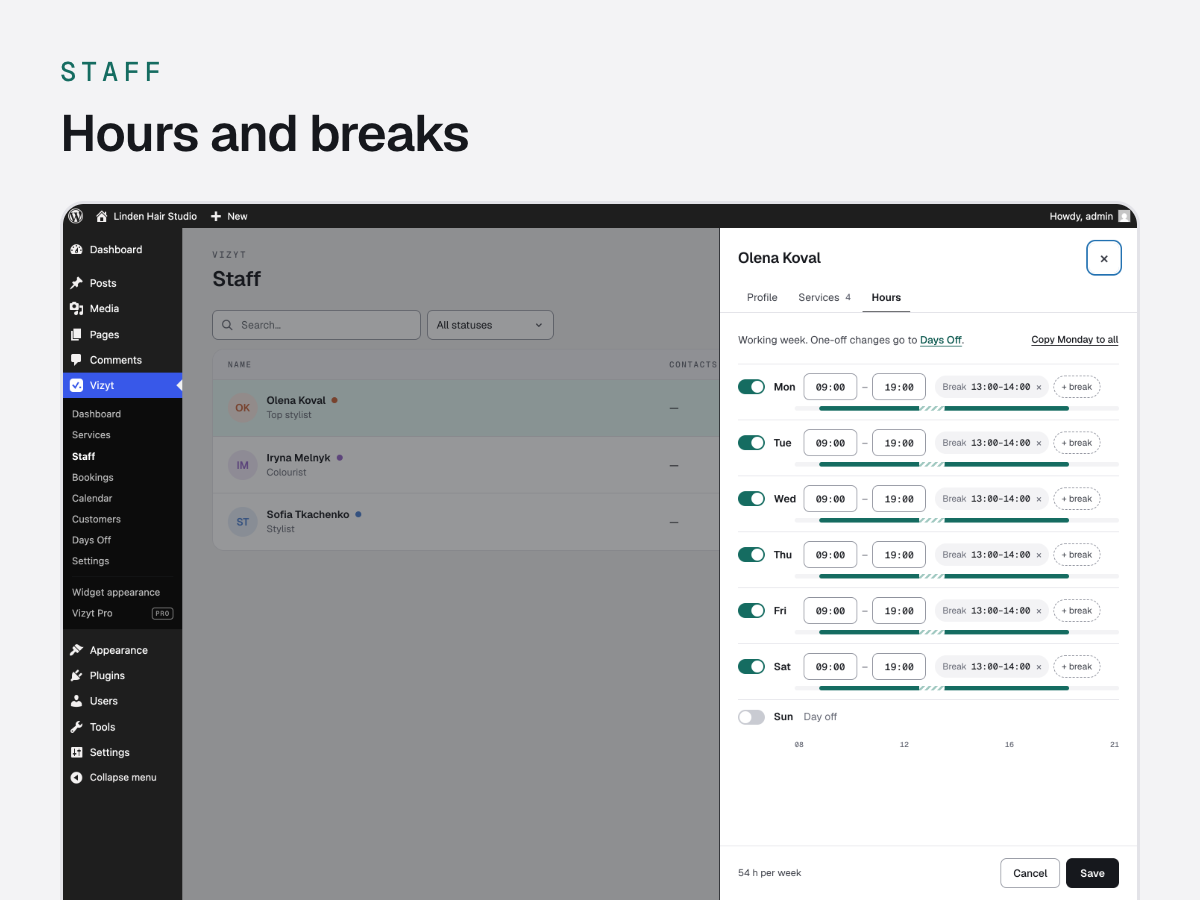
- Weekly hours with breaks for each specialist.
- Days off, holidays and special hours for one specialist or the whole business (Vizyt Days Off), with a warning about bookings already on those days.
Customers
- A customer profile is created with the first booking: visit history, notes, tags and date of birth.
- Personal data export and erasure through the WordPress privacy tools.
Emails
- A confirmation to the customer with a one-click cancellation link (no account needed).
- A new-booking email to you.
- A reminder 24 hours before the visit, and a cancellation email.
Works with
- Polylang and WPML: services and specialists in every language of your site.
- Advanced Custom Fields: Vizyt service and category fields for your own pages.
- Several currencies.
- Translation-ready: translations come through translate.wordpress.org.
Privacy
Vizyt keeps bookings and customers in its own tables in your WordPress database. Booking data is never sent to us or to any other service. The fonts and the calendar library are bundled with the plugin. The “Online booking · Vizyt” line under the form stays off until you turn it on. Usage data is opt-in and goes through Freemius; see External services below.
Vizyt Pro
Vizyt Pro is a separate add-on for growing businesses: Single page and Catalog layouts, the full widget designer, custom form fields, an email template editor, extra reminders, packages and Google review requests. Everything described above works without it. More at https://tolokastudio.com/vizyt/
Credits
- FullCalendar 7.1.3 (MIT License), https://fullcalendar.io/ — the admin calendar. assets/vendor/fullcalendar/fullcalendar.min.js is its browser bundle
all/global.jsfrom npm package fullcalendar@7.1.3, minified with esbuild; skeleton.css is unchanged. Readable source: https://unpkg.com/fullcalendar@7.1.3/all/global.js and https://github.com/fullcalendar/fullcalendar/tree/v7.1.3 - Geist and Geist Mono (SIL Open Font License 1.1, see assets/fonts/OFL.txt), https://github.com/vercel/geist-font — the admin screens.
- Freemius WordPress SDK 2.13.4 (GPLv3), https://github.com/Freemius/wordpress-sdk, bundled unchanged in vendor/freemius/ — opt-in usage data, Vizyt Account and Add-Ons, Vizyt Pro licences.
External services
Vizyt connects to one external service: Freemius (https://freemius.com/), our licensing and analytics provider. It powers the opt-in usage data, the Vizyt Account and Add-Ons screens, and Vizyt Pro licences and payments. Bookings and customer data are never sent to it.
What is sent and when:
- Usage data, only with your consent. After activation Vizyt asks whether you want to share some information through Freemius. If you click “Allow & Continue”, Freemius receives your name and email address, the site address and title, the WordPress, PHP, Vizyt and Freemius SDK versions, the site language, whether Vizyt is active, deactivated or uninstalled and, by default, the list of your plugins and themes (names, slugs, versions and whether they are active). The plugins and themes list is the one item you can switch off on the opt-in screen; Vizyt does not ask to subscribe you to a newsletter.
- If you click “Skip”, nothing is sent, except when you do one of two things yourself. Activating a Vizyt Pro licence sends the licence key, the site address, the Vizyt Pro and SDK versions and whether Vizyt Pro is active, deactivated or uninstalled (plus, unless you switch them off on that screen, the WordPress and PHP versions, the site language and title). Opening Vizyt Add-Ons loads the list of add-ons from api.freemius.com.
- You can change your choice at any time. If you opted in: Vizyt Account, or the “Opt Out” link under Vizyt on the Plugins screen. If you clicked Skip: the “Opt In” link under Vizyt on the Plugins screen.
Freemius Terms of Service: https://freemius.com/terms/
Freemius Privacy Policy: https://freemius.com/privacy/
Screenshots
Blocks
This plugin provides 1 block.
- Online booking A booking form: customers choose a service, a specialist and a free time.
Installation
- In Plugins Add New, search for “Vizyt”, then click Install and Activate. Or upload the zip under Plugins Add New Upload Plugin.
- Vizyt Services: add what customers book, with its duration and price.
- Vizyt Staff: add a specialist and set their working hours.
- Put the form on a page: in the editor click + and choose Vizyt · Online booking, or paste the shortcode
[vizyt_booking]. - Vizyt Settings: check the business name, the email address for new bookings, the timezone and the currency.
FAQ
-
Do customers need an account?
-
No. They enter their name, phone and email address.
-
Can I have different forms on different pages?
-
Yes. In the block settings choose a service, a category or a specialist. With the shortcode:
[vizyt_booking service_id="3"],[vizyt_booking category_id="2"]or[vizyt_booking staff_id="5"]. -
Which emails are sent?
-
A confirmation to the customer, a notification to you, a reminder 24 hours before the visit and a cancellation email. They are sent through your site’s email; if they do not arrive, an SMTP plugin usually fixes it.
-
Can customers cancel?
-
Yes, with the link in their confirmation email. No login needed.
-
Does the form fit my theme?
-
It uses your theme’s font. Colours and the font can be changed under Vizyt Widget appearance.
-
Is Vizyt translated?
-
Vizyt is translation-ready. Translations are made by volunteers on translate.wordpress.org, and WordPress installs them for your site’s language when they are available.
-
What happens to my data when I delete the plugin?
-
Deactivating keeps everything. Deleting the plugin on the Plugins screen removes its tables and settings.
Reviews
There are no reviews for this plugin.
Contributors & Developers
“Vizyt” is open source software. The following people have contributed to this plugin.
Contributors
Translate “Vizyt” into your language.
Interested in development?
Browse the code, check out the SVN repository, or subscribe to the development log by RSS.
Changelog
1.8.1
- First public release.