
Description
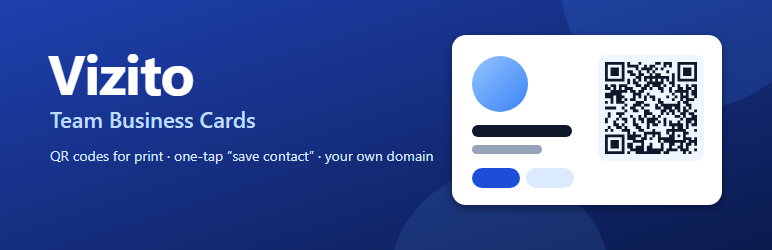
Every person on your team gets a mobile business card at a permanent address
on your site, such as example.com/card/jane-doe/. Print the QR code on a
paper business card, a badge or a brochure: people who scan it see a clean,
fast page with the person’s photo, role and contact buttons, and can save the
contact to their phone in one tap.
No monthly fee per person and no third-party service: the cards, the
addresses and the statistics stay on your WordPress site.
What a card offers
- Save contact — a vCard 3.0 file with name, company, title, phones,
email, address, website, social profiles and the photo - Call, Email, WhatsApp and Directions buttons
- Social profile links and up to three buttons of your own (for example
“Book a meeting”) - Share, through the phone’s share sheet or by copying the link
- Several languages per card, with a switcher; a scanned card can open in the
visitor’s browser language - Light, dark or automatic colour scheme, your accent colour, round or
square photo
For whoever manages the cards
- A company profile — address, website, social links and a default intro
are entered once; each card inherits them and can override any of them - QR codes for print — SVG and PNG, your colours, optionally your logo in
the middle (with the highest error correction), a ZIP of every code and a
printable test sheet - Statistics — views (from printed codes and from links, separately),
saved contacts, calls, emails and other taps, per card and per day, with a
CSV export - When someone leaves — their printed codes keep working: the address
shows a notice with the company’s details or redirects to a successor. The
person’s data disappears at once. - CSV import and export — add or update the whole team from a
spreadsheet, with a preview before anything is written - Embedding — a shortcode, a block and a Bricks Builder element
How it is built
- No dependencies and no build step. No jQuery.
- The card page is the plugin’s own lightweight document, independent of the
theme, so a scanned code opens quickly on any phone. - Card pages are
noindexand kept out of sitemaps; there is no public
directory of your staff. - Page caches (LiteSpeed, WP Rocket, W3 Total Cache, WP Super Cache) are
purged when a card changes. - Translated into Polish and German.
Privacy
Statistics use no cookies and store no personal data: they are daily counters
per card and event. Hits are sent with navigator.sendBeacon() to this
site’s REST API. To cap abuse, the plugin keeps a salted hash of the visitor’s
IP address in a transient for one minute; the address itself is never stored.
Behind a proxy or CDN every visitor arrives from the proxy’s address, so all
share one rate limit. A site that trusts its proxy can pass the real client
address with the tbcards_client_ip filter.
Card pages contain the personal data you enter for your staff (name, photo,
phone, email). Enter only what each person has agreed to publish.
External services
This plugin does not connect to any external service.
The “Directions” button is an ordinary link to Google Maps (or to a map link
you set yourself), opened only when a visitor taps it. The “WhatsApp” button
is an ordinary link to wa.me. No data is sent to either before a visitor
chooses to follow the link.
Third-party code
- qrcode-generator (PHP port) by Kazuhiko Arase, MIT licence —
https://github.com/kazuhikoarase/qrcode-generator — bundled inlib/qrcode/,
moved into the plugin’s namespace; seelib/qrcode/README.mdfor the exact
changes and the source it was taken from. The word “QR Code” is a registered
trademark of DENSO WAVE INCORPORATED.
Blocks
This plugin provides 1 block.
- Team Card One person's business card from Vizito Team Business Cards.
Installation
- Install and activate the plugin.
- Team Cards Settings: set your languages and the address base.
- Team Cards Company profile: add the company details every card shares.
- Team Cards Add card, or import your team from a CSV file.
- Open the card’s QR code box to download the code for print.
FAQ
-
What happens to printed QR codes when someone leaves?
-
They keep working. Mark the card as “no longer works here” and choose what the
address does: show a notice with the company’s details, redirect to a
successor’s card, or redirect to a page on your site. Do not delete the card,
and do not change its address: that is what the printed code holds. -
Can I change the address of the cards later?
-
You can, but every code already printed points to the old address. The
plugin warns you when you change it. -
Will the QR code with a logo scan?
-
With the logo on, codes use the highest error correction and the logo covers at
most a fifth of the code. Always print one proof and scan it from paper with
two different phones before printing the whole batch. -
Does it work with Polylang or WPML?
-
It does not need them: languages are set in the plugin. Embedded cards follow
the page language of Polylang or WPML when present. -
Who can import, export, print codes and see statistics?
-
Users who can edit other people’s posts (Editors and Administrators). Change it
with thetbcards_manage_capabilityfilter; settings use
tbcards_settings_capability (default:manage_options). -
How do I put a card on a page?
-
Use the “Team Card” block, the Bricks element, or the shortcode
[vizito_card id=”12″] (orslug="jan-kowalski"), with optionallang="de"
andinactive="hide"orinactive="notice". -
Do I need Bricks Builder?
-
No. The Bricks element is offered only when Bricks is active; the shortcode
and the block work everywhere. -
Are the statistics exact?
-
They are indicative. Bots and link previews are filtered out and repeated
hits are capped, but no cookies are used, so one person on two devices counts
twice.
Reviews
There are no reviews for this plugin.
Contributors & Developers
“Vizito Team Business Cards” is open source software. The following people have contributed to this plugin.
Contributors
Translate “Vizito Team Business Cards” into your language.
Interested in development?
Browse the code, check out the SVN repository, or subscribe to the development log by RSS.
Changelog
1.0.4
- Card and QR test sheet styles are loaded through the WordPress style API.
- All handles, admin page slugs and the shortcode use the plugin’s own prefix; the shortcode is now [vizito_card].
1.0.3
- Plugin Check clean-up: the bundled QR library throws a catchable exception instead of stopping the request on invalid input, the CSV reader no longer uses temporary streams, shorter readme summary.
1.0.2
- Card labels follow the card’s language even when the site has no language pack for it: the plugin uses its own translations, or English when there is none.
- The import preview names the card a row updates.
1.0.1
- Yoast SEO’s “Remove unregistered URL parameters” no longer strips the language and the printed-code marker from card addresses.
- Downloads (contact file, QR codes, CSV) are no longer corrupted by stray output from other code.
- Clearer labels for the per-language intro fields of the company profile.
1.0.0
- First release.