Skip to content
WordPress.org
  • Showcase
  • Plugins
  • Themes
  • Hosting
  • News
    • Learn WordPress
    • Documentation
    • Education
    • Forums
    • Developers
    • Blocks
    • Patterns
    • Photos
    • Openverse ↗︎
    • WordPress.tv ↗︎
    • About WordPress
    • Make WordPress
    • Events
    • Five for the Future
    • Enterprise
    • Gutenberg ↗︎
    • Job Board ↗︎
    • Swag Store ↗︎
  • Get WordPress
Get WordPress
WordPress.org

Plugin Directory

VIT Social

  • Submit a plugin
  • My favorites
  • Log in
  • Submit a plugin
  • My favorites
  • Log in

This plugin hasn’t been tested with the latest 3 major releases of WordPress. It may no longer be maintained or supported and may have compatibility issues when used with more recent versions of WordPress.

VIT Social

By vitthalaa
Download
  • Details
  • Reviews
  • Installation
  • Development
Support

Description

Using VIT social plugin you can customize share buttons each post or page wise.
You have options to choose buttons and their order of display on each individual post or page.
Also you can customize shape, size, effects of buttons from settings panel.

You may want some pages with share buttons and don\’t want on specific pages.
Or you may want to display facebook share button first on a post while twitter first on other.
If so then this plugin is for you.

From setting page (Settings -> VIT Social) you can change appearance and share contents of buttons.
Keep shape of button either flat, rounded or circle. Also you can enable/disable zoom and rotate effect of buttons.

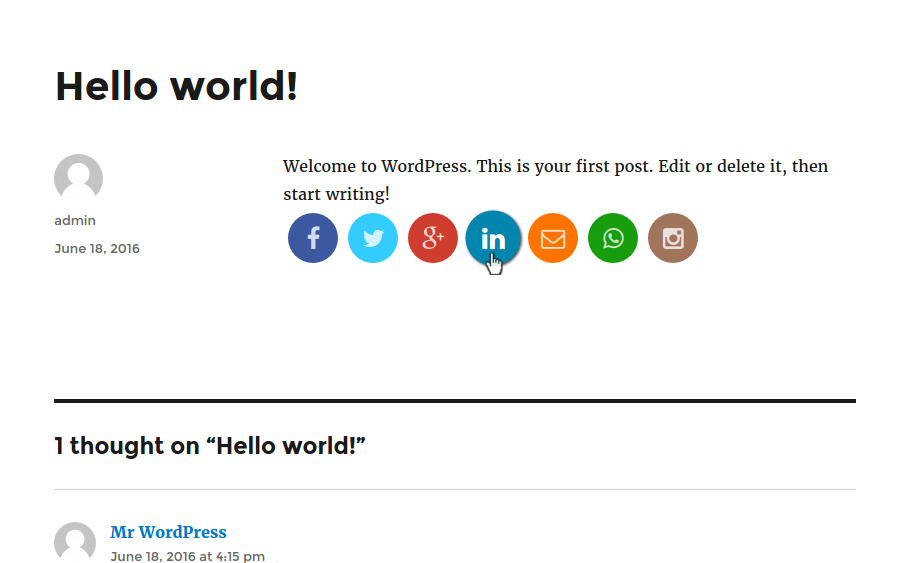
This plugin provides you with following 6 social networks with ease:

  • Twitter
  • Facebook
  • Google Plus
  • LinkedIn
  • Email
  • WhatsApp
  • Instagram(link)

Screenshots

  • Plugin setting page
  • Post button selection and sorting
  • Page share buttons

Installation

Installation of Social Media

  1. Upload \’VIT Social\’ to the \’/wp-content/plugins/\’ directory
  2. Activate the plugin through the \’Plugins\’ menu in WordPress
  3. Enjoy!

FAQ

What is VIT Social for?
  • Custom share buttons which can be configured post wise i.e. for individual post or page.
Do I need to have any programming knowledge?
  • No, I guess you need admin credentials only 😉
Why Instagram button is link to profile but not the share button?
  • You cannot share media on Instagram using the API. See the docs
Can I modify plugin?
  • Of course you can and your contributions are always welcome here to git.

Reviews

cool

sangram0864 September 3, 2016
very nice plugin

Very good

ganeshkalje September 3, 2016
Very good plugin for post wise social sharing
Read all 2 reviews

Contributors & Developers

“VIT Social” is open source software. The following people have contributed to this plugin.

Contributors
  • vitthalaa

Translate “VIT Social” into your language.

Interested in development?

Browse the code, check out the SVN repository, or subscribe to the development log by RSS.

Changelog

1.0.0

  • Initial commit.

Meta

  • Version 1.0.0
  • Last updated 7 years ago
  • Active installations Fewer than 10
  • WordPress version 3.0.5 or higher
  • Tested up to 5.2.24
  • Tags
    sharesocial
  • Advanced View

Ratings

5 out of 5 stars.
  • 2 5-star reviews 5 stars 2
  • 0 4-star reviews 4 stars 0
  • 0 3-star reviews 3 stars 0
  • 0 2-star reviews 2 stars 0
  • 0 1-star reviews 1 star 0

Your review

See all reviews

Contributors

  • vitthalaa

Support

Got something to say? Need help?

View support forum

  • About
  • News
  • Hosting
  • Privacy
  • Showcase
  • Themes
  • Plugins
  • Patterns
  • Learn
  • Documentation
  • Developers
  • WordPress.tv ↗
  • Get Involved
  • Events
  • Donate ↗
  • Five for the Future
  • WordPress.com ↗
  • Matt ↗
  • bbPress ↗
  • BuddyPress ↗
WordPress.org
WordPress.org
  • Visit our X (formerly Twitter) account
  • Visit our Bluesky account
  • Visit our Mastodon account
  • Visit our Threads account
  • Visit our Facebook page
  • Visit our Instagram account
  • Visit our LinkedIn account
  • Visit our TikTok account
  • Visit our YouTube channel
  • Visit our Tumblr account
Code is Poetry
The WordPress® trademark is the intellectual property of the WordPress Foundation.