
Description
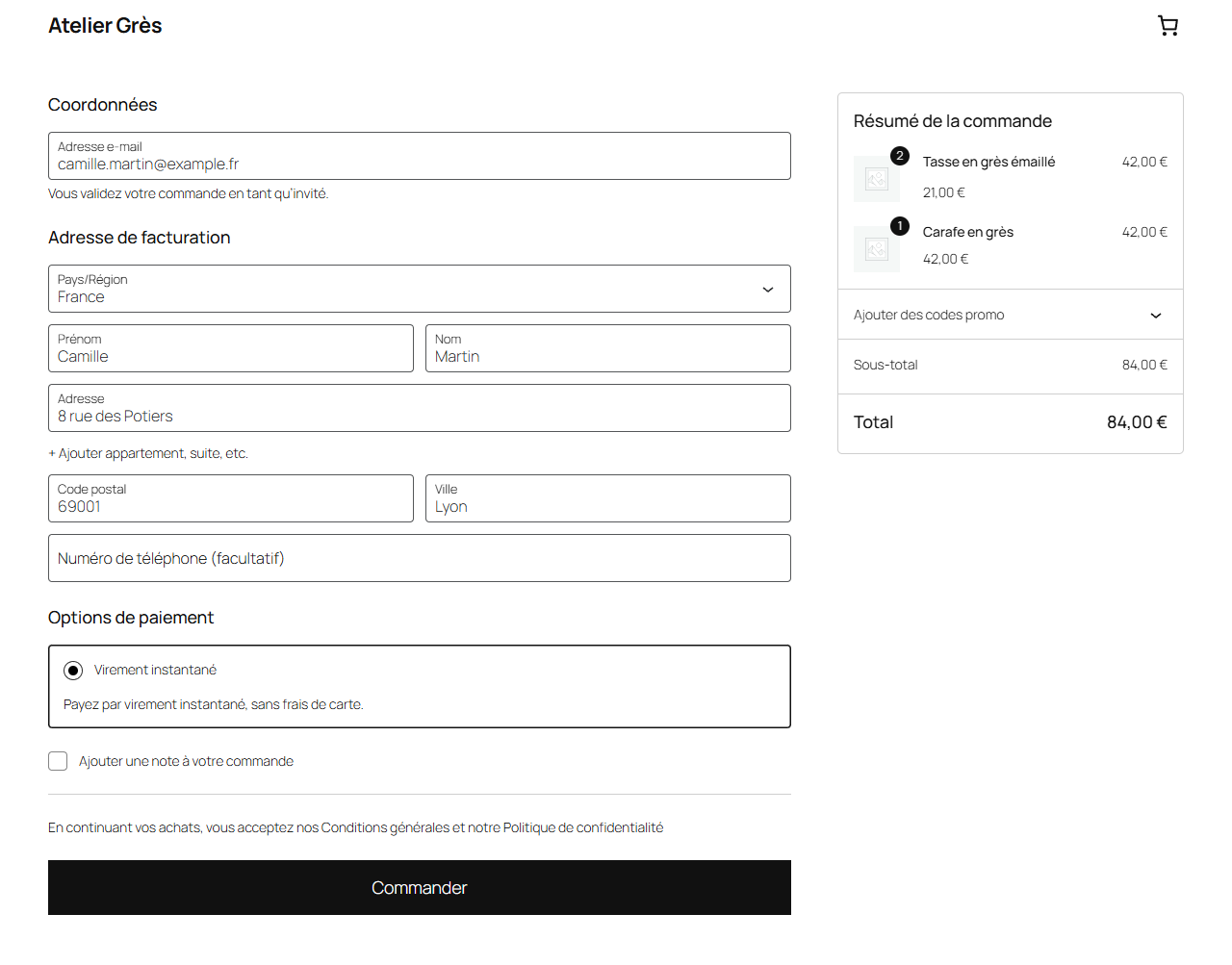
Virevo for WooCommerce adds an “instant bank transfer” payment method to your
checkout (classic checkout and block checkout). At checkout, the customer is
redirected to a Virevo payment page, picks their bank and approves a SEPA
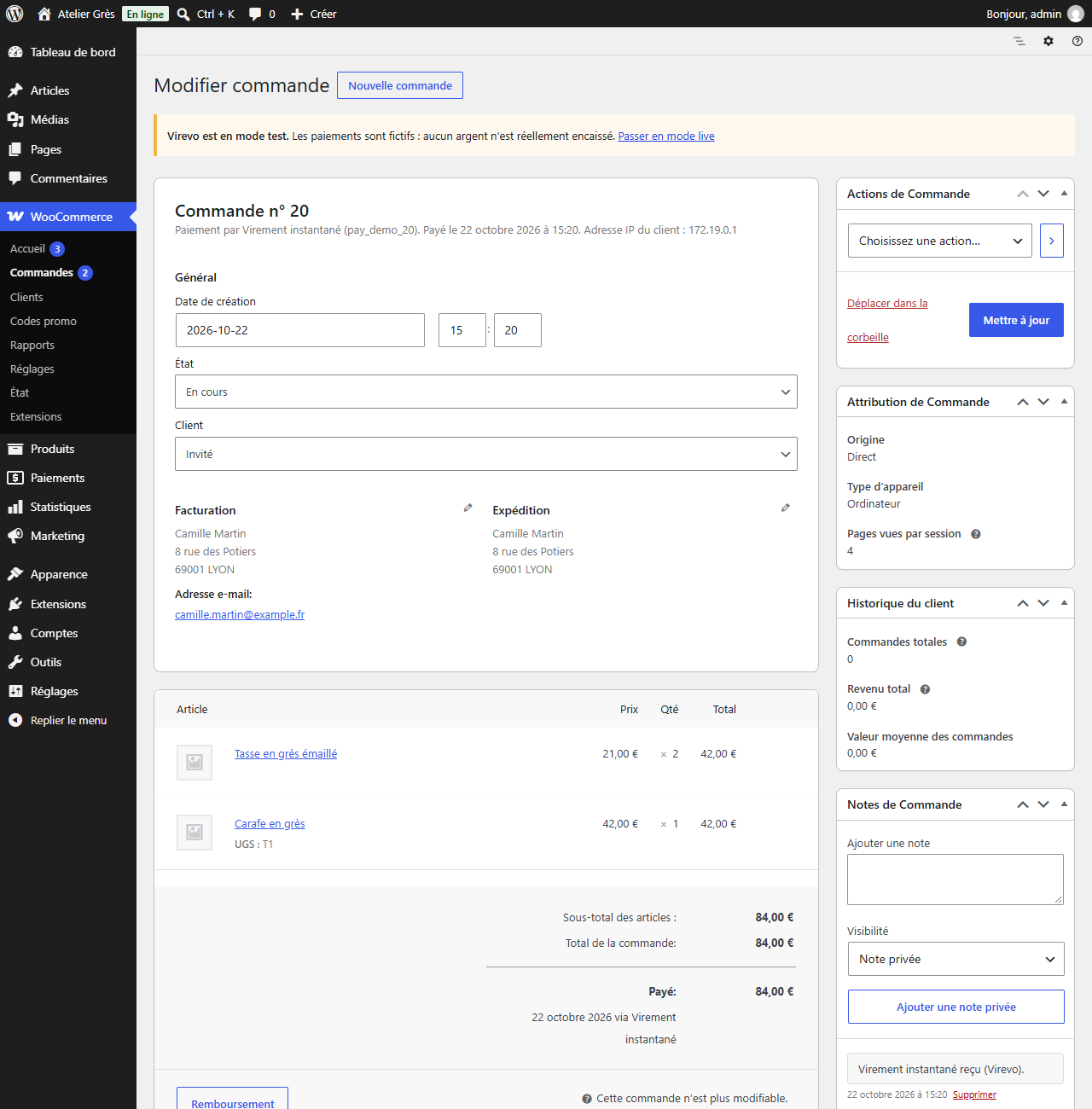
Instant Credit Transfer in their banking app. The order is completed
automatically when the transfer is confirmed, through a signed webhook
(HMAC-SHA256).
- Lower fees than card payments, no terminal, no subscription.
- The transfer goes straight from your customer’s bank account to your IBAN:
Virevo never holds your funds. - Test mode (sandbox) to build and check your integration before going live.
- Compatible with High-Performance Order Storage (HPOS) and the block checkout.
- Failed, cancelled and expired payments close the order and release the stock.
- Full and partial refunds from the WooCommerce order screen.
Virevo is a French service. The plugin interface is in French, and payments
are in euros only, for customers holding an account in the SEPA area.
Third-party service
This plugin is an interface to Virevo, an instant bank transfer payment
service operated by Virevo SAS (France). It does not work on its own: a
Virevo account and an API key are required.
What is sent to Virevo, and when. Each time a customer pays with this
method, the plugin calls the Virevo API (https://app.virevo.fr) to create
the payment request. It sends:
- the order amount and currency;
- the order number, as a reconciliation reference;
- your store’s two return URLs (order received page and checkout page), to
bring the customer back after payment.
No personal data about your customer is sent by the plugin: no name, no
email address, no postal address, no bank details. The customer authenticates
directly with their own bank on the payment page.
In the other direction, Virevo calls your store’s webhook URL to report the
outcome of the payment. Every call is signed (HMAC-SHA256) and checked before
it is acted upon.
A refund made from the WooCommerce admin sends Virevo the payment identifier,
the amount and, if you enter one, the reason.
- Service website: https://virevo.fr
- Terms of service: https://virevo.fr/cgu
- Privacy policy: https://virevo.fr/confidentialite
Screenshots
Installation
- Install and activate the plugin. WooCommerce must be active.
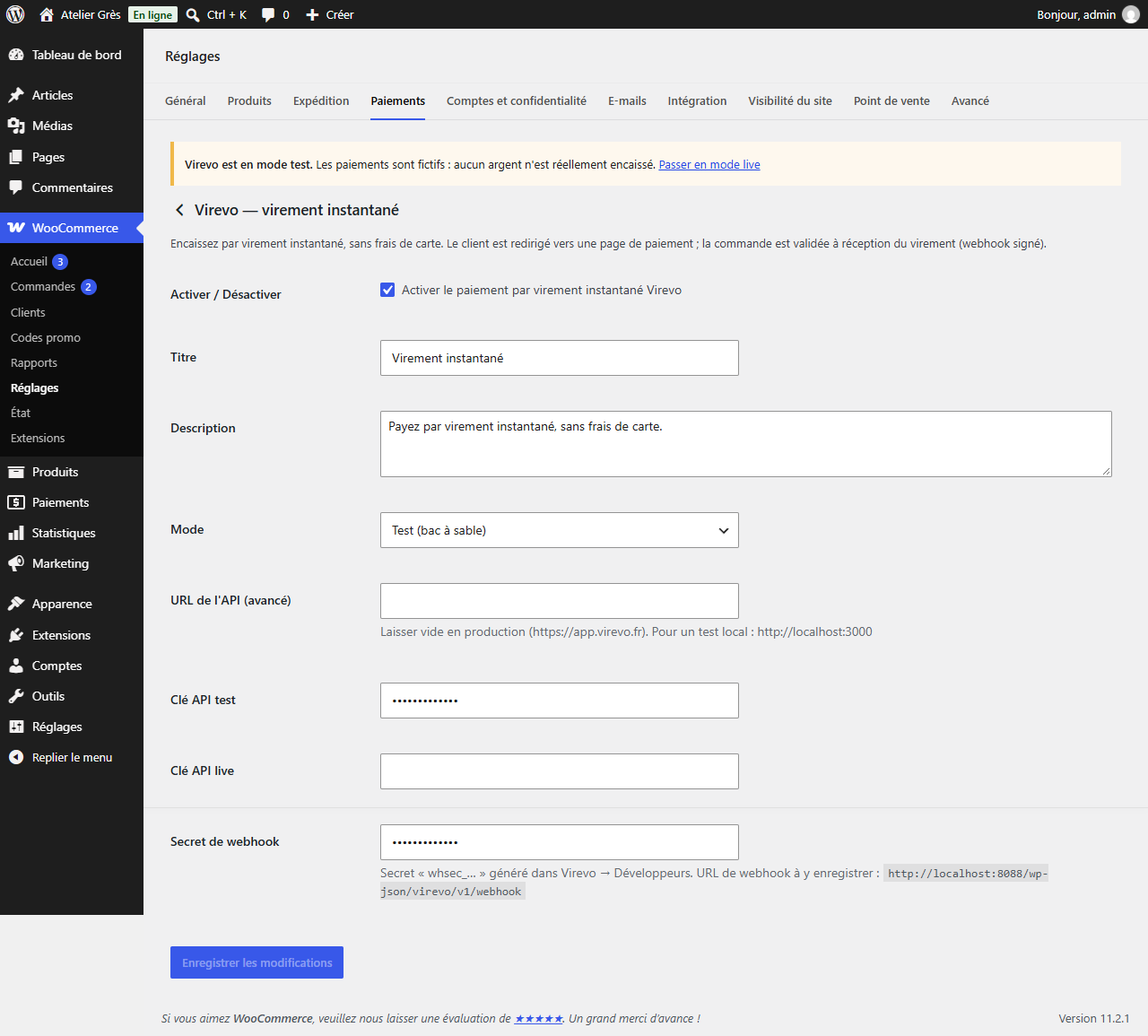
- Go to WooCommerce Settings Payments “Virevo — virement instantané”.
- Enter your API key (test or live), created in your Virevo dashboard under Développeurs (Developers).
- In Virevo Développeurs, add a webhook pointing to the URL shown in the
plugin settings (
/wp-json/virevo/v1/webhook) and paste its secret (whsec_…) into the plugin settings.
FAQ
-
Do I need a Virevo account?
-
Yes. The plugin is an interface to the Virevo service: without an account and
an API key, it has nothing to call. Creating an account is free. -
What customer data is sent to Virevo?
-
None. The plugin only sends the amount, the currency, the order number and
your store’s return URLs. Your customer authenticates directly with their bank. -
How can I test without a verified account?
-
Select the “Test” mode and use a
vrv_test_…key. Payments are simulated; you
can trigger a successful payment from the API to fire the webhook and check
your integration end to end. -
Which currencies are supported?
-
Euro (EUR) only. SEPA instant transfers are a euro-area payment method: a
customer without a bank account in the SEPA area cannot pay this way. -
Is there a minimum amount?
-
Yes, 1 € including tax (Virevo removed its former 100 € minimum on
October 19, 2026). Below that amount, the payment method is hidden at checkout. -
Why does “Virement instantané” not show at checkout?
-
Because the payment could not succeed. The plugin hides the payment method
when the key for the active mode is missing or its prefix does not match the
mode, when the store currency is not the euro, or when the cart total is below
the minimum. An admin notice tells you which case applies. -
What happens if my customer abandons the payment?
-
The order is closed automatically and the reserved stock is released. A
declined payment moves the order to “Failed”, so the customer can try again;
a cancelled or expired request moves it to “Cancelled”.
Reviews
There are no reviews for this plugin.
Contributors & Developers
“Virevo for WooCommerce” is open source software. The following people have contributed to this plugin.
Contributors
Translate “Virevo for WooCommerce” into your language.
Interested in development?
Browse the code, check out the SVN repository, or subscribe to the development log by RSS.
Changelog
0.8.2
- The minimum order total is now 1 € including tax, following the removal of the 100 € minimum on the Virevo side.
0.8.1
- Webhook events are only applied to orders paid with Virevo: the stored payment identifier is now required, not just compared.
- Gateway class renamed to
Virevo_Gateway(unique prefix). Settings are kept. - All remaining user-facing strings are translatable.
0.8.0
- Virevo is no longer offered for orders under 100 € including tax, the minimum Virevo payment. The payment method is hidden in both the classic and the block checkout instead of failing after the click.
0.7.0
- All four webhook events are handled, not only success. A failed, cancelled or expired payment closes the order instead of leaving it pending forever with its stock reserved.
- A refund made from the Virevo dashboard creates the matching refund in the store.
- Loop guard: a refund started from the WooCommerce admin is not counted twice when Virevo notifies it back.
- A paid order is never cancelled by a late notification.
0.6.0
- The payment method is hidden at checkout (classic and blocks) while the key for the active mode is missing, its prefix contradicts the mode, or the store is not in euros.
- A key whose prefix contradicts its field is rejected when saving.
- Permanent admin notice: missing key, missing webhook secret, or test mode active.
0.5.1
- Signature check accepts several
v1=values during a webhook secret rotation.
0.5.0
- Full and partial refunds from the WooCommerce admin. Clearer API error messages.
0.4.0
- Stock is reduced when the payment is confirmed (the order stays pending until the transfer arrives); better handling of abandoned payments.
0.3.0
- “API URL” setting (to test against a local API).
0.2.0
- Customer redirect after payment (return_url) and on cancellation (cancel_url).
0.1.0
- Initial release: payment gateway, classic and block checkout, signed webhook, test mode.