
Description
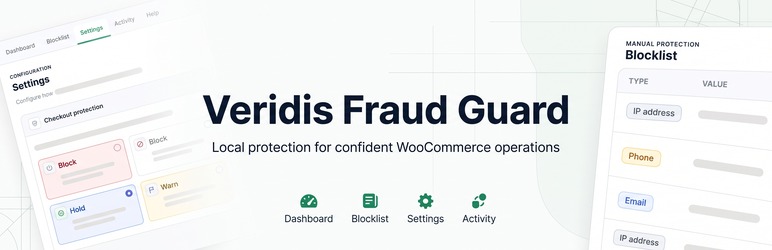
Veridis Fraud Guard helps WooCommerce merchants protect their stores from repeat problematic customers, especially repeated Cash on Delivery orders that lead to uncollected parcels, return shipping costs, and operational losses.
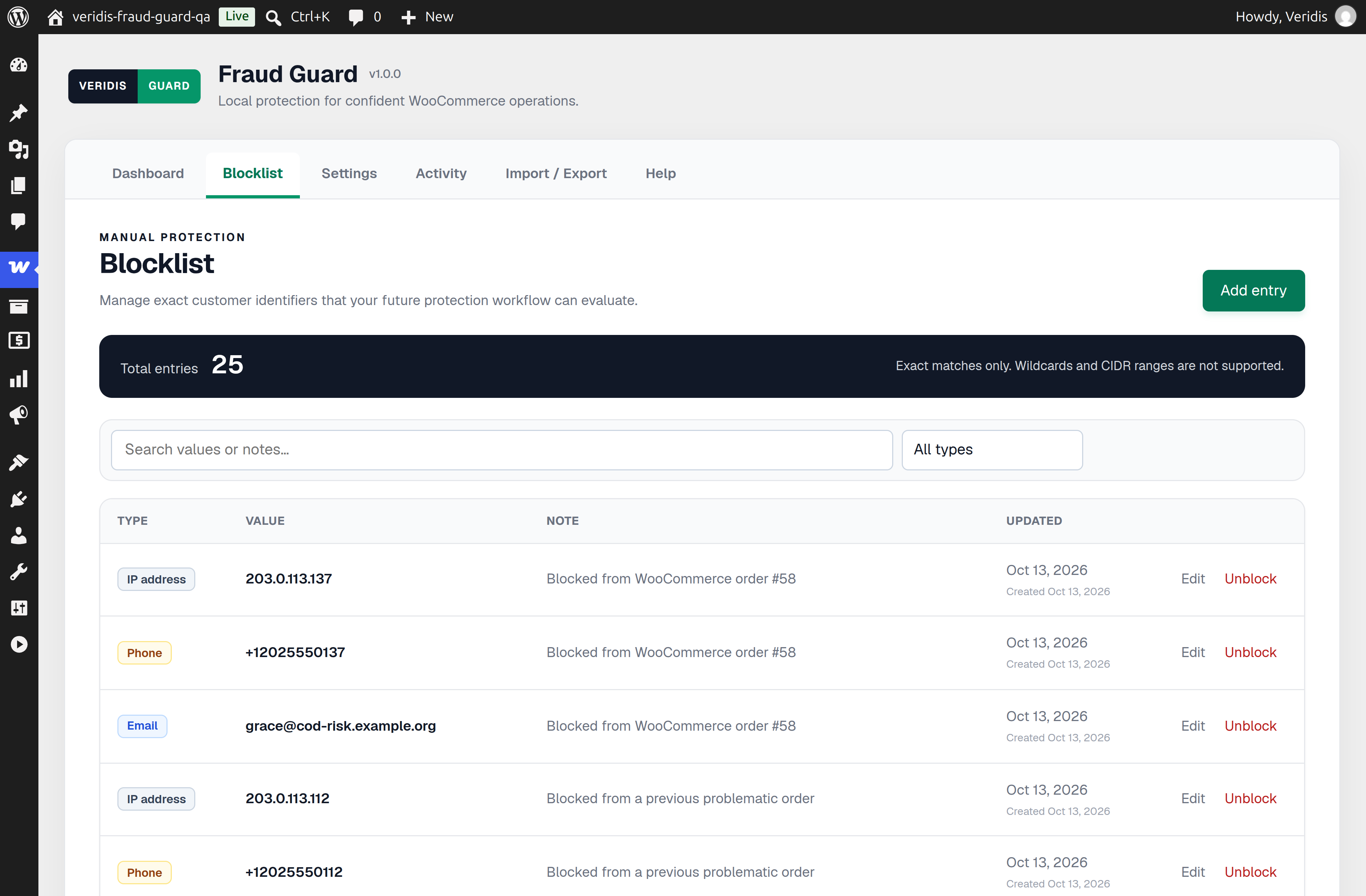
Maintain your own blocklist and check each checkout against four exact identifier types:
- Billing email address
- Billing phone number
- Customer IPv4 or IPv6 address
- Email domain
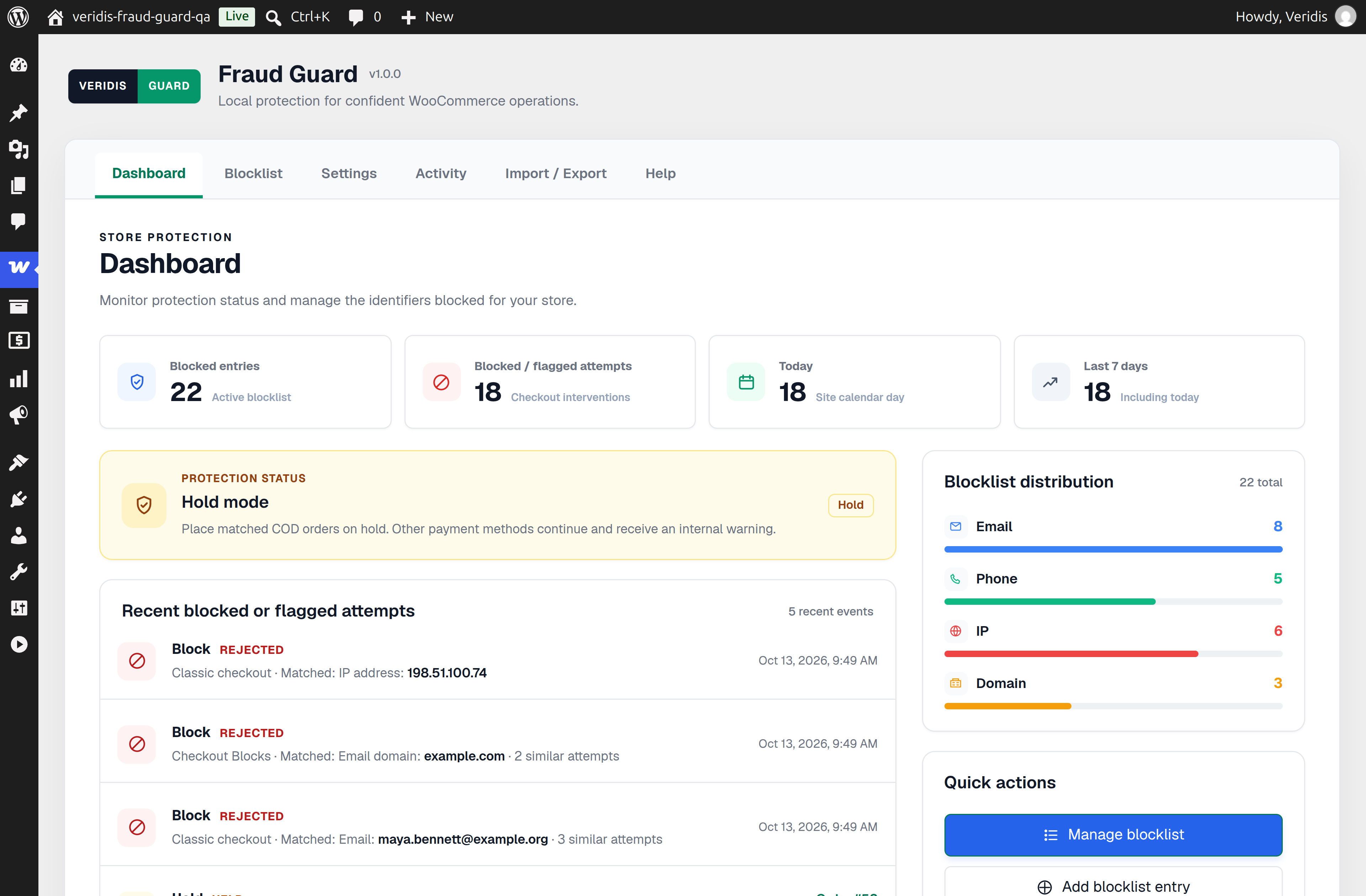
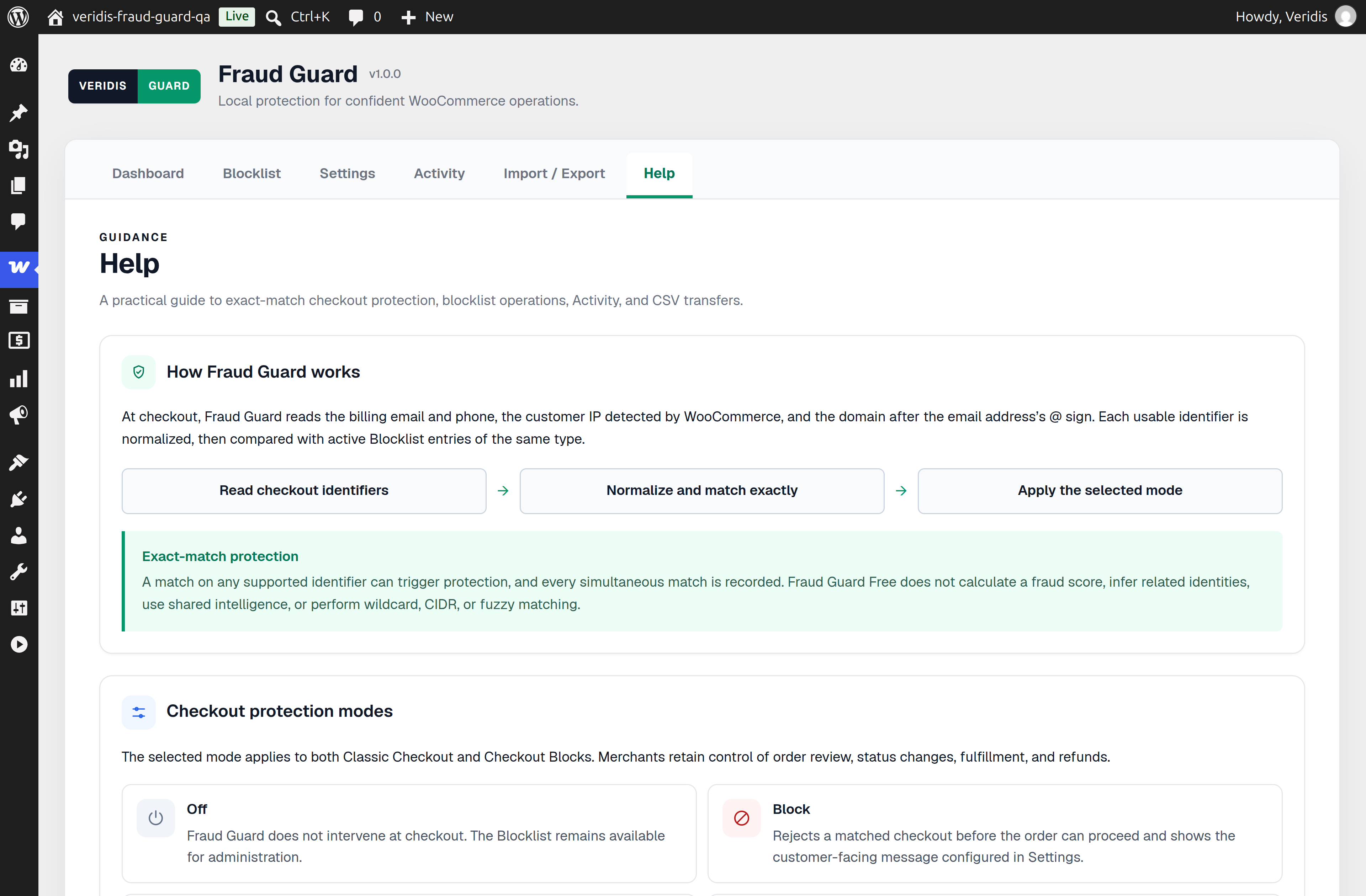
When an identifier matches, Fraud Guard applies the protection mode you choose. Checks run locally on your WordPress server without an external account, fraud-scoring API, subscription, or customer-data telemetry.
Checkout Protection Modes
Fraud Guard supports Classic Checkout and WooCommerce Checkout Blocks:
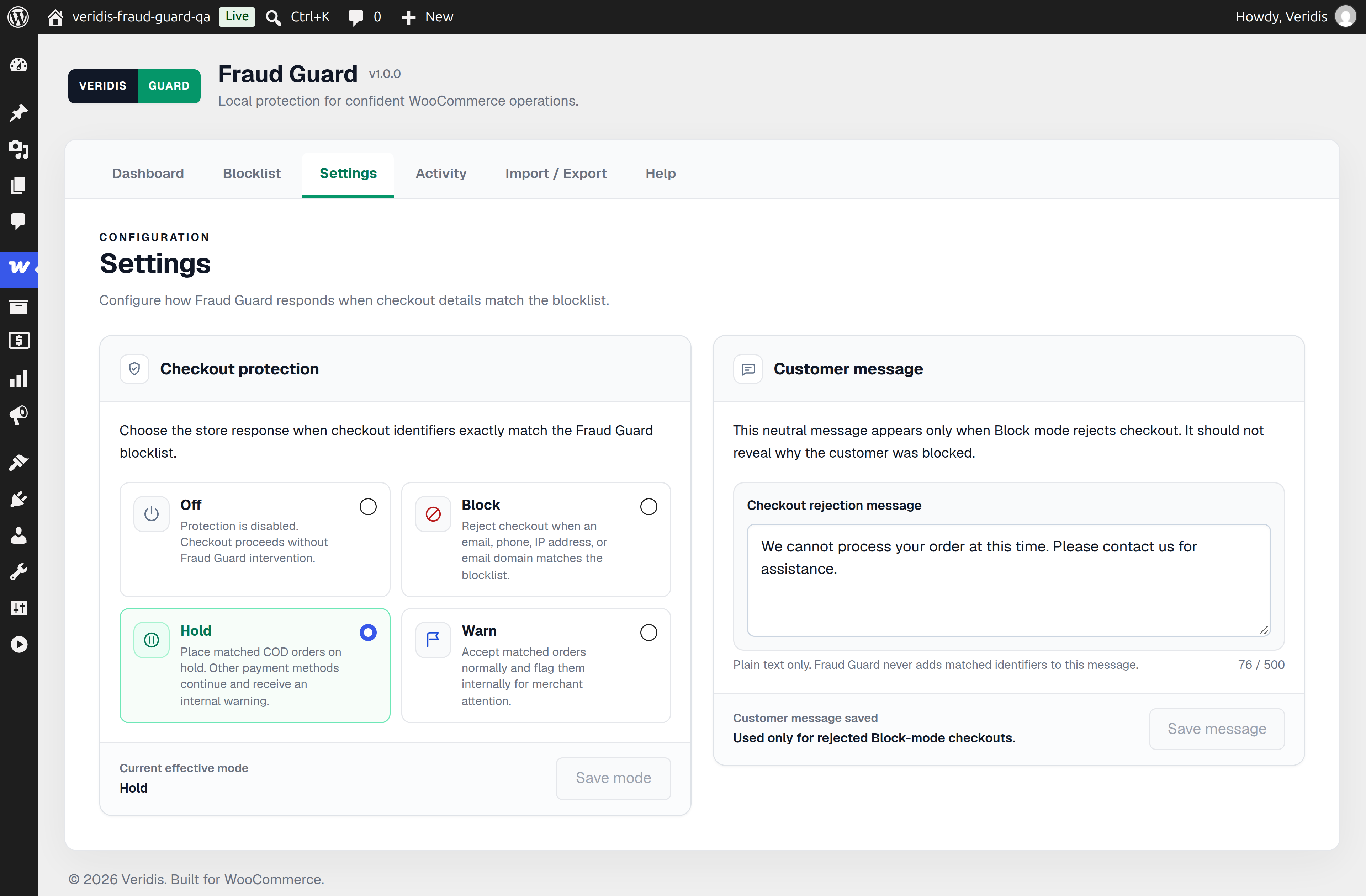
- Hold: Matching Cash on Delivery orders are placed On hold for verification before dispatch. Matching non-COD orders keep their existing payment flow and status, with a private warning note for review.
- Block: Rejects the matching checkout and shows your customizable customer-facing message.
- Warn: Allows checkout to continue, records the intervention, and adds a private order note.
- Off: Pauses checkout intervention while keeping your blocklist available for management.
Blocklist and WooCommerce Order Tools
Manage exact-match entries from a searchable, paginated Blocklist. Email values are case-normalized, phone formatting is normalized, IP addresses support exact IPv4 and IPv6 values, and domains match complete email domains. Fraud Guard does not use wildcard or CIDR matching.
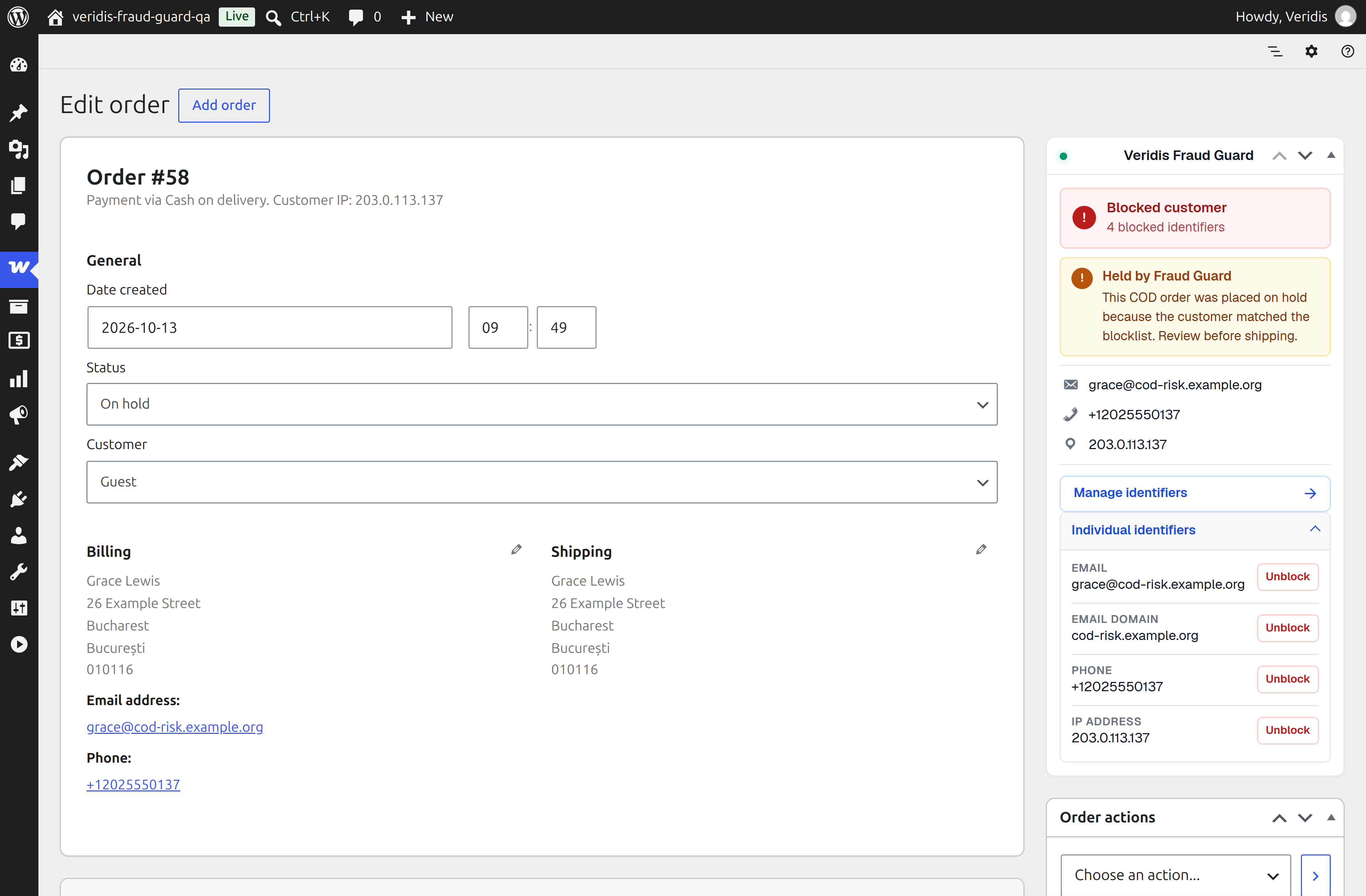
The WooCommerce order panel shows the customer’s available email, phone, IP address, and email domain. Use Block Customer to add all usable identifiers in one click, or block and unblock individual identifiers. Order-list and order-panel indicators show when a customer matches the active blocklist.
Activity and Privacy
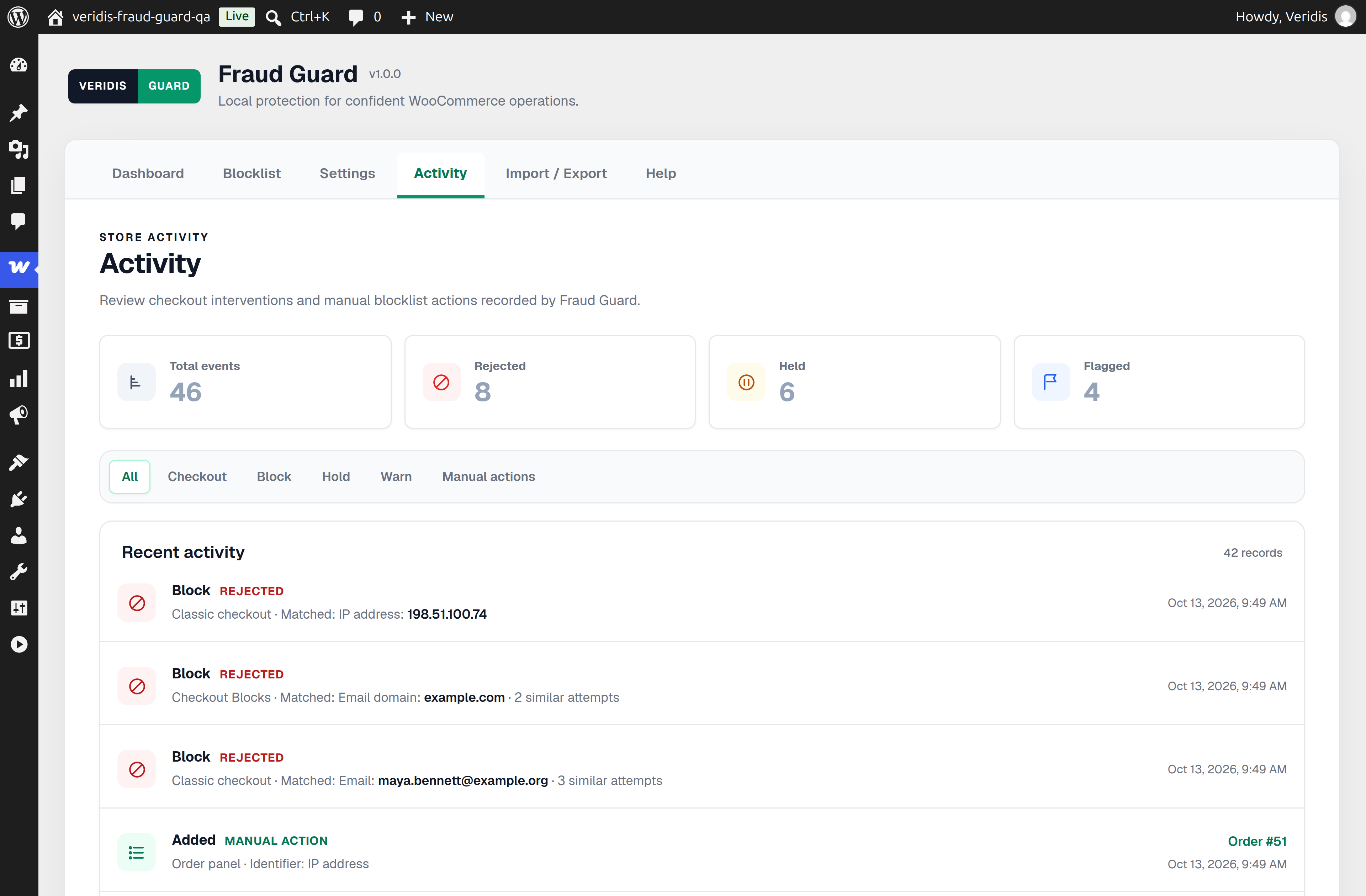
The Activity timeline records blocked, held, and warned checkouts with the matched identifier, checkout source, timestamp, and order link when available. It also records Blocklist changes so administrators can review when entries were added, edited, or removed.
Exact customer identifiers stored in checkout Activity events are cleared automatically after 90 days by default. Non-identifying operational details remain for reporting. Fraud Guard adds suggested privacy-policy text and integrates with the WordPress Personal Data Eraser.
CSV Import and Export
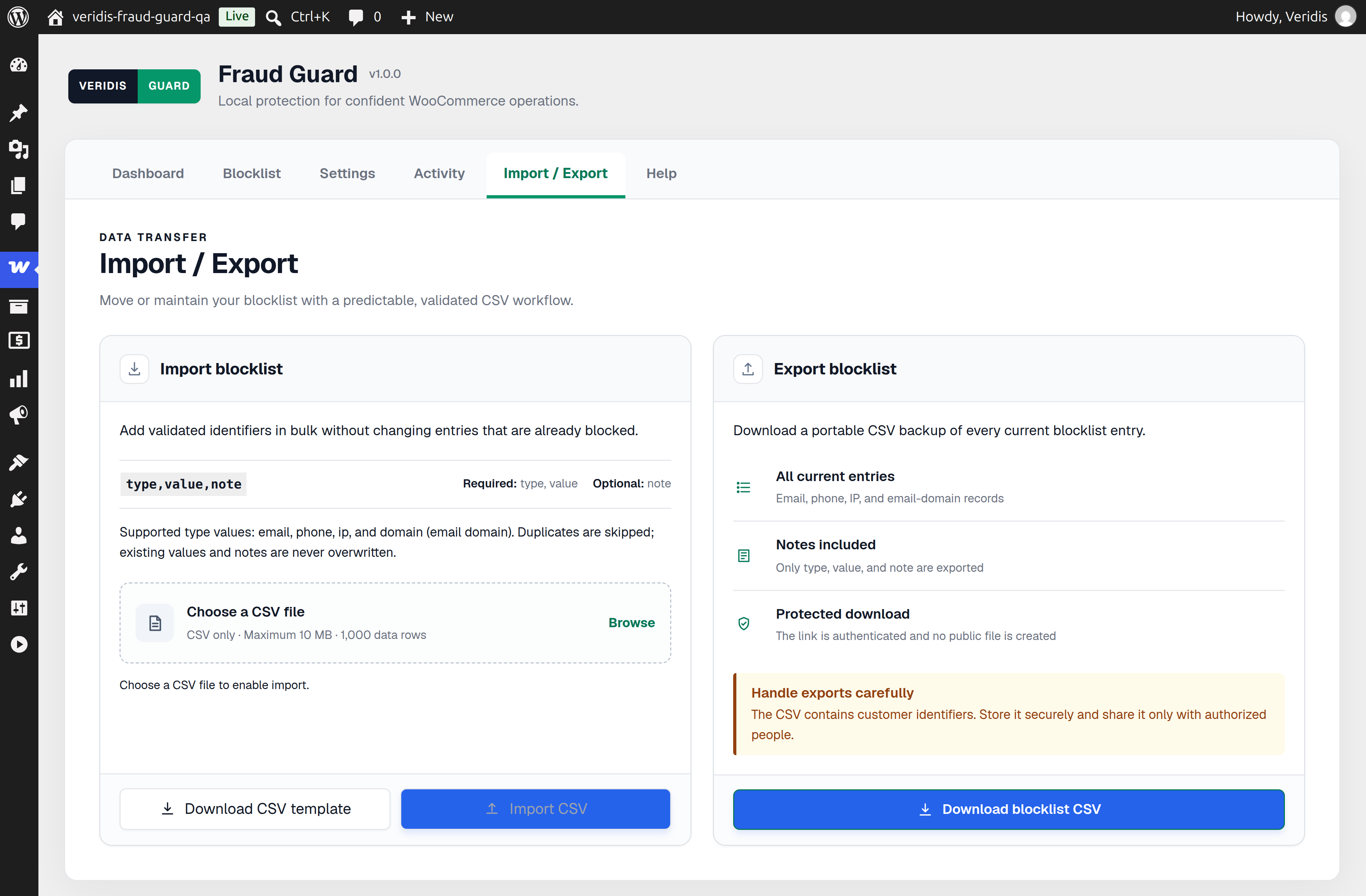
Import UTF-8 CSV files with up to 1,000 non-blank data rows and a maximum size of 10 MB. Row-level diagnostics explain invalid entries, and normalized duplicates are skipped without overwriting existing notes.
Export the active Blocklist in a re-importable CSV containing type, value, and note. Formula-like values are escaped for safer use in spreadsheet software.
Local and WooCommerce-Native
- Evaluations use local indexed database tables; no remote scoring request delays checkout.
- Declares compatibility with WooCommerce High-Performance Order Storage (HPOS) and supports traditional order storage through WooCommerce order APIs.
- Supports Classic Checkout and WooCommerce Checkout Blocks through server-side enforcement.
- Preserves WooCommerce orders, financial records, and payment behavior outside the selected protection action.
Fraud Guard uses merchant-controlled exact matching, not probabilistic scoring, AI predictions, or disposable-email lists.
Documentation and Support
License
Veridis Fraud Guard is free software licensed under the GNU General Public License, version 2 or later. See LICENSE.txt.
Bundled Geist fonts use the SIL Open Font License 1.1. The administration app uses the WordPress-provided wp-element runtime; React runtime code is not bundled. See THIRD-PARTY-NOTICES.md and assets/fonts/geist/OFL.txt.
Screenshots
Installation
- Confirm that the store runs WordPress 6.5 or later, PHP 8.1 or later, and WooCommerce 8.2 or later.
- Install the plugin ZIP through Plugins > Add New > Upload Plugin, or upload the
veridis-fraud-guarddirectory to/wp-content/plugins/. - Activate Veridis Fraud Guard.
- Open WooCommerce > Fraud Guard and add known problematic email addresses, phone numbers, IP addresses, or email domains to the Blocklist. You can also import a CSV.
- Open Settings and choose Off, Block, Hold, or Warn. If using Block mode, review the customer-facing rejection message.
FAQ
-
Can Fraud Guard help with repeat uncollected Cash on Delivery orders?
-
Yes. Add identifiers associated with customers whose COD parcels repeatedly go uncollected. Future matching checkouts can be held for verification or blocked, depending on your selected mode. This helps avoid preventable shipping, return, and handling costs while leaving the final policy under the merchant’s control.
-
Can I hold COD orders instead of rejecting them?
-
Yes. Hold mode places a matching COD order On hold so staff can verify it before packing and shipping. A matching non-COD order keeps its existing payment flow and order status; Fraud Guard adds a private warning note instead.
-
How do Block, Warn, and Off modes behave?
-
Block rejects the matching checkout with your configured message. Warn allows it to complete and records a private warning. Off pauses checkout actions without deleting or disabling Blocklist entries.
-
Can I block a customer from a WooCommerce order?
-
Yes. The Fraud Guard order panel displays available email, phone, IP, and email-domain identifiers. Block Customer adds all usable identifiers at once, while individual controls let you block or unblock one identifier. Removing one identifier does not prevent another active identifier from matching later.
-
What matching does Fraud Guard perform?
-
Fraud Guard performs predictable exact matching for normalized email addresses, phone numbers, IPv4 or IPv6 addresses, and complete email domains. It does not use fuzzy scoring, wildcard domains, CIDR ranges, AI predictions, or automatic disposable-email detection.
-
What appears in Activity?
-
Checkout Activity shows the exact identifier that caused a Block, Hold, or Warn action, along with its source, date, time, and WooCommerce order link when one exists. Administrative Blocklist changes are also recorded.
-
What format is required for CSV imports?
-
Use a UTF-8 comma-separated file with the header
type,value,note. Thenotecolumn is optional. Supported type values areemail,phone,ip, anddomain. Each import accepts up to 1,000 non-blank data rows and 10 MB. -
Is an external service or account required?
-
No. Blocklist records, matching, Activity, and settings remain on your WordPress server. Fraud Guard does not send customer identifiers to an external fraud-scoring service.
-
How does Fraud Guard handle privacy and retention?
-
Exact matched identifiers in checkout Activity are cleared after 90 days by default, leaving non-identifying operational details. Fraud Guard supplies suggested privacy-policy text and a WordPress Personal Data Eraser integration. Blocklist entries are merchant-managed and are not removed by that eraser.
-
What happens when I deactivate or uninstall the plugin?
-
Deactivation preserves settings and data. Deleting the plugin through WordPress runs its uninstall cleanup for Fraud Guard tables and settings while preserving WooCommerce orders, order notes, and financial records.
Reviews
There are no reviews for this plugin.
Contributors & Developers
“Veridis Fraud Guard” is open source software. The following people have contributed to this plugin.
Contributors
Translate “Veridis Fraud Guard” into your language.
Interested in development?
Browse the code, check out the SVN repository, or subscribe to the development log by RSS.
Changelog
1.0.0
- Initial public release of Veridis Fraud Guard Free.
- Protects against repeated problematic and uncollected Cash on Delivery orders using a merchant-managed exact-match Blocklist.
- Includes Block, Hold, Warn, and Off modes for Classic Checkout and WooCommerce Checkout Blocks.
- Includes Activity history, WooCommerce order tools, CSV import and export, HPOS compatibility, and privacy integrations.