

Description
Give your band a professional website in minutes — no shortcode, no extra tools.
👉 Live demo: https://v-images.com/demo-vefmusic/
VEFmusic is a free plugin for bands and musicians. At its heart, three things every band site needs:
- Tracks — an audio player with a clickable progress bar, volume and a real-time equalizer, a listening mode per track (preview, free full listen, or buyers only), optional lyrics, and bulk import of a whole album in one go
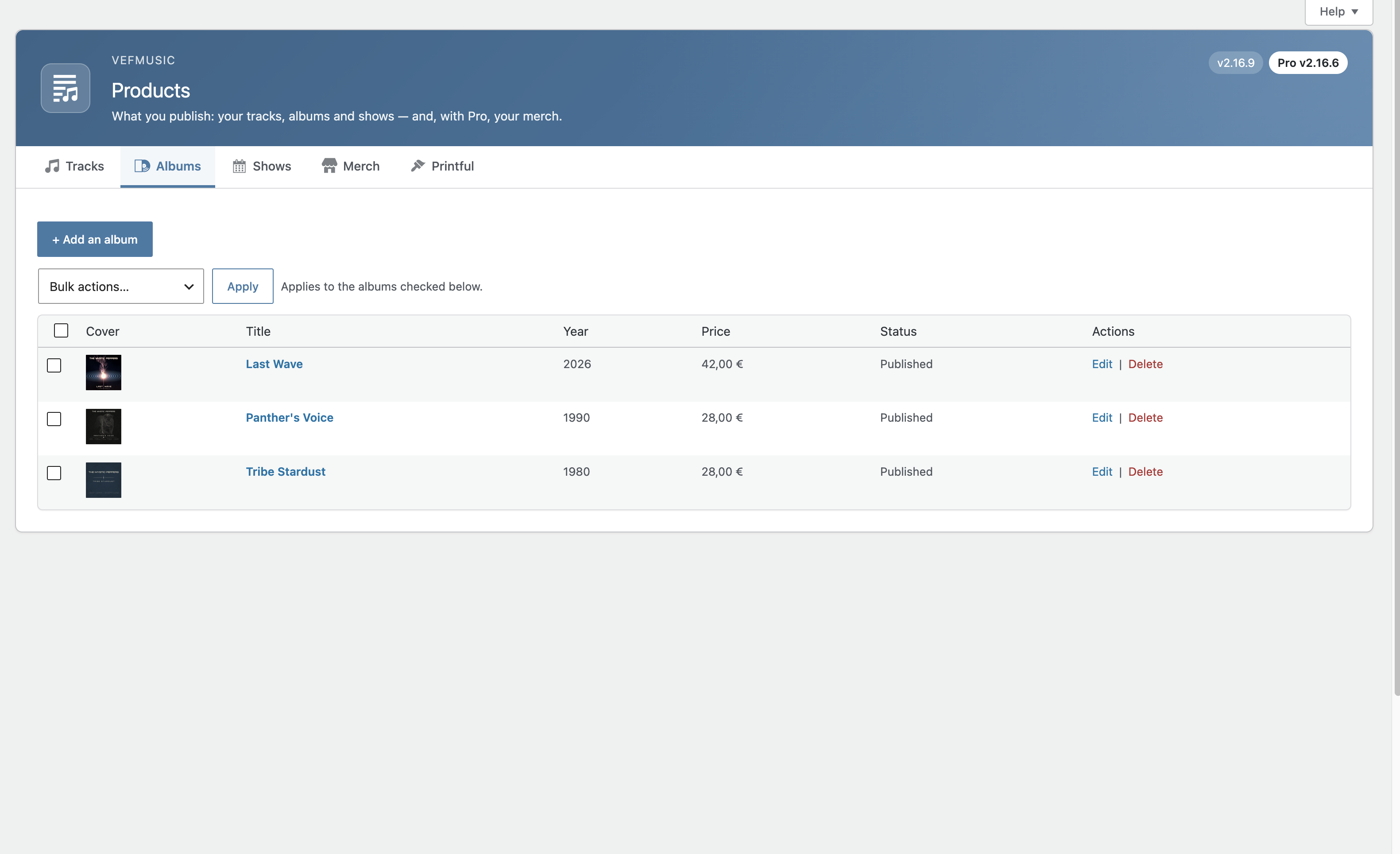
- Albums — front and back cover, release year, a collapsible tracklist with its own play button
- Shows — your concert calendar with date, venue, poster and ticket link, a featured “next show” with countdown, and an archive of past shows
And around them:
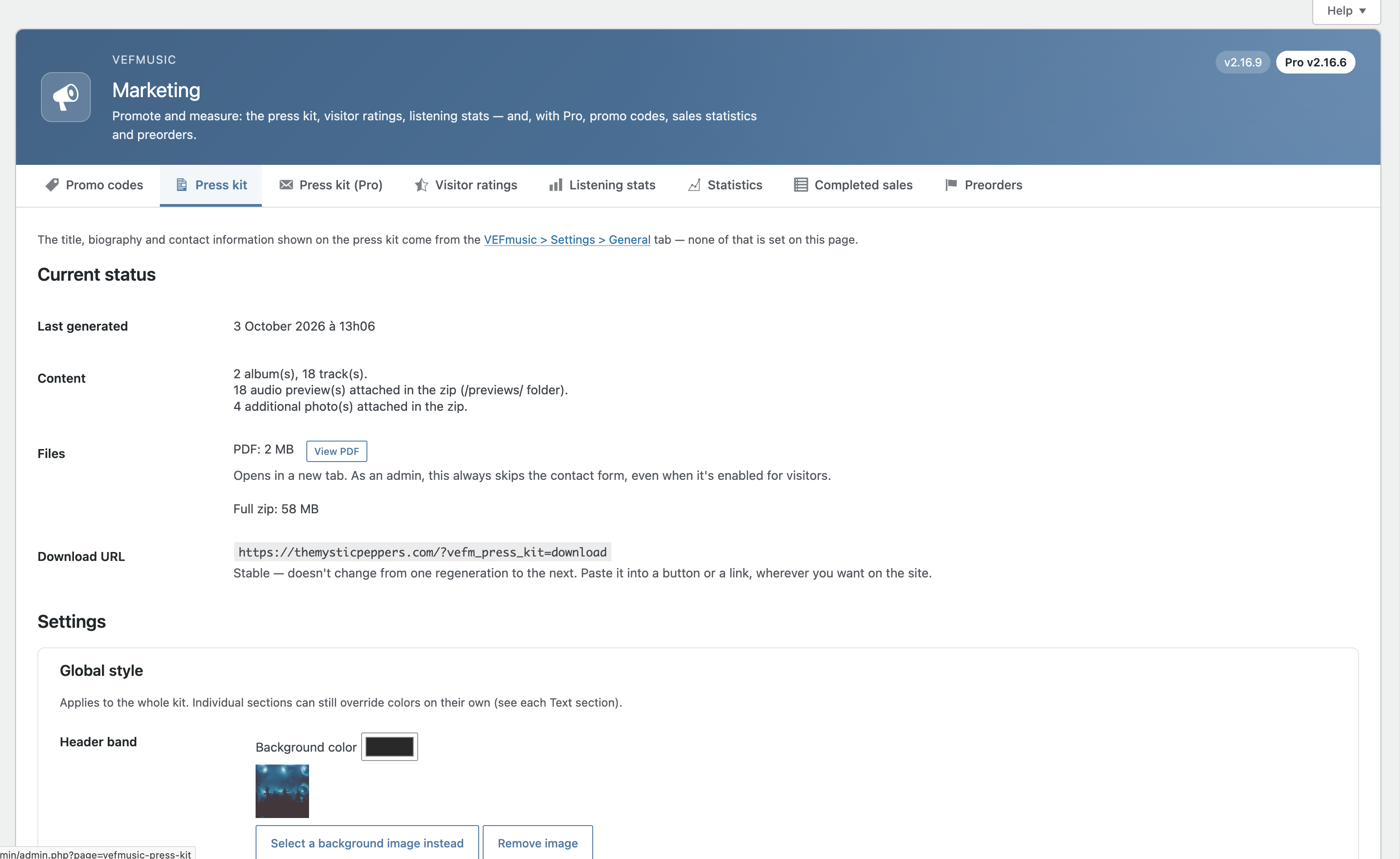
- A press kit built for you — a ready-to-send PDF generated from your own tracks, albums, shows and bio, always up to date
- Native blocks, any builder — Gutenberg blocks that take your theme’s fonts and text sizes by default, with Divi 5 modules and Elementor widgets included
- Your audio stays protected — files are never exposed by a direct link
- Private by design — anonymous listening statistics, no cookie, no IP address stored; a keyboard-accessible player
- Free, forever — and ready to grow — sell tracks, albums, merch and tickets, or run a crowdfunding campaign, with the optional VEFmusic Pro extension
Everything is configured from the block editor and the VEFmusic screens in your admin — nothing to code.
Content
- Track, Album and Show post types, with a Genre taxonomy
- Bulk import: select several audio files at once (e.g. a whole album) to create matching draft tracks in one go, with tags read automatically (title, duration, track number, album, genre) — reviewed and confirmed before publishing
- Track: duration, parent album, listening mode (preview, free full listen, or buyers only), audio file (MP3, WAV, FLAC, OGG, M4A)
- Album: release year, front/back cover, collapsible tracklist
- Show: date, venue, address, image, external ticketing link, optional venue link, free-text price note
Player
- SVG icons, clickable progress bar, volume, a real-time audio equalizer
- Fully keyboard-accessible, with ARIA labels reflecting the real playback state
- Automatic lightweight MP3 version generated from a FLAC/WAV master file where hosting allows it
Blocks
Six native Gutenberg blocks — Track List, Album, Shows, Next Show, Past Shows, Random Player — with six matching native Divi 5 modules and six matching native Elementor widgets, all sharing the same server-side rendering.
Press kit generator (EPK) — built in, free
Generate a professional PDF press kit in one click, built directly from your existing tracks, albums, shows and band bio — no separate document to write and keep up to date by hand.
- Auto-built from your published content: biography, links & social media, albums with covers, upcoming shows
- Add as many custom text sections as you need, each with its own title — rich text (bold, italic, lists, clickable links)
- Choose the order sections appear in, to match how you want to present your band
- Multi-page PDF with fully automatic pagination — a long biography or a long custom section is never cut off
- Optional downloadable zip: the PDF plus the original full-resolution files (album covers, extra photos, documents, selected audio previews). The pictures in the PDF only illustrate the kit
- Optional contact form gate (off by default), with a log of received requests in the admin
Accessibility
- Player: keyboard-operable progress bar and volume, ARIA labels reflecting the real playback state, visible keyboard focus; the lyrics toggle exposes its expanded/collapsed state
- Visitor rating form: grouped, labeled star options, screen-reader-only labels, live status region on submission
- Descriptive alt text on show posters and album covers; external links (tickets, venue, social) flagged as opening a new tab
- Random Player block: an in-admin warning flags that autoplaying sound can be an obstacle for visually impaired visitors relying on a screen reader — weigh this before using it on your site
More
- Visitor ratings (moderated) for tracks, albums and shows
- Automatic schema.org structured data for search engines
- Anonymous listening statistics — no IP address, cookie or identifier ever stored
- Settings export/import for deploying the same identity/style on a new site
- Optional “Enlarge on click” on show posters and album covers (front and back), per block — off by default
Ready to earn from your music? VEFmusic Pro
VEFmusic itself never sells anything — it stays a pure showcase plugin, forever free. VEFmusic Pro is a separate paid extension (installed in addition to VEFmusic, which it requires) that adds a complete sales and ticketing layer, with PayPal and Stripe payment. It reuses your existing VEFmusic content (tracks, albums, shows) — nothing to set up twice.
Sell your music
- Sell individual tracks and albums, with secure time-limited download links
- An album purchase arrives with its cover, a zip of the whole album (MP3, plus a lossless zip when your master files are available) and the tracks one by one, with their tags (title, artist, album, track number, year, genre, cover) filled in
- Promo codes
- Donations
- Legally compliant invoices and withdrawal / right-of-return handling
Merch and print-on-demand
- Merch store (CD, vinyl and more) with stock and shipping zones
- Print-on-demand via Printful, with no separate store plugin
Concerts and ticketing
- Internal ticketing with QR-code entry, in addition to the free external ticketing link
- Pricing zones and numbered seats, with a venue map
- A dedicated, access-limited “Ticket Control” account for door staff
Preorders and crowdfunding
- Kickstarter-style campaigns: one or several products, funding goal, deadline, public progress bar
- Optional funding tiers — a product tied to a tier is only charged, and delivered, if its tier is reached
- Payment methods (card or PayPal account) are saved and only charged if the goal is reached — if it isn’t, nobody is charged and there is nothing to refund
- Delivery tracking visible to the customer once the campaign succeeds
Customers and accounting
- Customer accounts and a “My Account” area — no WordPress account required, secure passwordless access by email link
- Admin-managed refunds, sales statistics by product, revenue split between band members, accounting export (CSV)
A more powerful press kit
- Five ready-made PDF templates, a press contact list with one-click email sending, limited-use or expiring download links, statistics and a log of received requests (CSV export), and several independent kits
Pro adds six native blocks — Cart, Donate, Shop, Ticketing, My Account, Preorder — each with a matching Divi 5 module and Elementor widget.
External services
This plugin connects to a support service operated by V-IMAGES (v-images.com), the plugin’s publisher, only when you explicitly fill in and submit the “Support & feature requests” form (VEFmusic > Help > Support & feature requests tab). It is never contacted automatically or in the background.
When you submit that form, the following is sent: your reply-to email address, the subject and message you typed, your site’s URL, the VEFmusic (and, if installed, VEFmusic Pro) version numbers, your WordPress version, your PHP version, and your active theme’s name and version. This lets the publisher reply to your request with the relevant technical context, without you having to copy it in by hand.
The plugin also connects to the same V-IMAGES service for the optional free license (VEFmusic > Help > About), and only if you ask for it: nothing is sent until you fill in the form and tick the consent box. The free license unlocks nothing — the plugin works exactly the same without it; it only lets the publisher send you news and offers, and identify your site when you ask for support.
When you register, the following is sent: the email address you typed, the exact consent text you agreed to, your site’s URL, the VEFmusic version and your site’s language. While you are registered, each time you open the About or General screen the plugin checks the registration status (on each of those screens until you confirm by email, then once a week), sending your license key, your site’s URL and the VEFmusic version. When you unregister, the plugin asks the service to delete your data. Your free license key is also added to support requests you send.
This service is provided by V-IMAGES (Eric Fabre): Terms of use, Privacy policy.
Screenshots
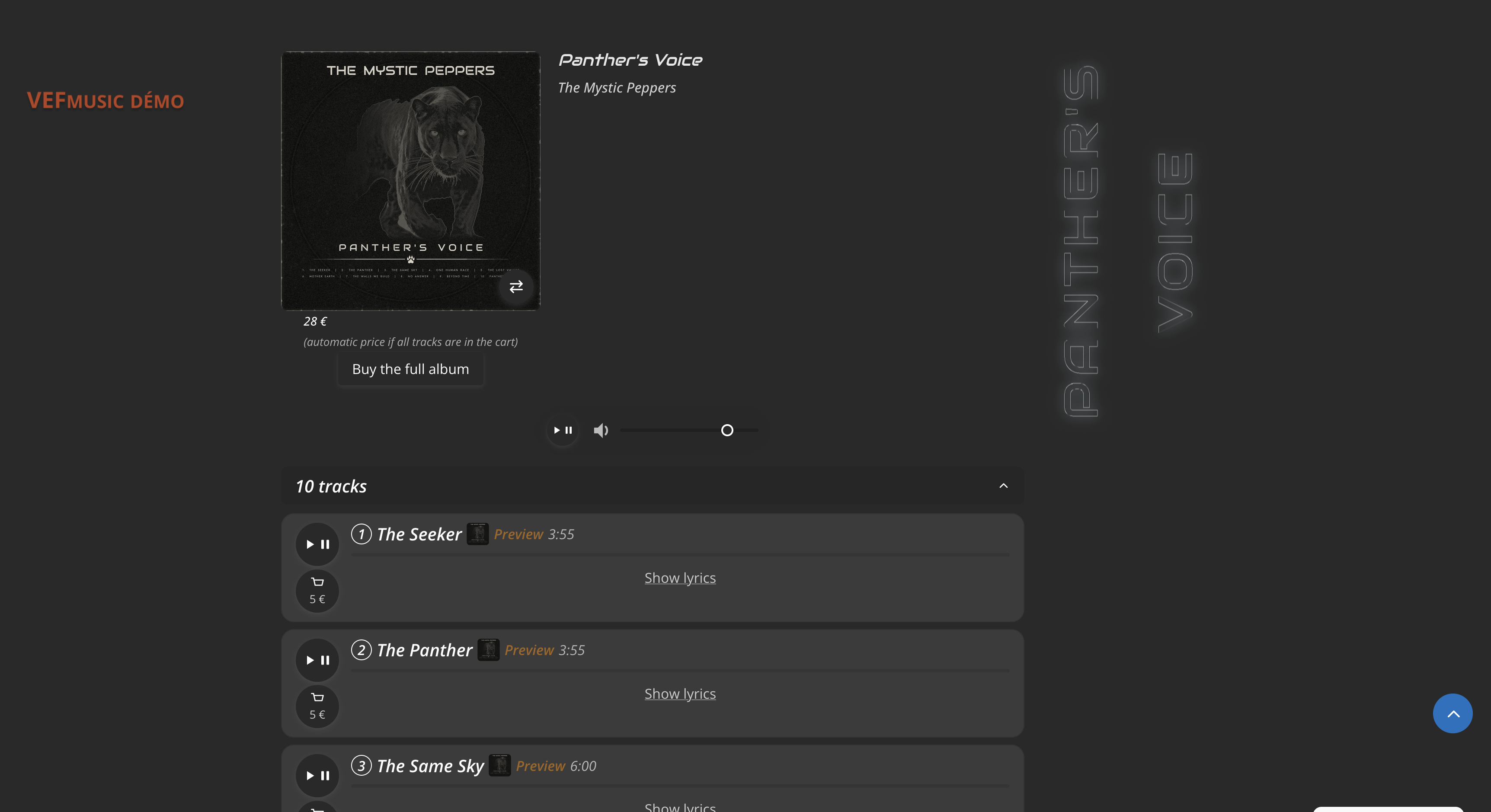
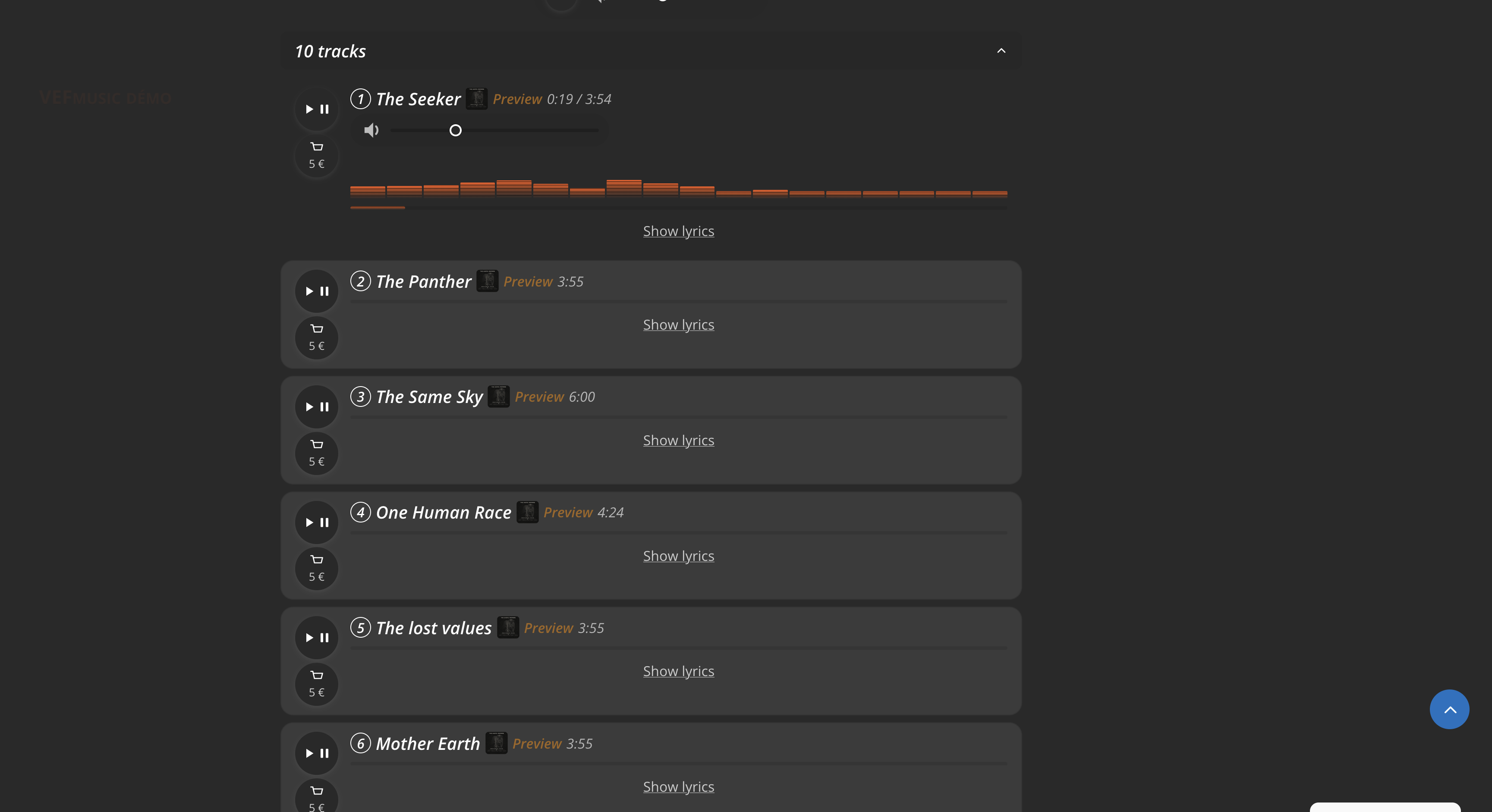
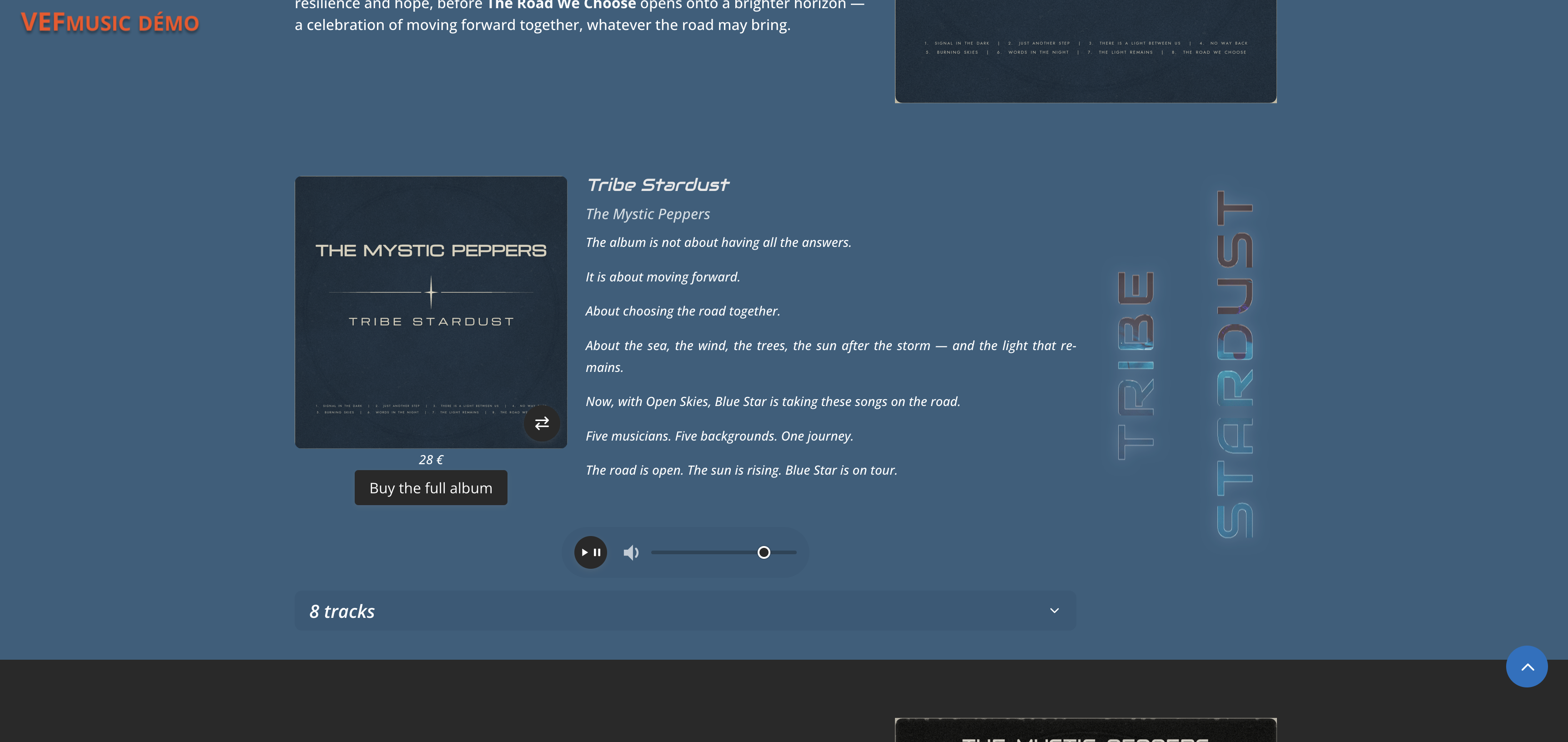
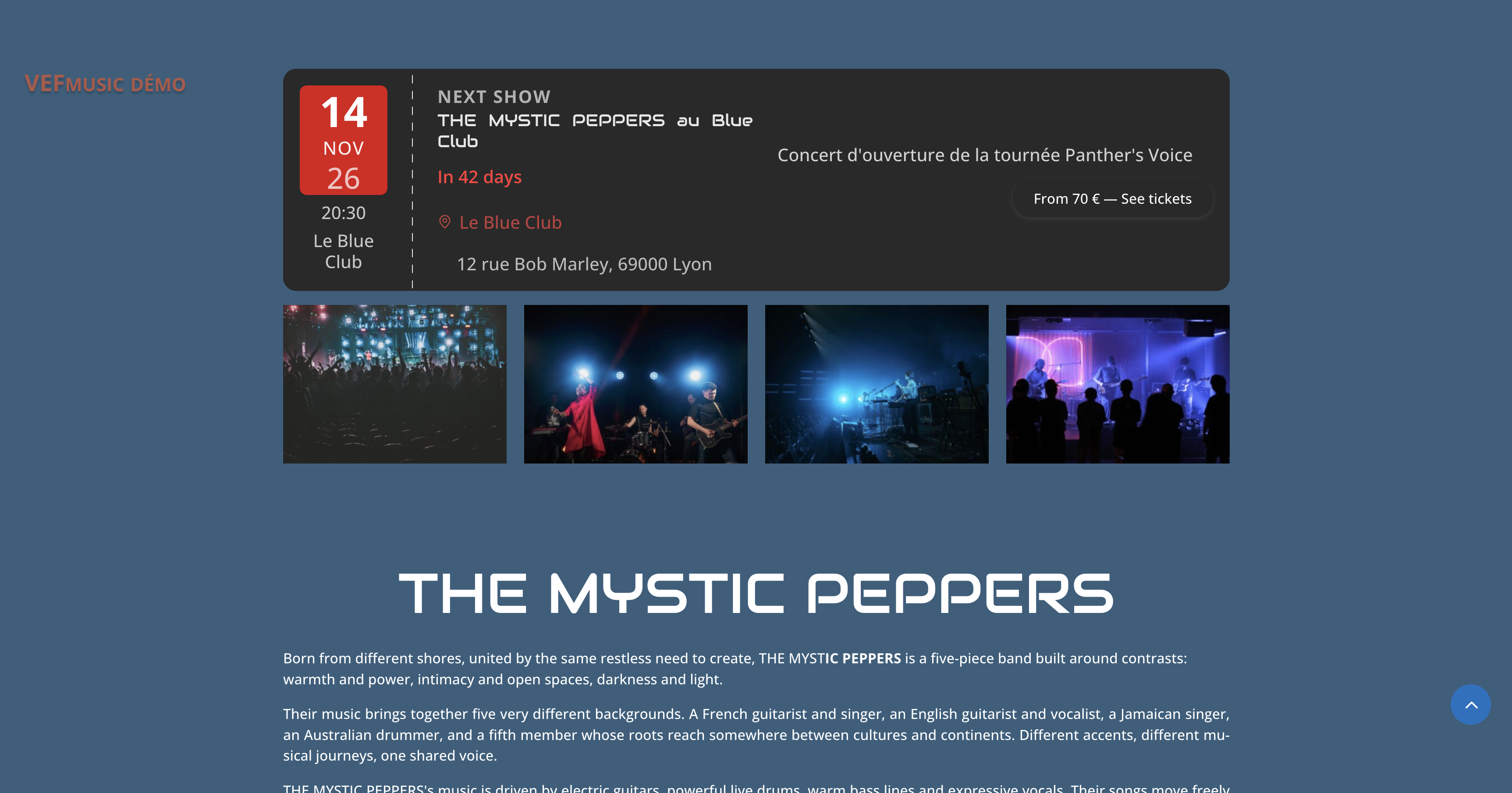

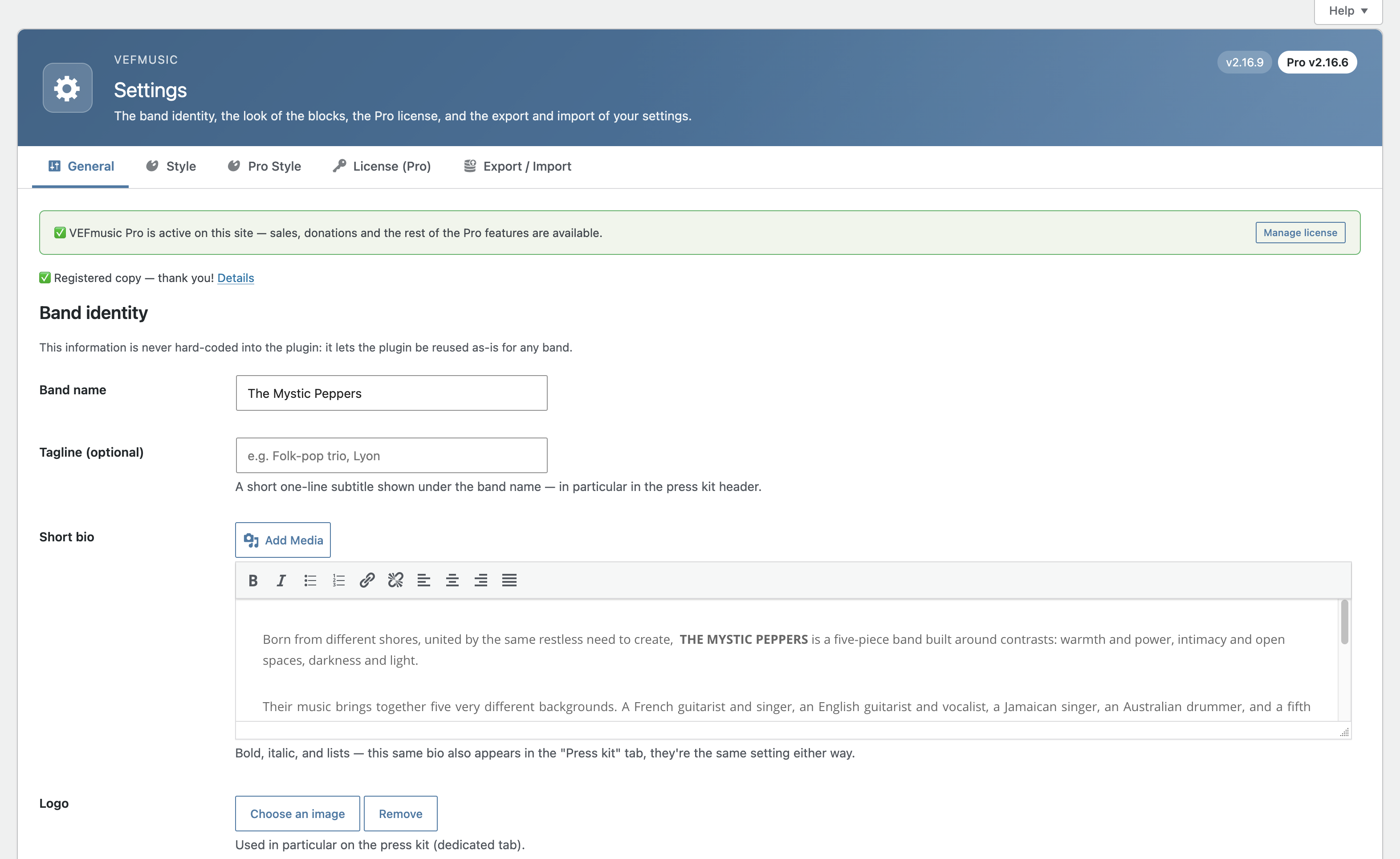
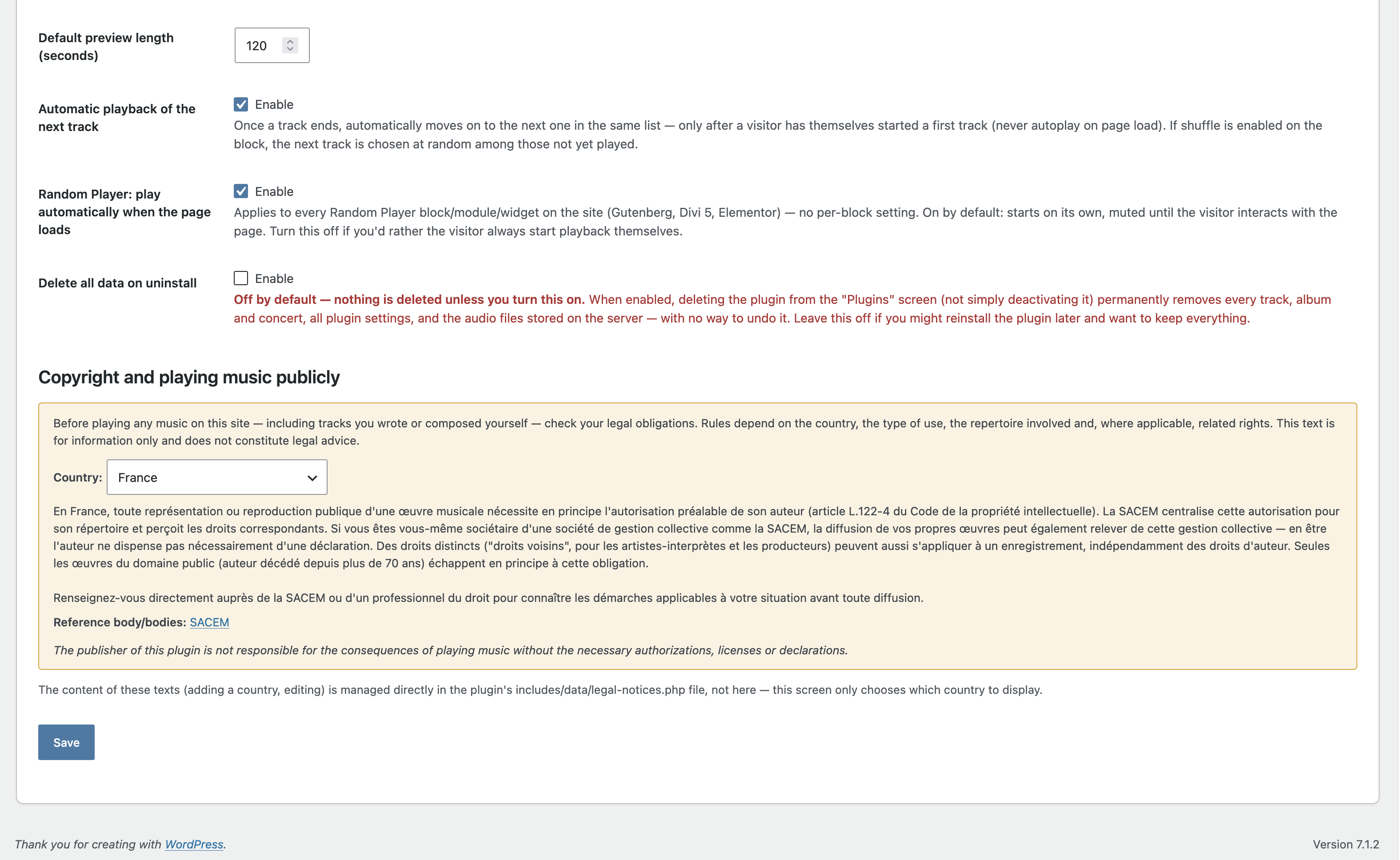
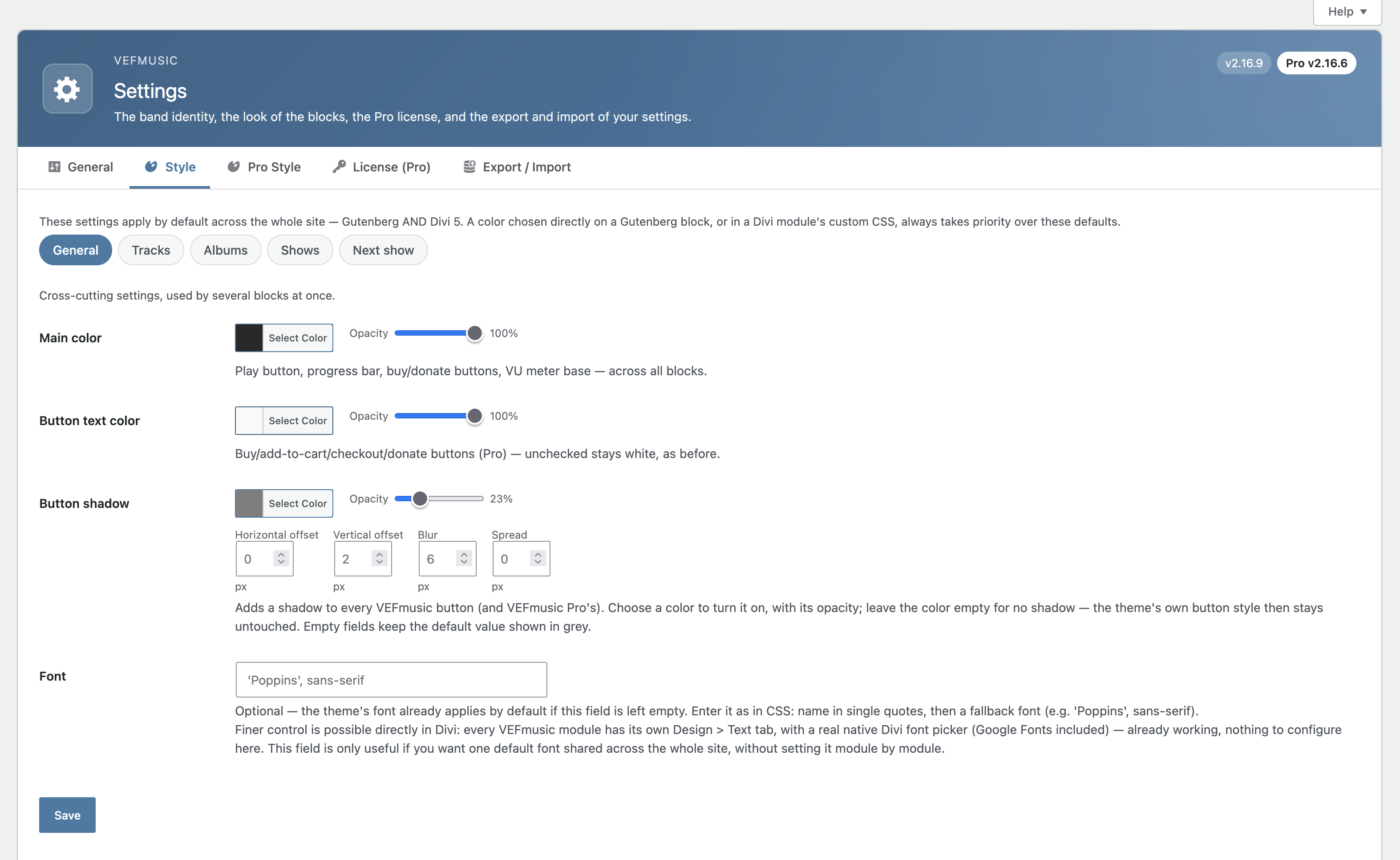
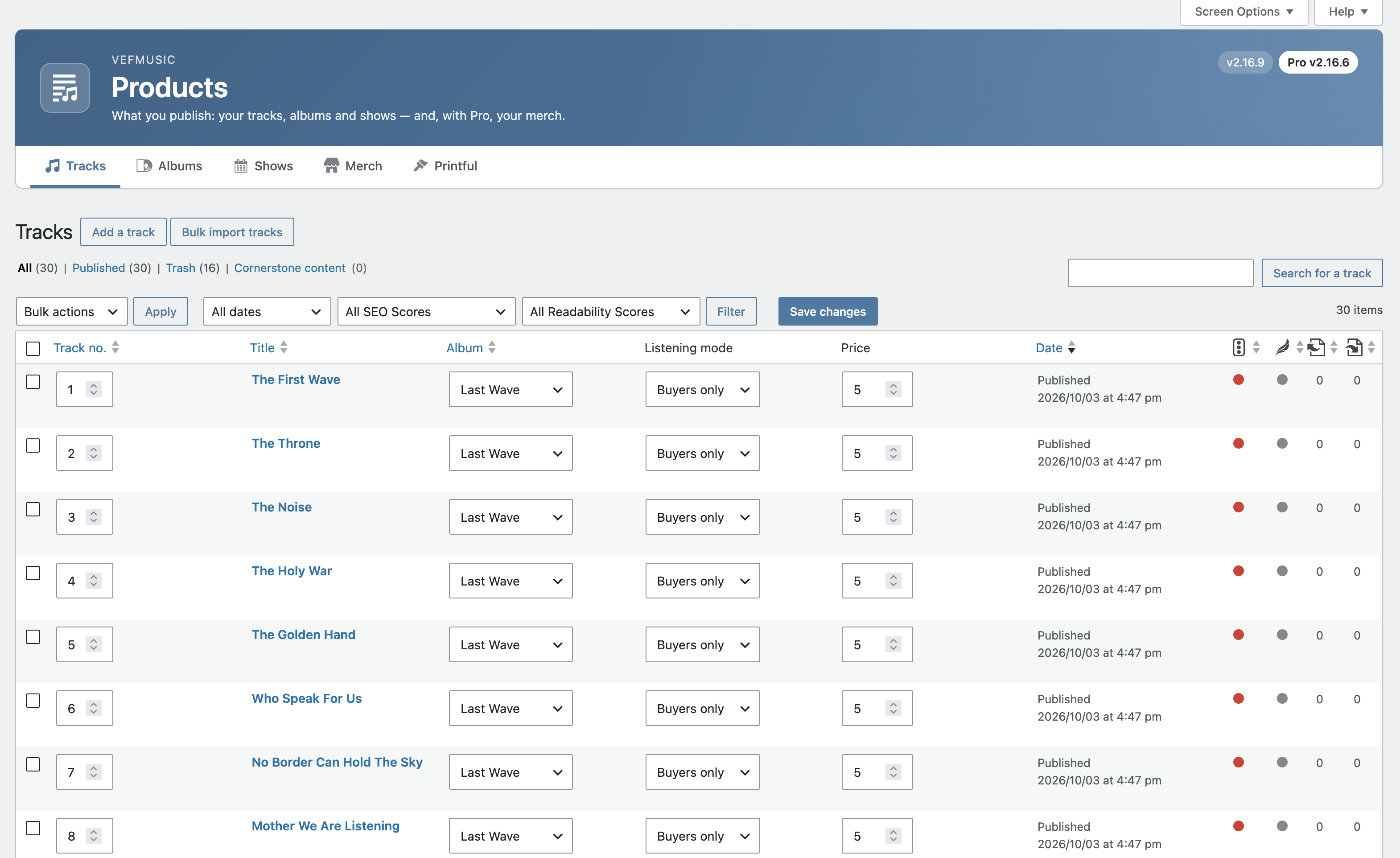
Blocks
This plugin provides 6 blocks.
- VEFmusic — Track List Displays published tracks with a player and buy button.
- VEFmusic — Next Show Highlights the next upcoming show, in an enlarged ticket-style layout (featured mode always active, nothing to configure — equivalent to the Divi "Next Show" module). To choose featured mode yourself case by case, use the "Shows" block instead.
- VEFmusic — Random Player Plays in the background, in random order, tracks set to free full listen — starts automatically, stopped by the visitor or when leaving the page. Ideal for a photo gallery page.
- VEFmusic — Past Shows Archive of shows that have already passed, most recent first. Deprecated (v2.10.16) — use the "Shows" block instead and set "Shows to display" to "Past", kept only so pages where this block is already placed keep working.
- VEFmusic — Album Displays a full album: cover, tracklist, bundled buy button.
- VEFmusic — Shows Displays the list of upcoming shows.
Installation
- Upload the
vefmusicfolder to/wp-content/plugins/, or install it through the WordPress admin under Plugins > Add New. - Activate the plugin.
- Go to VEFmusic > Settings > General to enter your band’s identity.
- Add your tracks, albums and shows, then place the blocks on your pages.
FAQ
-
Does this plugin sell anything?
-
No. VEFmusic is a showcase plugin only. Selling tracks, albums, merch (including print-on-demand), tickets, accepting donations or running a preorder / crowdfunding campaign requires the separate VEFmusic Pro extension.
-
Will it look right with my theme?
-
VEFmusic uses native blocks and takes your theme’s fonts and text sizes by default; colors, borders and spacing can be adjusted in the block settings and in the VEFmusic style screen. It is built for the block editor, with Divi 5 modules and Elementor widgets included.
-
Can visitors download my music?
-
VEFmusic is for listening: each track has a listening mode (preview, free full listen, or buyers only), and audio files are never exposed by a direct link. Selling downloads is part of the optional VEFmusic Pro extension.
-
No cookie, and no IP address is ever stored. Listening statistics are anonymous counters. The optional visitor rating form stores only a rating, a display name and an optional comment — never an email address or an IP address. The optional press kit contact form (off by default) logs the name, email address and date of each request. The only data that leaves your site is what you choose to send through the optional support form or the optional free license — see “External services” below.
-
How does the press kit work?
-
The Press kit screen builds a multi-page PDF from your published content: biography, links and social media, albums with covers and upcoming shows. You can add your own text sections, choose their order, and optionally offer a zip with the original full-resolution files. You can also ask visitors to fill in a short contact form before downloading.
-
Can I add many tracks at once?
-
Yes. Select several audio files at once (for example a whole album): VEFmusic creates matching draft tracks, reads their tags (title, duration, track number, album, genre), and lets you review and confirm before publishing. Supported audio formats: MP3, WAV, FLAC, OGG and M4A.
-
Can I translate VEFmusic?
-
Translations are managed by the community on translate.wordpress.org — you can help translate VEFmusic into your language there.
-
Do I need Divi or Elementor?
-
No. VEFmusic works with the native WordPress block editor (Gutenberg) out of the box. Divi 5 and Elementor support is provided in addition, not required.
-
Where are my audio files stored?
-
Outside the media library, in a protected location never accessible by direct link — playback always goes through an access check based on the track’s listening mode.
-
Can I use this plugin for any band, or is it built for a specific one?
-
VEFmusic is fully generic: nothing is hard-coded, everything comes from your own settings and content.
Reviews
There are no reviews for this plugin.
Contributors & Developers
“VEFmusic” is open source software. The following people have contributed to this plugin.
Contributors
“VEFmusic” has been translated into 1 locale. Thank you to the translators for their contributions.
Translate “VEFmusic” into your language.
Interested in development?
Browse the code, check out the SVN repository, or subscribe to the development log by RSS.
Changelog
2.16.17
- Improved: pressing the global play button of an Album or Track List block now opens the album’s collapsible track list when it is closed, so you can see which track is playing. A list you closed yourself while listening stays closed.
2.16.16
- Improved: the preview of a track now ends exactly where you asked. For WAV and MP3 files the plugin counts the audio itself instead of estimating from the file size, so the length is right whatever the bitrate, and a large cover picture or tag at the start of an MP3 no longer shortens it. FLAC and other formats keep the previous estimate.
2.16.15
- Fixed: when a track had no duration entered (or one in an unexpected format), its preview length setting was ignored and a fixed amount of audio was played instead (about 20 seconds of an MP3, but only about 4 seconds of a WAV). The duration is now read from the audio file itself (WAV, FLAC and MP3), so the preview length always applies.
- Fixed: changing the preview length of a track (or the default preview length in the settings) had no visible effect for a visitor, or the webmaster, whose browser had already played that preview: the old, longer or shorter preview kept being reused. The preview now comes with a version that changes with its length, so the new length is used straight away.
2.16.14
- Changed: the MP3 version generated from your master files (the one visitors stream, and the one buyers download with VEFmusic Pro) is now encoded at 320 kbps instead of about 190 kbps. Tracks already converted keep their current quality until you upload their master file again.
2.16.13
- Changed: the album price field now says it is the price of the album’s digital download, and that a vinyl or any other physical edition is a separate product (a Merch product with VEFmusic Pro). The same note appears in the Help screens.
2.16.12
- Fixed: a few labels and descriptions of the Divi 5 modules (Album, Shows, Past Shows, Random Player, Track List) were still written in French in the plugin itself. They are now in English like the rest of the plugin, with the same names as the matching blocks and Elementor widgets.
2.16.11
- Fixed: in a “two columns” section of the press kit, a photo no longer floats in the middle of its column, which pushed the two photos far apart. Photos now fill the width of their column (up to a maximum height, since the pictures in the PDF only illustrate the kit), flush left.
- Fixed: in a “two columns” section, the column titles now always stay on the same page as the top of their columns. A title is no longer left alone at the bottom of a page while its photo moves to the next one, and the two columns always start on the same page. A column that is longer than the page continues on the next page, as before. The same applies to the title of a two-column text paragraph.
- Fixed: text placed right under an image touched the bottom edge of that image.
- Changed: clearer press kit help. A new “How the kit works” help tab explains that the PDF illustrates and the zip carries the full-resolution originals, and which images end up in the zip.
2.16.10
- Fixed: in the press kit, images inserted in a text section or column with “Add Media” were missing from the PDF when the image was wrapped in a link, followed by a line break, or placed next to another image in the same paragraph. They are now all included, one under the other.
2.16.9
- Changed: the progress bar of the track being played now has the same LED-style, VU-meter look as the equalizer (accent colour at the bottom, peak colour at the top), and follows the same Style settings.
- Changed: a few help texts no longer call the plugin “VEFmusic (free)”; it is simply VEFmusic.
- Changed: layout refinements to the blocks (text labels, badges, toggle buttons, album cover and zoom button now use flex layout so themes cannot misalign them; the buy button of the Shows block keeps its own layout).
2.16.8
- Fixed: in a “Two columns” press kit section, switching a column to “Text” left its editor disabled, so the text typed there was not saved.
- Fixed: removing a media section and then adding a new text section by Ajax could give two editors the same identifier. Editors are now identified by their section, not by their position.
- Fixed: clicking two “Add a … section” buttons in quick succession could lose one of the two sections. Only one addition runs at a time.
2.16.7
- Fixed: saving the press kit could silently wipe or mix up the content of its media sections. When a kit had several sections of different types (text, photos, documents, audio, two columns), saving the page — even without changing anything — could empty the text, the selected files or the colors of every section after the first, or move them to another section. This also affected the additional kits of VEFmusic Pro. The fields of each section are now numbered section by section and read by name, so a save keeps exactly what is on screen. Sections already emptied by an earlier save cannot be recovered automatically: check your kit and re-enter what is missing.
2.16.6
- Fixed: Shows block (ticket-style layout) — the blocks inside a show now wrap onto a new line when there is not enough room, instead of squeezing together.
2.16.5
- Improved: a new look for the whole admin. Every screen has a header in the color scheme you chose in WordPress, with the name of the page, what it is for and the version; the tabs are pills with an icon, and a red counter shows how many visitor ratings wait for your approval.
- Improved: the menu now follows how you work — Products, Sales, Marketing, Settings, Help. “About” and “Diagnostics” moved to the Help page, and the menu entry of a page stays highlighted on each of its tabs. Every address, form and bookmark keeps working.
- Added: the “Help” button of WordPress now works on every screen of the plugin, with a few short topics for that screen.
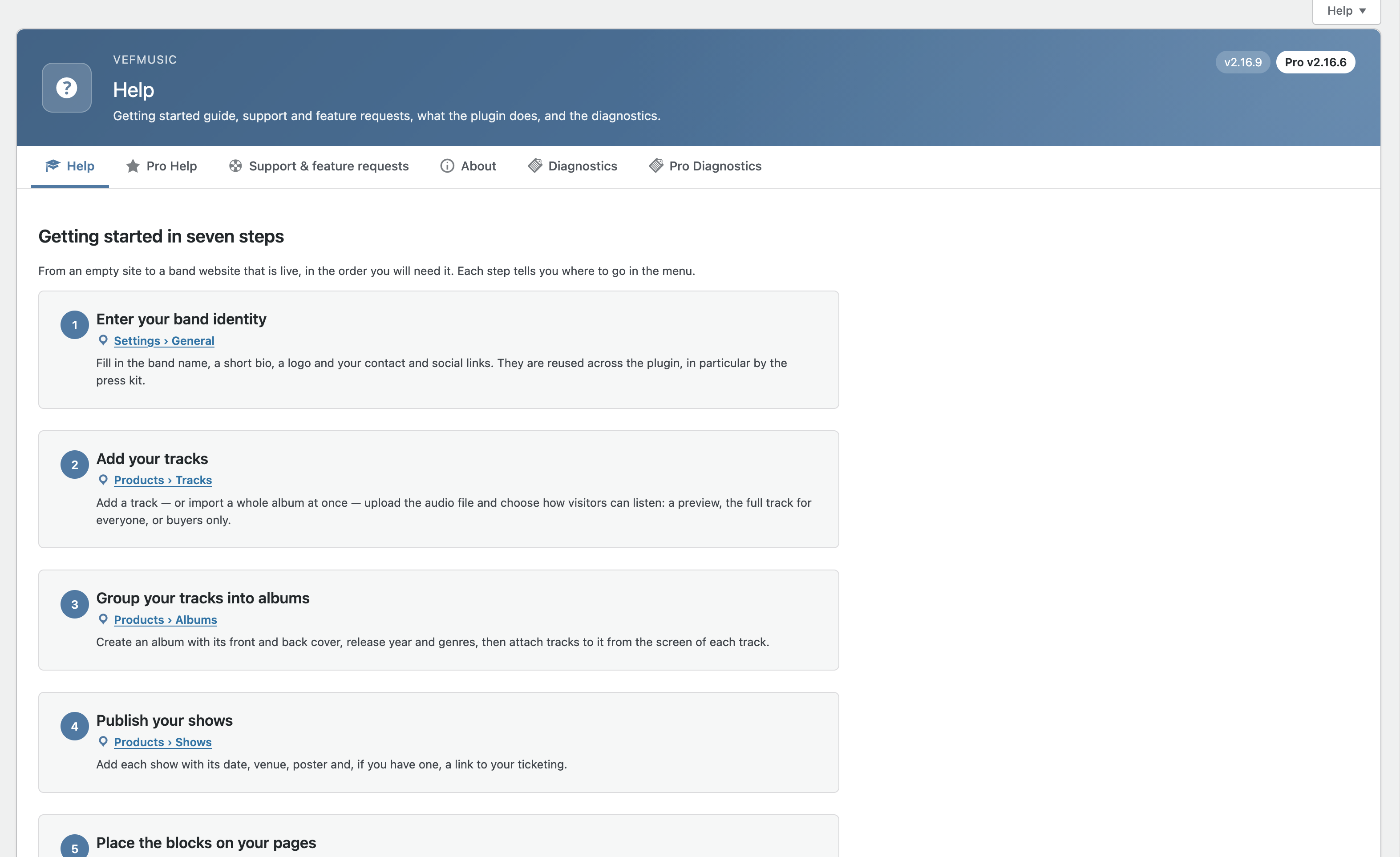
- Improved: the Help tab is now a getting started guide in seven steps, each one with its place in the menu, followed by the detailed reference in folded sections (nothing was removed). “About” has a new “Where to find what” section.
- Improved: the bulk import of tracks has the same header and tabs as the other Products screens.
- Fixed: menu paths quoted in the help texts now match the new menu.
- Fixed: the link to the General settings at the top of the Press kit screen was always shown in French; it is now translatable.
2.16.4
- Added: a new action,
vefm_concert_duplicated, fires when a show is duplicated from the Shows list, so extensions can copy their own per-show data (VEFmusic Pro uses it to copy the ticket zones).
2.16.3
- Changed: the button that flips the album cover now shows two opposite horizontal arrows instead of two circular arrows, on the album cover and in the enlarged view.
- Fixed: random player — its inner padding now matches the track players by default (10px 16px). It used to scale with the theme’s text size and could look larger than the tracks.
2.16.2
- Added: “Enlarge on click” setting (off by default) on the Album, Shows, Next Show and Past Shows blocks, Divi 5 modules and Elementor widgets: a click on the album cover or the show poster opens it in a larger view, with a flip button when the album has a back cover. The background takes the color of your site.
- Fixed: random player — the volume button now switches to the crossed-out speaker icon when muted, like the other players.
- Fixed: Tracks list (admin) — the “Album” column header now sorts in descending order on the first click (the list already opens in ascending order).
- Fixed: Shows block — a very long venue name without spaces no longer sticks out of the show card on very narrow phones.
- Improved: Help tab — documents settings that were missing (data removal on uninstall, tagline, preview length, audio formats for sale, automatic album discount, track style settings).
- Maintenance: Plugin Check errors fixed (translators comment, documented exceptions).
2.15.60
- Fixed: Help tab — the paragraph about the Tracks list displayed stray backslashes around the quoted button and column names (introduced in 2.15.58).
- Maintenance: internal code comment translated to English.
2.15.59
- Fixed: concert block (featured layout) — a long venue name without spaces no longer overflows its 90px column; it now wraps.
- Fixed: track number badge — a number with two digits or more (such as track 10) no longer overflows its circle; the badge now stretches into a pill around the number.
2.15.58
- Added: Tracks list (admin) — a “Track no.” column, editable in each row and saved with the existing “Save changes” button. The list now opens grouped by album (tracks without an album last), each album’s tracks sorted by track number then title — the same order as the album tracklist on your site. The “Album” and “Track no.” headers are sortable too.
2.15.57
- No functional change. Repackaged so a fresh install properly replaces every file (a same-version file edited in place through the WordPress file editor can be kept by PHP’s opcode cache until the next full plugin install).
2.15.56
- Fixed: press kit PDF — a section title (for example “Albums”, or a photo section such as front/back covers) is no longer printed alone at the bottom of a page while its content starts on the next one.
- Fixed: press kit PDF — pages are now filled down to the footer margin, so a short last section (such as “Links & networks”) no longer lands alone on an extra page when there is room left.
- Changed: the button that flips the album cover no longer has a light ring around it; only the two circular arrows on the accent-colored disc remain.
2.15.55
- Added: Album block — when an album has a back cover, a small button on the cover switches between the front and the back. It uses the accent color and button text color from VEFmusic > Style (and the global button shadow), and works the same in Gutenberg, Divi 5 and Elementor. Albums without a back cover look exactly as before.
2.15.54
- Added: albums now have their own “Band name” field, shown under the album title in the Album block (all builders) and in the grouped track list. It is also used as the artist in the album’s structured data. Leave it empty to show no band name.
- Fixed: the bulk track import screen no longer triggers a PHP 8.1+ deprecation notice about the page title.
2.15.53
- Fixed: PHP 8.5 compatibility — the press kit PDF engine no longer calls a GD function deprecated in PHP 8.5. No visible change.
2.15.52
- Changed: Shows block — on tablets, the ticket buttons stay right-aligned; they are only centered on phones.
2.15.51
- Added: button shadow — one setting in VEFmusic > Style > General adds a shadow to all VEFmusic buttons (and VEFmusic Pro’s): horizontal and vertical offset, blur, spread and color with opacity. No color chosen = no shadow, the theme’s button style is kept.
- Fixed: the settings export now includes the button text color.
- Fixed: the rating form’s submit button now follows the main color set in VEFmusic > Style.
2.15.50
- Changed: Track List and Album blocks — the playlist toolbar (play all, shuffle, volume) now only takes the width of its buttons instead of the whole row, and is centered.
2.15.49
- Changed: Shows block (list mode) — on tablets, when the buttons move below the show details, they are aligned to the right edge of the card instead of being centered as a group.
2.15.48
- Changed: show cards with a poster — the poster column now takes 20% of the card (never less than 120px) instead of a fixed 160px, and the poster moves above the show details below 980px.
- Fixed: Random Player — the “Stop” button now uses the block’s font instead of the browser’s default font.
2.15.47
- Changed: on small screens, the playlist toolbar keeps play/pause and volume on one line (the Shuffle button wraps below when needed), instead of stacking everything vertically.
- Removed: an unused small-screen rule for show cards with a poster (those cards already switch to a single column below 780px).
2.15.46
- Changed: the Shuffle button of the Track List block now looks like the other player buttons (filled with the accent color). When shuffle is on, a ring is shown around it.
- Fixed: Random Player — the “volume” and “mute” speaker icons could both show at once with some themes; only one is shown now.
2.15.45
- Changed: the volume controls (per track and in the playlist toolbar) are never wider than 300px.
2.15.44
- Fixed: Elementor — the Past Shows and Next Show widgets now pick up the settings of VEFmusic > Style > Shows (colors, border, spacing, title and venue sizes), like the Gutenberg blocks and Divi 5 modules. The Next Show widget still uses its own tab first.
2.15.43
- Changed: block titles (Album, Shows, Next Show, Past Shows) now use the theme’s heading size and weight by default. A title size set in VEFmusic > Style still overrides it. Show titles may therefore look smaller than before on some themes: set a size in VEFmusic > Style to get the previous look back.
- Fixed: with no size set, the album title took the surrounding text size instead of the theme’s heading size.
2.15.42
- Changed: in track lists and albums, the per-track volume control now sits under the track title and comment, with a slider that uses the available width; the duration is shown right after the title and its badges.
- Changed: on small screens, the playlist toolbar and the Random Player stack their controls vertically.
- Changed: track titles are vertically centered with their badges.
2.15.41
- Fixed: free license — after clicking the confirmation link, the About screen could keep asking to confirm for up to an hour; the status is now checked again each time the screen is opened until it is confirmed.
- Fixed: free license — the “An email is on its way” message is shown once only, instead of coming back on every page reload.
2.15.40
- Added: optional free license (VEFmusic > Help > About). Register your copy to receive news, offers and faster support — entirely optional, nothing is sent without your explicit consent, and it unlocks nothing: VEFmusic stays free and complete. Double opt-in by email, unregister at any time (your data is then deleted). See “External services”.
2.15.39
- Changed: blocks now use the theme’s fonts by default — body text and headings alike. The font set in VEFmusic > Style still applies when filled in, now to block headings too.
- Changed: font sizes come from a single fluid scale (
--vefm-font-size-*), growing smoothly from phone to desktop and respecting browser zoom, used wherever the active theme doesn’t define its own font size presets — one place to adjust, overridable in custom CSS. - Changed: wider volume slider on large screens (still bounded on mobile); the show date badge uses the plugin’s own scale so a theme’s large presets can no longer make it overflow.
- Fixed: a font picked in the block editor’s Typography panel could fall back to the browser’s default font on buttons inside the block.
- Removed: leftovers of a former self-hosted update mechanism are cleaned up automatically on sites installed from an older package; updates come from WordPress.org only.
2.15.37
- Fixed: press kit — adding a section (Ajax add or its no-JS fallback) could silently write to the default kit’s sections instead of the one actually being edited, when used from VEFmusic Pro’s “additional kits” screen — found while checking whether this exact fix (already made for VEFpressKit) was needed here too. Now correctly targets the kit actually being edited, via the same extension points VEFmusic Pro already uses for reading/saving a kit’s settings.
2.15.36
- Changed: most font sizes now follow the active theme’s typography scale (
--wp--preset--font-size--*variables) instead of a fixed value of the plugin’s own — consistent with what already existed for colors. Each declaration keeps its previous value as an explicit fallback, so nothing changes on a theme that doesn’t define that scale (beta-tester feedback).
2.15.35
- Fixed: WordPress.org compliance — removed the last-resort system-binary fallback (
proc_open()) used to decode Brotli-compressed data inside a .woff2 font file, spotted while porting this same feature to VEFpressKit (already fixed there in its own 1.12.4). Shell command execution is closely scrutinized by WordPress.org’s automated checks even with a legitimate external binary and a clean fallback. Decoding now only happens through the nativebrotli_uncompress()PHP extension; otherwise the kit still falls back to Helvetica for that role exactly as before, just without ever attempting a system-level call.
2.15.34
- Fixed: press kit — a .woff file couldn’t actually be used as a font on this hosting (2.15.33’s own “always supported” message was misleading for one real case): a .woff wrapping an OpenType/PostScript (CFF) font internally silently failed at PDF generation time, with no warning shown when selecting it. The font picker now actually attempts the conversion at selection time (like .woff2 already did for its own Brotli-availability check), and shows a clear, specific message — including telling CFF apart from any other invalid file — instead of a blanket reassurance. Same precision added to the Diagnostics screen’s own check for this field.
2.15.33
- Added: press kit — custom title/text fonts now also accept .woff (WOFF1) files, converted on the fly (new VEFM_WOFF_Font class) exactly like the existing .ttf/.woff2 support. Unlike .woff2 (which needs Brotli decoding, not guaranteed on every hosting), .woff uses zlib — natively supported by PHP everywhere, so it always works, no hosting-specific limitation or fallback warning.
- Fixed: the “select a font file” button and its help text now correctly list all 3 supported extensions (.ttf, .woff, .woff2) — previously only mentioned .ttf and .woff2, even though the actual limitation for reliable use is the font’s own internal technology (TrueType only — OpenType/PostScript/CFF fonts, regardless of which of these 3 extensions wraps them, were never supported and still aren’t).
2.15.32
- Changed: press kit PDF — more breathing room below the “Press contact” box on the first page, before the next section (26pt 40pt).
- Changed: press kit PDF — even more breathing room below the header band repeated on pages automatically added past the first (96pt 130pt margin, on top of 2.15.31’s own increase) — the band’s own height is unchanged (80pt).
2.15.31
- Changed: press kit PDF — the smaller header band repeated on any page automatically added past the first is taller again (46pt 80pt, on top of 2.15.29’s own increase) — the first page’s band is unchanged. The breathing room between the bottom of that band and the page’s first line of content grows accordingly (62pt 96pt), everywhere that gap is used.
2.15.30
- Fixed: block editor settings fields (Album, Concerts, Track List) no longer trigger a WordPress deprecation notice in the browser console — updated to the current default field size expected by WordPress.
2.15.29
- Changed: the header band on the first page, and the smaller header band repeated on any page automatically added past the first, are now taller — easier to read at a glance, more room to breathe around the band name and logo.
2.15.28
- Changed: even more breathing room between press kit sections — spacing doubled again, on top of 2.15.27’s fix.
- Fixed: the press kit’s active-campaign section (from VEFmusic Pro) now shows the same title style (underline included) as every other section, instead of plain bold text.
- Added: optional background/text color specifically for that section, same as any paragraph or media section.
- Fixed: a real, longstanding bug — the funding goal shown in that section always displayed “0.00 €” regardless of the actual amount set on the campaign. Now shows the real goal.
2.15.27
- Fixed: an untitled paragraph or text section in the press kit PDF no longer shows a placeholder “(Untitled section)” heading — it now moves straight to the content.
- Fixed: a section title in the press kit PDF could be printed alone at the very bottom of a page, with all of its content pushed to the next page — every section now keeps its title together with at least the start of its content.
- Changed: more breathing room between press kit sections (Biography, Links, Albums, Shows, paragraphs, photos, documents/audio) — closer, more consistent spacing than before.
- Fixed: text added to the press kit by VEFmusic Pro (active preorder campaigns) now follows the kit’s own title/text colors, instead of always showing in black.
2.15.26
- Fixed: hardened the confirmation text on the License/Rollback screen so a corrupted translation file can no longer break the whole page — falls back to a plain-text message instead of a fatal error.
- Fixed: the round “add to cart” icon button no longer overrides VEFmusic Pro’s own button styling when reused in Pro’s shop and ticketing panels.
- Changed: slightly less rounded corners on the “Buy album” button, for visual consistency with the rest of the interface.
2.15.25
- Fixed: critical — a recent translation merge left 16 French strings corrupted (a stray duplicated/truncated line), one of them with a doubled %s placeholder that could throw a fatal PHP error in specific contexts. All 16 corrected; every translation file now checked for placeholder-count consistency, not just syntax.
2.15.24
- Fixed: extends 2.15.23’s fix — the theme was also disabling link color, line height and minimum height controls site-wide, not just spacing. Re-enabled specifically for VEFmusic’s own blocks, confirmed live (Divi 5) — every native Gutenberg control our blocks declare should now actually appear in the editor, regardless of what the active theme disables globally.
2.15.23
- Fixed: the “Spacing” (margin/padding) controls, absent from the block panel with some themes even though the block correctly declares support for them — the theme itself was disabling them site-wide (confirmed live: Divi 5 does this). Re-enabled specifically for VEFmusic’s own blocks, without touching the theme’s choice for the rest of the site.
2.15.22
- Added: every block now offers the full standard set of native Gutenberg controls — gradients (in addition to flat colors), line height and text alignment, drop shadow, minimum height. Brings VEFmusic in line with what webmasters expect from an established Gutenberg block.
2.15.21
- Added: every block now also supports Gutenberg’s native anchor (jump-link ID), matching what most established Gutenberg blocks offer — no visual change on its own, just makes the option available in the block’s Advanced panel.
2.15.0 – 2.15.20
- Added: Shows list — “Duplicate” action; optional automatic updates (manual by default); price, listening mode and album editable directly in the Tracks list with one “Save changes” button; “Preview”/”Full track” indicator on each track; Press kit — text and link color settings, “View PDF” opens in the browser tab; Style — “Button text color” setting; native wide/full alignment on every block.
- Changed: Track List / Album layout refinements (play, cart and volume controls grouped in one column, lyrics panel behaviour); the old native “Bulk Edit” album panel removed in favour of the editable Tracks list columns; Press kit page-number and contact-box styling.
- Fixed: Track List / Album cart button alignment and its display without VEFmusic Pro; Style settings (Album tab) saving on sites that had never touched the title size; Shows block “Read more” ellipsis; Press kit custom .ttf/.woff2 fonts refused on some hosts, contact-box background, image-only sections missing from the PDF and remaining PDF colors; Tracks list “Save changes” button.
2.14.1
- Changed: removed the bundled readme translation export file — the readme is no longer translated going forward, only the plugin’s own strings.
2.14.0
- Changed: Shows block — with “Also show past shows” enabled, upcoming shows now list first (soonest to farthest), then past shows (most recent to oldest).
- Added: Shows/Next Show style tabs — new “Title color” setting for the show title.
- Fixed: last show in the “Shows” block no longer keeps a bottom margin below it.
2.10.0 – 2.13.4
- A long run of visual polish and mobile-layout fixes across the Shows, Track List/Album and Random Player blocks (alignment, spacing, wrapping on narrow screens), plus the Help/About tabs brought up to date, a French-translation pass, and the introduction of the “Shows to display” setting (replacing the separate “Past Shows” block).
2.9.0 – 2.9.5
- Track audio files can be picked from the media library, not just uploaded. Accessibility warning added for the Random Player’s autoplay. Press kit weekly-download counter added. A few translation and pagination fixes.
2.8.0 – 2.8.6
- Optional full data removal on uninstall. Several track-upload reliability fixes for restrictive hosting environments. Press kit gained per-paragraph text alignment and an optional two-column layout. Assorted French-translation fixes.
2.6.0 – 2.7.2
- Press kit fully rewritten (unlimited custom sections, reorderable, clickable links, no more silent cut-off on long text) and its Divi 5 preview switched to live content. Two housekeeping fixes for WordPress.org’s translation tooling.
2.3.0 – 2.5.4
- 6 native Elementor widgets added. Optional lyrics field. Two critical upload/playback bugs fixed. Rollback screen and Plugin Check hardening.
2.0.0 – 2.2.12
- Initial WordPress.org release and the work leading up to it: update/rollback mechanism, press kit PDF improvements (logo, tagline, album selection), code hardening.