
Description
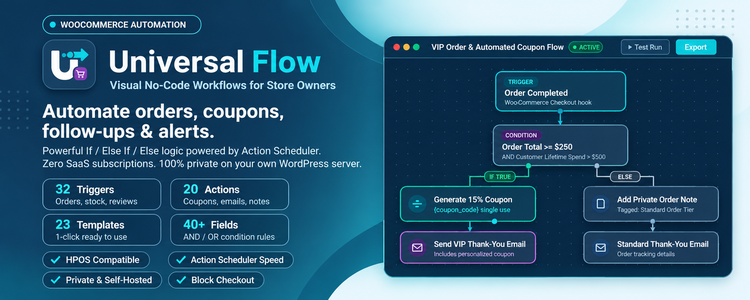
Universal Workflow Automation is a visual WooCommerce automation and workflow builder for store owners who want their shop to run itself. Automate order status updates, customer follow-up emails, discount coupons, low stock alerts, refund reviews and team notifications in minutes — without writing code and without an external automation service.
Pick a trigger (a new order, a failed payment, a refund, a product review, low stock…), add If / Else If / Else conditions, connect actions, and switch the workflow on. Every workflow runs in the background through Action Scheduler, so checkout stays fast, and every run is logged step by step, so you always know what happened and why.
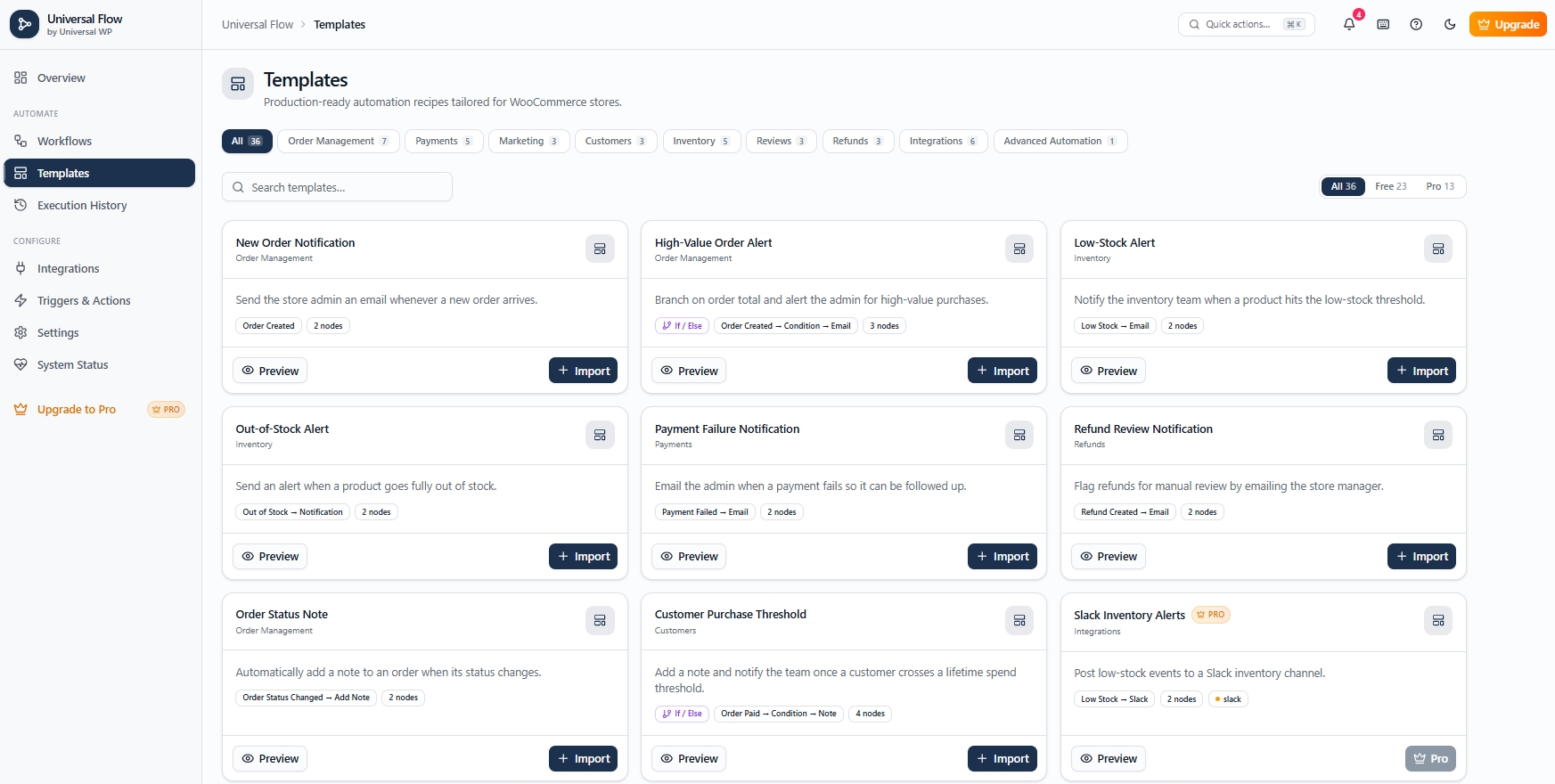
Start in one click with 23 ready-made automation templates, or build your own on the drag-and-drop canvas.
Why store owners choose Universal Workflow Automation
- Visual workflow builder – a drag-and-drop canvas for WooCommerce workflows. No code, no shortcodes, no SaaS account.
- If / Else If / Else logic – route every order down the right path: VIP or first-time buyer, big or small order, local or international, card or cash on delivery.
- 32 WooCommerce triggers – orders, payments, refunds, stock, products, reviews, customers and coupons, on WooCommerce’s own hooks.
- 20 WooCommerce actions – emails, order notes, order status, coupons, fees, refunds, stock, prices, product visibility, order and customer meta, dashboard notifications.
- 40 condition fields – order total, items, payment method, countries, coupons used, customer lifetime spend, order count, guest checkout, product stock and sales, review rating, day of week and more.
- 23 one-click templates – import and activate proven WooCommerce automations instantly.
- Background execution – workflows run through Action Scheduler (bundled with WooCommerce) with a WP-Cron fallback; customers never wait for an automation.
- Duplicate-safe and retry-safe – each store event starts a workflow once; failed steps retry automatically with backoff, and a retry never repeats an email or coupon that was already sent.
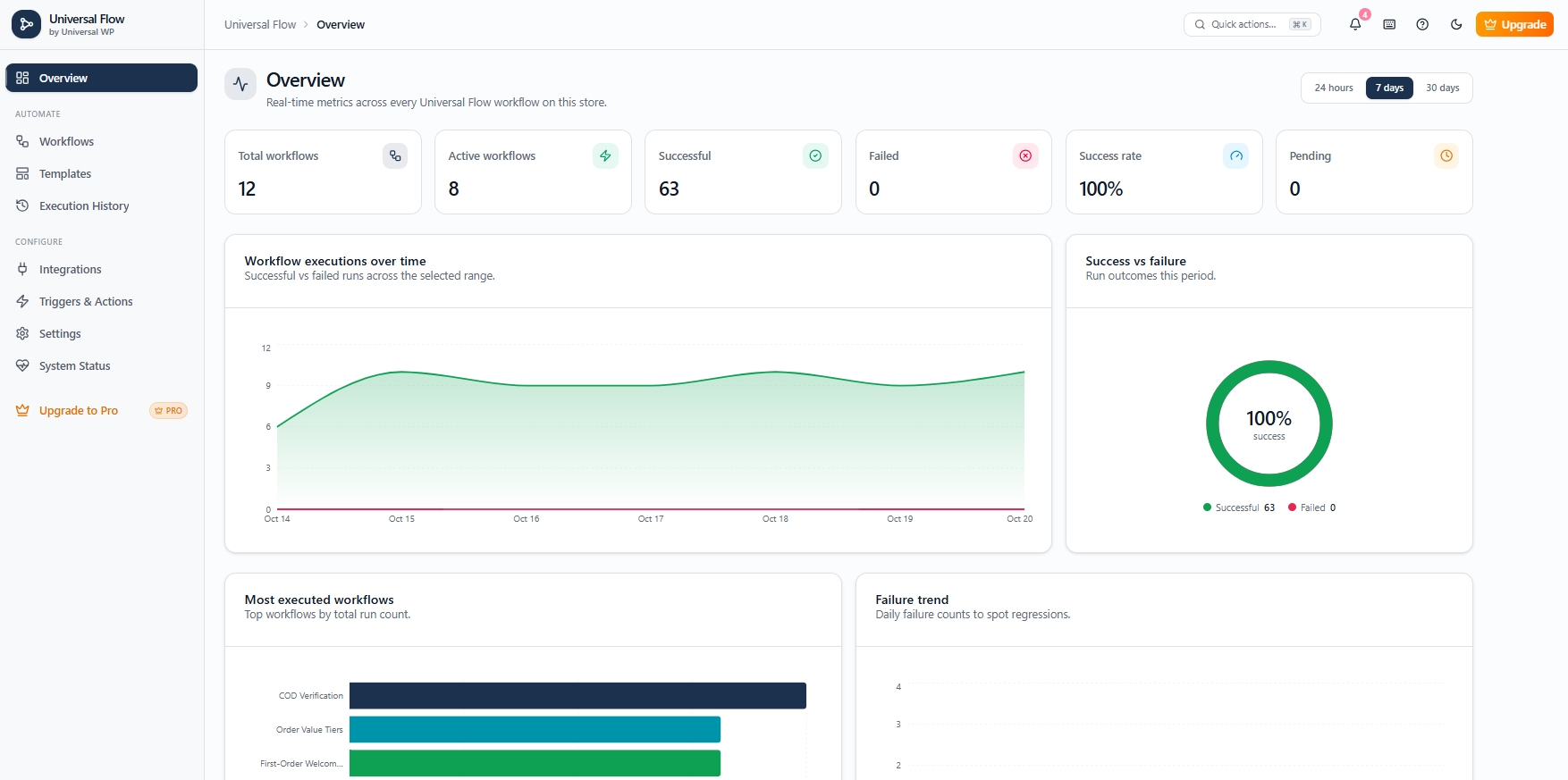
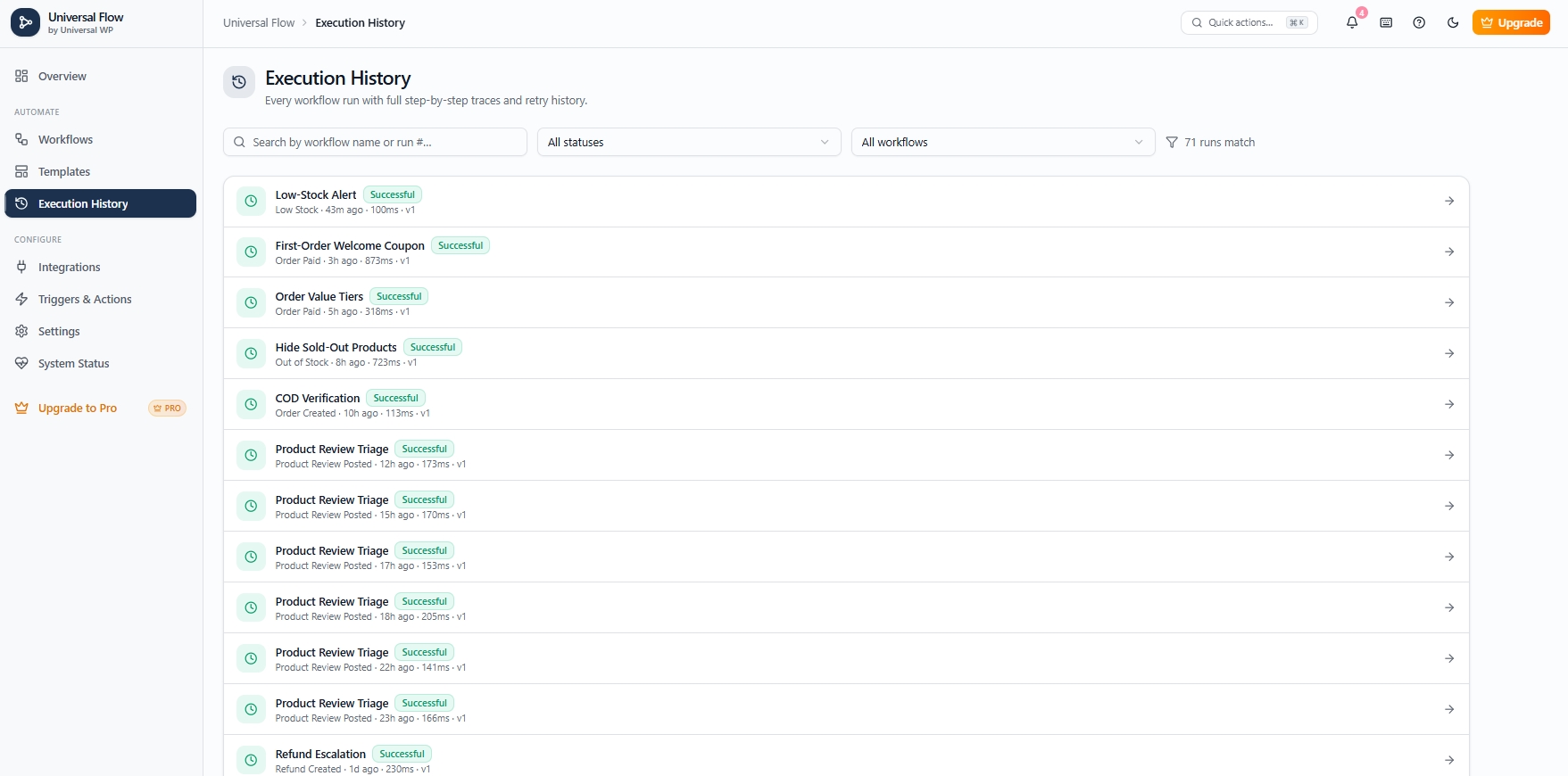
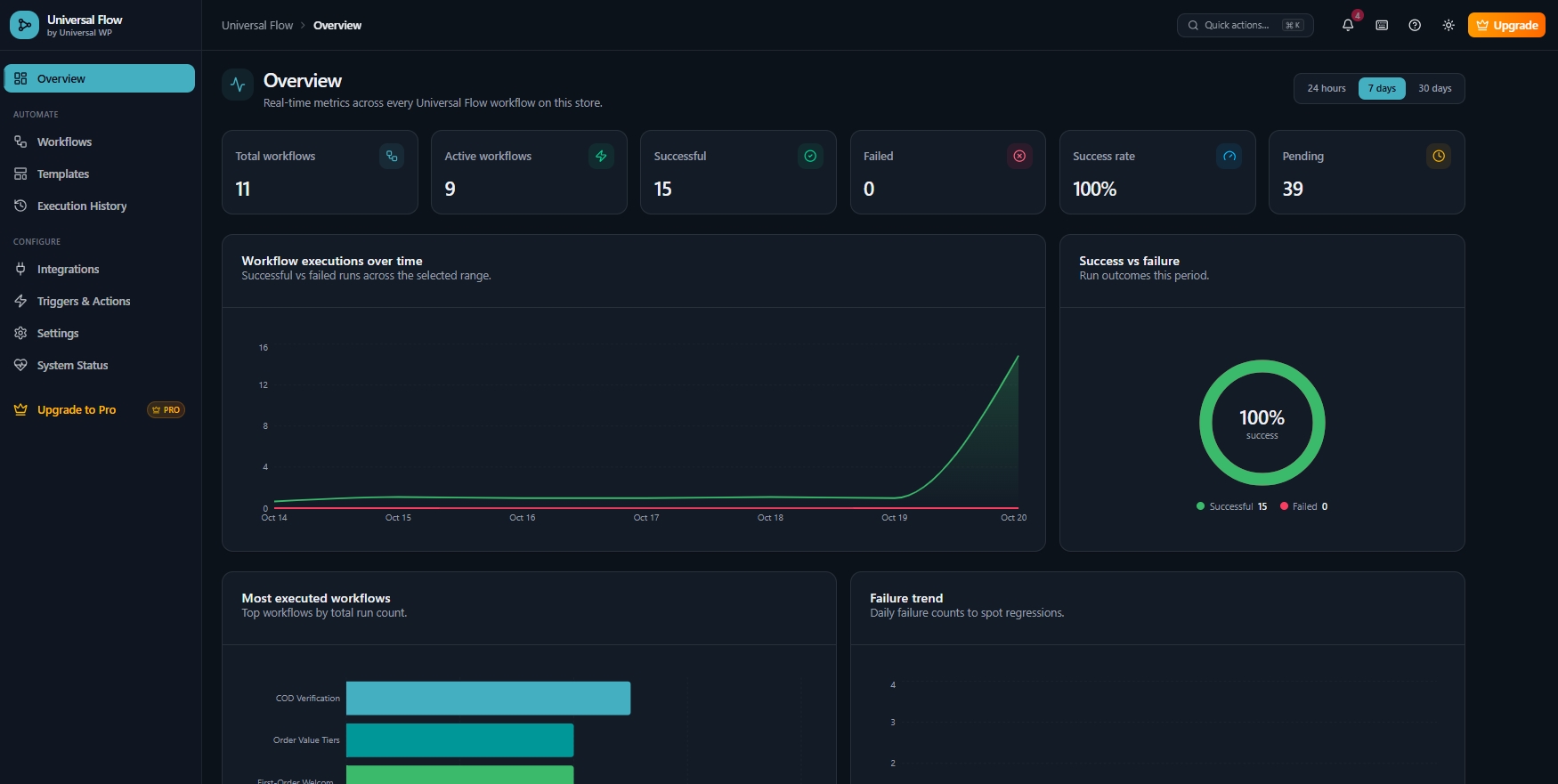
- Execution history – a step-by-step trace of every run: which branch was taken, what each action did, and any error. Customer emails are masked by default.
- Dry-run testing – test any workflow against your latest real order with every side effect switched off.
- Version history, import & export – roll back any change and move workflows between stores as JSON.
- HPOS compatible – works with WooCommerce High-Performance Order Storage and classic order tables.
- Private by design – the free plugin makes no external requests and sends no tracking data.
Popular WooCommerce automations you can build
- Order status automation – put risky orders on hold, complete virtual orders, add notes for your packing team.
- Customer follow-up emails – a thank-you email after an order is completed, a welcome email after the first purchase, or an account invitation to guest buyers.
- Discount coupon automation – generate a unique, single-use coupon for VIP customers, first-time buyers or cancelled orders and drop
{{coupon_code}}straight into the email. - High-value order alerts – email the store manager when an order passes 500, or tag orders Gold, Silver or Standard.
- Low stock and out-of-stock alerts – warn the inventory team before a best-seller sells out, hide sold-out products from the shop, and show them again when they are back in stock.
- Failed payment recovery – email the customer a link to pay again and notify the team, only for orders worth chasing.
- Refund monitoring – escalate large refunds, log small ones, and record the reason on the order.
- Cash on delivery verification – hold large COD orders until someone confirms them by phone.
- Product review management – alert the owner about 1–2 star reviews, collect 3-star feedback, celebrate 5-star reviews.
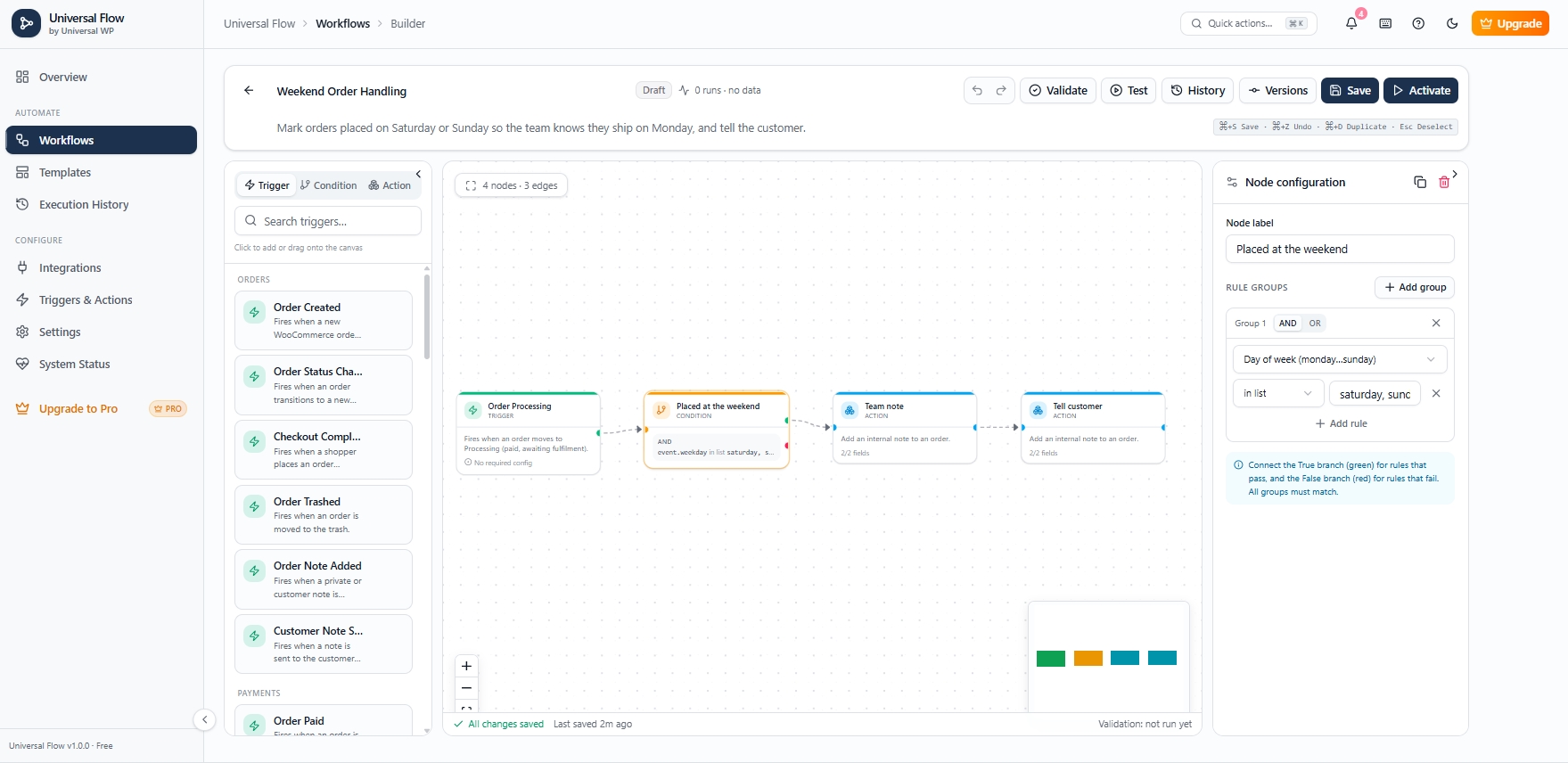
- Weekend and bulk order handling – tell customers weekend orders ship on Monday; flag wholesale orders of 10 or more items.
23 free WooCommerce automation templates
Every template validates out of the box: open it, click Import & activate, and it is live — or import it as a draft and adjust it first.
- New Order Notification – email the admin about every new order.
- High-Value Order Alert – If the total is 500 or more, alert the admin.
- Order Value Tiers – If / Else If / Else: Gold (500+), Silver (200+), Standard, saved as order meta.
- VIP Thank-You Coupon – customers who have spent 1000+ get a 15% coupon; everyone else gets a thank-you email.
- First-Order Welcome Coupon – 10% off the next order for first-time buyers.
- Guest Checkout Account Invite – invite guest buyers to create an account.
- Cancelled Order Win-Back – an apology plus a 10% coupon for registered customers who cancel.
- Customer Purchase Threshold – flag customers who pass a lifetime spend.
- Order Status Note – add a note when an order is completed.
- International Order Review – hold orders shipping outside your home countries for a customs check.
- Large Cash-on-Delivery Verification – hold COD orders of 300+ for phone confirmation.
- Weekend Order Handling – a note for the team and the customer on Saturday and Sunday orders.
- Bulk / Wholesale Order Alert – flag orders with 10+ items.
- Payment Failure Notification – email the admin when a payment fails.
- Failed Payment Recovery – email the customer a pay-again link for orders of 100+.
- Refund Review Notification – email the manager about every refund.
- Refund Escalation – 200+ alerts the admin, 50+ notifies the team, smaller refunds get a note.
- Product Review Triage – route reviews by star rating.
- Low-Stock Alert – email the inventory team at your threshold.
- Out-of-Stock Alert – a dashboard notification when a product sells out.
- Hide Out-of-Stock Products – hide sold-out products from shop listings.
- Show Restocked Products Again – put restocked products back in the catalog.
- Feature Restocked Best-Sellers – feature products with 10+ sales when they return.
WooCommerce triggers
- Orders: Order Created, Checkout Completed (classic and block checkout), Order Status Changed, Order Pending, Order Processing, Order On Hold, Order Completed, Order Cancelled, Order Trashed, Order Note Added, Note to Customer.
- Payments: Order Paid (card, PayPal and offline gateways such as bank transfer, cheque and cash on delivery), Payment Failed.
- Refunds: Refund Created, Full Refund, Partial Refund.
- Inventory: Stock Changed, Low Stock, Out of Stock, Back in Stock, Stock Status Changed, Product on Backorder.
- Products: Product Created, Product Updated, Product Trashed, Product Review Posted (storefront form and WooCommerce REST API).
- Customers: Customer Registered, Customer Updated, Customer Logged In, Customer Deleted.
- Coupons: Coupon Applied, Coupon Created.
New products never fire stock triggers for their initial quantity, and “Back in Stock” fires only when a product really returns to stock.
WooCommerce actions
- Emails: email the admin or any address; email the customer (WooCommerce email template); send any WooCommerce email (invoice, processing, completed, on-hold…).
- Orders: add an order note (private or to the customer), change order status, apply a coupon, add a fee or discount, record a refund, update order meta.
- Products & stock: increase, decrease or set stock; set the sale price; update the regular price, stock status or catalog visibility; publish, draft or hide a product; feature a product.
- Customers & marketing: update customer meta; generate a unique coupon (available to later steps as
{{coupon_code}}). - Workflow: post a dashboard notification, record an event in the log, stop the workflow.
Personalise any email, note or meta value with placeholders such as {{customer_name}}, {{order_number}}, {{total}}, {{currency}}, {{items_list}}, {{order_url}}, {{view_order_url}}, {{product_name}}, {{stock}}, {{refund_amount}}, {{review_rating}} and {{coupon_code}}.
Conditions that understand your store
Combine rules with AND / OR and chain If / Else If / Else branches (the first branch that matches wins). Compare with equals, does not equal, greater than, less than, at least, at most, contains, does not contain, is one of, is not one of, is empty and is not empty. Fields cover:
- The order – total, subtotal, discount, shipping, status, payment method, item count, currency, billing and shipping country, shipping method, coupon codes, products, created via, customer note.
- The product – stock, price, type, SKU, stock status, on sale, featured, categories, total sales, average rating.
- The customer – email, order count, lifetime spend, guest or registered, role, country.
- Refunds, reviews and coupons – refund amount, review rating, coupon code and amount.
- The calendar – hour of day and day of the week.
Built for reliability and speed
- Fast checkout – during checkout only a lightweight event is recorded; workflows run in the background. Events no workflow uses cost a single database query.
- No load when idle – listeners are attached only for triggers your active workflows use. With no active workflows nothing runs on the storefront.
- Exactly once – every event runs once, even if WooCommerce fires a hook twice or a background job is delivered twice.
- Safe retries – temporary errors retry with fixed, linear or exponential backoff up to your limit; a manual retry continues where the run failed and keeps outputs such as a generated coupon code.
- Guard rails – a time limit per run, a maximum number of steps, and loop protection when workflows trigger each other.
- Self-healing queue – runs whose background job was lost are re-queued, and stuck runs are closed with a clear error.
- Automatic cleanup – configurable log retention, cleaned in small batches.
Security and privacy
- Only administrators can manage workflows by default; every REST endpoint checks capabilities and the WordPress nonce.
- You can delegate workflow authoring with the
uniflow_manage_workflowscapability; steps that create discounts, fees or refunds still require a store manager (manage_woocommerce). - User roles, capabilities, session tokens and internal (underscore) meta can never be changed by a workflow.
- Email content is escaped and subjects cannot inject mail headers.
- Customer emails are masked in the execution history; integration secrets are encrypted at rest.
- Universal Workflow Automation plugs into the WordPress personal data exporter and eraser and adds suggested text to your privacy policy.
Free vs Pro features
Free – everything you need to automate a store, unlimited:
- Visual drag-and-drop workflow builder with If / Else If / Else branching
- 32 WooCommerce triggers (orders, payments, refunds, stock, products, reviews, customers, coupons)
- 20 actions (emails, order notes and status, coupons, fees, refunds, stock, prices, product visibility, order and customer meta, notifications)
- 40 condition fields with AND / OR rules
- 23 ready-made templates with one-click “Import & activate”
- Background execution on Action Scheduler, exactly-once events, safe retries
- Execution history with step traces, dry-run testing, version history, import / export
- HPOS and block checkout compatible, privacy exporter / eraser, no external requests
Pro – optional add-on for timing and integrations:
- Delay step – wait minutes, hours or days before the next action
- Wait Until Date step – continue at an exact date and time
- Daily Schedule trigger – run a workflow at a set time every day
- WooCommerce Subscriptions renewal trigger
- Webhooks – HMAC-signed HTTPS requests to your CRM, ERP or email marketing tool, with a delivery log
- Slack – post messages to a channel from any workflow
- 13 more conditional templates – review request seven days after delivery, unpaid order reminder, auto-cancel unpaid bank transfers, VIP Slack alerts, CRM sync for high-value orders and more
Screenshots

Installation
- Go to Plugins Add New, search for Universal Workflow Automation and click Install Now — or upload the ZIP from Plugins Add New Upload Plugin.
- Activate the plugin. WooCommerce 8.2 or newer must be active for store triggers and actions.
- Open Universal Workflow Automation in the admin menu.
- Go to Templates, choose an automation and click Import & activate — or click Create workflow to build your own.
- Use Test in the builder to dry-run a workflow against your latest order before activating it.
On low-traffic stores, set up a real server cron for wp-cron.php so background workflows run on time.
FAQ
-
Is Universal Workflow Automation free?
-
Yes. All 32 triggers, 20 actions, If / Else If / Else logic, 23 templates, execution history, dry-run testing, version history and import/export are free and unlimited. Universal Workflow Automation Pro is an optional add-on for delays, schedules, subscriptions, webhooks and Slack.
-
Do I need to know how to code?
-
No. Workflows are built on a visual canvas, and placeholders such as
{{customer_name}}personalise messages. Developers can extend triggers and actions with documented WordPress filters. -
Will it slow down my store or checkout?
-
No. During checkout Universal Workflow Automation only records that an event happened; the workflow runs afterwards in the background through Action Scheduler.
-
Does it work with HPOS (High-Performance Order Storage)?
-
Yes. All order access uses WooCommerce’s CRUD APIs, and it is tested with HPOS and with classic order storage.
-
Does it work with the block checkout?
-
Yes. Order triggers listen to WooCommerce order events, which fire for the classic checkout, the block checkout, the Store API and orders created in the admin.
-
Can a workflow send the same email twice?
-
No. Each store event starts a workflow once. When a failed run is retried, steps that already completed (emails, coupons, notes) are skipped, and each failed run can only be retried once.
-
How do I send a coupon to a customer automatically?
-
Use the Generate Coupon action — it creates a unique, single-use code (optionally restricted to the customer’s email) — then add an email step and write
{{coupon_code}}. The VIP Thank-You Coupon and First-Order Welcome Coupon templates do this for you. -
Can I test a workflow before it goes live?
-
Yes. Test runs the workflow against your latest real order with every side effect turned off, and the execution history shows exactly which branch would run and what each step would do.
-
Who can create workflows?
-
Administrators by default. Grant the
uniflow_manage_workflowsanduniflow_manage_settingscapabilities to other roles with any role editor. Discount, fee and refund steps also needmanage_woocommerce. -
Does it send my store data to an external service?
-
No. The free plugin makes no external HTTP requests. Universal Workflow Automation Pro contacts Slack or your own webhook endpoints only when you add those steps.
-
What happens to my workflows if I deactivate or delete the plugin?
-
Deactivating stops all automations and keeps everything. Deleting also keeps your workflows and history unless you turn on Settings Advanced Delete all data on uninstall.
Reviews
There are no reviews for this plugin.
Contributors & Developers
“Universal Workflow Automation for WooCommerce” is open source software. The following people have contributed to this plugin.
Contributors
Translate “Universal Workflow Automation for WooCommerce” into your language.
Interested in development?
Browse the code, check out the SVN repository, or subscribe to the development log by RSS.
Changelog
1.0.0
31 Oct 2026
* First release of Universal Workflow Automation for WooCommerce.
* Visual workflow builder with If / Else and If / Else If / Else branching.
* 32 WooCommerce triggers, 20 actions and 40 condition fields.
* 23 ready-made conditional templates with one-click “Import & activate”.
* Background engine on Action Scheduler: exactly-once events, safe retries, time and step limits, self-healing queue.
* Execution history with step traces, dry-run testing, version history, import / export.
* HPOS and block checkout compatible; privacy exporter / eraser; capability-based access.