
Description
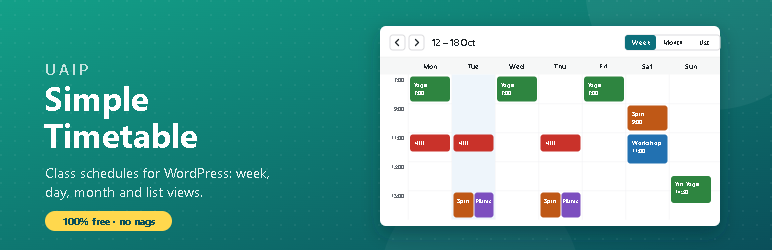
UAIP Simple Timetable shows your classes, lessons or sessions as a clear timetable. Gyms, studios, schools, clubs and community centres can set up a weekly schedule in minutes. Everything in this plugin is free: no locked features, no trial limits and no nag notices.
Events that repeat
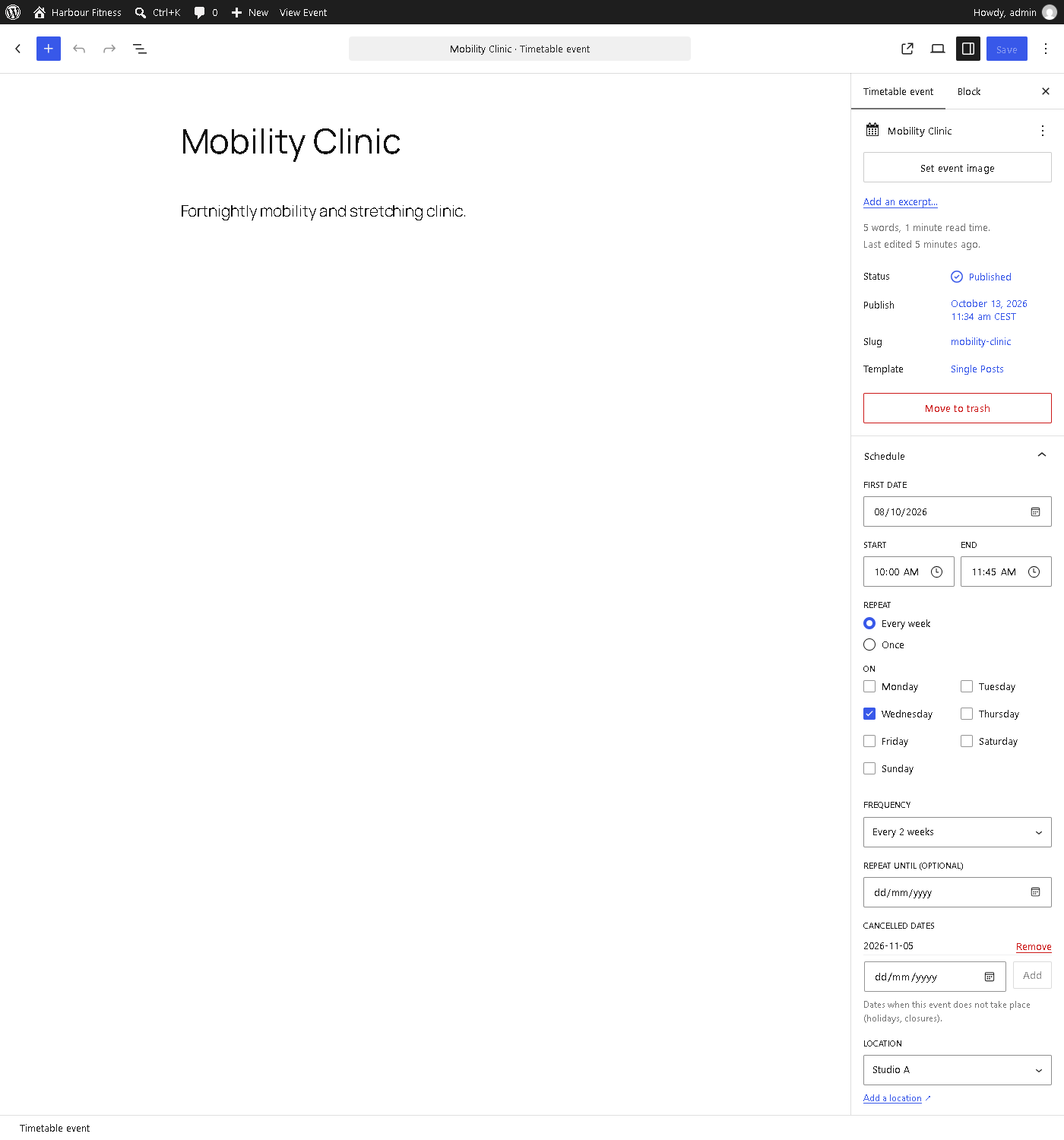
- Weekly events on one or more days, every week or every 2–8 weeks.
- Optional end date, and cancelled dates for holidays or closures.
- One-off events (workshops, open days) in the same timetable.
- Times follow your site’s timezone, time format and first day of the week.
Four views
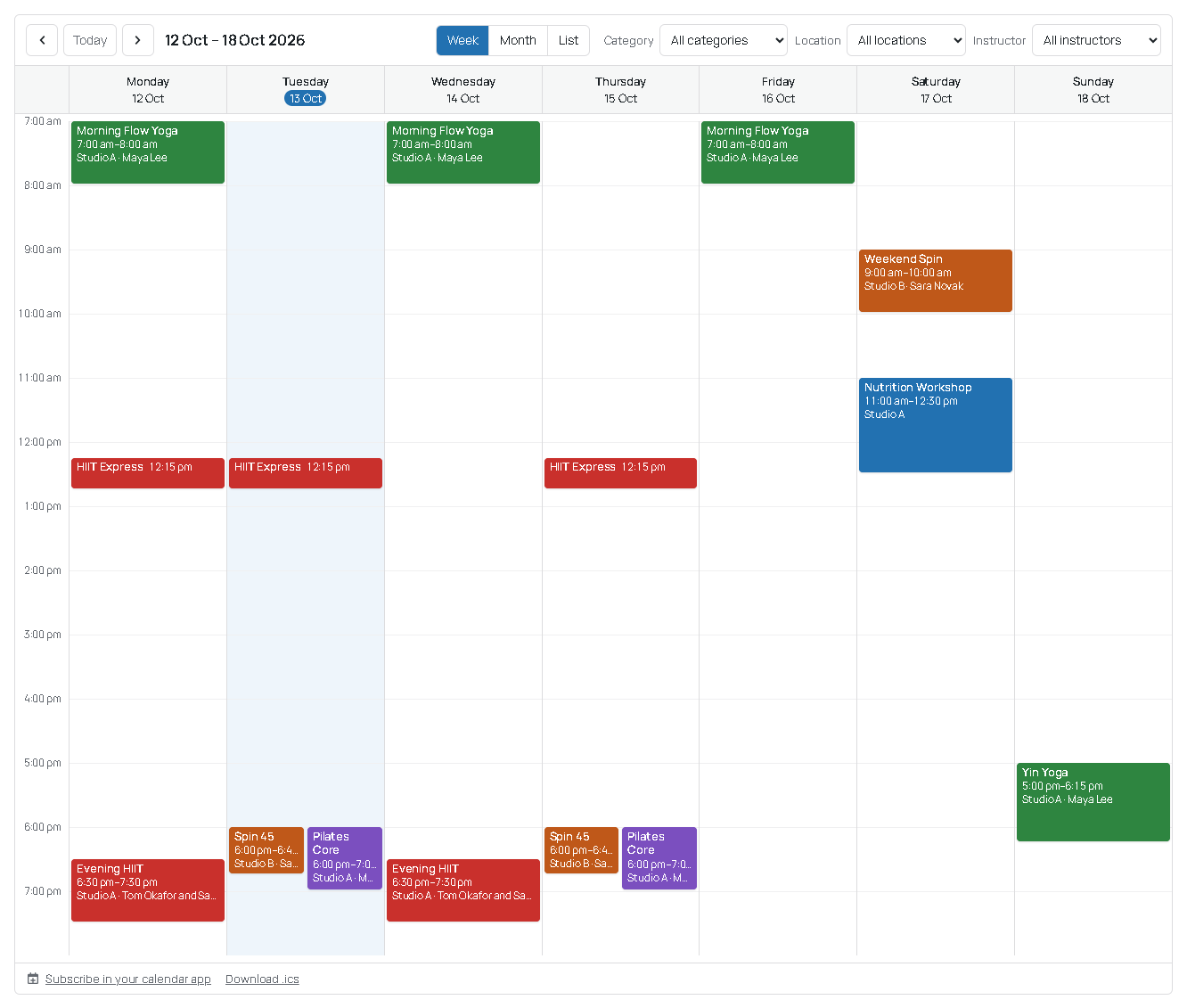
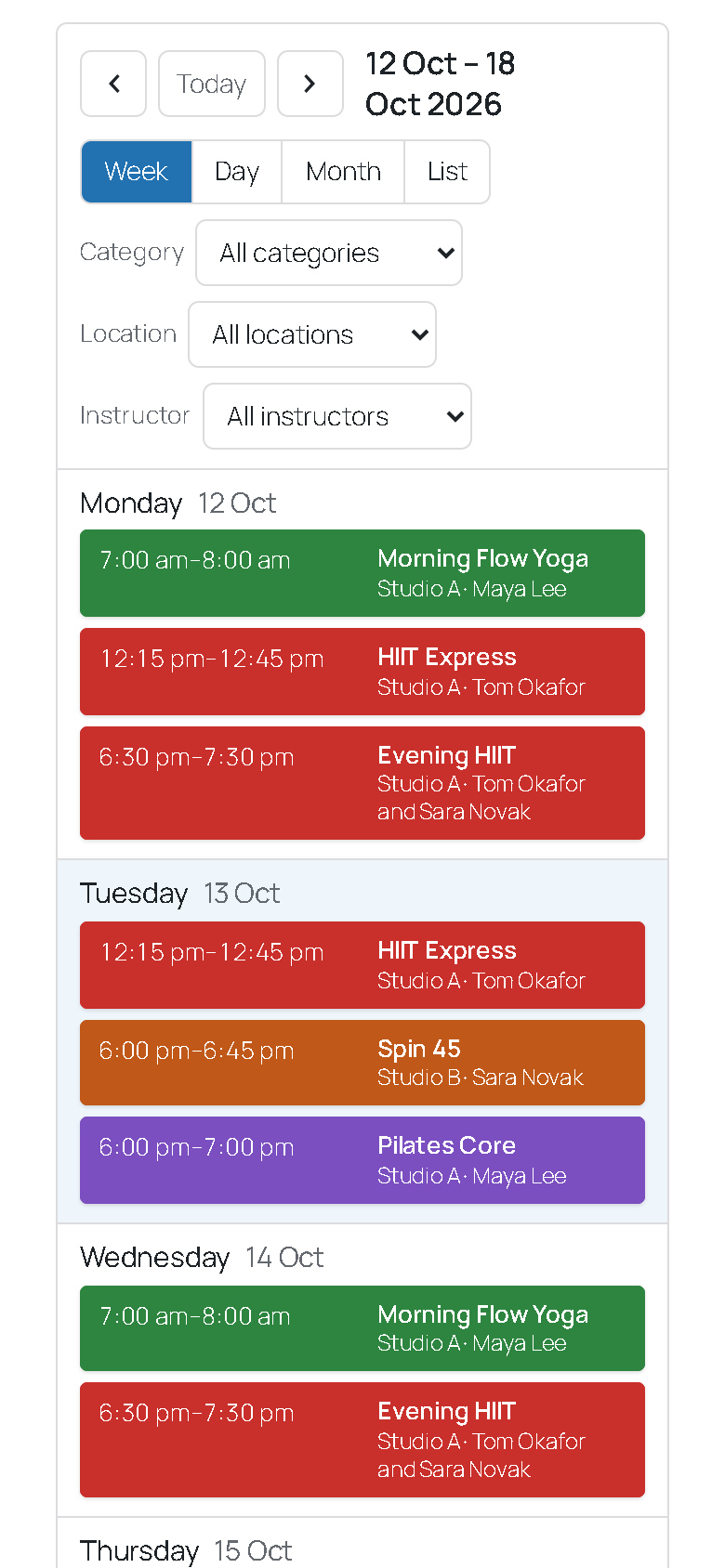
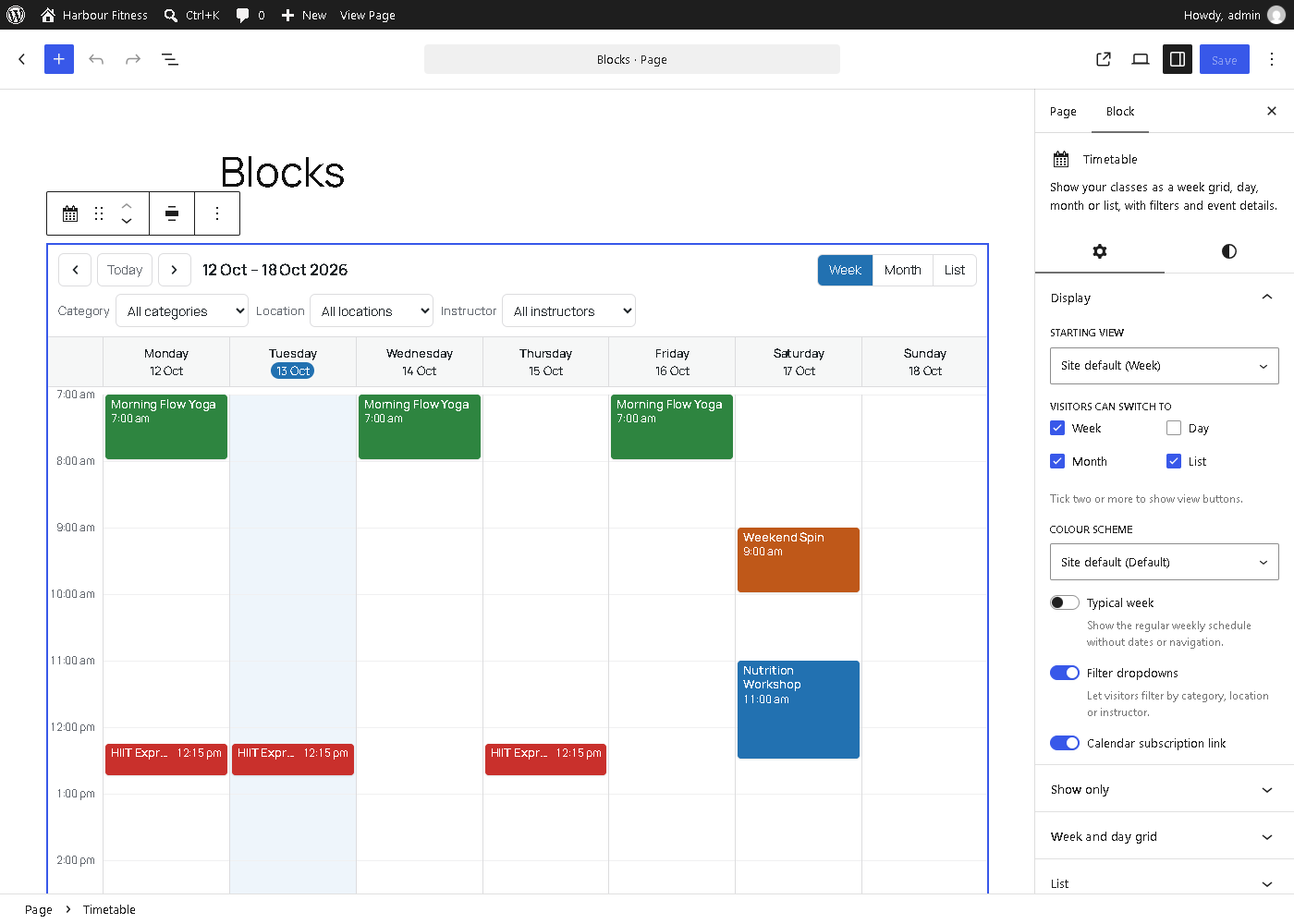
- Week: a grid with one column per day. Long and overlapping events are placed correctly, side by side.
- Day: one day at a time.
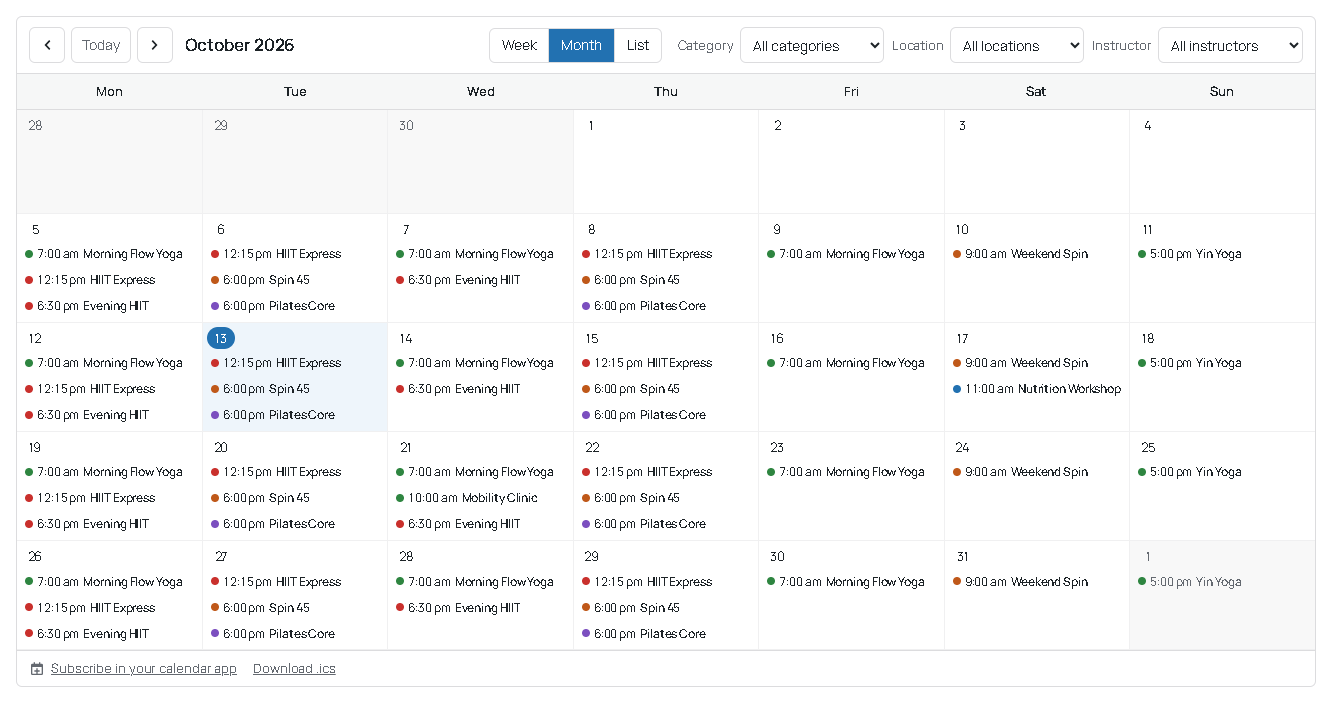
- Month: a calendar with every event.
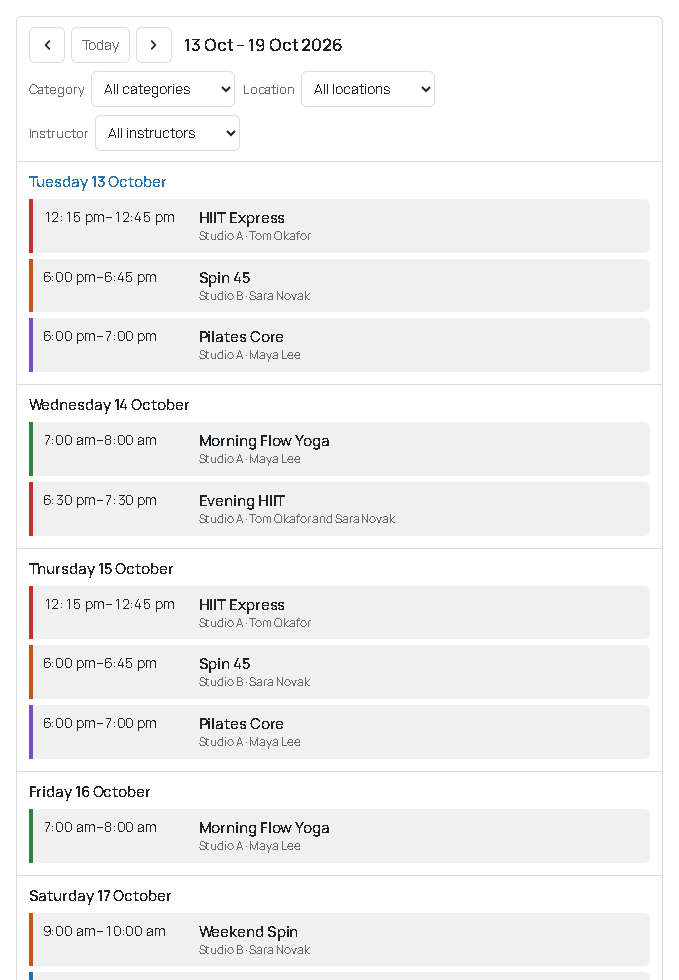
- List: upcoming events grouped by day.
Visitors can move between weeks, months or days and switch views without reloading the page. On phones, the week and month views turn into a list per day.
Blocks, shortcode and widget
- Timetable block with a live preview and settings for the view, filters, days, hours and colours.
- Upcoming Classes block for the next few classes, e.g. on the home page or in a sidebar.
- A classic Upcoming Classes widget for themes with widget areas.
- The
[uaip_timetable]shortcode for page builders and the classic editor.
Calendar apps
- Visitors can subscribe to the timetable in Google Calendar, Apple Calendar or Outlook (iCal feed), filtered the same way as the timetable they are looking at.
- Every event has an “Add to calendar” download.
- Repeating events, cancelled dates and daylight-saving changes come through correctly.
Locations, instructors and categories
- Give each event a location and one or more instructors.
- Categories (Yoga, HIIT, Maths…) each have a colour; events can also set their own.
- Visitors can filter the timetable by category, location or instructor.
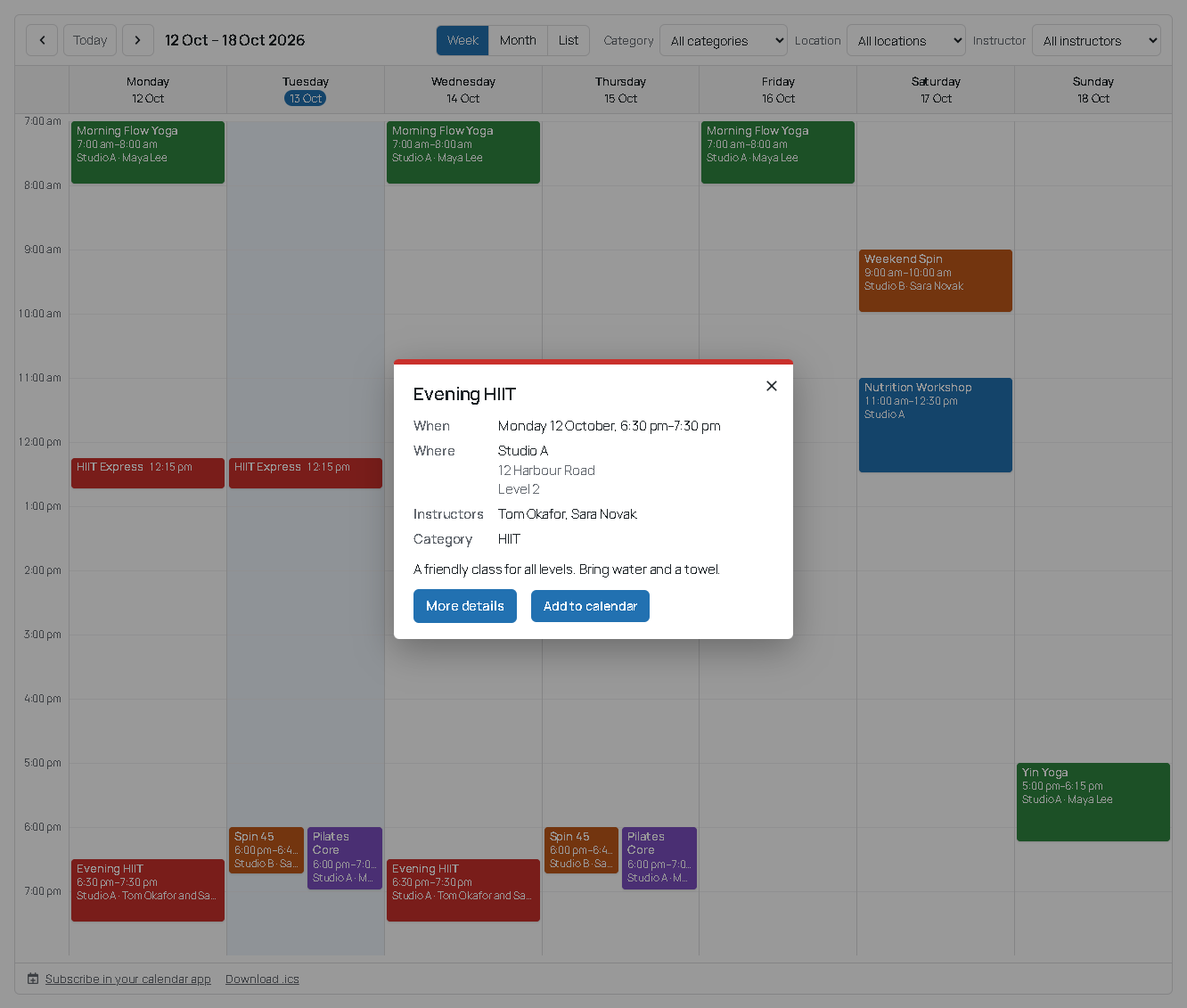
- Clicking an event opens its details: time, place, instructors, description and a link to more information or a booking page.
- Each event has its own page with its schedule and next dates. Location and instructor pages are optional.
Built for every site
- Works without JavaScript; the script only adds in-place navigation and the details popup.
- Keyboard and screen-reader friendly and tested against WCAG 2.2 AA. Event colours are adjusted where needed so their labels stay readable.
- Five colour schemes: default, modern, minimal, dark and warm.
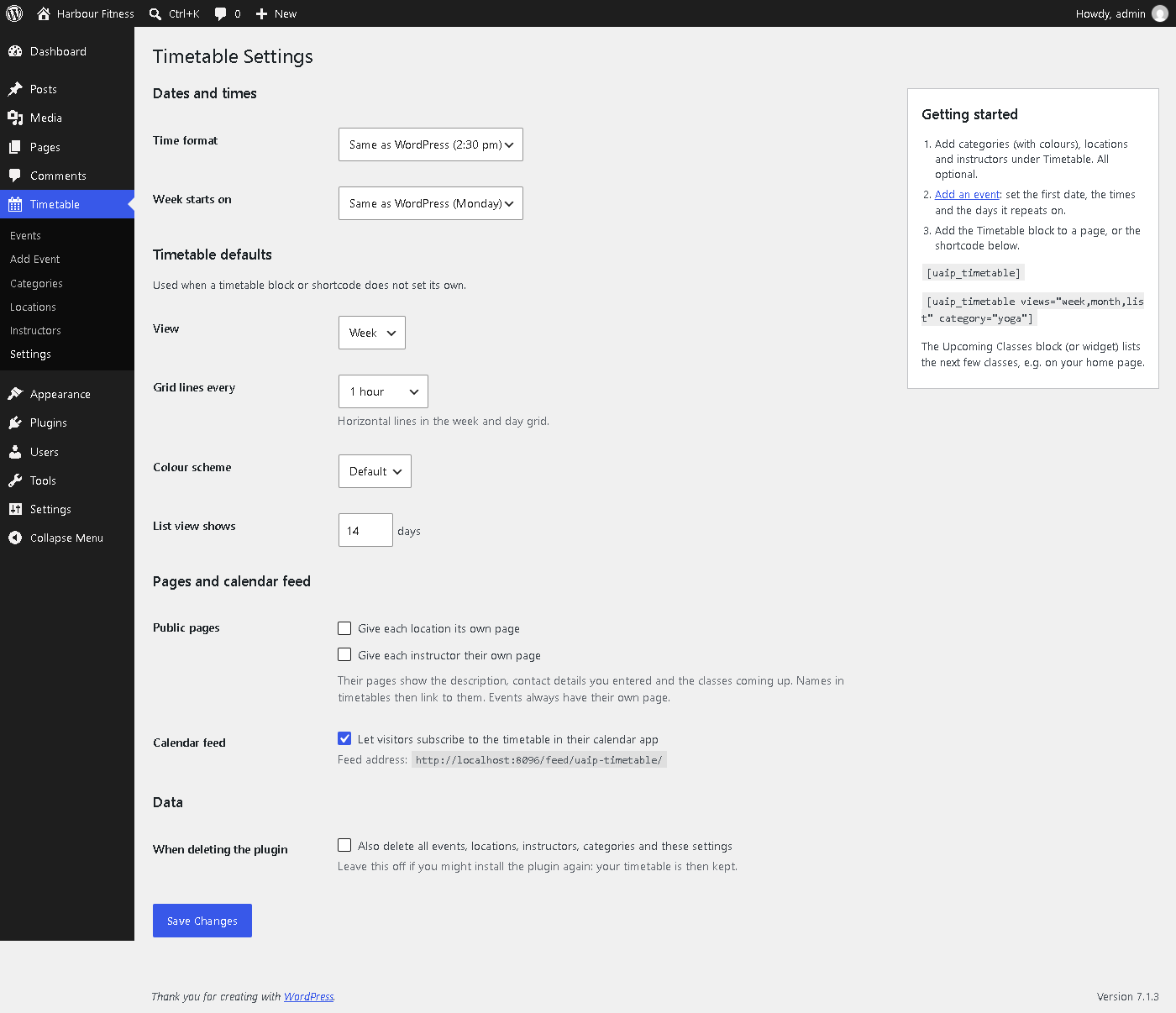
- Settings for time format, first day of the week, default view, grid lines, colour scheme and public pages, all under Timetable Settings.
- No external services, no tracking, no cookies.
Shortcode
Add a timetable anywhere with [uaip_timetable]. Options:
view:week(default),day,monthorlist.views: views visitors can switch between, e.g.views="week,month,list".category: category slugs, e.g.category="yoga,pilates".location/instructor: IDs.days: days shown in the week view, e.g.days="mon,tue,wed,thu,fri".start/end: visible hours, e.g.start="08:00" end="20:00"(default: fitted to the events).slot: grid lines every15,30or60minutes.typical:yesshows a “typical week” without dates or navigation.filters:nohides the filter dropdowns.list_days: how many days the list view shows (default 14).scheme:default,modern,minimal,darkorwarm.date: the date to start from (YYYY-MM-DD), default today.subscribe:nohides the “Subscribe in your calendar app” link.
Example: [uaip_timetable views="week,list" category="yoga" days="mon,tue,wed,thu,fri"]
Source code
The plugin’s full source, including the unminified JavaScript and CSS and the build scripts, is at github.com/uaip-dev/uaip-simple-timetable.
Privacy
UAIP Simple Timetable does not collect, store or send any personal data about your visitors and sets no cookies. It makes no requests to other servers. Instructor contact details are only shown if you enter them and make instructor pages public.
Screenshots
Blocks
This plugin provides 2 blocks.
- Timetable Show your classes as a week grid, day, month or list, with filters and event details.
- Upcoming Classes A short list of the next classes or events from your timetable.
Installation
- Install and activate the plugin from Plugins Add New.
- Go to Timetable Categories and add a few categories with colours (optional).
- Add locations and instructors under Timetable (optional).
- Go to Timetable Add Event. Set the first date, start and end time, and the days it repeats on.
- Add
[uaip_timetable]to any page.
FAQ
-
How do I make a class that runs every Monday and Wednesday?
-
Create one event, set its first date, tick Monday and Wednesday under “On”, and leave “Repeat until” empty.
-
A class is cancelled on a public holiday. What do I do?
-
Open the event and add the date under “Cancelled dates”. It disappears from the timetable for that day only.
-
Can I show only some classes?
-
Yes. Use
category,locationorinstructorin the shortcode, for example[uaip_timetable category="yoga"]. Visitors can’t change filters you set this way. -
How do visitors add the timetable to their own calendar?
-
Below each timetable there is a “Subscribe in your calendar app” link. It follows the timetable’s filters, so a yoga-only timetable gives a yoga-only calendar. The feed address is
/feed/uaip-timetable/on your site; add?uaip_tt_category=yoga(category slugs),uaip_tt_locationoruaip_tt_instructor(IDs) to filter it. Only published events are included. -
Does the plugin send data anywhere?
-
No. It makes no requests to other servers and stores nothing about your visitors.
-
Where are the settings?
-
Under Timetable Settings: time format and first day of the week (by default the same as your WordPress settings), the default view and colour scheme, public location and instructor pages, the calendar feed, and whether to delete the timetable when the plugin is deleted.
-
Can I have several timetables on one page?
-
Yes. Each one has its own navigation and filters.
-
Which timezone are the times in?
-
Your site’s timezone (Settings General). Events at 18:00 stay at 18:00 when the clocks change. Calendar apps show them in each visitor’s own timezone.
-
Will it match my theme?
-
The timetable uses your theme’s fonts and has five colour schemes. Wide and full width alignments are supported in block themes.
-
What happens to my timetable if I delete the plugin?
-
It is kept, unless you tick “Also delete all events…” under Timetable Settings first.
-
Is it really free?
-
Yes. Everything in this plugin is free to use on any number of sites, with no locked features, trial limits or nag notices. Optional add-ons (for example for bookings) may come later as separate plugins; they will never lock or remove anything this plugin does.
Reviews
There are no reviews for this plugin.
Contributors & Developers
“UAIP Simple Timetable” is open source software. The following people have contributed to this plugin.
Contributors
Translate “UAIP Simple Timetable” into your language.
Interested in development?
Browse the code, check out the SVN repository, or subscribe to the development log by RSS.
Changelog
0.1.0
- First version: repeating and one-off events, locations, instructors, categories with colours, week/day/month/list views, filters, event details popup, Timetable and Upcoming Classes blocks, widget, shortcode, iCal feed and “Add to calendar”.