Description
Turnierplan.eu – Embed tournaments connects a WordPress page to a public tournament managed on Turnierplan.eu. Tournament data stays on Turnierplan.eu, so standings and schedules do not have to be maintained twice.
Version 1.0 provides:
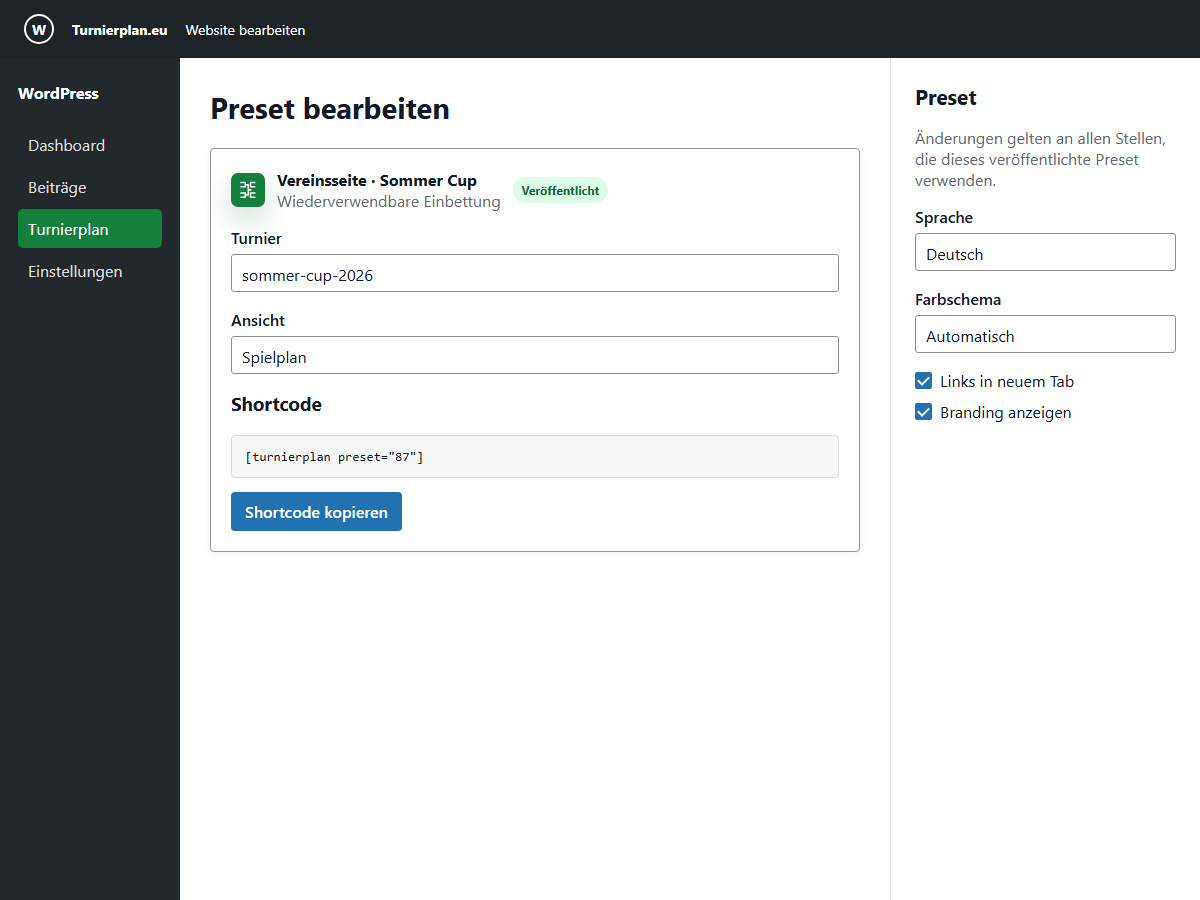
- a dynamic Gutenberg block with standings and schedule variations;
- the
[turnierplan]shortcode for the Classic Editor and page builders; - reusable presets managed in WordPress;
- filters for groups, participants, match numbers, and dates;
- light, dark, and automatic themes plus comfortable or compact density;
- responsive iframe sizing and accessible local error messages;
- separate WordPress interface and tournament output languages;
- German and English plugin interface text.
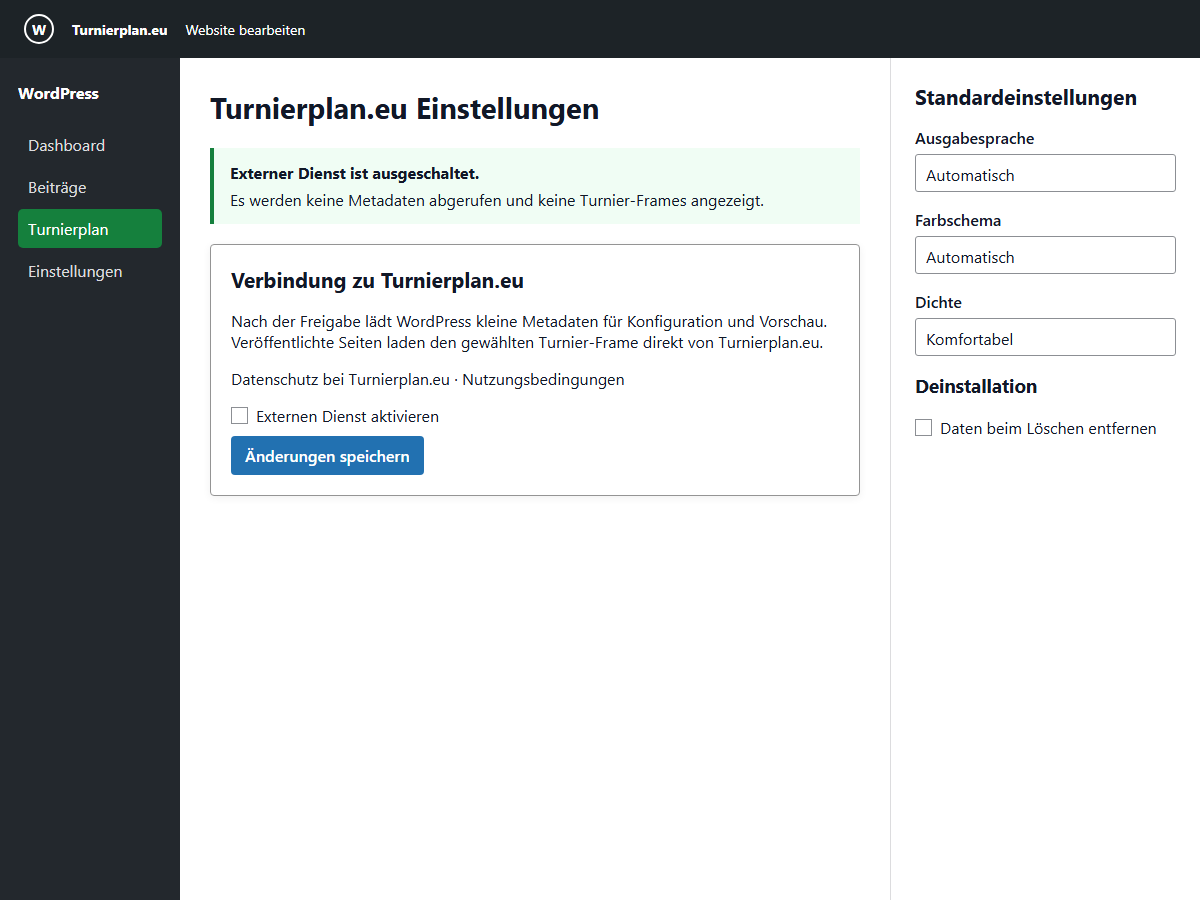
An administrator must explicitly enable the external Turnierplan.eu service in Settings > Turnierplan.eu. Activation alone does not contact Turnierplan.eu, create sample content, or enable public frames.
The human-readable source, build tools, and release instructions are available at github.com/pixel33-eu/turnierplan_eu. Each release ZIP is built from the matching vX.Y.Z source tag.
Block and shortcode guide
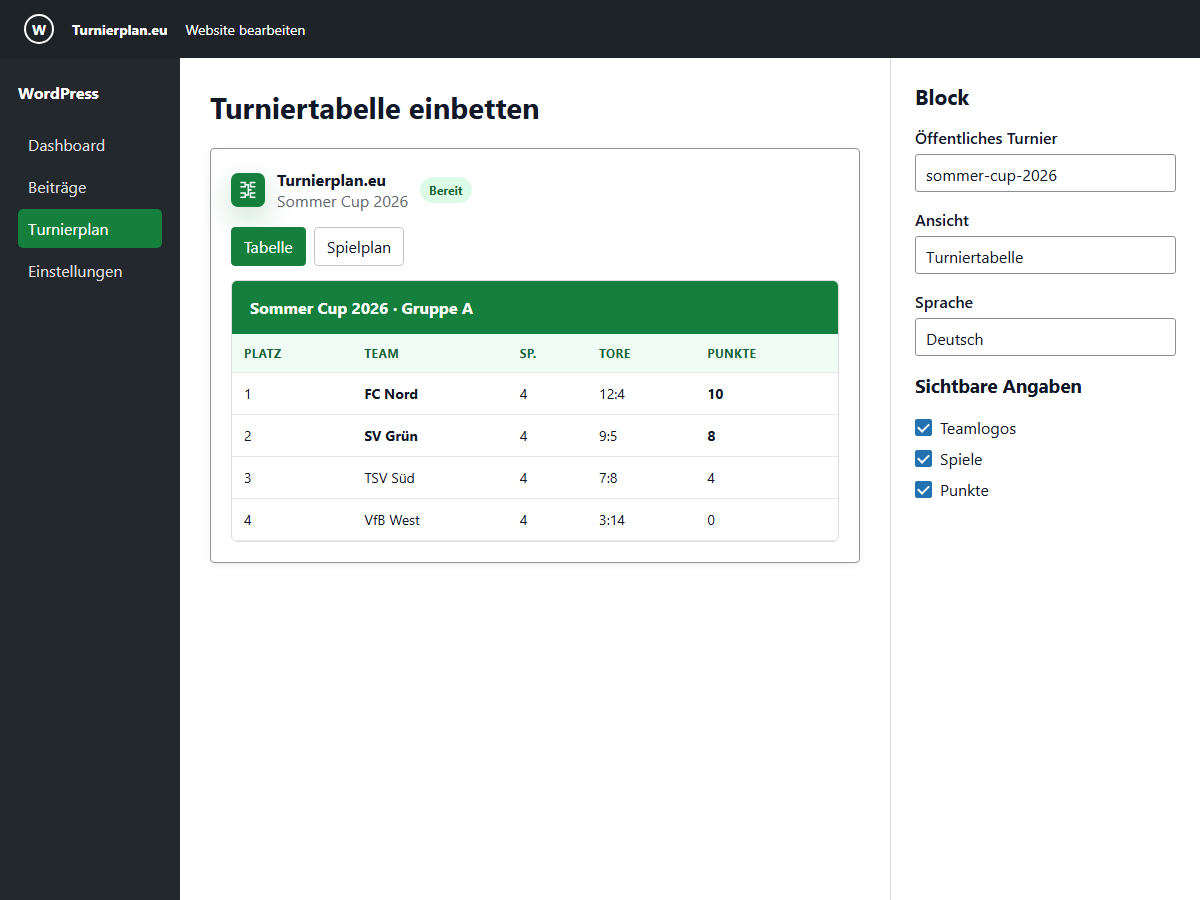
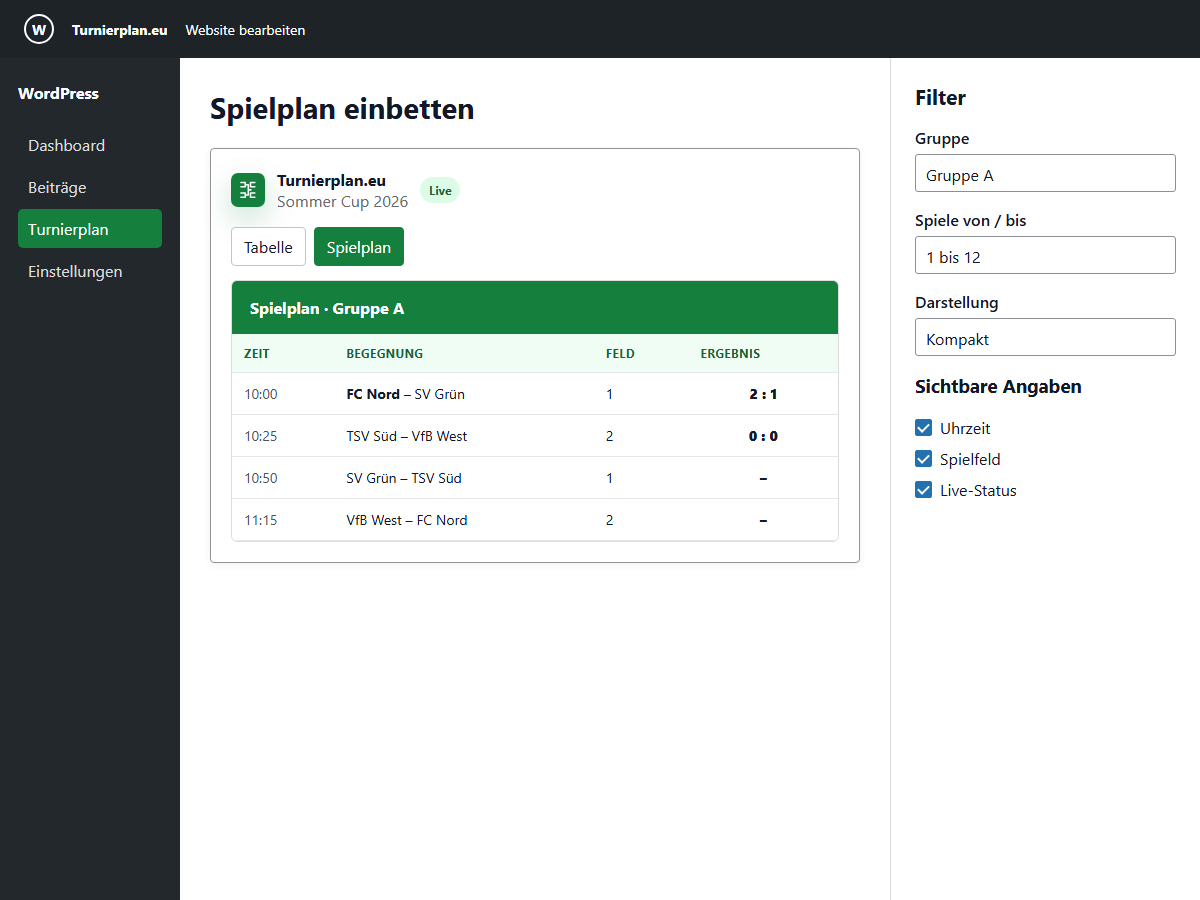
The block is the recommended editor experience. Its sidebar contains the tournament reference, view, filters, appearance, visible columns, language, and height limits. The editor preview uses the same validated configuration as the published page.
Basic shortcode examples:
[turnierplan tournament="400" view="standings"]

[turnierplan tournament="summer-cup" view="matches" lang="de" theme="auto" density="compact"]

[turnierplan tournament="400" view="matches" match_from="1" match_to="12" date_from="2026-06-01" date_to="2026-06-02"]

[turnierplan preset="87"]
Supported inline attributes are tournament, view, lang, group, participant, match_from, match_to, date_from, date_to, theme, density, accent, branding, links, min_height, max_height, show, and date. A preset shortcode must contain only the preset ID.
view accepts `standings` or `matches`; `theme` accepts `auto`, `light`, or `dark`; and `density` accepts `comfortable` or `compact`. The block editor is the easiest way to configure advanced options and copy the resulting canonical shortcode.<h3>External services</h3>
This plugin connects only to the Turnierplan.eu service at https://www.turnierplan.eu to resolve a public tournament and display its public tournament view.
After an administrator enables the service and an editor configures an embed, the WordPress server requests small tournament metadata for validation, choices, and editor previews. These requests contain the requested public tournament reference and output language. Turnierplan.eu also receives the WordPress server’s IP address, request time, and standard HTTP request data. The plugin explicitly sends no WordPress cookies or login credentials with these server-side requests.
On a published page, the visitor’s browser loads the selected tournament frame directly from Turnierplan.eu. Turnierplan.eu can therefore receive the visitor’s IP address, request time, referrer, browser data, tournament reference, selected view, language, and display filters. Cookies that the browser may already hold for Turnierplan.eu are governed by the visitor’s browser and privacy settings.
Service terms: turnierplan.eu/terms.php
Service privacy policy: turnierplan.eu/privacy.php
Privacy
The plugin stores its settings and optional reusable embed presets in the WordPress database. It does not copy tournament results into WordPress.
Successful metadata is cached for five minutes. A validated response may be kept for up to 24 hours as a temporary fallback during a service problem. An authoritative not-found response is cached for one minute. Revoking service approval clears the plugin’s metadata cache and stops new metadata requests and iframe output.
The plugin adds suggested text to WordPress’s Privacy Policy Guide. Site owners remain responsible for adapting that text to their site, legal requirements, consent setup, and actual use of the service.
Screenshots
Blocks
This plugin provides 1 block.
- Turnierplan.eu Embed public tournament standings and schedules from Turnierplan.eu.
Installation
- In WordPress, open Plugins > Add New Plugin > Upload Plugin.
- Select the
turnierplan-eu-X.Y.Z.ziprelease file, install it, and activate the plugin. - Open Settings > Turnierplan.eu, review the external-service information, and enable the service.
- Add the “Turnierplan.eu” block and select standings or schedule. Enter a public tournament ID, slug, or supported Turnierplan.eu URL.
- Alternatively, add a shortcode such as
[turnierplan tournament="400" view="standings"].
WordPress 6.5 or later, PHP 8.3 or later, and HTTPS are required.
FAQ
-
Do I need a Turnierplan.eu account?
-
Visitors do not need an account. The tournament must already exist on Turnierplan.eu and be published for public embedding. Managing a tournament remains a Turnierplan.eu task.
-
Which tournament references can I enter?
-
The block and shortcode accept a public numeric ID, slug, canonical public reference, or a supported Turnierplan.eu tournament URL. Arbitrary remote URLs are rejected.
-
Can I display only part of a tournament?
-
Yes. Depending on the view, you can filter by group, participant, match-number range, or date range and choose which supported columns are visible.
-
How quickly do changes appear?
-
The public frame shows live service data. Small metadata used in the WordPress editor is normally refreshed after five minutes. During a temporary service problem, the editor may use the last validated metadata for up to 24 hours.
-
The plugin shows a local, translated error state instead of exposing raw service errors. Existing page content remains intact. Editor metadata may temporarily use a validated cached response.
-
The plugin contains no analytics or advertising tracker. Its server-side metadata requests explicitly omit WordPress cookies and credentials. A published iframe is a direct browser request to Turnierplan.eu, so browser cookie and consent behavior depends on the visitor’s settings and the site owner’s consent configuration. Review the service privacy policy before enabling embeds.
-
Can I place multiple tournaments on one page?
-
Yes. Each block, shortcode, and preset gets its own isolated frame and resize channel.
-
What happens when I deactivate or uninstall the plugin?
-
Deactivation stops plugin behavior but keeps settings and presets. By default, uninstall also keeps them. To remove all plugin-owned settings, caches, capabilities, and presets during uninstall, enable the deletion option under Settings > Turnierplan.eu before deleting the plugin.
-
Where can I get support?
-
For reproducible bugs and feature requests, use the GitHub issue tracker. Do not publish passwords, private tournament information, or exploitable security details in an issue. Security reports can be sent privately to
info@pixel33.eu.
Reviews
There are no reviews for this plugin.
Contributors & Developers
“Turnierplan.eu – Embed tournaments” is open source software. The following people have contributed to this plugin.
Contributors
Translate “Turnierplan.eu – Embed tournaments” into your language.
Interested in development?
Browse the code, check out the SVN repository, or subscribe to the development log by RSS.
Changelog
1.0.1
- Normalize text files while building release archives so Windows and Linux produce identical ZIP files from the same source.
1.0.0
- Add Gutenberg standings and schedule block with direct preview.
- Add validated shortcode output and reusable presets.
- Add explicit external-service approval, privacy information, and safe metadata proxy.
- Add responsive iframe sizing, filters, localization, accessibility, cache handling, multisite lifecycle, and uninstall controls.
- Add reproducible release packaging and fresh-install verification.