
Description
TSO Login Organizer gives your site its own login, registration and password-reset pages, at addresses you choose (by default /login, /register and /lostpassword), so visitors never see the standard WordPress login screen (wp-login.php). The pages match your theme and work with a shortcode, a widget or menu items.
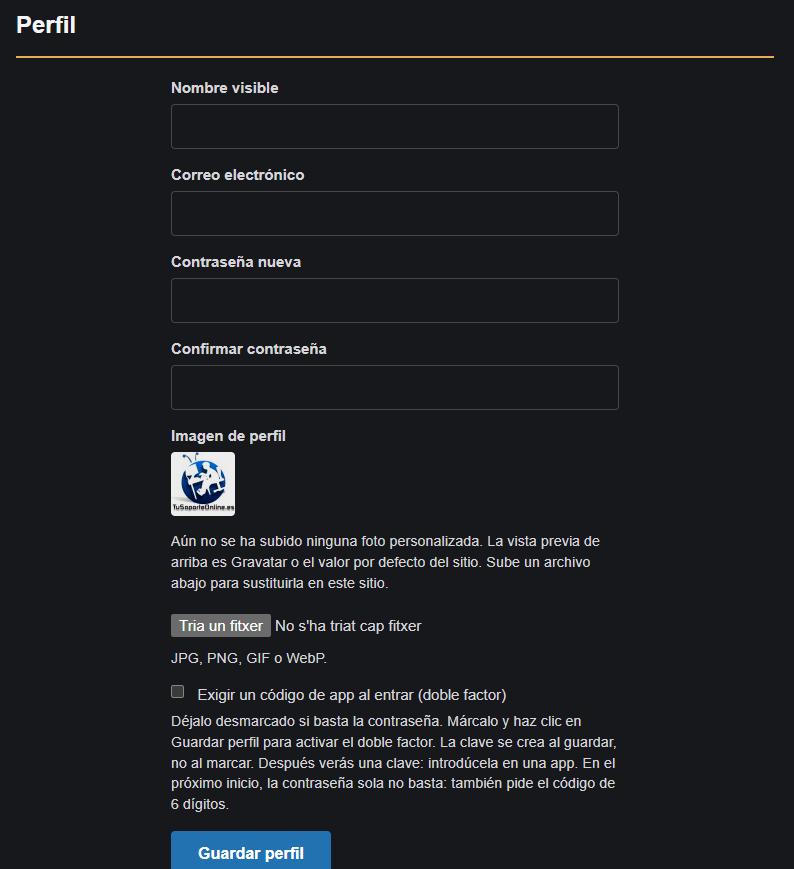
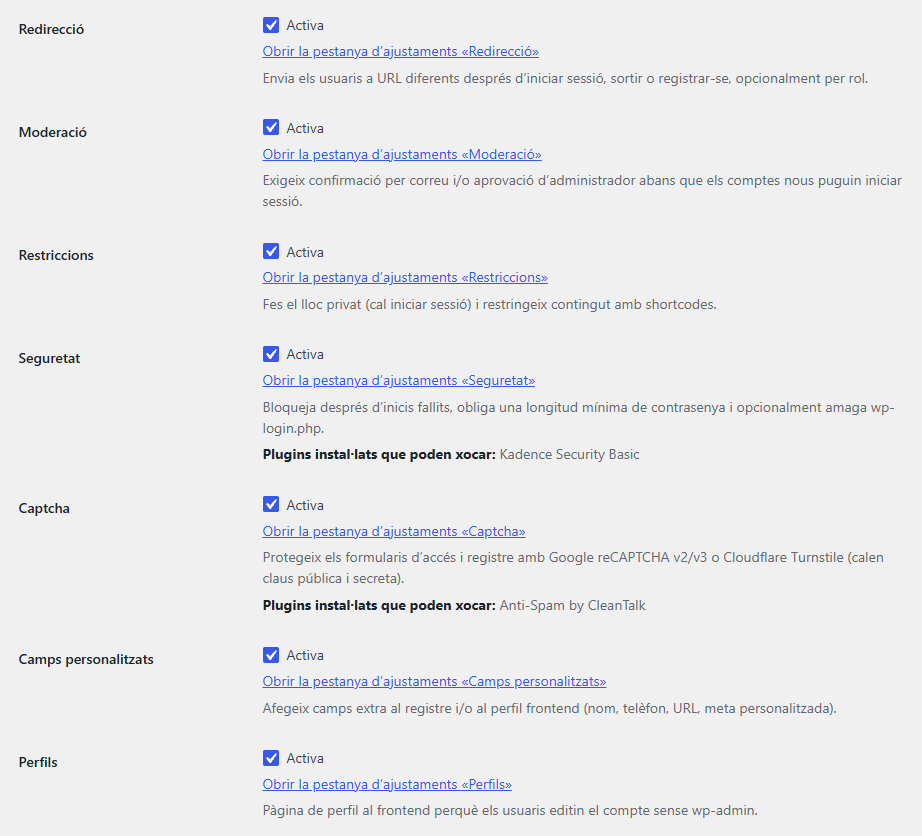
On top of that you can switch on optional modules: redirect users by role after login, approve new registrations, restrict content by role, lock out brute-force attempts, add two-factor authentication (TOTP), let users edit their profile and avatar on the site, sign in with Google, Facebook or X, add favorites, and subscribe new users to Mailchimp. Every module is off until you turn it on.
Coming from Theme My Login? You can import its free settings and keep the [theme-my-login] shortcode working.
Core
- Login, register, lost password, reset password, dashboard and privacy confirmation pages
- Custom slugs, shortcode
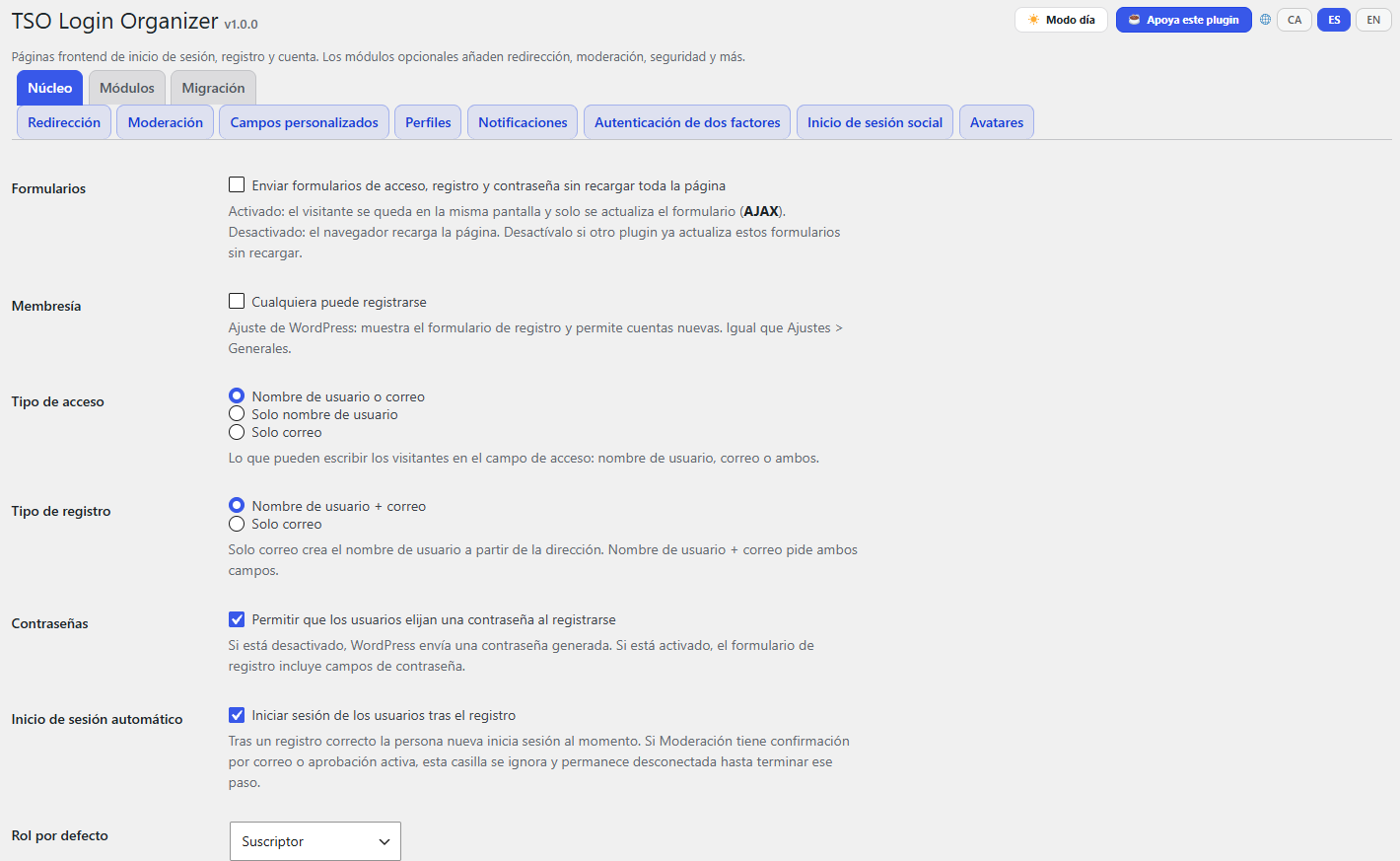
[tso-login-organizer]and Theme My Login alias[theme-my-login] - Login with username, email, or either; email-only registration; user passwords; auto-login; AJAX
- Widget and navigation menu items
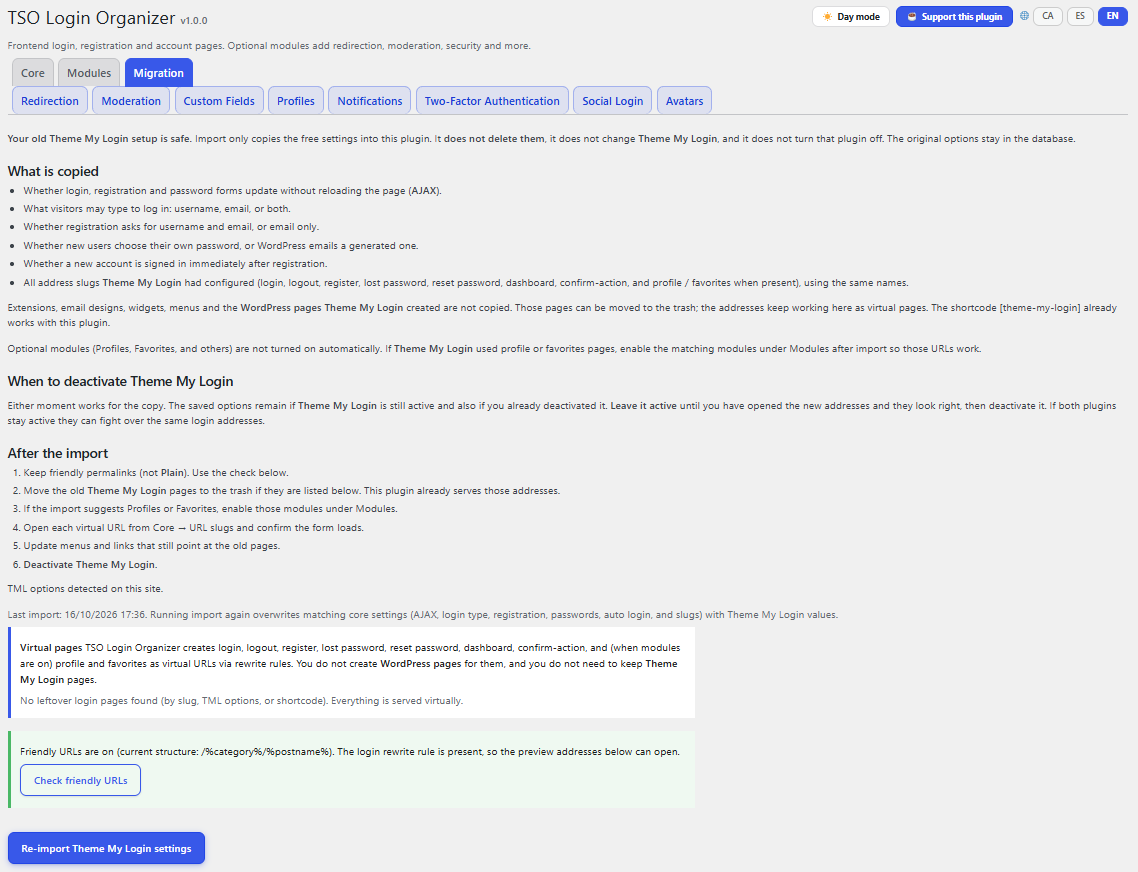
- Import settings from Theme My Login
- Bundled translations: Catalan (ca), Spanish (es_ES); English is the source language
Optional modules (all off by default)
- Redirection by role
- Moderation (email confirm / admin approval)
- Restrictions (private site / per-post roles)
- Security (brute-force lockouts, password length, hide wp-login.php) — may collide with TSO Swiss Knife Login Protect or Kadence Security
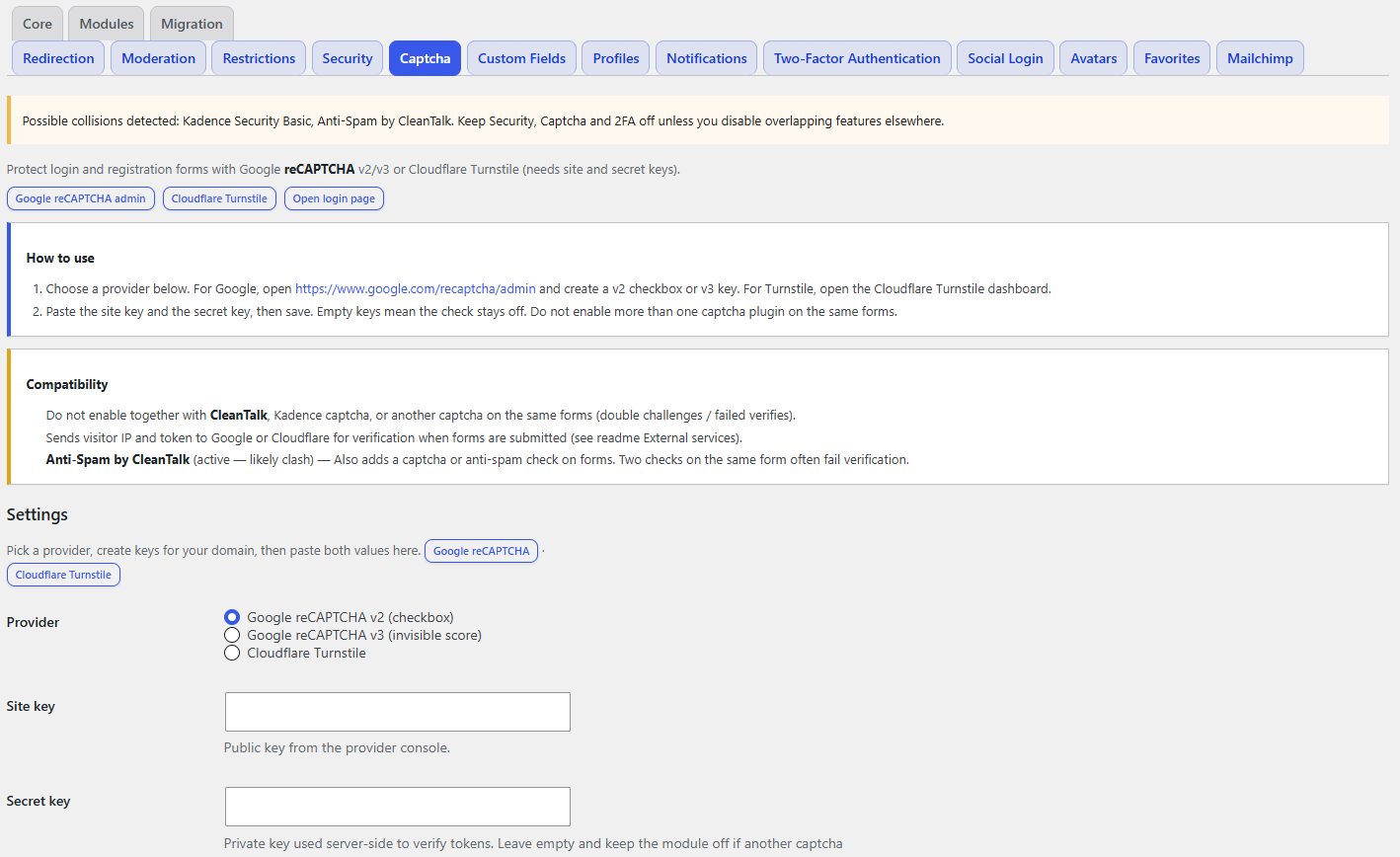
- reCAPTCHA — may collide with CleanTalk or Kadence
- Frontend profiles (optional wp-admin block)
- Custom HTML notifications
- TOTP 2FA — may collide with other 2FA plugins
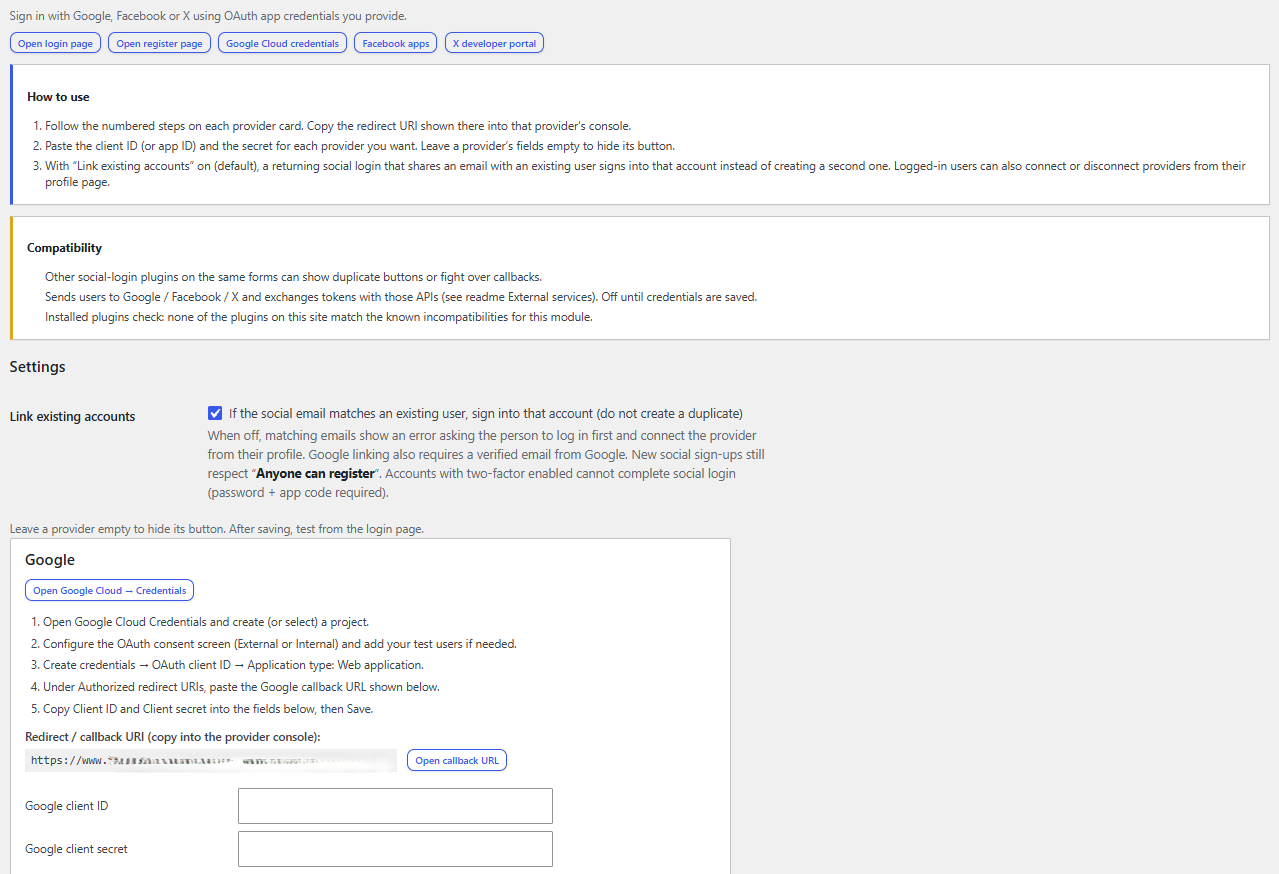
- Social login (Google, Facebook, X)
- Avatar uploads under
uploads/tso-login-organizer/ - Favorites
- Mailchimp opt-in
External services
This plugin can connect to third-party services only when the related module is enabled and credentials are saved by an administrator:
- Google reCAPTCHA (
https://www.google.com/recaptcha/api.jsandhttps://www.google.com/recaptcha/api/siteverify) — when the Captcha module is enabled with Google v2/v3 site/secret keys. Used to verify that form submissions are human. Terms · Privacy - Cloudflare Turnstile (
https://challenges.cloudflare.com/turnstile/v0/api.jsandhttps://challenges.cloudflare.com/turnstile/v0/siteverify) — when the Captcha module provider is Turnstile with site/secret keys. Used to verify that form submissions are human. Terms · Privacy - Google OAuth (
https://accounts.google.com/andhttps://oauth2.googleapis.com//https://www.googleapis.com/) — when Social login Google keys are configured. Used to authenticate users. Terms · Privacy - Facebook Login (
https://www.facebook.com/andhttps://graph.facebook.com/) — when Social login Facebook keys are configured. Terms · Privacy - X (Twitter) OAuth (
https://twitter.com/andhttps://api.twitter.com/) — when Social login X keys are configured. Terms · Privacy - Mailchimp API (
https://*.api.mailchimp.com/) — when the Mailchimp module has an API key and list ID and the user opts in (or auto-subscribe is configured). Sends the registrant email/name to your audience. Terms · Privacy
No remote calls run while those modules stay disabled or keys are empty.
Screenshots
Installation
- Upload the
tso-login-organizerfolder to/wp-content/plugins/ - Activate the plugin
- Open Tools TSO Login Organizer
- Optionally import Theme My Login settings, then deactivate Theme My Login
- Enable only the modules you need (keep Security/Captcha/2FA off if Swiss Knife, Kadence Security or CleanTalk already cover them)
FAQ
-
Will this conflict with TSO Swiss Knife?
-
Swiss Knife Login Protect can hide
wp-login.phpand lock out IPs. TSO Login Organizer Security does similar work and stays off by default. Use only one stack for hide-login / brute-force. -
How do I keep Theme My Login shortcodes working?
-
[theme-my-login] is registered as an alias of
[tso-login-organizer]. -
What happens when I import Theme My Login settings?
-
Import copies AJAX, login/registration type, passwords, auto-login, and all configured address slugs (including profile and favorites when present) into TSO Login Organizer with the same names. If Theme My Login only stored page IDs, the page slug (
post_name) is used. Optional modules are not turned on automatically — if profile or favorites URLs were used, enable Profiles / Favorites under Modules after import so those addresses work. Then deactivate Theme My Login once you have verified the URLs. -
Is it correct to say which plugin this migrates from?
-
Yes. Theme My Login is GPL, so importing its free settings and keeping the
[theme-my-login]shortcode as an alias is allowed if you keep the GPL license. This plugin is independent: it is not Theme My Login and is not an official product of that project’s authors. Their name is their trademark — use it only to describe migration, not as if this were the same product. -
What does the CA / ES / EN switcher store?
-
Only the administrator’s interface language preference (Catalan, Spanish, or English) as user meta (
tso_login_organizer_ui_lang). Nothing is sent to external servers for that setting. The “Support this plugin” link opens Ko-fi in a new tab.
Reviews
There are no reviews for this plugin.
Contributors & Developers
“TSO Login Organizer” is open source software. The following people have contributed to this plugin.
Contributors
Translate “TSO Login Organizer” into your language.
Interested in development?
Browse the code, check out the SVN repository, or subscribe to the development log by RSS.
Changelog
1.0.0
- First plugin version.