
Description
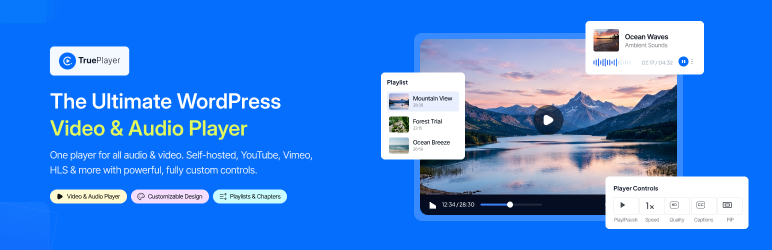
TruePlayer is a native WordPress video and audio player with its own controls, so every video on your site looks and behaves the same — wherever it is hosted.
- Sources — self-hosted files from the media library, any MP4/WebM URL, HLS streams (.m3u8), YouTube and Vimeo.
- Audio player — a proper audio bar with cover art, waveform and compact/card/minimal layouts.
- Your look — skins, accent and hover colors, play-button styles, control-bar styles, roundness, aspect ratio, logo watermark, and a site-wide default that every video inherits.
- Controls — choose exactly which buttons show; speed, quality, captions, picture-in-picture, keyboard shortcuts, rewind/forward and download.
- Chapters & captions — YouTube-style segmented chapters, multi-track subtitles with styling, and a transcript drawer.
- Behaviour — autoplay modes, loop, resume where the viewer left off, sticky player on scroll, no-skip, click-to-load poster for fast pages.
- Engagement — call-to-action and end-screen overlays, text overlays, an action bar, and email-capture forms (sent to your inbox).
- Playlists & presets — sidebar or grid playlists with autoplay-next, and reusable player presets.
- Block & shortcode — a block with an in-editor preview, plus
[trueplayer id="…"], a popup/lightbox shortcode and playlist shortcode. - SEO — VideoObject structured data and Google Analytics (GA4) playback events.
Everything in this plugin works on its own. A separate add-on, TruePlayer Pro, adds features of its own such as watch verification, quizzes, analytics and automation.
External services
TruePlayer connects to the following third-party services. Each one is only contacted for the feature it supports, and only when that feature is used.
- Vimeo oEmbed (
https://vimeo.com/api/oembed.json) — used to resolve a thumbnail for a Vimeo video when none is set, so the poster image is populated. The video’s public Vimeo URL is sent. Called in the admin only, when saving a Vimeo-sourced video. Terms: https://vimeo.com/terms — Privacy: https://vimeo.com/privacy - YouTube captions (
https://www.youtube.com/api/timedtext) — used by the subtitles importer to fetch public captions for a YouTube video when an administrator imports them. Only the public video id is sent. Terms: https://www.youtube.com/t/terms — Privacy: https://policies.google.com/privacy - Google Analytics (GA4) via Google Tag Manager (
https://www.googletagmanager.com/gtag/js) — only loaded when the site administrator turns on Google Analytics in TruePlayer’s Settings Integrations screen and enters a GA4 Measurement ID. Standard GA4 playback events are then sent from the viewer’s browser to Google. Off by default. Terms: https://marketingplatform.google.com/about/analytics/terms/us/ — Privacy: https://policies.google.com/privacy - Kodezen usage insights (
https://store.kodezen.com/) — optional, anonymous usage telemetry sent only if a site administrator opts in from the notice TruePlayer shows in the admin; it sends the site URL, WordPress/PHP/plugin versions and the admin email given at opt-in. When the plugin is deactivated, an optional feedback form can send the reason the administrator chooses. Nothing is sent without that action. Terms: https://kodezen.com/terms-and-conditions/ — Privacy: https://store.kodezen.com/privacy-policy/
Third-Party Libraries
TruePlayer bundles the following open-source libraries. Each one keeps its own license and copyright.
- StoreEngine WordPress SDK — the opt-in usage-insights client described above. Source: https://github.com/imrantushar/storeengine-sdk-for-wordpress — License: GPL-2.0-or-later (© Kodezen). Installed via Composer under
vendor/storeengine/wordpress-sdk/.
Source code & build
All compiled JavaScript and CSS in assets/build/ is generated from the human-readable sources shipped in the dev_trueplayer/ folder of this plugin. The same sources are public at https://github.com/imrantushar/trueplayer .
Every file in assets/build/ maps to a source entry:
backend.*.js/style-backend.css—dev_trueplayer/backend.js(admin app,dev_trueplayer/admin/)frontend.*.js/style-frontend.css—dev_trueplayer/frontend.js(player,dev_trueplayer/player/)block.*.js—dev_trueplayer/block/index.js(block editor)yt.*.js,vimeo.*.js— lazily loaded provider chunks fromdev_trueplayer/player/providers/hlsjs.*.js,vimeojs.*.js— the third-party hls.js (https://github.com/video-dev/hls.js, Apache-2.0) and @vimeo/player (https://github.com/vimeo/player.js, MIT) npm packages, split into their own chunks
To rebuild: install Node.js 20+, then run npm install and npm run build in the plugin folder. The build uses @wordpress/scripts (webpack) with the config in webpack.config.js.
Blocks
This plugin provides 1 block.
- Player
Reviews

Contributors & Developers
“TruePlayer” is open source software. The following people have contributed to this plugin.
Contributors
Translate “TruePlayer” into your language.
Interested in development?
Browse the code, check out the SVN repository, or subscribe to the development log by RSS.
Changelog
1.7.4 – 24-10-2026
- Changed – Removed the unused progress, quiz-attempts, engagement and daily tables from the free plugin; they are no longer created on activation, and uninstall cleanup was updated to match.
1.7.3 – 17-10-2026
- Security: Colour settings (accent and other colour fields) are now strictly validated on save and at render time.
1.7.2 – 14-10-2026
- Security – Public opt-in REST endpoint (
/wp-json/trueplayer/v1/optin) now requires awp_restnonce, applies a per-IP+video rate limit, and includes a honeypot field to block form-walking bots. - Changed – Admin screens no longer remove queued
admin_noticescallbacks; a CSS-only suppression keeps the layout clean while leaving other plugins’ notices in the DOM. - Changed – Admin asset enqueue now matches TruePlayer’s own page hooks exactly instead of a substring on the plugin slug.
- Changed – YouTube caption importer sends an honest
TruePlayer/<version>; <site_url>User-Agent instead of a browser-spoofing one. - Added –
uninstall.phpdrops this plugin’s custom tables, options, transients and generated poster attachments when the site owner deletes the plugin. Honours atrueplayer_keep_data_on_uninstalloption, and runs per-site on multisite. - Changed – Readme tags no longer use third-party brand names.
1.7.1 – 14-10-2026
- Fixed – Activation schema no longer uses
JSONcolumns orDATETIME DEFAULT CURRENT_TIMESTAMP, so tables create cleanly on MySQL versions WordPress still supports. - Fixed – Schema sync now verifies every expected table exists before recording the database version, so a silent
dbDeltafailure can no longer mark the install as upgraded. - Fixed – Seed data and preset-preview samples no longer reference remote demo files; sources start empty and the author picks their own media.
- Security – The video-preview REST route now requires edit rights on the specific video, not just a generic edit-posts capability.
- Changed – Vimeo poster transient is now namespaced as
trueplayer_vimeo_poster_to avoid colliding with other plugins’ short prefixes.
1.7.0 – 11-10-2026
- Changed – Everything in the free plugin now works on its own, with no locked options. Features that belong to TruePlayer Pro now ship only in that add-on.
- Changed – HLS streams, Google Analytics events and YouTube caption import are free.
- Removed – Interactive (H5P) content moved to TruePlayer Pro.
- Removed – Custom CSS fields — use the Customizer or Site Editor’s Additional CSS instead.
- Security – Quick-editing a video from the block editor now also checks you can edit that video.
- Changed – Player settings are passed to the page as data attributes instead of inline script tags; admin styles load through the WordPress style queue.
- Changed – Updated the StoreEngine SDK to 1.6.2.
- Added – Readme documents where the source for the compiled scripts lives and how to rebuild it.
1.6.1 – 10-10-2026
- Security – Harden inline player config against breakout — JSON blobs rendered beside the player, popup and playlist now escape
</script>sequences. - Changed – Plugin URI updated to https://true-player.net/.
- Changed – Rename post types and taxonomy to plugin-prefixed slugs (
truepl_video,truepl_preset,truepl_video_tag,truepl_playlist) to avoid collisions. Existing content is migrated automatically on first admin load. - Changed – Admin-area white-labeling no longer touches player attribution (the player carries none to suppress).
- Added – Readme now documents every external service the plugin can contact, with Terms and Privacy links.
1.6.0 – 24-09-2026
- Added – Quality selector: Auto plus every available level, in the gear menu or as a one-tap button. Bunny Stream, Mux, Gumlet ABR, HLS, YouTube and Vimeo.
- Added – The viewer’s quality choice is remembered across videos.
- Added – Rapid Engage Bar: a simulated seek bar that runs ahead early so a video feels shorter. Needs Pro.
- Added – Seek bar is now its own section in the player editor.
- Added – Waveform is selectable as a video seek bar style, not only for audio.
-
Added – Separate Rapid Engage speeds for desktop and mobile.
-
Fixed – The volume slider’s indicator sat above its track instead of on it.
- Fixed – Firefox drew the volume fill thicker than the track it was filling.
- Fixed – The volume slider could be squashed by a host theme’s input styles.
1.5.0 – 14-09-2026
- Added – Two more audio starting points: Audiobook and Playlist.
- Added – Podcast and Audiobook are now audio bars of their own, not just switched-on controls. Need Pro.
- Added – Video and Audio filters in the media library.
- Added – The create dialog names the look a new item will use.
- Added – “Start from a template” in the preset builder — a whole look in one click.
- Added – The site-wide default look is now set separately for video and audio.
-
Added – A short description on every template tile, on hover or keyboard focus.
-
Fixed – A site-wide video template pushed its skin and aspect ratio onto audio items.
- Fixed – Choosing a template added to the saved look instead of replacing it.
- Fixed – A site-wide default preset never showed in the editor preview.
- Fixed – Saving Settings did not refresh the audio defaults until the page was reloaded.
- Fixed – A default preset overrode the template tiles with nothing on screen to say so.
- Fixed – Template tiles showed a PRO badge even with TruePlayer Pro active.
- Fixed – Audio items offered “Generate from video” for cover art, which could only fail.
- Fixed – The unsaved-changes dialog opened at full width for a single sentence.
-
Fixed – The Minimal audio bar and the Simple video skin looked alike in the picker.
-
Security – Videos inside a playlist skipped the free-plan clamp, leaking premium source URLs into the page.
- Security – A video title containing markup could break out of the SEO data block and run script.
-
Security – Hardened the importer, an interactive-engine query, and imported caption parsing.
-
Changed – Template tiles redesigned: light preview, and a brand-blue tick on the chosen one.
- Changed – The audio bar’s shape is now called “Skin”, the same as video.
- Changed – Free starting points sit above the Pro ones, which are grouped and labelled.
- Changed – The default audio look is Minimal, so a fresh install starts on something it can use.
- Changed – The default aspect ratio setting now says it never reaches an audio item.
1.4.0 – 10-09-2026
- Added – Audio as its own media type — Video / Audio tabs when creating media.
- Added – Three audio layouts: compact bar, card, and minimal.
- Added – Audio presets, separate from video ones, with Podcast, Album and Bare starting points.
- Added – Audio control toggles: previous / next track, playback speed, chapters & transcript.
- Added – Previous / next track buttons in playlists.
- Added – Automatic audio detection from the file extension, so imported and pasted audio needs no re-saving.
- Added – Site-wide default presets for video and audio, under Settings General.
- Added – A “When attempts run out” policy — lock and require a re-watch, or never lock. Overridable per video.
-
Added – Audio wording and icons in Bunny.net Storage and Gumlet uploads.
-
Fixed – Re-watching after using every quiz attempt gave only one attempt instead of a fresh set.
- Fixed – A checkpoint before the completion threshold could lock a re-watching viewer out for good.
- Fixed – Audio items previewed as a video player in the editor.
- Fixed – The minimal audio layout rendered as an empty white box on light backgrounds.
- Fixed – Audio was published to search engines as video.
- Fixed – The audio preset’s “Preview with” row did not line up with the preview below it.
-
Fixed – Fields took their border from WordPress instead of the plugin.
-
Changed – Player controls are defined in one place, so the editor and player can’t drift apart.
- Changed – The editor hides settings that cannot apply to audio.
- Changed – The Interactive tab is always shown, with a teaser when the addon is off.
- Changed – All dialogs open at the same width.
1.3.0 – 06-09-2026
- Added – Gumlet as a video source — upload a file from the editor, or use one already in your Gumlet workspace. Needs Pro.
- Added – Uploads go straight from the browser to Gumlet, with drag & drop, progress and cancel. PHP’s upload size limit no longer applies, and your API key never leaves the server.
- Added – Gumlet settings under Settings Sources & CDN, with your workspaces offered as a list.
- Added – Signed, expiring links for Gumlet videos marked private.
-
Added – A video saved while Gumlet is still encoding starts playing on its own when encoding finishes.
-
Fixed – Premium sources leaked their real media URL into the page on free installs. The location is now stripped on the server.
- Fixed – Bunny.net Storage videos could not be marked private, played on free installs despite being premium, and showed a raw “bunnyStorage” badge.
- Fixed – HLS video failed to play in Chrome — the player trusted Chrome’s claim that it supports HLS and skipped hls.js.
- Fixed – Playback failures said only “Playback error”. They now name the cause.
1.2.0 – 03-09-2026
- Added – Direct Bunny.net Storage uploads from the editor with drag & drop, picker, progress bar, and cancel support.
- Added – Bunny.net Storage file browser to reuse existing uploads.
- Added – Bunny.net Storage credentials under Settings Sources & CDN.
- Added – 4 MB chunked uploads for large files.
- Added – Post-upload URL verification with playback error details.
- Added – Collapsible Bunny.net settings sections with status badges.
- Added – Bunny.net Storage as a source in the Create Media dialog.
- Added – QuizPress quiz as an alternative question source for checkpoints and the final quiz.
- Added – Inline QuizPress quiz-taking UI, question-by-question, using QuizPress’s own answer widgets and grading.
- Added – Real pass/fail and score read from QuizPress’s own attempt data.
- Added – A no-penalty “awaiting manual review” outcome for QuizPress quizzes with manually-reviewed questions.
- Added – QuizPress passing grade, attempt limit, and manual-review warnings shown in the Gating tab.
- Added – Live-preview grading for QuizPress-sourced quizzes.
- Added – “Try again” after a failed QuizPress-sourced checkpoint.
- Added – Drag-and-drop reordering and a collapsible accordion for checkpoint and question lists.
- Added – The editor’s active tab now stays in the URL, so a reload keeps your place.
-
Added – A “What’s New” panel in the admin top bar.
-
Fixed – Bunny.net Storage Private mode not applying token protection.
- Fixed – Bunny.net token signing for single files and HLS directories.
- Fixed – Single-file tokens potentially unlocking an entire folder.
- Fixed – The standalone video page to provide a clean, shareable URL.
- Fixed – The frontend volume slider stretching to fill the control bar on some themes.
- Fixed – The settings/speed menu not closing on an outside click.
- Fixed – Arrow key volume/seek shortcuts also scrolling the page.
1.1.0 – 01-09-2026
- Fixed – Saving a video, preset or playlist whose settings contained a double quote or a backslash wiped the whole configuration, source and layers included. Adding a shortcode layer was the easiest way to hit it.
- Fixed – Aspect ratio “Auto (native)” rendered an invisible
- Fixed – Caption background colour and background opacity had no effect during playback.
- Fixed – Loop stopped the end of a video ever being reached,
- Fixed – silently disabling the final quiz, end screen, end email gate, reset-on-end and playlist auto-advance.
- Fixed – “Disable the timeline entirely” left the arrow keys and the rewind and fast-forward buttons still able to seek.
- Fixed – “Start muted” was ignored on YouTube and Vimeo sources.
- Fixed – The editor preview shared its saved playback position with the front end, so it could open part-way through a video.
- Fixed – A caption track marked as default reported itself as off while it was being displayed.
- Fixed – Playback failures gave no reason. A YouTube video that disallows embedding is now named as such.
- Fixed – Discarding a preset or playlist edit left the discarded changes on screen.
- Fixed – Video control, audio playback, source type and interactive email form issues reported during testing.
- Improved – Removing a video now also removes the poster that came from it, instead of leaving it in the media library.
- Improved – Video titles are reduced to plain single-line text and capped in length
- Improved – The control bar now appears as soon as the media is ready, not only after playback starts.
- Improved – Layer timings are entered as hours, minutes and seconds instead of raw seconds, and layer rows read as timestamps.
- Improved – The editor’s eye toggle now genuinely previews a layer, ignoring its time window and taking it down again afterwards.
- Improved – Settings the preview cannot demonstrate now say so, and “Reset to start when finished” is disabled while Loop is on.
- Improved – Shortcode layers show a placeholder in the editor preview instead of appearing empty, and their inline scripts now run.
- Improved – Self-hosted video workflow, audio player styling, H5P media options and admin submenu presentation.
- Added – Email capture now works with no CRM connected: a built-in Email notification provider mails each capture to the site administrator.
- Added – An Email form layer with two modes, gate (pauses the video) and inline (does not interrupt). The old Email capture section merged into it and is converted on upgrade.
- Added – Conditional display rules on layers: logged in, CRM contact, tag or list, URL parameter, or having seen or completed another layer.
- Added – A poster field and media file card in the Source step, so a file and its poster are managed together.
- Added – Player preset templates in Settings, with presets resolved in the live preview.
- Added – A trueplayer:layer-rendered DOM event, so code that initialises at page load can pick up layers added mid-playback.
1.0.0 – 27/08/2026
First stable release. TruePlayer ships as a native WordPress video & audio player built for enforcement and automation.
Player
* Native React player with multiple skins (default, modern, simple, minimal, standard).
* Sources: self-hosted / direct URL, HLS, audio, YouTube and Vimeo.
* Full customization: control toggles, autoplay/loop/save-position/sticky-float, preload & load strategy (facade/eager/on-visible), accent color, play-button style, roundness, control-bar style, aspect ratio, caption size/color/background, playback speeds, Picture-in-Picture.
* Optional bundled H5P interactive engine (import + render H5P content, xAPI fed into the event pipeline).
Watch verification
* Server-authoritative coverage tracking proves a viewer genuinely watched (whole-second progress only), with anti-skip / seek-jump and playback-rate guards.
Quiz gating
* Checkpoint and end-gate questions attached to a video; server-side grading (answers never sent to the client). Failing locks the video and resets coverage until the viewer re-watches and re-attempts. (Enforcement activates with TruePlayer Pro.)
Events & webhooks
* Event bus: view.started, progress.milestone, view.completed, checkpoint.passed/failed, quiz.passed/failed, video.locked/unlocked, subscriber.added.
* HMAC-SHA256 signed JSON webhooks (X-TruePlayer-Signature header) for automation tools.
Admin
* React single-page admin: Dashboard, Media library, Editor, Playlists, Presets, Settings.
* WP-CLI trueplayer command; REST API across videos, progress, grading, playlists, presets, subtitles, viewers and webhooks.