
Description
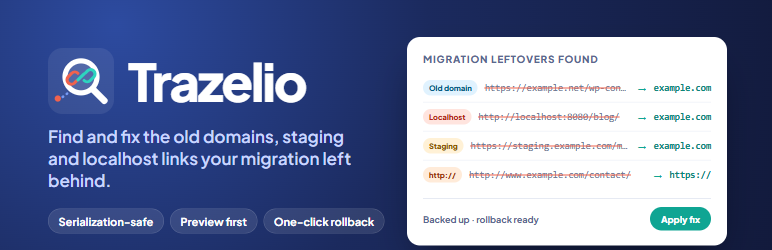
After moving a WordPress site, the database is often still full of addresses that point somewhere else: the old domain, the staging copy, localhost:8080, a temporary hosting domain, or http:// links that cause mixed content warnings. Search-and-replace tools can fix these, but only if you already know every address to look for.
Trazelio finds them for you. It scans post content, post meta, term meta and options, groups everything it finds by address, and shows exactly where each one is stored. You decide what to fix.
What it detects
- Local / development addresses –
localhost,127.0.0.1, private network IPs,.local,.testand similar development domains. - Staging and temporary domains – staging subdomains and temporary domains from common hosts (WP Engine, Kinsta, Cloudways, Pantheon, InstaWP, WordPress.com staging and more).
- Other WordPress addresses – links to
wp-content,wp-includes,wp-jsonor?p=URLs on another domain. When a linked upload also exists in your own uploads folder, Trazelio marks the host as “Old address of this site”. - Insecure http:// links – links to your own site over
http://on anhttps://site. - Old server paths – absolute folder paths from a previous server (for example
/home/olduser/orC:\xampp\), reported so you can re-save the plugin settings that hold them.
URLs are found in every form WordPress stores them: plain, JSON-escaped (https:\/\/old.com, used by page builders such as Elementor) and URL-encoded.
Safe fixing
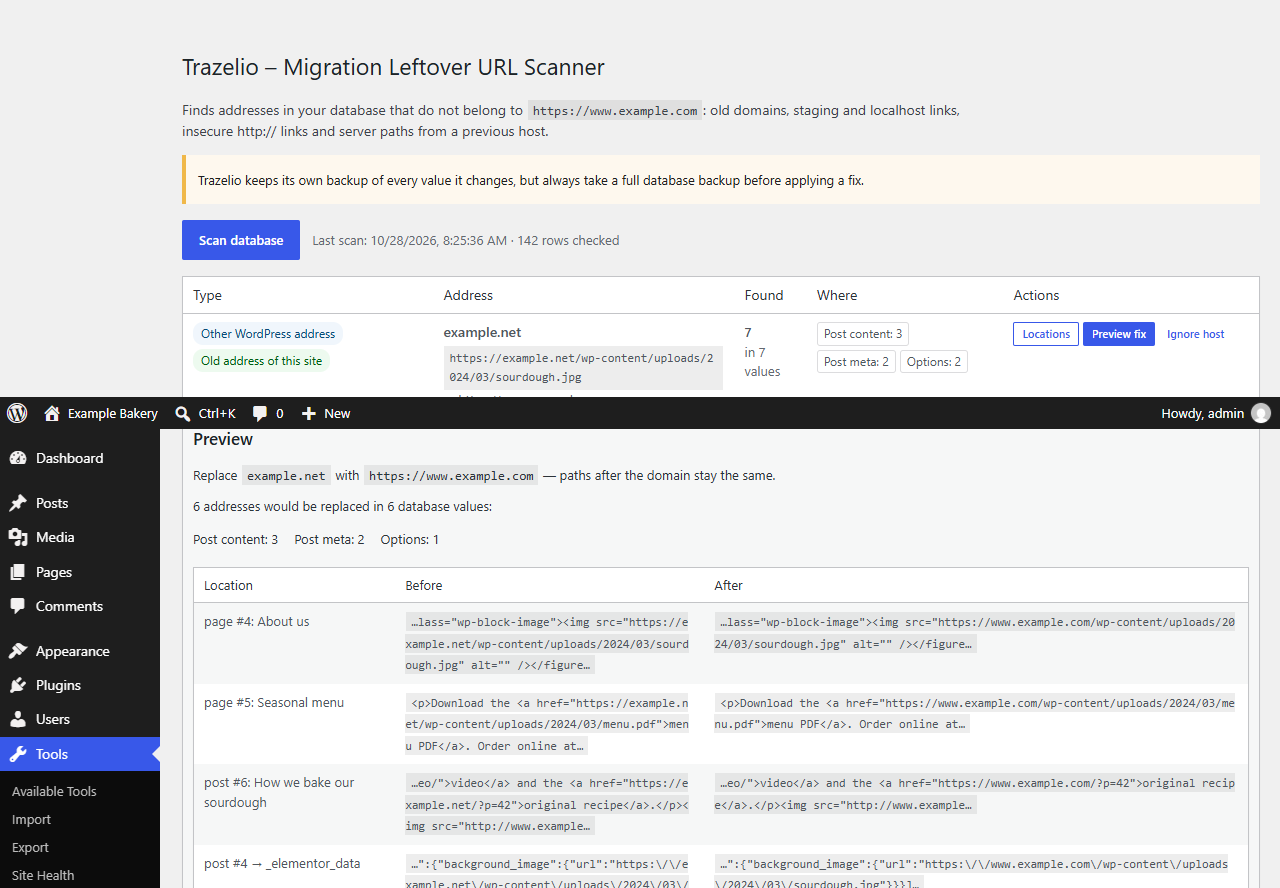
- Preview first. See how many values change and before/after examples. Nothing is written during a preview.
- Serialization-aware. Serialized arrays are unserialized, changed and serialized again, so string lengths stay valid. Values that contain custom PHP objects or broken serialization are skipped and listed, never corrupted. No code from other plugins is run while data is inspected.
- Only the domain changes. The scheme and host are replaced with your current site address; paths, query strings and file names stay the same.
- Built-in backups and rollback. Every changed value is copied to a backup table before it is written. A rollback restores each value, but only if it was not edited again after the fix.
- Resumable batches. Scans and fixes run in small batches, so large sites and short PHP time limits are fine.
- Protected options.
siteurl,home, cron, rewrite rules and transients are never changed.
WP-CLI
wp trazelio scan– scan and list findings.wp trazelio fix "<id>" --dry-run– count what would change.wp trazelio fix "<id>"– apply the fix.wp trazelio rollback <run>– roll a fix back.
Privacy
Trazelio does not send any data anywhere, does not call external services, has no tracking and needs no account. Everything happens in your own database.
Screenshots

Installation
- Install and activate the plugin through the Plugins screen, or upload the
trazeliofolder to/wp-content/plugins/. - Go to Tools Trazelio.
- Click Scan database.
- Review the findings, open Locations to see where an address is stored, and use Preview fix and Apply fix for the ones you want to replace.
FAQ
-
Does scanning change anything?
-
No. Scanning only reads the database. Values change only when you click Apply fix after a preview.
-
Do I still need a database backup?
-
Yes. Trazelio backs up every value it changes and can roll a fix back, but a full database backup before any bulk change is always recommended.
-
What does the fix replace the address with?
-
Your current site address (Settings General Site Address), keeping the rest of each URL. For insecure links, only
http://is changed tohttps://. -
A finding is a site I link to on purpose.
-
Click Ignore host, or add it to Ignored hosts. Subdomains of an ignored host are ignored too. WordPress.org, WordPress.com, Gravatar and Jetpack are ignored by default.
-
Why are some values skipped?
-
Values that contain PHP objects of other plugins, or serialized data that is already broken, cannot be rewritten without risk. They are listed in the preview so you can update them in the owning plugin.
-
Which tables are scanned?
-
Posts (content and excerpt, revisions excluded), post meta, term meta and options of the current site. On multisite, each site is scanned from its own dashboard.
-
What happens on uninstall?
-
The scan results, settings, fix history and backup table are deleted. Fixes that were applied stay in place.
Reviews
There are no reviews for this plugin.
Contributors & Developers
“Trazelio – Migration Leftover URL Scanner” is open source software. The following people have contributed to this plugin.
Contributors
Translate “Trazelio – Migration Leftover URL Scanner” into your language.
Interested in development?
Browse the code, check out the SVN repository, or subscribe to the development log by RSS.
Changelog
1.0.0
- Initial release.