

Description
Titanium Mail SMTP is a rule-based WordPress email delivery plugin for websites that need to send different types of email through different providers.
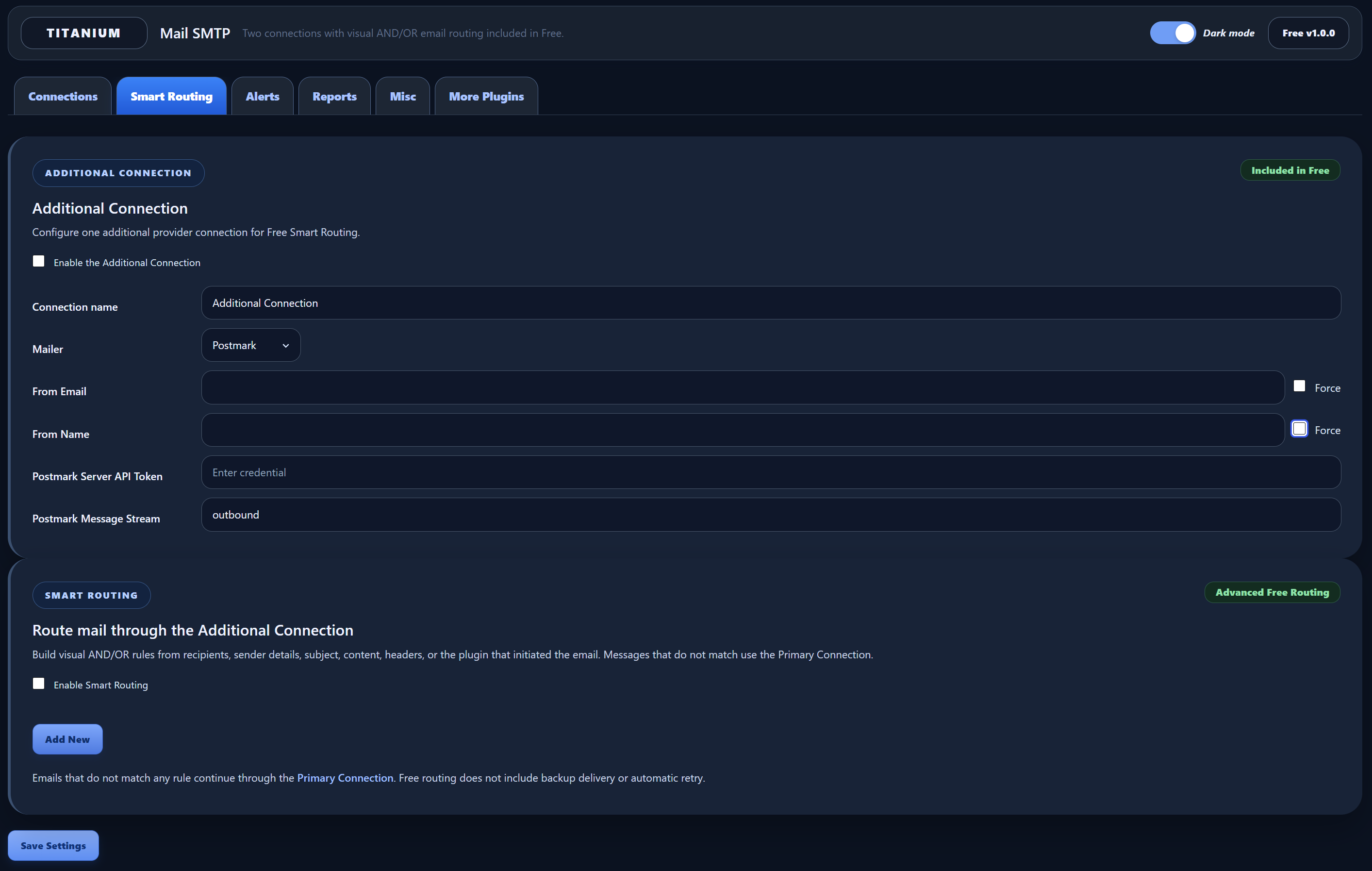
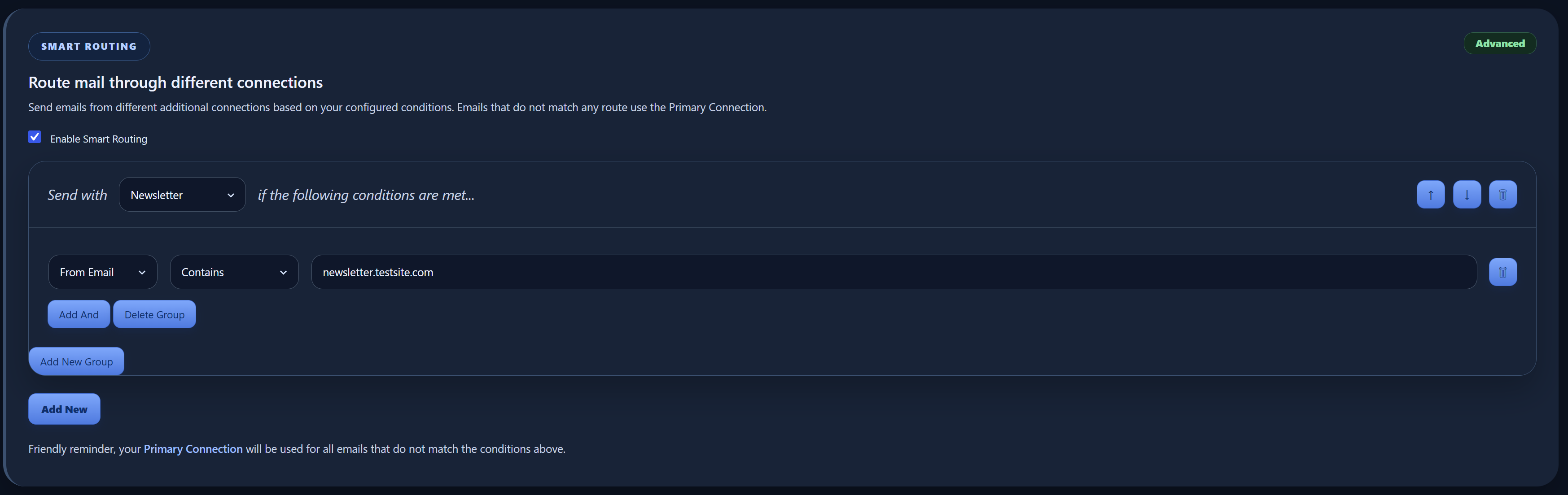
The Free version includes a Primary Connection, one Additional Connection, and advanced visual Smart Routing. Build grouped AND/OR conditions from the source plugin, recipients, sender, subject, email content, or headers. Conditions inside each group use AND logic, while groups are combined with OR logic. Messages that do not match a routing rule continue through the Primary Connection.
This makes it possible, for example, to send WooCommerce messages through Postmark while WordPress system notifications use Amazon SES, or to route messages for a particular recipient domain through the Additional Connection.
Why it is different
Titanium Mail SMTP Free is built around conditional delivery rather than only replacing the default WordPress mail transport. Both connections are usable delivery connections, and the visual rule builder can combine several conditions before selecting the Additional Connection.
What you can do
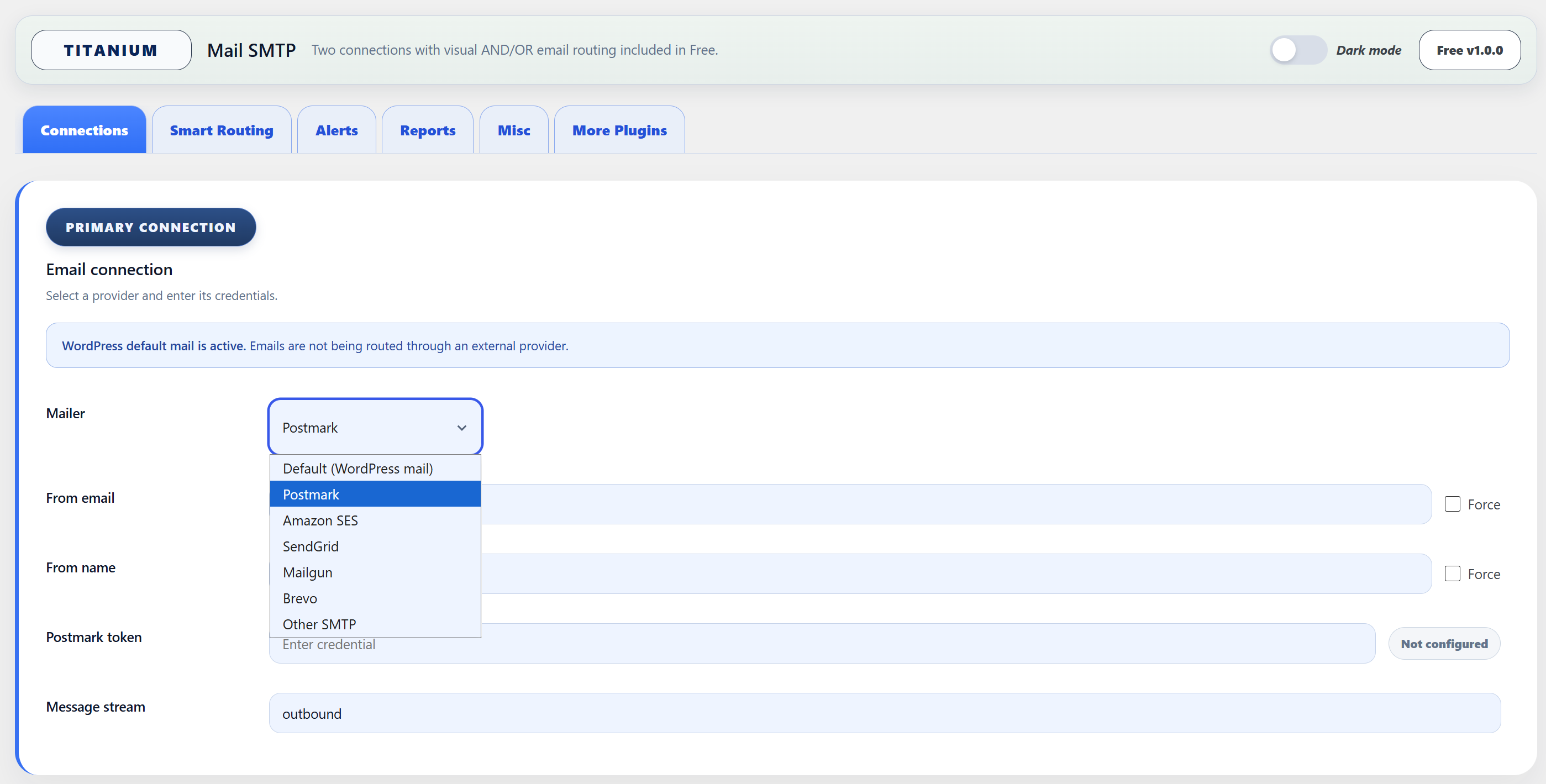
- Send WordPress email through Postmark, Amazon SES, SendGrid, Mailgun, Brevo, Other SMTP, or WordPress default mail.
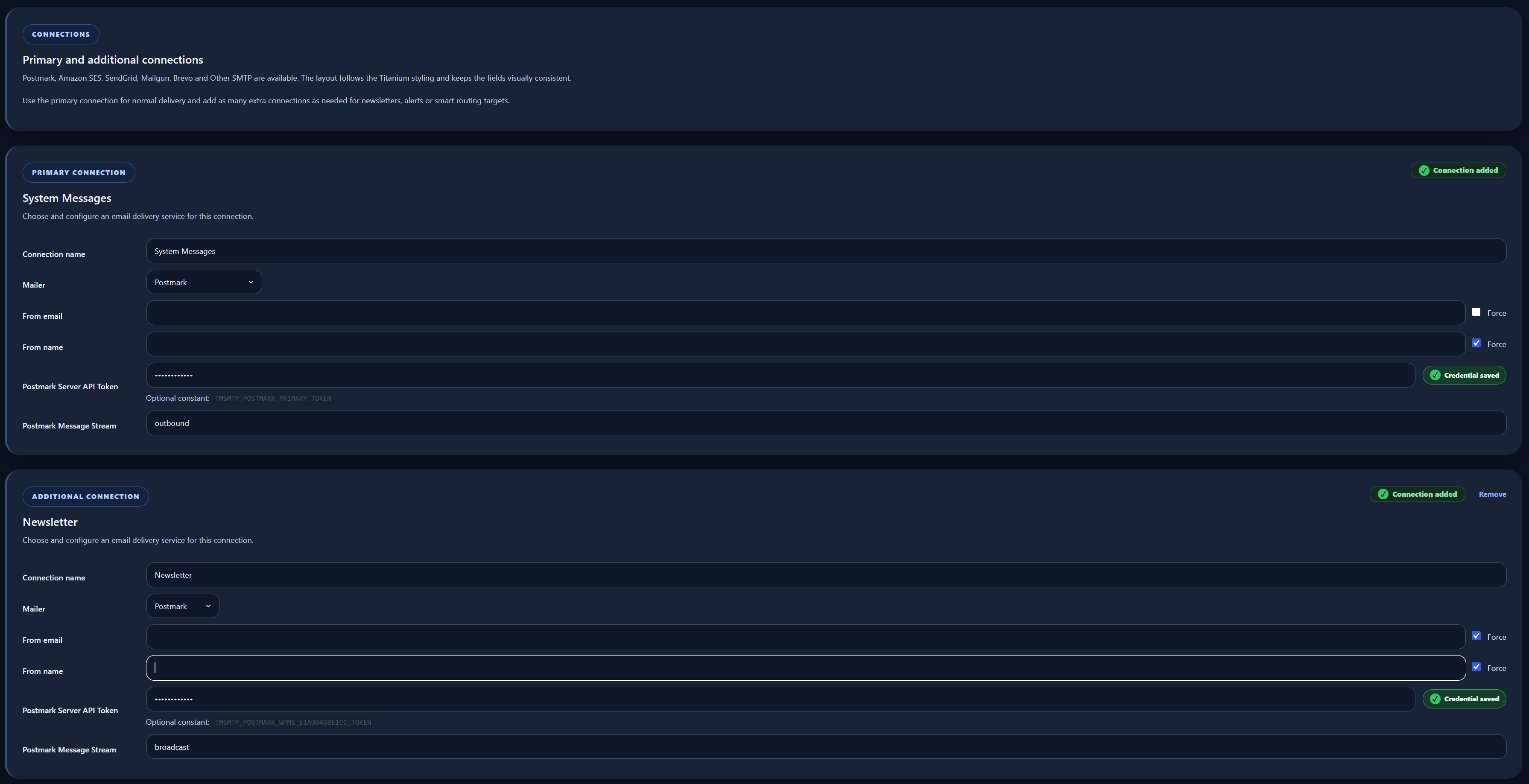
- Configure one Primary Connection and one independent Additional Connection.
- Build visual Smart Routing with AND rules inside groups and OR logic between groups.
- Route by source plugin or WordPress core, To, CC, BCC, Reply-To, From Email, From Name, subject, message content, header name, or header value.
- Use the Primary Connection automatically when no routing rule matches.
- Set separate sender details and credentials for the two connections.
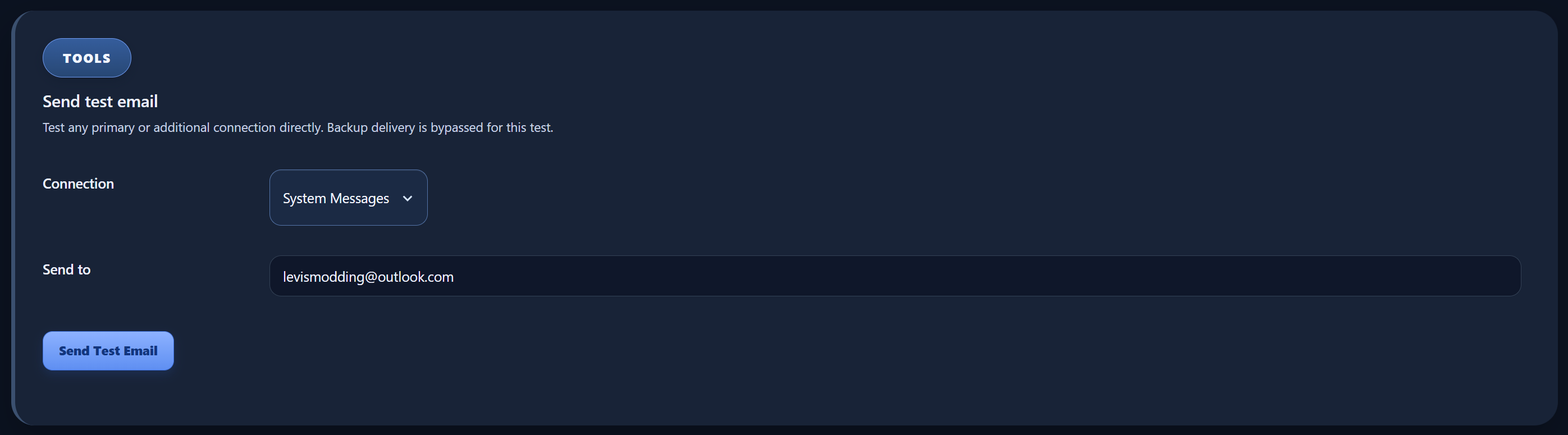
- Send a real test email through the Primary or Additional Connection.
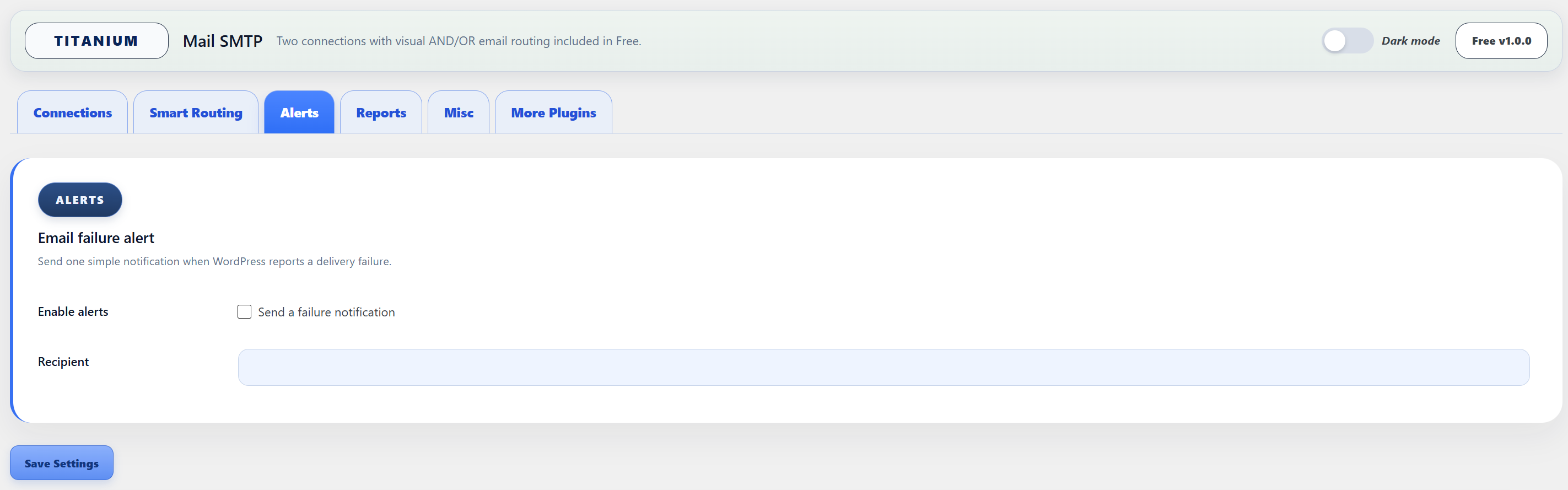
- Receive a simple administrator alert when WordPress reports a delivery failure.
- Store supported credentials in plugin settings or in
wp-config.phpconstants. - Import a supported primary connection from WP Mail SMTP without changing or deleting its original settings.
- Keep normal WordPress mail active when no external provider is configured.
Free routing and Pro reliability
The Additional Connection in Free is a routing destination. Free does not automatically use it as a backup when another delivery fails, and it does not add failed messages to an automatic retry queue.
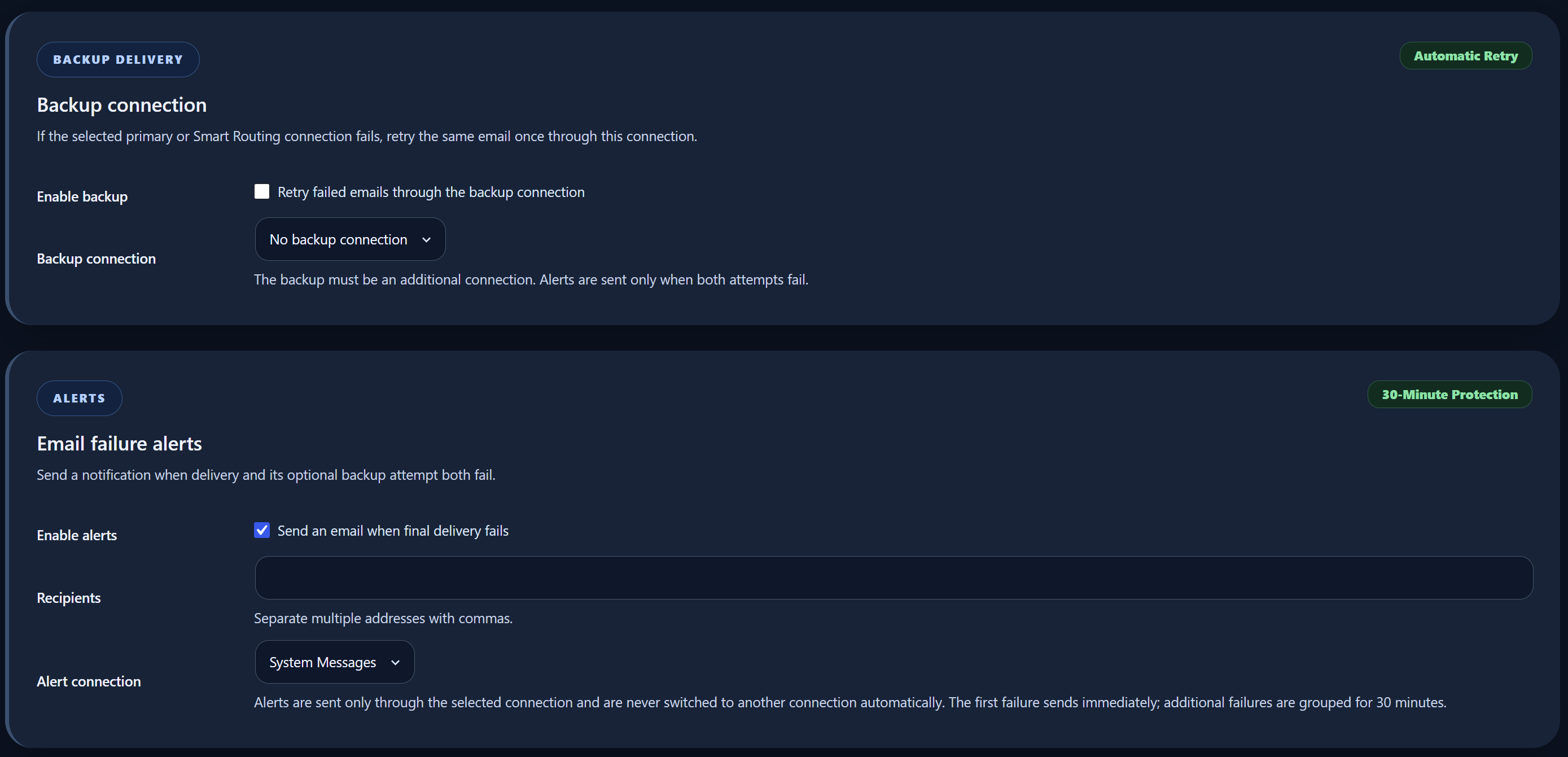
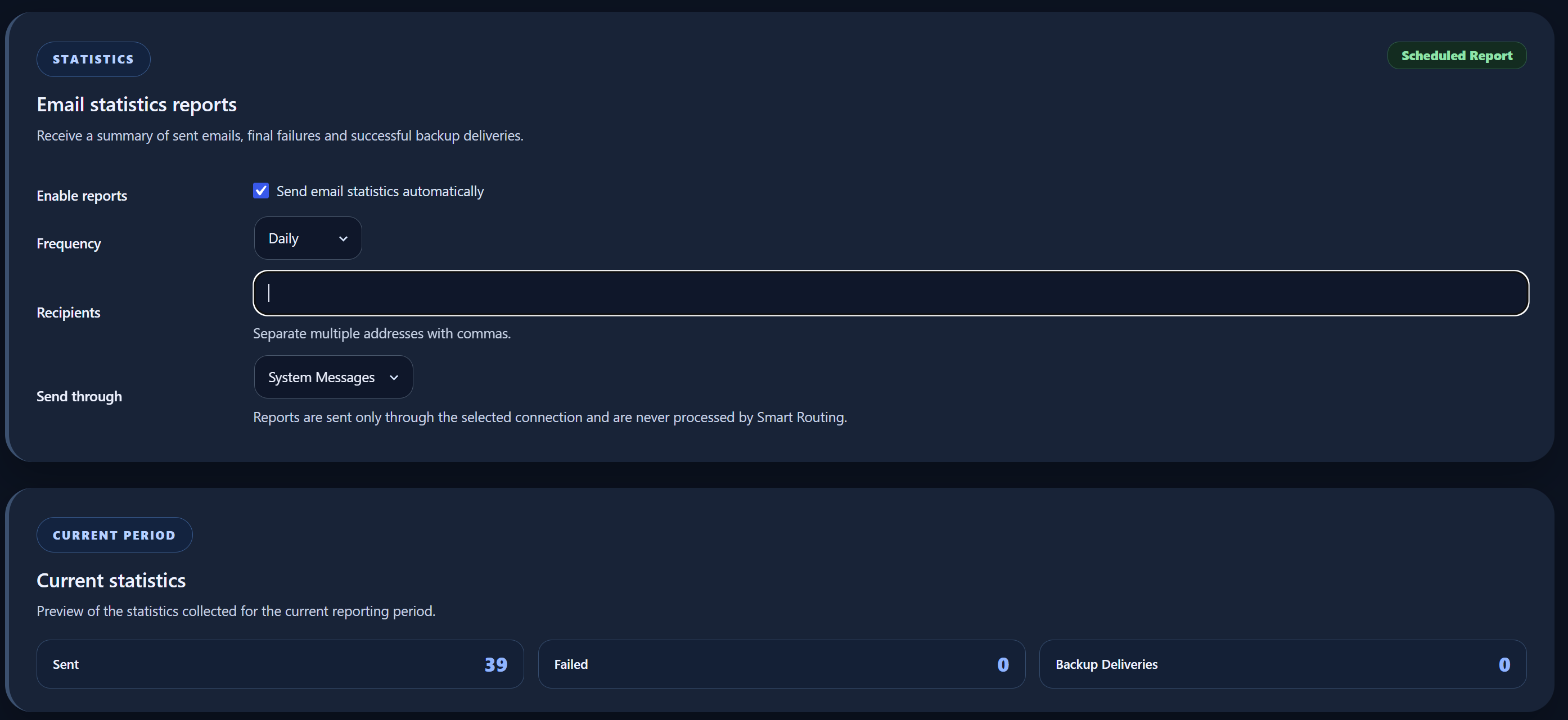
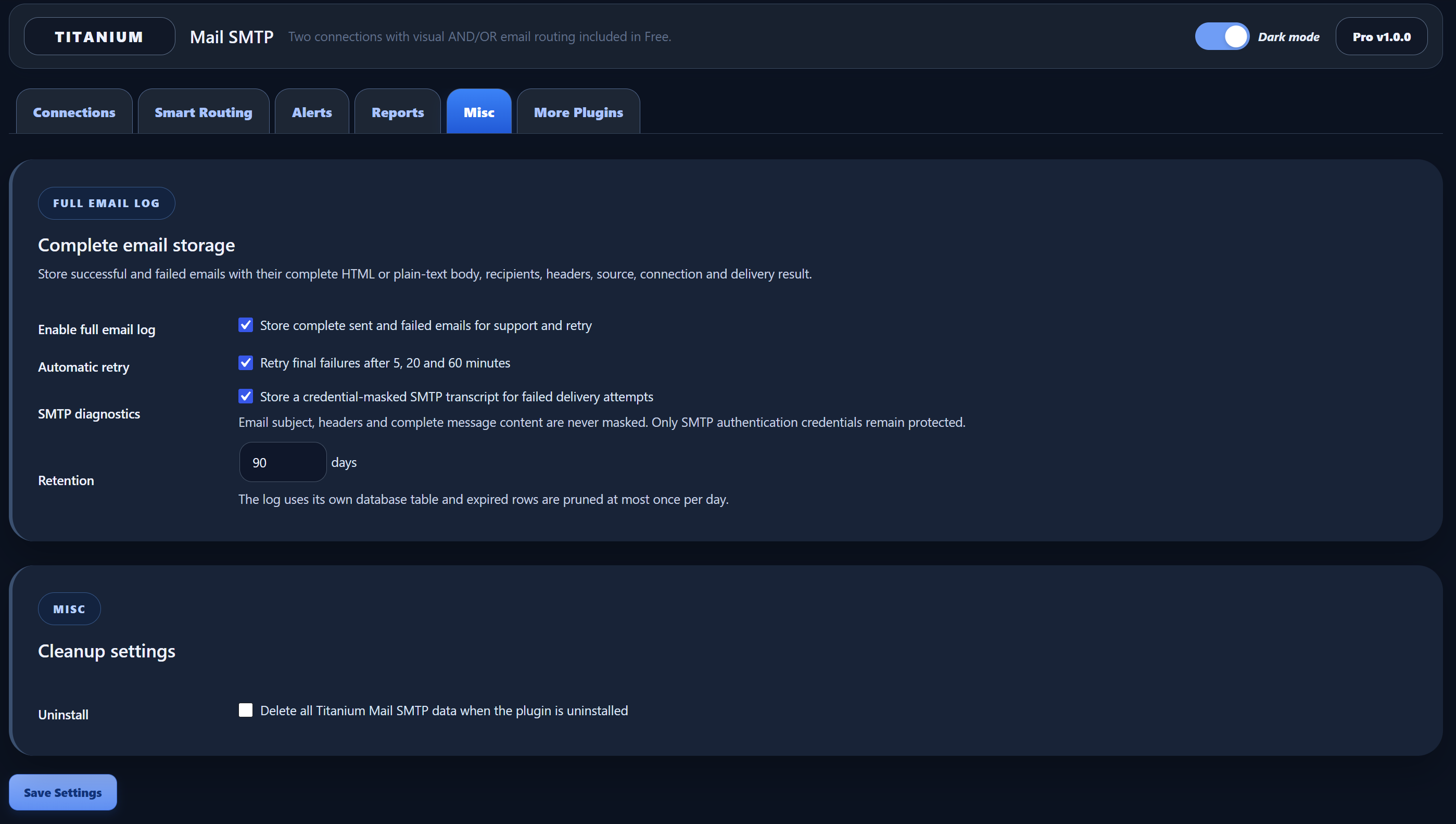
Titanium Mail SMTP Pro is available separately for sites that need unlimited additional connections, backup failover, automatic retries, protected attachment storage for retries, the Full Email Log, isolated HTML preview, raw message body, redacted headers, SMTP diagnostics, manual resend of any logged email, grouped failure alerts, detailed statistics, scheduled reports, and migration of supported WP Mail SMTP Pro connections, backup, and routing settings.
Useful for
- WooCommerce stores that separate order email from general site email
- Membership, community, course, and subscription websites
- Websites where several plugins send different types of transactional email
- Agencies that need provider-specific routing without automatic failover
- Contact-form and lead-generation websites
External services
This plugin connects to configured email delivery services when WordPress sends an email, including an administrator-requested test email. Pricing and checkout connections occur only on the plugin’s admin screens after an administrator explicitly enables current price display or starts the checkout flow.
AdminPlugins pricing API
This plugin connects to the AdminPlugins pricing API at https://adminplugins.com/wp-json/tmsmtp-freemius/v1/pricing to load the current public plan prices, license limits, discount state, and checkout URLs shown on the Upgrade page. The request is made from the WordPress admin area only after an administrator enables current price display. Price loading is disabled by default and can be disabled again at any time from the Upgrade page. The plugin sends a standard server-side HTTPS GET request with source=plugin. No email settings, routing rules, site content, users, passwords, email messages, provider credentials, or license keys are added to this request. If the current admin URL contains no_cache=1, the administrator-authorized request also sends no_cache=1 to refresh the local pricing cache.
This service is provided by AdminPlugins: Terms of Service: https://adminplugins.com/terms-and-conditions/ Privacy Policy: https://adminplugins.com/privacy-policy/
Freemius SDK and Checkout
This plugin uses the Freemius SDK for optional Pro licensing, account management, software updates, and checkout. Free users can skip the Freemius opt-in and continue using all Free email delivery and routing features. The plugin loads the Freemius Checkout JavaScript from https://checkout.freemius.com/js/v1/ only after an administrator clicks an upgrade button, so the secure checkout overlay can open for the selected Pro plan. The checkout script is loaded only in the WordPress admin area and only after the administrator starts checkout from the plugin pricing screen. When an administrator opts in through the Freemius SDK, activates a license, opens the Freemius account/license screens, checks for updates, or clicks an upgrade button, Freemius may receive licensing and site/account data required to provide those services. Checkout-related data can include the product ID, plan ID, pricing ID, selected license quantity, billing cycle, currency, coupon code when active, and license key when upgrading an existing license. If the AdminPlugins pricing API is unavailable, the plugin can use Freemius pricing as a fallback only when the site is registered with Freemius and Freemius tracking permission is currently allowed. If the checkout overlay script is unavailable, the administrator is sent to the normal Freemius checkout URL instead.
This service is provided by Freemius, Inc.: Terms of Service: https://freemius.com/terms/ Privacy Policy: https://freemius.com/privacy/
Postmark
When Postmark is selected, the plugin sends email data to https://api.postmarkapp.com/email. Data can include the Postmark server token, sender, recipients, subject, message body, headers, attachments, inline embeds, and message stream required to send the email, including an administrator-requested test email.
This service is provided by Postmark: Terms of Service: https://postmarkapp.com/terms-of-service Privacy Policy: https://postmarkapp.com/privacy-policy
Amazon Simple Email Service
When Amazon SES is selected, the plugin connects to the regional Amazon SES endpoint configured by the administrator, in the form https://email.REGION.amazonaws.com/. Data can include the AWS access key ID, signed request headers, session token when configured, sender, recipients, subject, message body, headers, attachments, and inline embeds required to send the email, including an administrator-requested test email. The AWS secret access key is used locally to sign the request and is not intentionally transmitted as a plain request field.
This service is provided by Amazon Web Services: Customer Agreement: https://aws.amazon.com/agreement/ Privacy Notice: https://aws.amazon.com/privacy/
SendGrid
When SendGrid is selected, the plugin sends email data to https://api.sendgrid.com/v3/mail/send. Data can include the SendGrid API key, sender, recipients, subject, message body, headers, attachments, and inline embeds required to send the email, including an administrator-requested test email.
This service is provided by Twilio SendGrid: Terms of Service: https://www.twilio.com/en-us/legal/tos Privacy Notice: https://www.twilio.com/en-us/legal/privacy
Mailgun
When Mailgun is selected, the plugin connects to https://api.mailgun.net or https://api.eu.mailgun.net, depending on the selected region, and uses the configured sending domain. Data can include the Mailgun API key, domain, sender, recipients, subject, message body, headers, attachments, and inline embeds required to send the email, including an administrator-requested test email.
This service is provided by Mailgun: Terms of Service: https://www.mailgun.com/legal/terms/ Privacy Policy: https://www.mailgun.com/legal/privacy-policy/
Brevo
When Brevo is selected, the plugin sends email data to https://api.brevo.com/v3/smtp/email. Data can include the Brevo API key, sender, recipients, subject, message body, headers, and attachments required to send the email, including an administrator-requested test email. The plugin does not send unsupported inline-embed messages through the Brevo API.
This service is provided by Brevo: Terms of Use: https://www.brevo.com/legal/termsofuse/ Privacy Policy: https://www.brevo.com/legal/privacypolicy/
Other SMTP
When Other SMTP is selected, email data and SMTP credentials are sent directly to the SMTP server configured by the administrator. Data can include the SMTP host, port, encryption and authentication settings, username, password, sender, recipients, subject, message body, headers, attachments, and inline embeds. The provider, terms, and privacy policy depend on the SMTP service selected by the administrator.
When Default (WordPress mail) is selected, this plugin does not directly send email data to any of the providers listed above. The server, hosting provider, another WordPress component, or another installed plugin may still handle delivery according to its own configuration.
Privacy
Titanium Mail SMTP Free stores its settings, routing rules, provider configuration, migration state, and cached public pricing data locally in the WordPress database. Supported provider credentials can instead be defined in wp-config.php constants. The Free version does not include a persistent Full Email Log.
Test-email results may be stored temporarily in short-lived WordPress transients so the administrator can see the result after the request completes. Complete normal email content is not intentionally retained by the Free plugin after delivery.
The Delete Titanium Mail SMTP settings when the plugin is uninstalled option controls removal of the plugin settings, migration markers, and pricing cache. Shared settings are preserved when a related Pro package still requires them.
Data sent to external services is described in the External services section above. Each configured email provider, Freemius, AdminPlugins, the hosting environment, and other WordPress components may process data under their own terms and privacy policies.
Screenshots
Installation
- Upload the plugin folder to
/wp-content/plugins/or install the ZIP from the WordPress Plugins screen. - Activate Titanium Mail SMTP.
- Open Titanium Mail SMTP in the WordPress admin menu.
- Configure the Primary Connection.
- Open Settings > Smart Routing to configure the Additional Connection and routing rules.
- Send test emails before enabling routing on a production website.
FAQ
-
Does Titanium Mail SMTP replace wp_mail()?
-
It works with WordPress
wp_mail()and routes supported messages through the selected connection. Existing plugins and themes can continue using the normal WordPress mail function. -
How does Free Smart Routing work?
-
Each route can contain several AND conditions. Additional groups are evaluated with OR logic. The first matching route sends through the Additional Connection. If no route matches, the message uses the Primary Connection.
-
Is the Additional Connection a backup connection?
-
No. In Free it is a normal routing target. Automatic backup delivery, failover, and retry are Pro features.
-
What happens when no external provider is configured?
-
The plugin keeps WordPress default mail available, so an incomplete or new installation does not block normal website email.
-
Does the plugin send email data before a provider is configured?
-
No. Email content and provider credentials are sent to an external email service only after an administrator selects and configures that provider and WordPress sends an email, including a test email requested by an administrator.
-
Does Free store a complete email log?
-
No. The Free version does not include the Full Email Log and does not intentionally keep a persistent copy of complete sent email content after delivery. WordPress, the selected email provider, the hosting environment, or another installed plugin may still process or store email according to its own configuration.
-
Does the WP Mail SMTP importer delete the original settings?
-
No. It can import a supported primary connection once, but it does not change or delete the original WP Mail SMTP settings.
-
Does opening the Upgrade page contact AdminPlugins automatically?
-
No. Current prices are disabled by default. They are loaded only after an administrator explicitly enables current price display, and price loading can be disabled again from the same Upgrade page. The Upgrade Now buttons continue to open Freemius checkout while prices are hidden.
-
Can I skip the Freemius connection in Free?
-
Yes. The Freemius opt-in screen can be skipped, and the Free email delivery and routing features remain available.
Reviews
There are no reviews for this plugin.
Contributors & Developers
“Titanium Mail SMTP” is open source software. The following people have contributed to this plugin.
Contributors
Translate “Titanium Mail SMTP” into your language.
Interested in development?
Browse the code, check out the SVN repository, or subscribe to the development log by RSS.
Changelog
1.0.1
- Confirmed compatibility with WordPress 7.1.
1.0.0
- Initial release.