Description
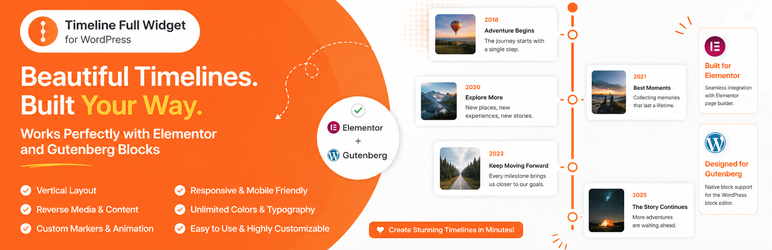
Timeline Full Widget is a lightweight and flexible WordPress timeline plugin that allows you to create timelines using both Elementor and Gutenberg.
The plugin provides a consistent editing experience across builders and gives you full control over layout, styling, and content without unnecessary complexity.
Key advantages:
- Works with Elementor and Gutenberg
- Clean and simple editing experience
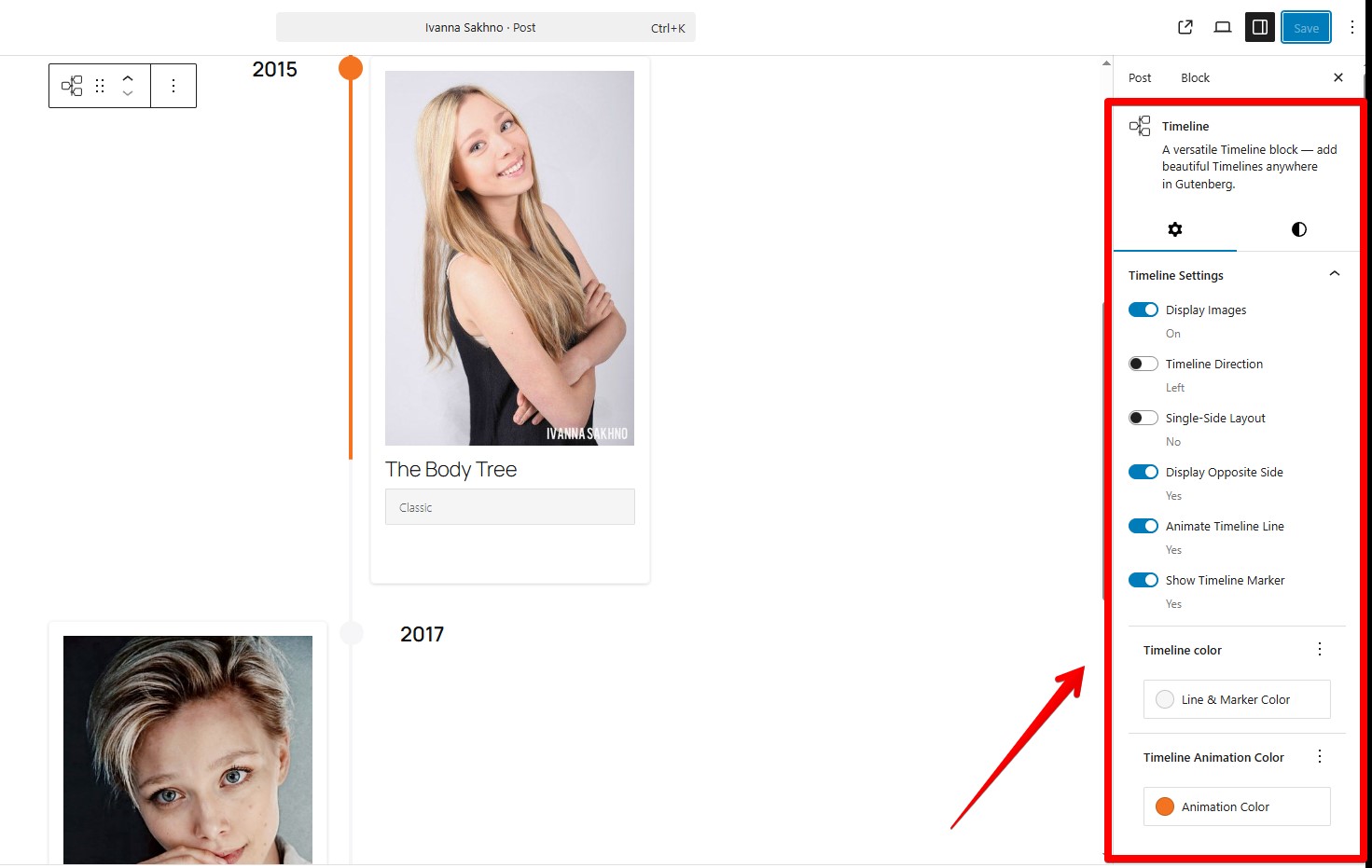
- Customizable styles (colors, typography, spacing)
- Support for images and video
- Responsive layout
- Reusable styles between timeline items
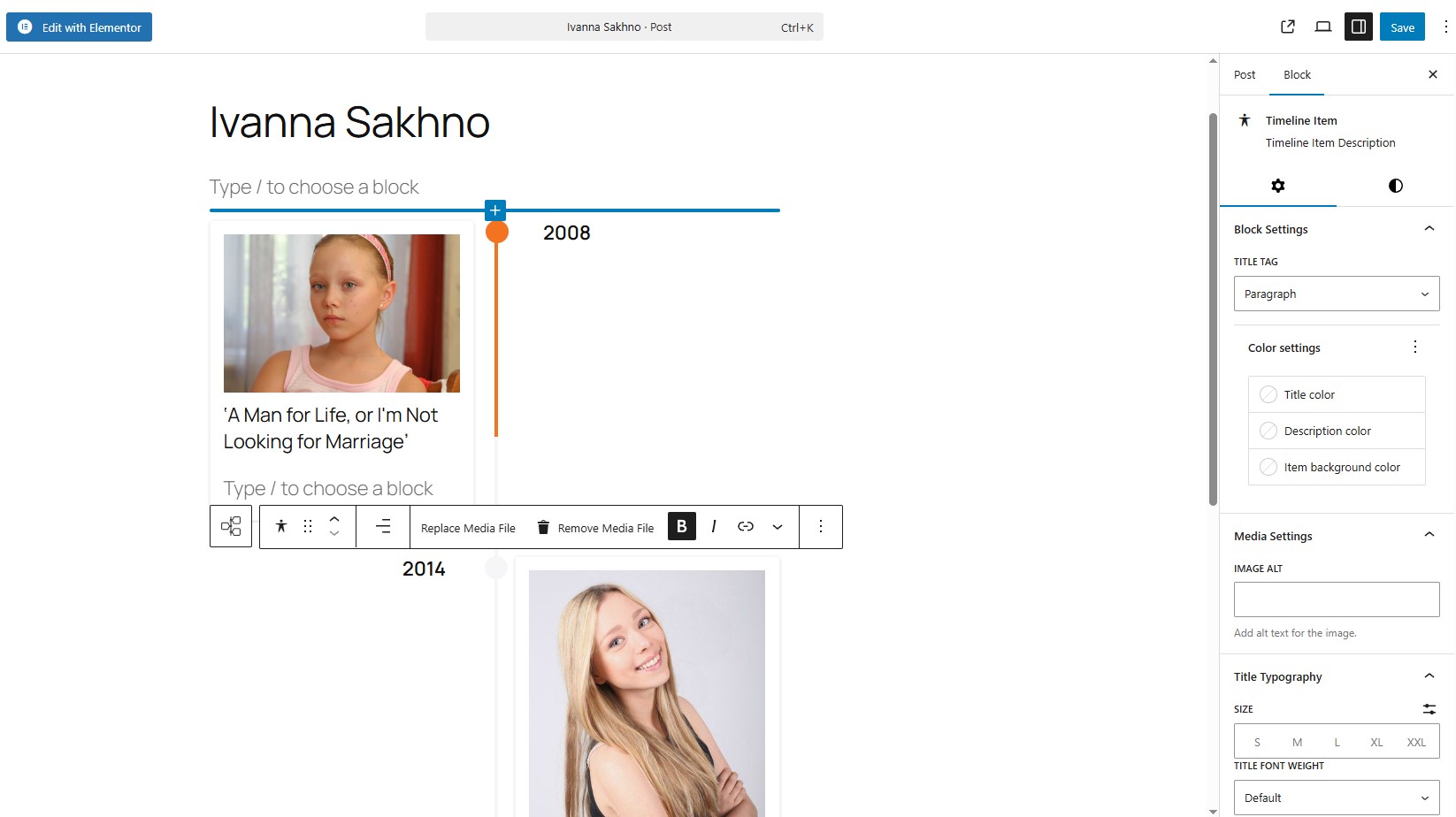
- Block-based side and main content areas for Gutenberg timeline items
You can use it for:
- Project timelines
- Roadmaps
- Company history
- Event timelines
- Milestones
Contribute
Would you like to help translate Timeline Full Widget into your language?
You can contribute translations here:
https://translate.wordpress.org/projects/wp-plugins/timeline-full-widget/
Screenshots


Blocks
This plugin provides 1 block.
- Timeline Full Widget A versatile timeline block for adding responsive timelines in Gutenberg.
Installation
- Upload the plugin files to the
/wp-content/plugins/timeline-full-widgetdirectory, or install it through the WordPress plugins screen directly. - Activate the plugin through the ‘Plugins’ screen in WordPress.
- Use the Elementor editor or Gutenberg editor.
FAQ
-
Does it work with the latest Elementor?
-
Yes, tested with Elementor 4.0.3 and WordPress 6.9.
-
Does it support Gutenberg (block editor)?
-
Yes, the plugin includes a native Gutenberg block. Type “/timeline”
-
Can I change the marker on the timeline items?
-
Yes, you can. Use the “Edit marker” button. In “Marker Settings” you need choose “Unique Marker” option, after that you would be able to set a personal marker like a image.
-
Can I add blocks inside a timeline item?
-
Yes. In Gutenberg, each timeline item now has separate block-based areas for side content and main content. You can add headings, paragraphs, lists, galleries, and other compatible blocks to each area.
-
Can I customize timeline item styles?
-
Yes, you can control colors, typography, spacing, and alignment for each item.
-
How to apply the same styles to all Timeline items in block component?
-
Use the “Apply item styles to other items” button. It copies styles from the current item to all other items.
-
Is it responsive?
-
Yes, the timeline layout adapts to different screen sizes.
-
Will it work with my theme?
-
Yes, it works with most WordPress themes, including block and classic themes.
Reviews
There are no reviews for this plugin.
Contributors & Developers
“Timeline Full Widget” is open source software. The following people have contributed to this plugin.
Contributors
“Timeline Full Widget” has been translated into 9 locales. Thank you to the translators for their contributions.
Translate “Timeline Full Widget” into your language.
Interested in development?
Browse the code, check out the SVN repository, or subscribe to the development log by RSS.
Changelog
3.0.0
- Reworked the Gutenberg Timeline Item structure to support block-based side content and main content areas.
- Added support for adding any compatible WordPress blocks inside both the side content area and the main description area of each timeline item.
- Kept nested side and main content areas editable by default, including regular WordPress block insertion.
- Replaced the custom timeline item title field with a standard editable Heading block in the main content area.
- Preserved style copying between timeline items, including compatible nested block styles.
- Added migration support for existing timeline item content, including moving legacy titles into Heading blocks and preserving customized legacy title styles only when they differ from defaults.
- Added a 3.x legacy title compatibility layer with a code note to remove it in version 4.0.0 or later after users have migrated saved content.
- Added a default empty Paragraph block after the default Heading block for newly created timeline items.
- Removed obsolete Gutenberg title typography attributes from the current block schema.
- Improved editor block appender spacing for nested timeline content areas.
2.3.0
- Refactored the PHP plugin structure into PSR-4-style classes under
includes/while keeping Gutenberg source files insrc/. - Kept backward-compatible constants for existing custom integrations.
- Improved separation between Gutenberg, Elementor, Classic Editor, assets, and admin metadata loading.
- Added the ability to change marker size
2.2.1
- Fixed an issue with module script optimization.
- Improved Gutenberg block frontend script loading to ensure animations initialize correctly.
2.2.0
- Added showing step numbers of items.
2.1.1
- Bug fixes.
2.1.0
- Added WordPress Playground support.
- Added support for horizontal and vertical content layouts.
- Added an option to reverse media and content order.
2.0.0
- Bug fixes.
- Improved Title Typography controls.
- Added link wrapper support for media elements.
- Added timeline width style controls.
1.3.0
- Added a button to copy styles from the current item.
- Added responsive media queries for the Gutenberg block timeline.
- Added responsive media queries for the Elementor widget timeline.
- Added controls for media width inside timeline items.
- Fixed Content Typography style issues in Elementor.
- Separated line and marker color styles.
1.2.0
- Corrected timeline styles in the Gutenberg block.
- Bug fixes.
1.1.0
- Bug fixes.
- Added font-family selection for Title elements in the Gutenberg block.
1.0.1
- Added sticky text settings for the opposite side of the timeline.
- Corrected marker animation behavior.
1.0.0
- Release Date – 25th September 2025.
- Initial Release.