
Description
TiboForm is a lightweight form builder for any WordPress site. Build contact, quote, appointment or job application forms in minutes, collect every submission in a tidy inbox inside your admin panel and get an email the moment someone writes to you. All features are included, nothing is locked, and the plugin makes no external requests.
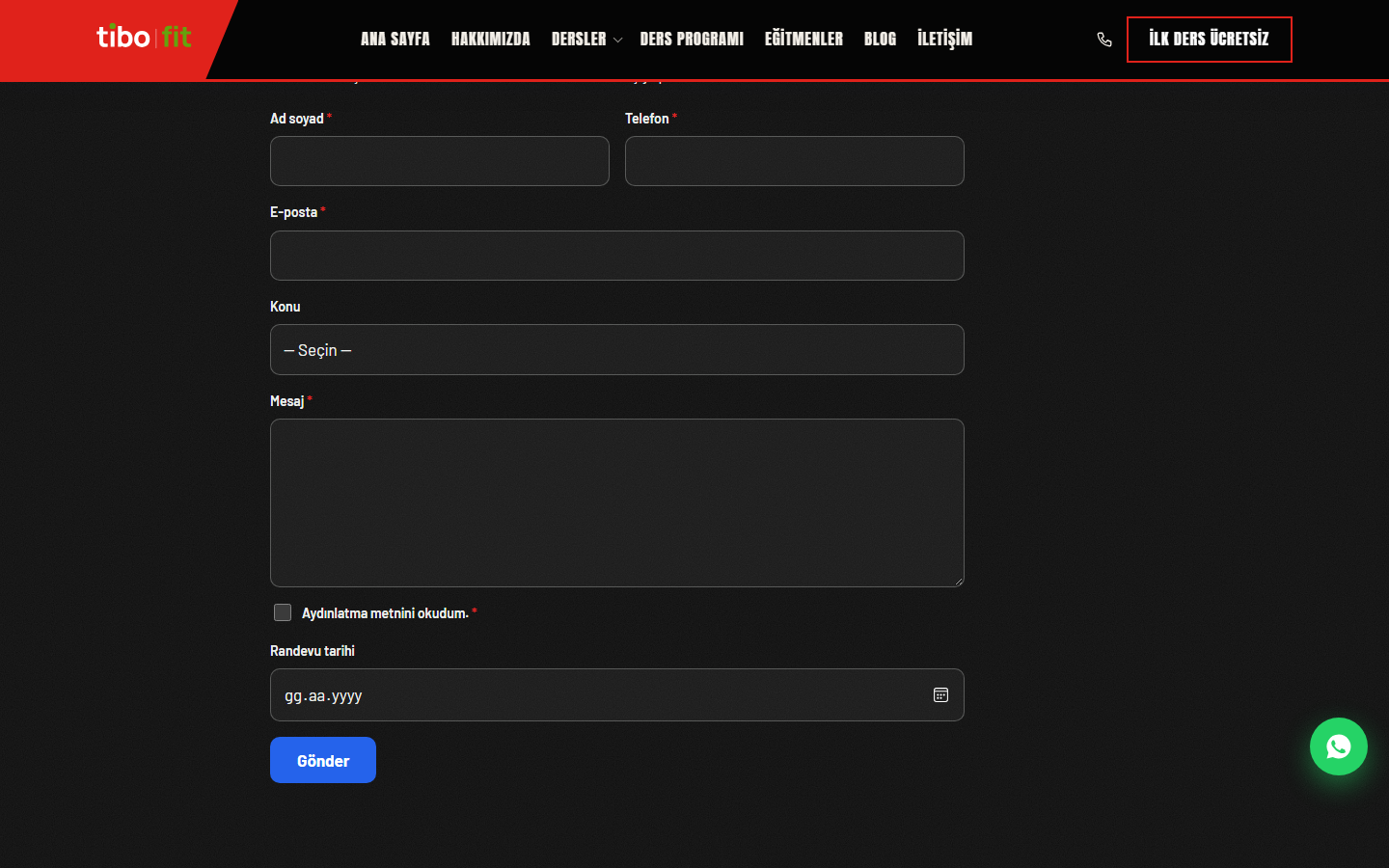
Forms use your theme’s fonts and colors automatically, so they look like part of your site, on light and dark backgrounds alike. Everything is stored in your own WordPress database.
Drag-and-drop form builder
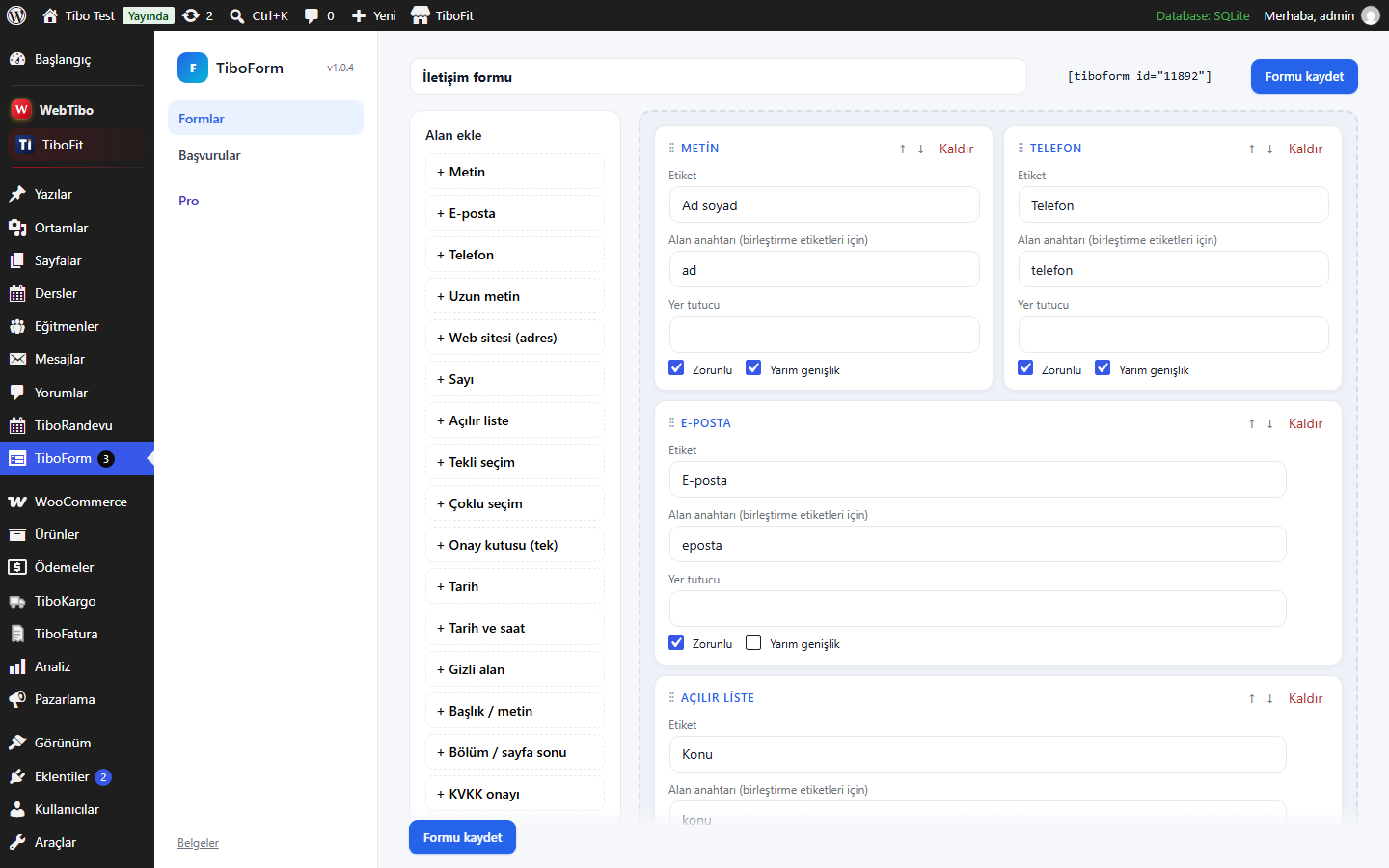
- All the field types you need: Text, email, phone, URL, number (with minimum and maximum), date, date and time, long text, dropdown, single choice, multiple choice, single checkbox, privacy consent, hidden field, heading and section break.
- Easy layout: Drag fields to reorder them (keyboard-friendly buttons too), make any field half or full width, mark fields as required and add placeholders.
- Hidden fields that read the page address: A hidden field can store values such as {get:utm_source} or {get:utm_campaign}, so you know which ad or campaign a message came from.
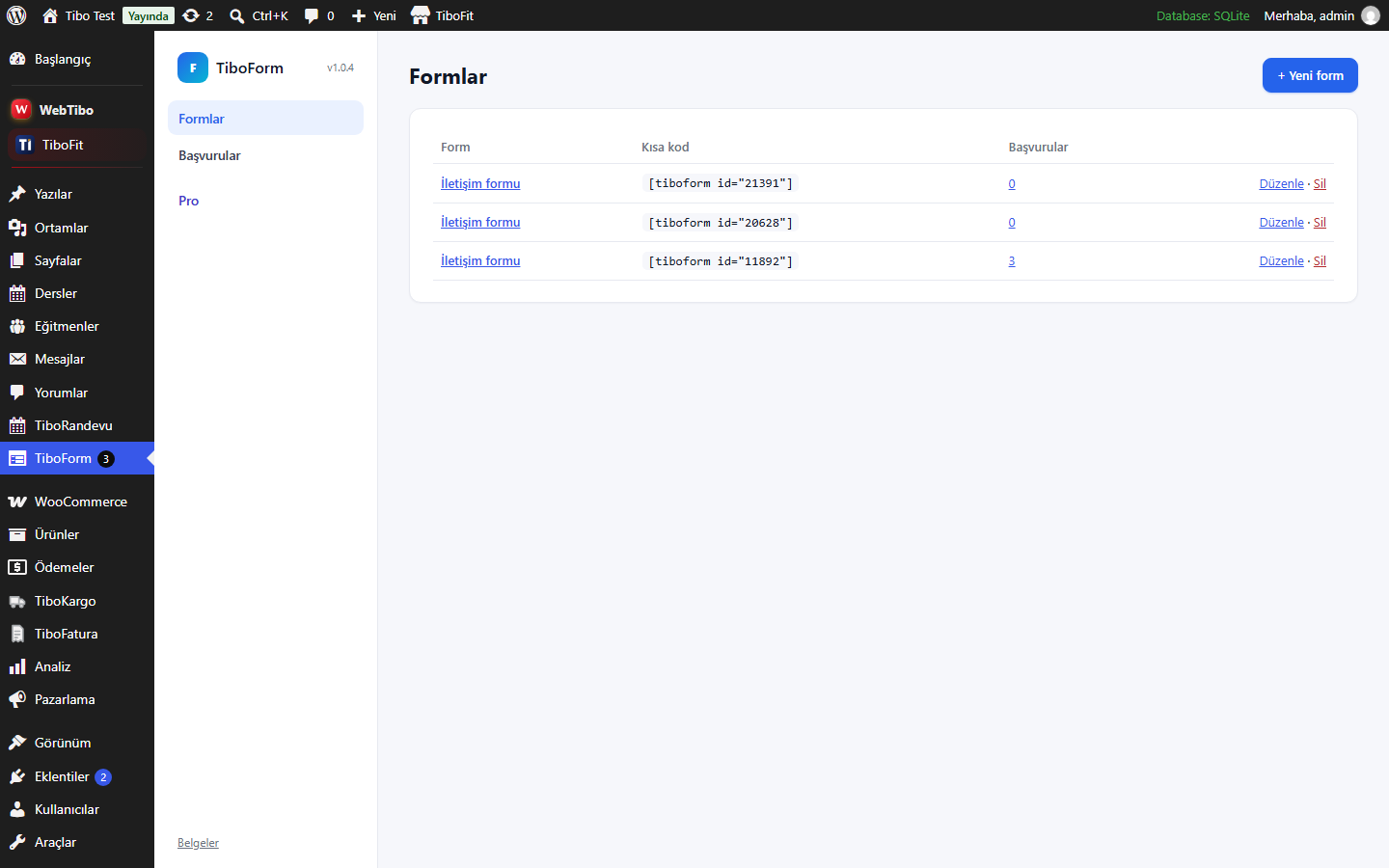
- One shortcode: Place a form anywhere with [tiboform id=”12″].
Ready-made templates
Start from a template and adjust it: contact form, quote request, appointment request, job application, feedback survey and newsletter signup. A ready-to-use contact form is created when you activate the plugin.
Submissions inbox
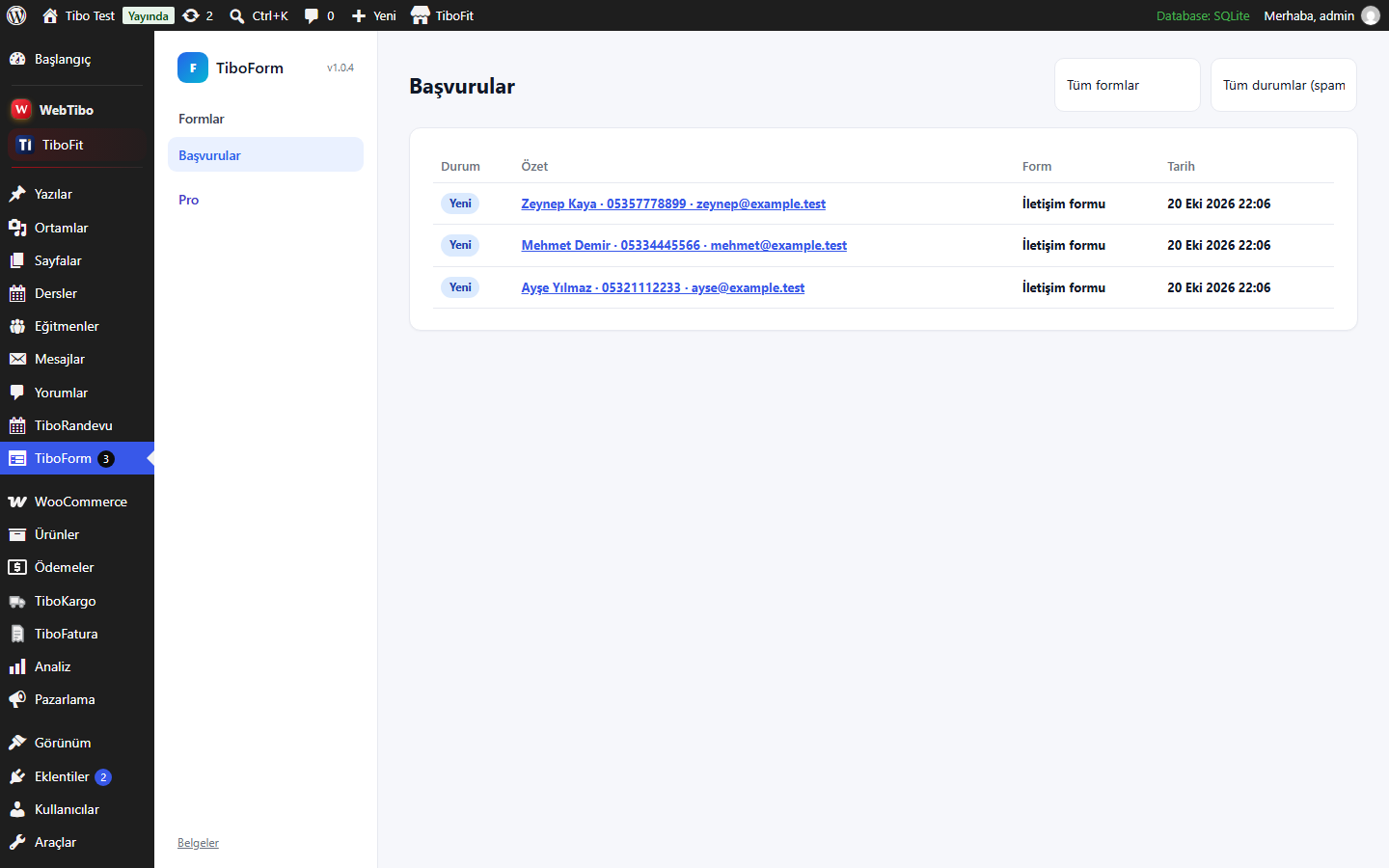
- Every message in one place: See submissions from all forms or from a single form, with a short summary of each one.
- Statuses: New, Read, Replied and Spam. The menu shows how many new submissions are waiting.
- Internal notes: Add a note to any submission, visible only to admins.
- CSV export: Download submissions as an Excel-ready CSV file (UTF-8, protected against formula injection).
Email notifications and auto-reply
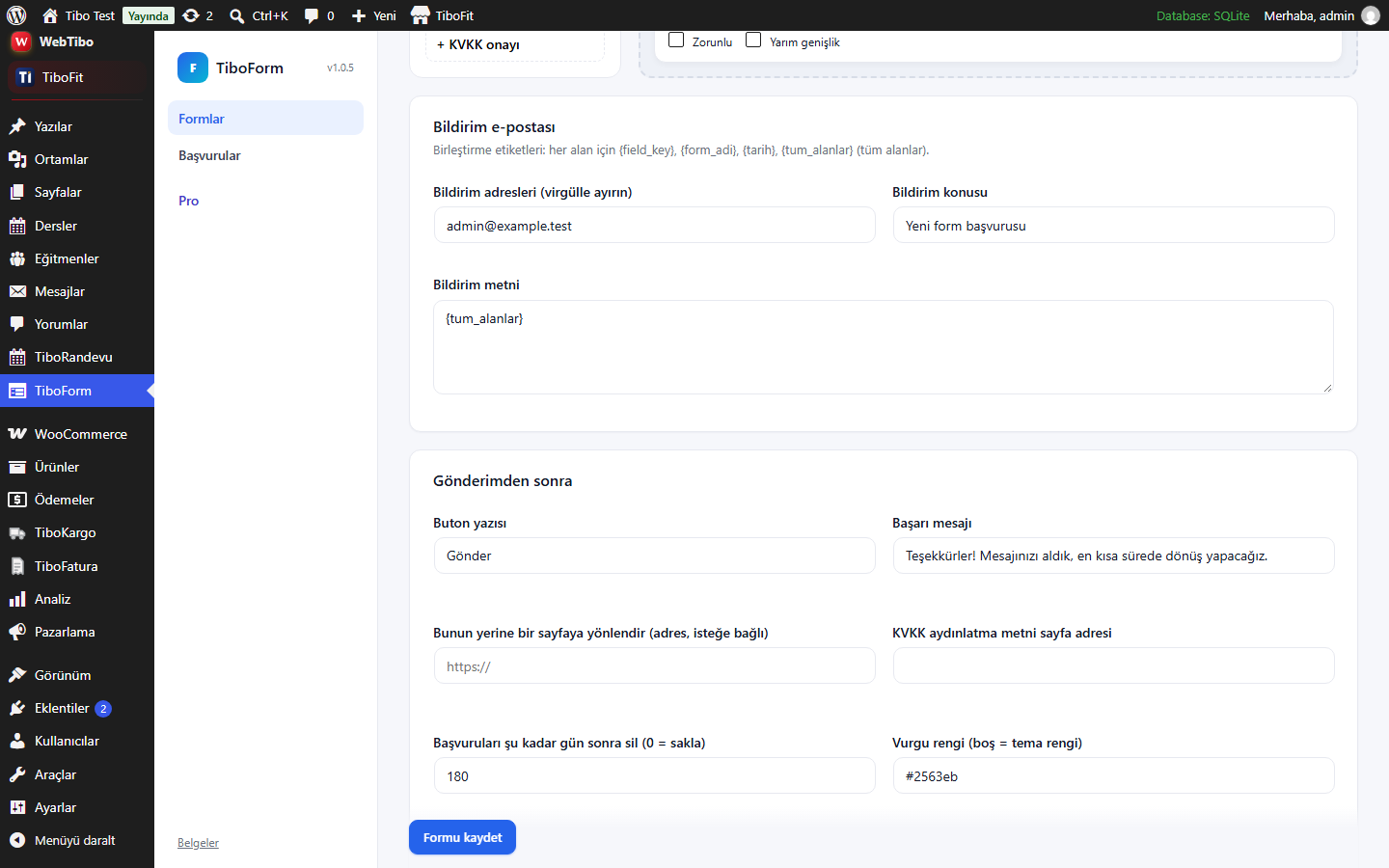
- Send notifications to one or more addresses with your own subject and text.
- Merge tags: {field_key} for any field, {form_adi} (form name), {tarih} (date) and {tum_alanlar} (all fields).
- Optional automatic reply to the visitor, with its own subject and text.
- Show a success message or redirect the visitor to a thank-you page after sending.
Spam protection without CAPTCHA
No puzzles for your visitors and no third-party service. TiboForm combines a hidden honeypot field, a minimum fill-in time and a rate limit per visitor, which stops most spam bots.
Privacy and KVKK / GDPR
- Consent checkbox: Add the privacy consent field and link it to your privacy notice. The time of consent is saved with each submission.
- Automatic deletion: Choose after how many days old submissions are deleted, or keep them.
- No external requests: Nothing is sent outside your site; no tracking, no ads in the admin panel.
For theme developers
$id = tiboform_get_or_create_form( 'my-theme-contact', 'contact', 'Contact' );creates a form once and returns its ID.echo tiboform_render_form( $id, array( 'dark' => true ) );or[tiboform key="my-theme-contact" template="contact"].- Match your colors:
.tfm{--tfm-ac:var(--your-accent)}. - Many actions and filters for custom fields and integrations, plus the
tiboform_loadedaction and theTIBOFORM_VERSIONconstant.
Pro add-on
An optional Pro add-on is available separately at https://webtibo.com/eklentiler/tiboform/. It adds file uploads, conditional logic, multi-step forms, webhooks (Zapier, Make, n8n, Google Sheets), Cloudflare Turnstile and reCAPTCHA, SMS notifications, form scheduling and submission limits, calculation fields and advanced export.
No feature of this plugin is locked, limited or time-restricted. It works fully on its own without the add-on.
Screenshots
Installation
- Install the plugin from Plugins Add New (search for “TiboForm”), or upload the zip file.
- A ready-made contact form is created on activation. Go to TiboForm Forms to edit it or create a new form from a template.
- Copy the shortcode, for example [tiboform id=”12″], into any page or post.
- Submissions appear under TiboForm Submissions, where you can change their status, add notes and export them as CSV.
FAQ
-
Does it need a CAPTCHA or an external service?
-
No. Spam is blocked with a hidden honeypot field, a minimum fill-in time and a rate limit. The plugin makes no external requests.
-
Where are the submissions stored?
-
In your own WordPress database. Old submissions can be deleted automatically after the number of days you choose.
-
Can I add a KVKK or GDPR consent checkbox?
-
Yes. Add the “Privacy consent (KVKK)” field and enter the address of your privacy notice in the form settings. Mark it as required; the time of consent is saved with each submission.
-
Do emails work on my server?
-
TiboForm sends notifications with the standard WordPress mail function. If your host does not deliver emails reliably, use an SMTP plugin.
-
Will the form match my theme?
-
Yes. Forms inherit your theme’s fonts and accent color and also work on dark backgrounds. You can set a different accent color for each form.
-
Can I export submissions to Excel?
-
Yes. Choose a form under TiboForm Submissions and click Download CSV. The file opens correctly in Excel, including Turkish characters.
-
Can I see which campaign a message came from?
-
Yes. Add a hidden field with a value such as {get:utm_source}; the value is read from the page address and saved with the submission.
-
Is anything locked in the free version?
-
No. Every feature described here is fully available. The optional Pro add-on only adds extra features.
Reviews
There are no reviews for this plugin.
Contributors & Developers
“TiboForm” is open source software. The following people have contributed to this plugin.
Contributors
“TiboForm” has been translated into 1 locale. Thank you to the translators for their contributions.
Translate “TiboForm” into your language.
Interested in development?
Browse the code, check out the SVN repository, or subscribe to the development log by RSS.
Changelog
1.0.7
- Plugins screen: Upgrade to Pro link also shown next to Documentation, Support and Rate the plugin.
1.0.6
- Security: admin screen parameters are now verified with a nonce; viewing a submission marks it as read only on verified requests.
- Security: submitted form values and form builder data are sanitized before they reach any filter.
1.0.5
- Form builder: text area labels (notification text, reply text, internal note) are aligned above the field.
1.0.4
- Get started, Submissions, Documentation, Support and Rate links in the plugins list.
- Tested with WordPress 7.1.
1.0.3
- Admin interface CSS classes now use the plugin’s own prefix.
1.0.2
- Works without the mbstring PHP extension (UTF-8 safe string helpers).
1.0.1
- Prefixed all functions, options, hooks, post types, meta keys, shortcode and handles with the plugin slug (existing data is migrated automatically; the shortcode is now [tiboform]); escaped output; removed load_plugin_textdomain.
1.0.0
- First release.