

Description
Thenameda Form Payments with PayPal for WPForms lets you accept PayPal payments on any WPForms form. Configure PayPal per form directly in the WPForms form builder, and when a visitor submits the form they are redirected to PayPal to complete the payment securely. Once the payment is captured, the transaction is stored in your dashboard for review.
Works with WPForms Lite and WPForms Pro.
Features
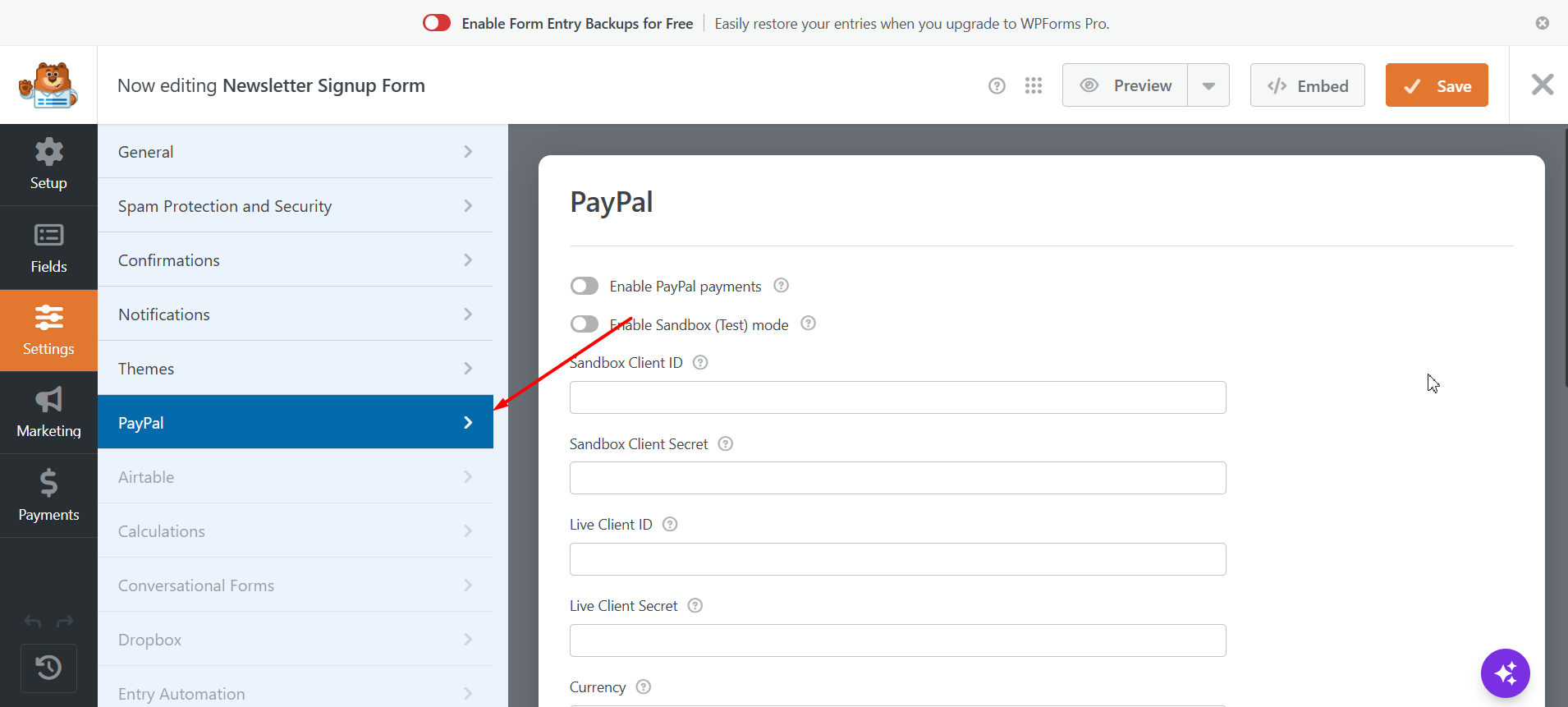
- Per-form PayPal settings inside the WPForms form builder (Settings » PayPal).
- Redirect checkout using the PayPal REST v2 Orders API (create order → approve → capture).
- Sandbox (test) and Live modes with separate credentials.
- 25 supported currencies.
- Map any field as the payment amount, or use the WPForms payment total.
- Optional quantity multiplier and customer email pre-fill.
- Configurable success and cancel return URLs.
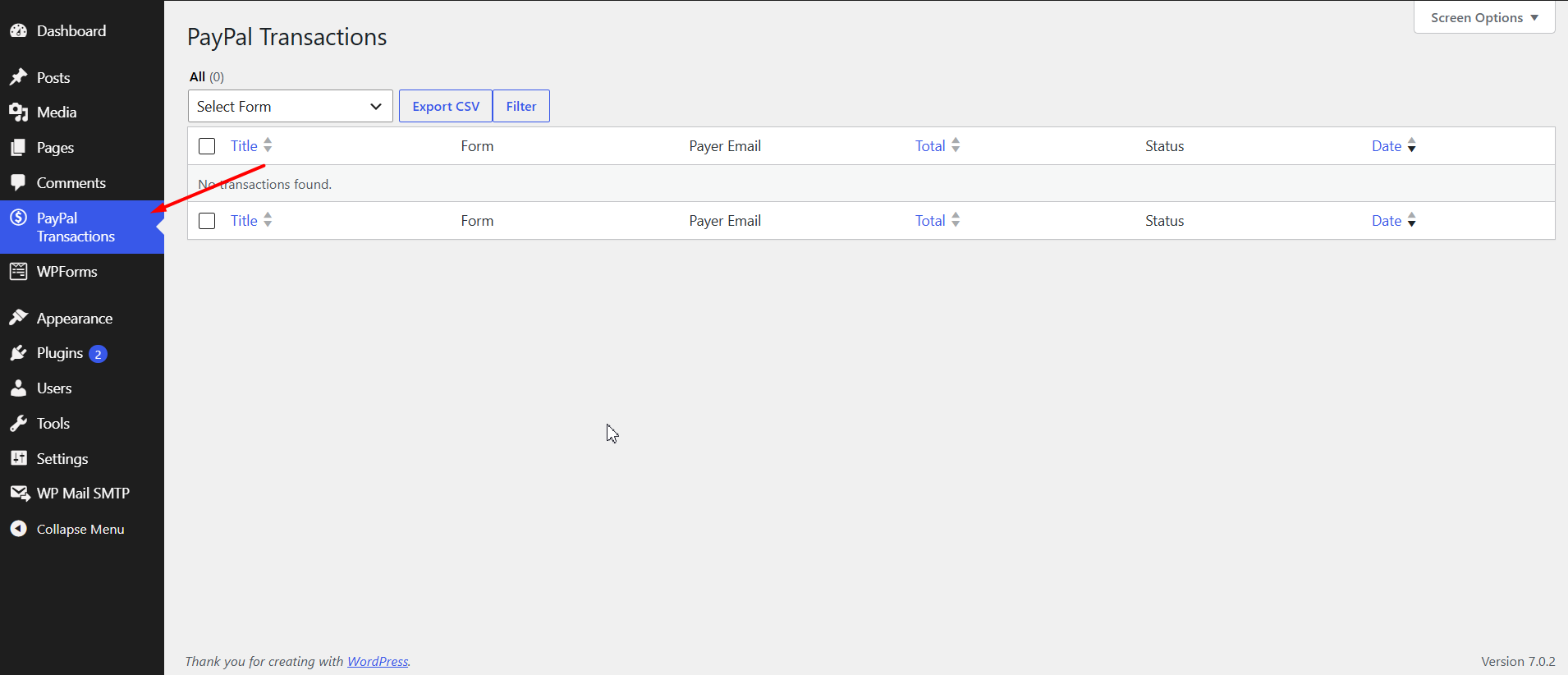
- Transaction listing with payer, total, and status columns.
- Transaction detail view with the full PayPal response.
- One-click refunds from the transaction detail screen.
- CSV export of payment data (up to 10 recent records in the free version).
External Services
This plugin connects to the PayPal payment service (https://www.paypal.com/) to process payments and refunds. PayPal is required because the plugin does not process card or wallet payments itself; it creates PayPal orders, redirects buyers to PayPal Checkout to approve payment, captures approved payments, and issues refunds through PayPal’s REST APIs.
What data is sent and when
Data is sent only when PayPal is enabled for a form and a payment or refund action runs:
- Authentication (on each API request) — Your PayPal Client ID and Client Secret are used to request an OAuth access token from PayPal (
api-m.paypal.comorapi-m.sandbox.paypal.comin Sandbox mode). - Form submission (order creation) — When a visitor submits a PayPal-enabled WPForms form, the plugin sends the payment amount, currency, payment description, site/brand name, return and cancel URLs, and (if configured) the customer email address to create a PayPal order, then redirects the visitor to PayPal to complete payment.
- Return from PayPal (payment capture) — After the buyer approves payment on PayPal and returns to your site, the plugin sends the PayPal order ID to PayPal to capture the payment.
- Admin refund — When a site administrator refunds a transaction from the WordPress admin, the plugin sends the PayPal capture (transaction) ID to PayPal to process the refund.
No form field data is sent to PayPal beyond what is required for checkout (amount, currency, description, optional payer email, and return/cancel URLs). Transaction details returned by PayPal may be stored on your WordPress site for your records.
PayPal policies
- Privacy Policy: https://www.paypal.com/us/legalhub/privacy-full
- Terms of Service: https://www.paypal.com/us/legalhub/useragreement-full
Screenshots
Installation
- Make sure WPForms Lite or WPForms is installed and active.
- Upload the plugin folder to
/wp-content/plugins/or install it from the Plugins screen. - Activate the plugin through the “Plugins” menu in WordPress.
- Edit a form, open Settings » PayPal, enable PayPal, and enter your PayPal API credentials.
FAQ
-
Where do I get PayPal API credentials?
-
Create an app in the PayPal Developer Dashboard (https://developer.paypal.com/dashboard/applications/) and copy the Client ID and Client Secret for Sandbox and/or Live.
-
How is the payment amount determined?
-
Select an “Amount field” in the PayPal settings, or leave it on the default to use the WPForms payment total. An optional quantity field multiplies the amount.
-
Where can I see payments?
-
Under PayPal Transactions in the WordPress admin menu.
Reviews
There are no reviews for this plugin.
Contributors & Developers
“Thenameda Form Payments with PayPal for WPForms” is open source software. The following people have contributed to this plugin.
Contributors
Translate “Thenameda Form Payments with PayPal for WPForms” into your language.
Interested in development?
Browse the code, check out the SVN repository, or subscribe to the development log by RSS.
Changelog
1.0.0
- Initial release.