Description
“How is my website coming along?”
If you build websites for other people, you know that question. It arrives by text message, by email, sometimes on a Sunday evening. And every time, you stop what you are doing to answer it.
This plugin answers for you.
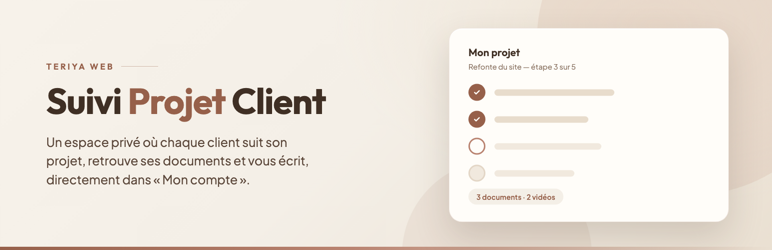
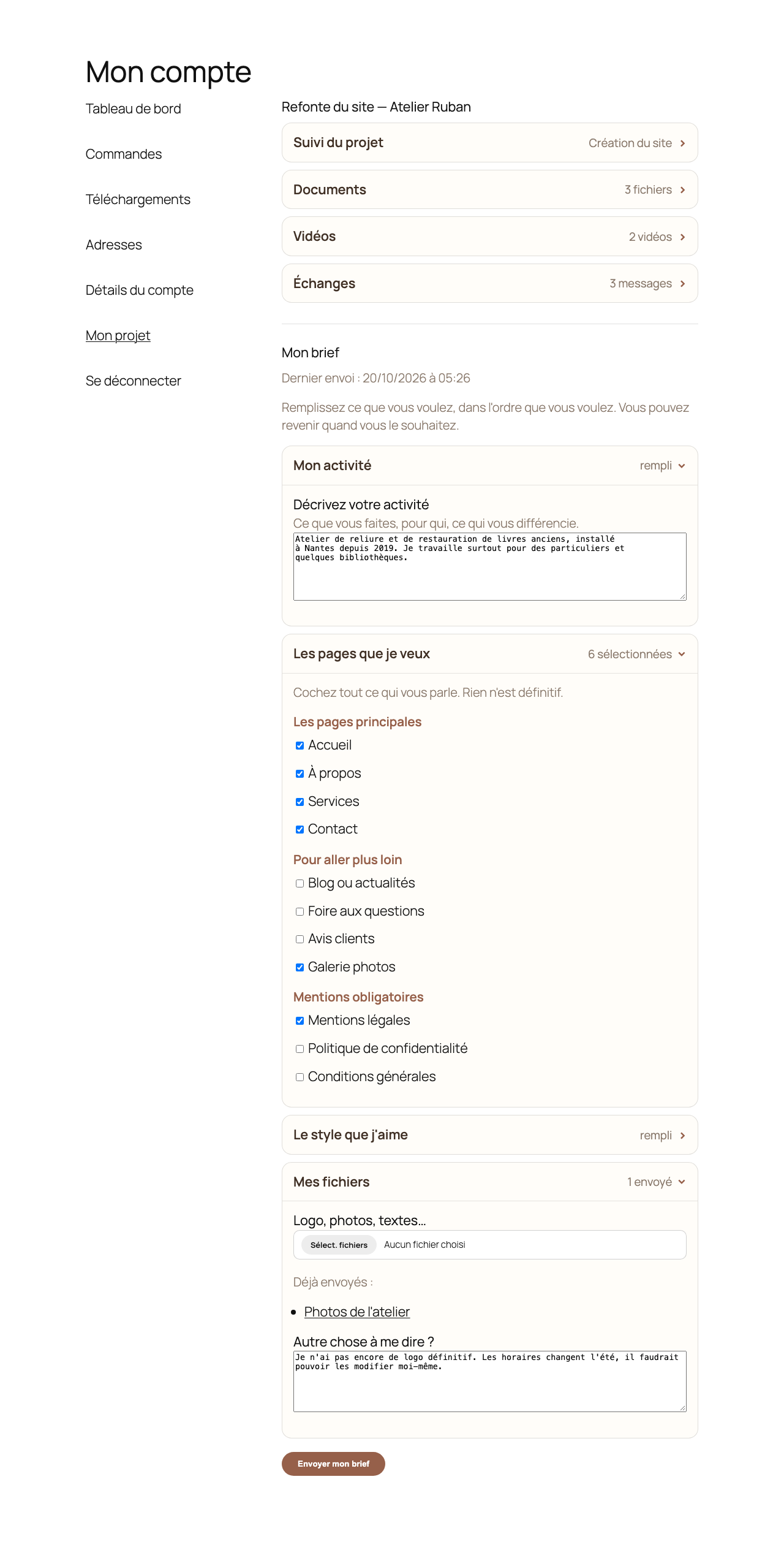
It adds a tab to the WooCommerce “My account” page. Your client logs in and sees, privately:
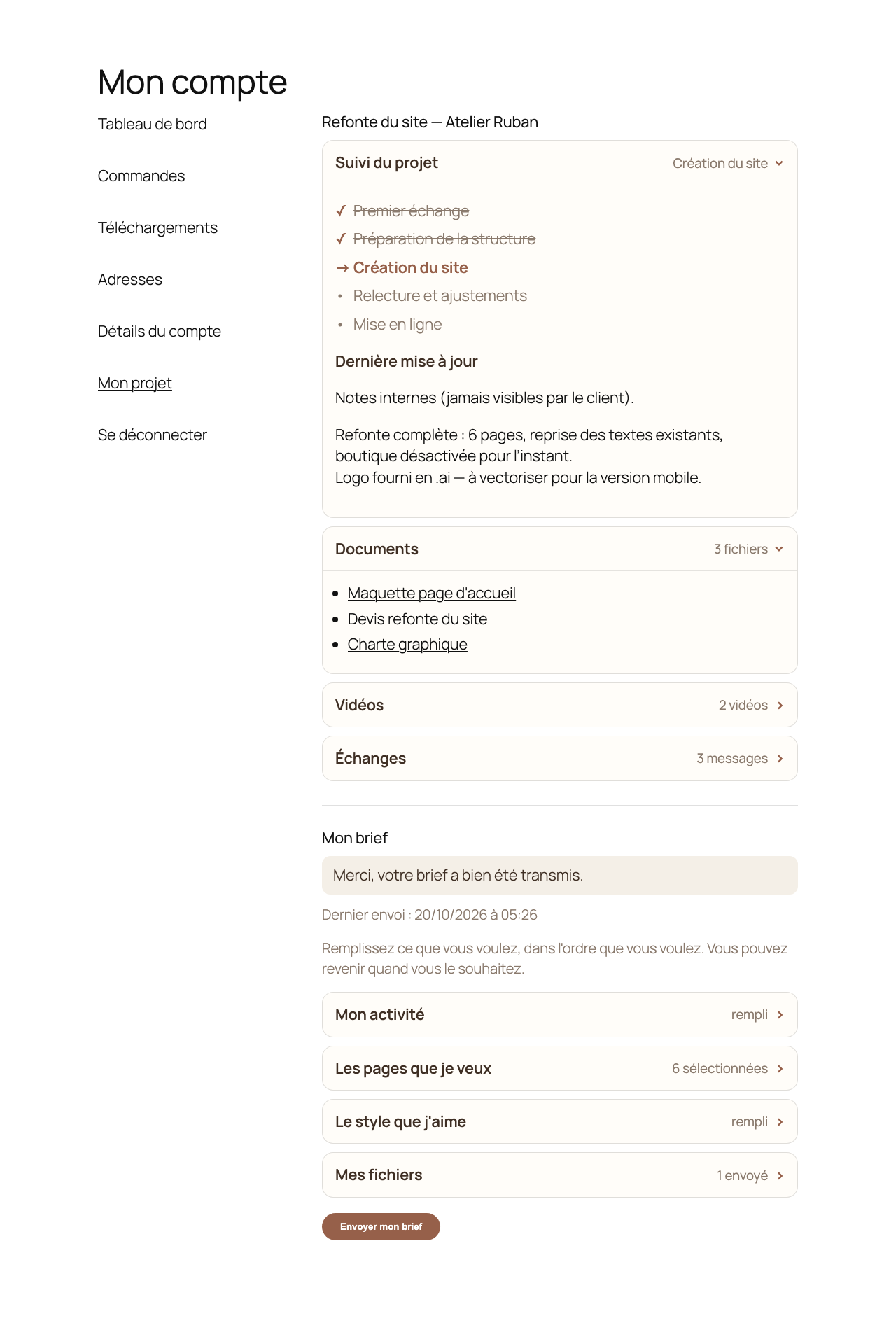
- Their project progress, step by step, with the current step highlighted
- Their documents, downloadable by them alone
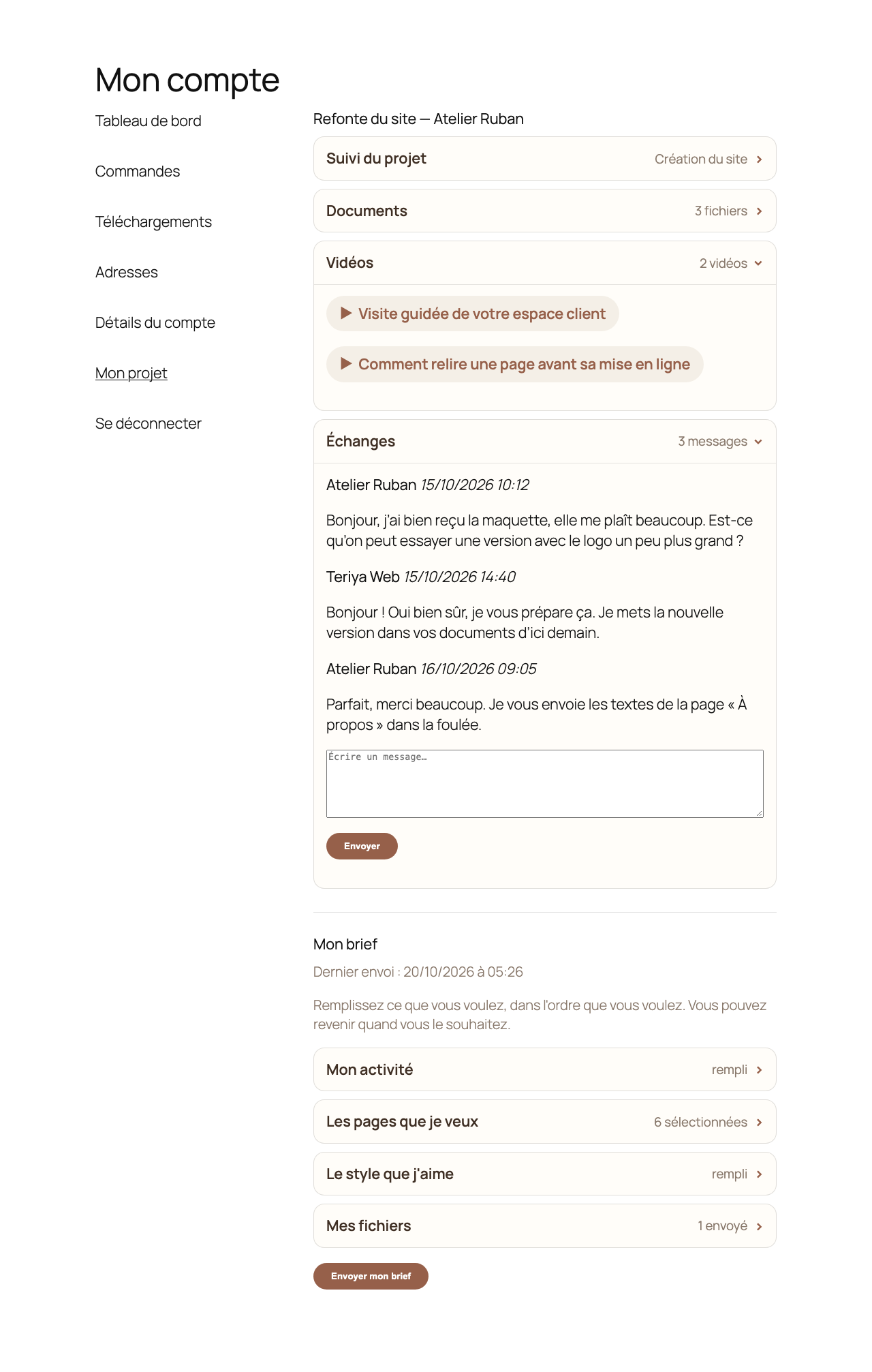
- Their videos — Loom, YouTube, Vimeo
- Their messages with you, in the same place as everything else
- Their brief: they describe their business, choose their pages, upload their logo and photos
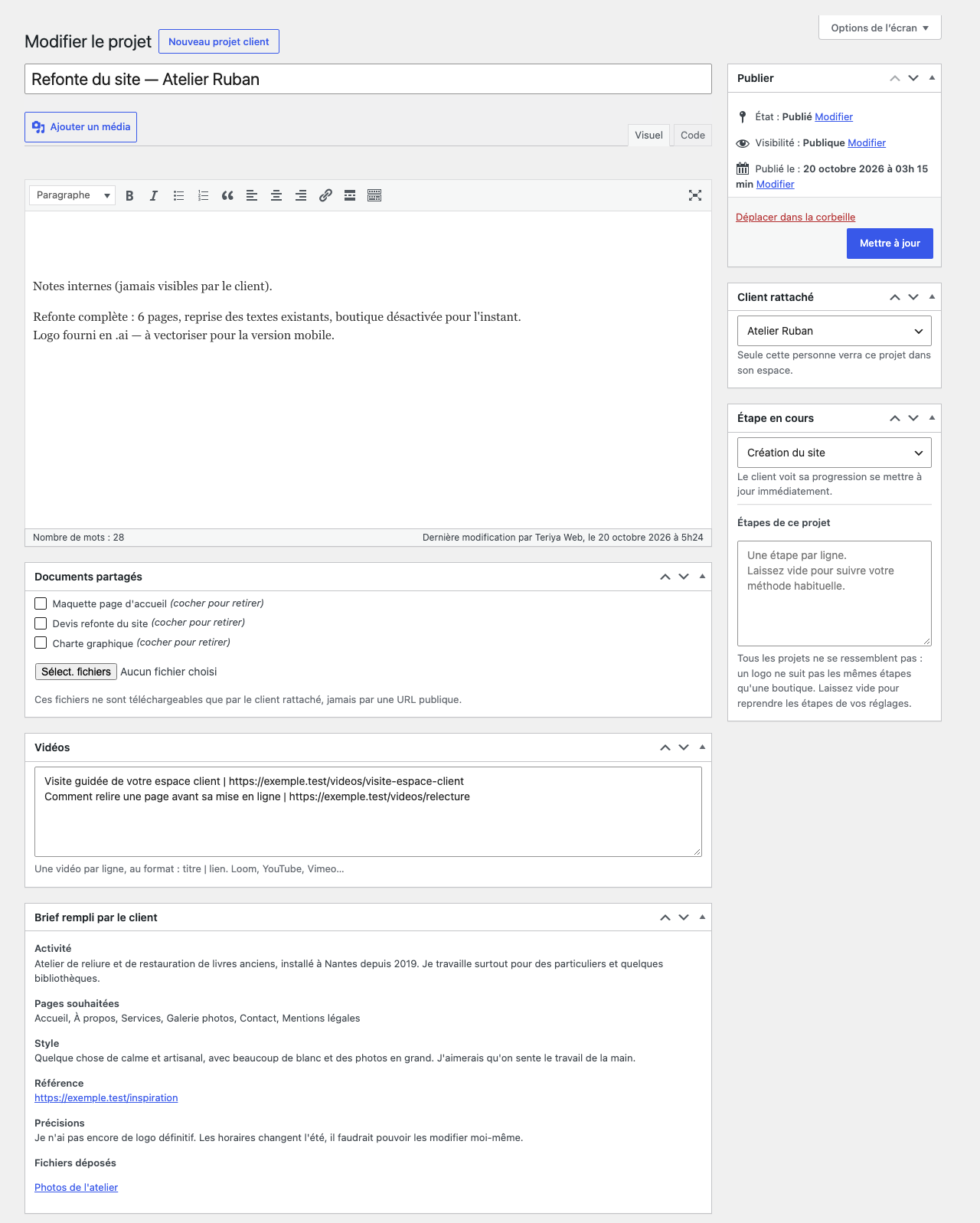
You receive the brief by email as soon as it is submitted, and you can read it again from the project screen.
Note: the plugin interface is currently in French. Every string is translation ready.
What it changes day to day
Your clients stop asking. Your content arrives without chasing. And you look like a studio rather than someone improvising.
Built for freelancers
No account to create somewhere else, no external service holding your clients’ files. Everything stays on your own site.
Client documents stay private
Client documents never go into the media library and never have a public URL.
They are stored outside the web root, in a folder the plugin creates above your WordPress installation. No web server can serve a file from there, whatever its configuration. The plugin verifies this: the folder must sit outside the WordPress directory and outside the server’s document root, and the check is repeated before every upload.
Every download goes through PHP. The plugin checks that the logged-in person is the client attached to that project, or an administrator, before a single byte is sent. Files are always served as a download, never rendered in the browser, and they are given random names.
If your host does not allow writing above the WordPress installation, document upload is disabled. The plugin says so plainly in the admin and on the client’s brief, and refuses to store anything. It will never fall back to a folder inside the public directory, because that protection cannot be guaranteed on every server. To enable uploads, ask your host for a writable folder above your WordPress installation.
It follows your theme
The plugin imposes neither fonts nor layout: it inherits from your theme. Tested on Astra, GeneratePress, Kadence, OceanWP, Neve, Blocksy, Hello Elementor, Storefront and the default WordPress themes, including in a narrow column.
Fully configurable
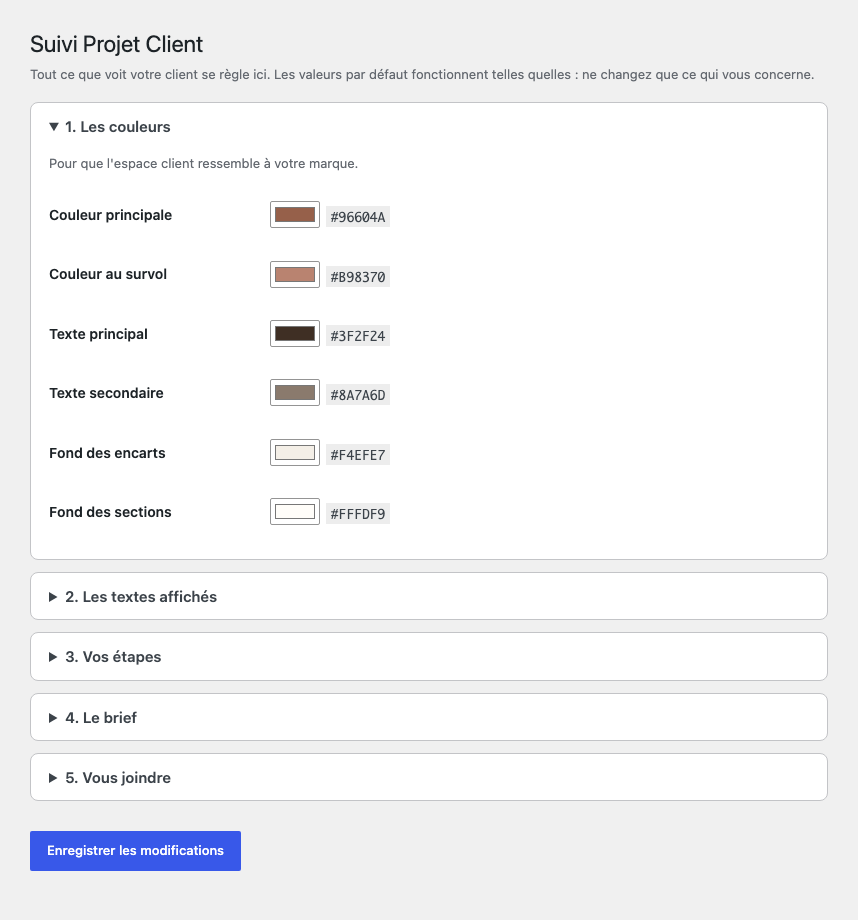
The tab name, six colours, the fourteen texts shown to the client, the steps of your own method and the pages offered in the brief are all set from the admin. No code to touch.
Free, with nothing held back
Every feature described above is included, for as many client projects as you want. No project limit, no time limit, no locked buttons.
No external service
This plugin contacts no outside server, at activation or at any other time. It bundles no third-party library, embeds no tracking, and adds no style or script to the WordPress admin screens. Its only stylesheet loads on the WooCommerce “My account” page, and nowhere else.
Everything your clients send you stays on your own site.
Screenshots
Installation
- Install and activate the plugin
- WooCommerce must be active
- Go to Projets clients Réglages for your colours, your texts and your steps
- Create a project, link it to a client: they see it in their account straight away
FAQ
-
How many client projects can I follow?
-
As many as you like. There is no limit.
-
Is WooCommerce required?
-
Yes. The client area is added to the WooCommerce “My account” page.
-
Can my clients see each other’s projects?
-
No. Each project is linked to one account, and the check is made twice: when displaying and when downloading.
-
Does the plugin work with my theme?
-
It appears inside the WooCommerce “My account” area, which any WooCommerce compatible theme knows how to display. It inherits your fonts and colours instead of imposing its own.
-
What happens to my data if I uninstall?
-
Projects, documents and briefs are kept. Only the plugin settings are removed.
-
Does the plugin send anything outside my site?
-
No. It contacts no external server, bundles no third-party library and collects nothing.
-
Which languages are available?
-
The interface is in French for now. Every string is prepared for translation, so other languages can be added.
Reviews
There are no reviews for this plugin.
Contributors & Developers
“Teriya — Suivi Projet Client” is open source software. The following people have contributed to this plugin.
Contributors
Translate “Teriya — Suivi Projet Client” into your language.
Interested in development?
Browse the code, check out the SVN repository, or subscribe to the development log by RSS.
Changelog
1.0.6
- Shared files now keep their original name in the client area. Until now the client saw the random name used to store the file on disk, which told them nothing. The file on disk keeps that random name, which is what protects it; only the label shown changed.
1.0.5
- Fixed a fatal error that broke the client brief whenever a file was attached: wp_handle_upload() takes its first argument by reference and was being given a literal array, which PHP 8 rejects.
- Brief attachments now also get random names and are stored outside the web root, like project documents.
- Removed the bundled Freemius SDK. The plugin is entirely free, nothing was gated behind a licence, and the SDK was contacting external servers on load and adding its styles to every admin screen. The plugin now ships as a 27 KB archive instead of 4 MB, and contacts nothing.
- Settings cleanup on uninstall now uses a standard uninstall.php.
1.0.4
- Private client documents are now stored outside the web root, which is verified before every upload. If no such location is available, document upload is disabled and the plugin explains why, rather than relying on protection it cannot guarantee.
- Uploaded documents are given random names and no longer expose a public URL.
- Removing a document now verifies that the attachment belongs to that project, that it is a plugin document, and that the user is allowed to delete it.
- Documented where the source of the bundled Freemius SDK files can be obtained.
1.0.3
- Removed an unused core file include.
1.0.2
- All function, class, constant, option, meta, post type and handle names are now prefixed with “teriyaspc” to avoid collisions with other plugins.
- Removed the duplicate plugin URI header.
1.0.1
- The plugin is now entirely free and unlimited: the project limit has been removed.
- Coding standards, input handling and readme prepared for the WordPress.org directory.
- WooCommerce is now declared as a required plugin.
1.0.0
- First release.