

Description
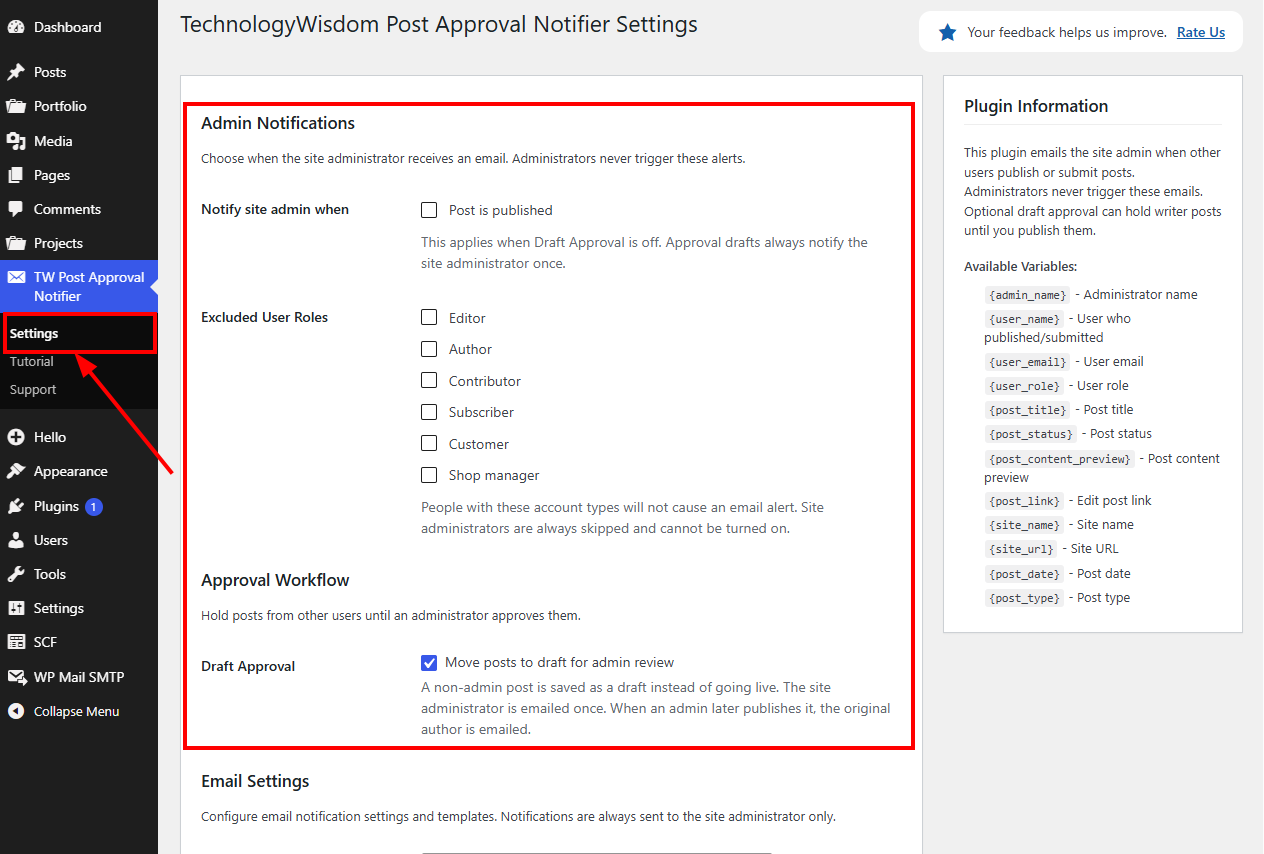
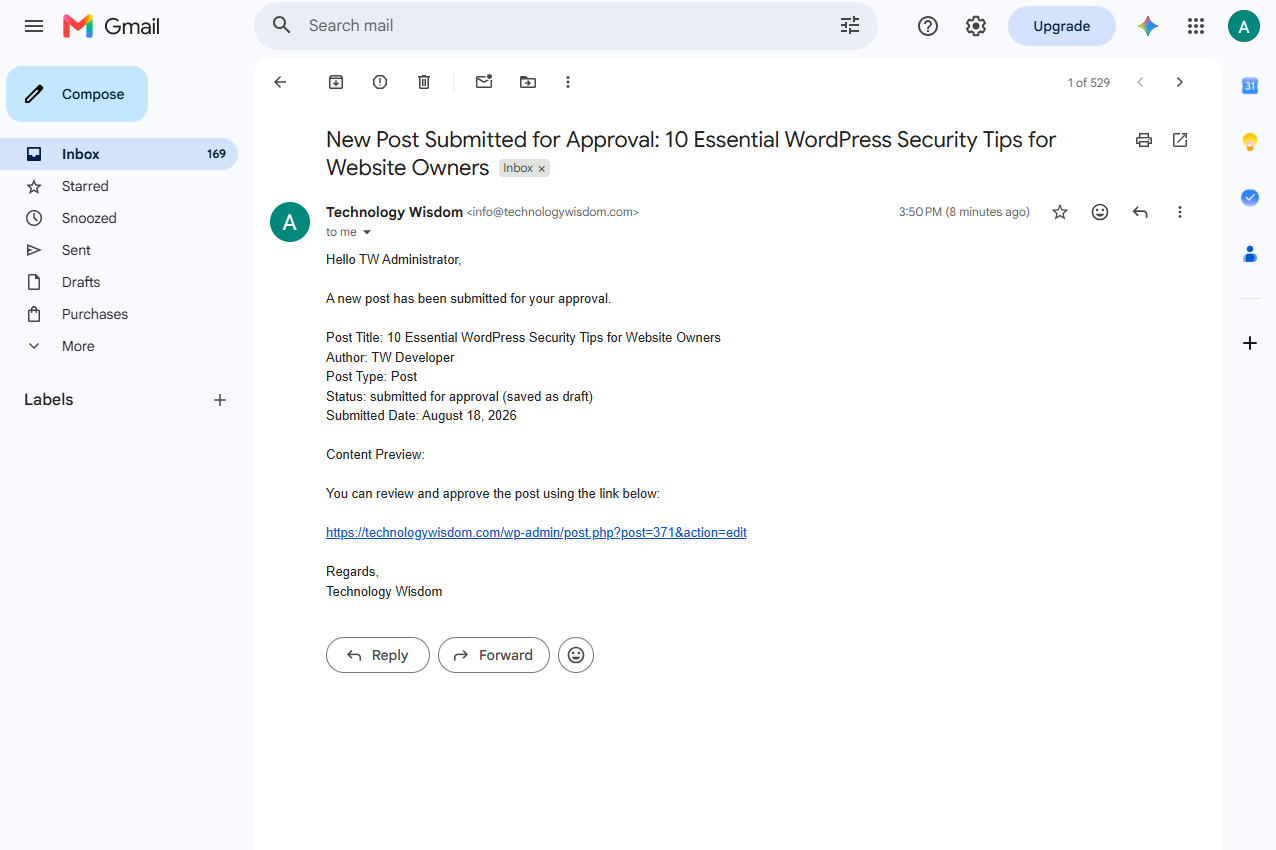
This plugin emails the site admin when someone else on the website publishes a post, or asks the site admin to look at one before it goes live.
The site admin will not get an email after publishing their own work. That is on purpose.
It is a good fit if more than one person writes on the site. For example a blog, a company website, a school, or a news site.
Key features
- Emails the site admin when someone publishes a post
- Optional hold-for-approval: a writer’s post stays as a draft until the site admin publishes it. The site admin gets an email. After it goes live, the writer gets an email too
- Skip emails for certain people (for example Editors). The site admin is always skipped
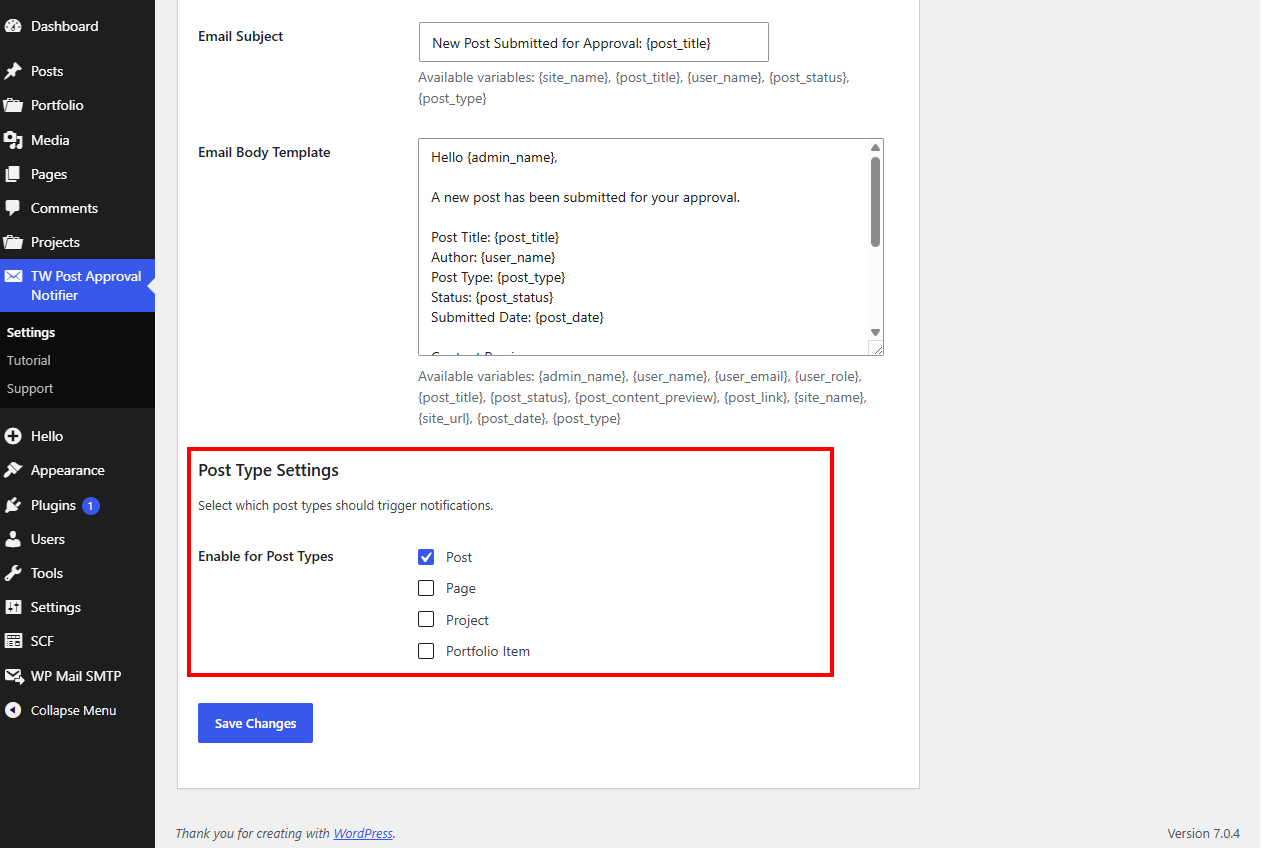
- Works with blog posts, pages, and other content the site admin turns on
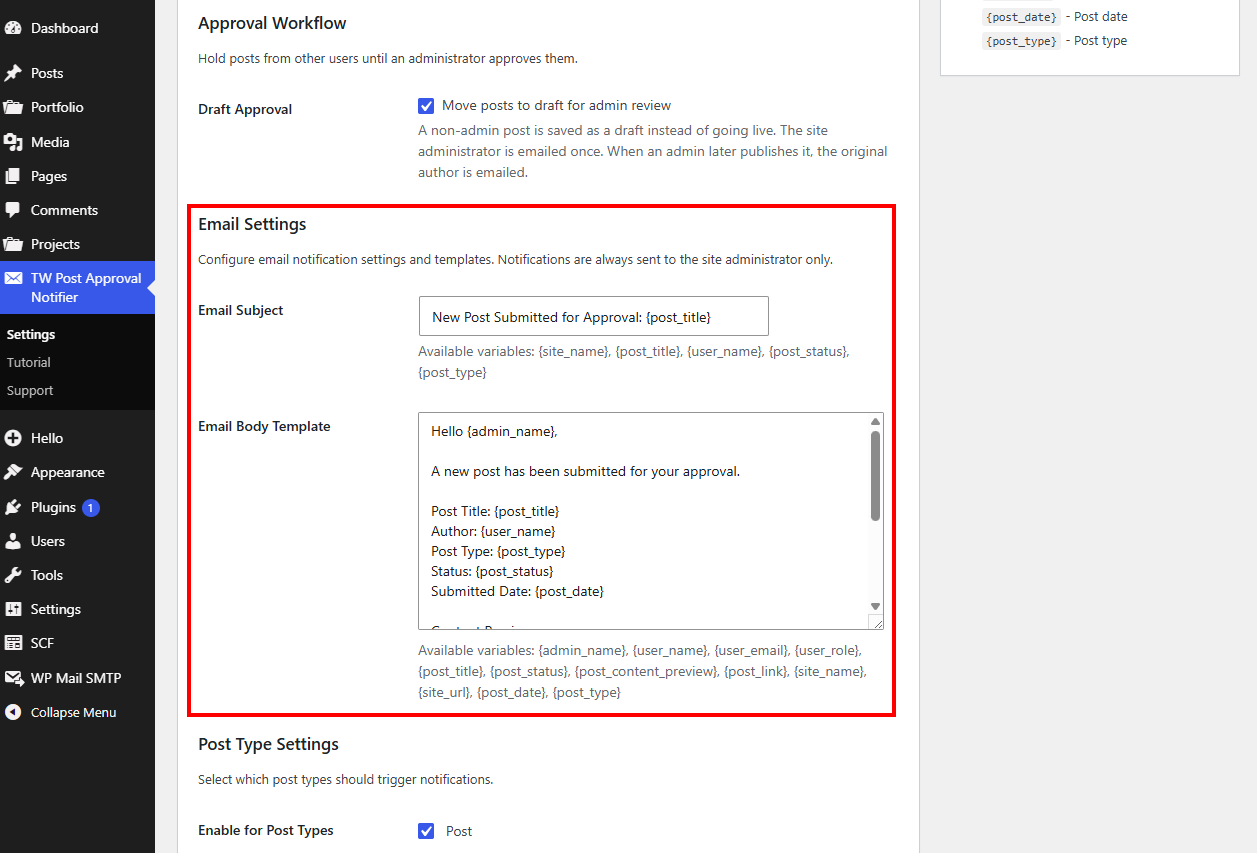
- Custom email subject and message, with short codes such as
{post_title}that fill in real details - Sender name and sender email are set automatically (the website name, and
site@yourwebsite.com) - Settings, Tutorial, and Support in the left menu
For step-by-step setup, open TW Post Approval Notifier Tutorial after the plugin is activated.
Who is this for?
- Websites with more than one writer
- Business sites where a manager checks content before it goes live
- Schools or teams where several people add posts
- Anyone who wants a simple heads-up when new content appears
Privacy / External Service
This plugin can optionally connect to an external support service operated by Technology Wisdom.
Service: https://pluginsupport.technologywisdom.com
Terms of Use: https://pluginsupport.technologywisdom.com/terms-of-use/
Privacy Policy: https://pluginsupport.technologywisdom.com/privacy-policy/
The service is used to provide in-plugin support messaging, feedback forwarding, and announcements.
Opt-in consent (required before any connection):
When you activate the plugin, an admin notice asks whether you want to allow the support connection. You can choose Allow Support Connection or No Thanks.
- If you allow the connection, the plugin may send: site URL, site name, admin email, plugin name/version, WordPress version, and PHP version. Support requests and review/feedback details are sent only when you submit those forms. The plugin may also check weekly for announcements from Technology Wisdom.
- If you decline (or never accept), that data is not sent to the support portal. The plugin’s core feature continues to work normally without the connection.
- You are never required to allow the connection to use the plugin.
- You can disconnect the support connection at any time from the plugin’s Support page by choosing Disable priority support.
Support and rating forms also include their own consent checkboxes before site information is included with a submission.
Please review the service Terms of Use and Privacy Policy before enabling the connection.
License
This plugin is licensed under the GPL-2.0+ License.
You may use, modify, and distribute it freely under the license terms.
Full license: https://opensource.org/licenses/GPL-2.0
Screenshots
Installation
- Install the plugin from the Plugins screen, or upload the plugin folder
- Click Activate
- In the left menu, click TW Post Approval Notifier
- Open the Tutorial page for how to set it up
FAQ
-
Who receives the emails?
-
They go to the main admin email for the website. That address is shown under Settings General in WordPress.
-
Who does the email come from?
-
The sender name is the website name. The sender email is set automatically to
site@plus the website address (for example,site@example.com). These do not need to be entered in Settings. -
Does the site admin get emails about their own posts?
-
No. Posts published by a site admin never send an email. That cannot be turned on.
-
Is a Technology Wisdom support connection required?
-
No. That is optional. Email alerts work either way.
-
Where is the full setup guide?
-
Open TW Post Approval Notifier Tutorial in the left menu.
Reviews
There are no reviews for this plugin.
Contributors & Developers
“TechnologyWisdom Post Approval Notifier” is open source software. The following people have contributed to this plugin.
Contributors
Translate “TechnologyWisdom Post Approval Notifier” into your language.
Interested in development?
Browse the code, check out the SVN repository, or subscribe to the development log by RSS.
Changelog
1.0.1
- WordPress 7.1 compatibility check
- Bug Fixes
1.0.0
- Initial release
- Email alerts when posts are published or waiting for review
- Optional hold-for-approval: writer posts stay as drafts until the site admin publishes them
- Sender name and sender email are set automatically (website name and site@yourwebsite.com)
- Easy settings for who to skip and what to watch
- Custom email subject and message
- Settings, Support, and Tutorial in the admin menu
- Optional help connection and rating feedback
If a message about Technology Wisdom support appears, choose Allow or No Thanks. Email alerts work either way.