

Description
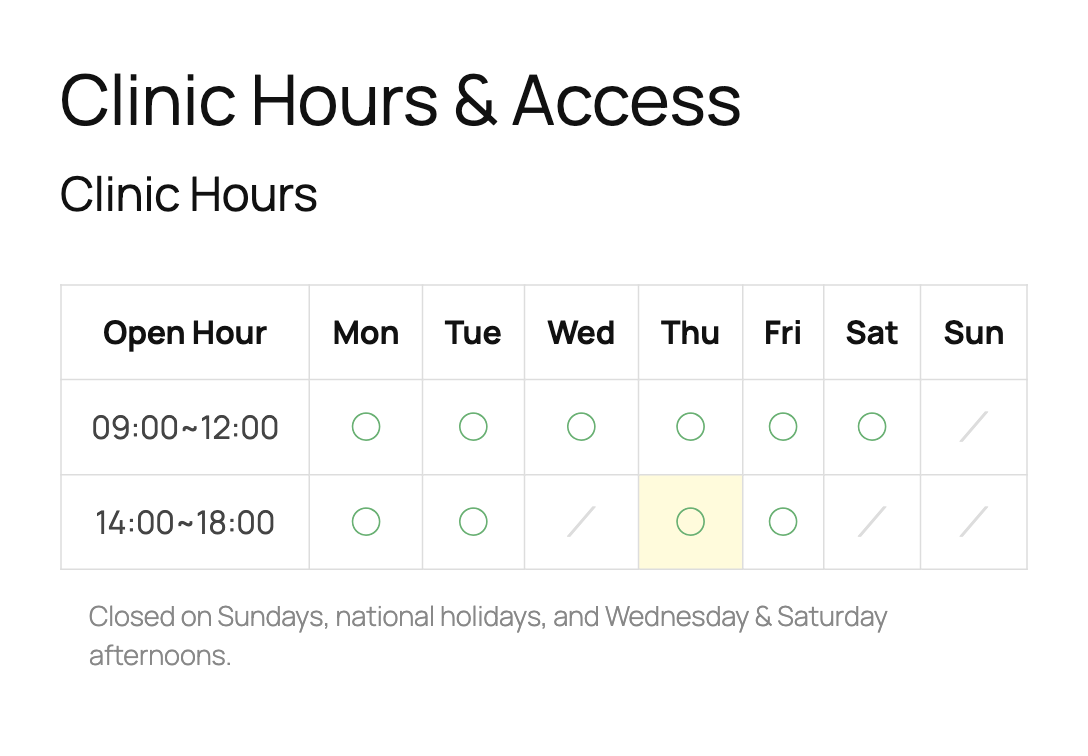
Show your business hours as a weekly opening hours table: time slots as rows, Monday to Sunday as columns, and a mark in every cell where you are open.
Add the table with a block, a widget or a shortcode, and output LocalBusiness structured data (JSON-LD) with openingHoursSpecification for search engines.
Formerly known as “Taro Open Hour“.
Who is it for?
- Clinics, dental offices, osteopaths and pharmacies that publish consultation hours.
- Beauty salons, hair salons and spas.
- Shops, cafés and restaurants with one or several branches.
- Directory sites (e.g. a database of gyms) where every post is a place with its own hours.
It fits the Japanese-style consultation hours table (診療時間表), e.g. “9:00–12:00 / 14:00–18:00” rows with ○ for open and × or / for closed.
Features
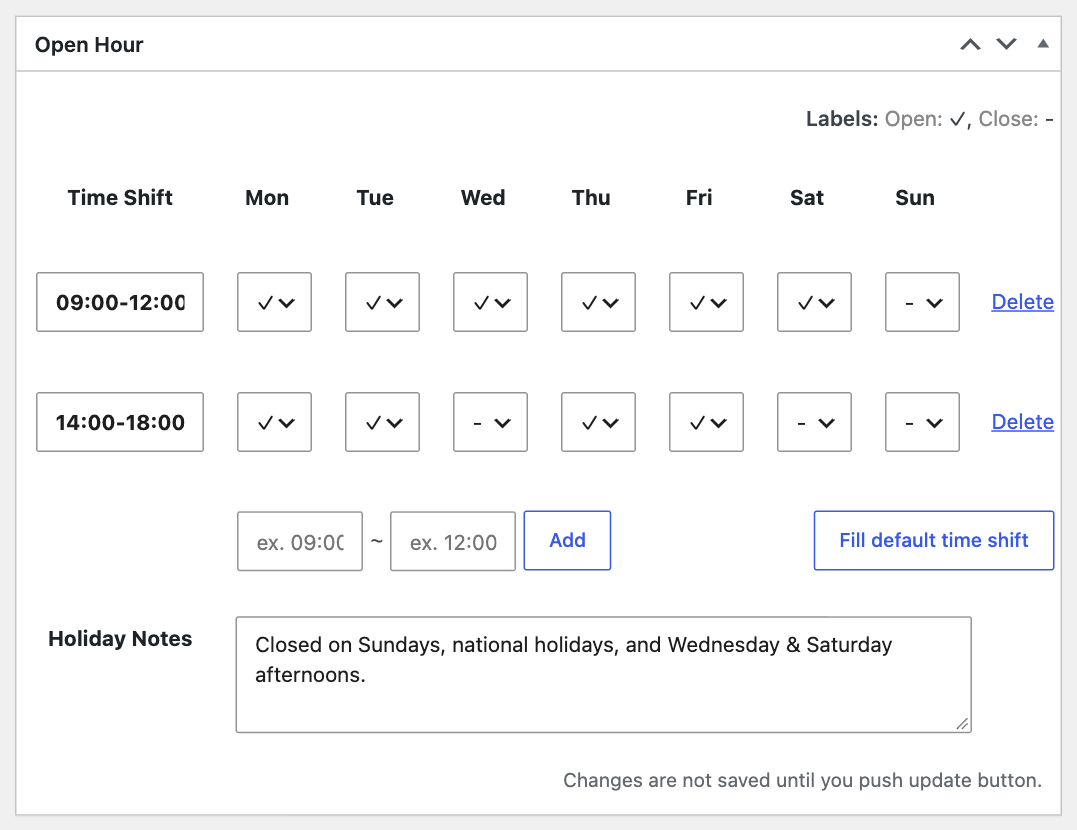
- Opening hours table – Add any number of time slots (e.g. 9:00–12:00 and 14:00–18:00) and tick the weekdays each slot is open.
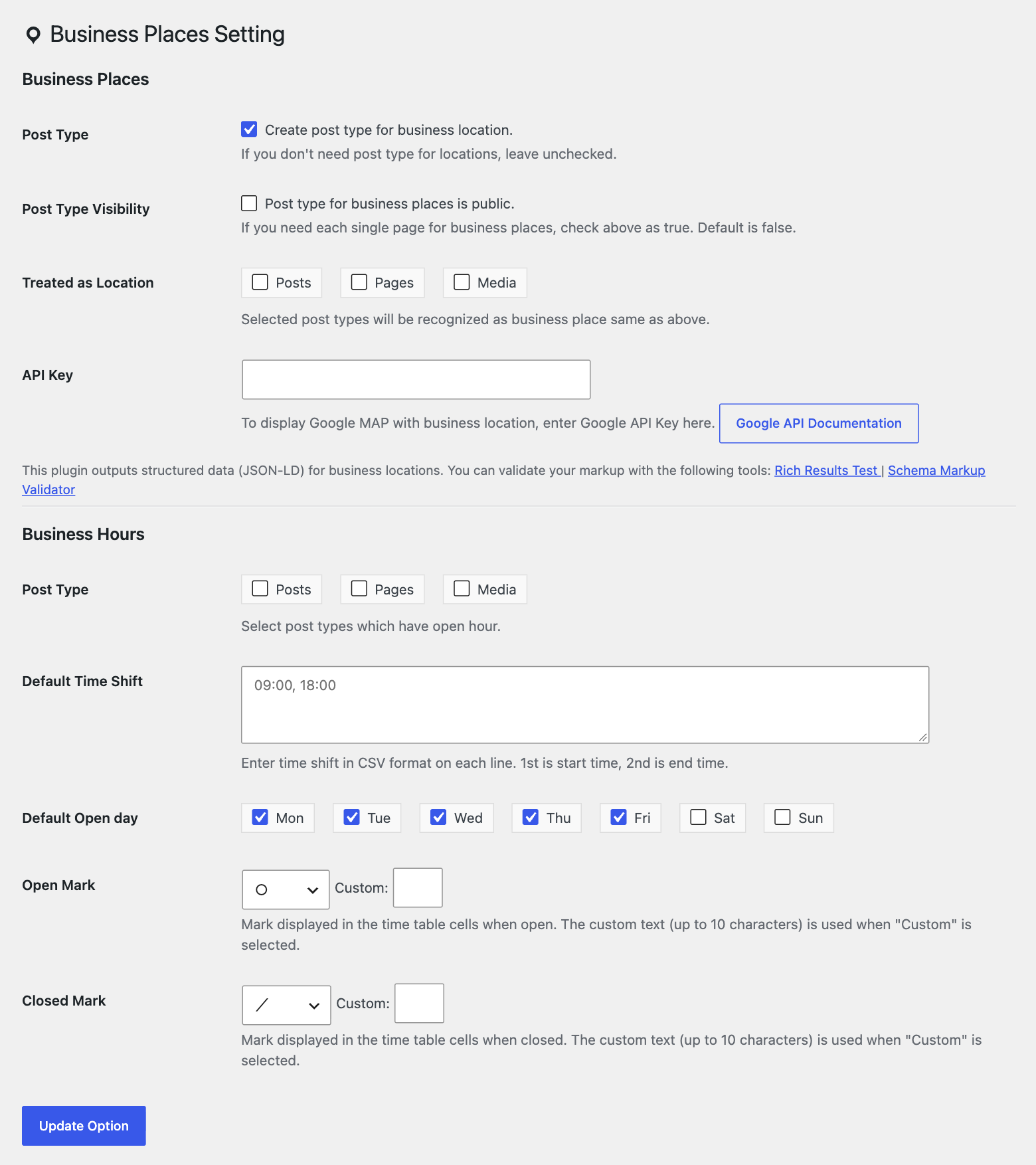
- Selectable marks – Choose the open mark (✓ ○ ● ◎ ✔) and the closed mark (- × ✕ or blank), or enter custom text, at
Settings > Business Places. - Holiday notes – Add a note such as “Closed on Sundays and public holidays” below the table.
- Blocks – “Open Hour” and “Business Place” blocks for the block editor.
- Widgets and shortcodes –
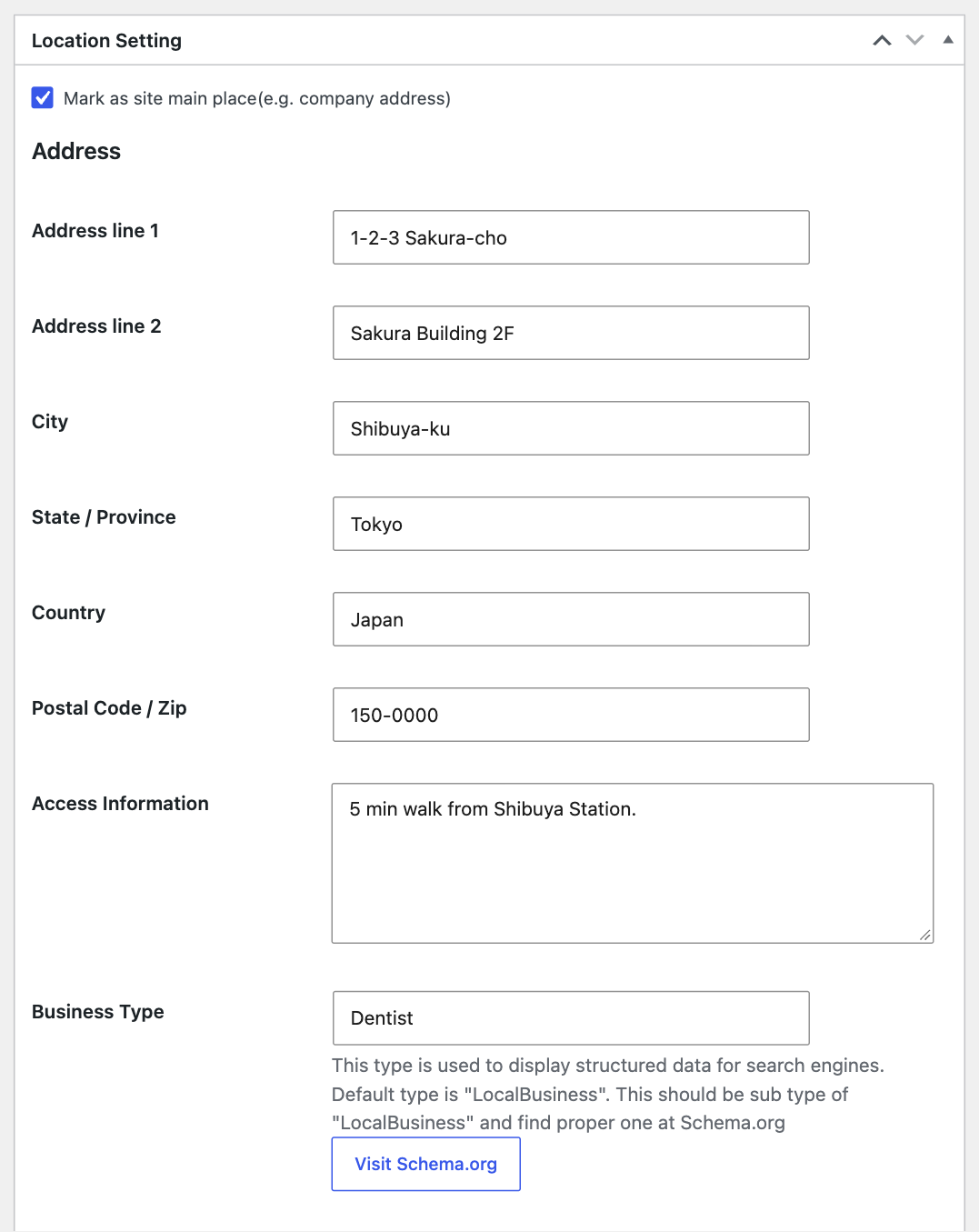
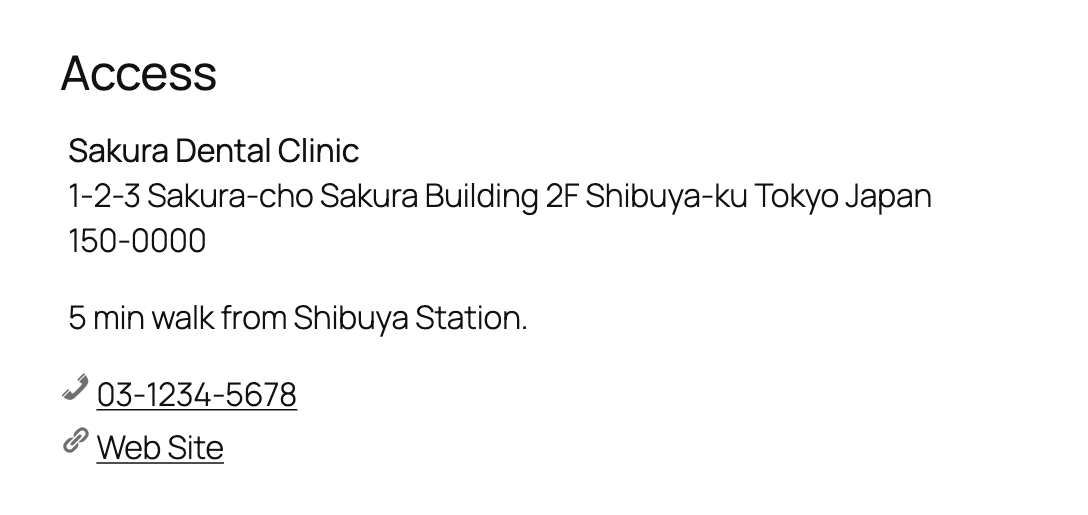
[open-hour]and[business-place], also usable in block themes. - Business places – Address, access information, phone, email and URL, with a Google Maps embed.
- Local Business schema – JSON-LD with a selectable schema.org type (MedicalClinic, Dentist, BeautySalon, Restaurant, Store, etc.), address and opening hours.
- Multiple places – Use the built-in place post type or any post type you choose; mark one place as the site’s main location.
Case Study
Case 1
If your site is for your bookstore, add your store’s location as a business place.
The location and opening hours are available via widgets.
Case 2
If your site is a database of bouldering gyms, choose a post type to be treated as a location.
Each single page will have its own place and opening hour information.
How to display
Blocks
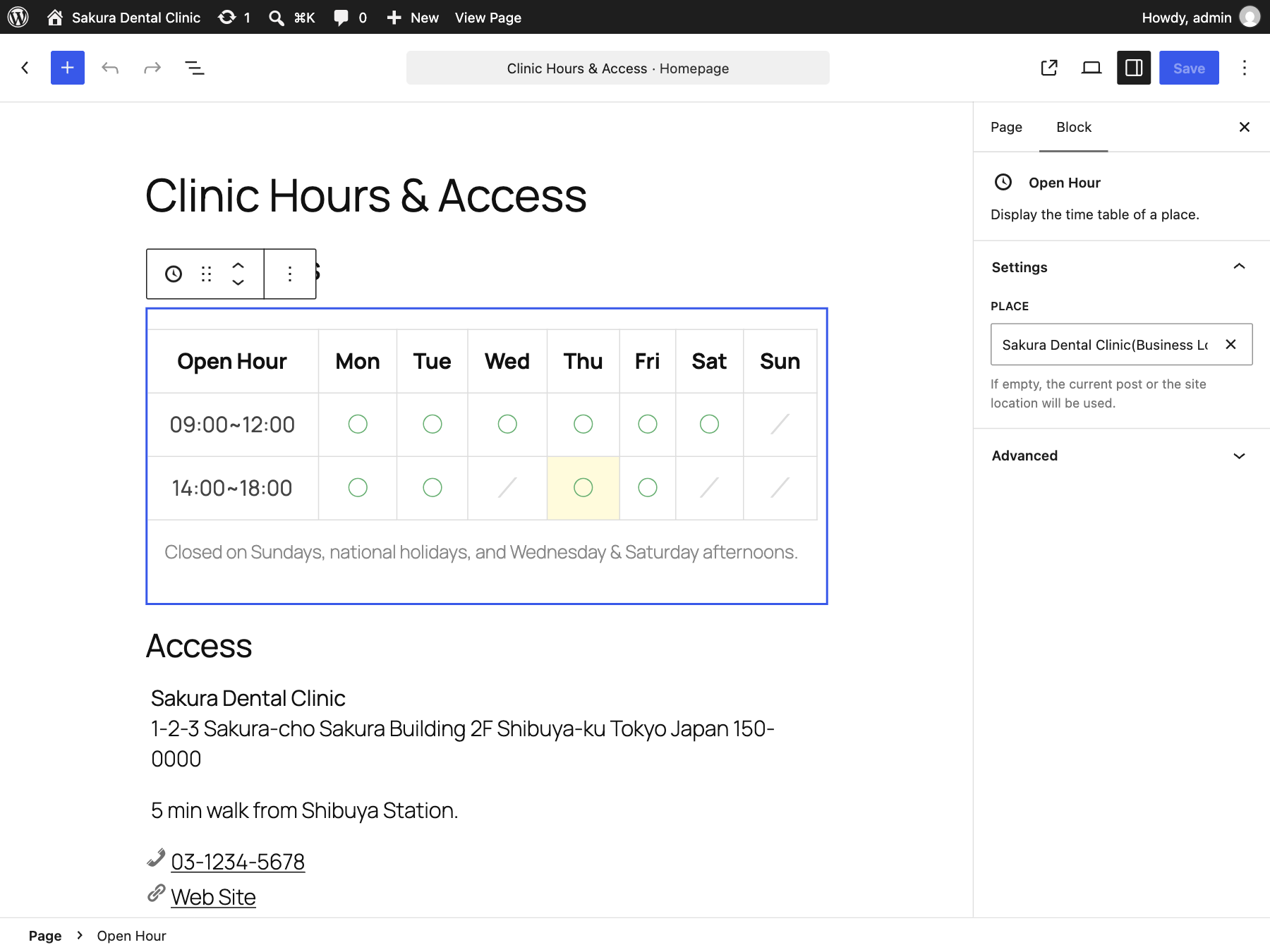
In the block editor, you can use “Open Hour” and “Business Place” blocks.
Choose a place in the block settings. If empty, the current post or the site location is used.
Widgets
You can use widgets for opening hours and business locations.
Shortcodes
You can use the shortcode [open-hour] for the time table. If you are a theme developer,
just use the tsoh_the_timetable() function.
For business places, you can use [business-place post_id='10'].
The attribute post_id can be omitted and its default value is the current post.
Acknowledgements
- Banner images are a derivative of the work of the Geospatial Information Authority of Japan.
Customization
Here is a list of customizations.
Change Style
If you have tsoh-style.css in your theme folder, it will be used.
Child theme supported.
We also have filter hook tsoh_stylesheet. Below is the example to change css url.
<?php
// Change css path.
add_filter('tsoh_stylesheet', function($style){
    $style = [
        'url'     => get_stylesheet_directory_uri() . '/assets/css/table.css',
        'version' => wp_get_theme()->get('Version'),
    ];
    return $style;
});
If you return false from the filter hook, no style will be loaded.
Change table markup
The table’s template is located at taro-open-hour/templates/time-table.php.
Copy it to your-theme/template-part/tsoh/time-table.php and change the markup.
Of course, you can change the template path with a filter hook.
// e.g. If post type is event, change template from default.
add_filter( 'tsoh_timetable_template_path', function( $path, $post ) {
    if ( 'event' == $post->post_type ) {
        $path = get_template_directory() . '/templates/yours/event.php';
    }
    return $path;
}, 10, 2 );
Screenshots
Blocks
This plugin provides 2 blocks.
- Open Hour
- Business Place
Installation
- Upload the plugin files to the
/wp-content/plugins/taro-open-hourdirectory, or install the plugin through the WordPress plugins screen directly. - Activate the plugin through the ‘Plugins’ screen in WordPress.
- Go to
Settings > Business Placesand set it up.
FAQ
-
How can I display opening hours or places with a block theme?
-
Block themes have no widget areas. Add a Shortcode block and enter
[open-hour]for the time table or[business-place]for the place information. Both accept thepost_idattribute (default: the current post), e.g.[business-place post_id='10']. -
How do I make a clinic hours table with ○ marks?
-
- Go to
Settings > Business Placesand choose “○” as the open mark and “×” (or a custom text such as “/”) as the closed mark. - Edit the place (or the post) and add time slots such as
9:00–12:00and14:00–18:00. - Tick the weekdays each slot is open, e.g. leave Saturday afternoon and Sunday unticked.
- Enter “Closed on Sundays and public holidays” in the holiday notes.
- Add the “Open Hour” block (or the
[open-hour]shortcode) where you want the table.
- Go to
-
Which schema type is output?
-
The JSON-LD uses the “Business Type” field of each place’s location settings as
@type.
Choose a schema.org LocalBusiness subtype such asMedicalClinic,Dentist,HairSalon,RestaurantorStore; common types are suggested as you type.
If the field is empty,LocalBusinessis used. Developers can change the default with thetsoh_default_local_business_typefilter (and the final value withtsoh_local_business_type). -
How can I contribute?
-
Please create an issue on GitHub.
Reviews
There are no reviews for this plugin.
Contributors & Developers
“Business Places – Opening Hours Table & Local Business Schema” is open source software. The following people have contributed to this plugin.
Contributors


“Business Places – Opening Hours Table & Local Business Schema” has been translated into 1 locale. Thank you to the translators for their contributions.
Translate “Business Places – Opening Hours Table & Local Business Schema” into your language.
Interested in development?
Browse the code, check out the SVN repository, or subscribe to the development log by RSS.
Changelog
2.3.0
- Add blocks: “Open Hour” (time table) and “Business Place” (location card). They also work in block themes without widget areas.
- Open/closed marks of the time table are now selectable in Settings > Business Places (✓ ○ ● ◎ ✔ / – / × ✕ or custom text), with screen reader text.
- Business type can be picked from common LocalBusiness subtypes (MedicalClinic, Dentist, BeautySalon…).
- Location widget can hide the map and access information. Widgets are renamed to “Business Places: …” for clarity.
- Security: REST API endpoints now require the
edit_postscapability and return only necessary fields. - Bugfix: fatal error of
tsoh_is_open().tsoh_current_time_condition()is deprecated. - Bugfix: theme override path
template-part/tsoh/time-table.phpwas not detected. - Bugfix: “No post type is specified” notice was shown even when business places were available.
- Bugfix: database table schema caused SQL errors on update. Tables are dropped when a site is deleted on multisite.
- Bugfix: PHP warning in JSON-LD when only the second address line was set.
- Bugfix: time table overflowed narrow content areas.
$timestamparguments oftsoh_get_timetable(),tsoh_is_open()and[open-hour]are now real Unix timestamps (wp_date()is used).- JSON-LD uses
https://schema.org. - Requires WordPress 6.6 and PHP 7.4 or later. Tested with PHP 8.5.
2.2.1
- Map iframe is now
loading="lazy" - Fix admin link.
2.2.0
- Add widgets for place and time table.
- Drop support for WordPress 4.8 and below.
2.1.0
- Add shortcode
business-place. - Add filter and action hooks.
2.0.1
- Bugfix: version number changed.
2.0.0
- Change plugin name.
- Add location feature.
- Add widgets.
1.0.0
- Initial release.