Description
Tanggalanku Kalender Indonesia is the official Indonesian calendar widget plugin for WordPress. Easily embed responsive monthly calendars in your sidebars, footers, or within posts and pages using the [tanggalanku_calendar] shortcode.
Features:
* Official National Holidays & Collective Leave: Verified directly against official joint ministerial decrees (SKB 3 Menteri).
* Automatic Updates: If the Indonesian government revises collective leave dates, the calendar updates automatically via Edge CDN without requiring a plugin update.
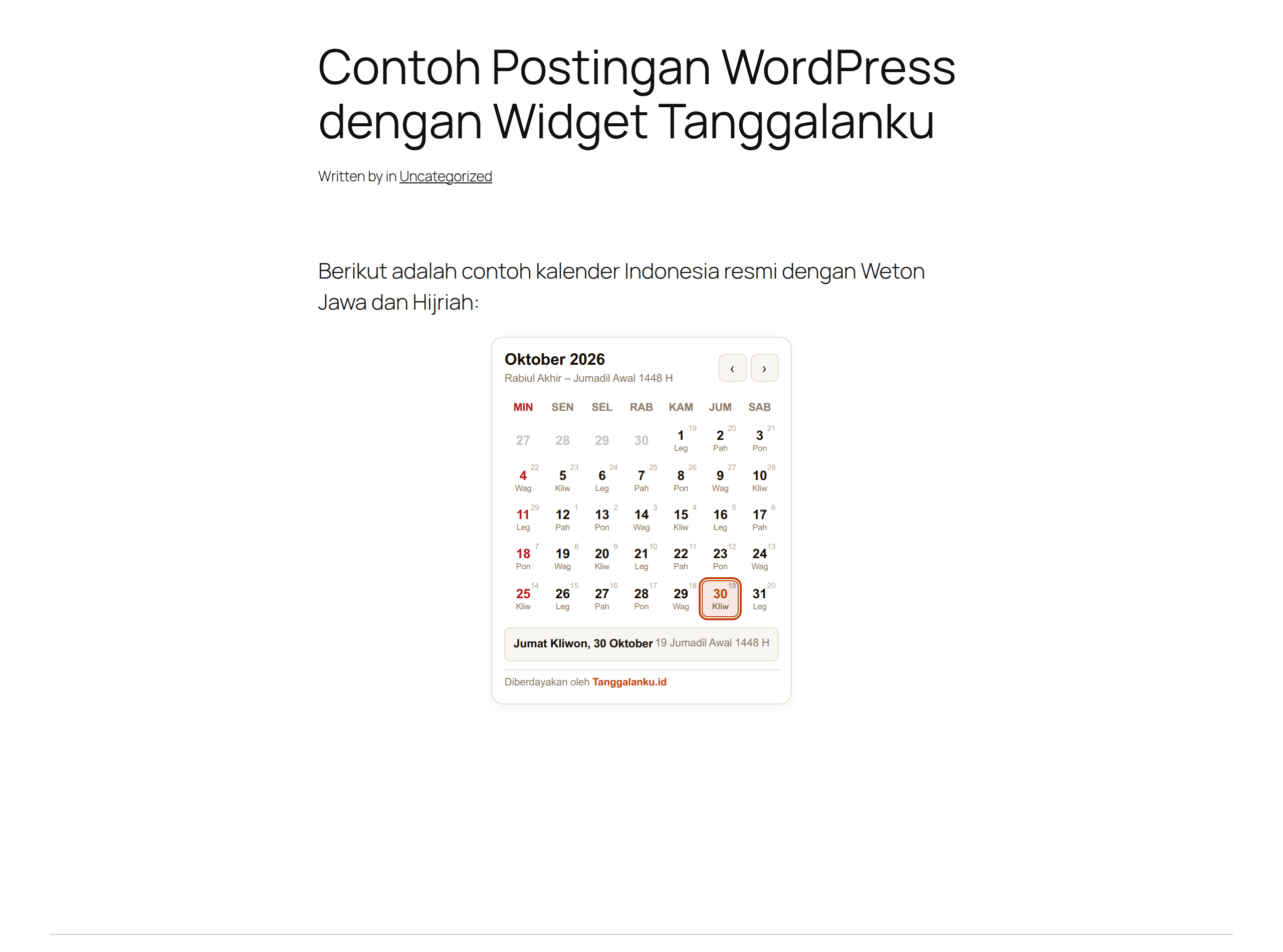
* Javanese Weton Market Cycle: Displays the 5-day pasaran cycle (Legi, Pahing, Pon, Wage, Kliwon) with 100% astronomical accuracy.
* Islamic Hijri Calendar: Accurate lunar dates aligned with Indonesian Ministry of Religious Affairs (Kemenag RI) criteria.
* Chinese Zodiac & Western Zodiac: Optional display of lunar Chinese zodiac and Western astrological signs.
* Total Style Isolation (Shadow DOM): Encapsulated CSS ensures the widget will never conflict with or break your WordPress theme.
* Ultra Lightweight: Less than 13 KB raw (~4 KB gzip) bundled locally and loaded asynchronously to keep Core Web Vitals green.
* 100% Free & Privacy-Friendly: No ads, no tracking cookies, no user registration, and no API keys required.
External Services
This plugin connects to external REST endpoints from Tanggalanku.id solely to fetch official public holiday dataset updates:
* Service: Tanggalanku Holiday API (https://tanggalanku.id/api/v1/). The interactive calendar JavaScript is bundled locally inside this plugin to comply with WordPress.org guidelines (Guideline 8).
* Data Privacy: No personally identifiable information (PII), cookies, or visitor data is transmitted or collected. Requests only retrieve public holiday JSON datasets.
* Terms of Service: https://tanggalanku.id/tentang
* Privacy Policy: https://tanggalanku.id/kebijakan-privasi
Shortcode & Block Options
The [tanggalanku_calendar] shortcode and Gutenberg block support:
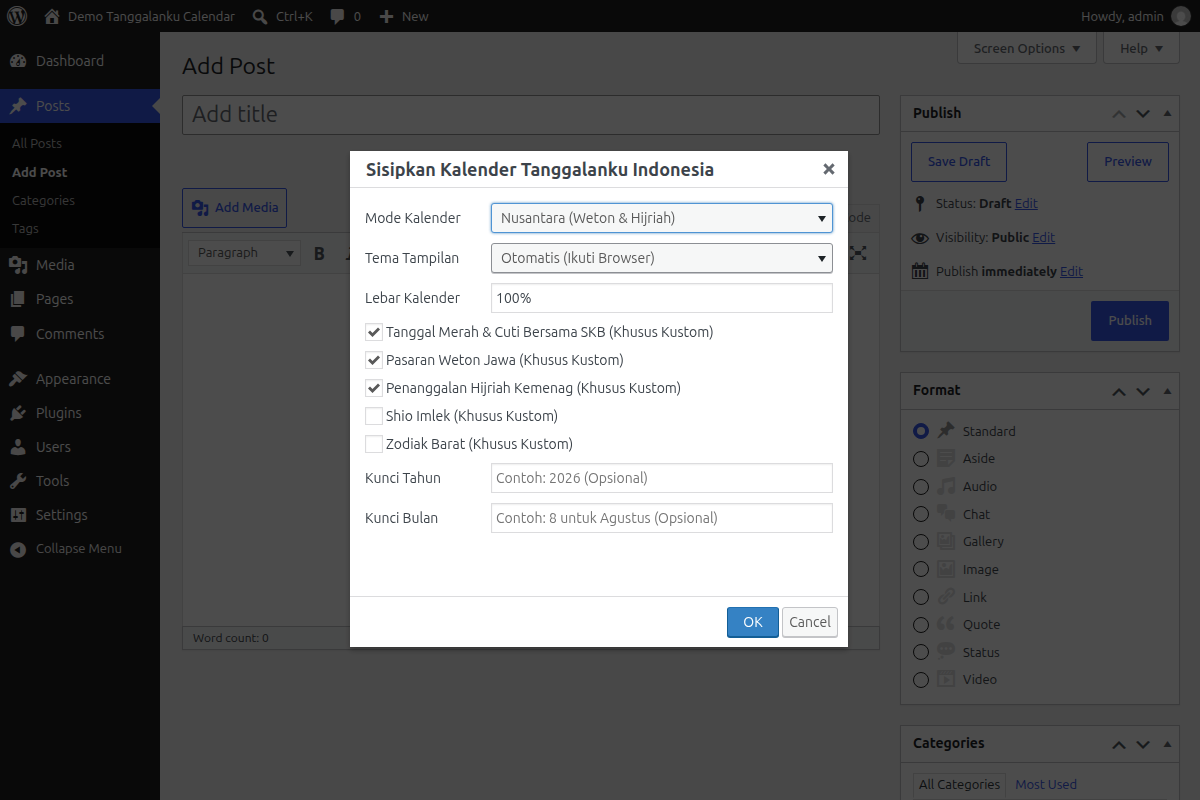
* mode: Preset type: clean (National), nusantara (Weton + Hijri), or lengkap (Full: Weton, Hijri, Shio, Zodiac). Default: clean (Shortcode) / nusantara (Block).
* theme: auto (follows browser/system theme), light, or dark. Default: auto.
* width: Maximum width of the calendar container (e.g. 100%, 500px, 650px). Default: 100%.
* libur: true or false to toggle national holidays and collective leave.
* weton: true or false to explicitly toggle Javanese pasaran.
* hijri: true or false to explicitly toggle Islamic Hijri dates.
* shio: true or false to explicitly toggle Chinese zodiac signs.
* zodiak: true or false to explicitly toggle Western zodiac signs.
Screenshots
Blocks
This plugin provides 1 block.
- Tanggalanku Kalender
Installation
- Upload the
tanggalanku-calendarfolder to your/wp-content/plugins/directory, or install directly via Plugins > Add New by searching for “Tanggalanku”. - Activate the plugin through the Plugins menu in WordPress.
- Add the calendar to your site:
- Gutenberg Block (Recommended): Click
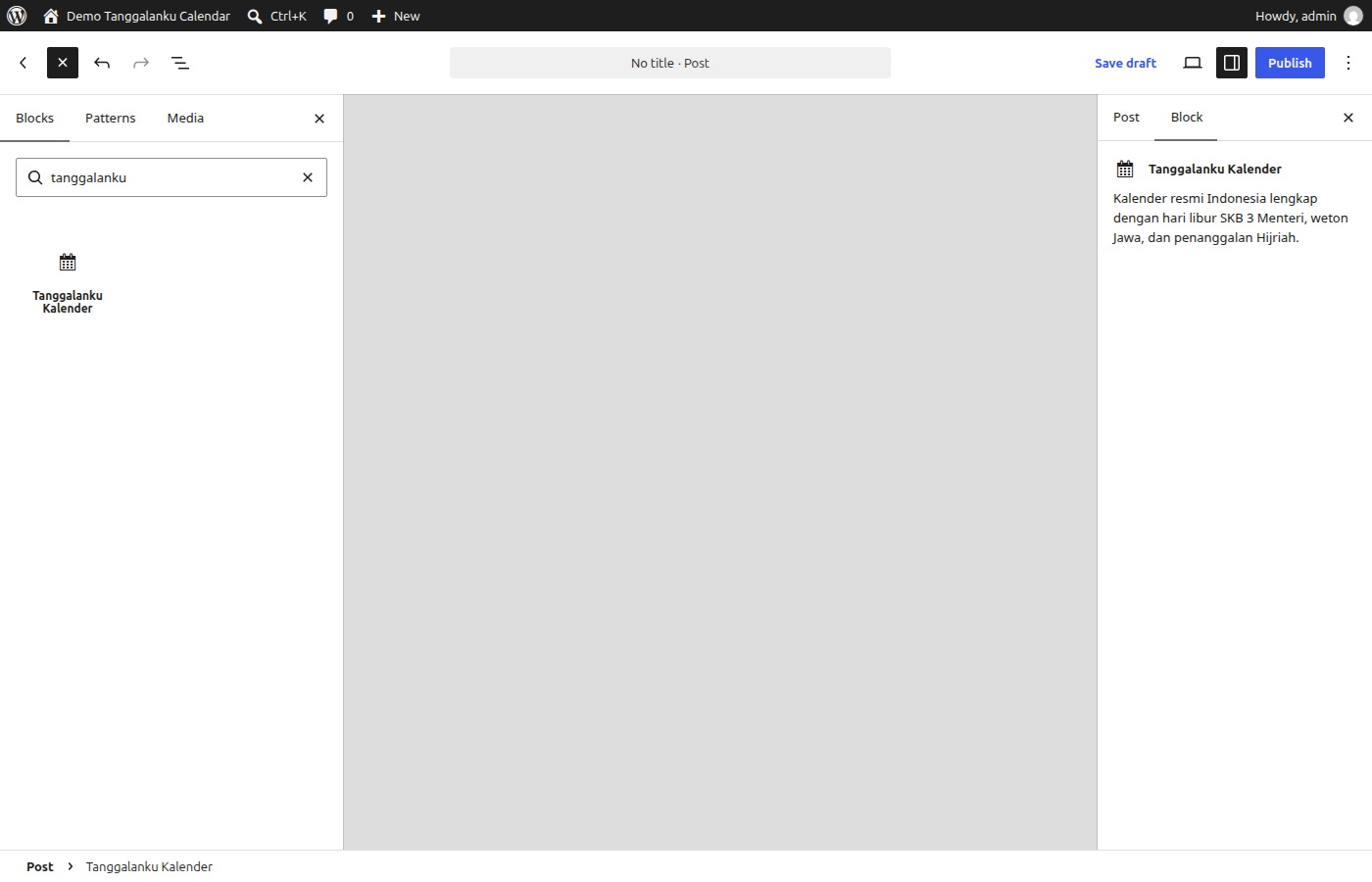
+, search for Tanggalanku, and insert the Tanggalanku Kalender block. Customize mode, theme, and width via the right sidebar panel! - Classic Editor: Click the calendar icon on the editor toolbar to open the popup GUI and insert your calendar.
- Shortcode: Type
[tanggalanku_calendar mode="nusantara"]anywhere in your post or page. - Sidebar / Footer: Go to Appearance > Widgets and add the Tanggalanku Calendar widget.
- Gutenberg Block (Recommended): Click
Panduan visual lengkap: Cara Memasang Kalender Indonesia di WordPress.
FAQ
-
Is this plugin completely free?
-
Yes, this plugin is 100% free and open-source licensed under GPLv2+.
-
Will this plugin slow down my website?
-
No. The core script is under 14 KB (~4 KB gzip) and is enqueued asynchronously in the footer so it never blocks page rendering.
-
Does it support dark mode?
-
Yes. You can configure
theme="dark",theme="light", ortheme="auto"to automatically match the visitor’s device preferences. -
How do I change the calendar size?
-
Use the
widthparameter in the shortcode (e.g.,[tanggalanku_calendar width="500px"]) or the Width setting in the Gutenberg block sidebar. The calendar height is automatically calculated to adapt responsively to every screen size.
Reviews
There are no reviews for this plugin.
Contributors & Developers
“Tanggalanku Kalender Indonesia” is open source software. The following people have contributed to this plugin.
Contributors
Translate “Tanggalanku Kalender Indonesia” into your language.
Interested in development?
Browse the code, check out the SVN repository, or subscribe to the development log by RSS.
Changelog
1.1.1
- Enqueued TinyMCE admin editor styles via wp_enqueue_style() on admin_enqueue_scripts per WordPress.org guideline compliance.
- Extracted inline CSS into dedicated stylesheet assets/css/editor.css.
1.1.0
- Added native Gutenberg Block (
tanggalanku/calendar) with live block editor preview and InspectorControls sidebar settings. - Added Classic Editor (TinyMCE) toolbar button with Tanggalanku terracotta icon and popup modal GUI for inserting calendars.
- Added custom configuration mode with granular feature toggles (
libur,weton,hijri,shio,zodiak). - Added target
yearandmonthparameters in Gutenberg block, Classic Editor GUI, and shortcode. - Fixed preset immutability when switching between preset modes and custom toggles.
- Updated bundled widget assets to match latest release.
1.0.1
- Added alias shortcodes:
[tanggalanku_kalender],[tanggalanku_kalender_indonesia], and[tanggalanku_widget]. - Enhanced automated release packaging to produce both standard and versioned zip archives.
- Cleaned up plugin header metadata according to WordPress.org guidelines.
1.0.0
- Initial official release of Tanggalanku Calendar.
- Shortcode
[tanggalanku_calendar]and classic sidebar widget (Tanggalanku_Calendar_Widget) support. - Local asset bundling with Shadow DOM style isolation.
- Preset support: Clean (National), Nusantara (Weton & Hijri), and Lengkap (Full).