
Description
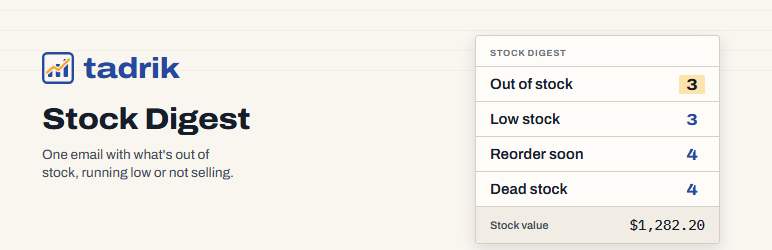
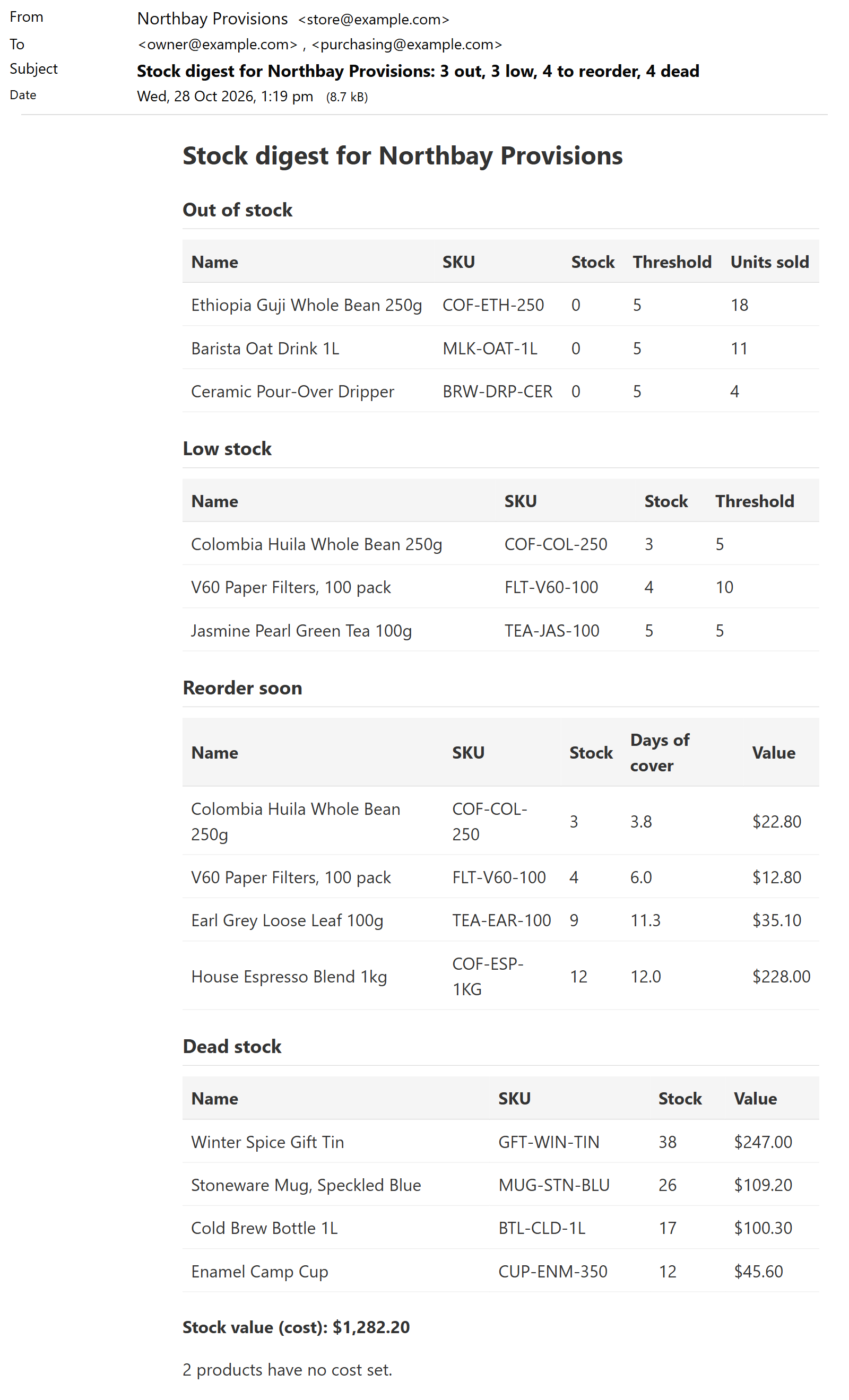
WooCommerce sends one email per product when it hits its low-stock level, with no overview, no value and no dead stock. Tadrik Stock Digest replaces that with a single daily or weekly email that shows:
- Out of stock — products with zero or negative stock.
- Low stock — products at or below their low-stock threshold.
- Reorder soon — products whose current sales pace will run out within your cover window.
- Dead stock — products that haven’t sold in months but still sit on shelves.
- Stock value — total value of tracked inventory at cost or price, plus a count of products missing cost data.
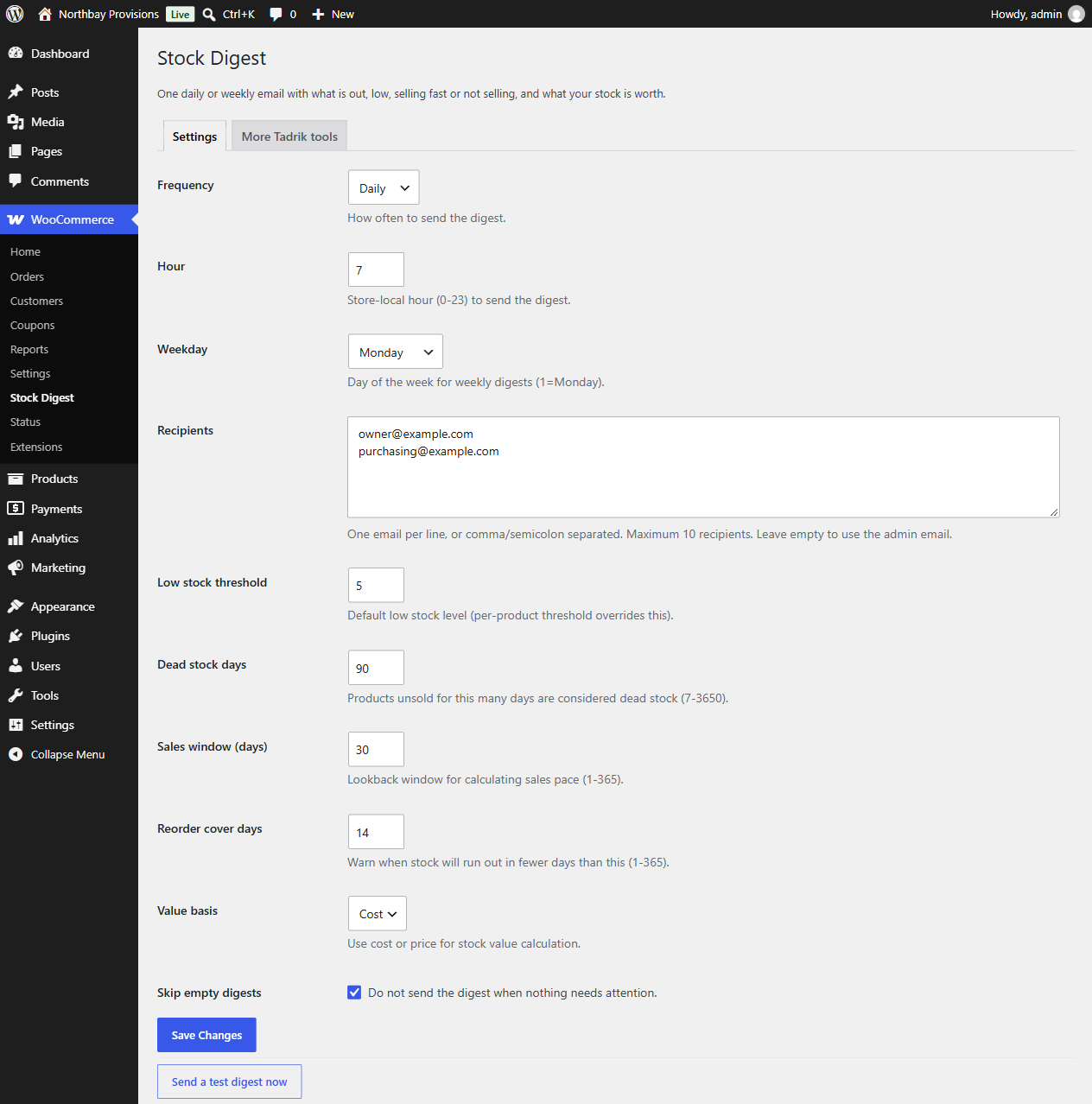
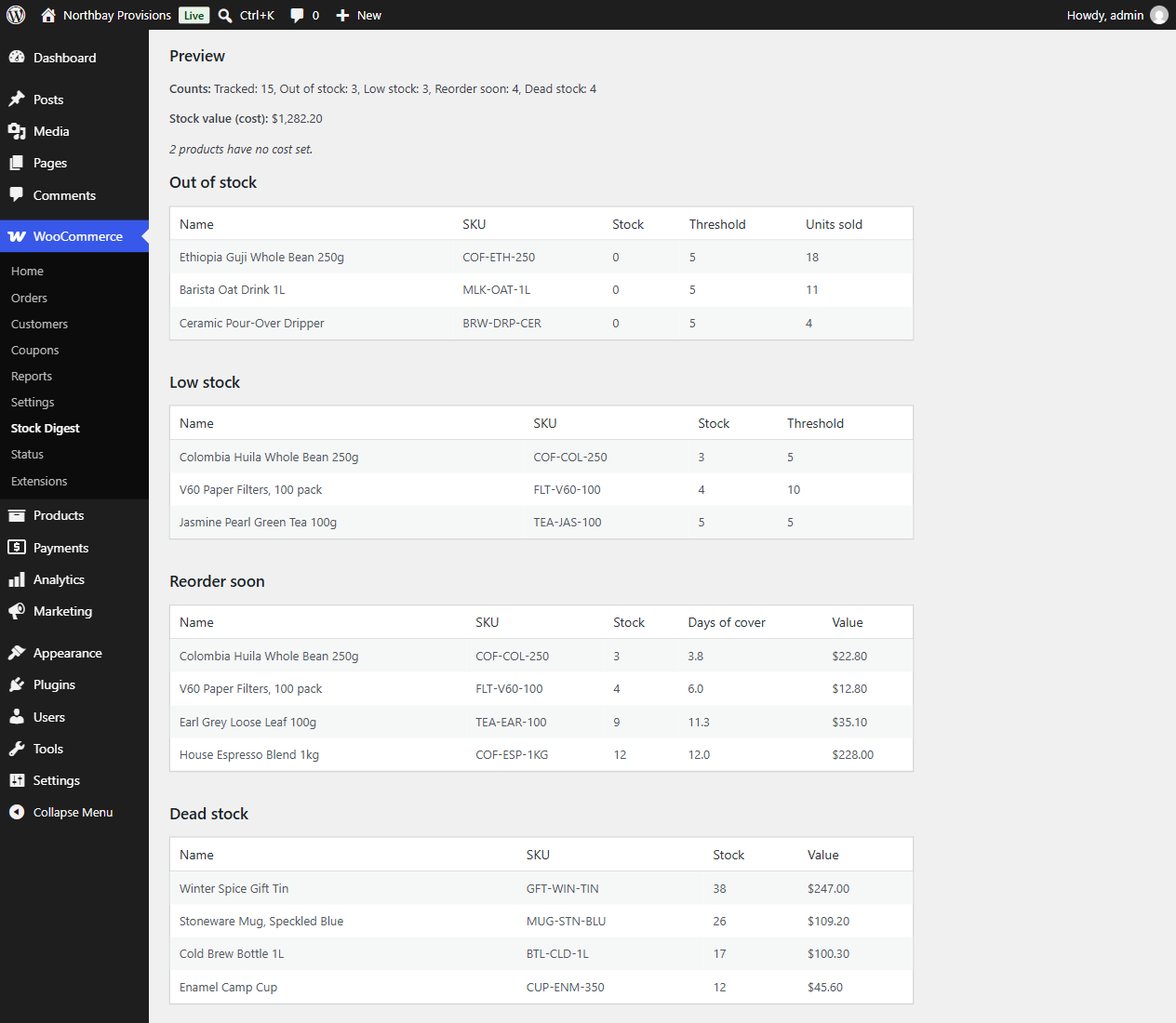
The digest is sent to one or more recipients (up to 10) at a store-local hour you choose, daily or weekly. A Send a test digest now button lets you preview the exact email before the next scheduled run. The preview on the settings page shows the same four lists, counts, and stock value in real time.
All product types with stock management enabled are included (simple and variation). Variable parents are skipped because they don’t hold stock themselves. Sales pace is calculated from completed and processing orders within a configurable window. Cost comes from WooCommerce’s own cost of goods or the popular cost-of-goods plugins (get_cogs_value(), _wc_cog_cost, _alg_wc_cog_cost); products with no cost are counted separately, so you can see what’s missing.
Works with HPOS (High-Performance Order Storage) and the block cart and checkout. Made by Tadrik, the small-tools company behind Tadrik Inbox. Questions: hello@tadrik.com.
External services
The digest is sent through your own site’s email (wp_mail) to the addresses you enter. The plugin sends no other data anywhere while you use it. The one exception is optional: when you deactivate it, the Plugins screen asks why. Only if you click “Send & deactivate” does it send your chosen reason, your optional note (up to 500 characters) and the plugin, WordPress, WooCommerce and PHP versions to Tadrik’s feedback service at ops.tadrik.com. It never sends your site address, your email address or any other personal data, and “Skip & deactivate” sends nothing. Privacy: https://tadrik.com/privacy.html.
Privacy
The Plugins screen shows a short question when you deactivate this plugin: why are you deactivating? It is optional. Only if you click “Send & deactivate” does the plugin send your chosen reason, your optional note (up to 500 characters) and the plugin, WordPress, WooCommerce and PHP versions to Tadrik’s feedback service at ops.tadrik.com. It never sends your site address, your email address or any other personal data, and “Skip & deactivate” sends nothing. Privacy: https://tadrik.com/privacy.html.
Screenshots
Installation
- Install and activate WooCommerce (8.6 or later).
- Upload the plugin files to
/wp-content/plugins/tadrik-stock-digest, or install via the WordPress plugins screen. - Activate the plugin through the Plugins screen.
- Go to WooCommerce > Stock Digest to configure recipients, schedule, thresholds, and value basis.
- Click Send a test digest now to verify the email looks right.
FAQ
-
Which products are included?
-
Any product with Manage stock enabled and type Simple product or Variation. Variable parents are not tracked because they don’t hold stock themselves.
-
How is “Reorder soon” calculated?
-
Sales pace = units sold in the lookback window ÷ window days. Days of cover = current stock ÷ pace. If days of cover is less than your Reorder cover days setting, the product appears in Reorder soon.
-
What counts as “Dead stock”?
-
A tracked product with stock > 0 that was created more than Dead stock days ago, and whose last sale (if any) was also more than Dead stock days ago.
-
Where does the cost come from?
-
The plugin checks, in order:
get_cogs_value()(if the method exists), the_wc_cog_costmeta, the_alg_wc_cog_costmeta. If none are set, the product is counted under “products have no cost set” and its value is excluded from the total. -
Can I send to multiple emails?
-
Yes. Enter up to 10 emails in the Recipients field, one per line or separated by commas, semicolons, spaces, or new lines. If the field is empty, the digest goes to the site admin email.
-
Does it work with HPOS?
-
Yes. The plugin uses
wc_get_orders()andwc_get_products(), which are HPOS-compatible.
Reviews
There are no reviews for this plugin.
Contributors & Developers
“Tadrik Stock Digest – Low Stock Email Report for WooCommerce” is open source software. The following people have contributed to this plugin.
Contributors
Translate “Tadrik Stock Digest – Low Stock Email Report for WooCommerce” into your language.
Interested in development?
Browse the code, check out the SVN repository, or subscribe to the development log by RSS.
Changelog
1.0.1
- Fix: the email showed currency symbols as HTML code (
$instead of the dollar sign), and the same for apostrophes and ampersands in some store and product names. Values and names now read as they should.
1.0.0
- Initial release.