

Description
Table Tennis Tournament for Clubs provides a focused admin workflow for maintaining player ratings and contact details, creating tournaments, and assigning active players to each tournament.
Player emails are stored for club administration and are not shown in public shortcodes.
Features
- Player records with name, rating, email, and active status.
- Tournament records with name, date, best of, player type, and status.
- Tournament Players screen for adding and removing participants.
- Inactive players cannot be assigned to new tournaments.
- Tournament Scores screen with three or five score fields per generated match.
- Score validation requiring 11 points (with a 2+ point margin) or a deuce win with exactly two points lead, plus a completed Best of 3 or Best of 5 match without superfluous or skipped games.
- Automatic crossover rounds after all group matches are complete. Two groups produce a final and third-place match, three groups produce a round-robin among the group winners, and four groups produce semi-finals followed by a final and third-place match.
- Group and crossover standings are ordered by match wins, game difference, point difference, and then a stable player-order fallback.
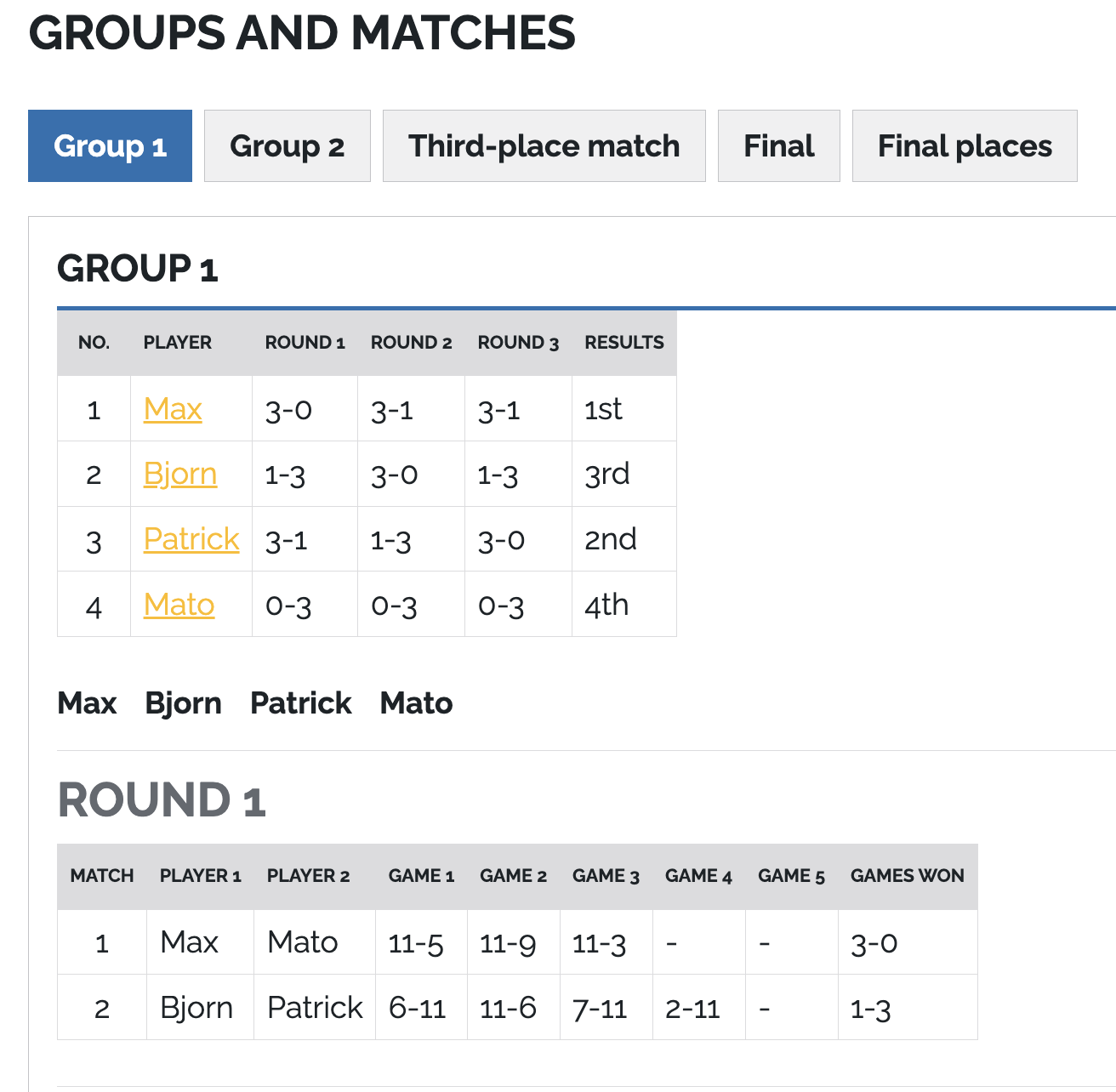
- Public tournament pages with groups, round-robin match schedules, and match scores.
- TV mode (
?showtv=true) for showing live scores full-screen on a TV, with automatic slide cycling and live refresh when scores are saved. - Public player pages at
/speler/{player-name}/{player-id}with player details, played tournaments, and finalized top-three positions. - Public shortcodes for tournament and active player lists.
Shortcodes
[tttc_tournaments] displays published tournaments and their assigned players.
Each published tournament title links to /{tournament-url-base}/{tournament-name}/{DD-MM-YYYY}. The default URL base is toernooi; change it under Settings > Table Tennis > URLs. The public tournament page lists active assigned players by rating, distributes them into groups using the tournament group rules, and shows every round-robin match in each group. Schedules are available for 4 to 28 players.
Upcoming tournament pages also accept player signups. A new signup creates an active player and assigns them to the tournament. If the same name and email already exist, the existing player’s rating is updated, the player is reactivated, and the player is assigned to the tournament without creating a duplicate. The tournament’s player type restriction is enforced.
Players must provide an email address when signing up. After a successful signup, the plugin sends a confirmation email using the sender address, subject, and body configured under Settings > Table Tennis. The subject and body support the merge fields [tournament-name] and [tournament-date]. Email delivery does not undo a saved signup.
Optional attributes:
[tttc_tournaments limit="10"]-
[tttc_tournaments id="123"][tttc_players] displays active published players and their ratings.
Optional attribute:
[tttc_players limit="50"]
TV mode
Add ?showtv=true to a public tournament page, for example /{tournament-url-base}/{tournament-name}/{DD-MM-YYYY}/?showtv=true (the default base is toernooi), to show a bare full-screen scoreboard without the theme header, footer, breadcrumbs, QR code, player list, or signup form.
- Each group is shown as one slide with all of its rounds and, once the group is complete, its standings. Crossover rounds, the final, and the final places follow as separate slides. The final and third-place match appear only when both players are known.
- When there is more than one slide, the page cycles to the next slide at the interval configured under Settings > Table Tennis > TV Display (20 seconds by default).
- Every 10 seconds the page checks
/wp-json/tttc/v1/tournaments/{id}/version. When scores, players, or the tournament status change in the admin, the page reloads automatically and stays on the current slide. - Tournaments that are not active or completed yet show a notice and switch to the scoreboard automatically once the schedule becomes available.
If a page cache or CDN is used, exclude the TV URL or the REST endpoint from caching for the fastest updates.
Tournament statuses
Draft, Upcoming, Active, Completed, and Cancelled are available. Draft tournaments are managed in the admin area but are not shown by public shortcodes.
Privacy
Player email addresses are available to administrators in WordPress and are never rendered by the public shortcodes.
Screenshots




Installation
- Upload the
table-tennis-tournament-for-clubsfolder towp-content/plugins/. - Activate the plugin from Plugins in WordPress.
- Use the Table Tennis menu to create players and tournaments.
- Open Tournament Players, select a tournament, and save its participants.
- Select Best of 3 or Best of 5 when creating a tournament, then use Scores in the tournament overview to enter match scores.
After every group match has a completed score, the Scores screen reveals the applicable crossover matches. Later four-group matches remain unavailable until their semi-finals are complete. Public tournament pages show the crossover results and final places when the deciding matches have been completed.
Reviews
There are no reviews for this plugin.
Contributors & Developers
“Table Tennis Tournament for Clubs” is open source software. The following people have contributed to this plugin.
Contributors
Translate “Table Tennis Tournament for Clubs” into your language.
Interested in development?
Browse the code, check out the SVN repository, or subscribe to the development log by RSS.