

Description
AI search is eating Google clicks. ChatGPT, Claude, Perplexity, and
Gemini answer questions inline now, and getting your site cited
inside those answers is the new SEO. People call it
Generative Engine Optimization (GEO) or Answer Engine
Optimization (AEO). Same problem either way: an AI has to crawl
you, parse you, and pick you when a user asks. Miss any of that and
you are invisible to the audience driving the next wave of traffic.
SurfacedBy AI Visibility is the WordPress companion for that work.
-
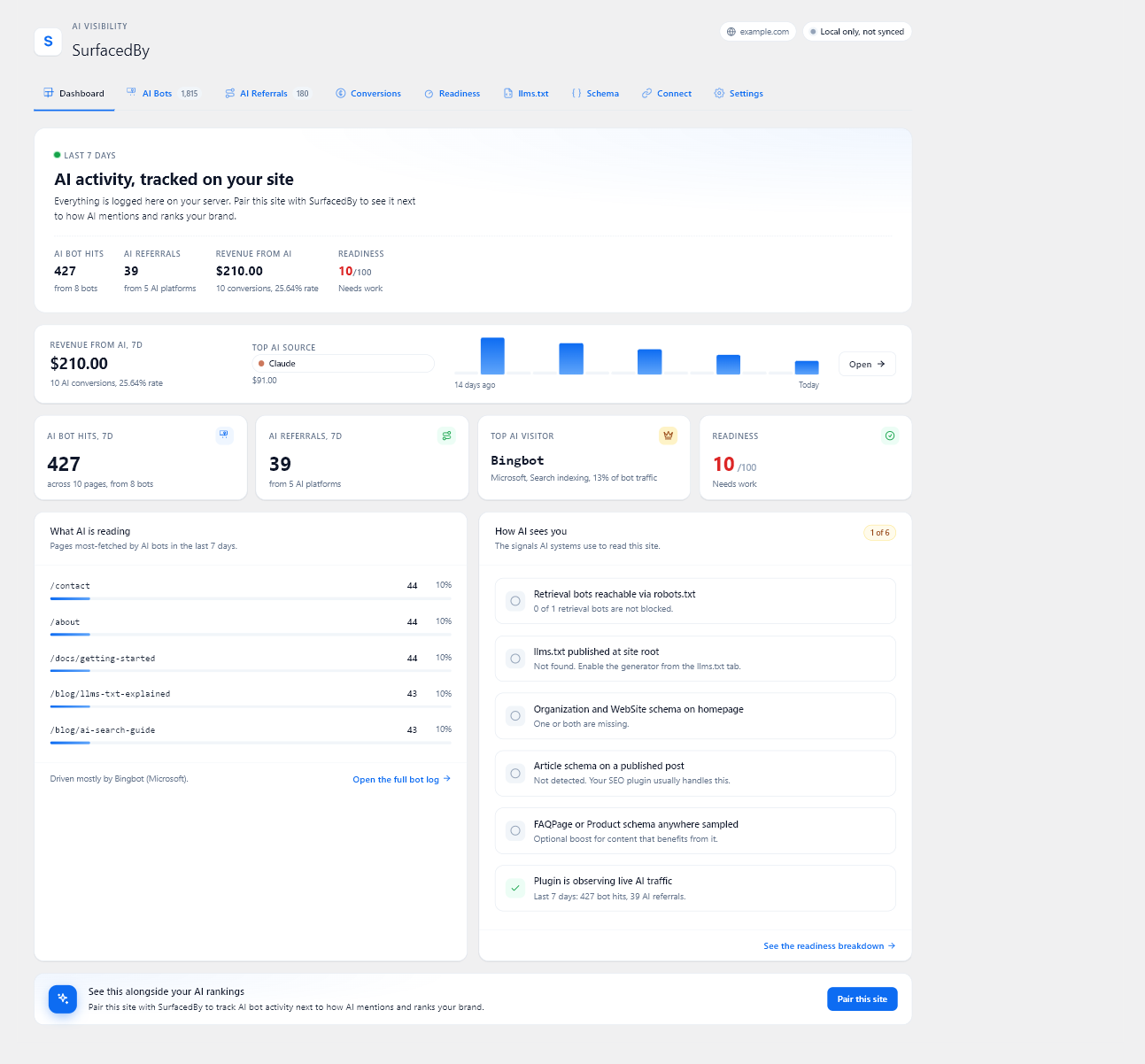
AI Bot Analytics. Which AI crawlers are reading your site, what
they are after (training data, search indexing, or live retrieval),
and how often. Covers GPTBot, ClaudeBot, PerplexityBot,
Meta-ExternalAgent, and the long tail. -
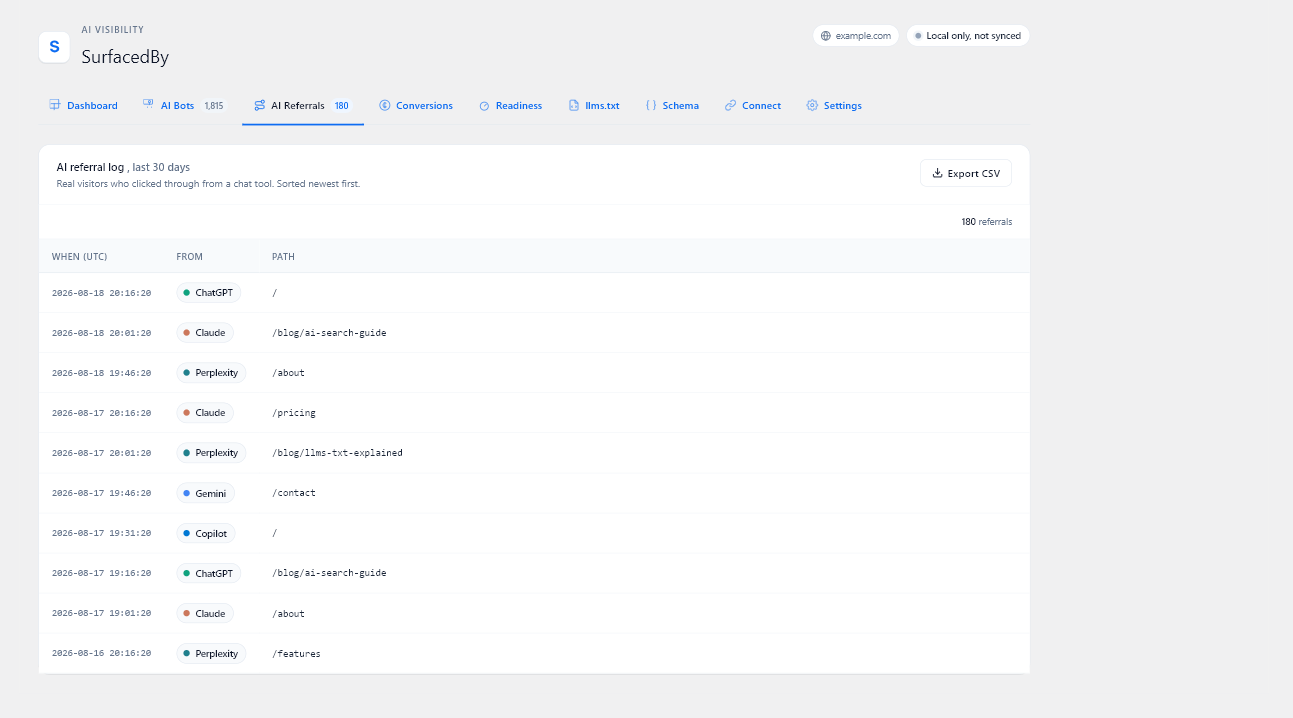
AI Referral Tracking. Real visits from chatgpt.com, claude.ai,
perplexity.ai, gemini.google.com, copilot.microsoft.com, grok.com,
and meta.ai. Proven referrer hosts only, no behavioural guessing. -
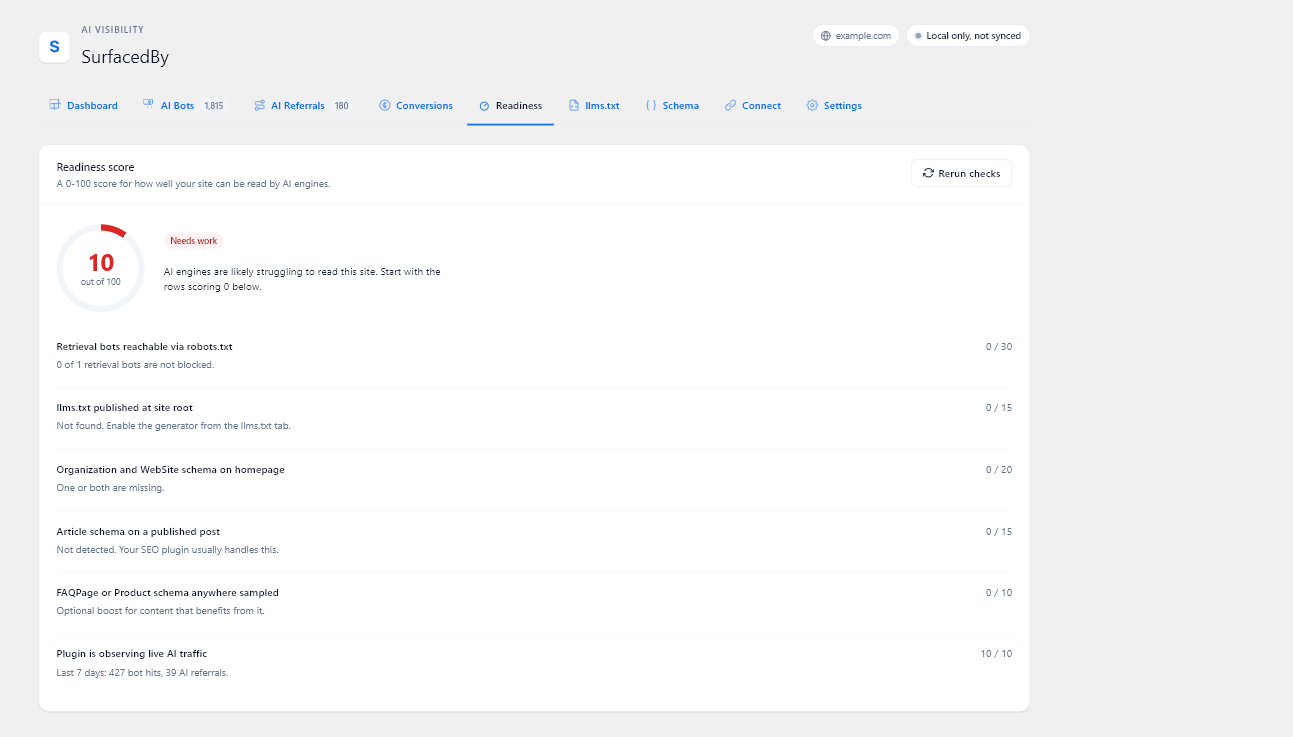
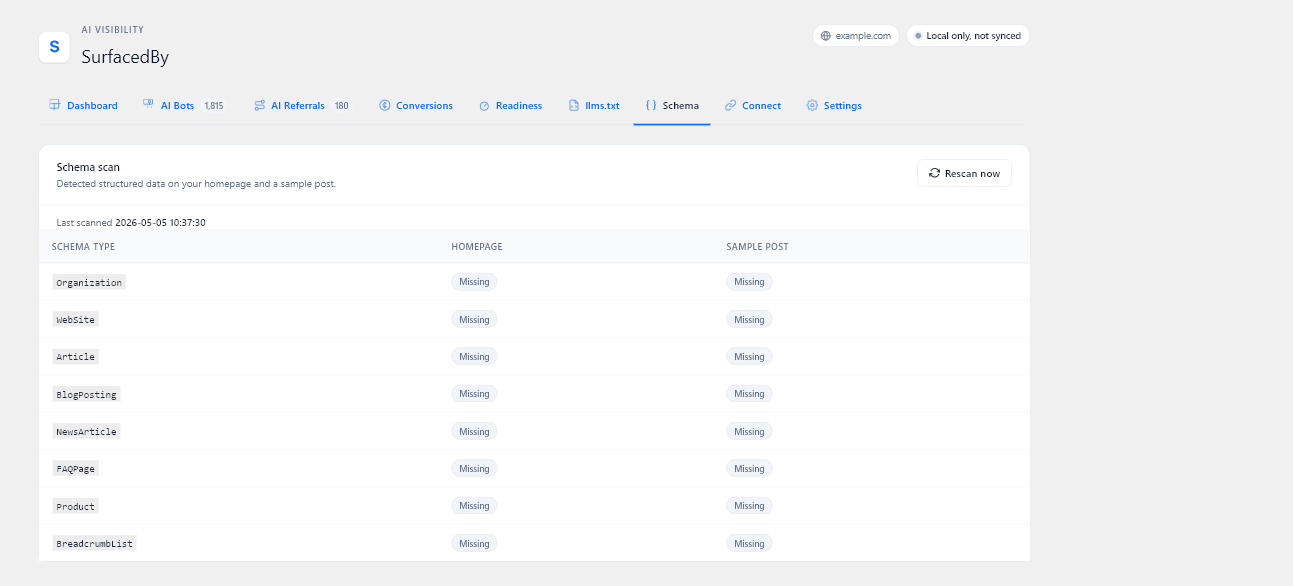
AI Readiness Diagnostics. A one-click check on robots.txt,
your llms.txt, and the schema types answer engines look for
(Organization, Article, FAQPage, Product). It tells you what is
broken. -
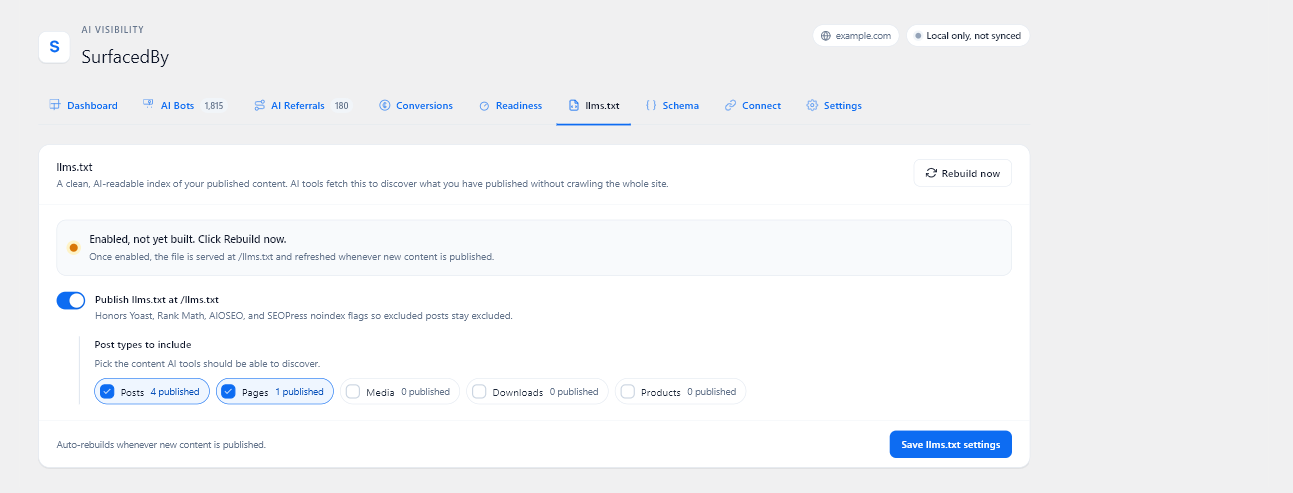
llms.txt Generator. Publishes a clean
/llms.txtindex of
your posts and pages so AI tools can find your content. Respects
Yoast, Rank Math, AIOSEO, and SEOPress noindex rules. -
AI Conversion Tracking. Detects WooCommerce and MemberPress
automatically and credits purchases, renewals, signups, and refunds
to the AI source that drove the customer. Custom checkouts call
window.sbAi.track()“ to ship the same data. Attribution holds
from first visit through to purchase, even days later.
All five are fully functional without an account. Bot logging,
referral tracking, the readiness diagnostics, the llms.txt generator,
and conversion attribution all run locally on your server and store
their data in your own database. Nothing is locked, time-limited, or
reduced until you sign up, and the plugin does not talk to SurfacedBy
at all until you pair it with a Site ID.
Pairing is optional and adds one thing: it syncs the data this plugin
already collected to the SurfacedBy dashboard, where it sits next to
the AI ranking and citation analytics for your domain. Events recorded
before you pair are synced too, so you do not lose the history. The
free plan covers one domain with weekly scans. Paid plans add
competitor benchmarks, prompt tracking, and citation monitoring across
ChatGPT, Claude, Perplexity, and Gemini. Those run on SurfacedBy’s
servers and are not features withheld from this plugin.
External Services
The plugin makes no outbound calls until you save a SurfacedBy Site
ID under SurfacedBy > Connect. If you never pair the plugin, nothing
leaves your server, and every feature still works locally.
Once paired, the plugin contacts SurfacedBy in three places (1-3). All
outbound calls are made by your server; the plugin never loads or executes
code from an external source. Item 4 is listed for completeness because it
is a browser-side feature, but it stays entirely on your own domain.
-
Event forwarding (opportunistic on page-render shutdown, plus a wp-cron
safety net every hour):
Endpoint: https://api.surfacedby.com/api/v1/tracker/batch
Data sent: rows from the local log tables. Three event kinds ship on the
same batch endpoint:- bot rows: bot token, request path, hour of day, count, response
code, and bot-only requester IP for identity verification. - referral rows: AI referrer host, request path, hour of day, count,
session nonce, and pseudonymous visitor ID. - conversion rows (when WooCommerce / MemberPress is detected, or when
a custom front-end calls window.sbAi.track): event type
(purchase / renewal / signup / refund / lead / custom), an order or
subscription identifier, the value, the ISO currency code, the request
path, the AI referrer host that originally brought the customer in,
and a small metadata object (item count, country code, refund reason,
etc., capped at 4 KB), plus the pseudonymous visitor ID when one is
available. Conversion rows never carry visitor names, emails, billing
addresses, or payment details.
The plugin never sends raw User-Agent strings outside the bundled
registry, never sends human visitor IPs, and never sends cookies.
Matched bot IPs are used by SurfacedBy only to compute a verified,
unverified, or unverifiable bot-identity verdict; SurfacedBy stores
the verdict, not the raw IP. The local queue clears the bot IP after
the row forwards successfully.
Purpose: populates your SurfacedBy dashboard for this site.
- bot rows: bot token, request path, hour of day, count, response
-
Plugin heartbeat (hourly cron with a 24-hour staleness check, plus a
best-effort nudge when the plugin notices its last heartbeat is older
than 20 hours):
Endpoint: https://api.surfacedby.com/api/v1/integrations/wordpress/heartbeat
Data sent: your Site ID, plugin version, WordPress version, PHP version,
and the aggregate event count from the last 24 hours. No personal data.
Purpose: shows install health in the SurfacedBy admin. -
Bot registry refresh (daily cron with a 14-day staleness check; a
conditional GET that returns 304 when nothing has changed):
Endpoint: https://api.surfacedby.com/api/v1/tracker/registry (HTTP GET)
Data sent: none, other than standard HTTP request headers.
Purpose: pulls the latest AI bot user-agent list so newly observed
crawlers are tracked without waiting for a plugin update. -
Browser tracker beacon (on by default; switch it off under “Browser
tracker snippet” in Settings. It needs no account and runs whether or
not the plugin is paired):
This step sends nothing to SurfacedBy directly. The beacon script is
bundled inside the plugin (assets/js/sb-tracker.js) and is served from
your own site; no external script is ever loaded, and no third-party
code is downloaded or executed. The script posts same-origin to this
site’s own admin-ajax handler (admin-ajax.php). Each request carries a
WordPress security nonce that the page includes, so the handler confirms
the request came from your own site before recording anything.
Data sent (to your own server): the AI referrer host, the URL path,
and – when window.sbAi.track is called from custom front-end code –
the conversion event_id, value, currency, and a small metadata object
the site explicitly passes in. It also sends the plugin’s pseudonymous
visitor ID. The plugin sets only the sb_t and sb_attr cookies described
in the Cookies section below.
Those rows are stored in the local log tables and later forwarded to
SurfacedBy by the server, on the same batch endpoint described in
item 1 above.
Purpose: catches AI referrals on pages served from a full-page cache
where the PHP path never runs.
Cookies
The plugin sets cookies only after a visitor arrives from a confirmed AI
referrer host. Two cookies, both first-party, both opaque:
sb_t(30 minutes): an anonymous session nonce used to deduplicate
page views inside one browsing session. No personal identifiers.sb_attr(13 months): records a pseudonymous visitor ID, the AI host
(e.g. chatgpt.com), and the timestamp of the first qualifying visit so a
later purchase or signup can be credited to the original source. When
present in an AI-attributed landing URL, it can also retain advertising
click IDs named gclid, fbclid, msclkid, and ttclid. The browser tracker
mirrors this value in first-party local storage so attribution can survive
browser cookie eviction. The identifier is scoped to this site and is not
used for cross-site tracking.
When paired with SurfacedBy, aggregate bot, referral, and conversion
history is retained with the connected domain. Raw AI visit rows used
for dashboard journey reconstruction follow the server-side plan
window: Free and Starter 90 days, Professional 395 days, Business 760
days. The dashboard journey drawer shows only the 30 days before a
conversion.
The referral cookies are set after a recognised AI referral. The conversion
integrations or a site-initiated window.sbAi.track call can also create the
pseudonymous sb_attr identifier when a conversion needs a stable local
attribution key.
Terms of Service: https://surfacedby.com/terms
Privacy Policy: https://surfacedby.com/privacy
Screenshots
Installation
- Install the plugin from the WordPress.org directory or upload the zip.
- Activate it.
- Visit SurfacedBy > Dashboard in the WordPress admin.
- Run the AI Readiness checks; the local features start collecting bot and referral data immediately.
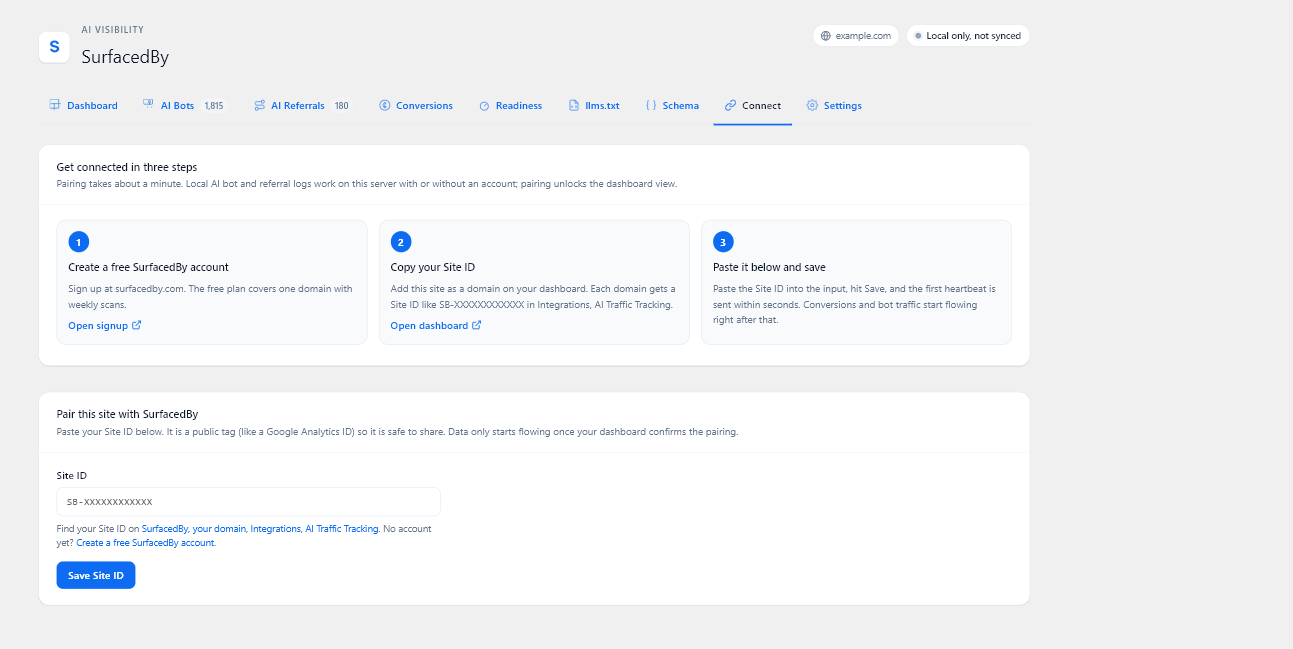
- Pair the plugin with SurfacedBy: sign in or create an account at surfacedby.com, add your site, copy your Site ID, paste it into SurfacedBy > Connect, and save. Your data starts syncing to the dashboard once verification completes.
FAQ
-
Does this plugin slow down my site?
-
No. Bot detection runs server-side before the response is sent and adds under
10 ms per bot request. Normal human requests are untouched. -
Does this plugin track human visitors?
-
Referral tracking runs only when someone arrives from a confirmed AI tool.
Visits from Google, social, or direct links are not logged as AI referrals.
For a qualifying visit, the plugin stores the referrer host, request path,
event time, a short session nonce, and a pseudonymous visitor ID. Enabled
commerce integrations and explicit window.sbAi.track calls can also record
conversion details as described under External Services. -
What does pairing the plugin with SurfacedBy give me?
-
Pairing pushes the data the plugin already captures (bots, referrals,
conversions) up to the SurfacedBy dashboard, where it lines up next
to the AI ranking and citation analytics for your domain. The local
features keep working the same way whether you pair or not. -
What if I block AI bots in robots.txt?
-
The plugin shows you which bots you are blocking and what that means
(training, search indexing, or retrieval). You choose the policy. The plugin
never edits your robots.txt. -
Will the plugin work with my SEO plugin?
-
Yes. Keep Yoast, Rank Math, AIOSEO, or SEOPress for Google rankings,
and let SurfacedBy handle the AI side. The llms.txt generator reads
noindex and nofollow flags from your existing SEO plugin, so excluded
content stays excluded. -
Does the plugin track WooCommerce orders or MemberPress signups?
-
Yes, automatically, with no shortcode or checkout edits. Activate
WooCommerce or MemberPress and the plugin starts recording purchases,
subscription renewals, refunds, and signups against the AI source
that drove the customer. For non-WordPress checkouts (headless
Shopify, custom front-ends), call
window.sbAi.track(‘purchase’, { event_id, value, currency })“ and
the data lands in the same place. -
Can I turn conversion tracking off?
-
Yes. SurfacedBy > Settings has a “Track conversions” toggle. Disabling it
stops every adapter and the JS API at the source; nothing is logged or
forwarded. -
Does it work with Easy Digital Downloads?
-
Yes. EDD is auto-detected the same way WooCommerce and MemberPress are.
Completed payments ship as purchases and refunds ship as separate
negative-value rows so partial refunds compose cleanly. -
Can I forward Google Tag Manager purchases to SurfacedBy?
-
Yes, with one toggle. Enable “GTM bridge” in SurfacedBy > Settings and
the plugin subscribes to dataLayerpurchaseevents and forwards them
towindow.sbAi.track('purchase', ...)using the raw GA4 transaction
ID. The dashboard’s cross-source dedup pass collapses this row with the
WooCommerce-adapter row keyed by the same order number, so a site
running both does not double-count. The dedicated GTM tag template
(integrations/gtm-tag-template/) is the more flexible option when you
need to forward refunds or custom event types. -
Can I send conversions from outside WordPress (server-side webhook)?
-
Yes. SurfacedBy publishes a per-domain webhook URL plus an HMAC-SHA256
shared secret that signs each delivery. Reveal the secret in the
SurfacedBy dashboard’s Tracking page Setup Drawer, then POST events
tohttps://api.surfacedby.com/api/v1/tracker/webhook/conversions
with theX-SurfacedBy-Site-Id,X-SurfacedBy-Timestamp, and
X-SurfacedBy-Signature: t=,v1=headers. The signature.“ with HMAC-SHA256, matching the outbound
covers
SurfacedBy webhook scheme. Replay window is 5 minutes; the per-Site-ID
rate limit is 100 requests / minute.Example curl:
curl -X POST https://api.surfacedby.com/api/v1/tracker/webhook/conversions \\ -H "X-SurfacedBy-Site-Id: SB-XXXXXXXXXXXX" \\ -H "X-SurfacedBy-Timestamp: 1715990400" \\ -H "X-SurfacedBy-Signature: t=1715990400,v1=<hex>" \\ -H "Content-Type: application/json" \\ -d '{"event_type":"purchase","event_id":"4821","value":99.99,"currency":"USD","occurred_at":"2026-05-18T12:00:00Z"}' -
How does cross-source deduplication work?
-
If you wire multiple sources for the same site (this plugin plus the
GTM bridge plus a server-side webhook), SurfacedBy automatically
deduplicates by event ID. The strongest source wins (plugin first,
then webhook, then JS), and the others appear in the dashboard as
“+ N sources” on the surviving row. To make dedup most accurate, use
the order number as the event ID across every source so the underlying
keys line up. -
Can I add my own conversion adapter?
-
Yes. Implement
\SurfacedBy\AIVisibility\Conversion\Adapters\ConversionAdapterandsurfacedby_aiv_conversion_adapters
register your class via thefilter. Adapters that expose an optional staticevents_covered()“
method will appear in the dashboard’s coverage matrix. -
Can I point the plugin at a local SurfacedBy backend during development?
-
Yes. Hook the
surfacedby_aiv_api_basefilter from a mu-plugin and
return your local URL (for examplehttp://host.docker.internal:8000)
so the plugin sends events to your local backend instead of the
production API. The filter applies to every HTTP call the plugin
makes, including heartbeat and event shipper.
Reviews
There are no reviews for this plugin.
Contributors & Developers
“SurfacedBy AI Visibility” is open source software. The following people have contributed to this plugin.
Contributors

Translate “SurfacedBy AI Visibility” into your language.
Interested in development?
Browse the code, check out the SVN repository, or subscribe to the development log by RSS.
Changelog
1.2.6
- Changed: The browser tracker now sends its events through the WordPress
handler built for submissions from logged-out visitors. Tracking behaviour
and the data recorded are unchanged. - Fixed: Exported CSV files no longer let a recorded page address be treated
as a formula by a spreadsheet application when the file is opened. - Fixed: A tracking request carrying an unexpected value type is now ignored
cleanly instead of adding a PHP warning to the site’s error log. - Fixed: When SurfacedBy rejects a batch of events, the plugin now reports
that and moves on instead of resending the same batch on every scheduled
run until it expires, which held up the events queued behind it.
1.2.5
- Fixed: Purchases recorded from WooCommerce, Easy Digital Downloads, and
MemberPress no longer report the home page as the page that earned the
sale. These run after checkout, away from any page, so the sale is now
recorded without a page instead of being credited to the wrong one. - Fixed: The top converting pages list no longer counts sales that have no
page attached to them.
1.2.4
- Fixed: Button labels remain readable in their normal, visited, hover,
focus, and active states throughout the WordPress admin.
1.2.3
- Security: Browser event writes are gated by a WordPress nonce that is
verified in the REST permission callback before the write runs. - Security: Duplicate conversion detection now uses a prepared WordPress
database query instead of inspecting the database driver directly. - Fixed: Admin icons and generated markup are escaped at output time using a
narrow SVG allow-list. - Improved: Plugin-owned cache keys use the full surfacedby_aiv prefix.
- Improved: Privacy disclosures now describe pseudonymous identifiers,
local storage, advertising click IDs, and individual event forwarding.
Logged-in attribution can be exported and erased with WordPress privacy
tools. - Compatibility: No settings changes or data migration are required.
- Compatibility: Tested with WordPress 7.0.2.
1.2.2
- Changed: The browser tracker no longer requires a SurfacedBy account. It
records AI referrals and conversions into your own database on a fresh
install, with no Site ID and no pairing. Connecting an account only syncs
that data to the dashboard. - New: Events captured before you connect are kept and sync automatically
once you do, so pairing an existing install does not start from zero. - New: Settings shows how many events are stored locally and waiting to
sync. - Fixed: Conversion logs were never pruned by the retention cron, so the
table grew without bound on sites that kept their data local. - Fixed: A commerce integration that declared its event list as a
non-static method caused a fatal error when the plugin read it. - Hardened: Cookie, header, and server values are sanitised on read, and
the referrer host recovered from the attribution cookie is validated as
a hostname before it is stored or forwarded.
1.2.1
- New: Trials are a first-class conversion type, so a trial start, its
conversion to paid, later renewals, and refunds each show up separately
instead of collapsing into one purchase. - New: Bot identity verification. A request claiming to be an AI crawler is
checked against the bot’s published address ranges, so spoofed traffic is
not counted as a real AI bot. - Improved: AI crawls of
robots.txtandllms.txtare now recorded, so
you can see which crawlers are reading your AI access rules. - Improved: The attribution cookie is capped at 13 months from the first time
it was set.
1.2.0
- Improved: AI visits are now tracked reliably on sites that use caching
or a CDN such as Cloudflare. This works automatically; you can turn it
off under Settings if you ever need to. - Improved: AI visits are still matched to the sale on browsers with
strict privacy settings, such as Safari, so your conversion reports
stay accurate. - Improved: Subscription renewals are now credited to the AI source that
won the original sale, so recurring revenue keeps showing up in your AI
reports for the life of the subscription.
1.1.0
- New: AI conversion tracking. Auto-detects WooCommerce and MemberPress and
records purchases, renewals, signups, and refunds against the AI source
that brought the customer in. - New:
window.sbAi.track()JavaScript API for custom front-ends and
non-WordPress checkouts (Shopify Hydrogen, headless storefronts). - New:
sb_attrattribution cookie so conversions are credited
to the AI platform even days after the original visit. - New: Conversions admin tab with 7-day totals, by-type breakdown, and a
recent-activity table; only shown when at least one supported platform
is detected. - New: Adapter registry (
surfacedby_aiv_conversion_adaptersfilter)
for downstream plugins that want to register additional adapters
without forking. - Improved: Event shipper now drains conversion rows alongside bot and
referral rows on the same hourly cron + page-render shutdown path. - Improved: Idempotent end-to-end ingest. Rows are deduplicated on a
stable event_id so a re-fired purchase or replayed webhook is a no-op.
1.0.0
- Initial release.