
Description
Streekpanel is a Dutch platform for local and regional broadcasters (lokale omroepen). Newsrooms use it to build a reader panel, run surveys and polls, and send newsletters to the people in their region.
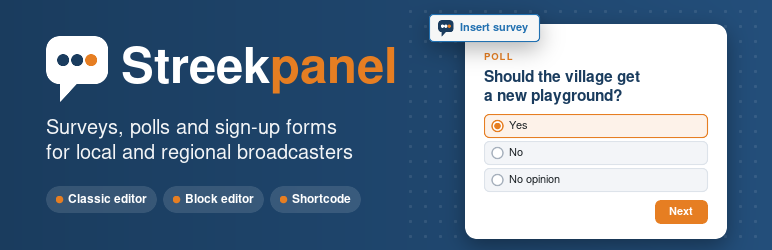
This plugin connects your WordPress site to your Streekpanel account. Editors insert a survey or a sign-up form with one click, from the classic editor or the block editor. No embed codes to copy, no HTML to paste.
What you can do
- Insert a survey. Use the “Insert survey” button next to “Add Media” in the classic editor, or the Streekpanel block in the block editor.
- Insert the sign-up form for your reader panel, your newsletter, or both.
- Search your surveys by title. Closed surveys stay out of the list unless you ask for them.
- Rename without worry. The plugin remembers the fixed number of a survey, not its address. When the address changes, the plugin finds the new one.
- Stay online when Streekpanel is not. The plugin keeps the last good answer from Streekpanel, so surveys you already inserted stay visible.
- No scroll bars. The survey grows and shrinks with its content, so it reads as part of your article.
- Back to the top of the survey. When a visitor goes to the next page, or after sending, the page scrolls back to the survey.
Safe for your newsroom
- The connection key stays on your web server. It never reaches the browser of an editor or a visitor.
- Only people who can edit posts see the button and the list of surveys.
- Surveys only appear on websites you allowed in Streekpanel. The plugin warns you when your site is not on that list yet.
- The plugin sets no cookies. For a survey, a random number is stored in the browser of the visitor, so Streekpanel can see whether someone already took part. It contains no personal data.
- One small script, loaded only on pages with a survey or sign-up form.
Shortcodes
The button and the block cover most needs. You can also type a shortcode yourself, for example in a page builder or a widget:
[streekpanel enquete="123"]shows survey 123. You find the number in the address of the survey in Streekpanel.[streekpanel aanmelden="beide"]shows the sign-up form for the panel and the newsletter. Usepanelornieuwsbrieffor only one of them.
You need a Streekpanel account
This plugin connects to the Streekpanel service. You need an account for your broadcaster at streekpanel.nl. Without an account the plugin does nothing.
Streekpanel itself is in Dutch. This plugin is available in English and Dutch.
External services
This plugin connects to Streekpanel, the service that hosts your surveys and sign-up forms. It is needed to list your surveys in the editor and to show them on your site.
1. Listing what you can insert (from your web server). When an editor opens the insert window or the Streekpanel block, or when an administrator clicks “Test connection”, your web server asks Streekpanel which surveys and sign-up forms can be embedded. It sends your connection key, the name of your broadcaster and the host name of your website. Streekpanel answers with the titles, addresses and status of your surveys. The plugin keeps that answer for one hour. When a page with a survey is shown, your web server refreshes it at most once an hour, and once more when it meets a survey it does not know yet.
2. Showing a survey or form (from the browser of the visitor). On a page with a survey or sign-up form, the browser of the visitor loads it from streekpanel.nl in a frame. Streekpanel receives what any website receives, such as the IP address and browser details. For a survey, the random number described above is sent along to prevent double answers. What a visitor fills in goes to Streekpanel and is processed for your broadcaster.
- Terms of use: https://streekpanel.nl/voorwaarden
- Privacy statement: https://streekpanel.nl/privacy
Blocks
This plugin provides 1 block.
- Streekpanel A survey or the panel and newsletter sign-up form from Streekpanel.
Installation
- In WordPress, go to Plugins › Add New Plugin, search for “Streekpanel”, click Install Now and then Activate.
- In Streekpanel, go to Instellingen › Insluiten. Add your website to the allowed sites, and create a connection key under “Invoegen vanuit WordPress”.
- In WordPress, go to Settings › Streekpanel. Fill in your broadcaster (the part of the address after streekpanel.nl/) and the connection key, and save.
- Click “Test connection”. You will see how many surveys are ready to insert.
FAQ
-
Do I need a Streekpanel account?
-
Yes. The plugin is a connection to Streekpanel and does nothing on its own. See streekpanel.nl to get started.
-
Where do I find the connection key?
-
In Streekpanel, under Instellingen › Insluiten, in the part “Invoegen vanuit WordPress”. The key is shown only once. Lost it? Revoke it there and create a new one.
-
A survey is missing from the list
-
Embedding must be switched on for that survey. In Streekpanel, open the survey and look under Distributie. Closed surveys are hidden by default: tick “Also show closed surveys”.
-
Visitors see an empty space instead of the survey
-
Your website is probably not on the list of allowed sites. Add it in Streekpanel under Instellingen › Insluiten. The connection test under Settings › Streekpanel tells you when this is the case.
-
I use a caching or speed plugin
-
Some speed plugins delay all JavaScript until the visitor clicks or scrolls, for example the option “Delay JavaScript execution” in WP Rocket. The survey then appears late. Exclude
streekpanel/assets/insluiten.jsfrom that option. -
What happens when I rename a survey in Streekpanel?
-
Nothing breaks. The shortcode and the block remember the fixed number of the survey and look up the new address.
-
No. For a survey, a random number is stored in the local storage of the browser of the visitor, on your own domain. It is used only to prevent double answers and contains no personal data. Sign-up forms store nothing.
-
What happens when I delete the plugin?
-
The settings and the connection key are removed from WordPress. Also revoke the key in Streekpanel under Instellingen › Insluiten.
Reviews
There are no reviews for this plugin.
Contributors & Developers
“Streekpanel” is open source software. The following people have contributed to this plugin.
Contributors
Translate “Streekpanel” into your language.
Interested in development?
Browse the code, check out the SVN repository, or subscribe to the development log by RSS.
Changelog
1.0.1
- The Dutch translation now comes with the plugin, so the plugin is in Dutch on Dutch sites right away.
- Plugin URI: a page about the plugin on streekpanel.nl.
1.0.0
- First release: button in the classic editor, block for the block editor, shortcode, connection test and Dutch translation.