

Description
StorePlus Safe Media Cleaner helps administrators review media connected to a post, page, or WooCommerce product before taking cleanup action.
The plugin follows a conservative review-first workflow:
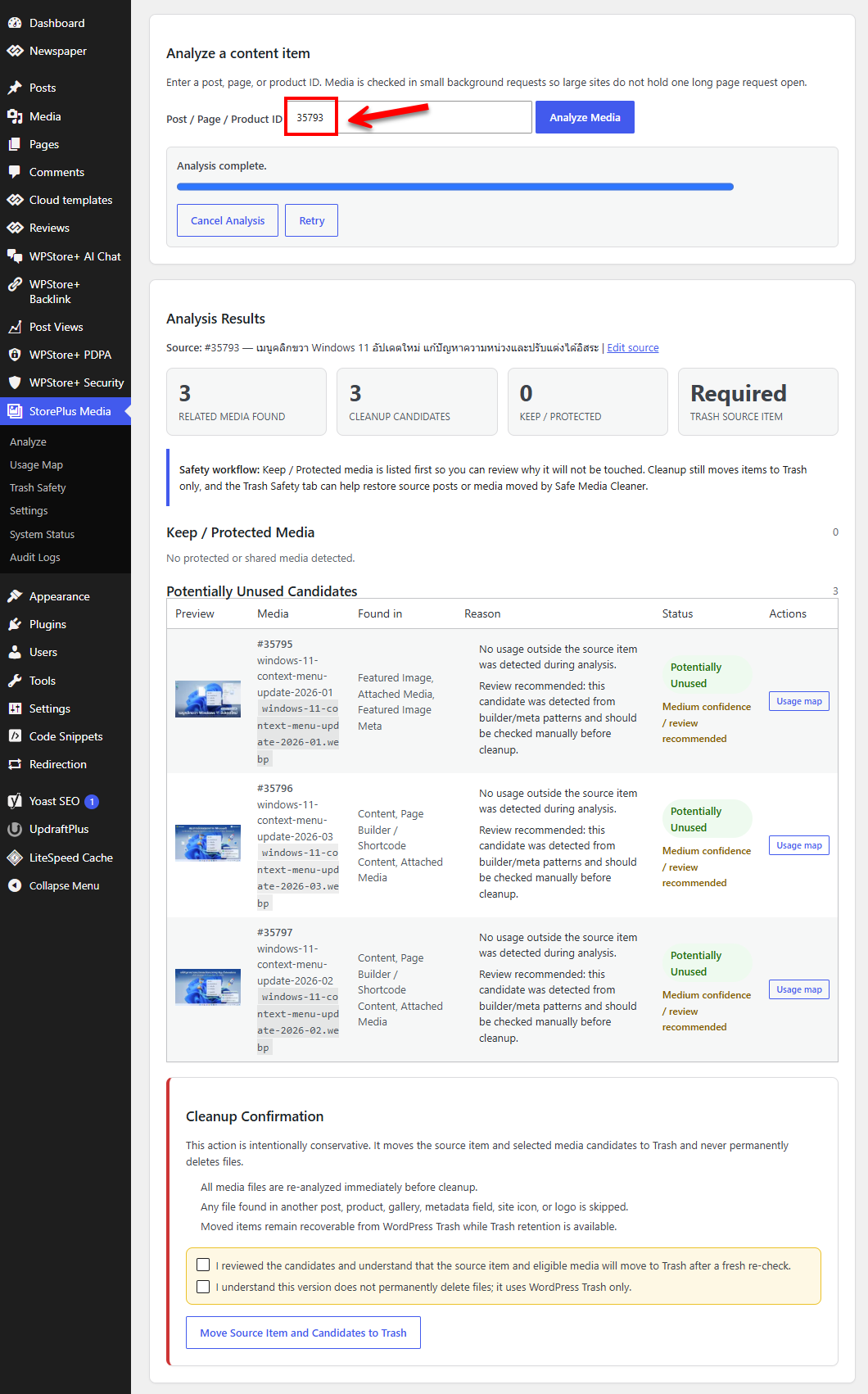
- Analyze one post, page, product, or supported public post type at a time with timeout-safe background batches.
- Detect featured images, attached media, content URLs, galleries, supported builder patterns, post metadata, and WooCommerce media.
- Check whether each attachment appears elsewhere on the site.
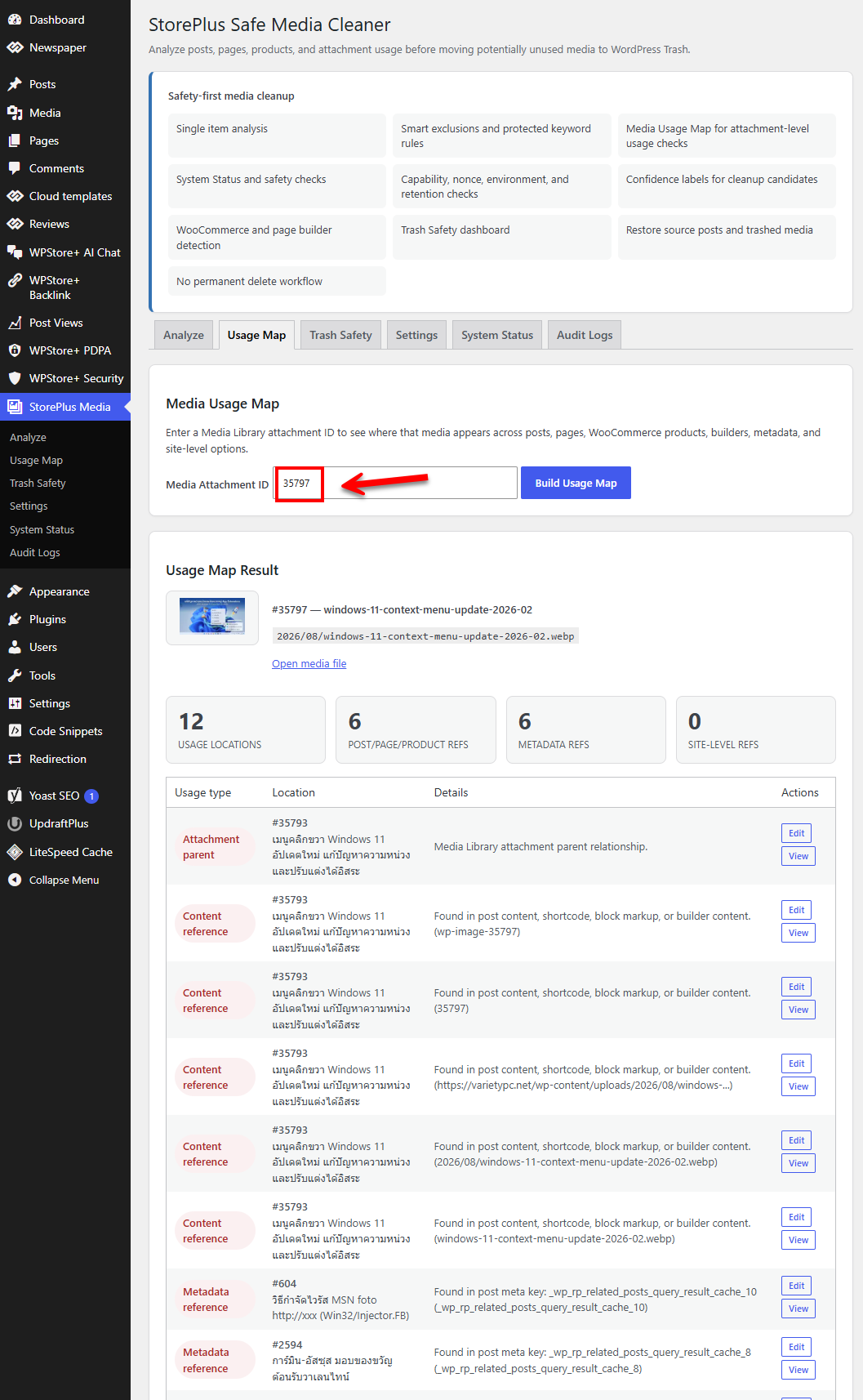
- Show a Media Usage Map for individual attachments.
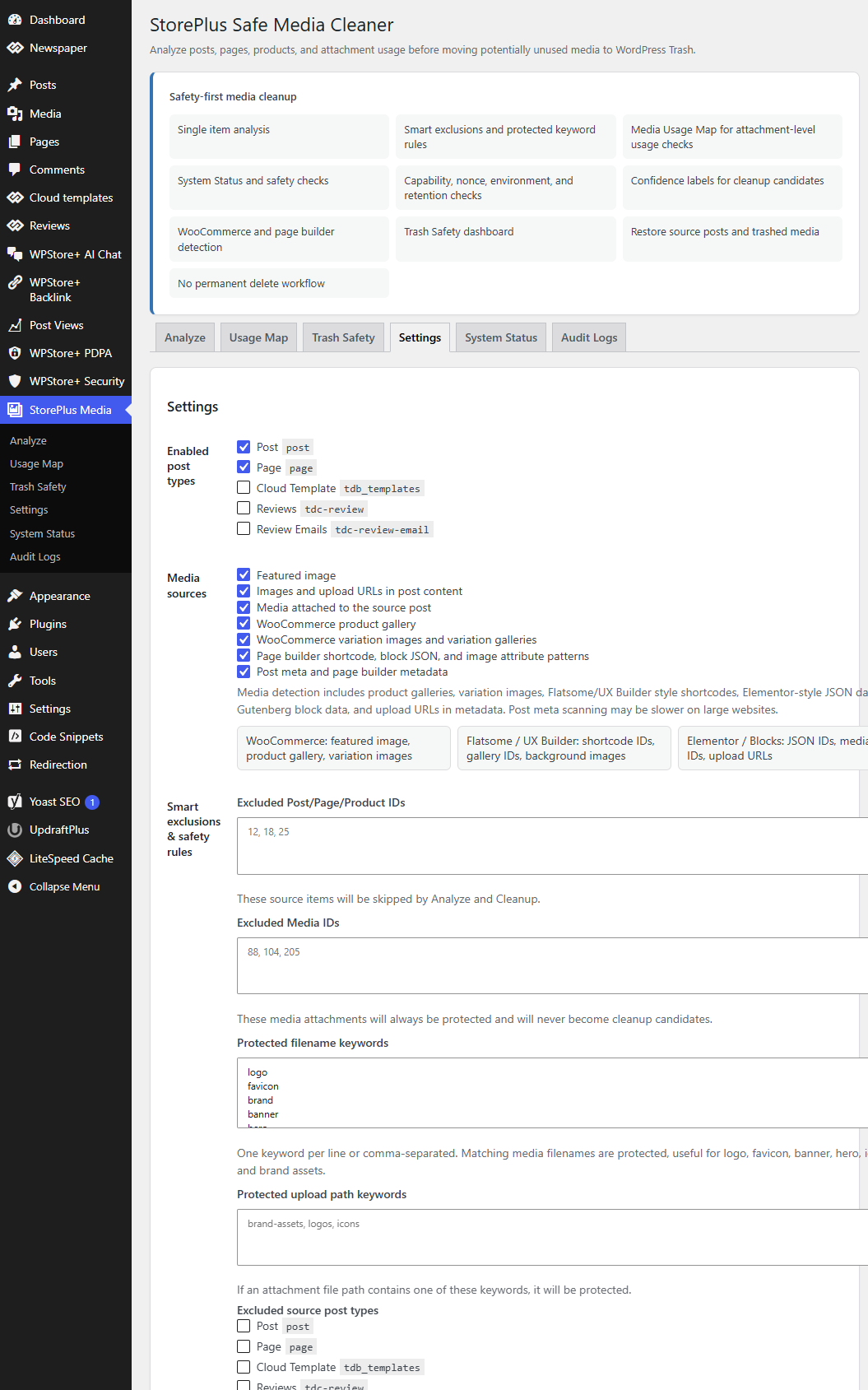
- Apply exclusions for protected IDs, post types, filenames, upload paths, ALT text, and site options.
- Re-check every candidate immediately before cleanup.
- Move items to WordPress Trash only.
- Restore source posts and attachments from the Trash Safety screen.
- Keep a local audit history of cleanup and restore actions.
Important safety note
No automated scanner can guarantee that every custom, dynamically generated, or hard-coded media reference will be detected. Results marked as candidates must be reviewed by an administrator. Keep a current backup and test on staging before cleaning a production site.
Privacy
The plugin does not collect analytics, contact an external service, load remote executable code, or send site data to StorePlus. Settings and audit logs stay in the site’s WordPress database.
Screenshots
Installation
- Upload the plugin ZIP from Plugins > Add New > Upload Plugin, or install it from the WordPress Plugin Directory.
- Activate StorePlus Safe Media Cleaner.
- Open StorePlus Media > Settings and review the enabled post types and safety rules.
- Open StorePlus Media > Analyze and enter a post, page, or product ID.
- Review Keep / Protected Media and the potentially unused candidates.
- Use the Usage Map for any attachment that needs further review.
- Create a complete backup before confirming cleanup.
FAQ
-
Does the plugin permanently delete media files?
-
No. The plugin moves eligible attachments and, when enabled, the source content item to WordPress Trash. It does not provide a permanent-delete action.
-
Can I restore an item after cleanup?
-
Yes, while WordPress still retains the item in Trash. Open StorePlus Media > Trash Safety to restore an entire cleanup session, a source post, or an individual attachment.
-
Does an unused result guarantee that a file is safe to remove?
-
No. WordPress sites can contain custom code, generated CSS, external data, or third-party storage that a general scanner cannot understand. Treat every result as a review candidate and keep a backup.
-
What references are checked?
-
The scanner checks featured images, post content, attached media, gallery IDs, upload URLs, post metadata, common builder patterns, WooCommerce galleries and variation images, attachment parents, site icon, custom logo, and selected site options.
-
Does it support WooCommerce?
-
Yes. When WooCommerce data is present and the related settings are enabled, the plugin checks product gallery and variation image references.
-
Does it support page builders?
-
The plugin detects several common shortcode, JSON, content URL, and metadata patterns. Custom widgets or proprietary data formats may still require manual review.
-
How does analysis work on a large site?
-
The Analyze screen processes related media one item at a time through short authenticated requests. Broad content, metadata, and site-option matches are verified in PHP. If a database check fails or reaches its safety limit, the affected attachment is kept and protected rather than offered as a cleanup candidate.
-
Does the plugin send any data to StorePlus?
-
No. This release has no license client, telemetry, custom updater, or external API connection.
-
Who can run cleanup or restore actions?
-
Only logged-in administrators with the
manage_optionscapability can access the plugin screens and actions. State-changing actions also require WordPress nonces.
Reviews
There are no reviews for this plugin.
Contributors & Developers
“StorePlus Safe Media Cleaner” is open source software. The following people have contributed to this plugin.
Contributors
Translate “StorePlus Safe Media Cleaner” into your language.
Interested in development?
Browse the code, check out the SVN repository, or subscribe to the development log by RSS.
Changelog
1.0.3
- Changed single-item Analyze to authenticated AJAX batches with progress, retry, and cancel controls.
- Reduced repeated wildcard database scans by combining broad lookups and verifying detailed media-reference patterns in PHP.
- Added owner-scoped, expiring analysis sessions so completed results can be used safely during cleanup.
- Added fail-safe protection when a database query fails or a broad-match safety limit is reached.
- Preserved Trash-only cleanup, administrator capability checks, nonces, final reference re-checks, exclusions, and restore tools.
- Updated compatibility metadata for WordPress 7.1 and resolved coding-standard reports for translator context and AJAX nonce detection.
1.0.2
- Removed the redundant word “Free” from the plugin display name.
- Updated the registered admin stylesheet handle to use the StorePlus plugin prefix.
- Removed an unnecessary class-existence wrapper from the plugin’s main class.
- Removed an invalid Plugin URI and a legacy commercial-version reference from the admin interface.
- Standardized locally generated audit event IDs with the StorePlus plugin prefix.
1.0.1
- Fixed output escaping reports from Plugin Check by escaping URLs at the point of output.
- Added missing translator comments for strings containing placeholders.
- Replaced the direct filesystem writability fallback with the WordPress API.
- Reworked option-table queries to use fixed prepared placeholders.
- Removed the unnecessary custom translation loader and nonexistent language directory header.
- Updated the Tested up to value for WordPress 7.0.
1.0.0
- Initial WordPress.org-ready release derived from the tested safety-first scanner.
- Added standalone StorePlus identity and WordPress.org-compatible update handling.
- Removed all license activation, custom update, and remote API code.
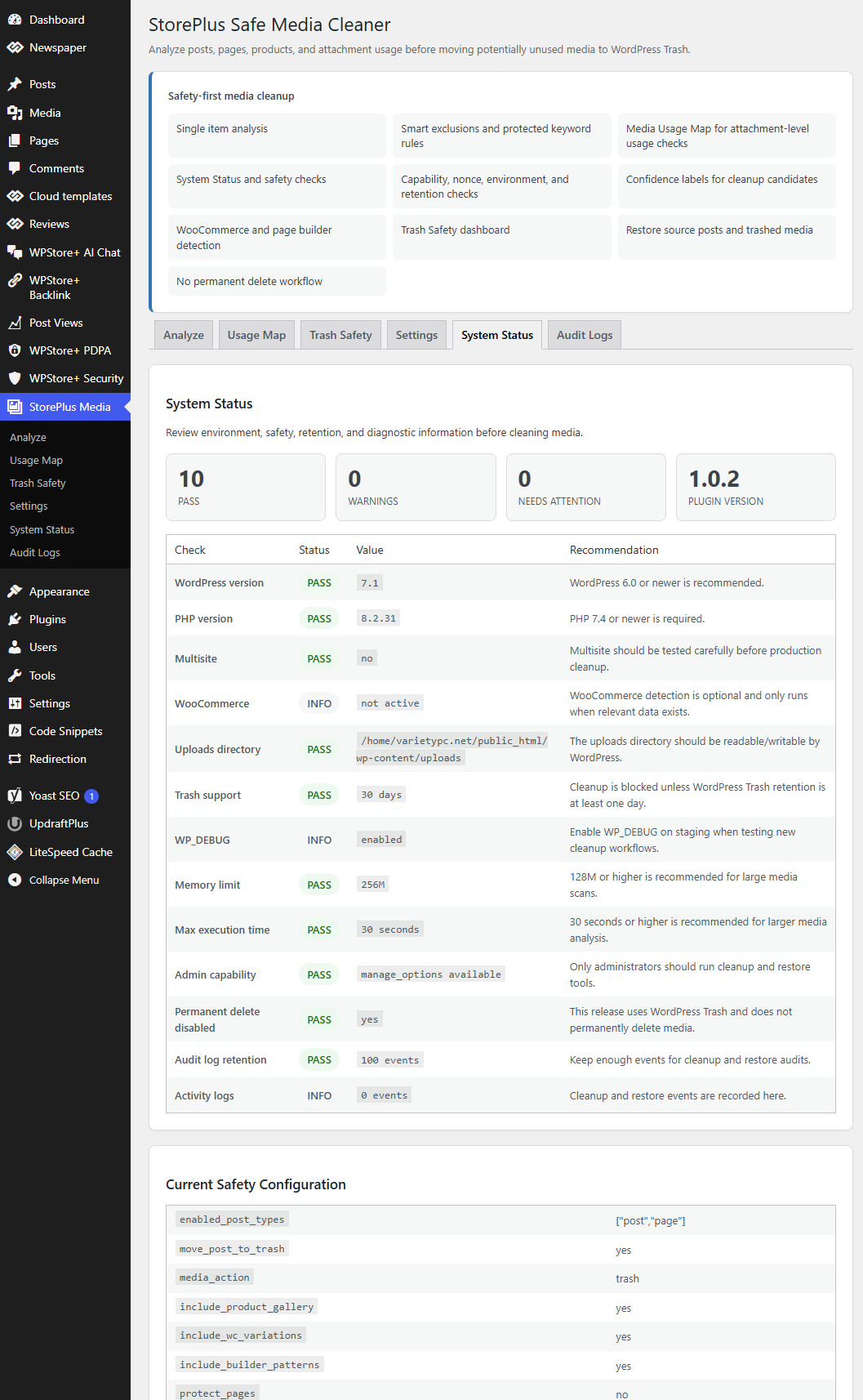
- Includes single-item analysis, Media Usage Map, Smart Exclusions, Trash-only cleanup, restore tools, System Status, and local Audit Logs.
- Does not include permanent deletion, bulk analysis, bulk cleanup, scheduled cleanup, or export tools.